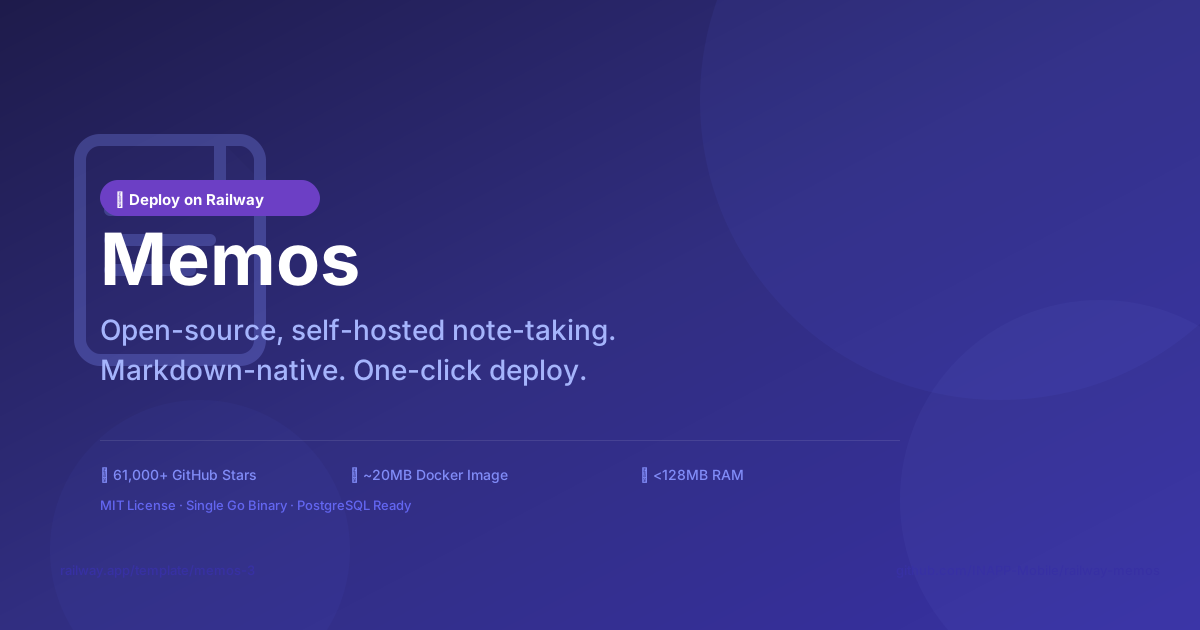
 |
|  |
|  |
All screenshots captured from a live Railway deployment at [memos-production-2206.up.railway.app](https://memos-production-2206.up.railway.app).
### Why Memos on Railway?
| Feature | Benefit |
|---------|---------|
| Single container | No complex orchestration |
| <128MB RAM | Fits free tier easily |
| Auto migrations | Zero-downtime database upgrades |
| /health endpoint | Built-in health checks for Railway |
| Web UI included | No separate frontend build needed |
---
## Prerequisites
- A [Railway](https://railway.app) account
- A [GitHub](https://github.com) account (to fork and deploy)
---
## One-Click Deploy
[](https://railway.com/new/template/memos-3)
Click the button above and Railway will:
1. Clone this template repository
2. Provision a PostgreSQL database
3. Build and deploy the Memos container
4. Expose it on a `*.railway.app` domain
**Or deploy manually:**
1. Click **New Project** → **Deploy from GitHub repo**
2. Fork this repository to your GitHub account
3. Connect your fork to Railway
4. Add a **PostgreSQL** plugin (Railway injects `DATABASE_URL`)
5. Set the environment variables (see table below)
6. Deploy!
---
## Environment Variables
Memos is configured entirely through environment variables. The template handles `DATABASE_URL` mapping to `MEMOS_DSN` automatically.
| Variable | Required | Default | Description |
|----------|----------|---------|-------------|
| `MEMOS_DSN` | No* | SQLite | PostgreSQL/MySQL DSN. Railway auto-maps from `DATABASE_URL`. |
| `MEMOS_PORT` | No | `5230` | HTTP listen port |
| `TZ` | No | `UTC` | Server timezone |
| `MEMOS_LOG_LEVEL` | No | `info` | Log verbosity: `debug`, `info`, `warn`, `error` |
| `MEMOS_ADMIN_EMAIL` | No | — | Pre-set admin email (first launch only) |
| `MEMOS_ADMIN_PASSWORD` | No | — | Pre-set admin password (first launch only) |
> **\*** `MEMOS_DSN` is **optional** when using Railway's PostgreSQL addon.
> The entrypoint automatically reads `DATABASE_URL` from Railway if `MEMOS_DSN` is unset.
> For SQLite (no database addon), leave `MEMOS_DSN` empty.
### Example Configuration
```env
MEMOS_PORT=5230
TZ=America/New_York
MEMOS_LOG_LEVEL=info
```
---
## Service Dependencies
|
All screenshots captured from a live Railway deployment at [memos-production-2206.up.railway.app](https://memos-production-2206.up.railway.app).
### Why Memos on Railway?
| Feature | Benefit |
|---------|---------|
| Single container | No complex orchestration |
| <128MB RAM | Fits free tier easily |
| Auto migrations | Zero-downtime database upgrades |
| /health endpoint | Built-in health checks for Railway |
| Web UI included | No separate frontend build needed |
---
## Prerequisites
- A [Railway](https://railway.app) account
- A [GitHub](https://github.com) account (to fork and deploy)
---
## One-Click Deploy
[](https://railway.com/new/template/memos-3)
Click the button above and Railway will:
1. Clone this template repository
2. Provision a PostgreSQL database
3. Build and deploy the Memos container
4. Expose it on a `*.railway.app` domain
**Or deploy manually:**
1. Click **New Project** → **Deploy from GitHub repo**
2. Fork this repository to your GitHub account
3. Connect your fork to Railway
4. Add a **PostgreSQL** plugin (Railway injects `DATABASE_URL`)
5. Set the environment variables (see table below)
6. Deploy!
---
## Environment Variables
Memos is configured entirely through environment variables. The template handles `DATABASE_URL` mapping to `MEMOS_DSN` automatically.
| Variable | Required | Default | Description |
|----------|----------|---------|-------------|
| `MEMOS_DSN` | No* | SQLite | PostgreSQL/MySQL DSN. Railway auto-maps from `DATABASE_URL`. |
| `MEMOS_PORT` | No | `5230` | HTTP listen port |
| `TZ` | No | `UTC` | Server timezone |
| `MEMOS_LOG_LEVEL` | No | `info` | Log verbosity: `debug`, `info`, `warn`, `error` |
| `MEMOS_ADMIN_EMAIL` | No | — | Pre-set admin email (first launch only) |
| `MEMOS_ADMIN_PASSWORD` | No | — | Pre-set admin password (first launch only) |
> **\*** `MEMOS_DSN` is **optional** when using Railway's PostgreSQL addon.
> The entrypoint automatically reads `DATABASE_URL` from Railway if `MEMOS_DSN` is unset.
> For SQLite (no database addon), leave `MEMOS_DSN` empty.
### Example Configuration
```env
MEMOS_PORT=5230
TZ=America/New_York
MEMOS_LOG_LEVEL=info
```
---
## Service Dependencies
 - **PostgreSQL**: Managed by Railway's addon system. Data persists across deploys.
- **Persistent Volume**: At `/var/opt/memos` — stores SQLite metadata (when used) and uploaded assets.
- **No Redis or external services needed** — Memos is self-contained.
---
## Local Development
### Prerequisites
- Docker installed on your machine
### Running with Docker
```bash
# Pull the latest stable image
docker pull neosmemo/memos:stable
# Run with SQLite (standalone)
docker run -d \
--name memos \
-p 5230:5230 \
-v ~/.memos:/var/opt/memos \
neosmemo/memos:stable
```
Open http://localhost:5230 — you'll be prompted to create an admin account.
### Running with Docker Compose (PostgreSQL)
```yaml
# docker-compose.yml
services:
memos:
image: neosmemo/memos:stable
ports:
- "5230:5230"
volumes:
- memos-data:/var/opt/memos
environment:
- MEMOS_DSN=postgres://memos:***@postgres:5432/memos?sslmode=disable
depends_on:
postgres:
condition: service_healthy
postgres:
image: postgres:16-alpine
environment:
POSTGRES_USER: memos
POSTGRES_PASSWORD: changeme
POSTGRES_DB: memos
volumes:
- pgdata:/var/lib/postgresql/data
healthcheck:
test: ["CMD-SHELL", "pg_isready -U memos"]
interval: 5s
timeout: 5s
retries: 5
volumes:
memos-data:
pgdata:
```
```bash
docker compose up -d
```
### Building from Source
```bash
git clone https://github.com/usememos/memos.git
cd memos
# Build frontend
cd web && pnpm install && pnpm release && cd ..
# Build backend
go build -trimpath -tags netgo,osusergo -o memos ./cmd/memos
# Run
./memos
```
---
## Troubleshooting
### "Connection refused" after deploy
1. Wait 30–60 seconds for the health check to pass.
2. Ensure the PostgreSQL addon is provisioned and `DATABASE_URL` is injected.
3. Check Railway logs: `railway logs`.
### Database connection failures
```
FATA[0000] failed to connect to database: dial tcp ...
```
- Verify `DATABASE_URL` is set in Railway dashboard → Variables.
- If using custom `MEMOS_DSN`, ensure the connection string is correct.
- For Railway PostgreSQL, the `sslmode=require` parameter is required.
### Data doesn't persist after restart
- Memos stores data at `/var/opt/memos`. Railway volumes must be mounted here.
- If using SQLite, the database file is stored at the volume path.
- If using PostgreSQL, only uploaded assets are on the volume.
### Memory or performance issues
- Memos uses <128MB RAM under normal load.
- If using PostgreSQL, ensure your Railway plan has adequate connections.
- Check `MEMOS_LOG_LEVEL=debug` for verbose diagnostics.
### Admin account lockout
If you lose access to the admin account:
```bash
# Connect to the Railway volume and reset directly
# This is a Railway shell session:
railway run
rm -f /var/opt/memos/memos.db
```
Then restart — Memos will prompt for a new admin account on next launch.
---
## Resource Requirements
| Resource | Minimum | Recommended |
|----------|---------|-------------|
| RAM | 64 MB | 128 MB |
| CPU | 0.25 vCPU | 0.5 vCPU |
| Disk | 256 MB | 1 GB |
| Database | — | PostgreSQL (Railway Hobby) |
---
## Updating
The `stable` tag follows Memos releases. To update:
1. In Railway dashboard, navigate to your Memos service.
2. Go to **Settings** → **Deploy**.
3. Click **Redeploy** — Railway pulls the latest `neosmemo/memos:stable` image.
For pinning a specific version, update `Dockerfile`:
```dockerfile
FROM neosmemo/memos:v0.29.1
```
---
## Security
- Container runs as **non-root user** (UID 10001:GID 10001)
- Base image receives Alpine Linux security updates
- Data volume is isolated from the container's ephemeral filesystem
- All secrets (DSN, passwords) are injected via environment variables — never hardcoded
- HTTPS is provided automatically by Railway's edge infrastructure
---
## License
This template is MIT-licensed.
The upstream [Memos](https://github.com/usememos/memos) project is also MIT-licensed.
---
## Support & Community
- [Memos Documentation](https://usememos.com/docs)
- [Memos GitHub Issues](https://github.com/usememos/memos/issues)
- [Memos Discord](https://discord.gg/tfPJa4UmAv)
- [Railway Documentation](https://docs.railway.app)
---
- **PostgreSQL**: Managed by Railway's addon system. Data persists across deploys.
- **Persistent Volume**: At `/var/opt/memos` — stores SQLite metadata (when used) and uploaded assets.
- **No Redis or external services needed** — Memos is self-contained.
---
## Local Development
### Prerequisites
- Docker installed on your machine
### Running with Docker
```bash
# Pull the latest stable image
docker pull neosmemo/memos:stable
# Run with SQLite (standalone)
docker run -d \
--name memos \
-p 5230:5230 \
-v ~/.memos:/var/opt/memos \
neosmemo/memos:stable
```
Open http://localhost:5230 — you'll be prompted to create an admin account.
### Running with Docker Compose (PostgreSQL)
```yaml
# docker-compose.yml
services:
memos:
image: neosmemo/memos:stable
ports:
- "5230:5230"
volumes:
- memos-data:/var/opt/memos
environment:
- MEMOS_DSN=postgres://memos:***@postgres:5432/memos?sslmode=disable
depends_on:
postgres:
condition: service_healthy
postgres:
image: postgres:16-alpine
environment:
POSTGRES_USER: memos
POSTGRES_PASSWORD: changeme
POSTGRES_DB: memos
volumes:
- pgdata:/var/lib/postgresql/data
healthcheck:
test: ["CMD-SHELL", "pg_isready -U memos"]
interval: 5s
timeout: 5s
retries: 5
volumes:
memos-data:
pgdata:
```
```bash
docker compose up -d
```
### Building from Source
```bash
git clone https://github.com/usememos/memos.git
cd memos
# Build frontend
cd web && pnpm install && pnpm release && cd ..
# Build backend
go build -trimpath -tags netgo,osusergo -o memos ./cmd/memos
# Run
./memos
```
---
## Troubleshooting
### "Connection refused" after deploy
1. Wait 30–60 seconds for the health check to pass.
2. Ensure the PostgreSQL addon is provisioned and `DATABASE_URL` is injected.
3. Check Railway logs: `railway logs`.
### Database connection failures
```
FATA[0000] failed to connect to database: dial tcp ...
```
- Verify `DATABASE_URL` is set in Railway dashboard → Variables.
- If using custom `MEMOS_DSN`, ensure the connection string is correct.
- For Railway PostgreSQL, the `sslmode=require` parameter is required.
### Data doesn't persist after restart
- Memos stores data at `/var/opt/memos`. Railway volumes must be mounted here.
- If using SQLite, the database file is stored at the volume path.
- If using PostgreSQL, only uploaded assets are on the volume.
### Memory or performance issues
- Memos uses <128MB RAM under normal load.
- If using PostgreSQL, ensure your Railway plan has adequate connections.
- Check `MEMOS_LOG_LEVEL=debug` for verbose diagnostics.
### Admin account lockout
If you lose access to the admin account:
```bash
# Connect to the Railway volume and reset directly
# This is a Railway shell session:
railway run
rm -f /var/opt/memos/memos.db
```
Then restart — Memos will prompt for a new admin account on next launch.
---
## Resource Requirements
| Resource | Minimum | Recommended |
|----------|---------|-------------|
| RAM | 64 MB | 128 MB |
| CPU | 0.25 vCPU | 0.5 vCPU |
| Disk | 256 MB | 1 GB |
| Database | — | PostgreSQL (Railway Hobby) |
---
## Updating
The `stable` tag follows Memos releases. To update:
1. In Railway dashboard, navigate to your Memos service.
2. Go to **Settings** → **Deploy**.
3. Click **Redeploy** — Railway pulls the latest `neosmemo/memos:stable` image.
For pinning a specific version, update `Dockerfile`:
```dockerfile
FROM neosmemo/memos:v0.29.1
```
---
## Security
- Container runs as **non-root user** (UID 10001:GID 10001)
- Base image receives Alpine Linux security updates
- Data volume is isolated from the container's ephemeral filesystem
- All secrets (DSN, passwords) are injected via environment variables — never hardcoded
- HTTPS is provided automatically by Railway's edge infrastructure
---
## License
This template is MIT-licensed.
The upstream [Memos](https://github.com/usememos/memos) project is also MIT-licensed.
---
## Support & Community
- [Memos Documentation](https://usememos.com/docs)
- [Memos GitHub Issues](https://github.com/usememos/memos/issues)
- [Memos Discord](https://discord.gg/tfPJa4UmAv)
- [Railway Documentation](https://docs.railway.app)
---