Welcome to a nice Changelog this week! It’s been busy as we enter into President’s Day (🇺🇸) or Family Day (🇨🇦). We hope you’ve been making it a good one.
Metro for New Projects
This week, as some may have seen in the announcement email, we’ve enabled Railway Metro for all new projects.
We encourage all users to try out Metro and upgrade their projects as it will be the default experience for everyone. Feedback on the new UI is always welcome (and encouraged) in our Discord server.
New Deployment Pages
The deployment pages in Metro are completely redone. The list highlights the deploys that are the most important and need your attention. Failed deploys older than the most recent successful deploy no longer need to be removed manually and are automatically tucked away behind a “History” menu that can be collapsed.
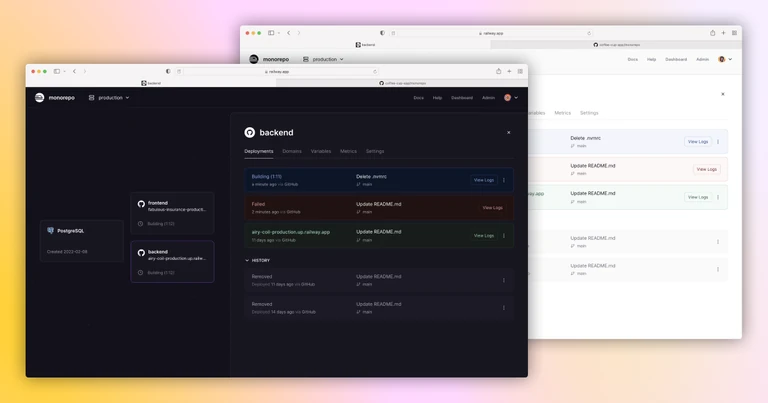
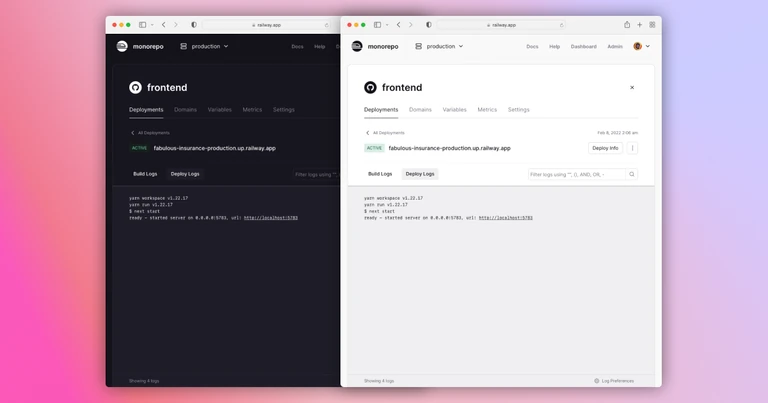
The deploy logs page has been restructured as well as allows you to perform actions on the deployment, such as removing and rolling back. More focus has also been given to your logs which should make it easier to parse and diagnose issues with your apps. We’ve also added some log preferences, which leads us into our next item.
Log Preferences
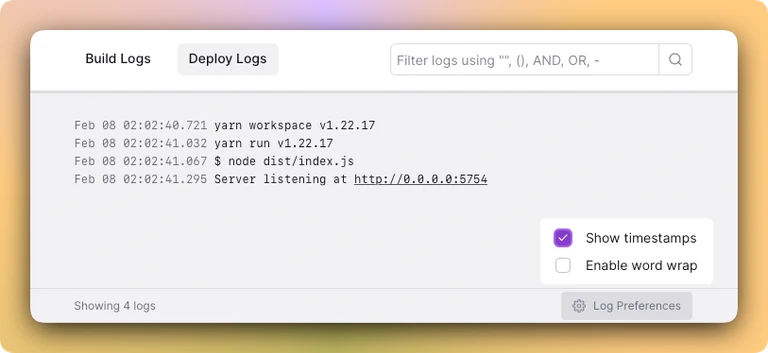
Two new log preferences can be toggled: Timestamps and word wrap.
Enabling timestamps will add the local time each log was emitted to the left of the log itself. Enabling word wrap will wrap long lines instead of making you scroll horizontally. This is really useful on mobile.
Both of these settings can also be toggled through the command palette.
CLI Install Improvements and OSS Railway
This week we also focused on improving the OSS experience in Railway. Our Discord now has dedicated channels for the CLI, docs, and starter repos. All of which are open source.
A few PRs from contributors were merged, including
With these changes, you can now install the CLI with curl using our brand new cli.new domain. https://twitter.com/JustJake/status/1494177511479017474
CLI Setup in Metro
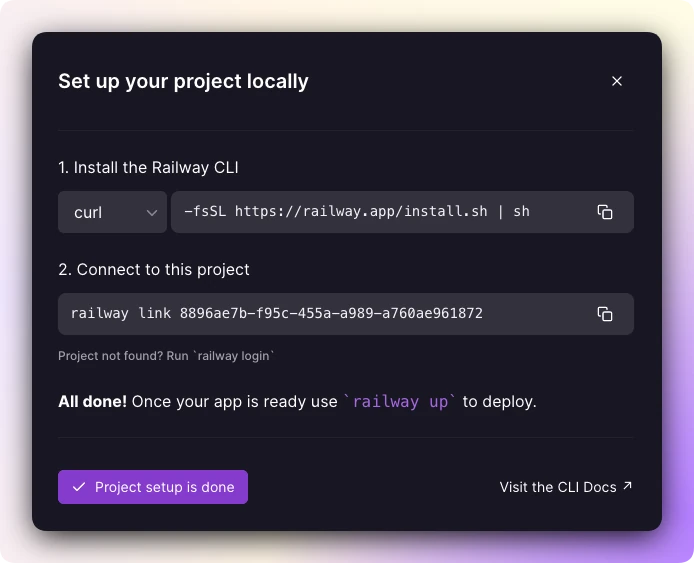
In the project canvas, we now added a button on the lower left that opens a modal with instructions to set up your project locally. Don’t worry, you can always reclaim your screen space after opening.