Your agents multiply, and Railway follows them around. The official Railway plugin lands in the Grok Build plugin marketplace this week, so xAI's coding agent can deploy and operate your projects out of the box. The CLI also picks up CDN cache controls with the new railway cdn command.
Let's get into it! 🚄
Railway plugin for Grok Build
Installing the Railway plugin from the Grok Build marketplace and deploying with itThe official Railway plugin is now listed in the Grok Build plugin marketplace. If you use xAI's coding agent, run grok, and if your prompt includes Railway you'll see a hint that allows you to one click install the plugin. You can also run /marketplace, select xAI official, then railway, and press i to install.
The plugin packages everything the agent needs to work on your Railway projects:
-
The
use-railwayskill, which routes deploys, service configuration, environments, networking, and troubleshooting through the Railway CLI. -
Railway's hosted MCP server at
mcp.railway.com -
A hook that auto-approves Railway CLI and API calls, so the agent isn't interrupted for permission on every command.
Grok Build joins Claude Code, Codex, and Cursor on the list of agents with a first-class Railway plugin, all shipped from the railway-skills repo. Before the marketplace listing, installing the plugin in Grok meant pointing it at the repo manually. It's browsable and one keypress away now.
Try it out, and let us know what you think on Central Station.
Manage CDN caching in the CLI
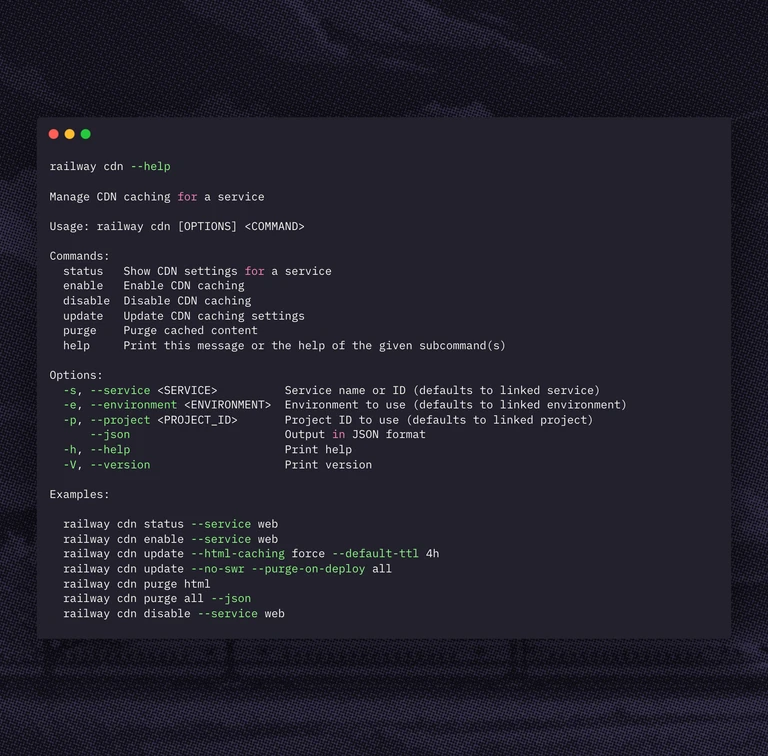
In case you missed it: Railway has a built-in CDN. Enable it on a service and responses are cached at the edge, close to your users, with no third-party setup. We wrote about how we built it in How to build a 30M RPS CDN in 30 days with Rust and WASM.
Before this, cache settings and purges lived in the dashboard. Now the CLI exposes the same controls via the new railway cdn command:
-
railway cdn statusreports whether caching is enabled for the selected service, along with the HTML caching mode, default TTL, stale-while-revalidate state, purge-on-deploy policy, and the last purge times. -
railway cdn enableandrailway cdn disabletoggle caching, matching the dashboard behavior. Enabling requires an applied public domain. -
railway cdn updatechanges settings on a service that already has caching enabled:--html-caching <auto|force|never>,--default-ttl,--swr/--no-swr, and--purge-on-deploy <off|html|all>. -
railway cdn purge <html|all>clears the HTML cache or the full cache on demand.
Every command supports the standard --service, --environment, and --project selectors, plus --json so you can purge the cache from a deploy script or let an agent tune TTLs for you.
Update with railway upgrade, read the CDN docs, run railway cdn --help, and let us know what you think on Central Station.
Fixes and improvements
- We shipped project token support for feature flags.
railway flagresolves its target project from your CLI context (a linked project orRAILWAY_TOKEN), and project tokens can create and update flags. Previously the command resolved the project through the linked workspace, and managing flags required a personal login, which kept CI jobs and agents out
- We fixed
railway config pullflattening single-region replica maps into a plain region list. Pulled configs previously lost your placement intent, so pushing the same file back could reshape where replicas run. Region maps now survive the round-trip unchanged