
Deploy 9router
Self-host 9router: OpenAI-compatible endpoint, 100+ models, fallback & more
9router
Just deployed
/app/data
Deploy and Host 9Router on Railway
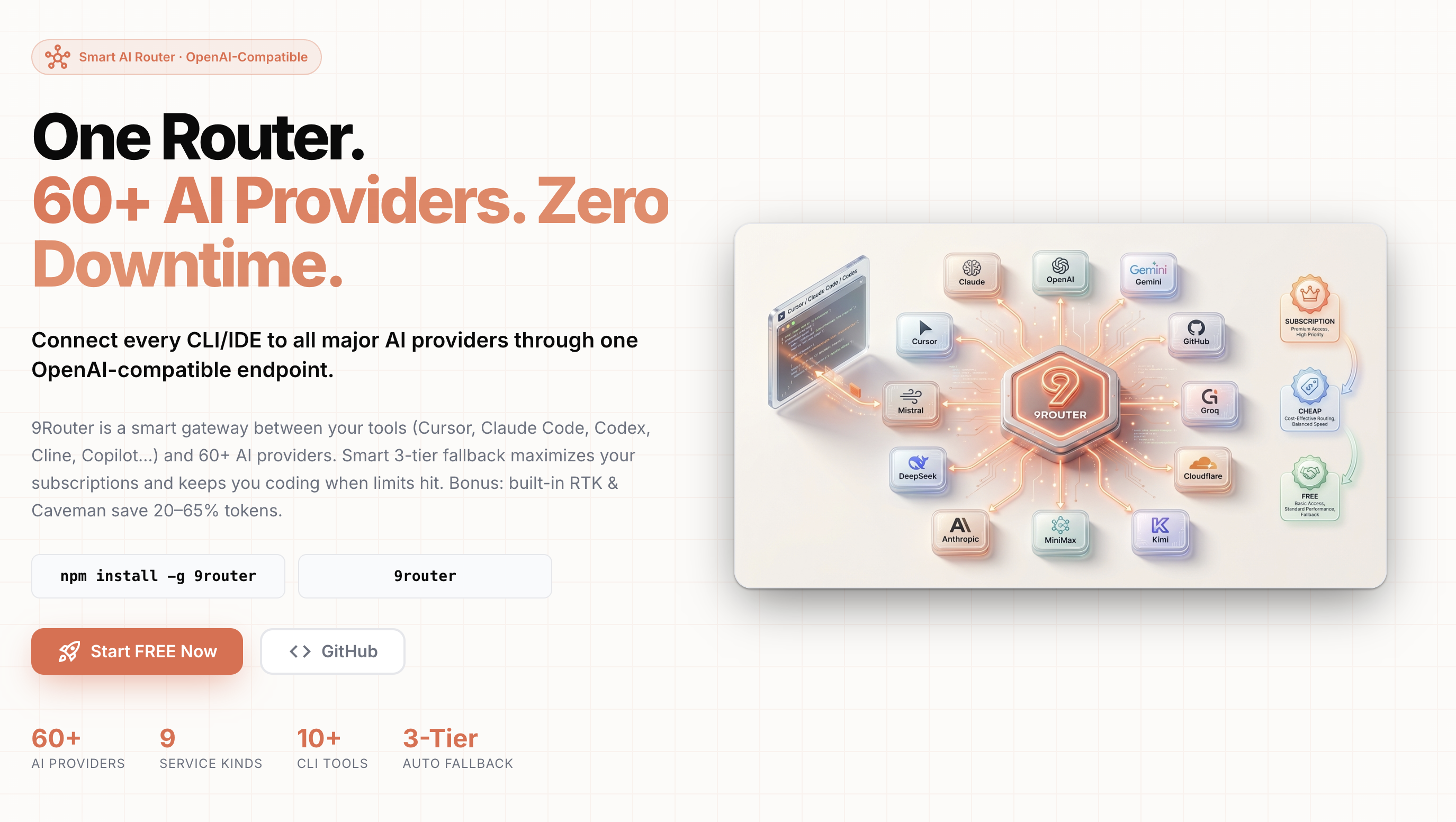
9Router is an open-source AI gateway that puts a single OpenAI-compatible endpoint in front of 40+ model providers and 100+ models.
Rather than wiring every coding tool to a different SDK, key, and base URL, you point Claude Code, Cursor, Cline, Copilot, OpenCode, or any OpenAI-compatible client at one /v1 URL and manage providers, keys, fallback order, and spend from one dashboard.
Teams self-host 9Router to consolidate scattered provider keys, ride out rate limits without editing config, and see which model answered which request at what cost.
Deploy 9Router on Railway and the gateway runs as one container with a persistent volume and public HTTPS in front of it. It keeps providers, issued API keys, fallback chains ("combos"), usage history, and settings in an embedded SQLite database on that volume, so there is no Postgres or Redis to operate. Your tool sends an OpenAI-format request to https:///v1; 9Router authenticates it against a key you issued, picks a provider from your chain, translates to that provider's native format, and streams the response back.
Getting Started with 9Router on Railway
When the deploy goes green, open the service's public URL and you will hit a password gate at /login. The password comes from the INITIAL_PASSWORD variable — copy the generated value from the service's Variables tab in Railway, then change it under Settings, since that value only seeds the account.
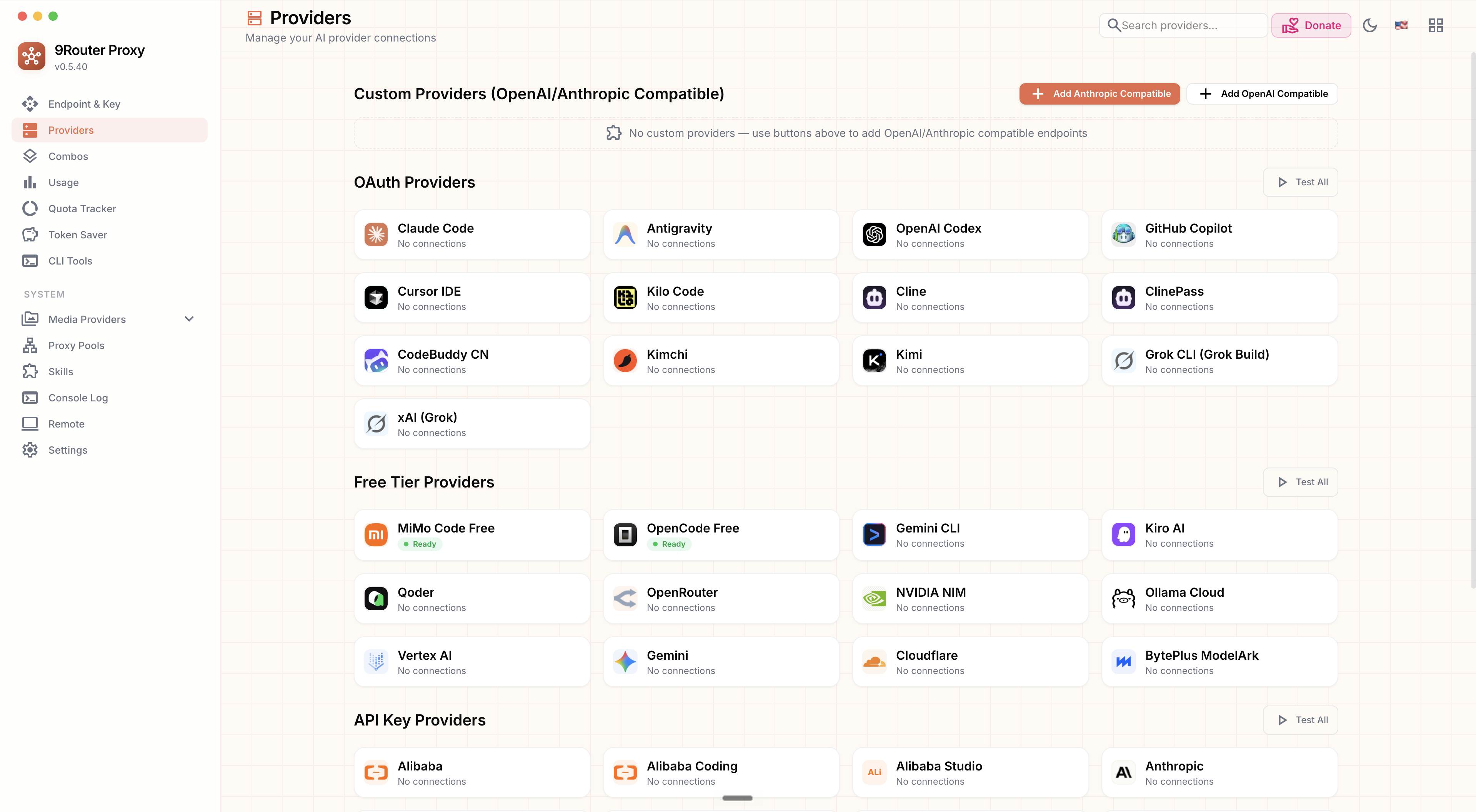
Next open Providers and connect an upstream by pasting a key from a provider you already use; OpenAI, Anthropic, Gemini, DeepSeek, Groq, GLM, Kimi, and MiniMax work out of the box.
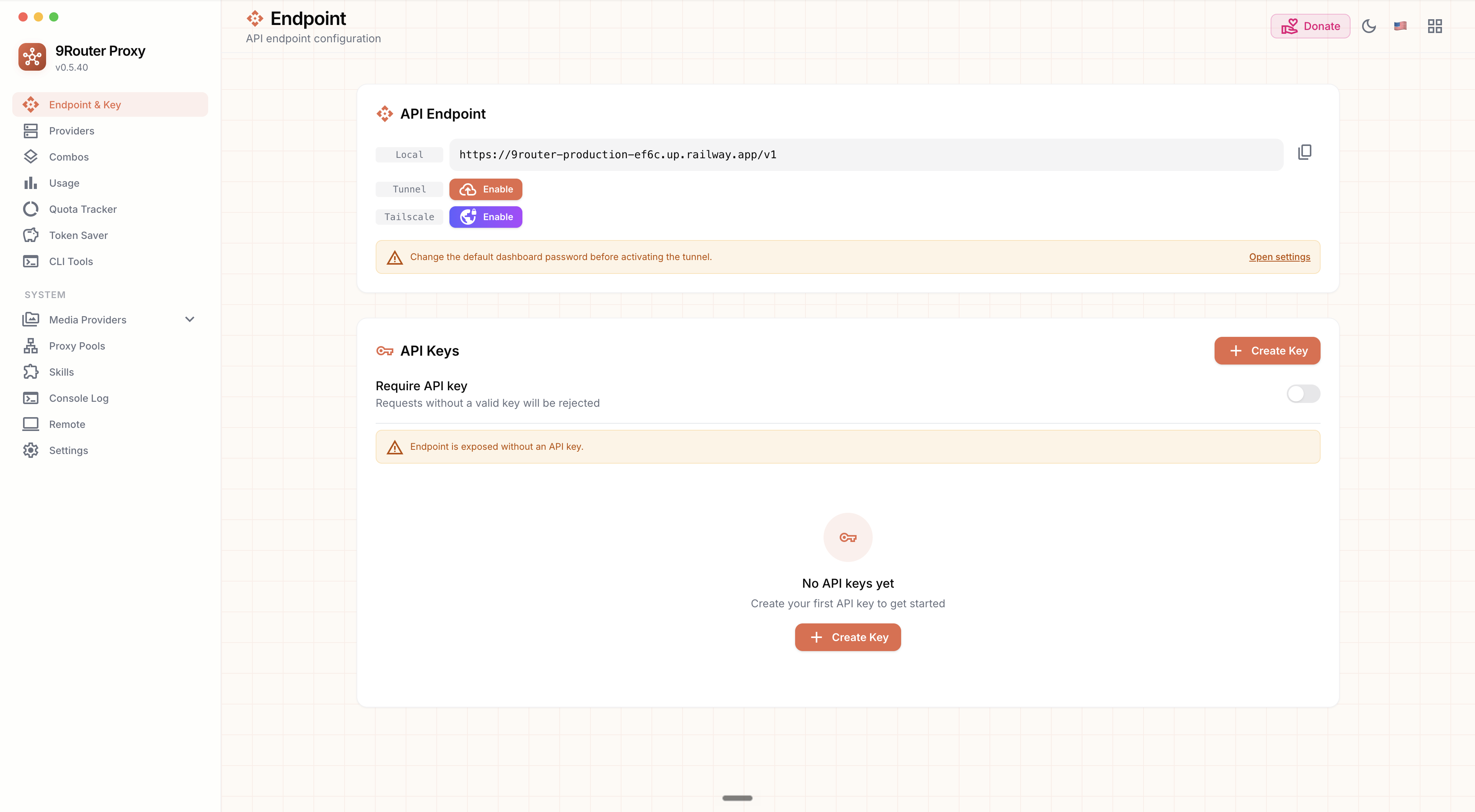
Then go to Endpoint & Key, click Create Key, and copy the issued 9Router key — this is what your tools send, and it is separate from your provider keys.
Verify the path by calling /v1/models with that key and confirming you get a model list rather than a 401.
Finally, open Combos to build a fallback chain so a rate-limited model hands off automatically.
About Hosting 9Router
9Router addresses a problem that appears as soon as a team uses more than one provider: each tool wants its own configuration, each provider has its own auth scheme and request format, and one rate limit can stall everything. Self-hosting keeps the gateway, credentials, and request logs on infrastructure you control.
Key features:
- One OpenAI-compatible
/v1endpoint fronting 40+ providers and 100+ models - Fallback chains that reroute automatically on rate limits and errors
- Per-provider quota and usage tracking with cost estimation
- Format translation across OpenAI, Anthropic, and Gemini request styles
- RTK token compression that shrinks diffs, grep output, and file trees
- Separately issued API keys, so tools never hold your upstream credentials
One Node.js service serves the dashboard and routing layer on port 20128, and one volume at /app/data holds the SQLite database and backups — no database tier to provision or pay for.
Why Deploy 9Router on Railway
Railway removes the server work around a self-hosted gateway:
- One container, one volume — no Postgres or Redis to run
- Public HTTPS and a domain provisioned automatically
- Persistent storage that survives redeploys and restarts
- Secrets managed as service variables, never baked into an image
- Redeploy to a new pinned version in a single click
Common Use Cases
- Consolidating provider keys — issue one 9Router key per developer or tool and revoke access without rotating upstream credentials.
- Surviving rate limits — fall back to a secondary provider when the first returns HTTP 429.
- Tracking AI spend — attribute cost per provider and model instead of reconciling vendor invoices.
- Standardising on one API surface — point internal scripts at one base URL and swap models without touching code.
Dependencies for 9Router
decolua/9router— the application image on Docker Hub, multi-arch forlinux/amd64andlinux/arm64. Mirrored atghcr.io/decolua/9router, but semantic version tags are published only to Docker Hub.- A persistent volume at
/app/data— holdsdb/data.sqliteanddb/backups/. Without it, every provider, key, and combo is lost on redeploy.
There is no external database, cache, or message broker, which is why the volume is the one dependency you must not drop.
Environment Variables Reference
| Variable | Purpose |
|---|---|
PORT | Listening port; must match the domain's target port |
DATA_DIR | Where SQLite lives; point at the mounted volume |
JWT_SECRET | Signs dashboard session cookies — must be strong and random |
INITIAL_PASSWORD | Seeds the first dashboard login |
API_KEY_SECRET | HMAC secret for keys issued by the dashboard |
REQUIRE_API_KEY | Rejects unauthenticated calls to /v1/* |
BASE_URL | Public URL the server uses to call itself |
ENABLE_REQUEST_LOGS | Writes full request/response bodies to disk |
Deployment Dependencies
Runtime is Node.js 22 on Alpine with Next.js 16, bundled in the image. Source: https://github.com/decolua/9router
Hardware Requirements for Self-Hosting 9Router
The gateway forwards and translates requests rather than running inference, so requirements stay modest.
| Resource | Minimum | Recommended |
|---|---|---|
| CPU | 0.5 vCPU | 1–2 vCPU |
| RAM | 512 MB | 1–2 GB |
| Storage | 1 GB volume | 5 GB volume |
| Runtime | Node.js 22 (in image) | Node.js 22 (in image) |
A fresh install uses well under 100 MB. Growth comes from usage history and backups; full request logging increases it much faster.
Self-Hosting 9Router with Docker
The quickest way to run 9Router outside Railway is the published image. This Docker command mounts a named volume and sets the security-relevant variables:
docker run -d \
  --name 9router \
  -p 20128:20128 \
  -v 9router-data:/app/data \
  -e DATA_DIR=/app/data \
  -e JWT_SECRET="$(openssl rand -hex 32)" \
  -e API_KEY_SECRET="$(openssl rand -hex 32)" \
  -e INITIAL_PASSWORD="choose-a-strong-password" \
  -e REQUIRE_API_KEY=true \
  decolua/9router:latest
Before exposing any instance, confirm it refuses unauthenticated traffic:
curl -i https://your-domain.example/v1/models
A correctly configured instance answers 401 with API key required for remote API access. If it returns a model list, REQUIRE_API_KEY is unset and anyone who finds the URL can spend your provider credits.
How Much Does 9Router Cost to Self-Host?
9Router is free and open source under the MIT licence — no paid tier, seat cost, or per-request fee. Self-hosting costs are infrastructure only, and on Railway that is one small container plus a volume, which stays inexpensive because the gateway idles cheaply between requests. You still pay upstream providers at their own rates; 9Router meters those calls but does not resell tokens.
Troubleshooting
The login screen warns that no password is set → this banner can appear even when INITIAL_PASSWORD is set and working. Trust the login attempt over the banner.
Dashboard says "Endpoint is exposed without an API key" → the in-app toggle and the REQUIRE_API_KEY variable are separate switches. The variable already blocks unauthenticated remote calls; enable the toggle too so both agree.
FAQ
What is 9Router? An open-source, self-hosted AI gateway exposing one OpenAI-compatible endpoint that routes across 40+ model providers, with fallback chains, quota tracking, token compression, and a dashboard.
What does this Railway template deploy?
A single 9Router service from the official decolua/9router image, with a persistent volume at /app/data, a public HTTPS domain on port 20128, and the security-relevant variables pre-set.
Why a volume instead of a database service? 9Router keeps providers, issued keys, combos, sessions, and usage history in an embedded SQLite file. The volume makes that state survive a redeploy — remove it and every provider connection is wiped.
How do I stop other people from using my deployed 9Router endpoint?
Keep REQUIRE_API_KEY set to true. Every /v1/* request then needs a Bearer key you issued, and unauthenticated callers get a 401. The endpoint is public and spends against your upstream credits.
Which version of 9Router should I pin for production?
Pin an explicit version tag rather than latest, and stay on 0.4.45 or newer — earlier releases shipped a hardcoded fallback session secret allowing dashboard auth bypass when JWT_SECRET was unset. Always set JWT_SECRET yourself.
Can I point Claude Code or Cursor at a self-hosted 9Router?
Yes. Set the tool's base URL to https:///v1 and its API key to one issued from the dashboard.
Template Content
9router
decolua/9router:0.5.40

