
Deploy Ackee
Privacy-friendly website analytics that counts views without cookies
Just deployed

MongoDB
Just deployed
/data/db
Deploy and Host Ackee on Railway
Ackee is a self-hosted, privacy-friendly web analytics server built on Node.js and MongoDB. It counts page views, referrers, browsers, devices, screen sizes and languages for the sites you own — without cookies, without fingerprinting and without a visitor identity that survives the day. Bloggers, indie developers, agencies and docs teams reach for it when Google Analytics is more machine than they need and a consent banner is more friction than a traffic chart is worth.
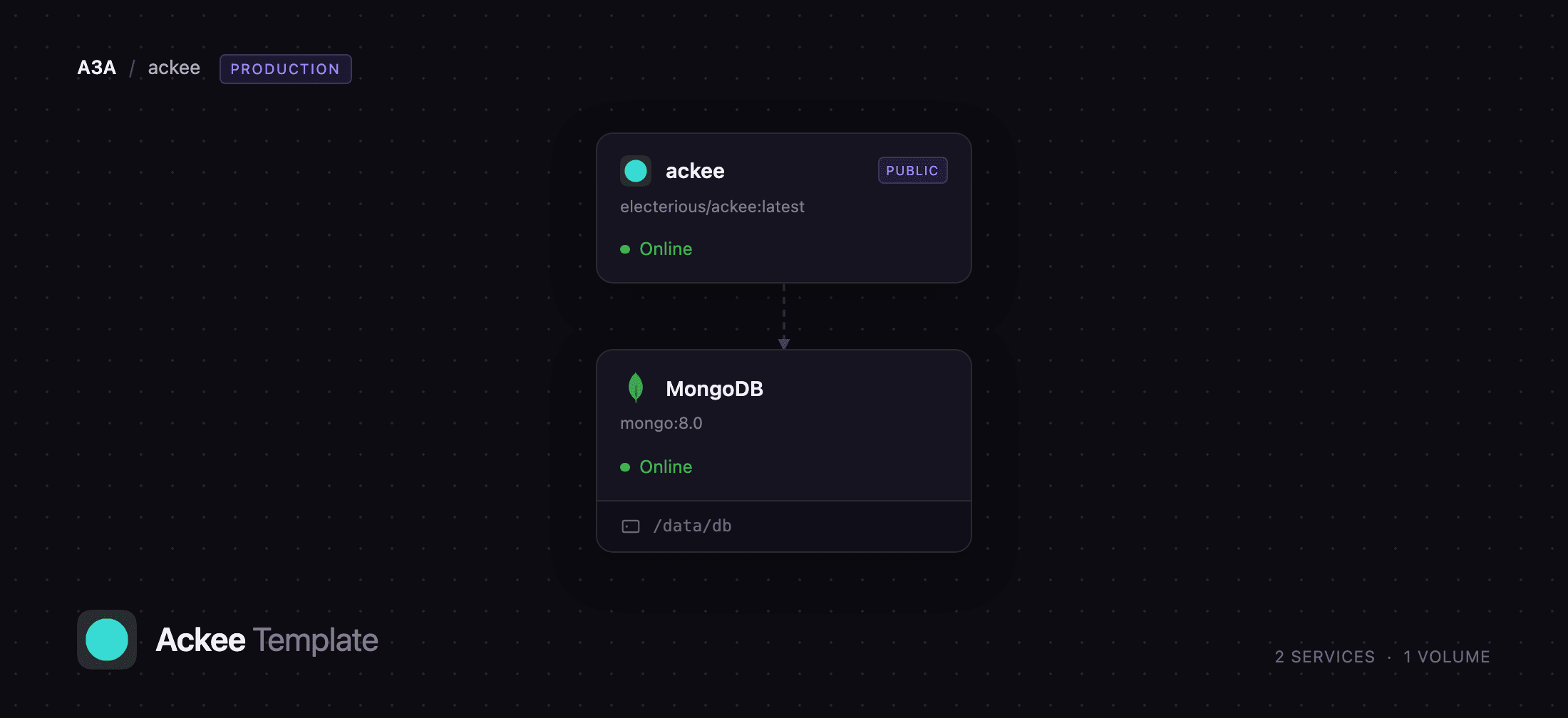
Deploy Ackee on Railway and it arrives wired together: an ackee service running the official electerious/ackee image behind a public HTTPS domain, and a private MongoDB service holding every record on a persistent volume. Browsers reach the ackee service only — the dashboard, the GraphQL API at /api and the tracker.js snippet share one origin — while the database stays on Railway's private network. Self-host Ackee this way and the only step left is pasting a script tag onto the site you want to measure.
Getting Started with Ackee on Railway
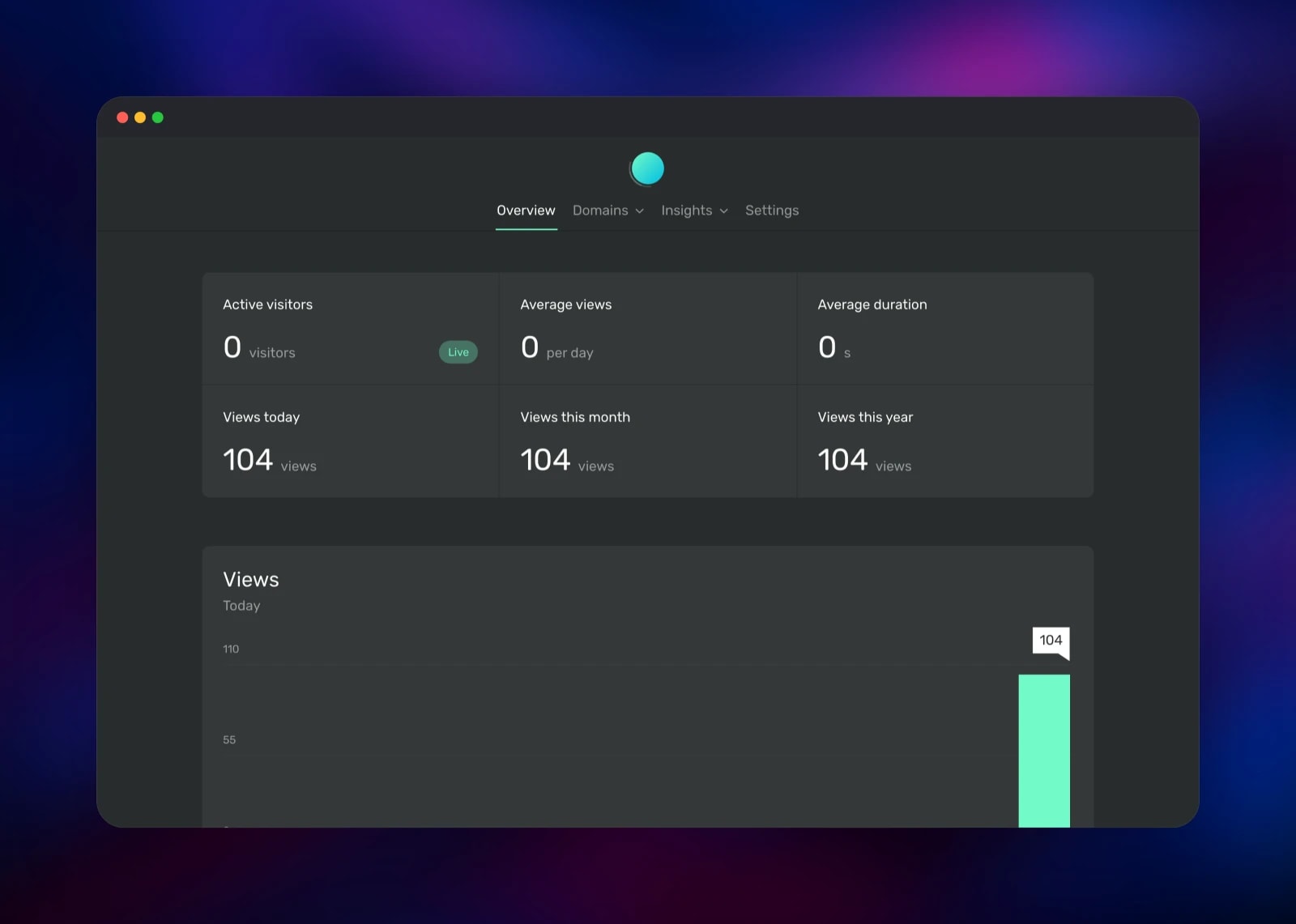
Open the generated Railway URL and you land on a sign-in card. There is no registration form and no shipped default password: the account is the ACKEE_USERNAME and ACKEE_PASSWORD pair on the ackee service, with the username defaulting to admin and the password generated at deploy time. Copy it from the service's Variables tab, sign in, and the dashboard opens on an empty Overview.
Your first action is adding a site: Settings → Domains → New domain, titled with the site's real hostname — example.com, not "My blog" — because the template ships with automatic CORS enabled and Ackee grants browser access to exactly the origins whose domain titles are valid hostnames. Ackee then shows the domain's id and a ready-made snippet for your site's ``:
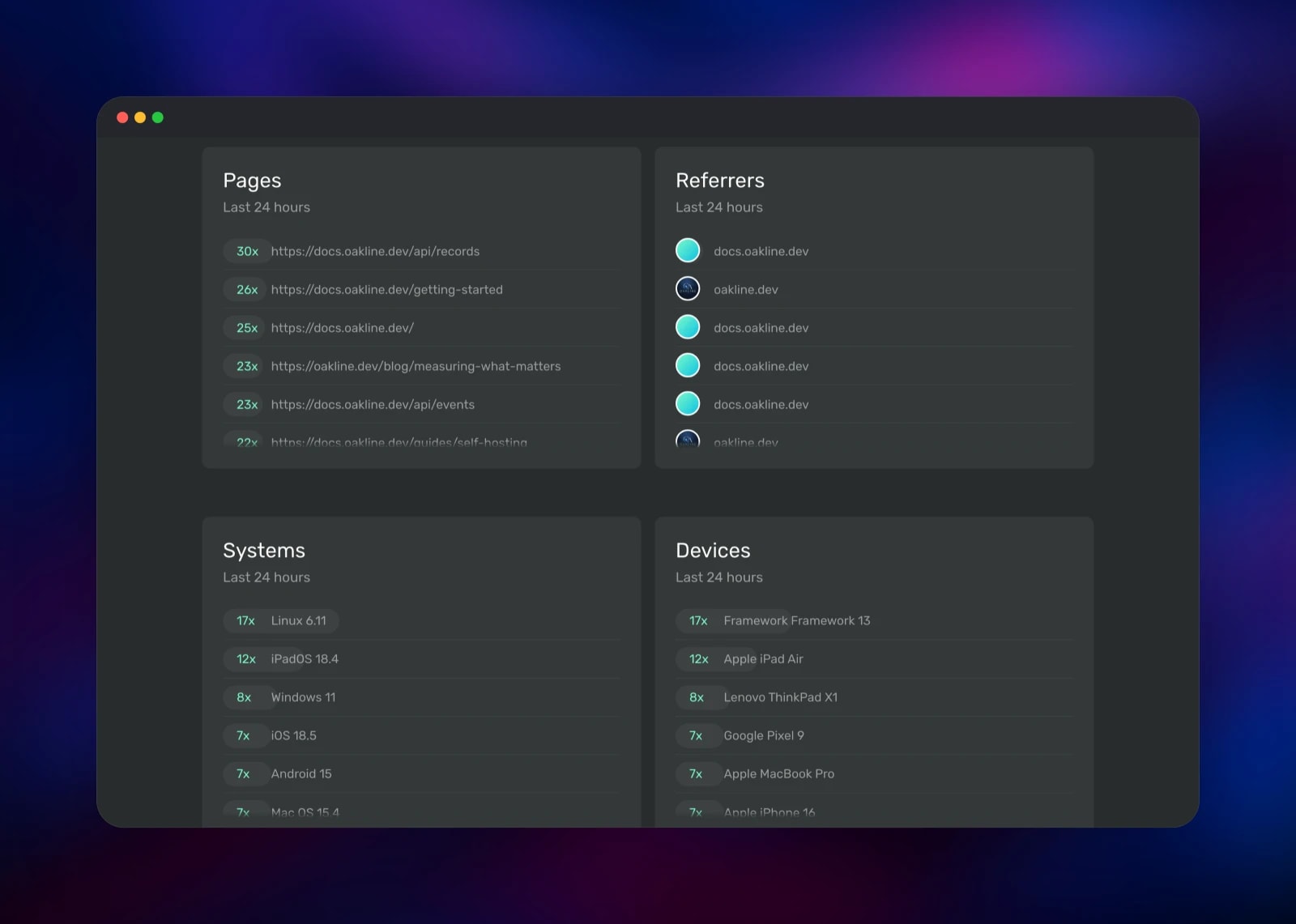
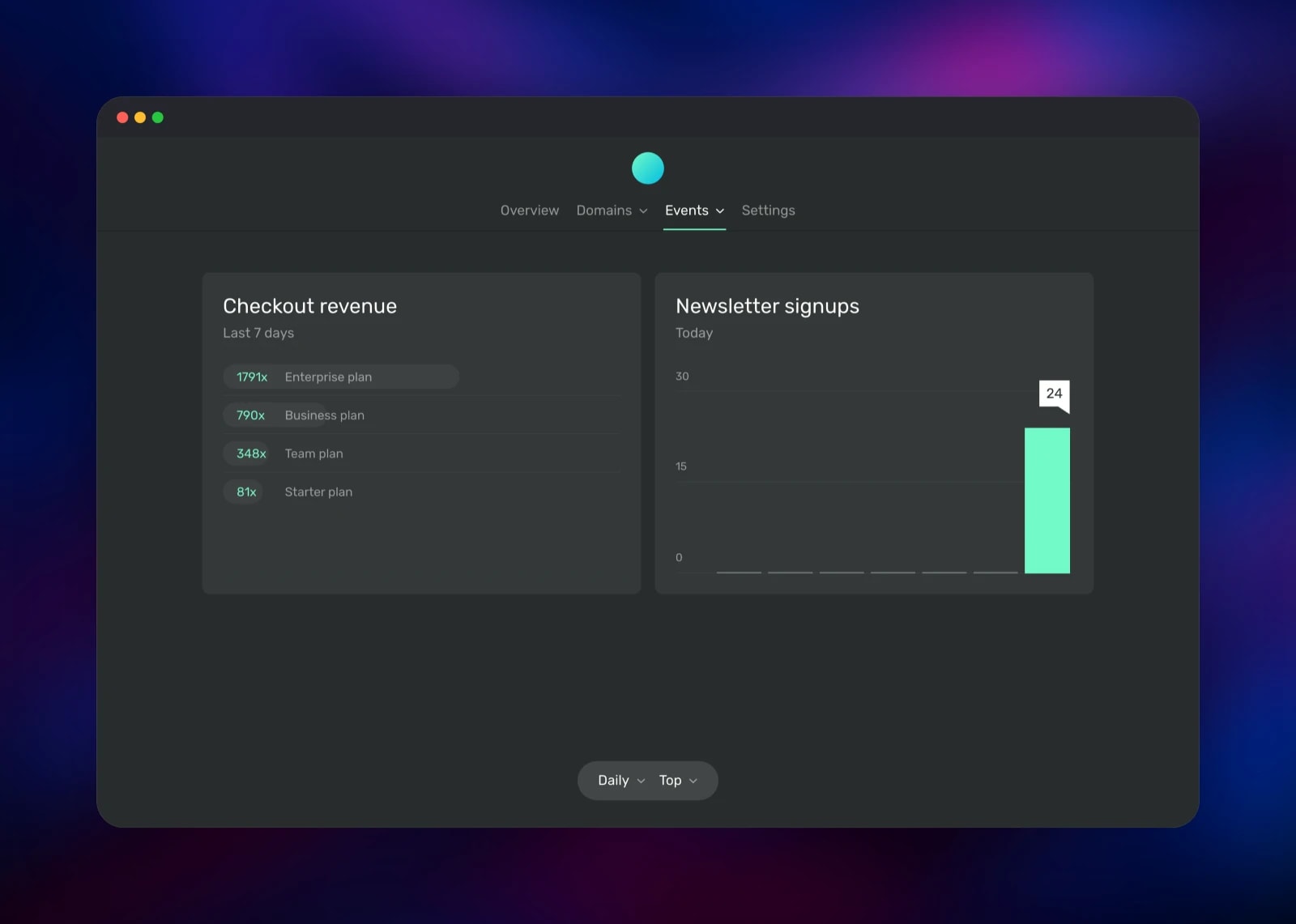
Load a page on your site, then refresh the Overview. A view should appear within seconds — that round trip confirms the deployment, the database and the CORS configuration at once. Signing in sets a cookie telling Ackee to ignore your own visits, so test from a private window if the counter stays flat. Insights then breaks traffic down by pages, referrers, systems, devices, sizes, languages and durations, and Settings → Events defines custom events such as newsletter signups or checkout revenue.
About Hosting Ackee
Ackee solves a narrow problem well: knowing how many people read what you publish, where they came from and what they used, without collecting anything that identifies them. Each record is stored against a hash of the visitor's IP address, user agent and domain id, salted with a value that regenerates daily. Yesterday's hashes cannot be matched to today's, and older records from a visitor lose their identifier as soon as a newer one arrives, so no browsing history can be reconstructed.
Key features:
- No cookies and no persistent visitor identity, which in most jurisdictions removes the need for a tracking consent banner
- Page views with referrers, sources, durations, operating systems, devices, browsers, screen sizes and languages
- Custom events with total or average aggregation, as charts or ranked lists
- A documented GraphQL API — the dashboard is just one client of it
- Permanent API tokens for status bars, CLI reports and scripts
- A tiny tracking script plus wrappers for React, Vue, Nuxt, Svelte, Gatsby, Angular, Django, WordPress and Flutter
The architecture is deliberately small. The ackee service is one Node.js process serving the dashboard, the GraphQL API and the tracker script. The MongoDB service stores domains, records, events, actions and login tokens on a Railway volume at /data/db, so they survive redeploys. Ackee connects to the database before opening its HTTP listener, so a healthy service also proves the database link.
Why Deploy Ackee on Railway
Railway removes the administration self-hosted analytics drags in:
- MongoDB is provisioned, networked and given a persistent volume automatically
- HTTPS and a public domain are issued for the dashboard and tracker script
- The database is reachable only over the private network
- Variables, logs and metrics live in one place
- Redeploys pick up upstream releases without touching the data
- Scaling is a slider
Common Use Cases
- Measuring a personal blog, portfolio or newsletter without a cookie banner
- Giving an agency's clients per-site dashboards on infrastructure the agency controls
- Tracking documentation pages to find which guides readers actually reach
- Recording product events — signups, upgrades, checkout values — through the GraphQL API
Dependencies for Ackee
- ackee —
electerious/ackee:latest, the official Docker Hub image, running the Node.js server and bundled dashboard on port 3000 - MongoDB —
mongo:8.0, Railway's managed MongoDB, holding all analytics data on a 5 GB volume
Ackee keeps no state on its own filesystem, so it needs no volume. Everything is in MongoDB, which is the service to snapshot before an upgrade.
Environment Variables Reference
| Variable | Purpose |
|---|---|
ACKEE_MONGODB | MongoDB connection string, including ?authSource=admin |
ACKEE_USERNAME | Dashboard username, admin by default |
ACKEE_PASSWORD | Dashboard password, generated at deploy time |
PORT | Port the server listens on, 3000 |
ACKEE_AUTO_ORIGIN | When true, sends CORS headers for every domain whose title is a hostname |
ACKEE_ALLOW_ORIGIN | Explicit comma-separated origin list; only read when ACKEE_AUTO_ORIGIN is false |
Deployment Dependencies
- Source repository: https://github.com/electerious/Ackee
- Docker image: https://hub.docker.com/r/electerious/ackee
- Tracking script: https://github.com/electerious/ackee-tracker
- Documentation: https://docs.ackee.electerious.com
- Runtime: Node.js 24 and MongoDB 8
Hardware Requirements for Self-Hosting Ackee
| Resource | Minimum | Recommended |
|---|---|---|
| CPU | 0.5 vCPU | 1 vCPU |
| RAM | 512 MB total | 1 GB total |
| Storage | 1 GB for MongoDB | 5 GB volume |
| Runtime | Node.js 24, MongoDB 8 | Node.js 24, MongoDB 8 |
Ackee idles well under 150 MB. Storage is what grows: every page view is one small document, so a few thousand views a day uses a fraction of the default volume in a year.
Self-Hosting Ackee
Outside Railway the quickest path is Docker Compose — a minimal docker-compose.yml:
services:
  ackee:
    image: electerious/ackee:latest
    ports:
      - '3000:3000'
    environment:
      - ACKEE_MONGODB=mongodb://mongo:27017/ackee
      - ACKEE_USERNAME=admin
      - ACKEE_PASSWORD=change-me
    depends_on:
      - mongo
  mongo:
    image: mongo:8.0
    volumes:
      - ./data:/data/db
A single container works too, given a reachable MongoDB:
docker run -d -p 3000:3000 \
  -e ACKEE_MONGODB="mongodb://mongo:27017/ackee" \
  -e ACKEE_USERNAME="admin" \
  -e ACKEE_PASSWORD="change-me" \
  electerious/ackee:latest
Either way you still terminate TLS, renew certificates and back up MongoDB yourself.
Is Ackee Free?
Ackee is free and open source under the MIT licence: no paid tier, no seat limits, no hosted plan, and no cap on page views or domains. The only cost on Railway is infrastructure — one small Node.js service, one MongoDB service and its volume, billed by usage. For a personal site or a handful of client sites that lands well under a hosted analytics subscription.
FAQ
What is Ackee? Ackee is an open-source, self-hosted analytics tool written in Node.js. It records anonymised page views and custom events for sites you own and shows them in a minimal dashboard, with a GraphQL API behind everything.
What does this Railway template deploy?
Two services: an ackee service running the official electerious/ackee image on a public HTTPS domain, and a private MongoDB service with a persistent volume for the data.
Why does Ackee need MongoDB? MongoDB is Ackee's only datastore. Domains, records, events, actions and login tokens all live there, so the volume on the MongoDB service is what makes your statistics survive a redeploy.
Does self-hosted Ackee need a cookie consent banner? Ackee sets no tracking cookie and builds no persistent visitor id — each record is a daily-rotating salted hash. Most sites therefore need no tracking banner, though the call depends on your jurisdiction and any other scripts you run.
How do I track custom events in self-hosted Ackee?
Create an event under Settings → Events, pick total or average aggregation and a chart or list rendering, then send actions to its id from your own code with the GraphQL createAction mutation or the ackee-tracker library.
Can I run more than one replica of Ackee? Keep it at one. The daily anonymisation salt lives in the process, so a second replica would hash the same visitor differently and split unique-visitor counts between them.
Template Content
MongoDB
mongo:8.0
