
Deploy Activepieces
Zapier Alternative. Build automations that connect your apps.

Just deployed
/var/lib/postgresql/data
activepieces-worker
Just deployed
/usr/src/app/cache

Redis
Just deployed
/data
activepieces
Just deployed
activepieces-files
Bucket
Just deployed
Deploy and Host Activepieces on Railway
Activepieces is an open-source workflow automation platform — a self-hosted Zapier alternative where you build flows visually, connect them to hundreds of SaaS apps, and run them on infrastructure you control. Its MIT-licensed core is one of the few you can embed in a commercial product, and its builder is deliberately approachable: a trigger, a chain of steps, branches, loops, and a JavaScript code step when no connector exists. Teams reach for it when Zapier's per-task billing stops making sense, or when data cannot leave their network.
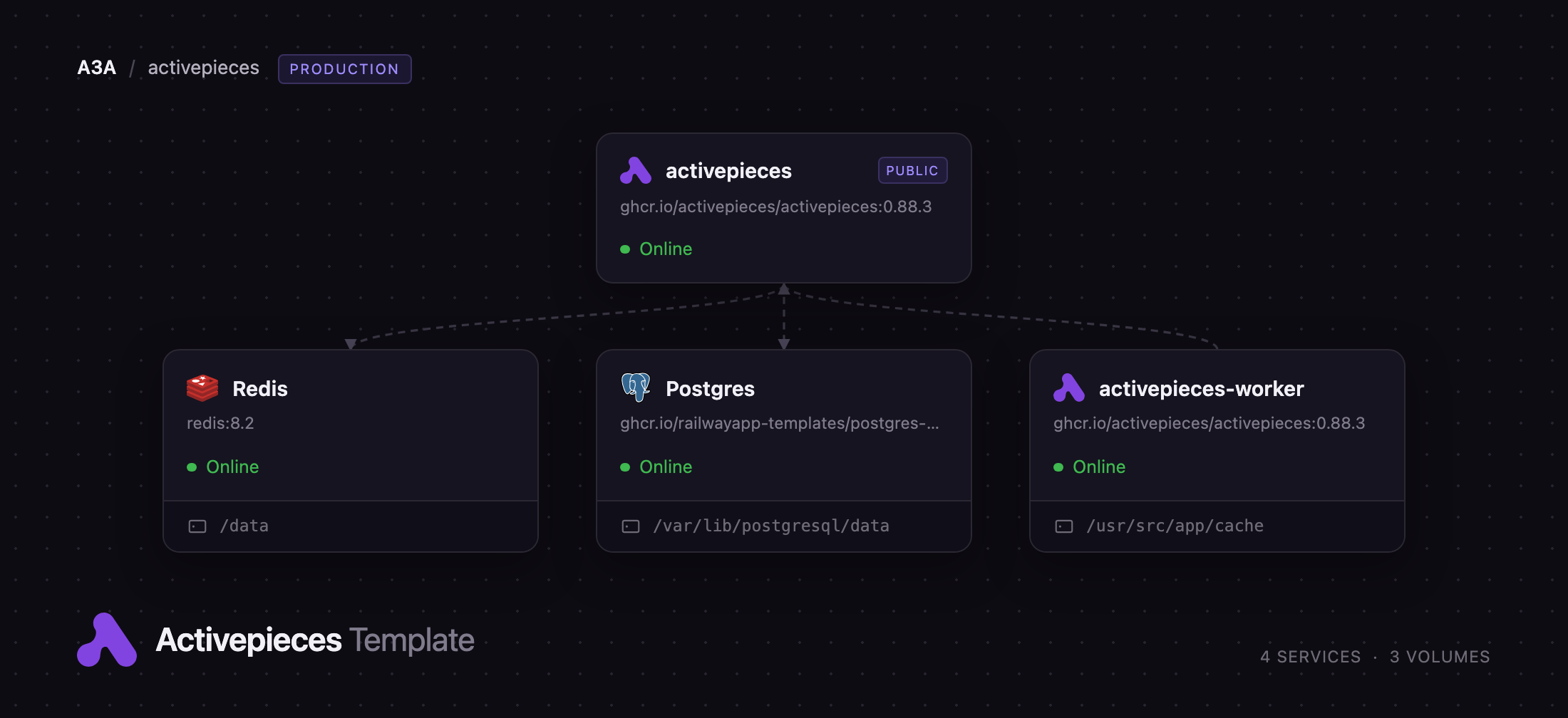
Deploy Activepieces on Railway with the production topology upstream documents, not a single all-in-one container. It runs the API and web UI as one service and flow execution as a separate worker tier, with a Redis queue between them, PostgreSQL for flows, runs and encrypted connections, and object storage for run logs. Webhooks hit the public app service, the app enqueues jobs to Redis, and the worker executes each step in its own sandbox — the split that lets a long flow finish without blocking the UI.
Getting Started with Activepieces on Railway
Open the generated URL as soon as the deployment is green. There are no default credentials and no admin seeded from a variable: the first person to register becomes the platform owner, and every later sign-up is rejected as invitation-only. The first visit is a claim on the instance, so register straight away — name, email, password, then the short "what should we call you?" step that creates your first project.
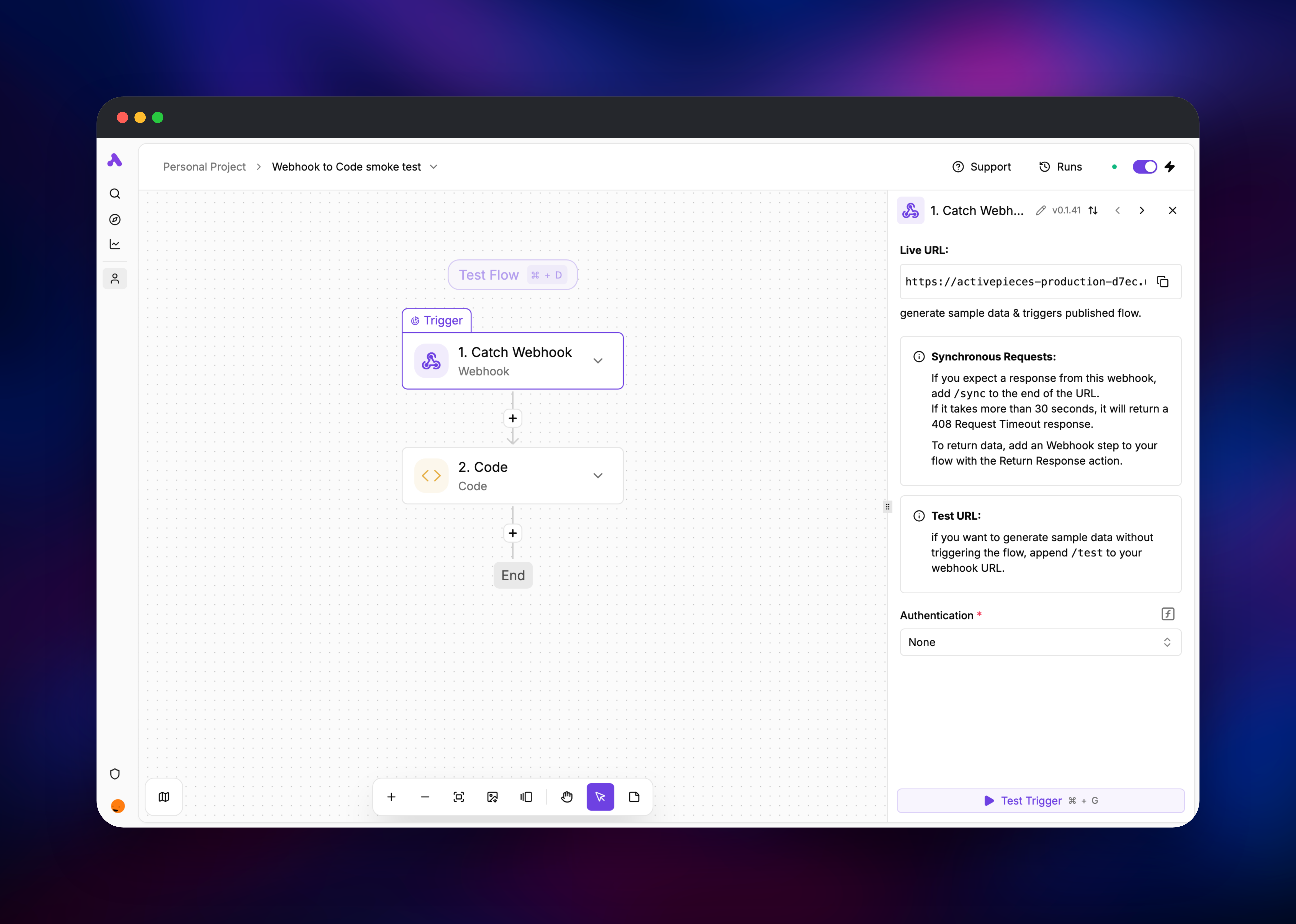
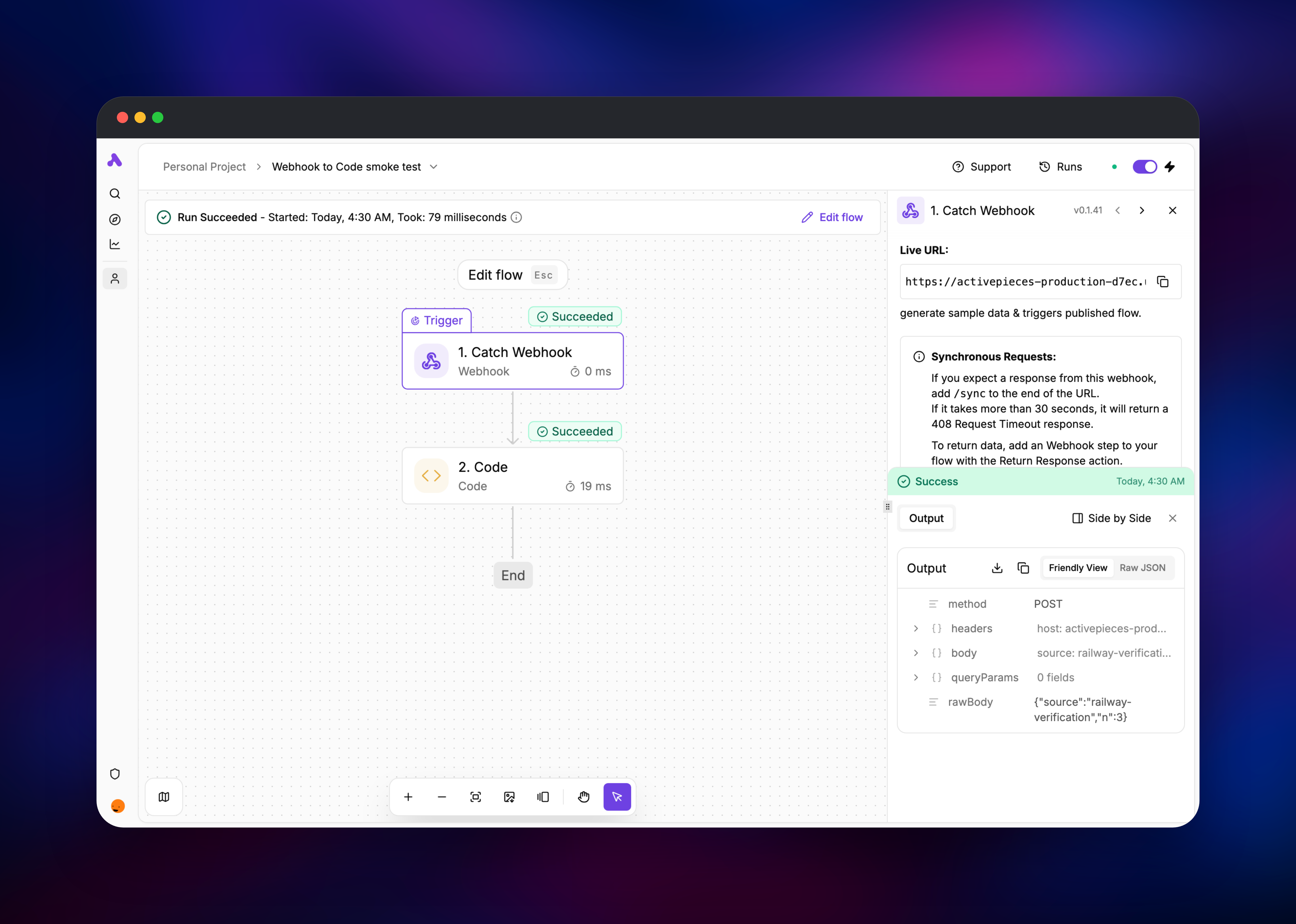
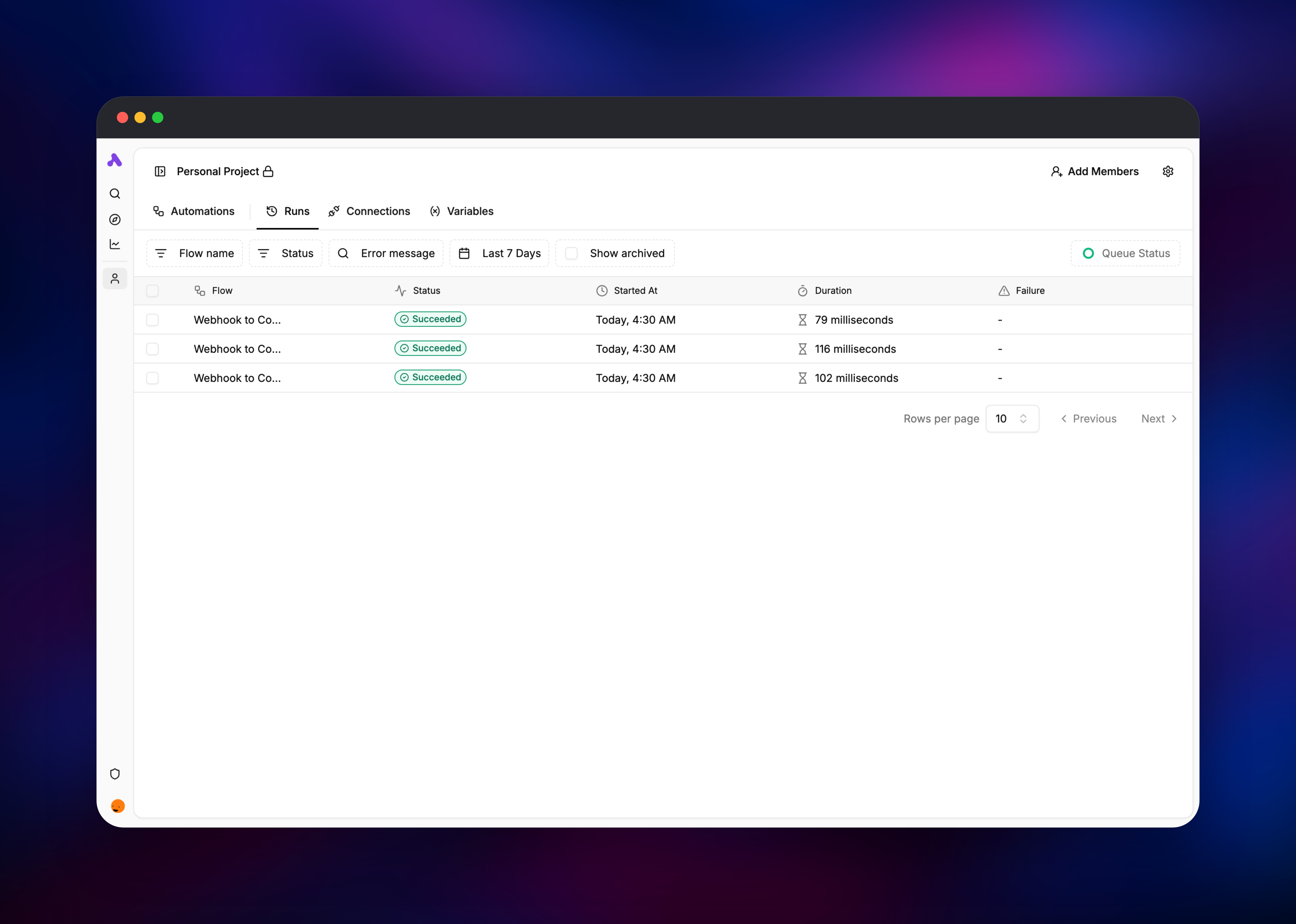
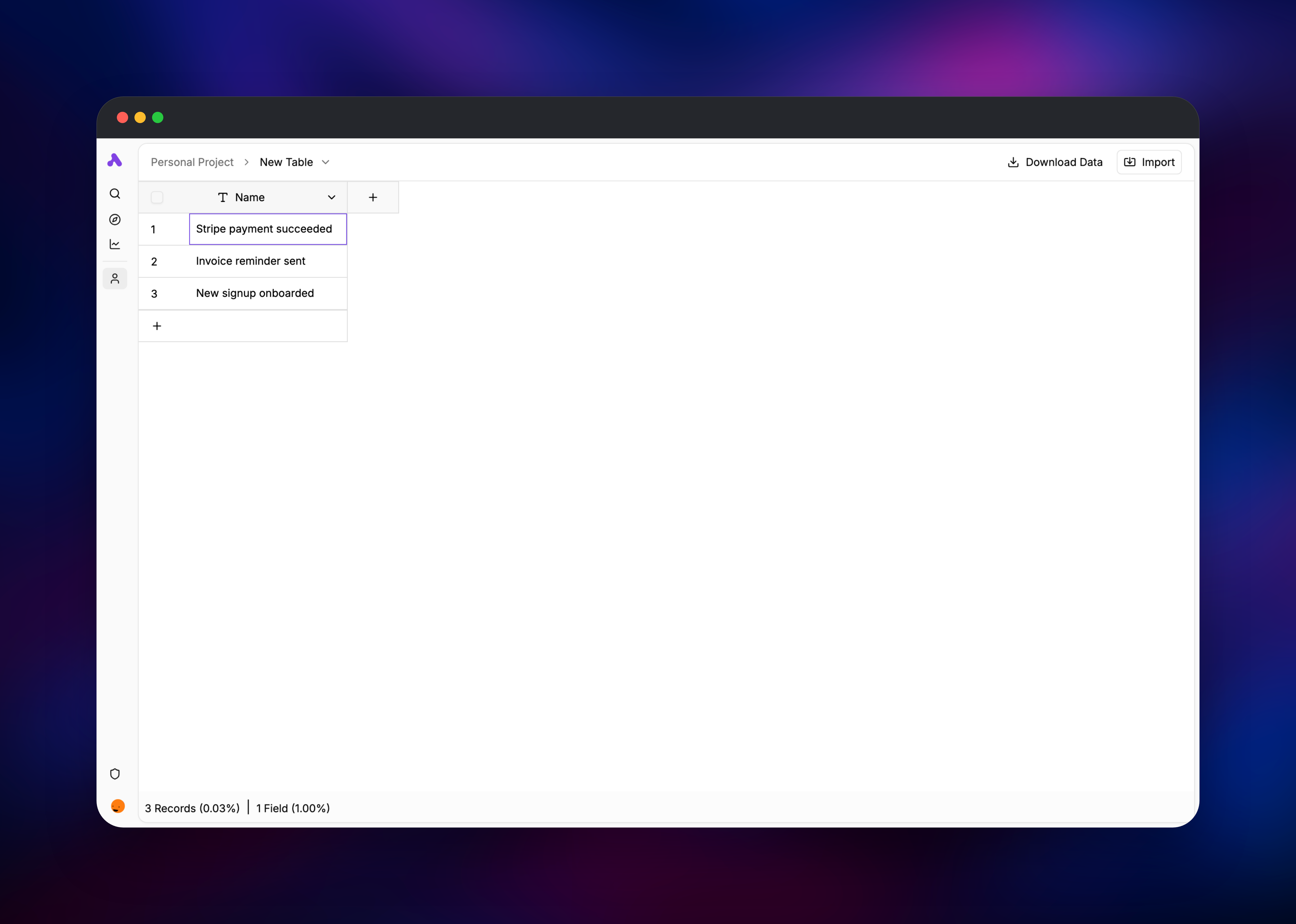
From the project home, choose Build a Flow → Start from scratch, pick Catch Webhook as the trigger, add a Code step under it, and hit Publish. Copy the Live URL from the trigger panel and POST anything to it, then open Runs: a succeeded run showing your request body proves the whole chain works. Credentials live under Connections, and a queue dashboard sits at /api/ui behind basic auth.
About Hosting Activepieces
Activepieces turns "when X happens, do Y" into something a whole team can maintain. A flow starts from a trigger — a webhook, a schedule, or a connector polling a mailbox — and moves through steps that call APIs, branch, loop or run code. Connectors are called pieces: ordinary npm packages, installed by the worker on first use.
- Visual builder with branching, loops, retries and run history
- Hundreds of pieces: Slack, Gmail, HubSpot, Notion, Airtable, Stripe, Postgres, HTTP
- A sandboxed JavaScript code step for anything without a connector
- Tables, encrypted credentials, project isolation and a REST API
Four services back it here. The app serves the UI and API, owns the schedule, receives webhooks, and runs migrations behind a Redis lock so overlapping deployments cannot collide. The worker executes flows and keeps a volume for its piece cache, so redeploys do not re-download every connector. PostgreSQL stores flows, runs, tables and encrypted connections; Redis is the queue and the lock; a managed bucket holds run logs and large step payloads, keeping the database small as volume grows.
Why Deploy Activepieces on Railway
Railway removes the parts of self-hosting Activepieces that usually go wrong.
- Managed PostgreSQL and Redis, provisioned and wired up automatically
- Private networking between app and worker, no port juggling
- Automatic HTTPS on a generated domain, which webhooks require
- Object storage for run logs, no S3 account needed
- Health checks and restart policies set on both services
Common Use Cases for Self-Hosted Activepieces
- Internal alerting and reporting — post a daily Slack summary, chase overdue invoices, or route form submissions with no per-task fee
- SaaS glue for regulated data — sync CRM, billing and support tools when records cannot leave your network
- Webhook receivers with logic — accept a webhook, transform it in a code step, then fan out to downstream APIs
- Embedded automation — the MIT core makes it viable to ship Activepieces in your own product
Dependencies for Activepieces
- activepieces —
ghcr.io/activepieces/activepieces:0.88.3asAP_CONTAINER_TYPE=APP: web UI, REST API, webhooks, scheduler - activepieces-worker — same image as
AP_CONTAINER_TYPE=WORKER: executes steps, five at a time, caching pieces on a volume - Postgres — flows, versions, runs, tables, users, encrypted connections
- Redis — job queues, the migration lock and rate-limit counters
- Object storage bucket — run logs and step payloads, kept out of Postgres
Both Activepieces services must run the same image tag: the app refuses to dispatch jobs to a worker on a different release, and the symptom is workers that connect but sit idle, not an error. AP_CONTAINER_TYPE selects a container's role, and AP_TELEMETRY_ENABLED=false turns off usage reporting.
Environment Variables Reference
| Variable | Purpose |
|---|---|
AP_FRONTEND_URL | Public base URL for webhook and OAuth URLs |
AP_ENCRYPTION_KEY | 32-character key encrypting stored credentials |
AP_JWT_SECRET | Signs user sessions and the worker token |
AP_WORKER_CONCURRENCY | Jobs one worker runs at once (default 5) |
AP_FILE_STORAGE_LOCATION | S3 sends run logs to the bucket, DB to Postgres |
AP_ALLOW_OPEN_SIGN_UP | Set true to reopen registration after the first user |
Both secrets must stay stable for the life of the deployment: changing AP_ENCRYPTION_KEY makes every saved connection undecryptable, and changing AP_JWT_SECRET signs everyone out and disconnects the worker.
Deployment Dependencies
- Source: https://github.com/activepieces/activepieces
- Image:
ghcr.io/activepieces/activepieces(Node.js 24 base) - Docs: https://www.activepieces.com/docs/install/overview
Hardware Requirements for Self-Hosting Activepieces
| Resource | Minimum | Recommended |
|---|---|---|
| CPU | 2 vCPU across both services | 4 vCPU |
| RAM | 1.5 GB total | 4 GB, most of it on the worker |
| Storage | 5 GB volume for the piece cache | 10 GB + object storage |
| Runtime | Node.js 24 (in the image) | Node.js 24 (in the image) |
Activepieces is memory-hungry rather than CPU-hungry: it idles at a few hundred megabytes and grows while flows run, one sandbox per concurrent job. Raise AP_WORKER_CONCURRENCY only alongside worker memory.
Self-Hosting Activepieces with Docker
Upstream ships a Compose file that mirrors this template. The minimum definition, with the worker split out:
services:
  app:
    image: ghcr.io/activepieces/activepieces:0.88.3
    environment: { AP_CONTAINER_TYPE: APP }
    env_file: .env
    ports: ["8080:80"]
  worker:
    image: ghcr.io/activepieces/activepieces:0.88.3
    environment: { AP_CONTAINER_TYPE: WORKER }
    env_file: .env
    deploy: { replicas: 5 }
Two secrets must exist before the first boot. These shell commands produce the right shapes:
openssl rand -hex 16   # AP_ENCRYPTION_KEY — exactly 32 characters
openssl rand -hex 32   # AP_JWT_SECRET
Point AP_POSTGRES_* and AP_REDIS_URL at your own PostgreSQL and Redis, set AP_FRONTEND_URL to the public HTTPS address, and terminate TLS in front — webhook providers will not call plain HTTP. This template handles all of it.
How Much Does Activepieces Cost to Self-Host?
The Activepieces Community Edition is free and open source, with no cap on flows, runs or users. Hosted cloud plans start free and move to credit-billed tiers; paid self-hosted editions add SSO, audit logs and Git sync. On Railway you pay only for infrastructure: two small services, managed PostgreSQL and Redis, a volume and object storage — no per-task fee, which is why most teams leave Zapier.
FAQ
What is Activepieces? An open-source, MIT-licensed workflow automation tool. You build flows from a trigger and a series of steps that call APIs, transform data or run JavaScript, and it runs them on your own infrastructure instead of a vendor's cloud.
What does this Railway template deploy? An Activepieces app on a public HTTPS domain, a dedicated worker service for flow execution, managed PostgreSQL, managed Redis, and an object storage bucket for run logs, wired together over Railway's private network.
Why does self-hosted Activepieces need both PostgreSQL and Redis? PostgreSQL is the system of record for flows, runs, tables and encrypted connections. Redis is the queue handing work from the app to the worker, and holds the lock that stops two containers migrating at once. Neither is optional here.
How do I create the first admin user in self-hosted Activepieces?
There is no seeded admin. Open the deployed URL and register — the first registration becomes platform owner. Later sign-ups are rejected unless you invite the person or set AP_ALLOW_OPEN_SIGN_UP to true.
How do I scale flow execution on Railway?
Raise AP_WORKER_CONCURRENCY on the worker and give it more memory. To run several worker containers, detach the cache volume first — Railway attaches a volume to one instance — then raise the replica count.
Template Content
activepieces-worker
ghcr.io/activepieces/activepieces:0.88.3Redis
redis:8.2activepieces
ghcr.io/activepieces/activepieces:0.88.3activepieces-files
Bucket