
Deploy Actual Budget
YNAB Alternative. Local-first personal finance and budgeting
Just deployed
/data

Deploy and Host Actual Budget on Railway
Actual Budget is an open-source, local-first envelope budgeting app — the zero-based method popularised by YNAB, without the subscription. Every dollar gets assigned a job before you spend it, and the app tracks how each category performs month to month. Because it is local-first, the browser holds a working copy of your budget and syncs changes to a server you control, so it stays fast offline and your financial data never touches a third-party analytics stack. People self-host Actual Budget to replace a $109/year YNAB subscription or to keep bank data off commercial servers.
Deploy Actual Budget on Railway and you get the sync server and web client in one container on port 5006 behind a generated HTTPS domain. A 5 GB volume is mounted at /data, where the whole deployment lives: account.sqlite under server-files holds users, sessions and the budget-file registry, while user-files holds each budget and its sync history. There is no separate database to configure — Actual Budget uses SQLite by design — so the template is one service, one volume, and no wiring between them. A health check on /health keeps traffic away from a container that has not finished its migrations.
Getting Started with Actual Budget on Railway
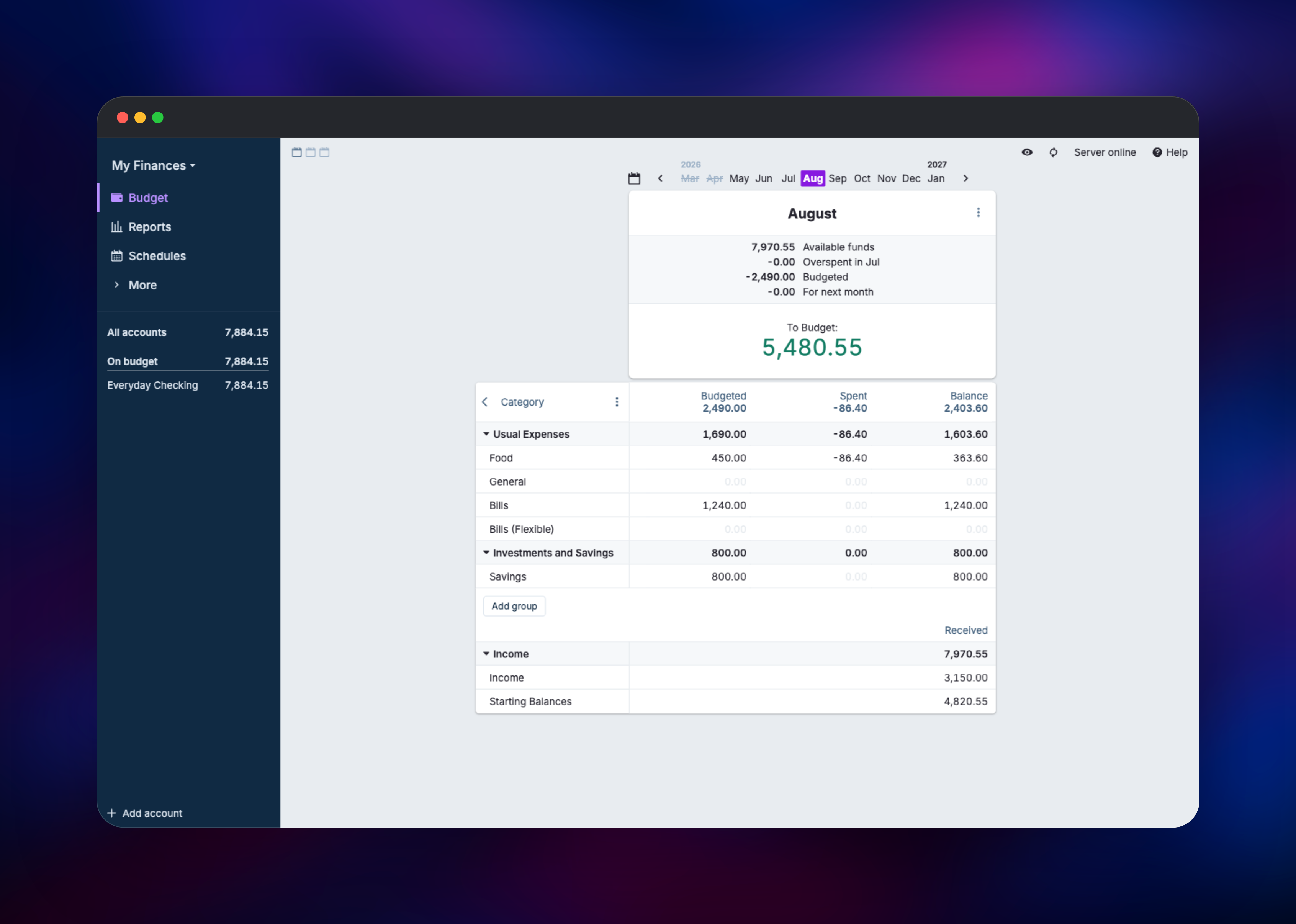
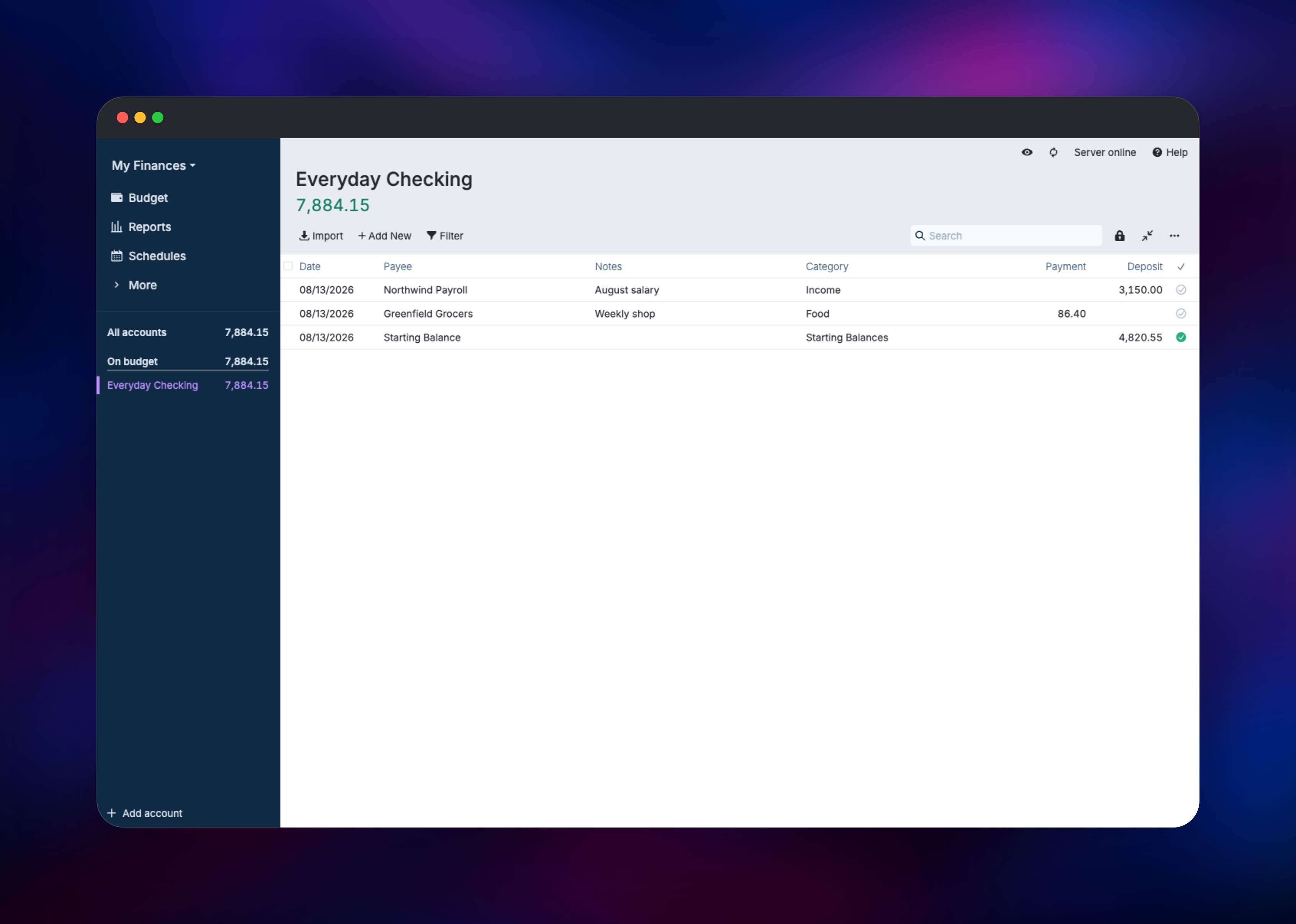
Open the generated Railway URL as soon as the deploy goes green. There are no default credentials — the first page is a bootstrap screen asking you to set a server password, and whoever loads the URL first is the one who sets it, so do this immediately rather than leaving the instance idle. Enter a strong password twice, then sign in with it. Next, pick "Start budgeting" to create your first budget file. Add an account from the sidebar (choose "Create a local account" for manual entry) and give it an opening balance. Add a transaction with a payee, category and amount, then open the Budget tab and type an amount into a category's Budgeted column: if the "To Budget" figure updates and the sidebar balance reflects your transaction, the deployment works end to end. The header reads "Server online" whenever the browser is syncing.
About Hosting Actual Budget
Actual Budget answers one question well: how much can I actually spend in this category without breaking something else? It does that with zero-based budgeting, where income is allocated into categories until nothing is unassigned. Households self-host it when they want that workflow without sending years of transaction history to a vendor.
Key features:
- Zero-based, envelope-style monthly budgeting with rollover balances
- Multi-device sync through a server you own, with full offline use
- Optional end-to-end encryption, so the server stores ciphertext it cannot read
- Bank syncing via GoCardless, SimpleFIN, Pluggy.ai and Enable Banking, plus QIF/OFX/QFX/CSV import
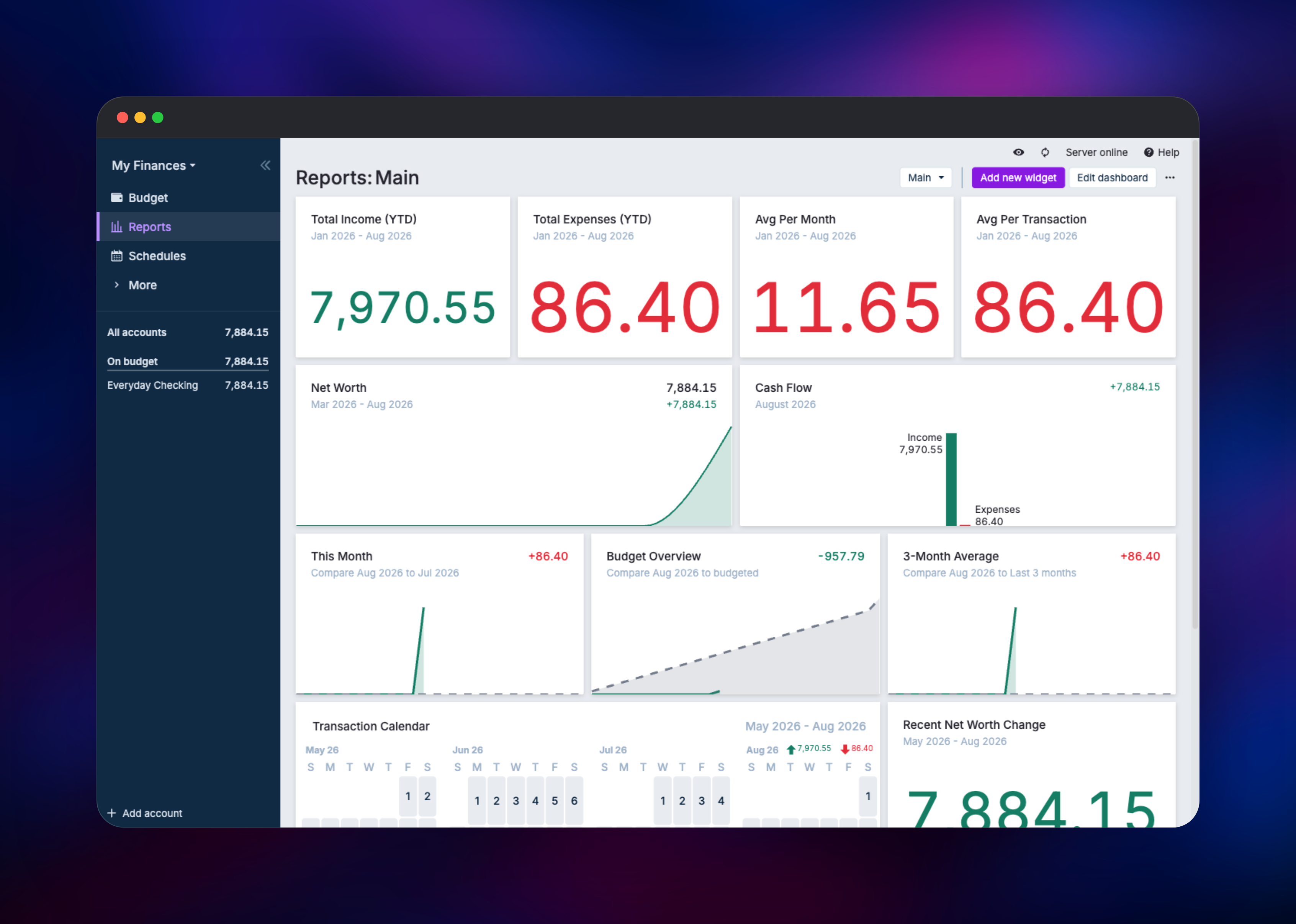
- Scheduled transactions, auto-categorising rules, and reports for net worth, cash flow and spending
- A sync API and official CLI for scripting
The architecture is deliberately small. One Node.js process serves the compiled React client and the sync API from the same origin, and SQLite files on the volume are the only datastore. The client keeps its own copy of the budget in IndexedDB and exchanges sync messages with the server, which is why the interface stays responsive and why a lost browser profile is not a lost budget — signing in again re-downloads everything.
Why Deploy Actual Budget on Railway
Railway removes the parts of self-hosting that have nothing to do with budgeting:
- Managed TLS and a public HTTPS domain, which encrypted files require
- A persistent volume attached in one step, with no host filesystem to manage
- Health checks and automatic restarts on failure
- One-click redeploys when a new Actual Budget release ships
- Usage-based pricing that suits a low-traffic personal app
Common Use Cases
- Replacing a YNAB subscription while keeping the same envelope workflow
- A shared household budget reachable from a phone and a laptop
- Keeping transaction history private while still importing via SimpleFIN or GoCardless
- Scripting against the sync API to pull balances into a personal dashboard
Dependencies for Actual Budget
docker.io/actualbudget/actual-server:26.8.1— sync server and bundled web client, built onnode:22-bookworm-slim- A 5 GB persistent volume at
/data— mandatory, this is the entire database
No external database, cache or object storage is required, which is why the template is a single service.
Environment Variables Reference
| Variable | Purpose |
|---|---|
PORT | HTTP listen port; the server reads it directly and Railway probes it. |
ACTUAL_TRUSTED_PROXIES | CIDRs Express trusts for X-Forwarded-For, including Railway's edge range. |
ACTUAL_UPLOAD_FILE_SYNC_SIZE_LIMIT_MB | Largest budget file accepted on sync. Raise if a long history stops syncing. |
ACTUAL_UPLOAD_SYNC_ENCRYPTED_FILE_SYNC_SIZE_LIMIT_MB | Same limit for end-to-end-encrypted files. |
ACTUAL_USER_CREATION_MODE | manual keeps user creation with the admin; login allows self-registration. |
NODE_OPTIONS | Caps the Node heap to the container rather than the host. |
RAILWAY_RUN_UID | Lets the volume be prepared before the app drops to its unprivileged user. |
Optional: ACTUAL_LOGIN_METHOD plus the ACTUAL_OPENID_* family to authenticate against an identity provider instead of a shared password, and ACTUAL_TOKEN_EXPIRATION (minutes) to expire sessions that otherwise last indefinitely.
Deployment Dependencies
- Source repository: https://github.com/actualbudget/actual (server in
packages/sync-server) - Container image: https://hub.docker.com/r/actualbudget/actual-server
- Documentation: https://actualbudget.org/docs/ and https://actualbudget.org/docs/config/
- Runtime: Node.js 22
Hardware Requirements for Self-Hosting Actual Budget
| Resource | Minimum | Recommended |
|---|---|---|
| CPU | 0.5 vCPU | 1 vCPU |
| RAM | 512 MB | 1 GB |
| Storage | 1 GB volume | 5 GB volume |
| Runtime | Node.js 22 (in image) | Node.js 22 (in image) |
Actual Budget is light because the heavy work happens in the browser. The server mostly stores and relays sync messages: idle memory sits under 100 MB, and years of transactions measure in single-digit megabytes on disk.
Self-Hosting Actual Budget
Outside Railway, run the published image with a volume for /data. A single Docker run:
docker run -d --name actual -p 5006:5006 \
  -v actual-data:/data actualbudget/actual-server:26.8.1
The equivalent Docker Compose service, which is what upstream ships:
services:
  actual_server:
    image: actualbudget/actual-server:26.8.1
    ports:
      - '5006:5006'
    volumes:
      - ./actual-data:/data
    healthcheck:
      test: ['CMD-SHELL', 'node scripts/health-check.js']
    restart: unless-stopped
Either way, browse to port 5006 and set the server password on first load. Put a TLS-terminating proxy in front before exposing it — the encrypted-file crypto needs a secure origin.
Is Actual Budget Free to Self-Host?
Actual Budget is free and open source under the MIT licence — no paid tier, no paywall, no per-user cost — so self-hosting costs only the infrastructure it runs on. On Railway that is the container's CPU and memory plus the volume, a small monthly figure for a personal budget. Bank-syncing providers such as SimpleFIN charge their own fees separately.
FAQ
What is Actual Budget?
An open-source, local-first personal finance app built around zero-based envelope budgeting, and the most commonly recommended self-hosted alternative to YNAB.
What does this Railway template deploy?
A single service running actualbudget/actual-server:26.8.1, with a volume at /data, a public HTTPS domain on port 5006, and a health check on /health.
Why a volume instead of a database service?
Actual Budget has no external database option — it stores everything in SQLite. The volume holds the account database and the per-budget files, so without it every redeploy would start from an empty server.
What are the default login credentials for self-hosted Actual Budget?
There are none. The first visit shows a bootstrap screen where you set the server password yourself, so open the URL and set it as soon as the deployment is live.
How do I connect the desktop or mobile app to my server?
Open the deployed URL on your phone, or install the desktop app and enter your Railway domain when asked for a server address. The web app also installs as a PWA.
Can I run more than one replica of Actual Budget?
No. SQLite is single-writer and a Railway volume attaches to one service, so keep the replica count at one and scale vertically instead.
How do I import my existing YNAB budget?
Choose "Import my budget" on the first screen after signing in. Actual Budget reads YNAB4 and nYNAB exports directly, as well as previous Actual Budget files.
Template Content


