
Deploy Akaunting
Accounting software for invoices, expenses and financial reports
akaunting
Just deployed
/data

MySQL
Just deployed
/var/lib/mysql

Redis
Just deployed
/data
akaunting-media
Bucket
Just deployed

Deploy and Host Akaunting on Railway
Akaunting is open source accounting software for small businesses and freelancers: invoicing, bills, customers and vendors, bank accounts and transfers, double-entry categories and financial reports, in a Laravel application you own end to end. It is what people reach for when QuickBooks or FreshBooks feels heavy but a spreadsheet has stopped being enough. Self-host Akaunting and the ledger, the client list and the invoice history stay on your own infrastructure, with no seat pricing and nobody between you and your books.
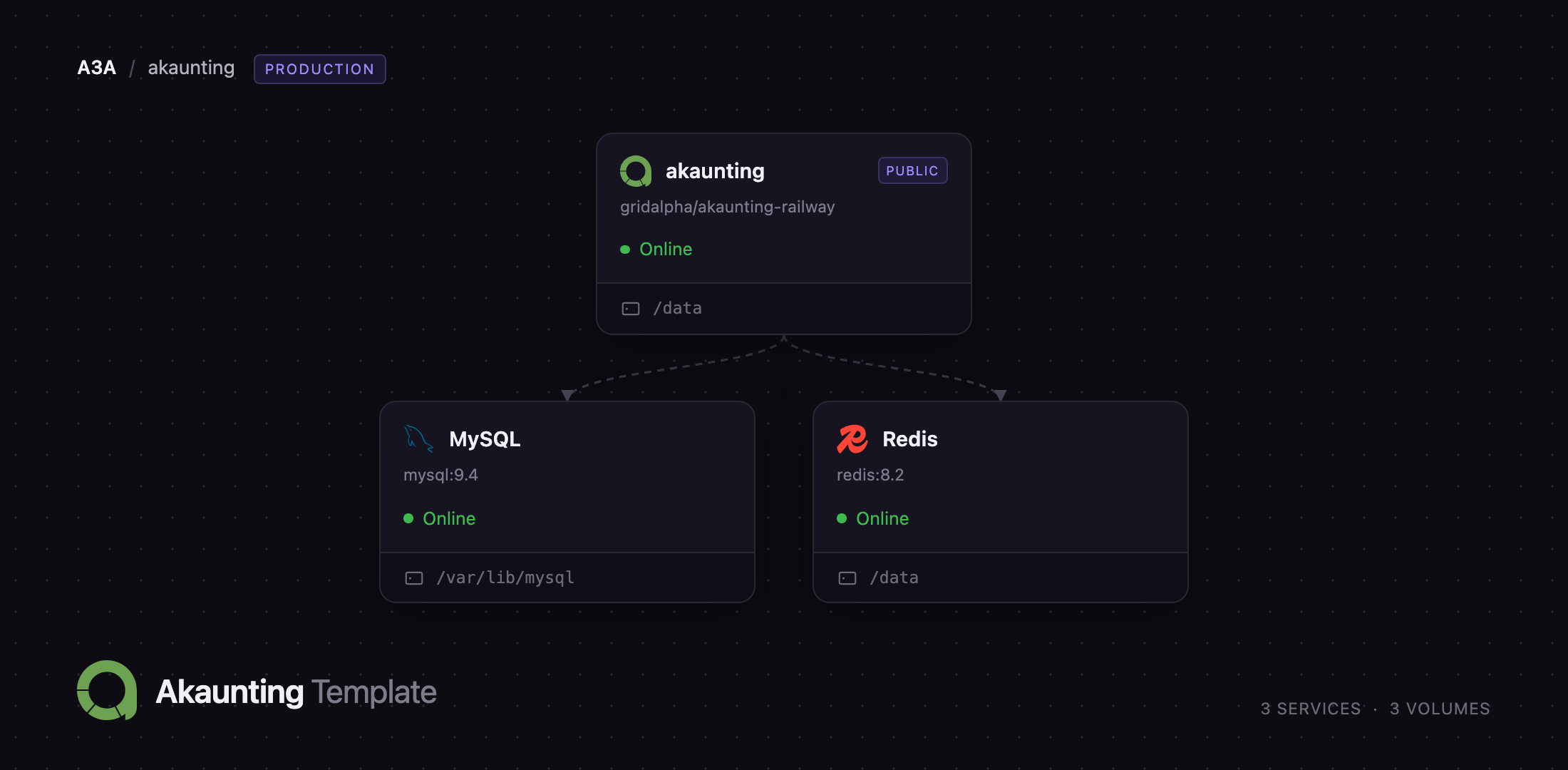
Deploy Akaunting on Railway and the whole stack arrives wired together: the web application built from the gridalpha/akaunting-railway repository, a managed MySQL database holding every record, and a managed Redis backing cache, sessions and the job queue. The container runs three processes under supervisord — Apache, a queue worker for emails and exports, and Laravel's scheduler for recurring invoices and reminders — so nothing needs a separate cron host. A 5 GB volume at /data holds attachments, generated PDFs and any modules you add later.
Getting Started with Akaunting on Railway
Set AKAUNTING_ADMIN_EMAIL and AKAUNTING_ADMIN_PASSWORD when you deploy — those become your login, and the container creates the first company and administrator on its initial boot, so there is no public installer page for a stranger to find. Open the generated Railway URL, sign in, and Akaunting shows a three-step setup wizard: company details, currencies, finish.
The first field on that wizard is an API Key. Get a free one from your akaunting.com account and paste it in. Akaunting's on-premise builds check your plan against api.akaunting.com before opening any create screen, so without a key the New Invoice button redirects and invoicing is refused. Customers, items, vendors, bills, banking and settings all work without it — treat the key as part of first-run setup, not an optional extra. It also unlocks the App Store.
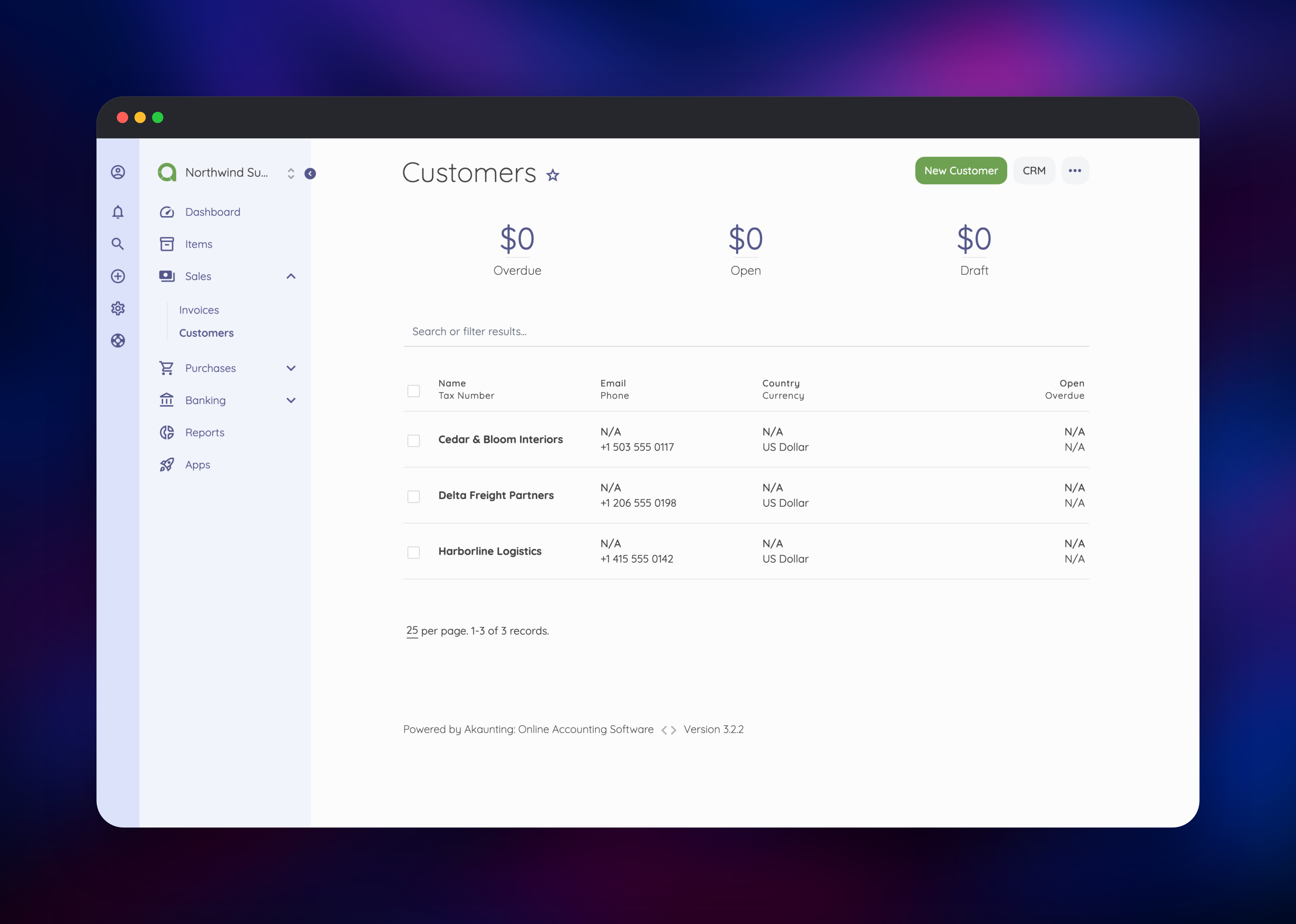
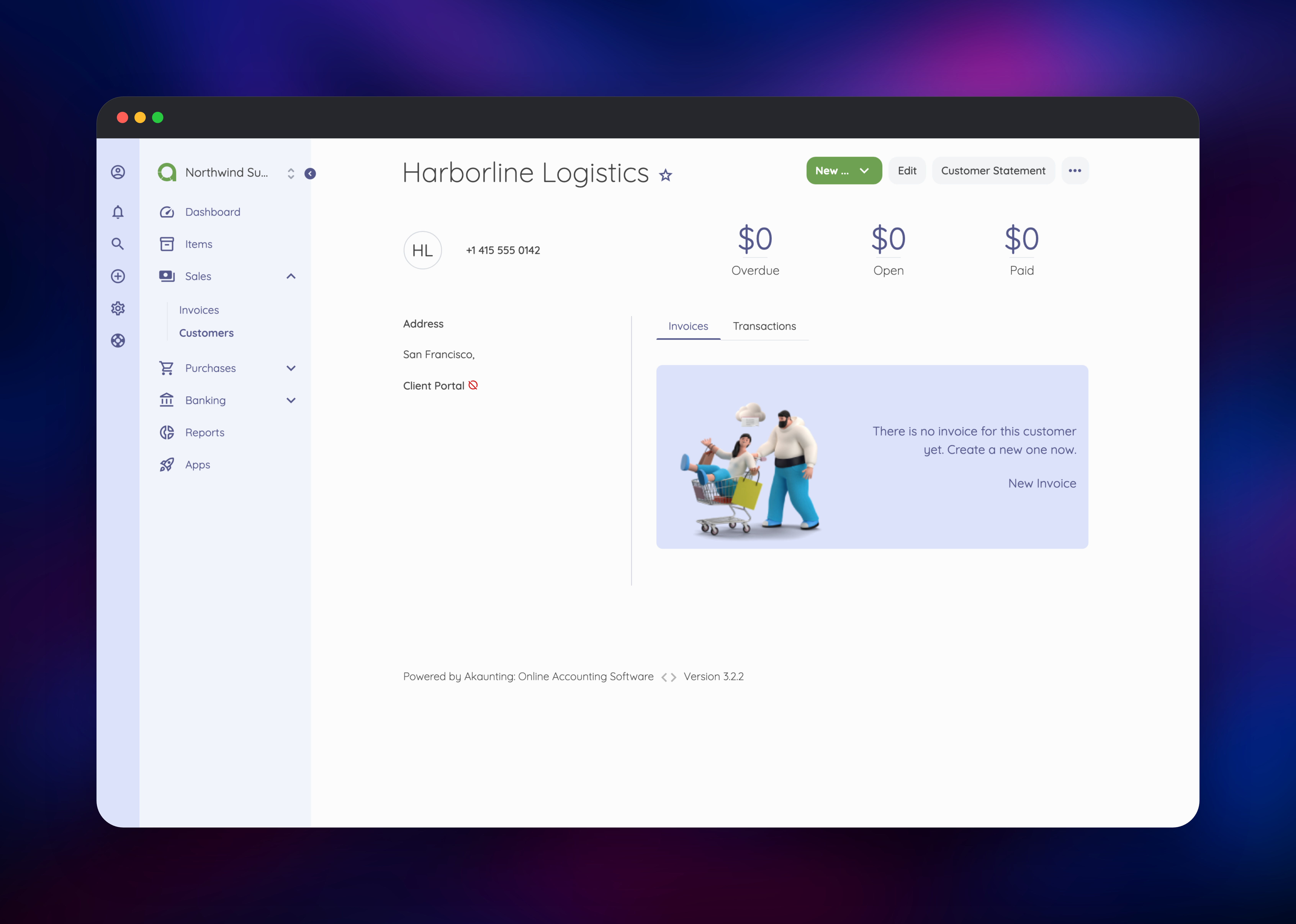
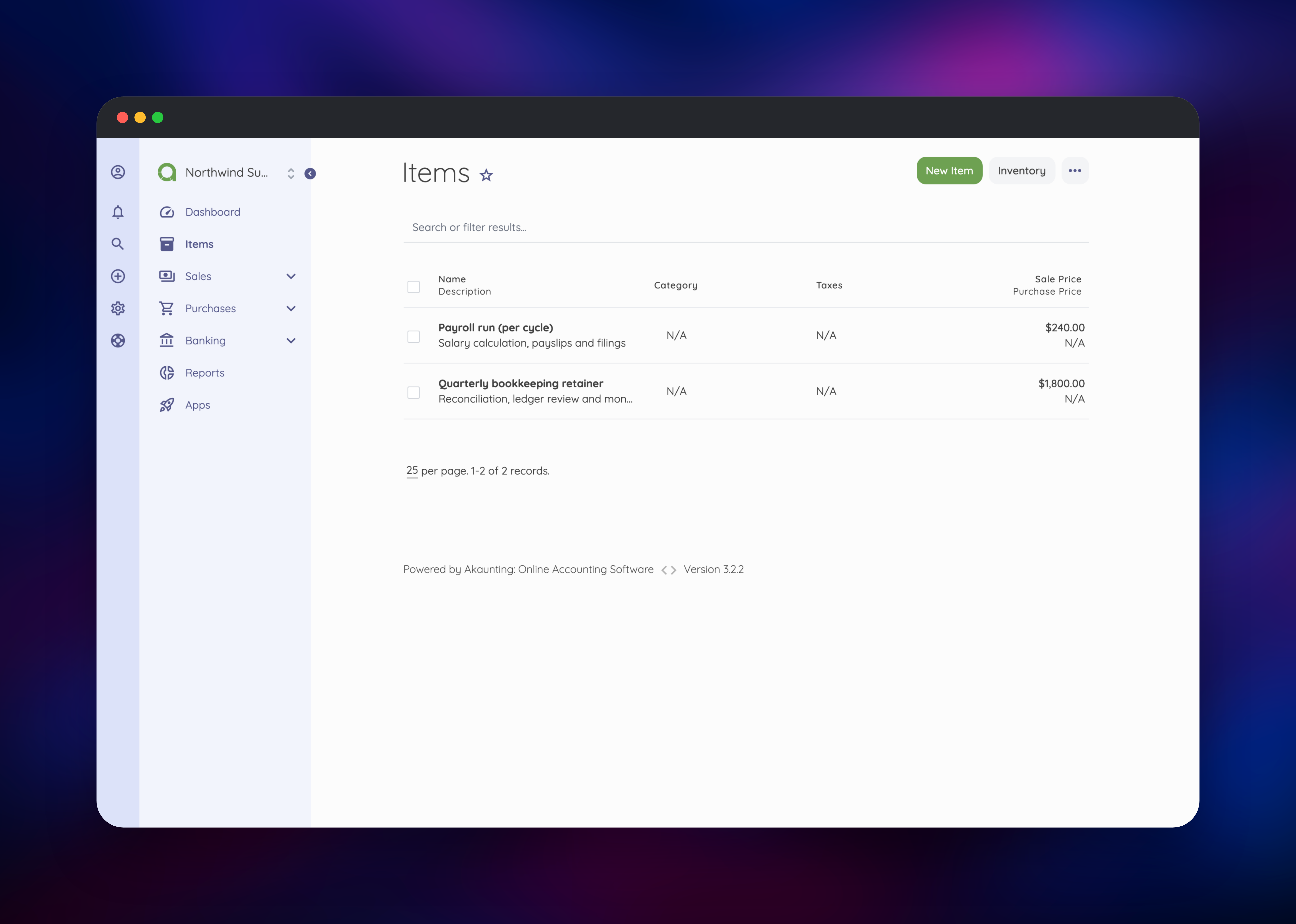
After the wizard, add a customer under Sales → Customers, a service under Items, then create your first invoice from Sales → Invoices. If it saves and shows on the customer's profile with an outstanding balance, the database, queue and volume are all working. Set up outgoing mail under Settings → Email before sending anything.
About Hosting Akaunting
Akaunting is a full double-entry accounting application, not an invoice generator with a database behind it. Every invoice, bill and payment lands in a category and against a bank account, which is what makes its Profit & Loss and Tax Summary reports meaningful. Teams self-host it when client names, rates and revenue are commercially sensitive, when they need several companies under one login, or when per-user SaaS pricing stops making sense.
What you get out of the box:
- Invoices and estimates with recurring schedules, partial payments and statements
- Bills, vendors and expense tracking on the purchases side
- Bank accounts, transfers and reconciliation
- Multi-company, multi-currency and multi-language support
- Profit & Loss, Income Summary, Expense Summary and Tax Summary reports
- A client portal where customers view and pay their own invoices
- A REST API and an App Store of modules
Three services carry it. Akaunting is the Laravel application: Apache and PHP 8.3 serve every page, queue:work handles anything slow enough to block a request, and schedule:work runs the jobs behind recurring invoices and reminders. MySQL stores every record. Redis holds cache, sessions and the queue, which is what lets the container be replaced on each deploy without signing everyone out.
Why Deploy Akaunting on Railway
Railway removes the operational work self-hosting an accounting app usually implies:
- MySQL and Redis provisioned, backed up and privately networked
- A persistent volume keeping attachments and PDFs across redeploys
- HTTPS and a public domain issued automatically
- App, queue worker and scheduler in one service — no cron host
- Logs, metrics and rollbacks built in
Common Use Cases
- A freelancer or agency issuing recurring retainer invoices without per-seat SaaS fees
- A small business keeping books, expenses and tax summaries on infrastructure it controls
- A bookkeeper running several client companies from one login
- A developer wiring Akaunting's REST API into a product to raise invoices programmatically
Dependencies for Akaunting
- Akaunting 3.2.2 — built from gridalpha/akaunting-railway on
php:8.3-apache, unpacking the official akaunting/akaunting release - MySQL 9.4 — Railway managed; Akaunting's only supported database engine
- Redis 8.2 — Railway managed; cache, sessions and queue
Environment Variables Reference
| Variable | Purpose |
|---|---|
AKAUNTING_ADMIN_EMAIL | Login for the administrator created on first boot |
AKAUNTING_ADMIN_PASSWORD | Password for that administrator |
AKAUNTING_APP_SECRET | Seed for the encryption key and the scoped database role |
AKAUNTING_COMPANY_NAME | Name of the first company |
APP_URL | Public URL used in invoice and portal links |
APP_LOCALE | Interface language, en-GB by default |
APP_SCHEDULE_TIME | Time of day reminders and recurring invoices run |
DB_PREFIX | Table prefix, fixed so it survives a redeploy |
Deployment Dependencies
- Source repository: gridalpha/akaunting-railway
- Upstream project: akaunting/akaunting
- Official documentation: akaunting.com/hc/docs
- Runtime: PHP 8.3, Laravel 10, Apache, supervisord
Hardware Requirements for Self-Hosting Akaunting
| Resource | Minimum | Recommended |
|---|---|---|
| CPU | 1 vCPU | 2 vCPU |
| RAM | 1 GB | 2 GB |
| Storage | 5 GB volume | 10 GB+ if you attach receipts |
| Runtime | PHP 8.1+, MySQL 8+ | PHP 8.3, MySQL 9, Redis 8 |
Self-Hosting Akaunting
The fastest route is this template. To run it yourself, the official image needs a MySQL server beside it. This Docker command starts the application against one:
docker run -d --name akaunting -p 8080:80 \
  -e AKAUNTING_SETUP=true \
  -e DB_HOST=akaunting-db -e DB_PORT=3306 -e DB_NAME=akaunting \
  -e DB_USERNAME=akaunting -e DB_PASSWORD=change-me -e DB_PREFIX=akt_ \
  -e COMPANY_NAME="My Company" -e COMPANY_EMAIL=me@example.com \
  -e ADMIN_EMAIL=me@example.com -e ADMIN_PASSWORD=change-me \
  -e LOCALE=en-GB akaunting/akaunting:latest
To build from source instead, clone the repository and let the CLI installer create the schema:
git clone https://github.com/akaunting/akaunting.git
cd akaunting && composer install
php artisan install --db-name=akaunting --db-username=akaunting \
  --db-password=change-me --admin-email=me@example.com \
  --admin-password=change-me --no-interaction
Add a cron entry running php artisan schedule:run every minute, or recurring invoices and reminders never fire.
Is Akaunting Free to Self-Host?
Akaunting's core application is open source and free to run on your own infrastructure — no licence fee for invoicing, bills, banking or reports. You do need a free akaunting.com account for the API key on-premise installs use to verify their plan and reach the App Store. Some App Store modules are paid. On Railway you pay only for the compute, database and volume the template uses.
FAQ
What is Akaunting? Akaunting is open source accounting software for small businesses and freelancers, covering invoicing, expenses, banking, multi-currency bookkeeping and financial reporting through a web interface.
What does this Railway template deploy? Three services: the Akaunting web application with its queue worker and scheduler, a managed MySQL database, and a managed Redis instance, plus a persistent volume for attachments and modules.
Why does the template include MySQL and Redis? MySQL is the only database engine Akaunting supports and holds every record. Redis keeps sessions and cache outside the container, so redeploying does not sign users out, and backs the queue that sends email off the request path.
Do I need an API key to self-host Akaunting? Yes. Akaunting's on-premise builds validate their plan against akaunting.com before opening any create screen, so invoice creation is refused until you paste a free API key into the setup wizard. Everything else works without one.
How do I send invoices by email from self-hosted Akaunting? Configure SMTP under Settings → Email in the app. Akaunting reads its mail transport from a per-company database setting, so environment variables alone will not switch it.
How do I upgrade Akaunting on Railway?
Change the AKAUNTING_VERSION build argument in the source repository and redeploy. The in-app updater does not apply, because the application files live in the container image rather than on the volume.
Template Content


