
Deploy Apprise
Send one HTTP request and it notifies Discord, Slack, Telegram and more
Just deployed
/data
Deploy and Host Apprise API on Railway
Apprise API is a small HTTP service that turns one request into a notification on more than a hundred platforms — Discord, Slack, Telegram, Matrix, Teams, ntfy, Gotify, Pushover, Home Assistant, email, SMS gateways and more. It wraps the Apprise Python library in a REST endpoint and a web interface, so every script, cron job, monitoring tool and CI job you own can post to one URL and stop caring which webhook format each destination expects. Homelab operators and platform teams self-host it for that reason: one integration point, no vendor holding your alerting.
Self-host Apprise API on Railway with this template and you get one service, named apprise, running the official caronc/apprise image behind nginx and gunicorn. A persistent volume holds saved configurations, attachments and custom plugins. HTTP basic authentication guards every route, because Apprise API ships with no login of its own and an ungated notification endpoint is an open relay. The exception is the health endpoint Railway's prober calls, which confirms the volume is writable rather than that the container is merely alive.

Getting Started with Apprise API on Railway
When the deploy finishes, open the generated Railway URL. The browser asks for a username and password: the BASIC_AUTH_USERNAME and BASIC_AUTH_PASSWORD variables, which default to apprise and a generated value you can read and change in the Variables tab. There are no application accounts to create — that credential is the login. The landing page explains the API; the work happens in the Configuration Manager at /cfg/apprise.
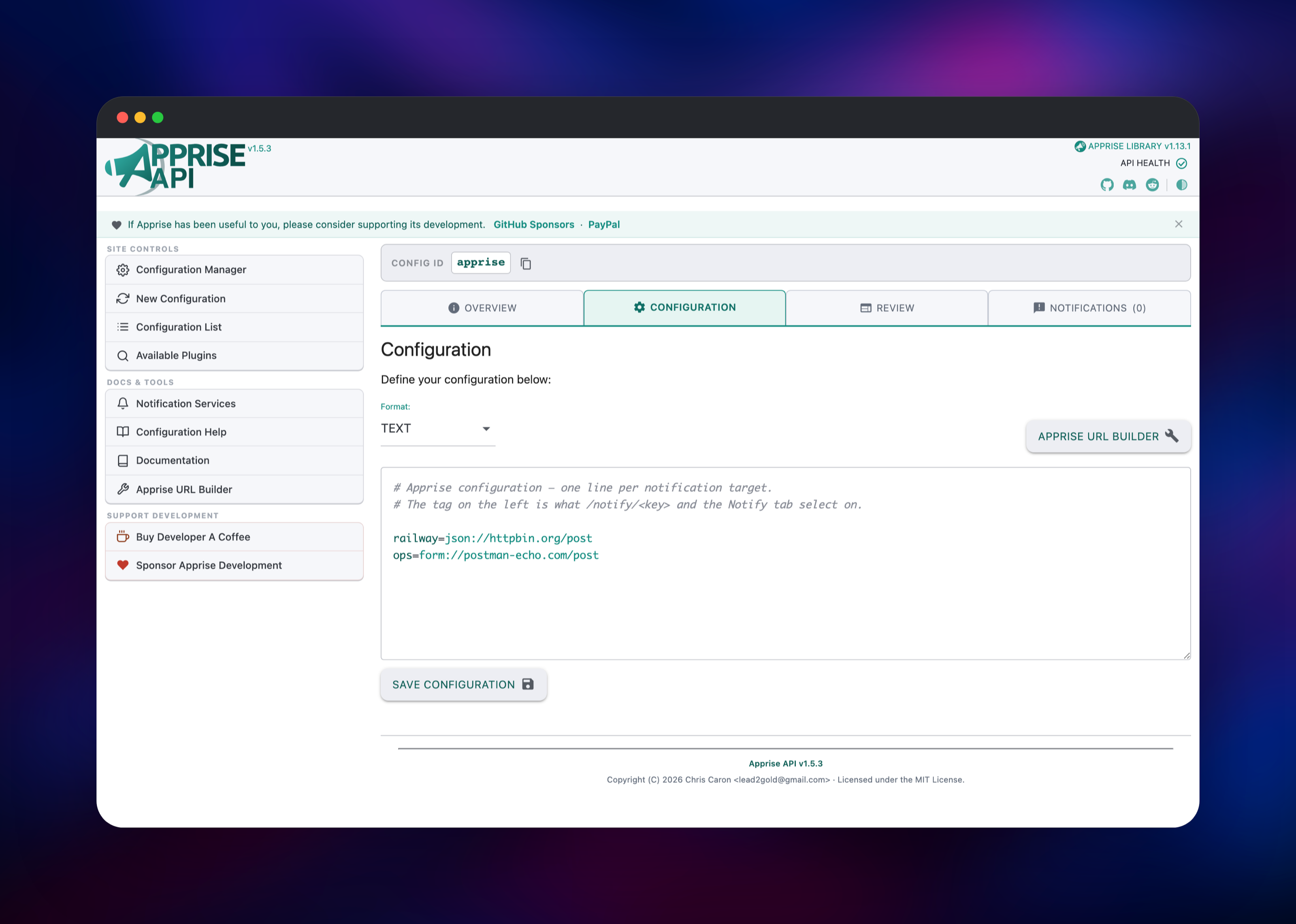
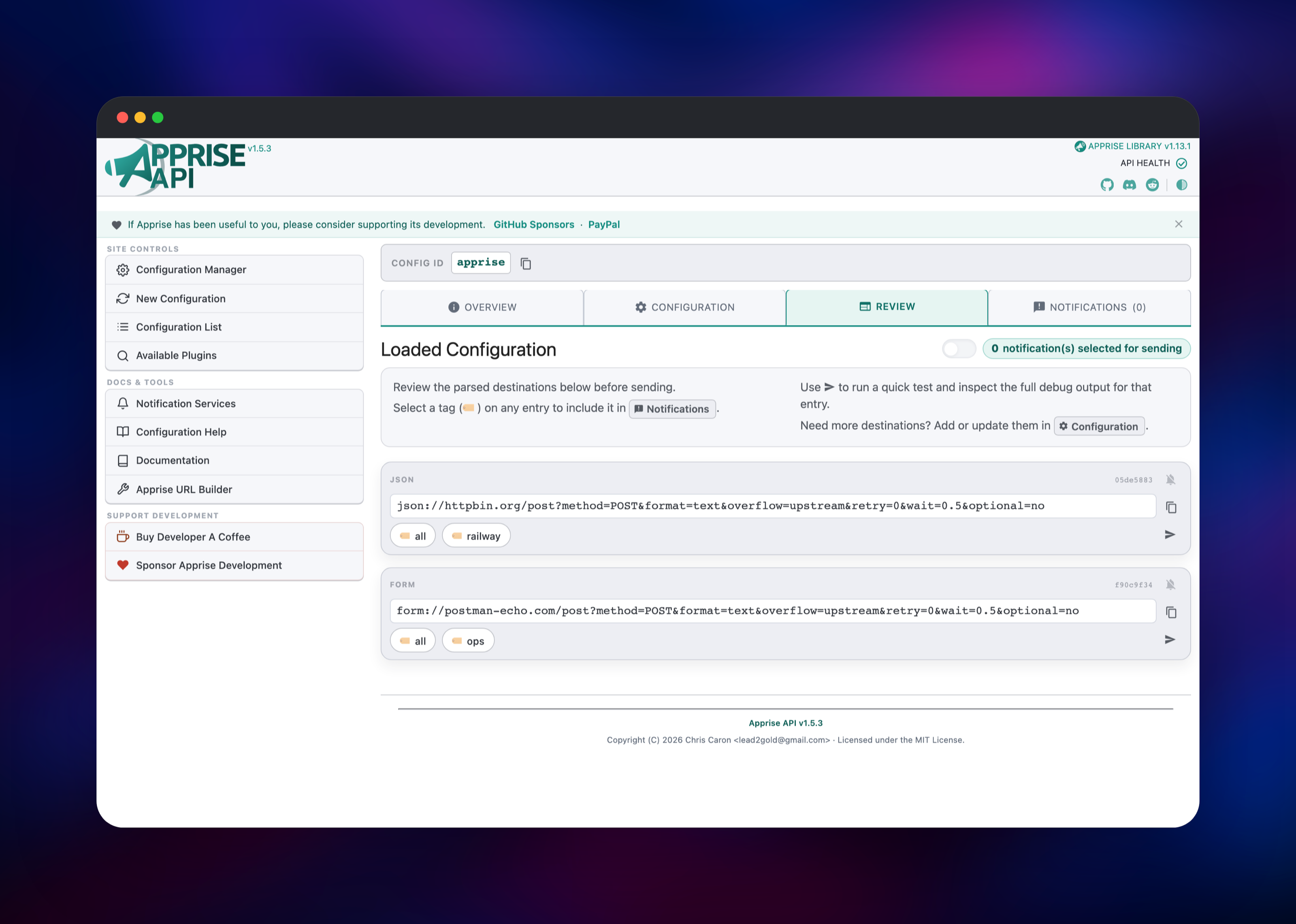
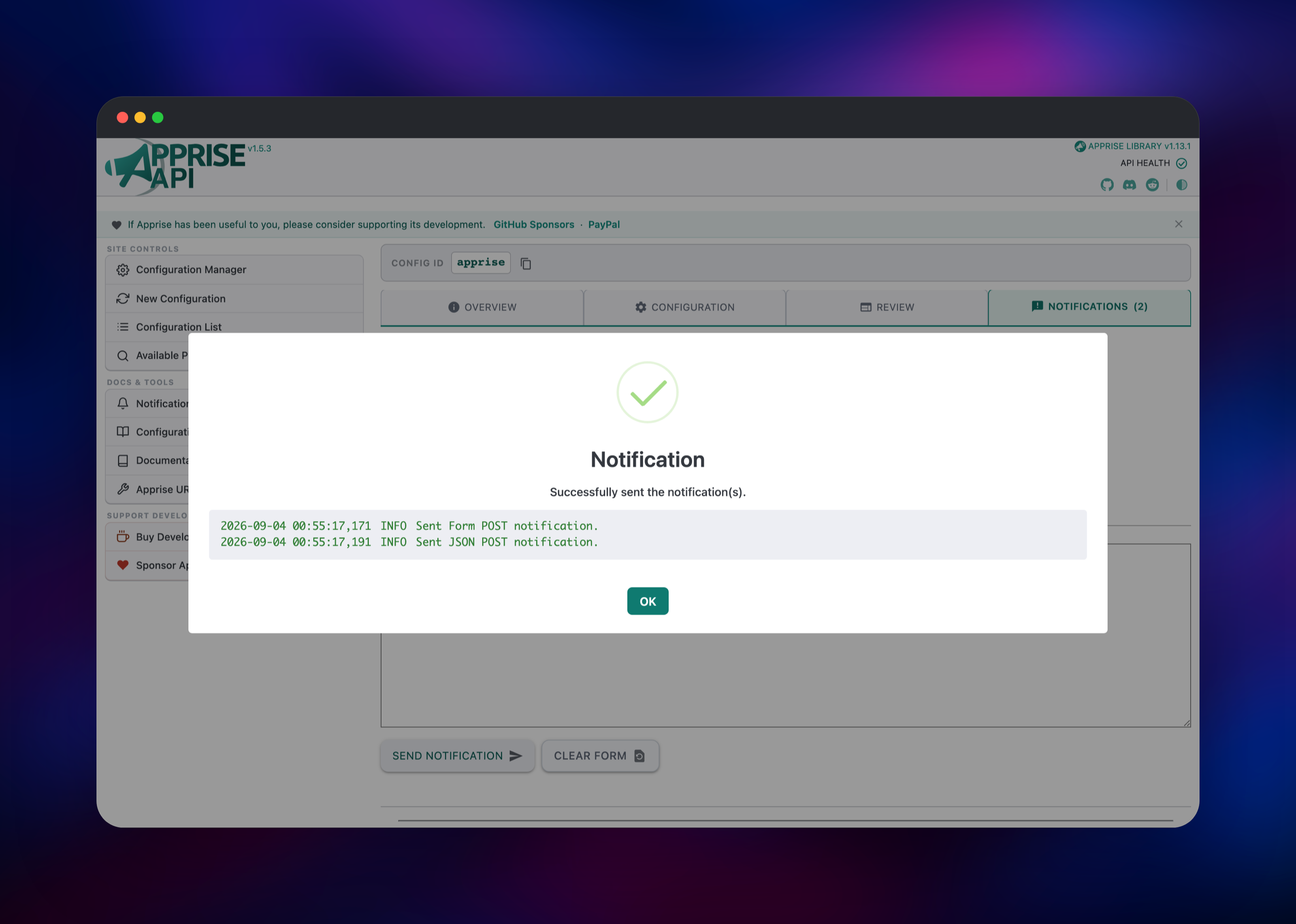
Open the Configuration tab and paste one Apprise URL per line, optionally prefixed with a tag. A line such as alerts=discord://webhook_id/webhook_token means the destination answers to the tag alerts. Save it, switch to Review to confirm each URL parsed as expected, then to Notifications to send a test message to one or more tags. A confirmation dialog listing each delivery is the sign the deployment works. From then on your scripts post to /notify/apprise.
About Hosting Apprise API
Apprise solves a dull but expensive problem: every notification service has its own API, payload shape and authentication scheme, and wiring each into every tool multiplies fast. Apprise collapses that into one URL grammar — discord://, slack://, tgram://, mailto:// — and Apprise API puts it behind HTTP. Self-host it to keep alerting inside infrastructure you control, or to change a destination without redeploying the tools that notify.
- Stateless notifications — post URLs and a message together to
/notify, storing nothing - Stateful configurations — save a named set of destinations and call it by key
- Tags — one call hits "ops" or "alerts" without listing every URL
- Attachments — send files with a notification, by upload or by URL
- A web UI — build, review and test configurations without touching curl
The architecture is deliberately small. nginx terminates the request, applies basic authentication and proxies to gunicorn, which runs the Django app with gevent workers so slow outbound webhooks do not block each other. The volume at /data holds configurations, attachments and plugins. There is no database or queue: Apprise's state is a handful of text files.
Why Deploy Apprise API on Railway
Railway removes the server work around a service this small.
- One click provisions the container, the volume and a public HTTPS domain
- Authentication is configured before the endpoint is ever reachable
- The health check verifies real disk access, not just a listening port
- No TLS certificates, reverse proxy or firewall rules to maintain
Common Use Cases
- Alerting fan-out — Uptime Kuma, Zabbix or a cron script posts once and the message lands in Discord, email and a phone push
- CI and deployment notices — a build job calls one URL on success and failure, with destinations edited in the UI, not in workflow files
- Home automation and media servers — Home Assistant, Sonarr and Nextcloud all speak to one endpoint
- No vendor lock-in — switching from Slack to Teams is a one-line change
Apprise API vs ntfy and Gotify
| Apprise API | ntfy | Gotify | |
|---|---|---|---|
| Role | Router to 100+ services | Pub-sub server | App-token server |
| Own mobile app | No | Yes | Yes |
| Stores messages | No | Yes, per topic | Yes |
They are complements, not rivals: many setups run ntfy or Gotify as the destination and Apprise API as the endpoint everything else calls.
Dependencies for Apprise API
caronc/apprise:latest— the official image, bundling nginx, gunicorn and the Apprise library- A 5 GB Railway volume at
/data— configuration store, attachments and plugins - No database, cache or object storage is required
Environment Variables Reference
| Variable | Default | Purpose |
|---|---|---|
BASIC_AUTH_USERNAME | apprise | Username for the HTTP basic auth gate |
BASIC_AUTH_PASSWORD | generated | Password for that gate; change it to your own |
SECRET_KEY | generated | Django signing key; keep stable |
PORT / HTTP_PORT | 8000 | Port nginx listens on |
APPRISE_STATEFUL_MODE | simple | Stores each configuration under its key, as the listing page needs |
APPRISE_ADMIN | yes | Enables the configuration listing at /cfg |
APPRISE_WORKER_COUNT | 4 | gunicorn workers sending notifications |
APPRISE_ATTACH_REJECT_URL | internal 127.0.* localhost* | Blocks attachment fetches at private addresses |
APPRISE_ATTACH_SIZE | 200 | Maximum attachment size in MB |
Deployment Dependencies
- Image: caronc/apprise on Docker Hub
- Project: github.com/caronc/apprise-api
- Library: github.com/caronc/apprise
- URL syntax per service: the Apprise wiki
Hardware Requirements for Self-Hosting Apprise API
| Minimum | Recommended | |
|---|---|---|
| CPU | 0.5 vCPU | 1 vCPU |
| RAM | 256 MB | 512 MB – 1 GB |
| Storage | 1 GB volume | 5 GB volume for attachments |
| Runtime | Python, nginx, gunicorn (in the image) | Same |
Apprise API is light. Memory scales with APPRISE_WORKER_COUNT and attachment size, so raise both if you send large files.
Self-Hosting Apprise API with Docker
The published image runs with one command. This starts it on port 8000 with a local configuration directory:
docker run -d --name apprise -p 8000:8000 \
  -e APPRISE_STATEFUL_MODE=simple \
  -e APPRISE_ADMIN=yes \
  -v $(pwd)/config:/config \
  caronc/apprise:latest
Then save a configuration and send a notification with two requests — the first stores a destination under the key apprise, the second sends to it:
curl -X POST -d 'urls=discord://webhook_id/webhook_token' \
  http://localhost:8000/add/apprise

curl -X POST -d 'tag=all&title=Deployed&body=Build 42 is live' \
  http://localhost:8000/notify/apprise
Add -u username:password to both when the instance is behind basic auth, as it is on Railway.
How Much Does Apprise API Cost to Self-Host?
Apprise and Apprise API are open source and free — Apprise is BSD-2-Clause licensed, Apprise API is MIT licensed, and there is no paid tier, seat limit or message quota. The only cost is infrastructure. On Railway that is usage-based, and a container this small plus a volume sits at the low end of a Hobby plan. Destination services may have their own limits, but Apprise adds none.
FAQ
What is Apprise API?
A REST wrapper around the Apprise notification library. Send it one HTTP request and it delivers that message to every destination you configured, in each service's own format.
What does this Railway template deploy?
A single service named apprise running the official caronc/apprise image, with a volume at /data, a public HTTPS domain, basic authentication on every route, and a health check confirming the volume is writable.
Why does the template add a volume if there is no database?
Apprise stores configurations, attachments and plugins as files. Without a volume they live in the container filesystem and disappear on the next deploy.
How do I secure my self-hosted Apprise API endpoint?
It already is: nginx requires the credential on every route but the health endpoint. Change BASIC_AUTH_PASSWORD to a value you choose, and treat URL and credential as secrets — anyone holding both can send through your destinations.
How do I send a notification from a script or CI job?
POST to /notify/ with body, an optional title and a tag naming which destinations receive it. The default id is apprise, and the response reports which deliveries succeeded.
Which notification services does Apprise support?
More than a hundred, including Discord, Slack, Telegram, Microsoft Teams, Matrix, ntfy, Gotify, Pushover, Home Assistant, Twilio, generic webhooks and SMTP email. The Apprise wiki lists the URL syntax for each.
Template Content