
Deploy Appsmith
Retool Alternative. Low-code internal tool (admin panel, dashboard) builder
Appsmith
Just deployed
/appsmith-stacks

Redis
Just deployed
/data

Deploy and Host Appsmith on Railway
Appsmith is an open-source low-code platform for building internal software — admin panels, support consoles, operations dashboards and CRUD screens — on top of the databases and APIs a team already runs. Developers drag widgets onto a canvas, bind them to SQL queries or REST calls, and write JavaScript anywhere a value is expected. Teams use it to hand a safe interface to support, sales or operations staff without maintaining a bespoke React app for every request; it is the most widely adopted self-hostable alternative to Retool.
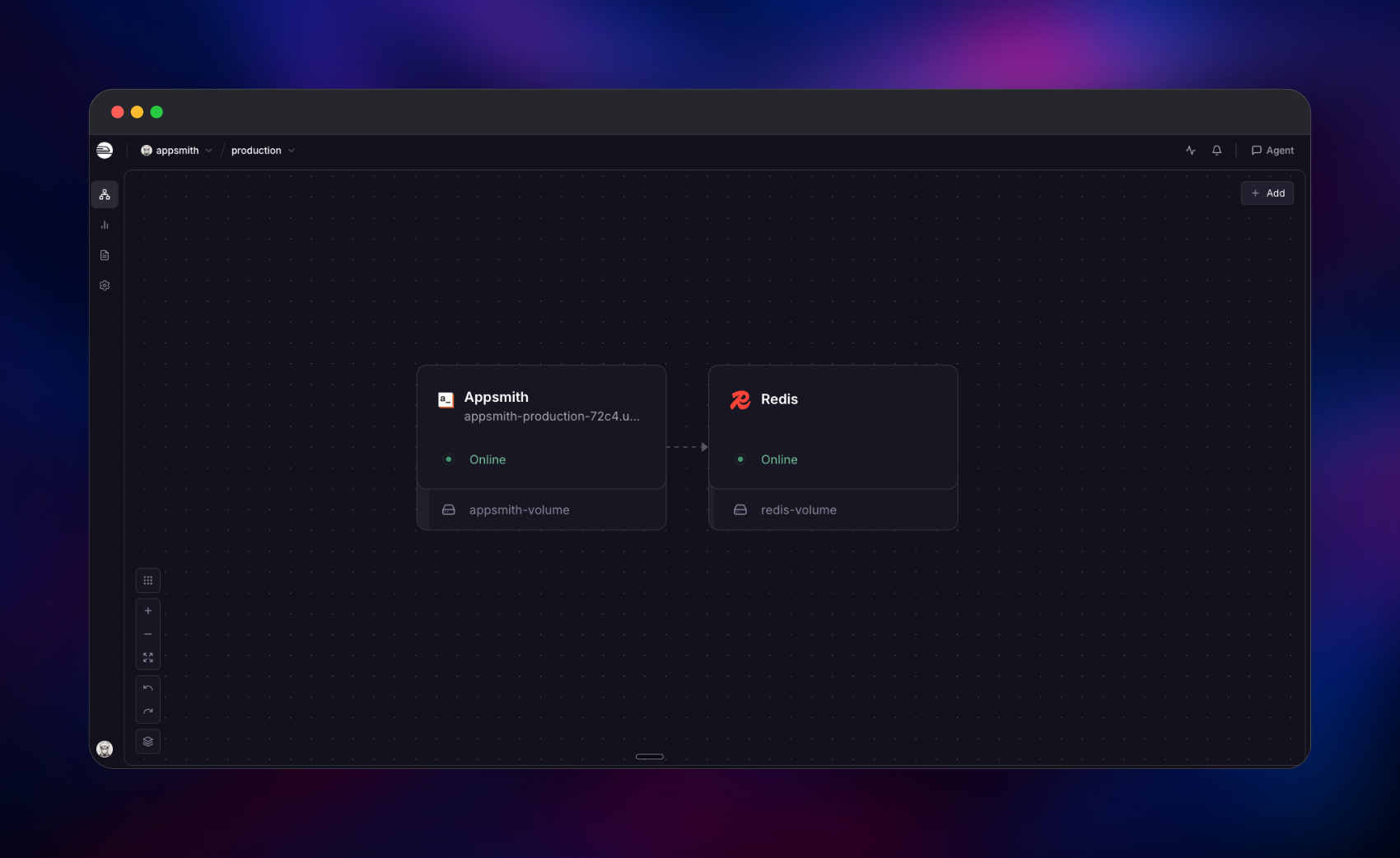
Deploy Appsmith on Railway and you get the official appsmith/appsmith-ce container backed by a managed Redis service. The container holds the editor, the Java API server, the real-time collaboration service and the application database, fronted by a Caddy proxy on one public HTTPS domain. Redis runs as its own service and stores sessions and caches, so redeploying the app does not sign everyone out. A volume at /appsmith-stacks keeps applications, datasource configuration, Git repositories and logs across restarts. Nothing else needs configuring to self-host Appsmith: encryption keys are generated at deploy time and the Redis connection is wired for you.
Getting Started with Appsmith on Railway
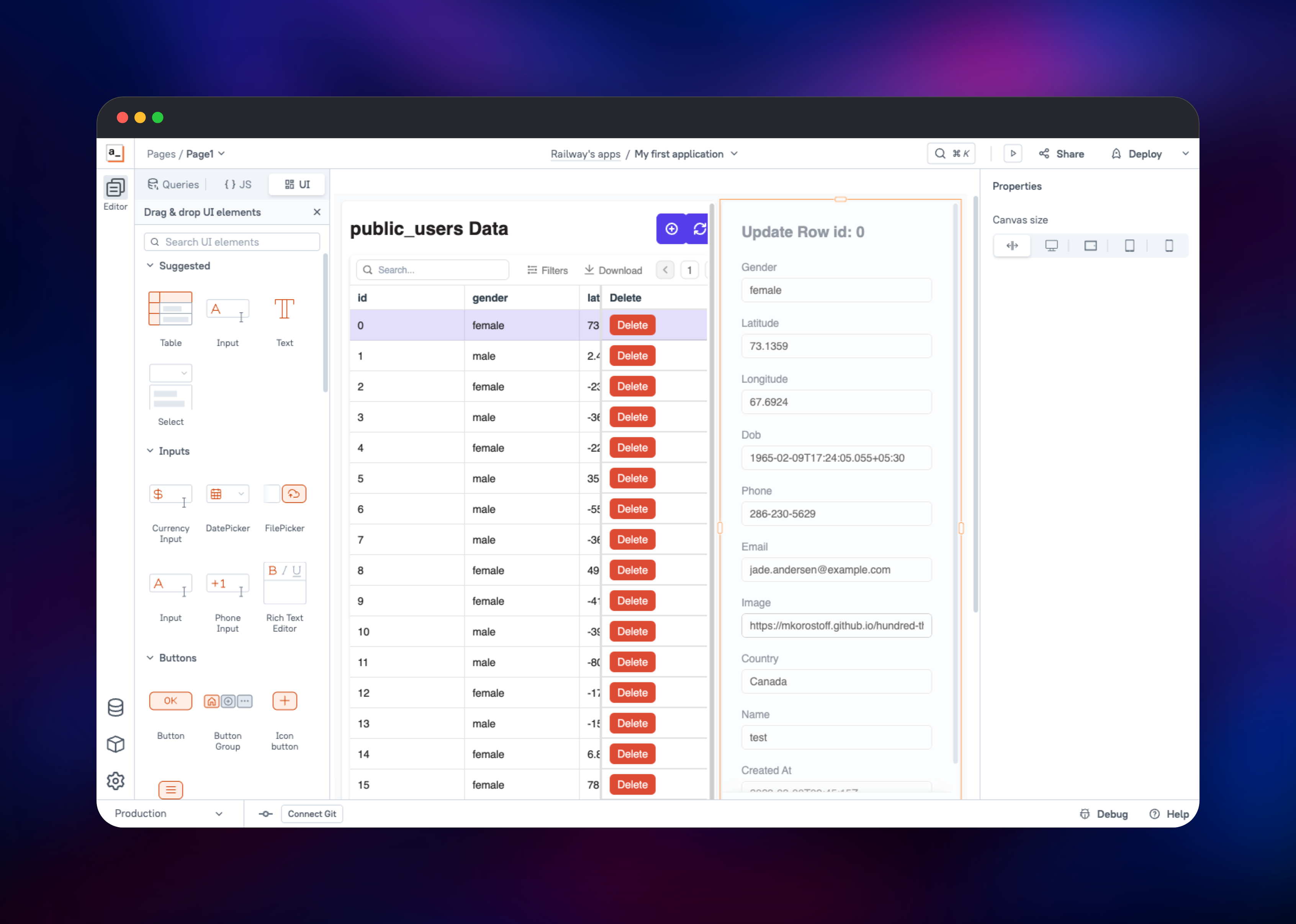
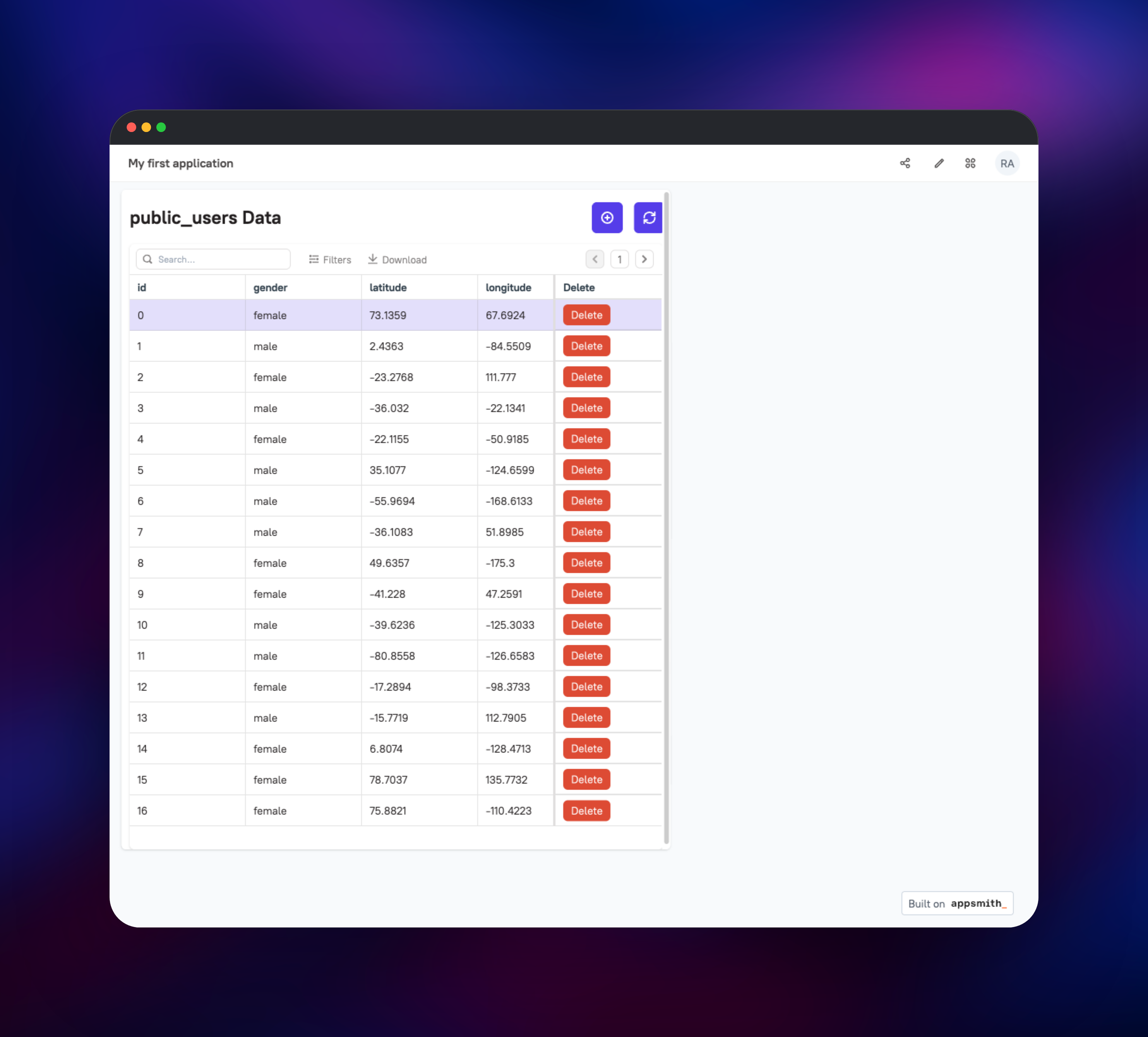
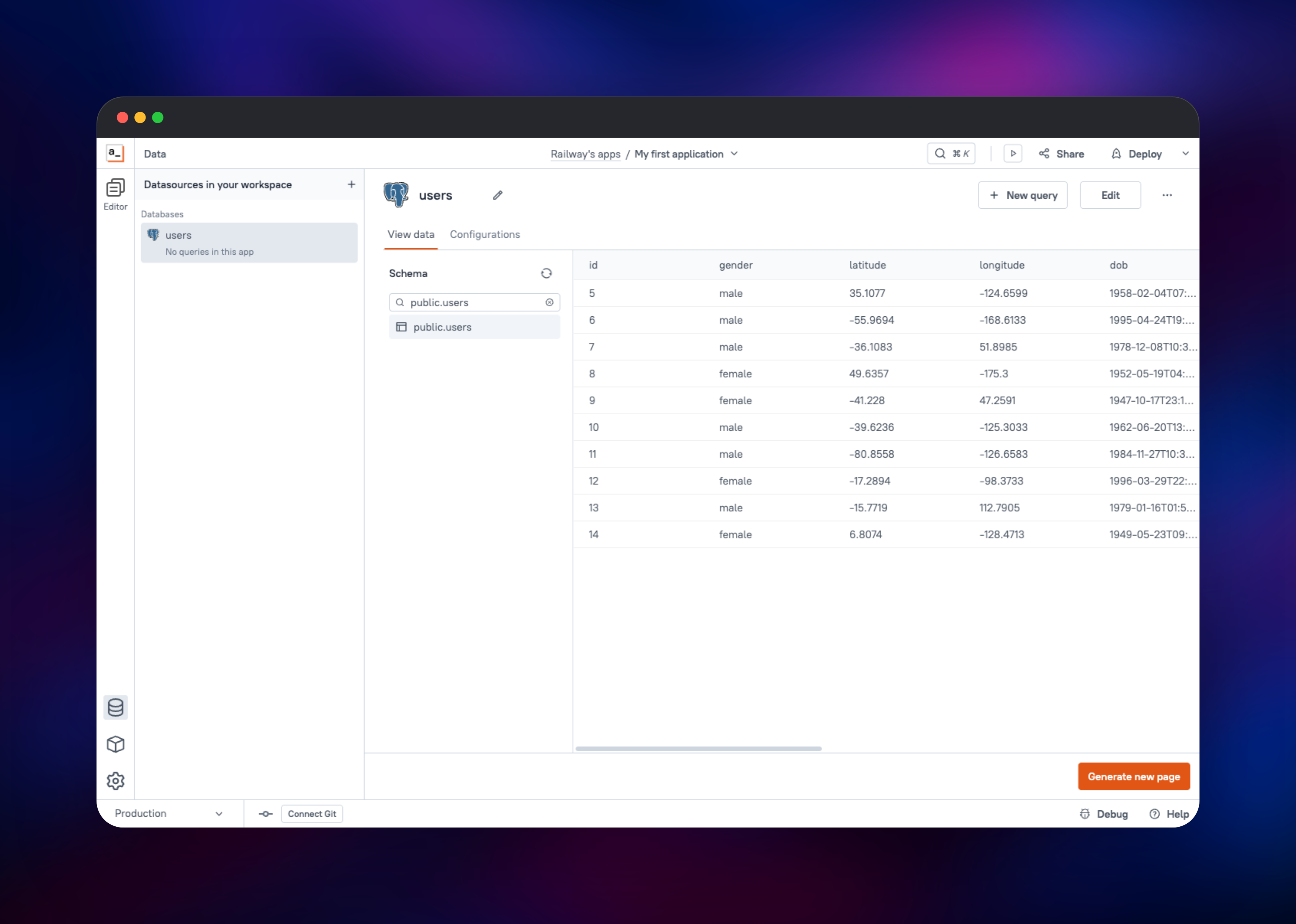
Open the generated Railway domain once the deployment is live. Appsmith has no default username or password — the first visit redirects to /setup/welcome, and the account you create there becomes the instance super-admin, so use a real address and a strong password. Answer the two onboarding questions and you land in a workspace with an empty application. From the datasource screen, pick the built-in sample PostgreSQL datasource to see the product working immediately, or connect your own; Appsmith reads the schema live and lists your tables. Select a table and press Generate new page for a table, search box and edit form wired to real queries, then press Deploy to publish a shareable URL. Before inviting anyone, open Admin settings → Authentication → Form login and turn off Allow all users to signup — new deployments accept public registration until you do. A slow first boot is expected: the container initialises its database and applies migrations before the login page appears.
About Hosting Appsmith
Appsmith solves a problem every growing company hits: internal users need a UI over production data, and building one properly costs weeks of frontend work nobody wants to own. Self-hosting matters when that data cannot leave your network — customer records, payment history, healthcare or HR data — because queries run from a container you control and credentials are encrypted at rest with a key only you hold. It also sidesteps per-seat pricing.
Key features:
- Drag-and-drop canvas with 45+ widgets — tables, forms, charts, maps, file pickers, rich text
- 25+ native integrations: PostgreSQL, MySQL, MongoDB, Elasticsearch, Snowflake, S3, Google Sheets, REST and GraphQL
- JavaScript everywhere, plus reusable JS objects and libraries
- Git version control, so applications live in your own repository
- Embed published apps into an existing portal with an iframe
Architecture on Railway: the Appsmith service is one container running Caddy, the Spring Boot API, a Node real-time service for editor collaboration, and the bundled MongoDB holding your applications, users and encrypted datasource settings — all on a single volume. The separate Redis service holds only sessions and caches, which is what makes the app tier restartable without signing users out.
Why Deploy Appsmith on Railway
Railway removes the infrastructure work self-hosting normally implies:
- One-click deploy with the volume, Redis and networking already wired
- Free HTTPS domain, or attach your own
- Managed Redis instead of a container you babysit
- Scaling and metrics without touching a server
- Private networking keeps Redis off the public internet
- Upgrade by changing one image tag
Common Use Cases
- Customer support consoles — search users, inspect orders and issue refunds without granting database access
- Operations dashboards — approve submissions, moderate content or manage inventory, writing back to production
- Admin panels over an existing API — wrap internal REST or GraphQL services in a UI for non-engineers
- Data entry — validating forms that insert into PostgreSQL or MongoDB, replacing shared spreadsheets
Dependencies for Appsmith
- Appsmith —
appsmith/appsmith-ce:v2.2: editor, API server, real-time service, Caddy proxy and the bundled application database. Needs a volume at/appsmith-stacks. - Redis — Railway managed Redis. Session store and cache for the API server.
Environment Variables Reference
| Variable | Purpose |
|---|---|
PORT | Port Caddy listens on. Must not be 8080 or 8091, used by the API and real-time services. |
APPSMITH_ENCRYPTION_PASSWORD | Encrypts stored datasource credentials. Never change after first boot. |
APPSMITH_ENCRYPTION_SALT | Salt paired with the encryption password. Same warning applies. |
APPSMITH_BASE_URL | Canonical public URL. Required for password-reset and invite links. |
APPSMITH_REDIS_URL | Redis connection string for sessions and cache. |
APPSMITH_ALLOWED_FRAME_ANCESTORS | CSP frame-ancestors value. Widen it to embed published apps. |
Deployment Dependencies
- Docker image: appsmith/appsmith-ce
- Source: github.com/appsmithorg/appsmith
- Docs: docs.appsmith.com/getting-started/setup
- Inside the image: Java 25, Node.js, Caddy, MongoDB 7, PostgreSQL 14
Hardware Requirements for Self-Hosting Appsmith
The container runs several processes, so it is heavier than a typical single-binary app.
| Resource | Minimum | Recommended |
|---|---|---|
| CPU | 2 vCPU | 4 vCPU |
| RAM | 4 GB | 8 GB |
| Storage | 10 GB volume | 20 GB+ volume |
| Runtime | Docker (amd64/arm64) | Docker |
An idle instance settles around 2.5–3 GB once the JVM and bundled database have started.
Self-Hosting Appsmith with Docker
Outside Railway the smallest working setup is one container plus a volume. As a shell command:
docker run -d --name appsmith -p 8080:80 \
  -v "$PWD/stacks:/appsmith-stacks" \
  -e APPSMITH_ENCRYPTION_PASSWORD=change-me \
  -e APPSMITH_ENCRYPTION_SALT=change-me-too \
  -e APPSMITH_BASE_URL=http://localhost:8080 \
  appsmith/appsmith-ce:v2.2
The equivalent Compose file, easier to keep alongside an external Redis:
services:
  appsmith:
    image: appsmith/appsmith-ce:v2.2
    ports: ["8080:80"]
    volumes: ["./stacks:/appsmith-stacks"]
    environment:
      APPSMITH_ENCRYPTION_PASSWORD: change-me
      APPSMITH_ENCRYPTION_SALT: change-me-too
      APPSMITH_BASE_URL: http://localhost:8080
      APPSMITH_REDIS_URL: redis://redis:6379
  redis:
    image: redis:7-alpine
Back up stacks — it holds every app you build.
How Much Does Appsmith Cost to Self-Host?
Appsmith Community Edition is free and open source, with no user limit on a self-hosted instance. Paid Business and Enterprise tiers add SSO, granular access control, audit logs and custom branding; everything described above is in the free edition. Self-hosting on Railway costs only the compute, memory and volume the two services consume — no per-seat charge as you add users.
FAQ
What is Appsmith? An open-source low-code platform for building internal tools. You compose a UI from prebuilt widgets, bind it to queries against your own databases or APIs, and publish it to your team over a URL.
What does this Railway template deploy?
Two services: the official Appsmith Community Edition container with a volume at /appsmith-stacks, and managed Redis for sessions and caching. Encryption keys are generated at deploy time.
Why does the template include Redis? Appsmith keeps sessions and server-side caches in Redis. Running it as its own Railway service means signed-in users stay signed in across app redeploys.
How do I create the first admin account in self-hosted Appsmith?
There are no default credentials. Open the deployed URL and the setup wizard at /setup/welcome prompts you to register; the first account created becomes the instance super-admin.
How do I stop strangers from signing up on my Appsmith instance? Sign in as the admin, open Admin settings → Authentication → Form login and switch off Allow all users to signup. Do this right after the first deploy — the setting lives in the database, so changing the environment variable later does nothing.
How do I upgrade Appsmith to a new version? Change the image tag and redeploy, keeping the volume attached; migrations run on boot. Read the release notes first — some major versions require passing through an intermediate release.
Template Content
Appsmith
appsmith/appsmith-ce:v2.2Redis
redis:8.2

