
Deploy Arize Phoenix
LLM observability. Tracing and evaluation tool using OpenTelemetry
phoenix
Just deployed

Just deployed
/var/lib/postgresql/data
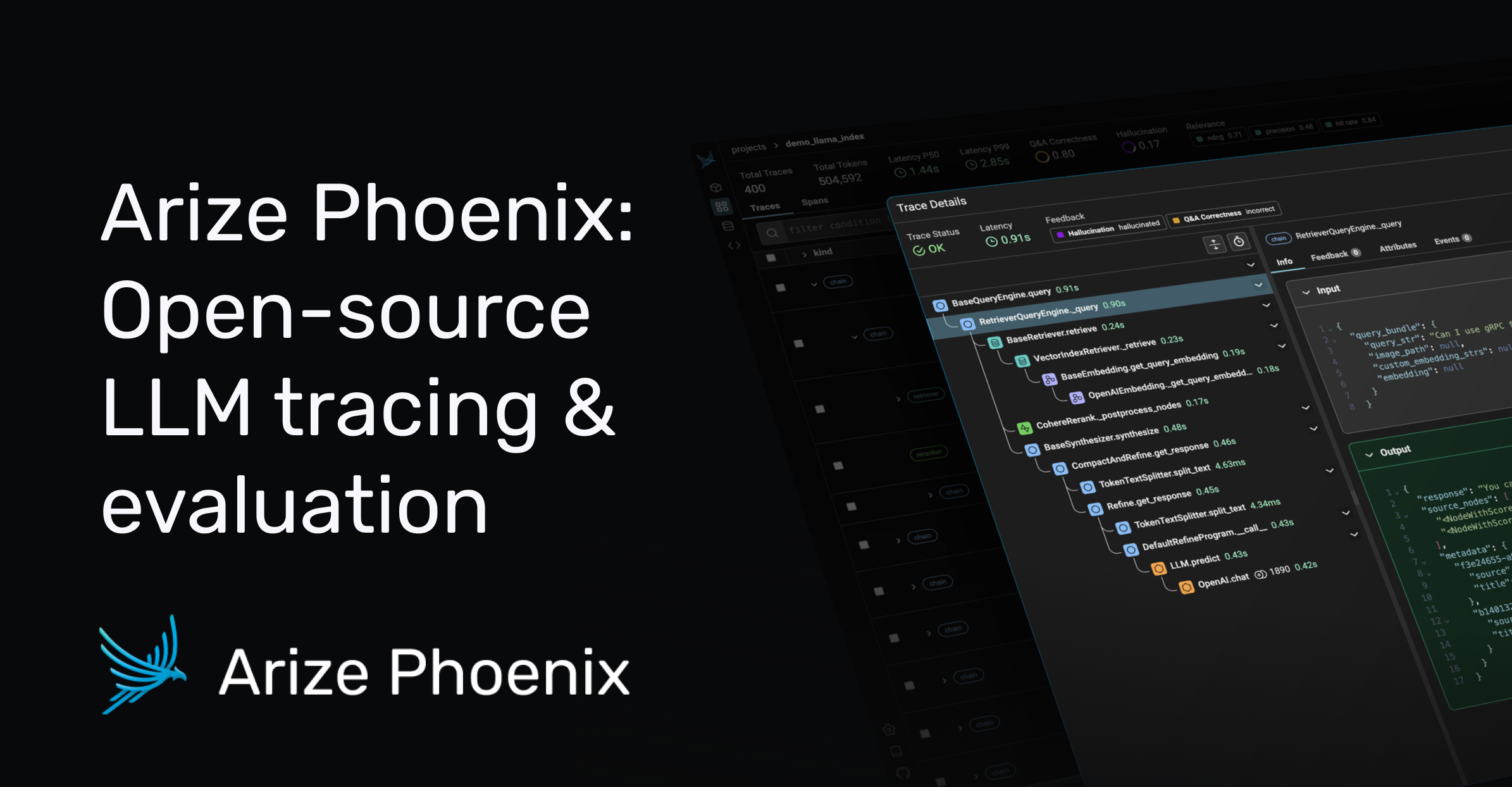
Deploy and Host Arize Phoenix on Railway
Arize Phoenix is an AI observability platform for teams building with large language models. It collects OpenTelemetry traces from your agents, RAG pipelines and chat apps, lets you inspect every span — the prompt that went out, the documents a retriever returned, the tokens burned, the call that errored — and turns the interesting ones into datasets. It answers the question a generic APM cannot: not "was the request slow?" but "was the answer any good, and which step made it bad?".
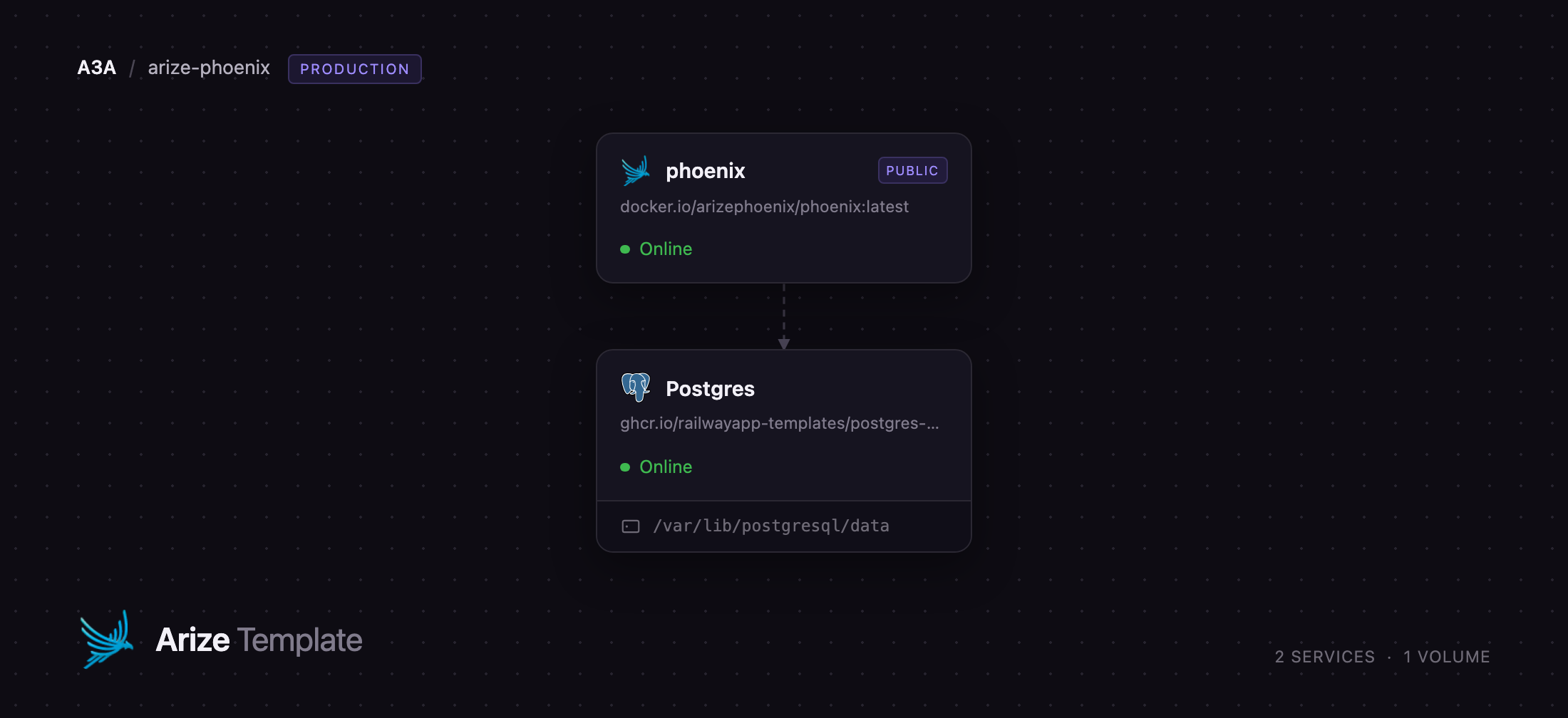
Self-host Phoenix on Railway and your traces sit in your own Postgres, not a vendor's tenant. This template runs the official arizephoenix/phoenix image alongside a Railway-managed PostgreSQL database. The web UI, REST and GraphQL APIs, remote MCP server and the OTLP-over-HTTP collector all answer on the generated public domain, while a Railway TCP proxy carries the OTLP gRPC collector on port 4317. Authentication is on before the first request, and everything is written to Postgres, so the app service holds no state and redeploys cleanly.
Getting Started with Arize Phoenix on Railway
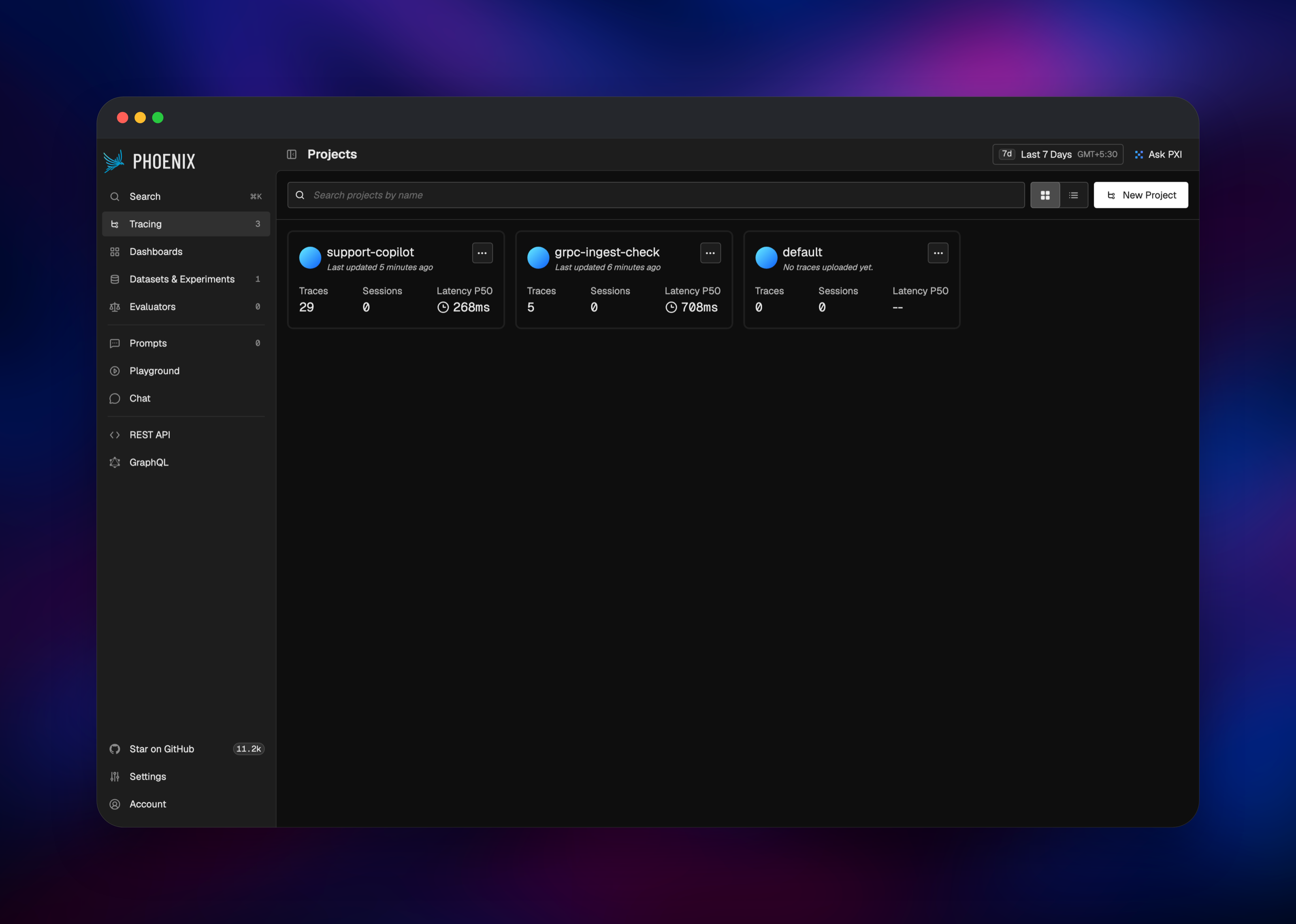
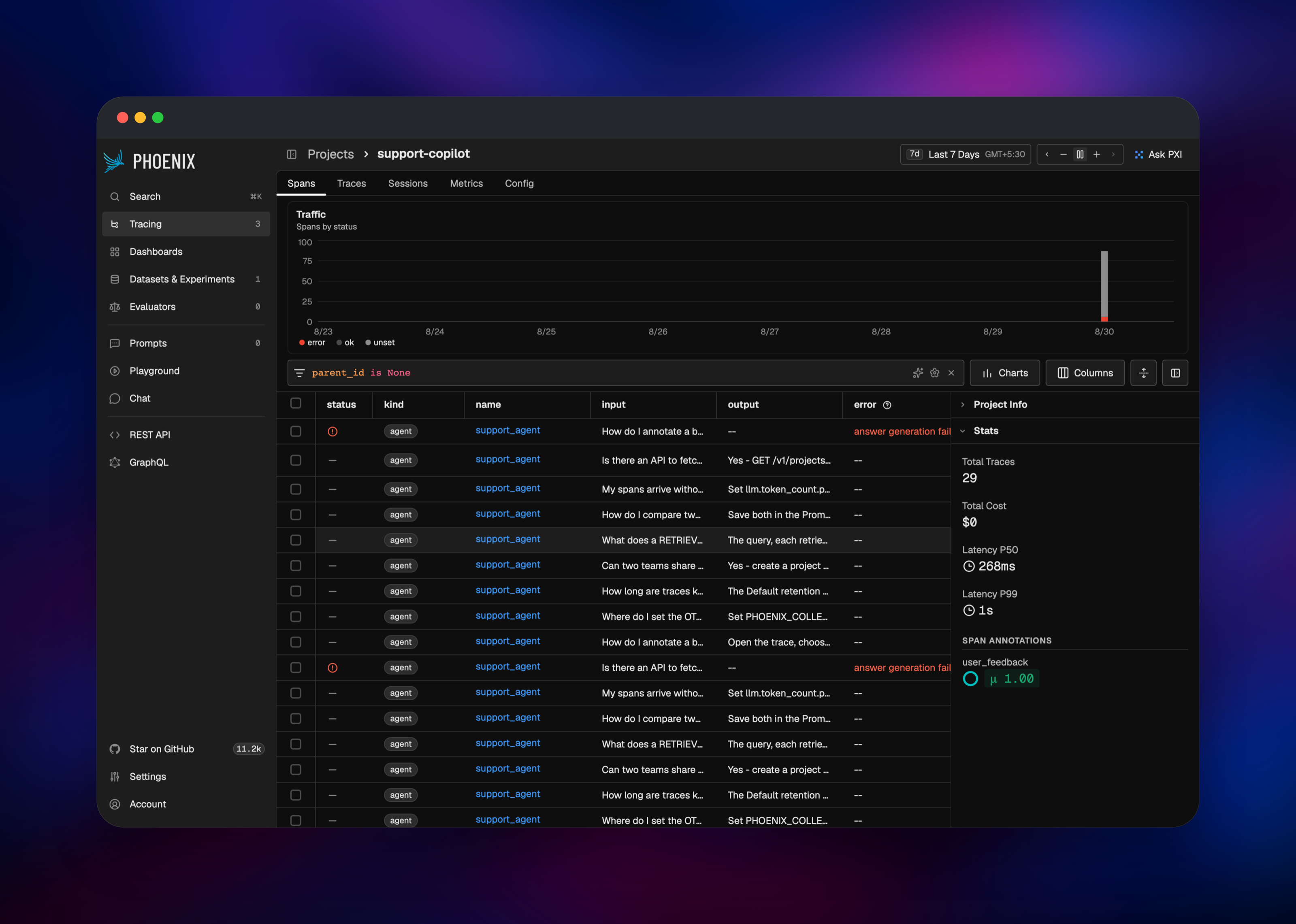
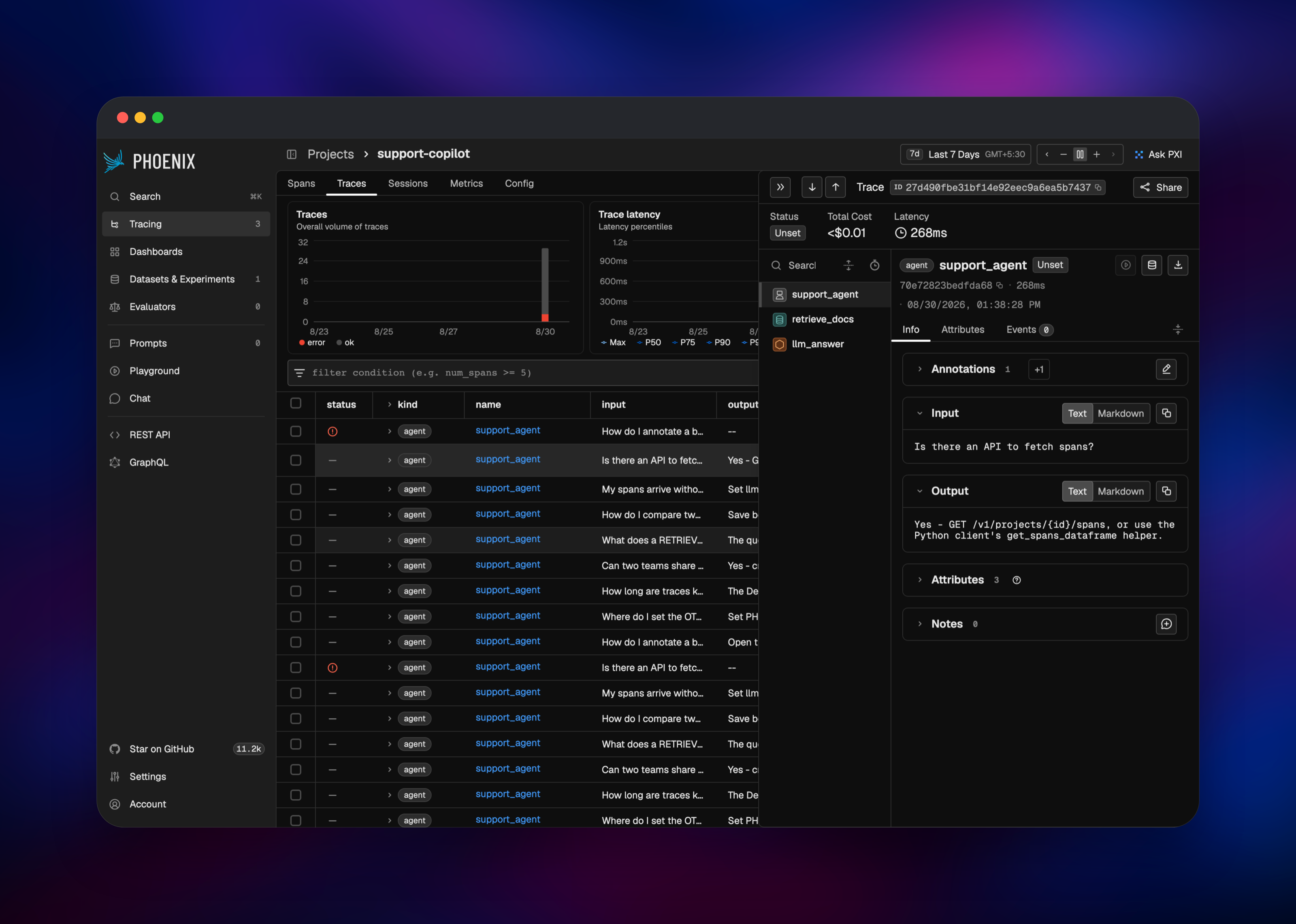
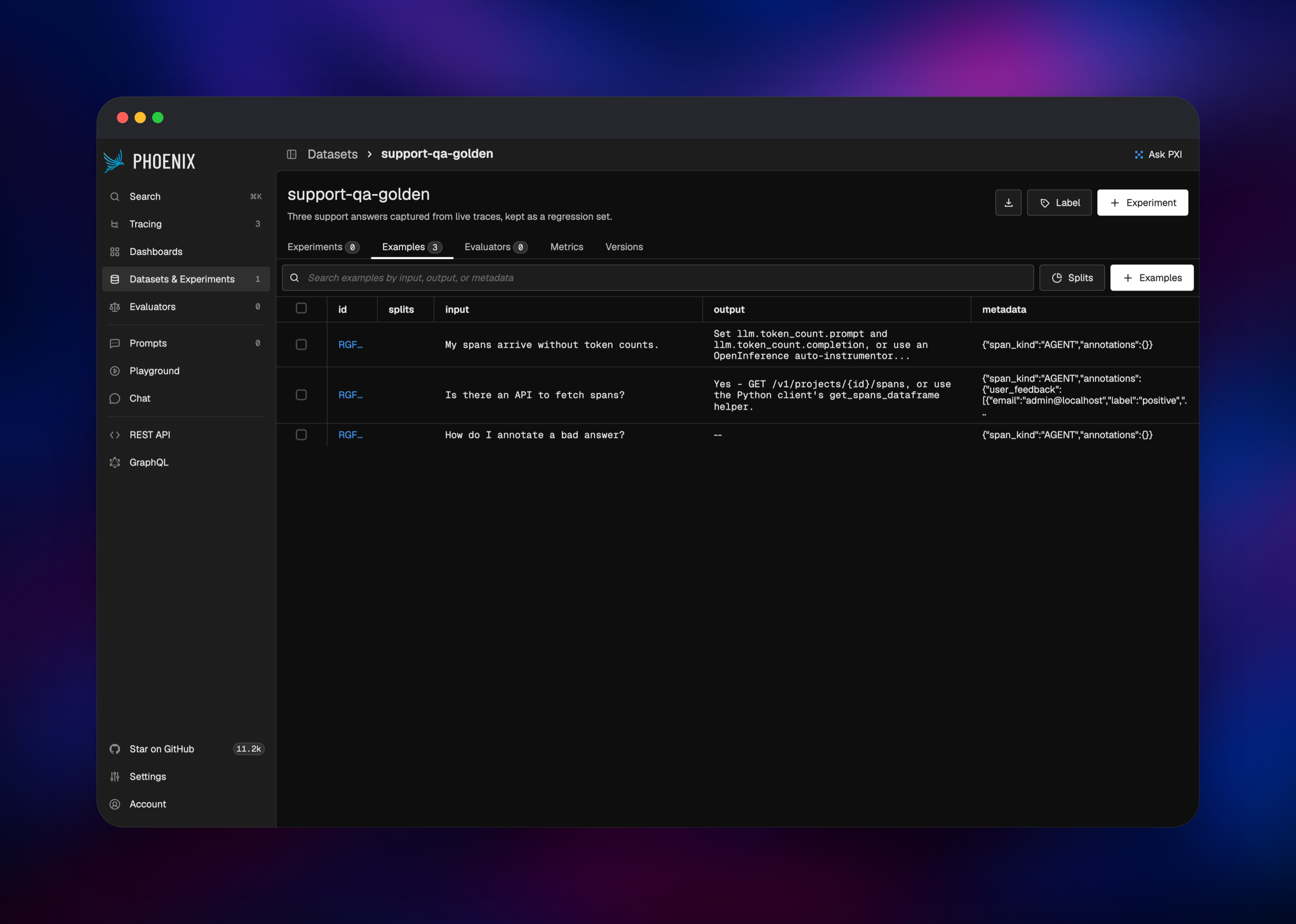
Set PHOENIX_DEFAULT_ADMIN_INITIAL_PASSWORD at deploy time — or read the generated one from the variables panel — then open the public URL and sign in as admin@localhost. Phoenix forces a password change on that first login, and the strong-password policy is on: twelve characters or more, mixed case, a digit and a symbol. Then create an API key under Settings: every ingest and API call needs one, because authentication is enabled by default. Point an instrumented app at the deployment with PHOENIX_COLLECTOR_ENDPOINT set to your public URL and PHOENIX_API_KEY to that key, then send traffic through it. Within seconds a project appears on the home screen with a trace count and a P50 latency; click into it for the span table, the traffic chart and any request's full span tree. From there, add spans to a dataset or annotate an answer with feedback that stays queryable beside them. If the home screen stays empty, the usual cause is a missing API key: Phoenix answers 401 rather than dropping spans silently.
About Hosting Arize Phoenix
Your app emits OpenTelemetry spans annotated with the OpenInference conventions — prompts, completions, retrieved documents, token counts, tool calls — and Phoenix stores, indexes and renders them. Self-hosting matters because those spans hold your users' questions and your system prompts, exactly the data most teams would rather not send to a third party. What you get:
- Tracing for agents, RAG pipelines and completion calls, vendor-agnostic via OpenTelemetry
- Evaluation with LLM-as-a-judge evaluators for hallucination, relevance and retrieval quality
- Datasets and experiments — capture spans as examples, re-run prompt or model changes, compare scores
- Prompt management with versioning, tagging and a playground for replaying calls
- Human annotations on spans, and a remote MCP server at
/mcp
Two Railway services back all of it. Phoenix serves HTTP on 6006 and gRPC on 4317, health-checked on /readyz, which verifies the database connection rather than merely that the process is alive. PostgreSQL is the system of record for every project, span, annotation and dataset.
Why Deploy Arize Phoenix on Railway
Railway removes the operational work around a two-service stack:
- Managed PostgreSQL, provisioned and wired up automatically
- A public HTTPS domain, certificates handled for you
- A TCP proxy for the OTLP gRPC collector, which HTTP-only hosts cannot expose
- Private networking between the app and its database
- One-click redeploys, with all state in Postgres
- Usage-based pricing, no per-seat or per-trace fees
Common Use Cases for Self-Hosted Phoenix
- Debugging agent runs — follow an agent through its retriever, tool and model calls to find the step that produced the wrong answer
- RAG quality work — see which documents were retrieved and at what score, then run retrieval evaluators over that dataset
- Regression testing prompts — turn production failures into a dataset and re-run each prompt change against it
- Cost and latency tracking — token counts and per-call costs roll up per project, so an expensive prompt is visible rather than inferred from the bill
Dependencies for Arize Phoenix
- Phoenix —
docker.io/arizephoenix/phoenix:latest(Arize-ai/phoenix): UI, REST and GraphQL APIs, MCP endpoint and both OTLP collectors. - PostgreSQL — Railway's managed
postgres-sslimage, PostgreSQL 18. Phoenix supports PostgreSQL 14 and newer.
Environment Variables Reference
| Variable | Purpose |
|---|---|
PHOENIX_SECRET | Signs auth tokens; 32+ chars, a digit and a lowercase letter |
PHOENIX_ENABLE_AUTH | Requires a login or API key on every surface |
PHOENIX_DEFAULT_ADMIN_INITIAL_PASSWORD | First-boot password for admin@localhost |
PHOENIX_POSTGRES_* | Host, port, user, password, database |
Deployment Dependencies
- Source: github.com/Arize-ai/phoenix
- Image: arizephoenix/phoenix
- Docs: arize.com/docs/phoenix/self-hosting
- Instrumentation: OpenInference
Hardware Requirements for Self-Hosting Arize Phoenix
| Resource | Minimum | Recommended |
|---|---|---|
| CPU | 1 vCPU | 2 vCPU |
| RAM | 1 GB | 2–4 GB |
| Storage | 5 GB Postgres volume | 20 GB+ at high volume |
| Runtime | Docker | Docker + PostgreSQL 14+ |
Phoenix is memory-hungry when a span query covers a large time range; 512 MB is not enough and gets killed mid-query. Storage is what grows — traces accumulate in Postgres, so the template ships a 30-day retention policy and stops ingestion at 90% of the configured capacity.
Self-Hosting Arize Phoenix
docker run -p 6006:6006 -p 4317:4317 arizephoenix/phoenix:latest gets you a throwaway instance on SQLite. For anything real, back it with PostgreSQL and turn authentication on — this is the configuration the template deploys, as a docker run against an existing database:
docker run -p 6006:6006 -p 4317:4317 \
  -e PHOENIX_POSTGRES_HOST=db -e PHOENIX_POSTGRES_PORT=5432 \
  -e PHOENIX_POSTGRES_USER=postgres -e PHOENIX_POSTGRES_PASSWORD=change-me \
  -e PHOENIX_POSTGRES_DB=postgres -e PHOENIX_ENABLE_AUTH=true \
  -e PHOENIX_SECRET=a-long-secret-with-1-digit-and-lowercase \
  arizephoenix/phoenix:latest
Setting the discrete PHOENIX_POSTGRES_* variables rather than a single database URL is also what tells Phoenix to keep no local state.
Then instrument an app. In Python, install arize-phoenix-otel and register the tracer:
import os
os.environ["PHOENIX_COLLECTOR_ENDPOINT"] = "https://your-app.up.railway.app"
os.environ["PHOENIX_API_KEY"] = "your-api-key"

from phoenix.otel import register
register(project_name="my-app", auto_instrument=True)
How Much Does Arize Phoenix Cost to Self-Host?
Phoenix is free. It ships under the Elastic License 2.0, which lets you run it for your own use at no cost; the restriction is on offering Phoenix to third parties as a hosted service. There are no seat limits, trace quotas or feature gates in the self-hosted build, and on Railway you pay only for the compute and storage the two services use. Arize sells a hosted platform, Arize AX, but nothing here depends on it.
FAQ
What is Arize Phoenix? An AI observability and evaluation platform. It ingests OpenTelemetry traces from LLM applications and gives you span-level debugging, evaluators, datasets, experiments and prompt management.
Why does the template include PostgreSQL? Phoenix stores every project, span, annotation, dataset and prompt in a relational database. Its SQLite fallback writes to the container filesystem, which no redeploy survives, so managed PostgreSQL is what makes the deployment durable.
How do I send traces to my self-hosted Phoenix instance?
Set PHOENIX_COLLECTOR_ENDPOINT to your public URL and PHOENIX_API_KEY to a key from Settings, then call phoenix.otel.register() or point any OTLP exporter at /v1/traces. For gRPC, use the TCP proxy host and port from the service's Networking tab.
Do I need an OpenAI or Anthropic API key to use Phoenix? No. Tracing, span inspection, datasets, annotations and prompt management all work without one. A model key is needed only for LLM-as-a-judge evaluators and the playground, supplied in the app.
How long are traces kept, and can I change it? The template seeds a 30-day Default retention policy on first boot. After that the value lives in the database, so change it under a project's retention settings in the UI — editing the variable later has no effect.
Template Content