
Deploy Atuin
Searchable, synced shell history for every machine you work on

Just deployed
/var/lib/postgresql/data
Just deployed
Deploy and Host Atuin Server on Railway
Atuin replaces the shell history in bash, zsh, fish and nushell with a searchable SQLite database that keeps far more than the command text — working directory, exit code, duration, hostname and session — then syncs it between every machine you work on. The sync half is a small Rust service, atuin-server, and self-hosting it keeps your command history on infrastructure you control. Deploy Atuin Server on Railway and you get that endpoint without a VPS, a reverse proxy or a TLS certificate.
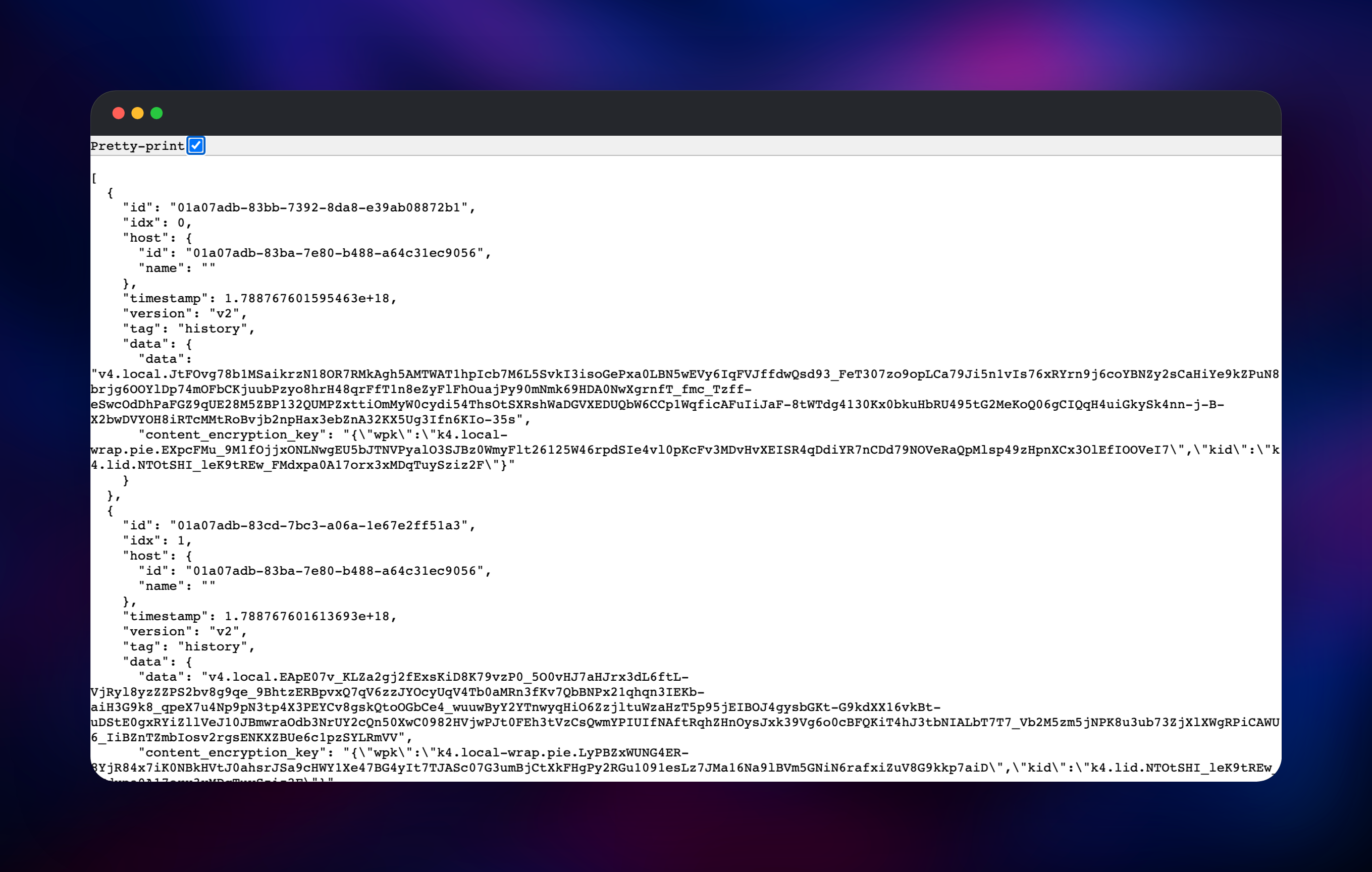
This template runs two services. atuin is the sync API, built from the gridalpha/atuin-server-railway source repository on top of the official ghcr.io/atuinsh/atuin image; it is the only service with a public URL and it answers every request from your atuin CLI. Postgres is a Railway-managed PostgreSQL 18 instance on a persistent volume, reachable only over the private network, holding every account and synced record. History is encrypted on your laptop before upload, so what lands in Postgres is ciphertext the server cannot read.
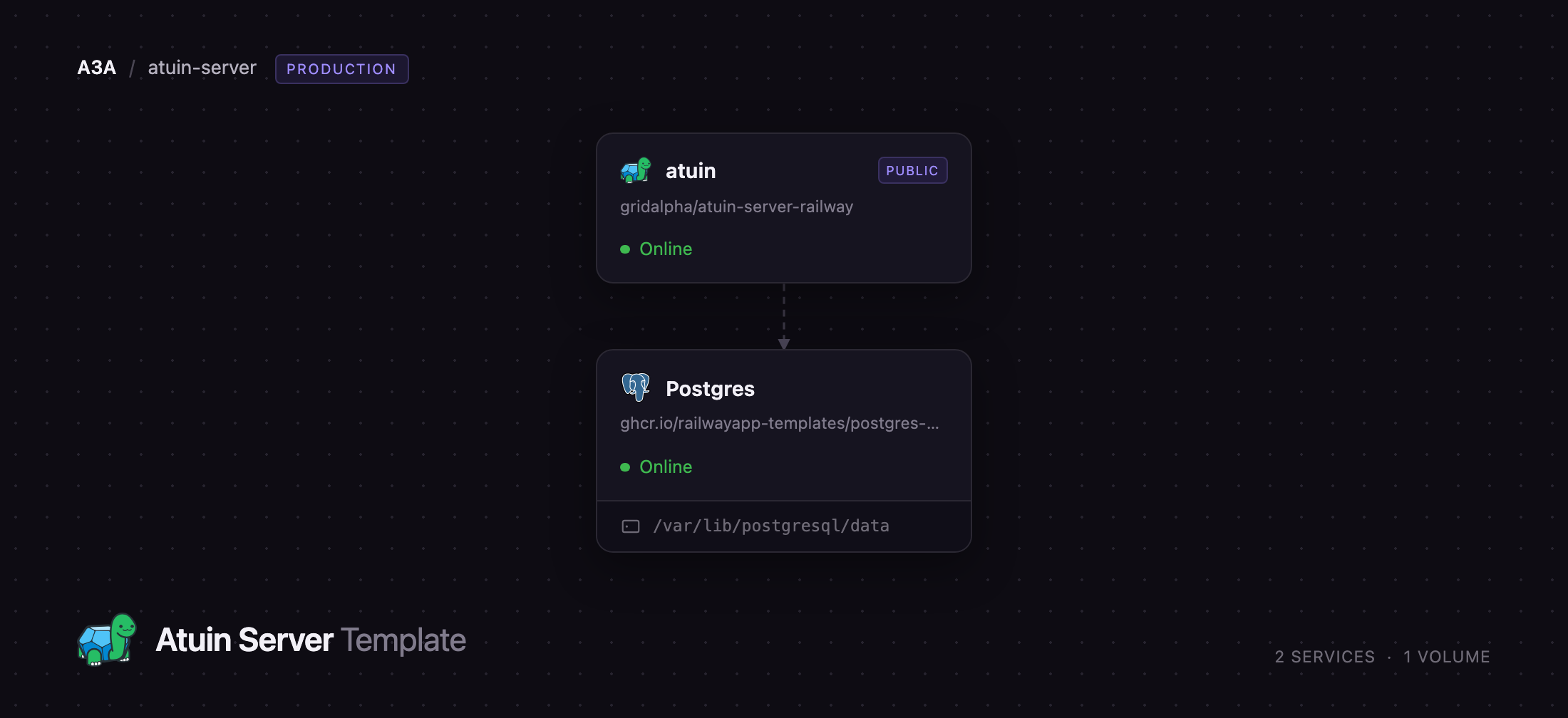
Getting Started with Atuin Server on Railway
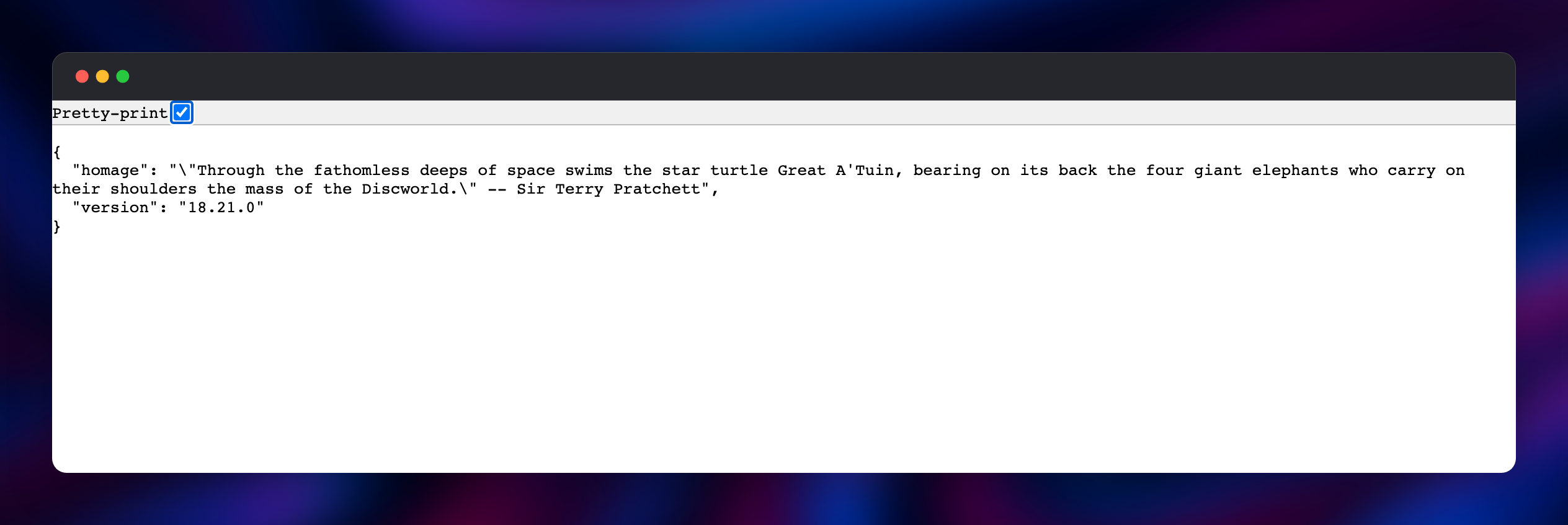
Deploy the template, pick a username, and let Railway generate the password. On first boot the service creates that account and then closes registration, so the public URL is never an open sign-up page. Open the generated Railway URL in a browser: a JSON body with a Terry Pratchett quotation and the server version is the fastest confirmation the deployment is live.
Everything else happens in your terminal. Install the client, point it at your new server, and log in with the username and password from the service variables:
curl --proto '=https' --tlsv1.2 -LsSf https://setup.atuin.sh | sh
echo 'sync_address = "https://your-app.up.railway.app"' >> ~/.config/atuin/config.toml
atuin login -u
atuin import auto
atuin sync
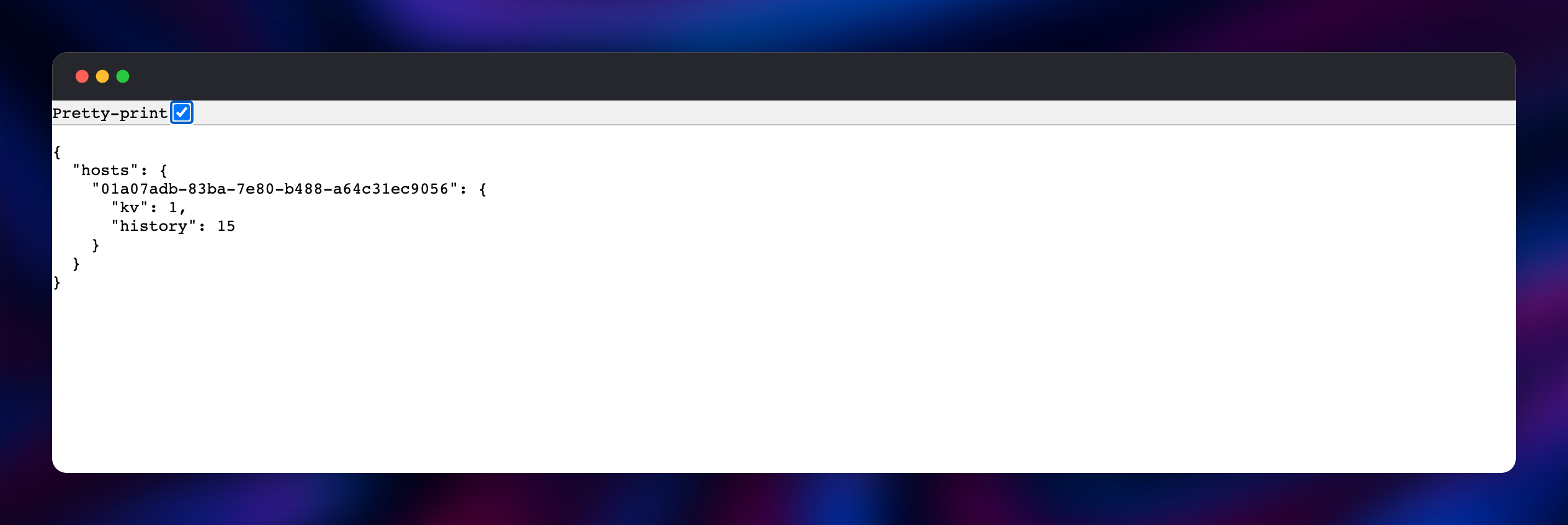
atuin login asks for an encryption key. On your first machine leave it blank and Atuin generates one; after that, run atuin key on a machine already set up and paste the phrase it prints. Losing that phrase means losing the ability to read your own history, so keep it in a password manager. Once atuin sync reports records uploaded, press Ctrl-R in a new shell, then repeat the login on a second machine and watch the same commands appear.
About Hosting Atuin Server
Shell history is one of the most useful datasets a developer owns and one of the worst-managed: capped at a few thousand lines, lost when a terminal crashes, stranded per-machine, holding nothing but the text you typed. Atuin fixes all four, and self-hosting the sync server keeps that dataset — full of hostnames, flags and internal service names — off a third party's infrastructure.
- Full-text search over every command you have run, filtered by directory, host, exit code or session
- End-to-end encryption: records are sealed client-side with PASETO v4; the server stores only ciphertext
- Imports
.bash_history,.zsh_history, fish history or histdb in one command - Syncs an encrypted key-value store and dotfile aliases alongside history
- bash, zsh, fish and nushell, on macOS, Linux and WSL
The architecture is deliberately small. atuin is stateless — it authenticates requests, validates record indices and writes to Postgres — so a redeploy loses nothing. Postgres owns all durable state on its volume and is never exposed publicly. The server also publishes Prometheus metrics on a second port only reachable over the private network.
Why Deploy Atuin Server on Railway
Running the sync server yourself normally means a VM, a database and a TLS story.
- HTTPS, certificates and renewals handled by Railway's edge
- Managed PostgreSQL with backups, provisioned and wired up already
- Your account is created at deploy time; registration stays closed by default
- Private networking between API and database — no public database port
- Redeploys are stateless, so upgrades are one click
Common Use Cases
- One history across every machine — laptop, desktop and remote build boxes searching the same history.
- Team-scale privacy — a team that will not put its commands or internal hostnames on a vendor's servers.
- Recovery for muscle memory — a rebuilt machine restores years of commands with one
atuin sync. - Finding what actually worked — exit codes and durations stored beside each command.
Dependencies for Atuin Server
- atuin —
ghcr.io/atuinsh/atuin:18.21, wrapped by gridalpha/atuin-server-railway. Serves the sync API on port 8888 and creates the first account at boot. - Postgres — Railway-managed PostgreSQL 18 on a volume, holding users, sessions and encrypted records. Atuin needs PostgreSQL 14+ and checks the version at startup.
Environment Variables Reference
| Variable | Purpose |
|---|---|
ATUIN_DB_URI | PostgreSQL connection string, wired to the Postgres service |
ATUIN_BOOTSTRAP_USERNAME | Account created at first boot; letters, digits, hyphens |
ATUIN_BOOTSTRAP_PASSWORD | Password for that account; generated for you at deploy time |
ATUIN_OPEN_REGISTRATION | false by default; true lets other people sign up |
ATUIN_METRICS__ENABLE | Prometheus exporter on the private network, on port 9001 |
ATUIN_MAX_RECORD_SIZE | Largest single record the server will accept, in bytes |
PORT | Port the API listens on; leave at 8888 |
Deployment Dependencies
- Source repository:
- Upstream project:
- Container image:
ghcr.io/atuinsh/atuin - Self-hosting docs:
Hardware Requirements for Self-Hosting Atuin Server
| Resource | Minimum | Recommended |
|---|---|---|
| CPU | 0.5 vCPU | 1 vCPU |
| RAM | 256 MB API, 256 MB PostgreSQL | 512 MB each |
| Storage | 1 GB volume | 5 GB volume, growing with history |
| Runtime | Prebuilt Rust image, PostgreSQL 14+ | PostgreSQL 18 |
A single user with years of history usually stays under 100 MB in Postgres.
Self-Hosting Atuin Server
Outside Railway the smallest working setup is the official image plus a PostgreSQL container. The following is a Docker Compose file:
services:
  atuin:
    image: ghcr.io/atuinsh/atuin:18.21
    command: start
    ports: ["8888:8888"]
    environment:
      ATUIN_HOST: "0.0.0.0"
      ATUIN_OPEN_REGISTRATION: "true"
      ATUIN_DB_URI: postgres://atuin:atuin@db/atuin
    depends_on: [db]
  db:
    image: postgres:18
    volumes: ["./database:/var/lib/postgresql/"]
    environment:
      POSTGRES_USER: atuin
      POSTGRES_PASSWORD: atuin
      POSTGRES_DB: atuin
ATUIN_OPEN_REGISTRATION has to be true long enough to create your account and should be turned off afterwards; the Railway template does that for you. To build from source instead:
git clone https://github.com/atuinsh/atuin && cd atuin
cargo build --release --bin atuin-server
ATUIN_DB_URI="postgres://..." ./target/release/atuin-server start
How Much Does Atuin Cost to Self-Host?
Atuin is MIT-licensed and free, client and server alike, with no paid tier gating self-hosting and no seat count. The project also runs a hosted service, Atuin Hub, for people who would rather not operate a server; self-hosting is a first-class alternative, not a crippled one. On Railway you pay only for the compute and storage the two services use.
FAQ
What is Atuin? Atuin is an open-source replacement for shell history. It records every command into a local SQLite database with its directory, exit code and duration, gives you fuzzy search bound to Ctrl-R, and optionally syncs that history between machines with end-to-end encryption.
What does this Railway template deploy?
Two services: atuin, the Rust sync API with a public HTTPS URL, and Postgres, a managed PostgreSQL 18 database on a volume holding accounts and encrypted records.
Why does the template include a PostgreSQL database? The sync server keeps no state on disk. Accounts, sessions and every uploaded record live in PostgreSQL, which is what makes the deployment durable and lets the API redeploy losing nothing.
Can other people register on my self-hosted Atuin server?
Not unless you allow it — registration is closed once your account is created. Set ATUIN_OPEN_REGISTRATION to true to invite others, then set it back.
How do I connect the Atuin CLI to a self-hosted server?
Set sync_address in ~/.config/atuin/config.toml to your Railway URL, then run atuin login -u . Use the same encryption key on every machine; atuin key prints it.
Can the server read my shell history? No. Records are encrypted with a key that never leaves your machines, and the server stores and returns opaque ciphertext — which is why losing that key is unrecoverable.
Which shells and platforms does self-hosted Atuin support? bash, zsh, fish and nushell on macOS, Linux and WSL, with prebuilt client binaries for x86_64 and aarch64.
Template Content


