
Deploy Authentik | Open Source Okta, Auth0 Alternative on Railway
Self Host Authentik - OAuth2, SAML, LDAP, MFA and more.
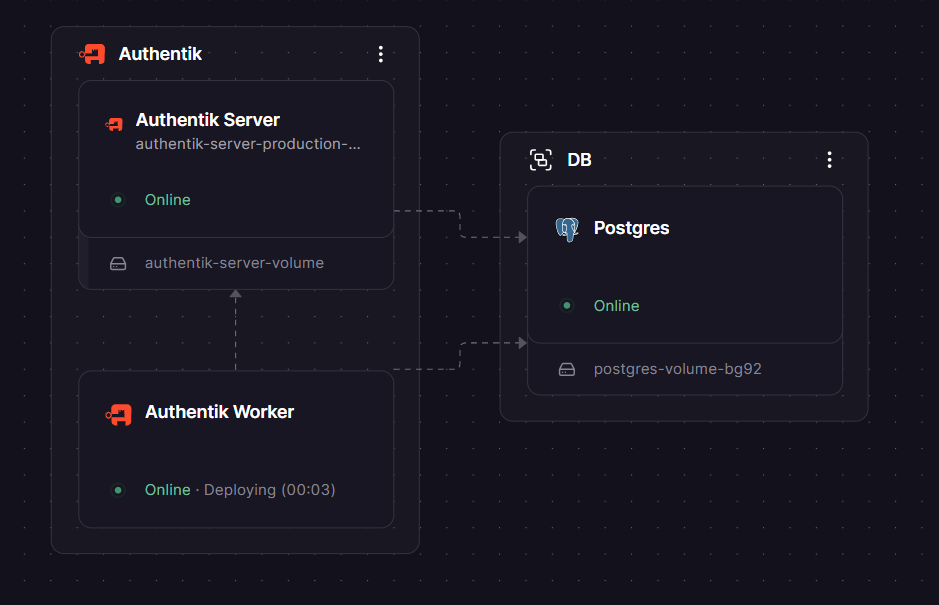
Authentik
Authentik Worker
Just deployed
Authentik Server
Just deployed
/media
DB

Just deployed
/var/lib/postgresql/data
Deploy and Host Authentik on Railway
Authentik is an open-source Identity Provider (IdP) built for modern self-hosted environments. It centralises authentication across all your apps with support for OAuth2/OIDC, SAML2, LDAP, RADIUS, SCIM, and proxy auth — giving teams SSO, MFA, user lifecycle management, and granular access policies without paying Okta or Auth0 prices.
Self-host Authentik on Railway with this one-click template and get the full Authentik stack — server, worker, and PostgreSQL — pre-wired over private networking, with auto-generated secrets and a production-ready configuration from the first deploy.
Getting Started with Authentik on Railway
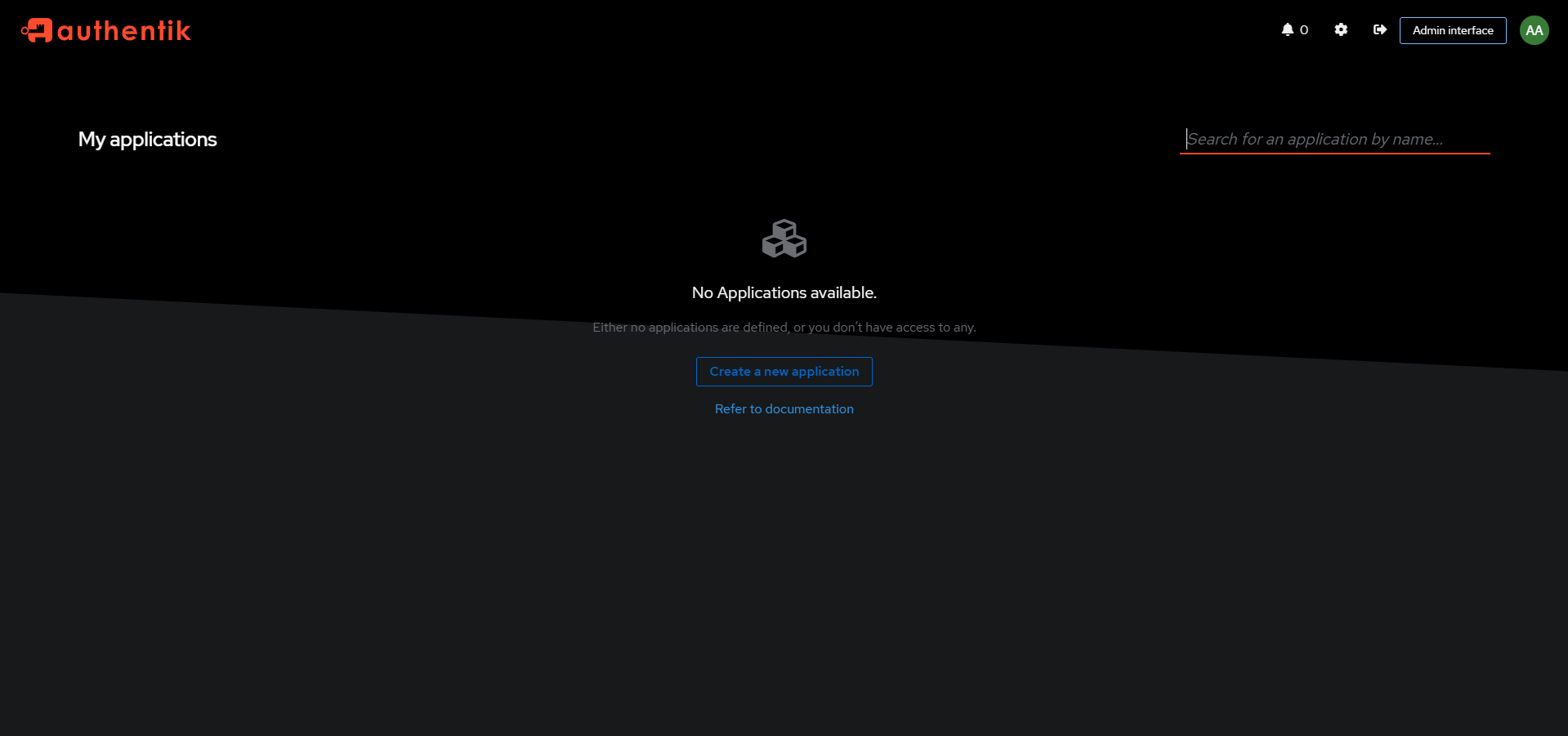
Once your Railway deploy is live, open the Authentik server's public domain. Navigate to /if/flow/initial-setup/ — this initial setup URL is only available on first boot. You'll be prompted to set the password for the akadmin superuser; if you set AUTHENTIK_BOOTSTRAP_EMAIL and AUTHENTIK_BOOTSTRAP_PASSWORD before deploying, the admin account is pre-created with those credentials. Log in to the Admin Interface at /if/admin/ to create your first application, choose a provider (OAuth2, SAML, LDAP, or proxy), and link it to your service. authentik listens on port 9000 (HTTP) and 9443 (HTTPS).
About Hosting Authentik
Authentik is a full-featured, self-hosted IAM platform written in Python and maintained by Authentik Security Inc., a public benefit company. It runs as two services from the same Docker image (ghcr.io/goauthentik/server): the server handles the API, SSO flows, and serves the frontend; the worker runs background tasks (certificate rotation, event processing, outpost control) via Celery. Both services connect to a shared PostgreSQL database.
Key features:
- SSO protocols: OAuth2, OpenID Connect, SAML2, LDAP, RADIUS, SCIM, and proxy/forward auth
- MFA options: TOTP, WebAuthn/FIDO2 (YubiKey, passkeys), push notifications, email, SMS
- Flow engine: fully customisable login, enrollment, and recovery flows with drag-and-drop stages
- Policy engine: access rules based on group membership, IP, time-of-day, and GeoIP/impossible travel detection
- Application proxy: add authentication in front of apps that have no native SSO support
- Remote access: browser-based RDP, SSH, and VNC without a VPN (free in open source since 2025.2)
- Audit log: every authentication event recorded with full metadata
- Custom branding: custom CSS, logos, and login page copy per brand/tenant
Why Deploy Authentik on Railway
Deploy authentik on Railway and skip the infrastructure toil:
- Private networking between the server, worker, and Postgres — no credentials exposed over the public internet
AUTHENTIK_SECRET_KEYandAUTHENTIK_BOOTSTRAP_PASSWORDauto-generated at template instantiation- Zero Docker volume management — Railway handles persistence for Postgres
- Custom domain + managed TLS in a few clicks from the Railway dashboard
- One-click redeploys when new Authentik versions ship
Common Use Cases
- Centralise homelab authentication: one login for Grafana, Nextcloud, Gitea, Jellyfin, and every other self-hosted service
- Add SSO to internal tools: wire OAuth2 or SAML into company apps without building auth from scratch
- Replace Okta/Auth0 in SMB environments: full IdP capabilities at infrastructure-only cost
- Enforce MFA across a team: require hardware keys or TOTP for all app access via a single policy
Dependencies for Authentik
- authentik server —
ghcr.io/goauthentik/server:2025.10.4(custom start command:/lifecycle/ak server) - authentik worker —
ghcr.io/goauthentik/server:2025.10.4(custom start command:/lifecycle/ak worker) - PostgreSQL — managed Postgres service on Railway; authentik uses it as its primary data store
Deployment Dependencies
- Docker image:
ghcr.io/goauthentik/server:2025.10.4 - GitHub: https://github.com/goauthentik/authentik
- Official docs: https://docs.goauthentik.io
- Requires PostgreSQL (included in this template)
Minimum Hardware Requirements for Authentik
Authentik's official minimum is 2 CPU cores and 2 GB of RAM. On Railway, allocate across both the server and worker services.
| Resource | Minimum | Recommended |
|---|---|---|
| CPU | 2 vCPU (shared across services) | 2–4 vCPU |
| RAM | 2 GB total | 4 GB+ |
| Storage (Postgres) | 1 GB | 5 GB+ |
| Runtime | Docker / container runtime | — |
> Note: Authentik's server and worker both have non-trivial idle RAM usage (~300–500 MB each). Size your Railway plan accordingly if running both on shared resources.
Self-Hosting Authentik
Docker Compose (recommended for small/test deployments):
# Download the official compose file
wget https://goauthentik.io/docker-compose.yml

# Generate secrets
echo "PG_PASS=$(openssl rand -base64 36)" >> .env
echo "AUTHENTIK_SECRET_KEY=$(openssl rand -hex 32)" >> .env

# Start the stack
docker compose up -d
Authentik will be reachable at http://localhost:9000. Run the initial setup at http://localhost:9000/if/flow/initial-setup/.
With an external PostgreSQL database:
# .env additions for external Postgres
AUTHENTIK_POSTGRESQL__HOST=your-db-host
AUTHENTIK_POSTGRESQL__NAME=authentik
AUTHENTIK_POSTGRESQL__USER=authentik
AUTHENTIK_POSTGRESQL__PASSWORD=your-password
AUTHENTIK_POSTGRESQL__PORT=5432
For Kubernetes, use the official Helm chart at https://github.com/goauthentik/helm.
Authentik vs Keycloak vs Authelia
| Feature | Authentik | Keycloak | Authelia |
|---|---|---|---|
| Open source | ✅ MIT-compatible | ✅ Apache 2.0 | ✅ Apache 2.0 |
| Full IdP (user DB) | ✅ | ✅ | ❌ (proxy only) |
| Web UI admin | ✅ Clean, modern | ✅ Complex | ⚠️ Limited |
| Self-hostable | ✅ | ✅ | ✅ |
| OIDC / OAuth2 | ✅ | ✅ | ✅ |
| SAML2 | ✅ | ✅ | ❌ |
| LDAP provider | ✅ | ✅ | ❌ |
| RAM at idle | ~600 MB–1 GB | ~400–600 MB | <100 MB |
| Best for | SMBs, homelabs, modern apps | Large enterprise | Lightweight proxy auth |
| Enterprise support | ✅ (paid plans) | ✅ (Red Hat) | Community only |
Authentik is the sweet spot for teams that need a real IdP — full user management, SAML + OIDC, policy engine — without Keycloak's steep configuration complexity.
How Much Does Authentik Cost?
Authentik's core product is free and open source with no user limits. On Railway, you pay only for infrastructure (Railway usage charges). Authentik Security offers paid tiers for organisations that need enterprise features or support: the Professional plan starts at around $5/user/month (internal users) and unlocks FIPS compliance, advanced audit features, and ticket-based support. The Enterprise plan covers contracts over $20,000/year with dedicated support. There is no hosted cloud version of Authentik — every deployment is self-hosted.
FAQ
What is Authentik? Authentik is an open-source Identity Provider (IdP) that centralises authentication for all your applications. It supports SSO via OIDC, OAuth2, SAML2, LDAP, and proxy authentication, and replaces commercial services like Okta, Auth0, and Azure Entra ID for teams that want control over their identity data.
What does this Railway template deploy?
The template deploys three services: the authentik server (API + frontend + SSO), the authentik worker (background tasks via Celery), and a managed PostgreSQL database. The server and worker use the same Docker image (ghcr.io/goauthentik/server:2025.10.4) with different start commands and are connected via Railway's private network.
Why does this template include PostgreSQL?
Authentik requires a PostgreSQL database to store users, groups, tokens, audit events, and application configurations. The Railway Postgres service is pre-wired to both the server and worker via private networking using ${{Postgres.PG*}} variable references — no manual connection string configuration needed.
Why are there two Authentik containers (server and worker)? This mirrors the official Authentik architecture. The server handles real-time API requests and serves the UI. The worker runs asynchronous tasks — certificate rotation, event log processing, outpost heartbeats, email delivery. Splitting them lets each be scaled and restarted independently.
Can I use Authentik in production?
Yes. Authentik is used in production by organisations ranging from small teams to large enterprises. The open-source version has no artificial user or application limits. For production workloads, set a strong AUTHENTIK_SECRET_KEY, point authentik at your custom domain, and enable HTTPS (Railway provides managed TLS on custom domains).
Does Authentik support passkeys and passwordless login? Yes. Authentik supports WebAuthn/FIDO2, which includes hardware security keys (YubiKey) and platform passkeys (Face ID, Touch ID, Windows Hello). Passwordless flows can be configured via the Authentik flow editor.
Can I migrate from Keycloak or Okta to Authentik? Yes. Authentik supports standard protocols (SAML, OIDC, SCIM) so migration is protocol-level. The Authentik docs include migration guides for common providers, and the Enterprise plan includes migration planning support.
Template Content
Authentik Worker
ghcr.io/goauthentik/server:2025.10.4Authentik Server
ghcr.io/goauthentik/server:2025.10.4AUTHENTIK_BOOTSTRAP_EMAIL
Initial admin email for bootstrap
AUTHENTIK_BOOTSTRAP_PASSWORD
Initial admin password first boot

