
Deploy Authentik
Self-host Authentik, the open source identity provider for SSO and MFA

Just deployed
/var/lib/postgresql/data
authentik
Just deployed
authentik-worker
Just deployed
authentik-storage
Bucket
Just deployed
Deploy and Host authentik on Railway
authentik is an open-source identity provider that puts single sign-on, multi-factor authentication and user management in front of everything your team runs. It speaks OAuth2/OpenID Connect, SAML, LDAP, SCIM, RADIUS and forward-auth, so one directory logs people into a SaaS dashboard, a Kubernetes console, a VPN and an internal tool with no login of its own. Teams self-host authentik to get Okta or Auth0 behaviour without per-seat pricing, and to keep identity data in infrastructure they control.
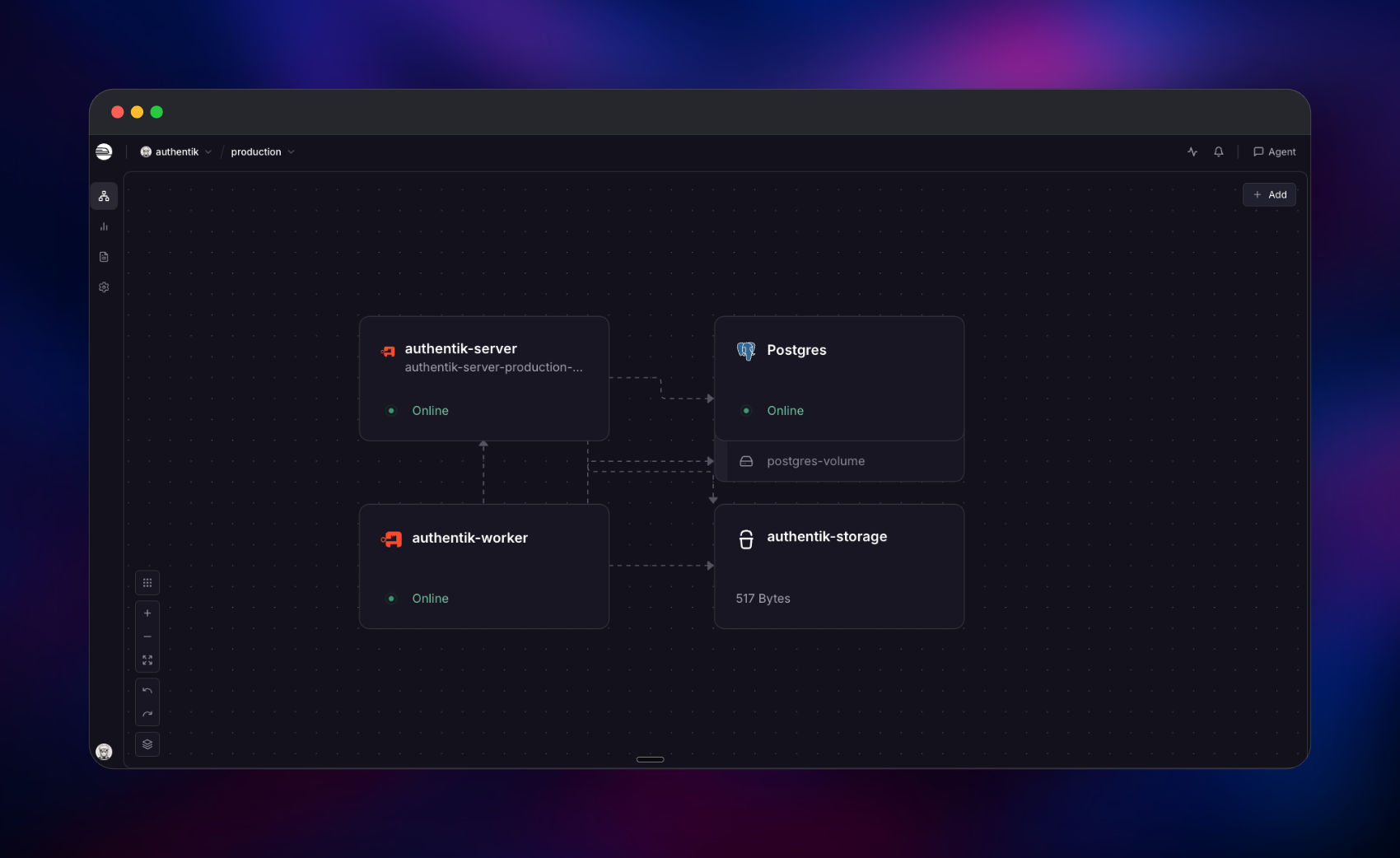
Deploying authentik on Railway gives you the production shape, not a single-container
demo. The template runs the ghcr.io/goauthentik/server image twice — as the server,
which takes browser and API traffic on port 9000 and is the only service with a public
domain, and as the worker, which runs background tasks, scheduled jobs, blueprint
reconciliation and outpost management. Both connect privately to a managed PostgreSQL
database holding users, flows, sessions, the task queue and the cache, and both write
uploaded files to a managed object storage bucket, so neither needs a disk. Recent
releases dropped the Redis requirement, so you self-host authentik here with three
services instead of four.
Getting Started with authentik on Railway
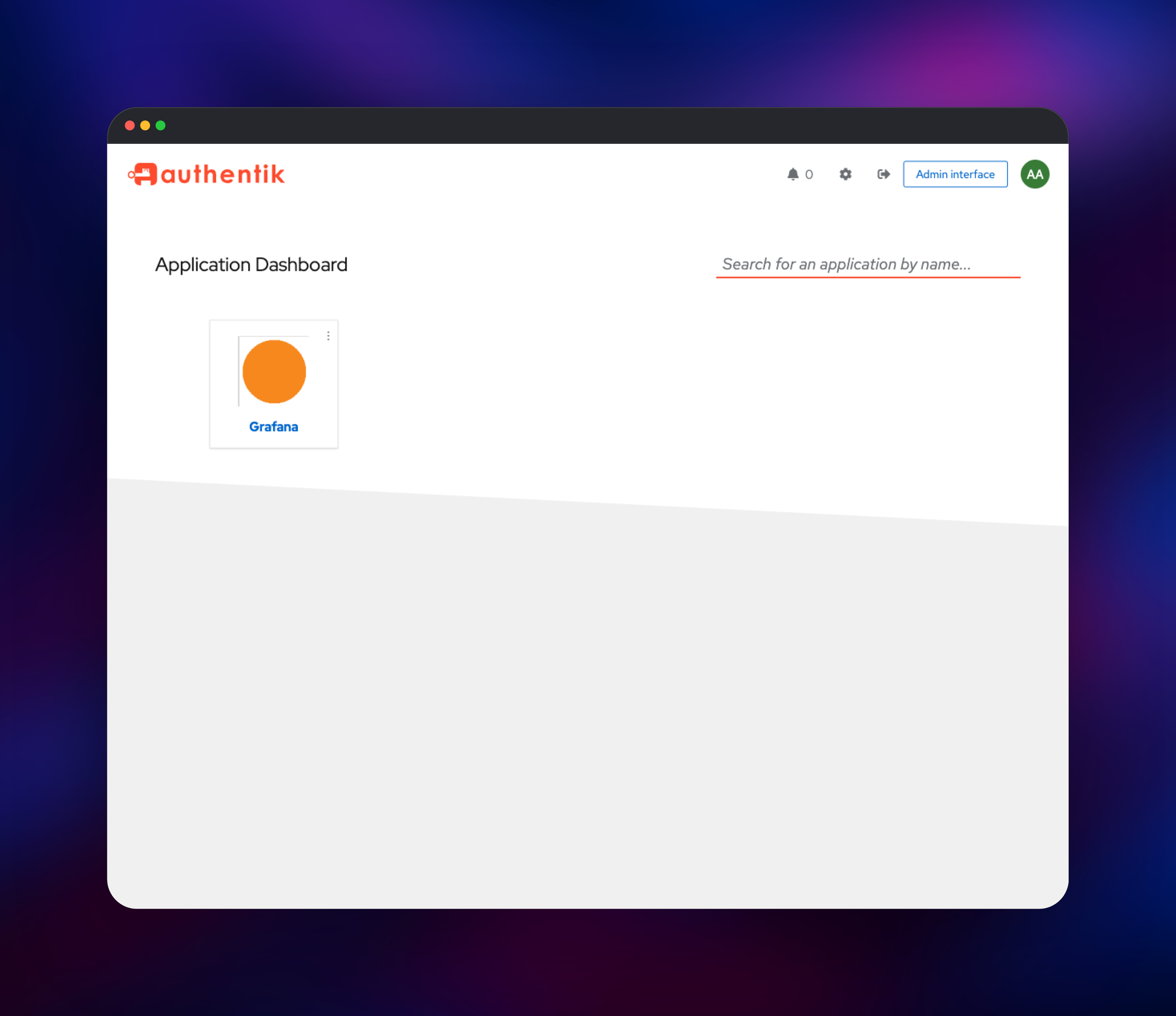
Open the public URL of the authentik service and you land on the sign-in flow. Log in
as akadmin with the password from AUTHENTIK_BOOTSTRAP_PASSWORD — the one you typed at
deploy time, or the generated value on the service's Variables tab. That account is
created on first boot from a built-in blueprint and belongs to the authentik Admins
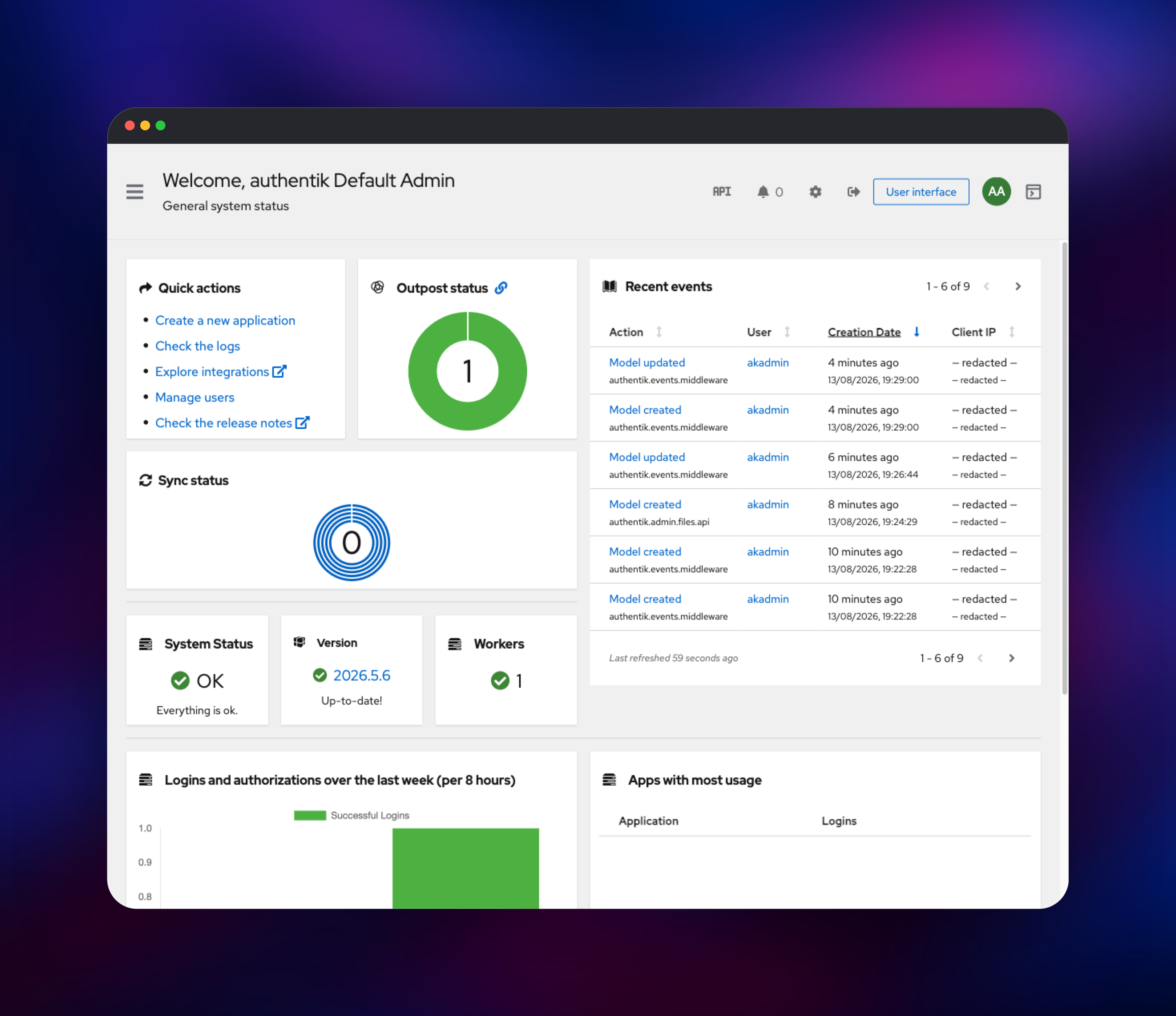
group, so change its password in user settings as your first action. Click Admin
interface: the overview should read System Status OK and show Workers 1 — a zero
there means the worker is not running. Then use Applications → Create with provider;
pick OAuth2/OpenID, choose an authorization flow, and authentik hands you a client ID, a
client secret and a discovery document at
/application/o//.well-known/openid-configuration that most software consumes
directly. Add people under Directory → Users, or connect an existing directory under
Federation and Social login. There is no public sign-up flow, so nobody can register
until you build an enrolment flow.
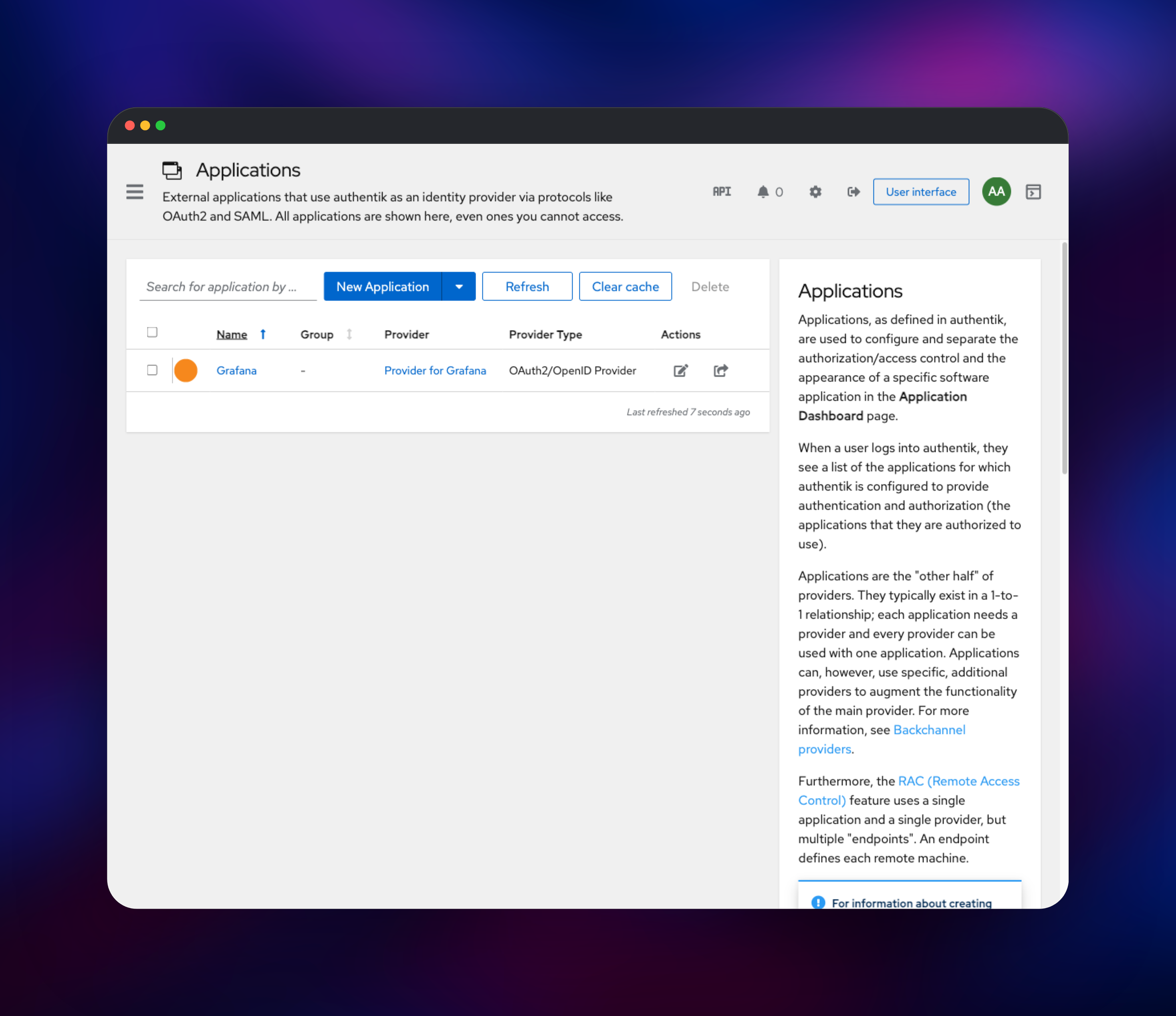
About Hosting authentik
authentik replaces a pile of half-configured login systems with one directory and one set of policies. Every login is a flow — an ordered list of stages such as identify, password, TOTP and consent — so you can require a passkey for admins or offer self-service password reset without touching any application's code. Applications attach to providers, and the provider picks the protocol: OAuth2/OIDC and SAML for modern apps, LDAP for software that can only bind to a directory, RADIUS for network gear, SCIM for pushing users into external SaaS, and a proxy provider for apps with no login at all.
- OAuth2/OIDC, SAML 2.0, LDAP, SCIM, RADIUS and forward-auth providers
- Flow-based authentication with conditional, per-application policies
- TOTP, WebAuthn/passkeys, SMS, email and Duo second factors
- Role-based access control, a full REST API and a Terraform provider
The server handles HTTP and runs the embedded outpost used by proxy providers. The worker consumes the task queue, applies blueprints, refreshes certificates and syncs directory sources — it must exist exactly once. PostgreSQL is the single source of truth, sessions and shared cache included, which is what lets the server scale horizontally. Object storage holds icons, avatars and reports.
Why Deploy authentik on Railway
Railway removes the setup work around a multi-service identity stack:
- Managed PostgreSQL and object storage alongside the app
- Private networking between the services — only the login UI is public
- Automatic HTTPS on a generated domain, or your own
- Horizontal scaling for the server, and no per-user identity licence
Common Use Cases
- One login for internal tools — Grafana, Argo CD and a wiki behind one directory, with MFA enforced by policy rather than app by app.
- Customer-facing SSO — issue OIDC tokens to your own frontend and let customers federate their Entra ID or Okta tenant into yours.
- Protecting apps with no login — a proxy provider puts an auth wall in front of a legacy dashboard or internal API, with no code changes.
Dependencies for authentik
- authentik server —
ghcr.io/goauthentik/server:2026.5.6, started asdumb-init -- ak server. Flows, admin interface and REST API on port 9000. - authentik worker — the same image, started as
dumb-init -- ak worker. No public domain, no port; background and scheduled work. - PostgreSQL — users, flows, sessions, cache, task queue.
- Object storage bucket — media and reports for both roles.
Environment Variables Reference
| Variable | Purpose |
|---|---|
AUTHENTIK_SECRET_KEY | Signs cookies and sessions; same on both roles, never changed after first boot |
AUTHENTIK_BOOTSTRAP_PASSWORD | Password for the akadmin account created on first boot |
AUTHENTIK_POSTGRESQL__* | Database host, port, name, user, password |
AUTHENTIK_STORAGE__* | Backend selector plus bucket endpoint, name, region, credentials |
AUTHENTIK_LISTEN__TRUSTED_PROXY_CIDRS | Upstream addresses allowed to set X-Forwarded-*, so audit logs show real client IPs |
Deployment Dependencies
- Source: https://github.com/goauthentik/authentik — image
ghcr.io/goauthentik/server - Documentation: https://docs.goauthentik.io — runtime is Python and Go in the image
Hardware Requirements for Self-Hosting authentik
| Resource | Minimum | Recommended |
|---|---|---|
| CPU | 2 vCPU across both roles | 4 vCPU |
| RAM | 1 GB server + 1 GB worker | 2 GB each |
| Storage | Database only, ~1 GB | 10 GB plus bucket |
| Runtime | PostgreSQL 14+ | PostgreSQL 16+ |
Self-Hosting authentik with Docker
Upstream ships a Compose file with the same two roles plus a database, trimmed here:
x-env: &ak
  AUTHENTIK_SECRET_KEY: ${AUTHENTIK_SECRET_KEY}
  AUTHENTIK_POSTGRESQL__HOST: postgresql
  AUTHENTIK_POSTGRESQL__PASSWORD: ${PG_PASS}
services:
  postgresql:
    image: docker.io/library/postgres:16-alpine
    environment: { POSTGRES_DB: authentik, POSTGRES_USER: authentik, POSTGRES_PASSWORD: "${PG_PASS}" }
    volumes: ["database:/var/lib/postgresql/data"]
  server:
    image: &img ghcr.io/goauthentik/server:2026.5.6
    command: server
    environment: *ak
    ports: ["9000:9000"]
  worker: { image: *img, command: worker, environment: *ak }
volumes: { database: }
Generate the keys and start it with these shell commands:
echo "AUTHENTIK_SECRET_KEY=$(openssl rand -base64 60 | tr -d '\n')" >> .env
echo "PG_PASS=$(openssl rand -base64 36 | tr -d '\n')" >> .env
docker compose up -d && docker compose logs -f worker
How Much Does authentik Cost to Self-Host?
authentik is free and open source under the MIT licence, and the core identity feature set — every protocol, unlimited users, MFA, flows and policies — carries no licence fee. A paid Enterprise plan adds support and extras such as session recording. Self-hosting on Railway costs infrastructure only.
FAQ
What is authentik? A self-hosted identity provider and SSO server. It authenticates users once, then issues OAuth2/OIDC tokens, SAML assertions, LDAP binds or proxy sessions to the applications you connect to it.
What does this Railway template deploy? An authentik server with a public HTTPS domain, a separate worker with no public domain, a managed PostgreSQL database and an object storage bucket for media.
Why does the template include a database and a storage bucket? PostgreSQL stores users, flows, sessions, the cache and the task queue — authentik keeps no state on local disk. The bucket holds uploads such as application icons, which both roles read and write, so it removes the need for a shared filesystem. Redis is not required: current releases use PostgreSQL for the queue and cache.
How do I log in for the first time, and what are the default credentials?
The username is akadmin. There is no fixed default password — the account is created on
first boot from AUTHENTIK_BOOTSTRAP_PASSWORD, so use the value you supplied or the one
generated on the Variables tab, then change it in the UI.
How do I connect an application to self-hosted authentik with OIDC?
Create the application and an OAuth2/OpenID provider, point your app at
https:///application/o//.well-known/openid-configuration with the
generated client ID and secret, and add its callback address to the redirect URIs.
Can I run more than one authentik server replica? Yes — sessions and cache live in PostgreSQL, so the server scales horizontally. Keep the worker at one replica, since it owns the scheduler.
Template Content
authentik
ghcr.io/goauthentik/server:2026.5.6authentik-worker
ghcr.io/goauthentik/server:2026.5.6authentik-storage
Bucket

