
Deploy AutoMem
Long-term memory for AI assistants that recalls past decisions

falkordb
Just deployed
/var/lib/falkordb/data

qdrant
Just deployed
/qdrant/storage
mcp-automem
Just deployed
automem-graph-viewer
Just deployed
Just deployed
/data

Deploy and Host AutoMem on Railway
AutoMem is an open-source long-term memory service for AI assistants. Chat tools forget everything between sessions, and retrieval-augmented search returns documents that merely look similar to your question. AutoMem stores each memory as a graph node with typed relationships, and as an embedding in a vector database, so "why did we choose PostgreSQL?" returns the decision plus the rejected alternatives and the principle behind it. It is MIT-licensed, for teams wanting one memory shared across Claude, Cursor, ChatGPT and Copilot.
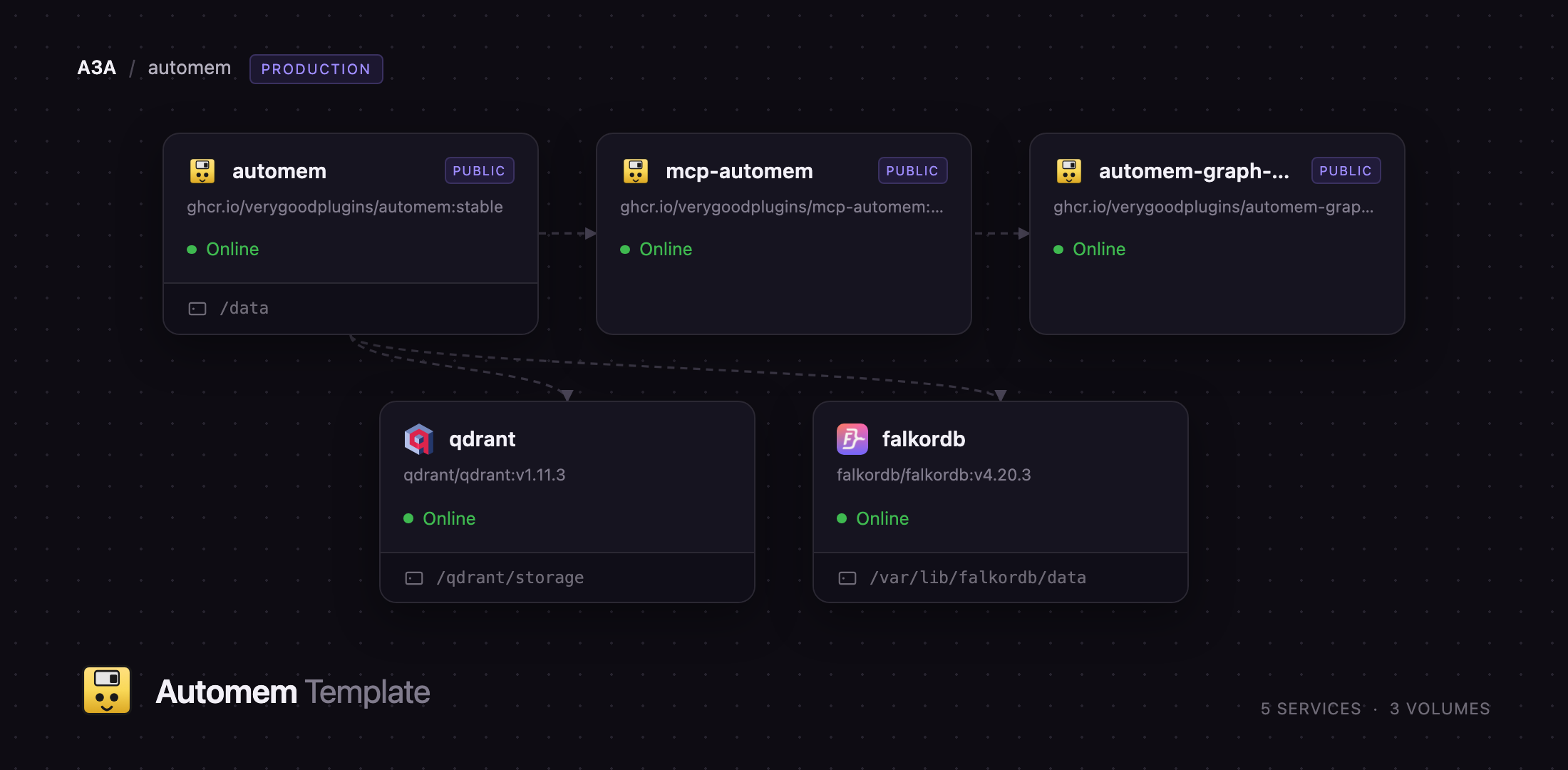
Self-host AutoMem on Railway and this template wires up the whole stack: the automem REST API, a falkordb graph database holding the canonical record, a qdrant vector database for semantic recall, an automem-graph-viewer UI, and an mcp-automem bridge exposing your memories to cloud AI platforms over HTTPS. Both databases stay on the private network with persistent volumes; only the API, viewer and bridge get public domains. Every secret is generated at deploy time, so you can run AutoMem on Railway without editing a single variable first.
Getting Started with AutoMem on Railway
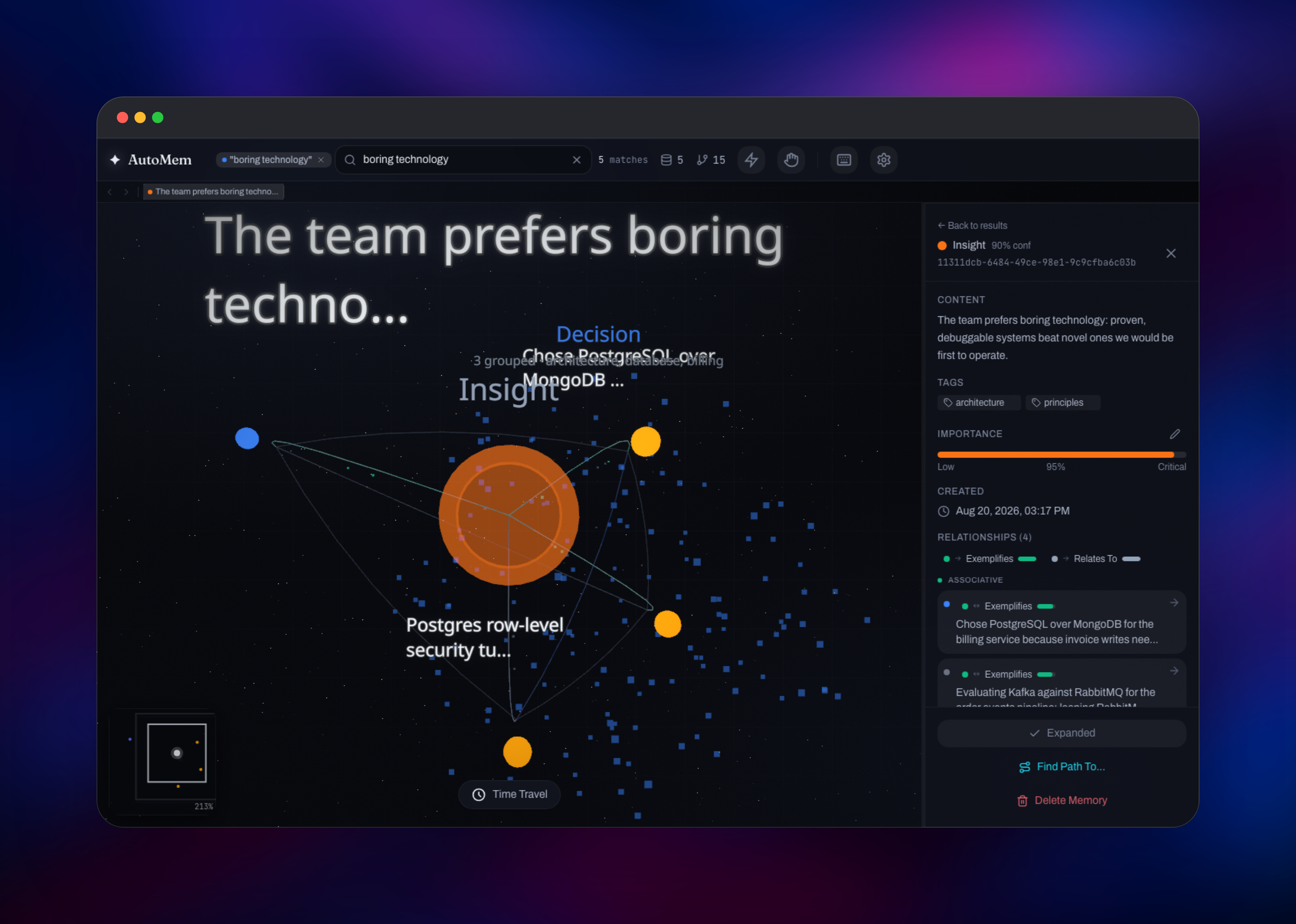
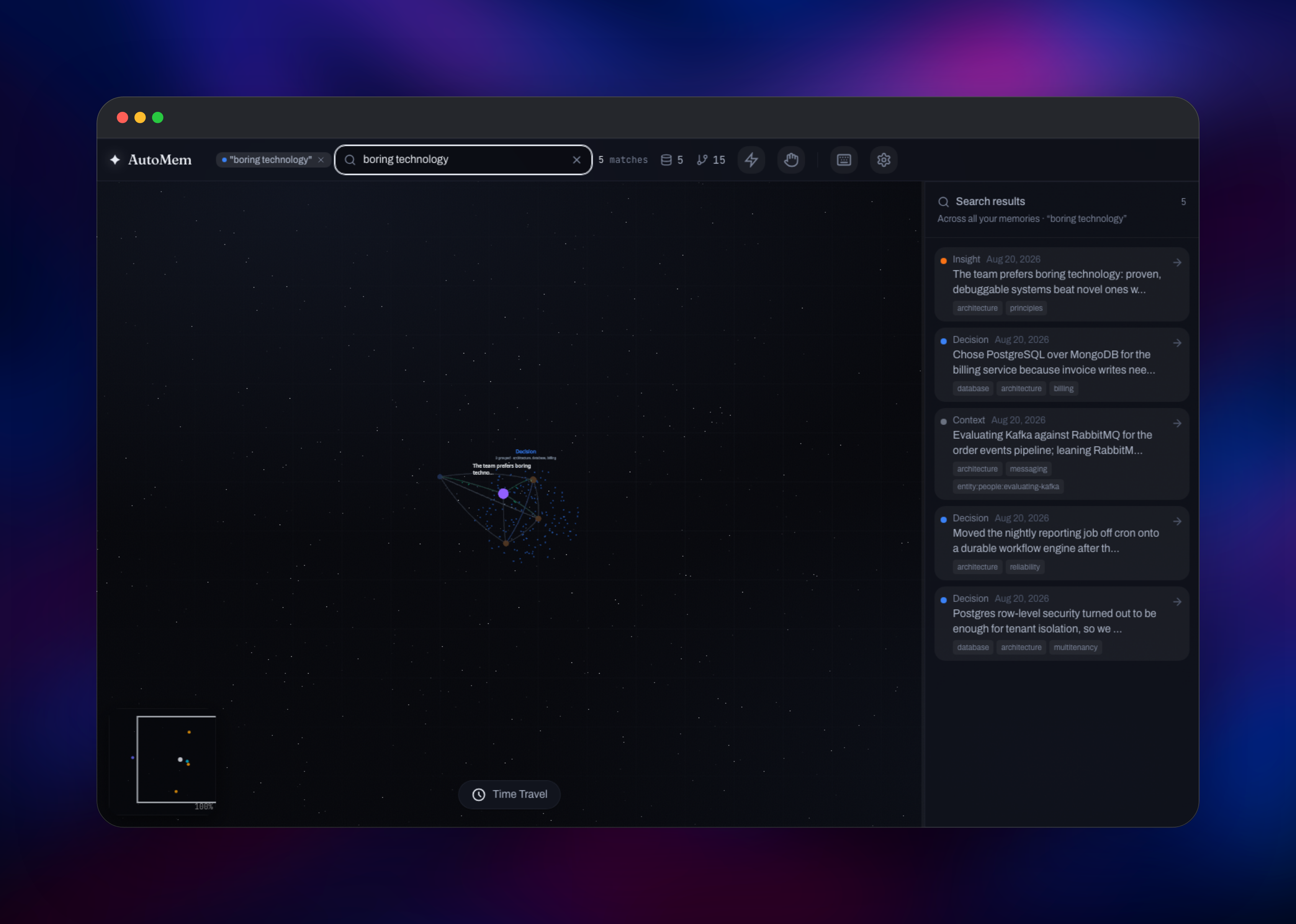
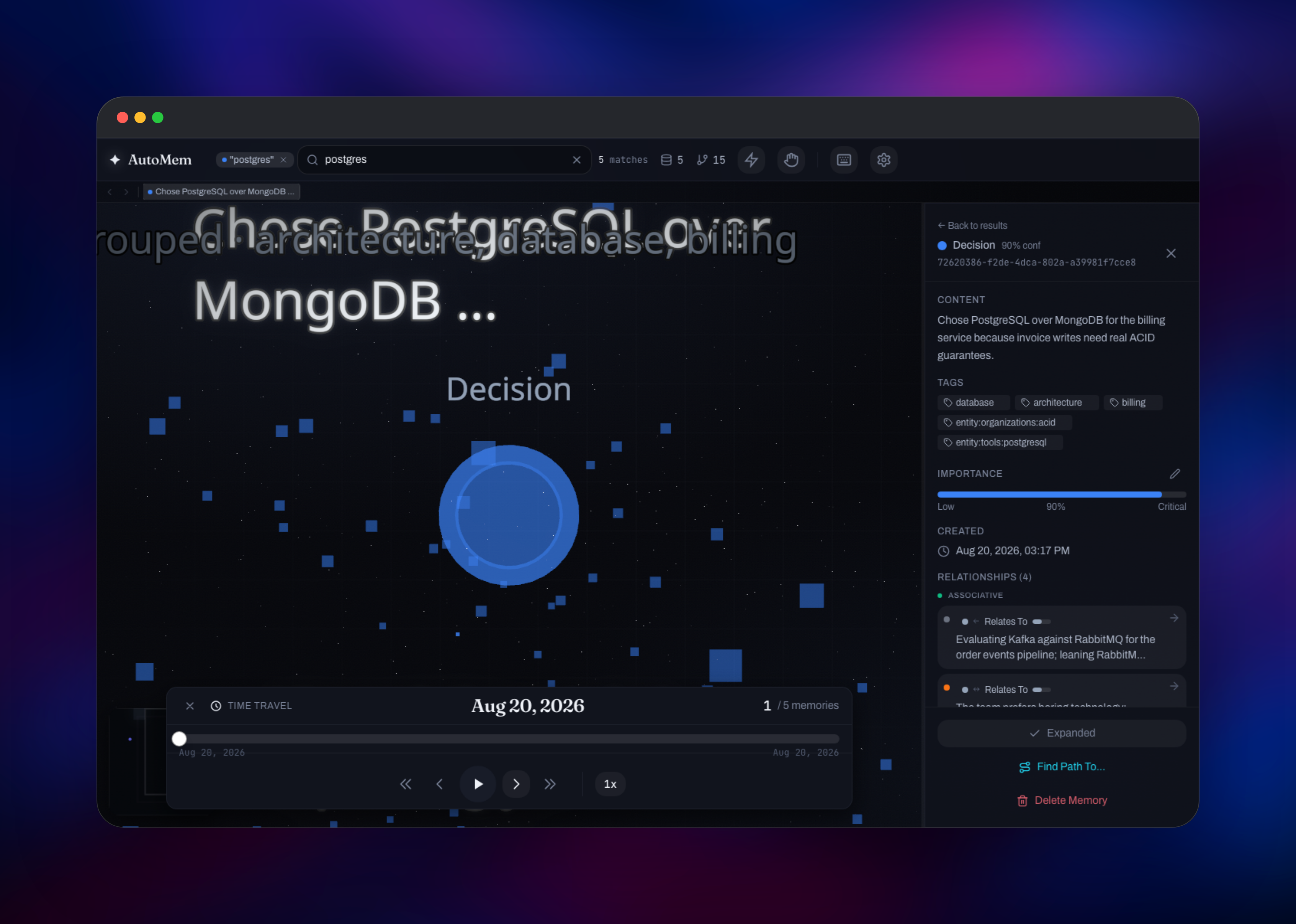
When the deploy finishes, open the automem service and copy AUTOMEM_API_TOKEN — that bearer token is the only credential, and there is no login or signup step. Confirm the stack is alive at /health, the one unauthenticated route, which should report falkordb: connected and qdrant: connected. Store your first memory with POST /memory carrying Authorization: Bearer , then read it back with GET /recall?query=.... To explore visually, open /viewer/#token= on the API domain — that route hands you to the standalone viewer with the token preserved, and the header's node count shows whether your writes landed. To connect a desktop editor, run npx @verygoodplugins/mcp-automem setup; for ChatGPT or Claude.ai, add the bridge as a remote MCP server.
About Hosting AutoMem
AutoMem gives an AI assistant durable, queryable context that survives the end of a conversation. Self-hosting matters here: the data is a running record of your decisions, preferences and working relationships, and running it yourself removes per-memory pricing.
Key capabilities:
- Graph plus vector storage — 11 authorable relationship types (
LEADS_TO,PREFERS_OVER,EXEMPLIFIES,CONTRADICTSand more) alongside embeddings - Hybrid recall — ranked by semantic similarity, graph traversal, recency, tags and importance
- Multi-hop bridge discovery — surfaces the memory connecting two results even when it shares no keywords with your query
- Memory consolidation — daily decay, weekly creative linking, monthly clustering
- No API keys needed — embeddings are generated locally by default
The Railway architecture splits along those lines. falkordb is the source of truth; if it is unavailable the API returns 503. qdrant holds one embedding per memory and powers semantic search, and if it goes down recall degrades to graph-only rather than failing. The automem API owns all reads and writes plus the enrichment and consolidation workers, and automem-graph-viewer is a static front end that calls the API from your browser.
Why Deploy AutoMem on Railway
Railway removes the operational work of running a multi-service memory stack:
- Both databases get persistent volumes and stay private
- Secrets are generated at deploy time, with no manual key setup
- Public domains and TLS are issued automatically
- Images track upstream's
stablechannel and redeploy on their own
Common Use Cases
- Shared memory across AI tools — one store Claude Desktop, Cursor, ChatGPT and Copilot all read and write
- Engineering decision records — what was chosen, what was rejected and why
- Long-running agent state — recall outliving an agent's context window
- Personal knowledge capture — notes and commitments as linked memories
Dependencies for AutoMem
ghcr.io/verygoodplugins/automem:stable— REST API, enrichment and consolidationghcr.io/verygoodplugins/mcp-automem:stable— remote MCP bridgeghcr.io/verygoodplugins/automem-graph-viewer:stable— graph exploration UIfalkordb/falkordb:v4.20.3— graph database, memories and typed edgesqdrant/qdrant:v1.11.3— vector database, one embedding per memory
Environment Variables Reference
| Variable | Service | Purpose |
|---|---|---|
AUTOMEM_API_TOKEN | automem | Bearer token for every route. An empty value disables authentication |
EMBEDDING_PROVIDER | automem | local by default; openai or voyage with a key for other models |
VECTOR_SIZE | automem | 768, matching the local model. Must match your chosen provider |
QDRANT__SERVICE__HOST | qdrant | Must stay ::; the default binding refuses private-network connections |
REDIS_ARGS | falkordb | Sets the graph password and append-only persistence |
Deployment Dependencies
- Source repository: github.com/verygoodplugins/automem
- Documentation: automem.ai
- MCP client: @verygoodplugins/mcp-automem
Hardware Requirements for Self-Hosting AutoMem
| Resource | Minimum | Recommended |
|---|---|---|
| CPU | 2 vCPU total | 4+ vCPU total |
| RAM | 1.5 GB total | 3 GB total |
| Storage | 2 GB across volumes | 5 GB+ as the graph grows |
| Runtime | Python 3.11, Node 18+ | Same |
The API needs roughly 512 MB, mostly for the local embedding model, cached on its volume and downloaded once. FalkorDB holds the graph in RAM, so give it the headroom.
Self-Hosting AutoMem
The fastest local setup uses the project's Docker Compose file, which starts the API alongside FalkorDB and Qdrant:
git clone https://github.com/verygoodplugins/automem.git
cd automem
make dev
That serves the API on http://localhost:8001. To run the published image against your own databases, pass the connection settings as environment variables:
docker run -d --name automem -p 8001:8001 \
  -e PORT=8001 -e EMBEDDING_PROVIDER=local -e VECTOR_SIZE=768 \
  -e FALKORDB_HOST=falkordb -e FALKORDB_PASSWORD=your-graph-password \
  -e QDRANT_HOST=qdrant -e AUTOMEM_API_TOKEN=your-api-token \
  -e ADMIN_API_TOKEN=your-admin-token \
  -v automem_models:/data/models \
  ghcr.io/verygoodplugins/automem:stable
Mount a volume for the model cache and FalkorDB's data directory, or the model is re-downloaded on every restart and the graph is lost when the container is replaced.
How Much Does AutoMem Cost to Self-Host?
AutoMem is free and open source under the MIT licence, as are FalkorDB and Qdrant, so there are no licence fees or per-memory charges. On Railway you pay only for the compute and storage the services use. Because the template defaults to local embeddings there is no third-party API bill either.
FAQ
What is AutoMem?
AutoMem is an open-source memory service for AI assistants. It stores memories in a graph database with typed relationships and in a vector database as embeddings, then ranks recall by combining semantic similarity, graph traversal, recency, tags and importance.
What does this Railway template deploy?
Five services: the AutoMem REST API, a FalkorDB graph database, a Qdrant vector database, a graph viewer, and an MCP bridge. Both databases receive persistent volumes and stay private; the API, viewer and bridge get public HTTPS domains.
Why does AutoMem need both a graph database and a vector database?
They answer different questions. Qdrant finds memories that mean something similar to your query; FalkorDB stores the explicit relationships between them — which decision replaced which, which example illustrates which principle. Combining both lets recall surface a connecting memory sharing no words with your question.
Do I need an OpenAI API key to self-host AutoMem?
No. The template ships EMBEDDING_PROVIDER=local, which runs a FastEmbed model inside the API container and needs no key or outbound calls. Set openai or voyage with a matching key and VECTOR_SIZE for a different model; changing dimensions later requires re-embedding.
How do I connect AutoMem to Claude, Cursor or ChatGPT?
For desktop editors such as Claude Desktop, Cursor and Claude Code, run npx @verygoodplugins/mcp-automem setup with your API domain and token. For ChatGPT developer mode, Claude.ai and ElevenLabs, add the bridge as a remote MCP server at https:///mcp?api_token=.
How do I secure a self-hosted AutoMem deployment?
Keep AUTOMEM_API_TOKEN set — the API allows every request when the value is empty, so a blank turns the deployment into an open memory store. Leave it unset on the MCP bridge: the bridge falls back to its own token when a client sends none, which would make the bridge URL alone enough to read your memories. Unset, anonymous MCP calls are rejected, and its /health reports degraded with upstream: unconfigured — expected, and harmless.
Template Content
falkordb
falkordb/falkordb:v4.20.3qdrant
qdrant/qdrant:v1.11.3mcp-automem
ghcr.io/verygoodplugins/mcp-automem:stableautomem-graph-viewer
ghcr.io/verygoodplugins/automem-graph-viewer:stable

