
Deploy Bagisto
Laravel e-commerce storefront, checkout, catalogue and CMS
bagisto
Just deployed
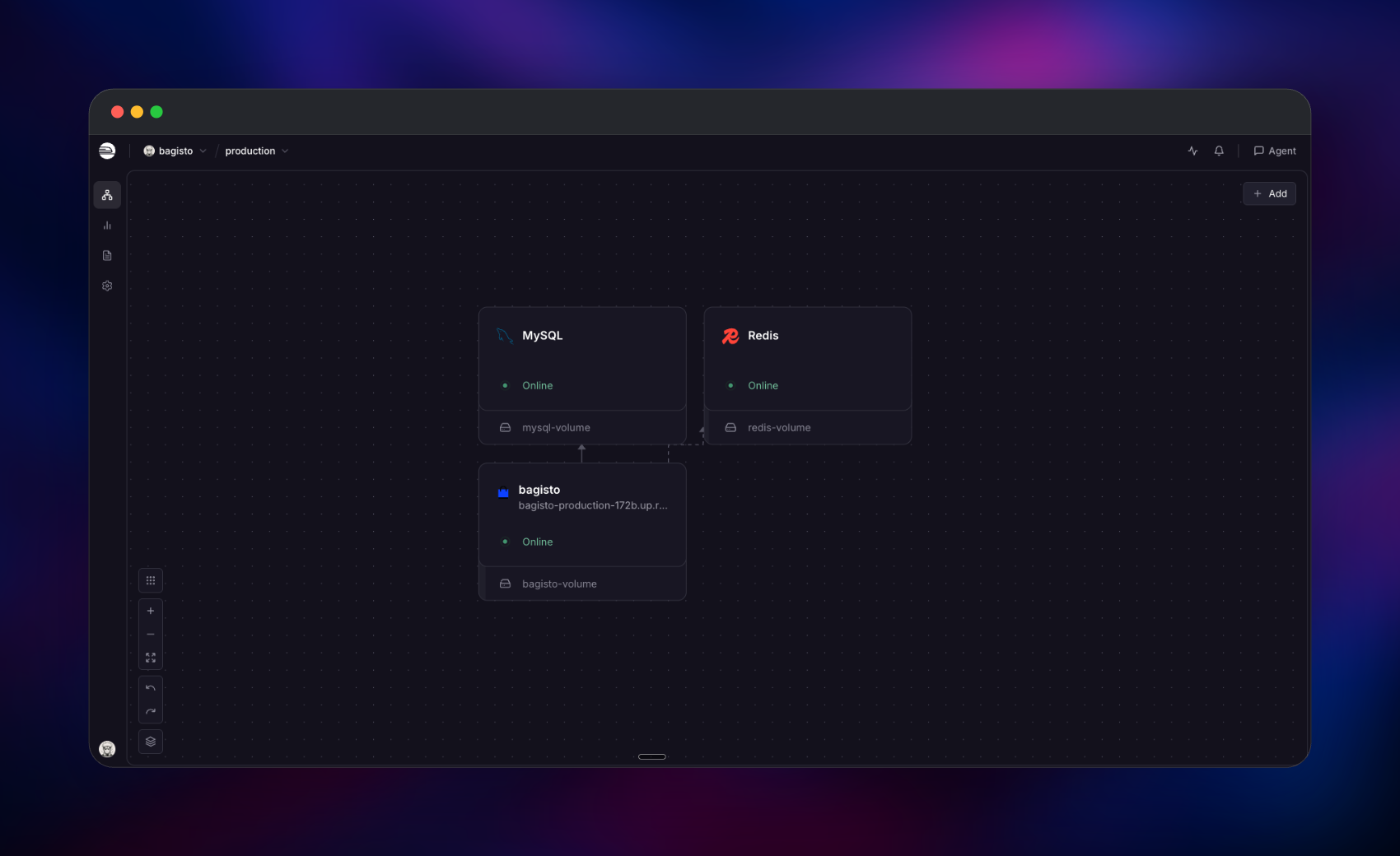
/var/www/bagisto/storage

Redis
Just deployed
/data

MySQL
Just deployed
/var/lib/mysql
Deploy and Host Bagisto on Railway
Bagisto is an open-source e-commerce platform built on Laravel and Vue.js, for merchants and agencies who want a storefront, checkout and admin back office they control end to end. It covers the catalogue, cart, orders, invoices, shipments, customers, promotions and tax rules, with multi-channel, multi-currency and multi-locale support in the core. Teams self-host Bagisto when per-transaction fees, locked-down themes or restricted database access make a hosted platform the wrong fit — the code is MIT-licensed, the database is yours, and the extension API lets you change checkout behaviour rather than work around it.
This template deploys Bagisto as three Railway services. The application service runs nginx and PHP 8.3 FPM with two queue workers and the scheduler, supervised in one container. Managed MySQL holds the catalogue, orders and configuration. Managed Redis backs the cache, sessions and job queue. A volume at the Laravel storage directory keeps product images, invoices and import/export files across deploys. Only the application service gets a public domain; MySQL and Redis stay private.
Getting Started with Bagisto on Railway
Set ADMIN_EMAIL and ADMIN_PASSWORD before you deploy — they become the first administrator account and there is no other way in. The first boot takes several minutes: the service creates its own database and a scoped user, runs every migration, seeds the store, and by default loads a sample catalogue of ~140 products so the storefront is not empty.
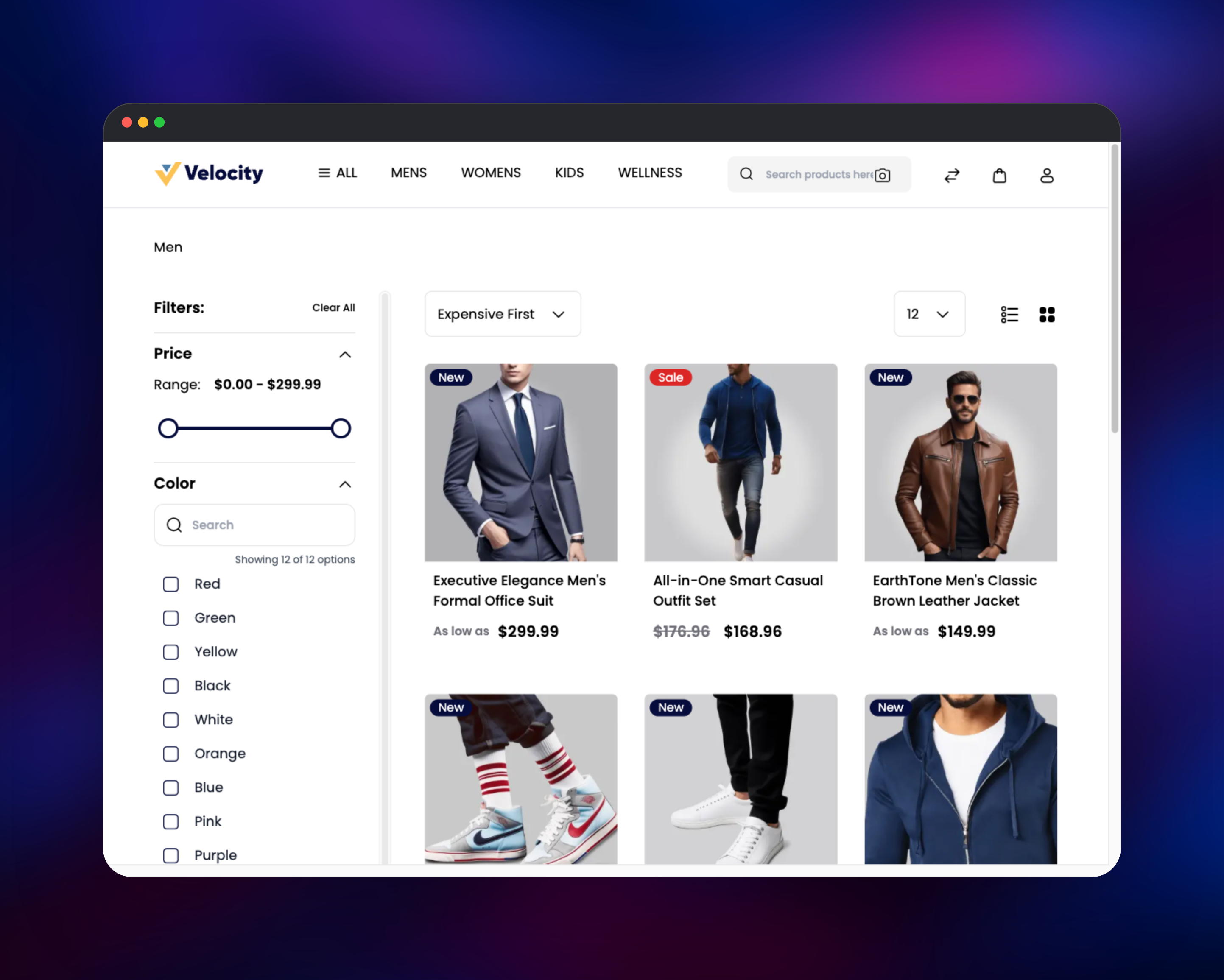
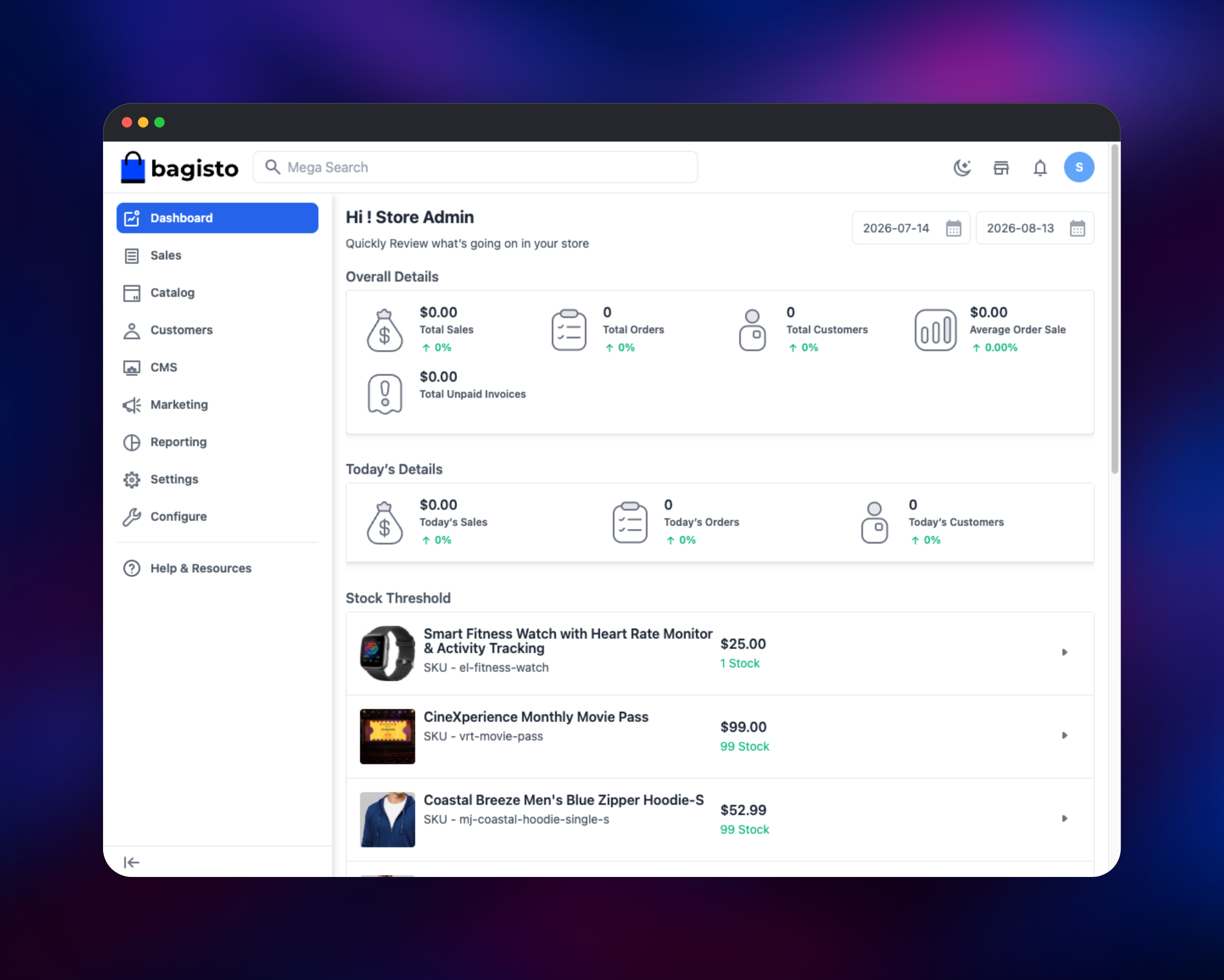
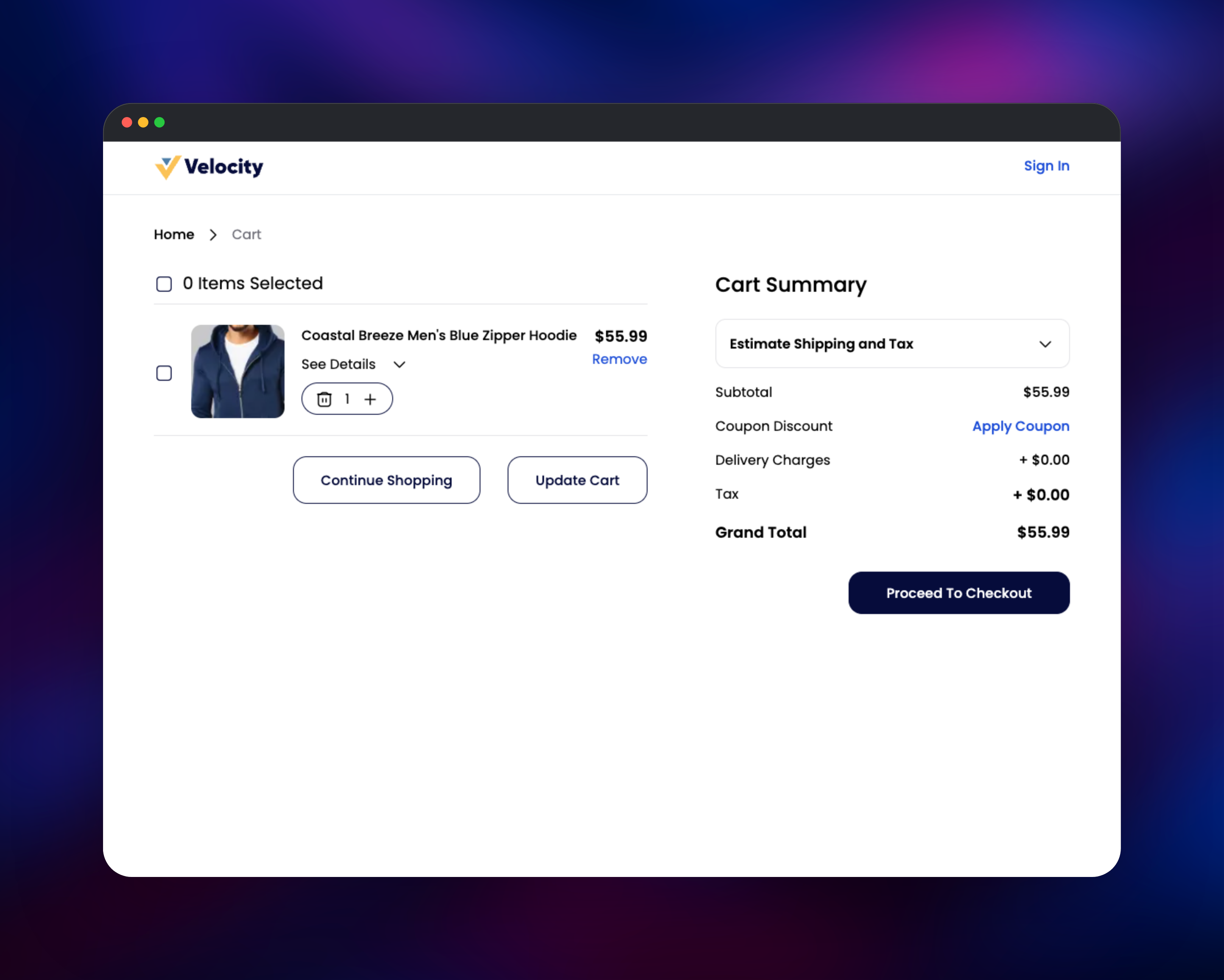
Open the public URL and you land on the storefront with categories, a hero slider and product listings. Sign in to the back office at /admin/login. Go to Catalog → Products to confirm the catalogue loaded, then add a product to the cart and check the totals compute — that round trip proves MySQL, Redis sessions and the volume are wired correctly. Before taking orders, set your store details under Configure and add SMTP credentials under Configuration → Email, or order confirmations will not deliver.
About Hosting Bagisto
Bagisto is a Laravel application, so hosting it means PHP-FPM behind a web server, MySQL, a cache, a queue worker, a scheduler and persistent media storage. By hand that means writing supervisor units and an nginx virtual host; this template packages all of it.
Key features:
- Simple, configurable, grouped, bundled, virtual and downloadable product types
- Cart, checkout, order, invoice, shipment and refund workflows out of the box
- Multi-channel, multi-store, multi-currency and multi-locale from one install
- Customer accounts, groups, wishlists, reviews and compare lists
- Cart and catalogue price rules, coupons and email campaigns
- REST and GraphQL APIs for headless storefronts and mobile apps
- A CMS module for landing pages, plus theme customisation in the admin panel
The application service runs the workers in the same container as the web server, because Bagisto's import and export jobs read and write the same storage directory the admin panel serves downloads from. MySQL is the system of record. Redis holds the cache, sessions and job queue, keeping shoppers signed in across redeploys and moving email and indexing off the request path.
Why Deploy Bagisto on Railway
- MySQL and Redis are provisioned as managed services and wired in automatically
- The volume for product images and invoices is mounted for you
- A public HTTPS domain with a managed certificate on first deploy
- Health checks and restart-on-failure already configured
- Scale CPU and memory without rebuilding the image
- Application, PHP and nginx logs in one place
Common Use Cases
- A direct-to-consumer storefront where per-order platform fees would eat the margin
- A B2B catalogue with customer-group pricing and restricted product visibility
- A headless backend serving a Next.js, Nuxt or mobile frontend over REST and GraphQL
- An agency running an isolated store per client from one codebase
Dependencies for Bagisto
- Bagisto application — built from the source repository on the official
webkul/bagisto:2.4.9image (nginx + PHP 8.3 FPM). Serves the storefront and admin panel and supervises the workers. - MySQL 8 — Railway managed. Products, orders, customers and configuration.
- Redis — Railway managed. Cache, session store and queue backend.
- Volume — at
/var/www/bagisto/storagefor images, invoices and data transfers.
Environment Variables Reference
| Variable | Purpose |
|---|---|
ADMIN_EMAIL | Email for the first administrator account |
ADMIN_PASSWORD | Password for that account, applied at install |
APP_KEY | Encryption key; changing it invalidates sessions |
APP_URL | Public storefront URL baked into generated links |
APP_ADMIN_URL | Admin panel path segment, admin by default |
APP_CURRENCY / APP_LOCALE / APP_TIMEZONE | Store defaults, applied at install |
DB_DATABASE / DB_USERNAME / DB_PASSWORD | Scoped database and user made on first boot |
BAGISTO_DEMO_PRODUCTS | Set false for an empty store |
QUEUE_WORKERS | Supervised background workers |
Deployment Dependencies
- Source repo: https://github.com/gridalpha/bagisto-railway
- Upstream: https://github.com/bagisto/bagisto
- Base image: https://hub.docker.com/r/webkul/bagisto
- Docs: https://devdocs.bagisto.com
Hardware Requirements for Self-Hosting Bagisto
| Resource | Minimum | Recommended |
|---|---|---|
| CPU | 1 vCPU | 2–4 vCPU |
| RAM | 2 GB | 4–8 GB |
| Storage | 5 GB volume | 20 GB+ as media grows |
| Runtime | PHP 8.2+, MySQL 8.0+ | PHP 8.3, MySQL 8.4 |
The container sizes PHP-FPM from the memory limit it is given, so raising the service's memory raises concurrent PHP workers with no config change. A large catalogue benefits more from database memory than application memory.
Self-Hosting Bagisto
To run the same image locally against its bundled database, the fastest way to evaluate it:
docker run -d --name bagisto -p 8080:80 \
  -v bagisto-mysql:/var/lib/mysql \
  -v bagisto-storage:/var/www/bagisto/storage \
  webkul/bagisto:2.4.9
The store comes up on http://localhost:8080. To install from source instead, which is what you want when writing packages or themes:
git clone https://github.com/bagisto/bagisto.git
cd bagisto
composer install --no-dev --optimize-autoloader
cp .env.example .env
php artisan bagisto:install
The installer prompts for database and administrator details, runs the migrations, seeds the store and creates the storage symlink. In production, run php artisan queue:work and php artisan schedule:work under a supervisor alongside PHP-FPM — this template already does.
Is Bagisto Free to Self-Host?
Bagisto is free and open source under the MIT licence — no per-order fees, no revenue share, no seat limits. Webkul, the company behind it, sells optional extensions such as the multi-vendor marketplace and POS, and offers managed hosting; you need none of them for a complete store. On Railway you pay only for the compute, memory, database and volume your store uses.
FAQ
What is Bagisto?
Bagisto is an open-source e-commerce platform built on Laravel and Vue.js, providing a storefront, checkout and an admin panel covering catalogue, orders, customers, promotions and content — a self-hosted alternative to Shopify and BigCommerce.
What does this Railway template deploy?
A Bagisto service running nginx, PHP 8.3 FPM, two queue workers and the scheduler; managed MySQL; managed Redis; and a volume for uploaded media. The store is installed and seeded automatically on the first deploy.
Why does the template include MySQL and Redis?
MySQL is Bagisto's system of record and the only engine it officially supports. Redis keeps sessions and the cache outside the container, so a redeploy does not sign everyone out, and backs the queue that sends order emails and rebuilds indexes.
How do I log in to the Bagisto admin panel after deploying?
Go to /admin/login with the ADMIN_EMAIL and ADMIN_PASSWORD values you set before deploying. They are read once, at install, so a password you change later in the admin panel survives redeploys.
Can I start with an empty catalogue instead of the sample products?
Yes — set BAGISTO_DEMO_PRODUCTS to false before the first deploy. It affects only the initial install; once the store exists the setting is ignored.
How do I use Elasticsearch for product search in self-hosted Bagisto?
Deploy an Elasticsearch or OpenSearch service, point ELASTICSEARCH_HOST at it, then switch the search engine under Configuration → Catalog → Products. Bagisto searches the database by default, fine up to a few thousand products.
Where do product images get stored on Railway?
On the volume at /var/www/bagisto/storage, served by nginx through the Laravel storage symlink. Uploads survive redeploys; grow the volume as your media library does.
Template Content


