
Deploy Baikal
Open-source Google Calendar and Contacts alternative

Just deployed
/var/lib/postgresql/data
baikal
Just deployed
/data
Deploy and Host Baïkal on Railway
Baïkal is a lightweight CalDAV and CardDAV server built on sabre/dav: it stores calendars, events, tasks and contacts and syncs them to the apps you already use — iOS and macOS Calendar and Contacts, DAVx⁵ on Android, Thunderbird, vdirsyncer. It is what you need to leave Google Calendar and Contacts without changing how anyone works: the built-in apps keep working, they just talk to a server you own.
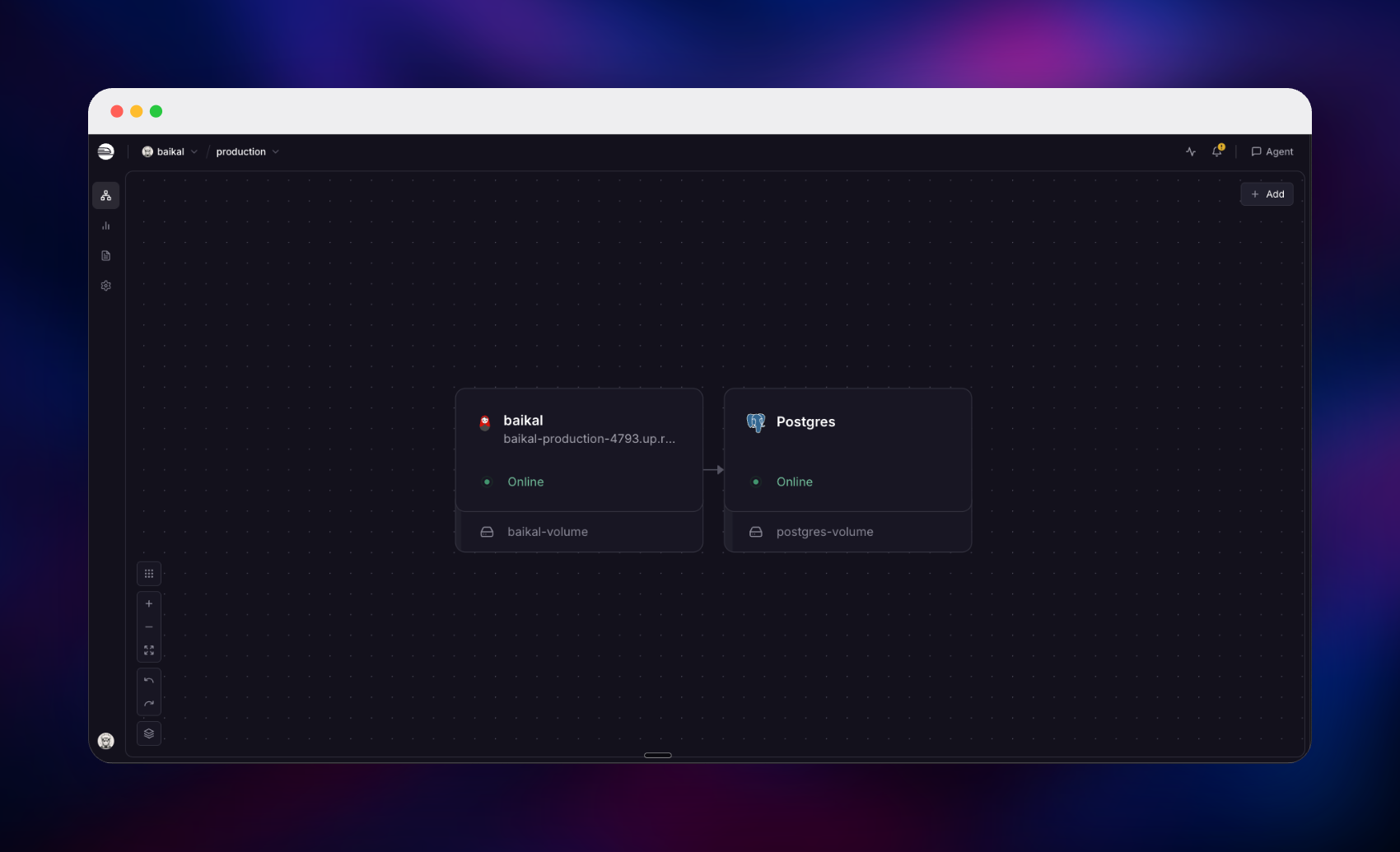
Deploy Baïkal on Railway as two services. The baikal service is public over HTTPS and builds from github.com/gridalpha/baikal-railway, a Dockerfile that unpacks the official baikal-0.12.1.zip release onto php:8.4-apache, since upstream publishes no image of its own. A managed PostgreSQL 18 database on the private network holds every calendar, event, task, address book and contact. You self-host Baïkal here without its install wizard: on first boot the container writes config/baikal.yaml, provisions a non-superuser database role, loads the schema and closes the public installer, so the deployment arrives installed with the admin password you chose.
Getting Started with Baïkal on Railway
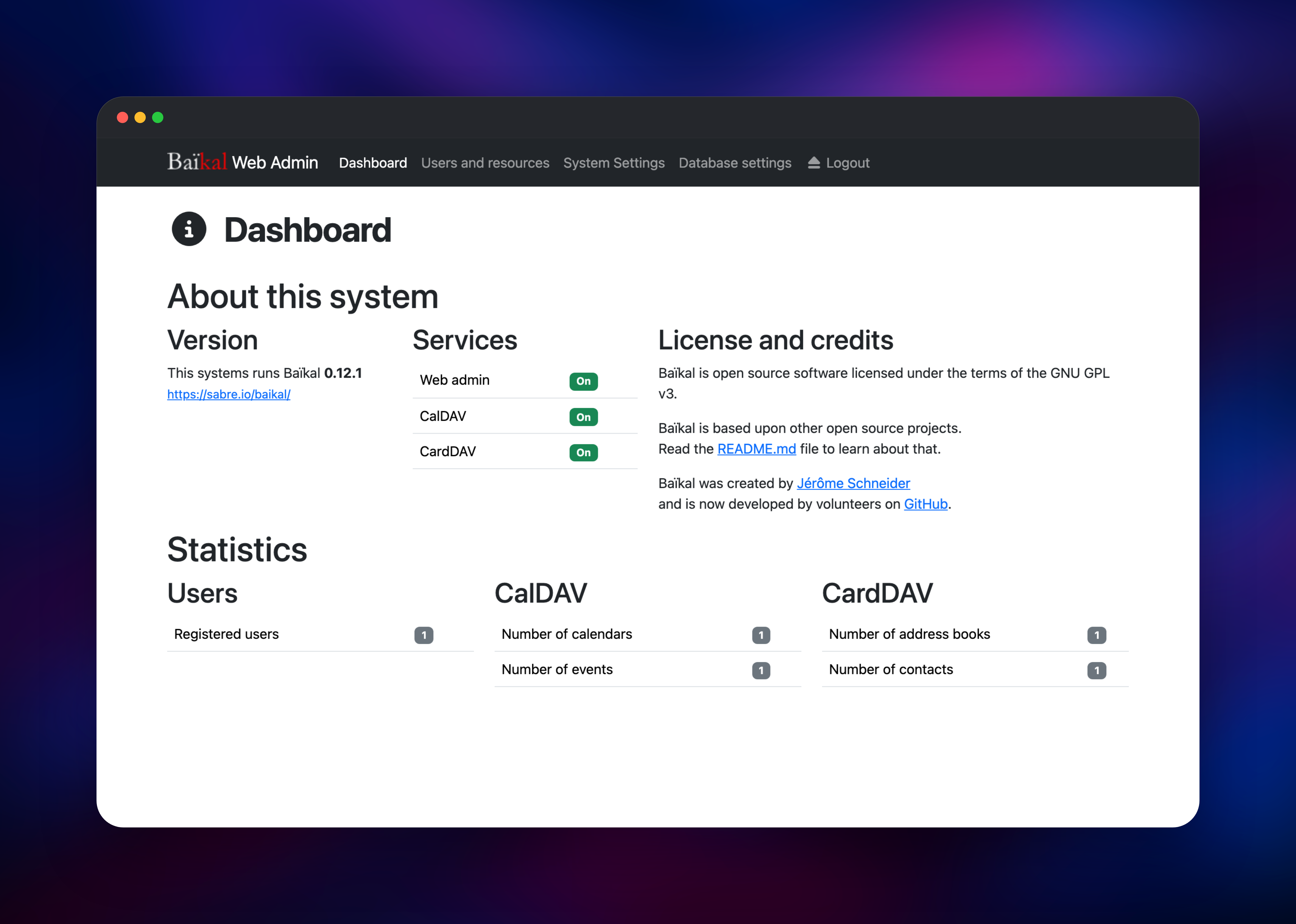
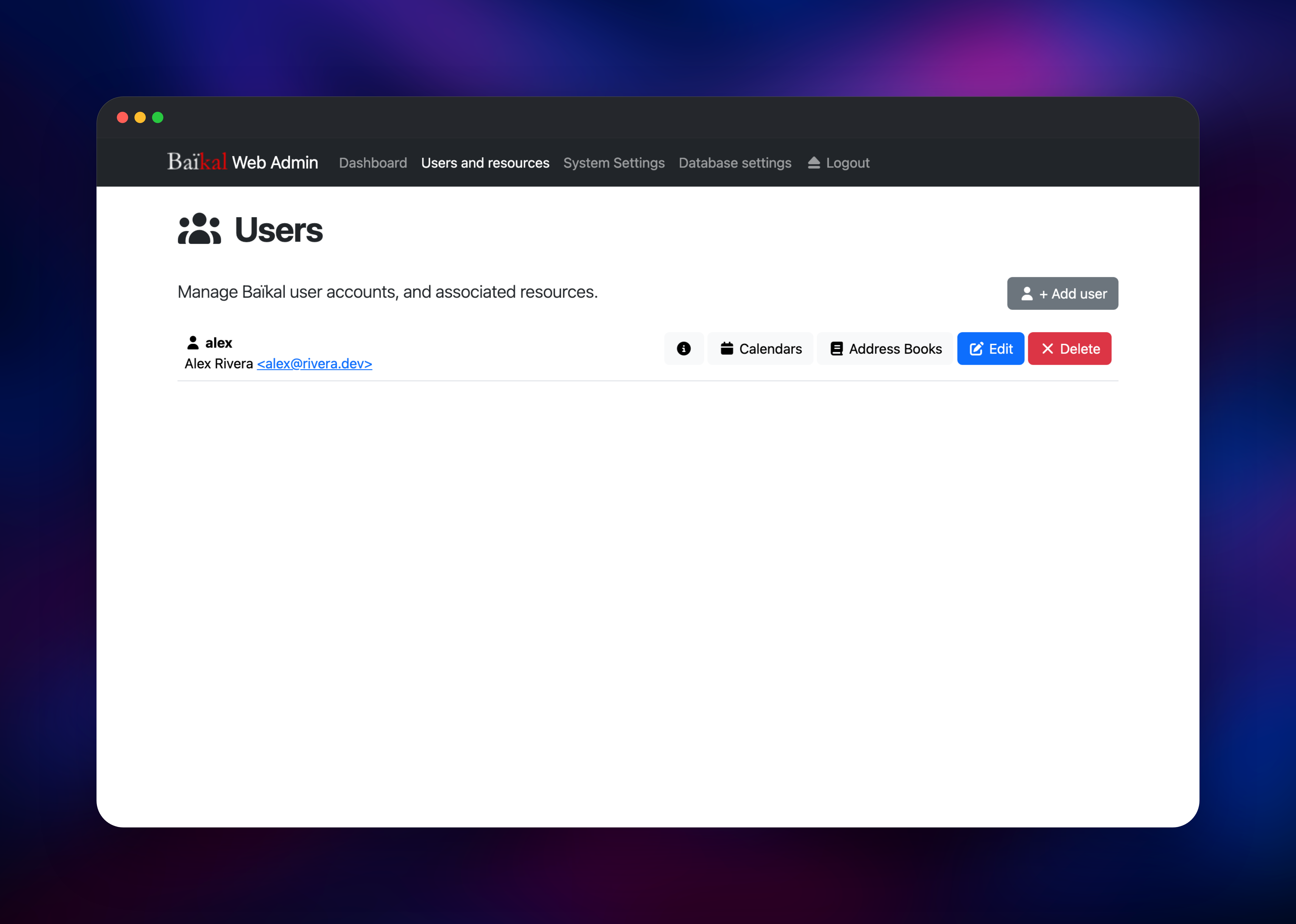
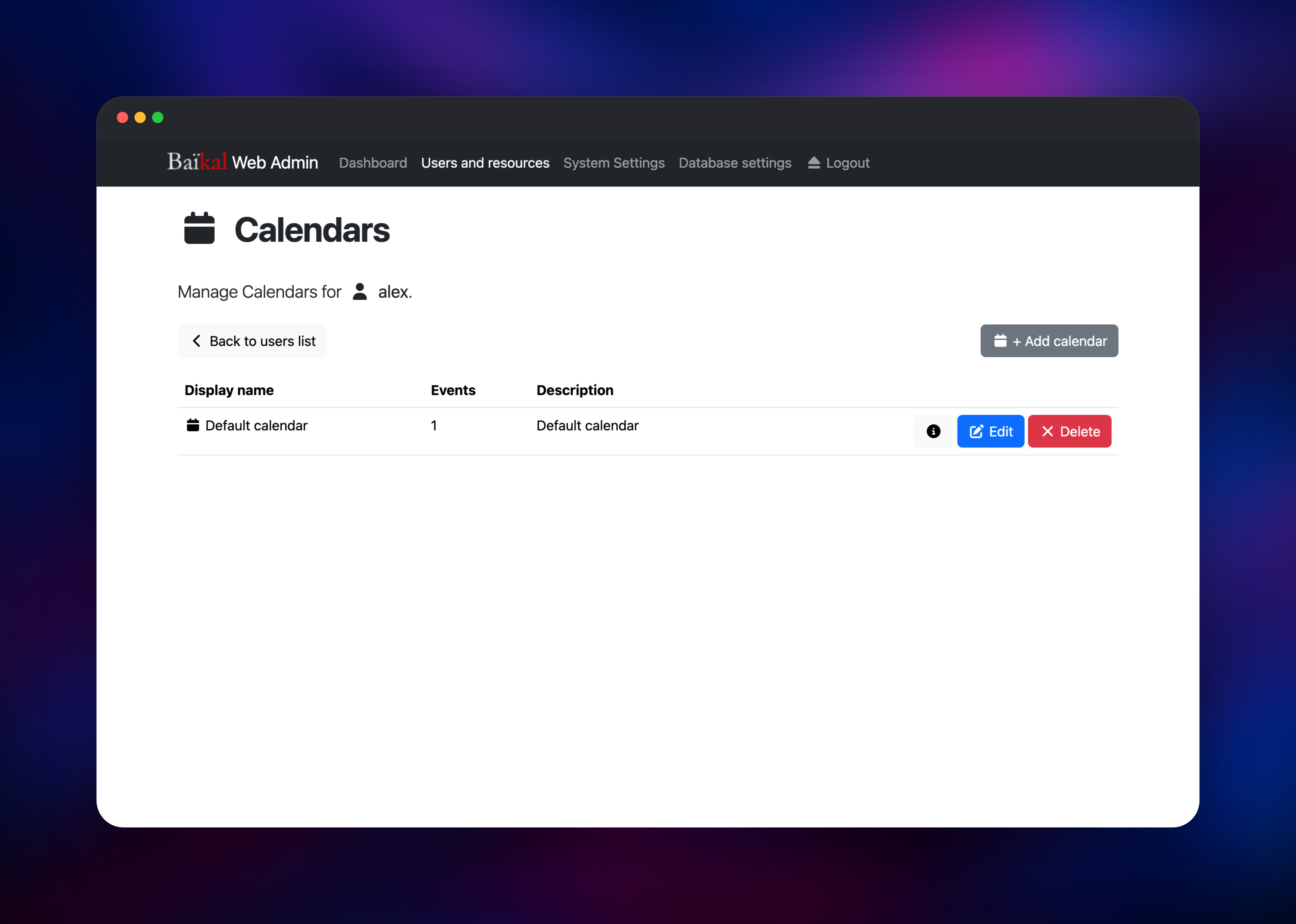
Set BAIKAL_ADMIN_PASSWORD when you deploy: it becomes the password for the built-in admin account, and it is the only credential the template creates. Once both services are green, open the public URL and it lands on the admin login at /admin/. Sign in as admin and the dashboard reports the running version with Web admin, CalDAV and CardDAV each shown as On. That account administers the server and is not a sync account, so the first real step is Users → + Add user: give the person a username, display name and password, and Baïkal creates a default calendar and address book for them. Point a client at https://your-domain.up.railway.app/dav.php with those credentials; /.well-known/caldav and /.well-known/carddav redirect there, so iOS and macOS accept the bare domain when adding a CalDAV account. To confirm sync works, save an event on the phone and watch the count rise on the dashboard.
About Hosting Baïkal
CalDAV and CardDAV are how phones and laptops sync calendars and contacts, but most implementations are buried inside something larger: a mail suite, a file-sync platform, a cloud account. Baïkal is the standalone version. Self-host it when a household's or a team's schedules should leave third-party servers while native apps keep working.
Key features:
- CalDAV calendars with events and VTODO tasks, plus CardDAV address books
- Web admin for users, calendars and address books, no config files to edit
- Digest, Basic or Apache-delegated authentication for DAV clients
- Free/busy lookups and optional invitation email over SMTP
- Works with iOS, macOS, DAVx⁵, Thunderbird, Evolution, vdirsyncer and khal
The architecture is flat by design. The baikal service is Apache with mod_php serving Baïkal's html/, which answers three kinds of request: the admin UI at /admin/, the DAV endpoints at /dav.php, and the .well-known redirects clients probe first. PostgreSQL holds all synced data, and the /data volume keeps the YAML config the admin UI rewrites.
Why Deploy Baïkal on Railway
Railway removes the server-admin work self-hosting Baïkal usually implies:
- PostgreSQL 18 over private networking, with no install wizard to click through
- Admin account, database role and schema created on first boot
- Free HTTPS on the generated domain; custom domains for a stable client URL
.well-knowndiscovery andAuthorizationpass-through already configured- Volume-backed config, health checks and automatic restarts
Common Use Cases for Self-Hosted Baïkal
- A household or small team moving calendars and contacts off Google or iCloud while keeping the stock iPhone, Mac and Android apps
- One DAV backend other tools sync against: Thunderbird, vdirsyncer, khal, or any task app that speaks CalDAV
- Shared team calendars for on-call rotations or room bookings, inside infrastructure you control
Dependencies for Baïkal
- baikal — the official
baikal-0.12.1.ziprelease onphp:8.4-apachewithpdo_pgsqlandmsmtp, built from github.com/gridalpha/baikal-railway. Serves port 8080, mounts/data. - Postgres — Railway's managed PostgreSQL 18 (
ghcr.io/railwayapp-templates/postgres-ssl:18), private, holding users, calendars, events, tasks, address books and contacts. The app provisions its own scoped role and database here instead of using the superuser.
Environment Variables Reference
| Variable | Purpose |
|---|---|
BAIKAL_ADMIN_PASSWORD | Password for the admin account — required |
DATABASE_URL | ${{Postgres.DATABASE_URL}}; provisions the app's role and database |
BAIKAL_TIMEZONE | Server timezone, default UTC, editable in the admin UI later |
BAIKAL_DAV_AUTH_TYPE | Digest (default), Basic or Apache for DAV clients |
BAIKAL_DB_BACKEND | pgsql by default; sqlite keeps data on the volume |
BAIKAL_ADMIN_PASSWORD_FORCE_RESET | true for one deploy replaces a lost password |
BAIKAL_INVITE_FROM, SMTP_HOST and friends | Optional relay for invitations |
Deployment Dependencies
- Upstream project: github.com/sabre-io/Baikal, docs at sabre.io/baikal
- Image source for this template: github.com/gridalpha/baikal-railway
- Runtime: PHP 8.4 with Apache and mod_php; PostgreSQL 18 (MySQL and SQLite also supported)
Hardware Requirements for Self-Hosting Baïkal
Baïkal is one of the lightest things you can self-host: a few hundred kilobytes per calendar, and no background jobs.
| Resource | Minimum | Recommended |
|---|---|---|
| CPU | 0.5 vCPU | 1 vCPU |
| RAM | 256 MB | 512 MB (PHP_MEMORY_LIMIT defaults to 256M) |
| Storage | 1 GB volume, small database | 1 GB volume, 2 GB database |
| Runtime | PHP 8.x with Apache or Nginx | PHP 8.4 + Apache, PostgreSQL 18 |
Sync-heavy client fleets need concurrency before memory: raise BAIKAL_MAX_WORKERS from its default of 32 first.
Self-Hosting Baïkal with Docker
There is no official Baïkal image, so the shortest path outside Railway is to build the one this template uses. Cloned locally it runs on SQLite with no database container:
git clone https://github.com/gridalpha/baikal-railway.git
cd baikal-railway
docker build -t baikal-railway .
docker run --rm -p 8080:8080 \
  -e BAIKAL_ADMIN_PASSWORD=change-me \
  -e BAIKAL_DB_BACKEND=sqlite \
  -v baikal-data:/data \
  baikal-railway
Open http://localhost:8080/admin/ and sign in as admin. For the PostgreSQL setup this template uses, save this as docker-compose.yml beside the clone:
services:
  baikal:
    build: .
    ports: ["8080:8080"]
    environment:
      BAIKAL_ADMIN_PASSWORD: change-me
      DATABASE_URL: postgresql://postgres:secret@db:5432/postgres
    volumes: ["baikal-data:/data"]
  db:
    image: postgres:18
    environment:
      POSTGRES_PASSWORD: secret
volumes:
  baikal-data:
Is Baïkal Free? Self-Hosting Costs Explained
Baïkal is free and open source under the GPL-3.0 licence, with no paid edition and no seat count. On Railway the only cost is the infrastructure these two services use, and a small PHP process with no background workers sits near the bottom of that range.
FAQ
What is Baïkal?
Baïkal is a lightweight, self-hosted CalDAV and CardDAV server built on sabre/dav. It serves calendars, events, tasks and contacts over the open sync standards, so native apps on iOS, macOS, Android and Thunderbird use it directly. It is GPL-3.0 licensed.
What does this Railway template deploy?
Two services: Baïkal 0.12.1 on a public HTTPS domain with a /data volume, and a private managed PostgreSQL 18 database for all synced data. The app builds from a public source repository, because upstream ships no Docker image.
What are the login credentials for self-hosted Baïkal on Railway?
There is no shipped default password. The admin account is admin and its password is the BAIKAL_ADMIN_PASSWORD you set at deploy time. Everyone who syncs a device gets a separate DAV user you create under Users.
Why does the Baïkal template include PostgreSQL and a volume?
PostgreSQL holds every calendar, event, task and contact, so data outlives any container restart. The volume keeps Baïkal's YAML config, which the admin UI rewrites when you change a setting.
How do I sync self-hosted Baïkal with my iPhone or DAVx⁵ on Android?
Use https://your-domain/dav.php with a DAV user's credentials. On iOS, add a CalDAV account and enter just the domain, since /.well-known/caldav redirects to the right path. DAVx⁵ discovers both collections from the same base URL.
How do I reset a forgotten Baïkal admin password on Railway?
Set BAIKAL_ADMIN_PASSWORD to the new value and BAIKAL_ADMIN_PASSWORD_FORCE_RESET=true, redeploy once, then set the flag back to false. DAV user passwords are unaffected.
Template Content


