
Deploy BentoPDF
PDF toolkit that merges, splits, signs and converts files in your browser
bentopdf
Just deployed
Deploy and Host BentoPDF on Railway
BentoPDF is a privacy-first PDF toolkit that does all of its work inside the visitor's browser. Merging, splitting, compressing, redacting, signing, OCR and Office conversion are compiled to WebAssembly and run on the client, so a document is never uploaded and never leaves the machine that opened it. That suits legal, finance, healthcare and internal IT teams who need everyday PDF editing but cannot send contracts or patient records to a third-party service. It is open source under AGPL-3.0 and ships more than fifty tools in one interface.
Because the processing is client-side, the deployment is small: a single Railway service named bentopdf runs the official self-hosted image behind nginx, serving static HTML, JavaScript and WebAssembly. There is no database, queue, worker, object storage or volume — nothing to back up, nothing to keep in sync. Traffic arrives at Railway's edge, hits the service on port 8080, and every byte of a user's PDF stays in their tab. Self-host BentoPDF on Railway and the server does nothing more demanding than deliver files.
Getting Started with BentoPDF on Railway
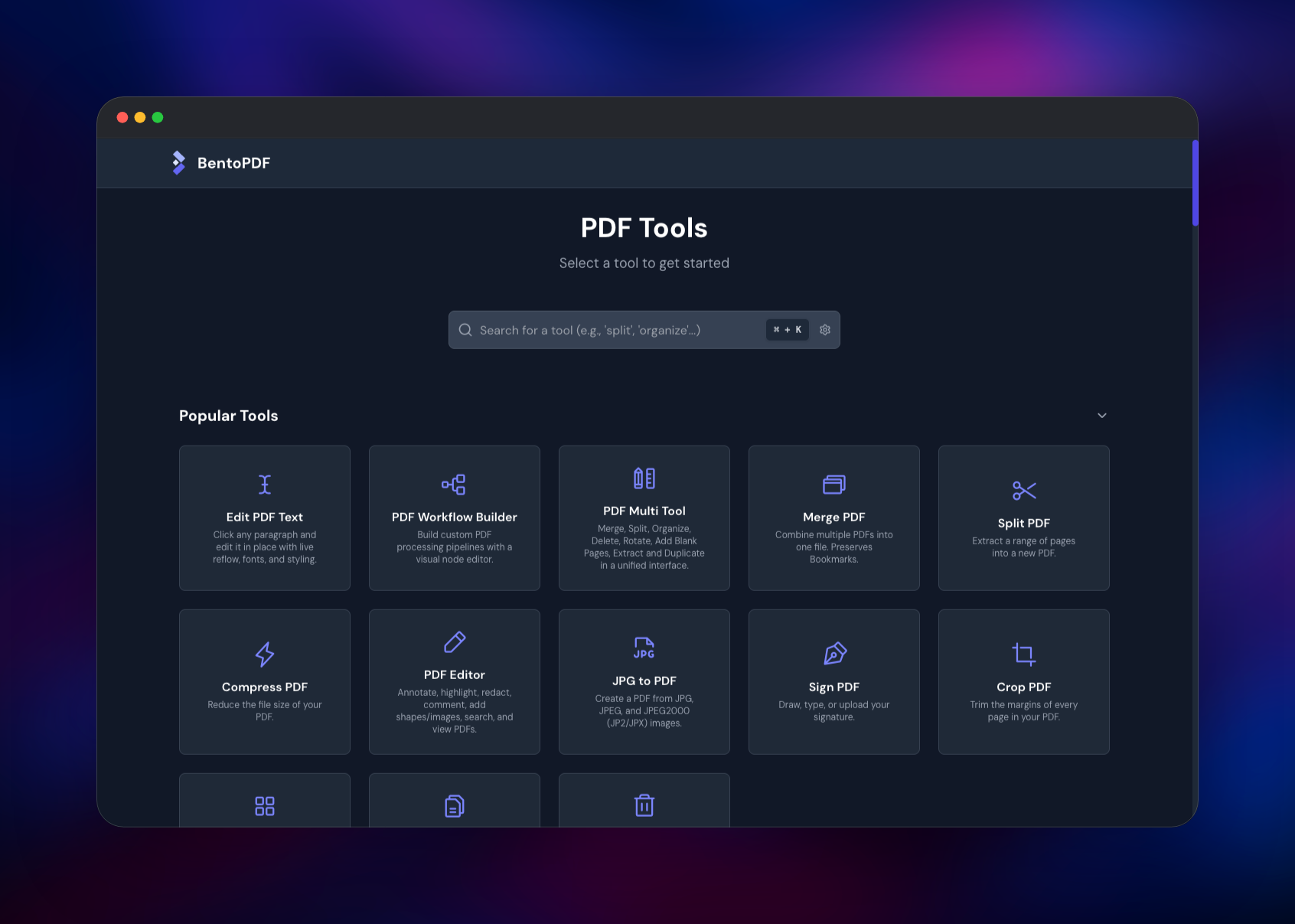
Open the generated *.up.railway.app URL. There is no installer, no first-run wizard and no account to create — BentoPDF has no user accounts, because it stores nothing server-side. You land on the tool catalogue, with a search box and a grid of popular tools; Ctrl/Cmd + K jumps to search from anywhere.
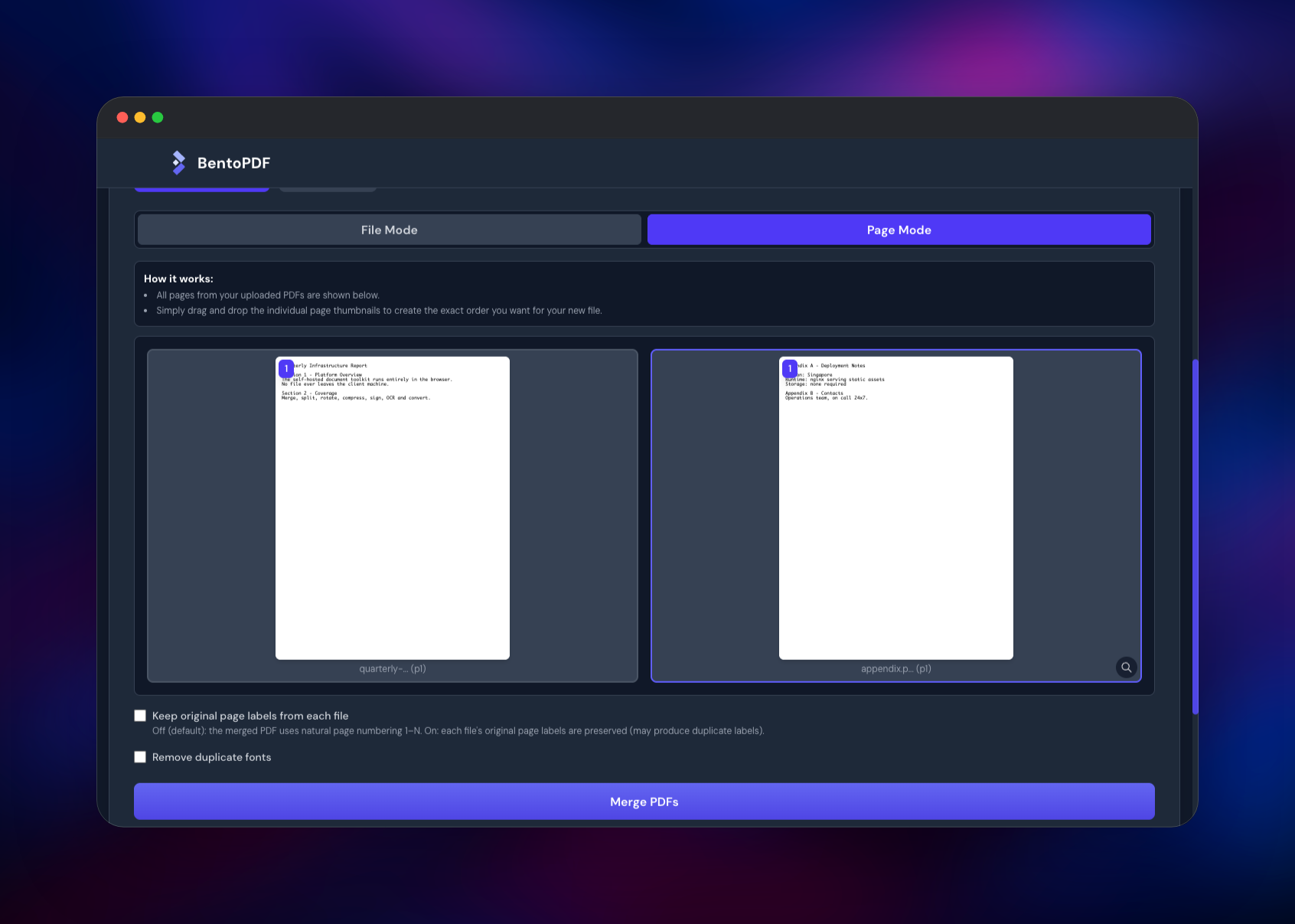
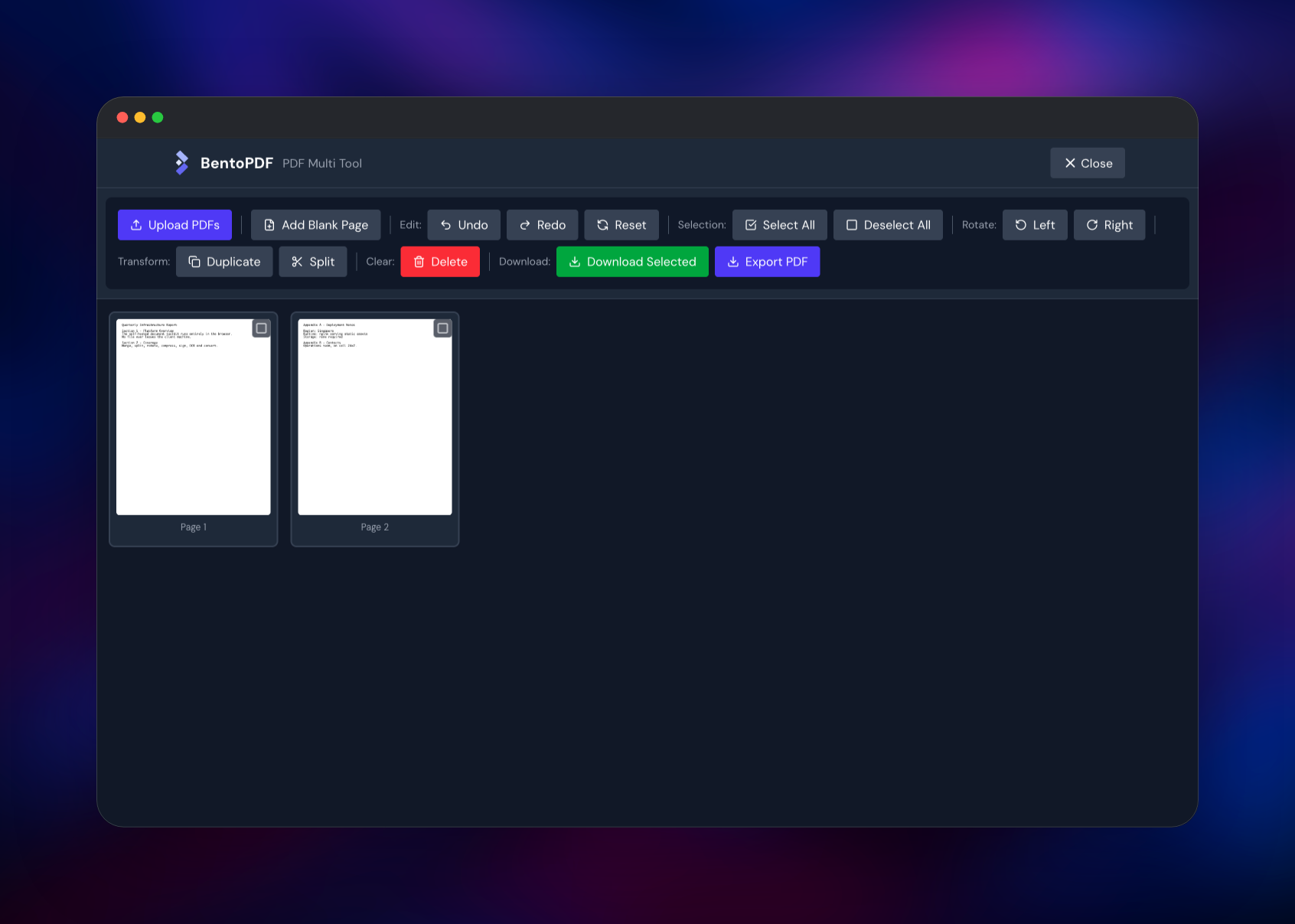
A good first check is Merge PDF. Pick it, drop in two PDFs and switch to Page Mode: every page renders as a thumbnail you can drag into order, and Merge PDFs downloads the combined file. Open that result in PDF Multi Tool to rotate, split or delete pages and export again. To confirm the WebAssembly engines work, try Word to PDF with a .docx — the first run pulls a roughly 49 MB LibreOffice engine from your own deployment, then caches it. If those round-trips produce valid files, the deployment is healthy.
The app registers a service worker, so it keeps working offline after the first load. Two runtime settings matter: set ROBOTS_NOINDEX to true if search engines should skip your instance, and leave PORT at 8080 so the health check keeps passing.
About Hosting BentoPDF
Most self-hosted PDF suites are servers: you upload a file, the backend shells out to Ghostscript or LibreOffice, and you download the result. BentoPDF inverts that. Its tools are compiled to WebAssembly — pdf-lib, pdf.js, PyMuPDF, Ghostscript, cpdf, Tesseract, LibreOffice — and shipped to the browser, so the host only serves static assets. Teams self-host it when "we promise we delete them" is not good enough.
Key features:
- 50+ tools: merge, split, organize, rotate, crop, compress, extract
- Editing: annotate, highlight, redact, fill and create forms, edit text inline
- Conversion between PDF and images, Word, Excel, PowerPoint, Markdown and EPUB
- Security: encrypt, decrypt, digitally sign, validate signatures, flatten
- OCR, table extraction, PDF comparison, and a visual workflow builder
- 20+ interface languages
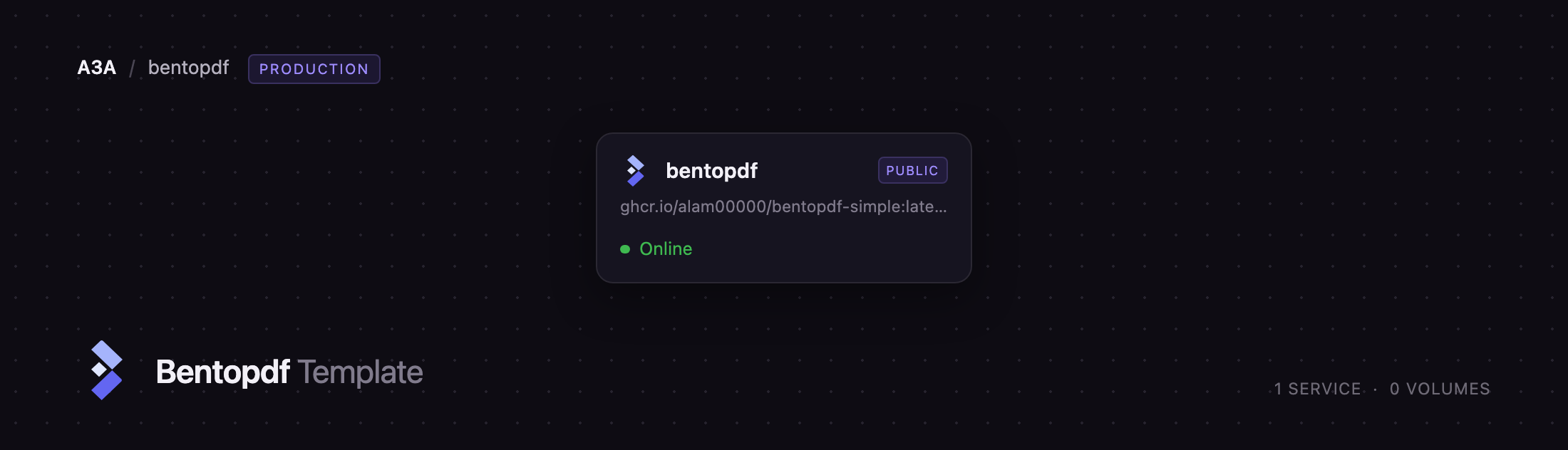
The Railway architecture is a single service. bentopdf runs ghcr.io/alam00000/bentopdf-simple:latest, an nginx-unprivileged image serving the compiled app on port 8080 with gzip pre-compression, long cache headers and the cross-origin isolation headers the WebAssembly engines require.
Why Deploy BentoPDF on Railway
One service, no dependencies, and a deploy that finishes in under a minute.
- No database, cache, queue or volume to provision or pay for
- Stateless, so redeploys lose nothing and replicas scale horizontally
- HTTPS and a public domain issued automatically
- Tracks the upstream
latestimage, so redeploying picks up new tools - Idle cost is close to nothing: the container only serves static files
Common Use Cases
- An internal PDF utility for legal, HR or finance teams handling contracts that must not touch a third-party service
- A privacy-respecting replacement for ad-supported "free PDF" sites
- Document prep before archiving — split scanned bundles, OCR them, compress
- Converting Office documents to PDF on machines with no Office or LibreOffice installed
Dependencies for BentoPDF
ghcr.io/alam00000/bentopdf-simple:latest— the only image the template deploys. This is the self-hosted build: the same tool set as bentopdf.com with the marketing hero, FAQ and testimonials removed, so the tool catalogue is the landing page. The unsuffixedghcr.io/alam00000/bentopdf:latestpowers the public site and is not intended for self-hosting.
There are no other services. The Office-conversion engine ships inside the image and is served from your own domain; a few smaller modules load from jsDelivr the first time a tool needs them.
Environment Variables Reference
| Variable | Default | Purpose |
|---|---|---|
PORT | 8080 | Port nginx listens on. The entrypoint rewrites its listen directives from it, and Railway health-checks the same port. |
DISABLE_IPV6 | false | Set to true to drop nginx's IPv6 listener. Leave it unless you have a reason. |
ROBOTS_NOINDEX | false | Set to true to inject noindex into every page at boot, so search engines skip your instance. |
Branding, default language, tool visibility and the WebAssembly asset URLs are build-time options in upstream's Dockerfile, not runtime variables — changing any of them means building your own image.
Deployment Dependencies
- Source repository: https://github.com/alam00000/bentopdf
- Container image: https://ghcr.io/alam00000/bentopdf-simple
- Runtime: nginx (unprivileged, Alpine) serving a Vite-built static bundle
- Browser: a current Chromium, Firefox or Safari with WebAssembly
Hardware Requirements for Self-Hosting BentoPDF
The heavy lifting happens on the visitor's machine, so the server needs very little.
| Resource | Minimum | Recommended |
|---|---|---|
| CPU | 0.25 vCPU | 1 vCPU |
| RAM | 256 MB | 512 MB |
| Storage | ~250 MB image, no volume | Same — it is stateless |
| Runtime | nginx / static files | nginx / static files |
Clients need more headroom than the server: OCR and Office conversion load large WebAssembly modules, so browsers want a few hundred megabytes free.
Self-Hosting BentoPDF with Docker
The fastest way to run it locally is one container, with docker run:
docker run -d --name bentopdf -p 3000:8080 ghcr.io/alam00000/bentopdf-simple:latest
The equivalent Compose service, with the two runtime settings worth pinning:
services:
  bentopdf:
    image: ghcr.io/alam00000/bentopdf-simple:latest
    ports:
      - "3000:8080"
    environment:
      PORT: "8080"
      ROBOTS_NOINDEX: "false"
    restart: unless-stopped
Serve it over HTTPS in production. Browsers only grant the cross-origin isolation the Office-conversion engine needs on a secure origin, and any proxy in front must pass through the Cross-Origin-Opener-Policy and Cross-Origin-Embedder-Policy headers the image already sends. Railway's edge does this automatically.
How Much Does BentoPDF Cost to Self-Host?
BentoPDF is open source under AGPL-3.0 and free to run, with an optional $79 lifetime commercial licence for organisations shipping it inside a proprietary product. There is no paid tier, seat count or feature gate in the self-hosted build. On Railway you pay only for infrastructure, and since the service is a static file server with no database, cache or volume, that is about as cheap as a hosted web app gets.
FAQ
What is BentoPDF? BentoPDF is an open-source PDF toolkit with 50+ tools for merging, splitting, editing, signing, OCR and converting documents. Every operation runs in the browser using WebAssembly, so files are never uploaded to a server.
What does this Railway template deploy?
One service, bentopdf, running the official ghcr.io/alam00000/bentopdf-simple:latest image on nginx with a public HTTPS domain and a health check. No database, queue or storage.
Why does this template have no database or object storage? There is nothing server-side to store. Documents are opened, processed and downloaded entirely within the browser tab, so the service holds no state and needs no volume — which is also why redeploys and extra replicas are safe.
Is self-hosted BentoPDF really private?
Yes for the documents themselves: no file is transmitted to the server. A few WebAssembly modules and web fonts load from public CDNs on first use, and you can remove those too by building the image with the VITE_WASM_* build arguments pointing at your own copies.
How do I enable OCR or Word-to-PDF conversion in self-hosted BentoPDF? They are already enabled — just open the tool. First use downloads the relevant WebAssembly engine, which takes a few seconds and is then cached by the browser. The LibreOffice engine behind Office conversion is served from your own deployment, not an external CDN.
Can I put BentoPDF behind SSO or a company login? Yes. It has no built-in authentication because it has no accounts, so put an identity-aware proxy in front of it if you only want staff to reach it.
Template Content


