Deploy Beszel
Dashboard that tracks CPU, memory and disk across your servers
beszel
Just deployed
/beszel_data
beszel-backups
Bucket
Just deployed
Deploy and Host Beszel on Railway
Beszel is an open-source server monitoring platform for people who want real machine metrics without running Prometheus and Grafana to get them. A single hub serves the dashboard and stores history, while a tiny agent on each monitored machine reports CPU, memory, disk, network, load average, temperature, GPU, S.M.A.R.T. health and per-container Docker or Podman statistics. The agent idles at roughly 10–15 MB of RAM, which is why homelab operators and small platform teams reach for it instead of heavier observability suites; Netdata's agent typically wants 200–500 MB for similar ground.
Self-hosting Beszel on Railway gives you the hub — the half that wants a stable public
address, a persistent database and someone else's uptime. This template runs the hub from
the gridalpha/beszel-railway source repository, which layers the upstream
henrygd/beszel binary onto Alpine and starts it on port 8090 behind a generated
*.up.railway.app domain. A 5 GB volume at /beszel_data holds the embedded PocketBase
database and the hub's signing key, and a managed object-storage bucket receives scheduled
backups of it. Your own servers stay where they are: agents dial out over an authenticated
WebSocket, so nothing on the monitored side needs an open inbound port.

Getting Started with Beszel on Railway
Set USER_EMAIL and USER_PASSWORD before the first deploy — those two create the first
account, and leaving them blank makes the hub open an unauthenticated first-run form to
whoever finds the URL. When the deploy is green, open the public domain and sign in.
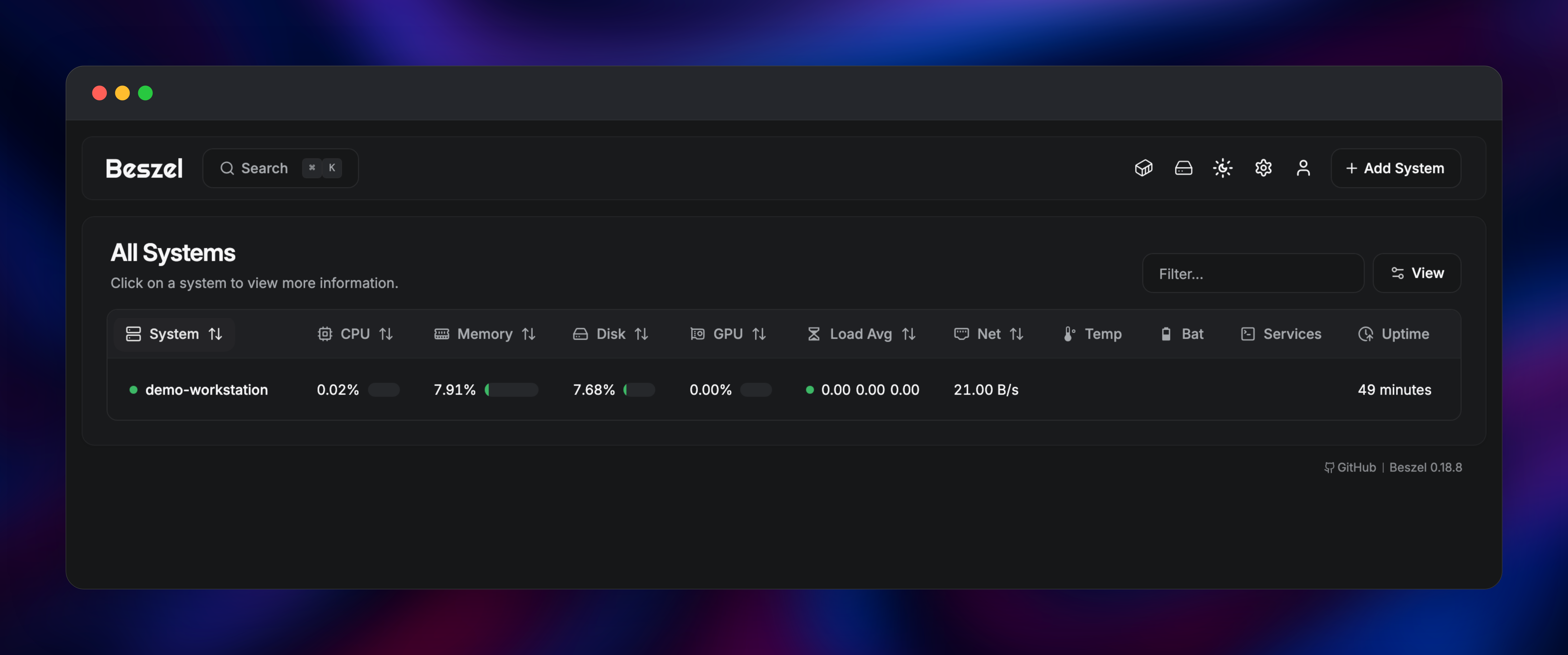
You land on All Systems, an empty table waiting for its first machine.
Click Add System, name it, and copy either the generated docker-compose.yml from the
Docker tab or the one-line installer from the Binary tab; both carry the hub URL, the
registration token and the hub's public key filled in. Run it on the server you want to
watch and within a minute the row turns green and starts drawing charts.
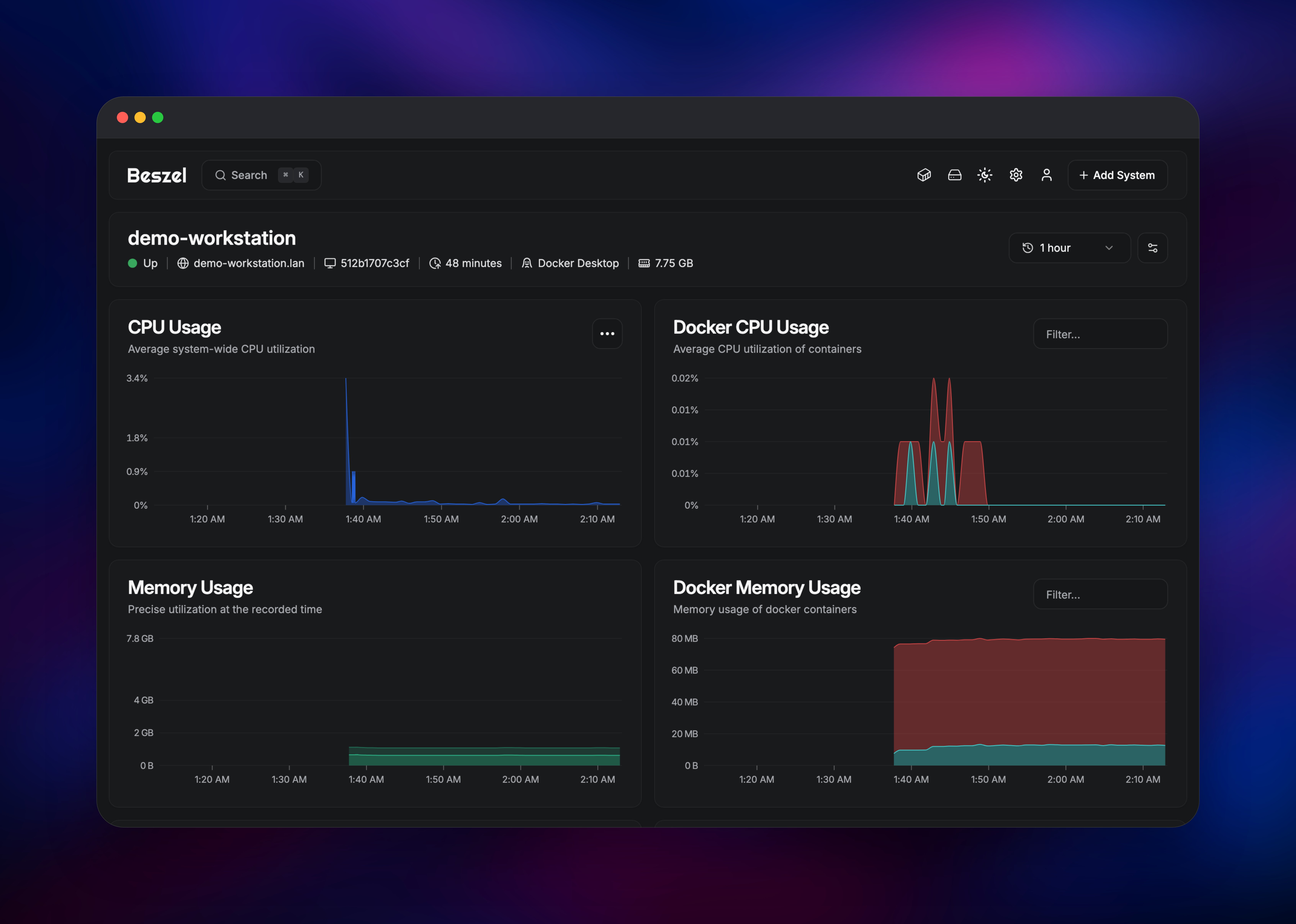
Click the system name for CPU, memory, disk I/O, network and Docker container history over
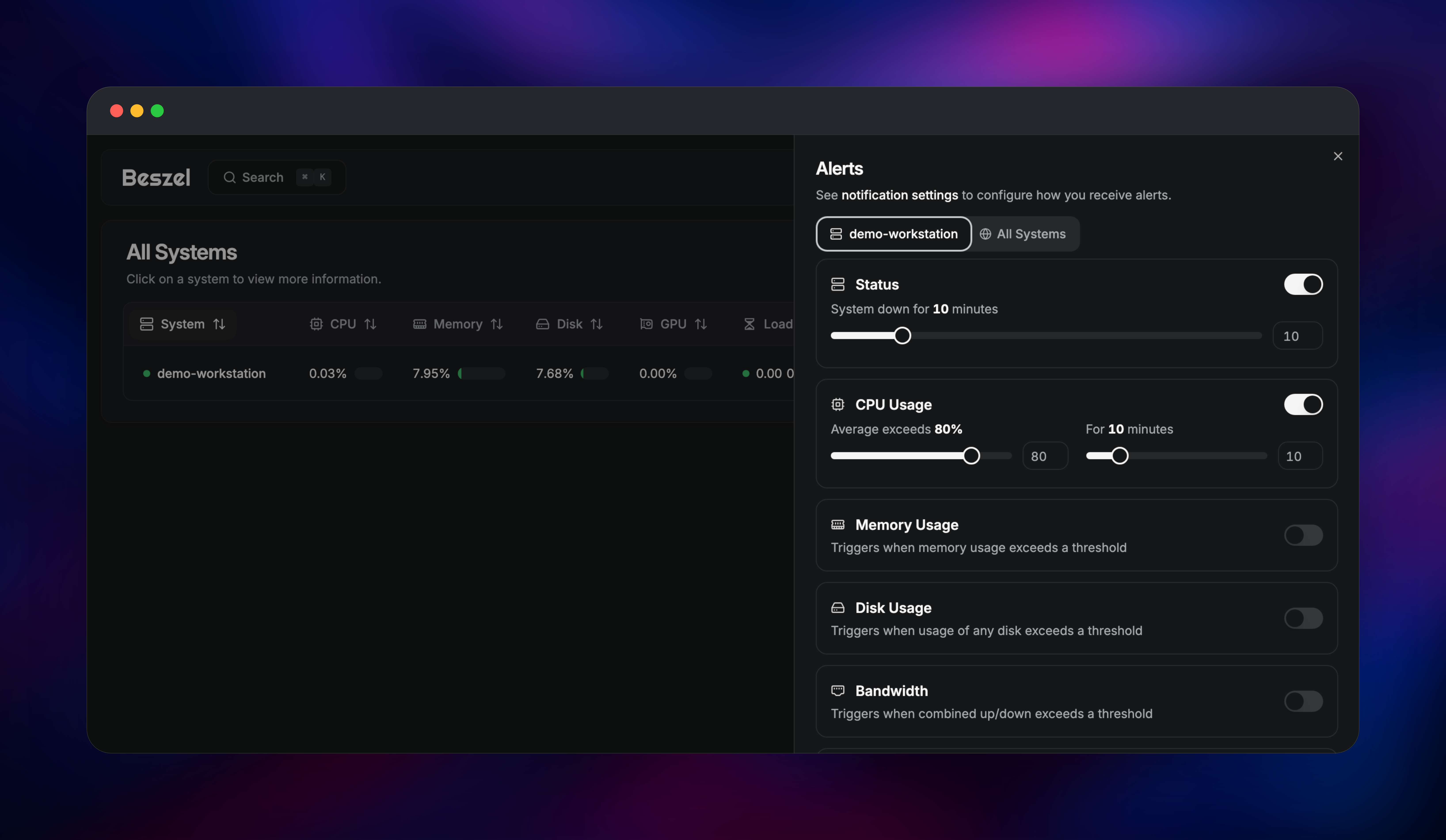
the last hour, day, week or month. Use the bell icon on any row to set alerts — status
changes, or CPU above 80% for ten minutes — and add a Discord, Slack, Gotify or ntfy
webhook under notification settings so they reach you.
About Hosting Beszel
Beszel splits cleanly in two. The hub is a single Go binary with an embedded PocketBase database and a compiled-in React dashboard; it owns users, history, alert rules and agent connections. The agent is a second small binary that reads the machine it runs on and streams samples back. Because the hub keeps everything in one SQLite file on a volume, there is no separate database, cache or worker tier — which is why it stays cheap. Self-host it when you want per-machine history you own, across servers in different places: a VPS, a NAS at home, a build box under a desk.
Key features:
- Historical charts for CPU, memory, disk, network, load average, temperature, fan speed, GPU (Nvidia, AMD, Intel), battery and S.M.A.R.T. disk health
- Per-container Docker and Podman statistics, including logs and inspect output
- Threshold and status alerts by email or webhook
- Multi-user accounts with per-system sharing, plus OAuth2 and OIDC providers
- Systemd service monitoring, and systems declared in
config.yml
Why Deploy Beszel on Railway
Railway removes the parts of hosting a monitoring hub that are not monitoring.
- HTTPS and a public domain provisioned automatically, certificates renewed
- A persistent volume, so history and the hub's signing key survive redeploys
- Managed object storage for off-box backups, wired in already
- One service, one replica — no orchestration to design
- Redeploys pull the current upstream release, leaving your data alone
Common Use Cases
- Fleet health for a small hosting setup — watch a handful of VPS boxes from one dashboard and hear about a disk crossing 90% before customers do.
- Homelab and NAS monitoring — track temperature, fan speed and S.M.A.R.T. status on hardware with no vendor dashboard worth using.
- Docker host visibility — see which container on a crowded box is eating memory, with
history rather than a point-in-time
docker stats. - Post-incident review — walk back through a week of load average and network throughput to see what changed before an outage.
Dependencies for Beszel
- Beszel hub —
henrygd/beszel(currently 0.18.8), built fromgridalpha/beszel-railway. Serves the dashboard, REST API and agent WebSocket endpoint on port 8090. - Volume at
/beszel_data— the PocketBase database and the hub's ed25519 key. Without it every redeploy starts from an empty dashboard. - Object storage bucket — receives scheduled backups. Leave the
S3_*variables unset to skip it.
Environment Variables Reference
| Variable | Purpose |
|---|---|
USER_EMAIL | Email for the first account, created on first boot |
USER_PASSWORD | Password for that account; change it in the UI later |
APP_URL | Public URL used in alert links |
PORT | Hub listening port, 8090 |
BACKUP_CRON | Backup schedule, default 0 4 * * * |
BACKUP_KEEP | Backups retained, default 7 |
MFA_OTP | Set true to require one-time codes at sign-in |
SHARE_ALL_SYSTEMS | Set true to let every user see every system |
Deployment Dependencies
- Source repository:
- Upstream project: , documentation at
- Images:
henrygd/beszel(hub),henrygd/beszel-agent(agent)
Hardware Requirements for Self-Hosting Beszel
| Resource | Minimum | Recommended |
|---|---|---|
| CPU | 0.25 vCPU | 0.5 vCPU |
| RAM | 128 MB | 512 MB |
| Storage | 1 GB volume | 5 GB volume |
| Runtime | Linux container, port 8090 | Same, with a persistent volume |
Storage grows slowly: the hub rolls one-minute records into ten-minute, hourly and daily averages.
Self-Hosting Beszel with Docker
To run the hub outside Railway, this Compose file is the whole of it:
services:
  beszel:
    image: henrygd/beszel:latest
    restart: unless-stopped
    ports:
      - "8090:8090"
    volumes:
      - ./beszel_data:/beszel_data
    environment:
      APP_URL: https://beszel.example.com
      USER_EMAIL: you@example.com
      USER_PASSWORD: change-this-first
On each monitored machine, run the agent with the token and public key the Add System dialog gives you:
docker run -d --name beszel-agent --restart unless-stopped \
  --network host \
  -v /var/run/docker.sock:/var/run/docker.sock:ro \
  -e HUB_URL=https://beszel.example.com \
  -e TOKEN= \
  -e KEY="" \
  henrygd/beszel-agent:latest
Only one agent registers per machine: agents fingerprint the host, so a second container on the same box is refused.
How Much Does Beszel Cost to Self-Host?
Beszel is free and open source under the MIT licence — no paid tier, no seat count, no metered ingestion — so the only cost is the infrastructure it runs on. On Railway that is one small service plus a volume and a backup bucket, at the low end of usage-based billing. Agents run on machines you already pay for.
FAQ
What is Beszel?
An open-source server monitoring platform with a web hub and lightweight agents. It records CPU, memory, disk, network, sensor and Docker container metrics from any number of machines and alerts when a threshold is crossed.
What does this Railway template deploy?
The Beszel hub — dashboard, REST API and agent endpoint — on a public HTTPS domain, with a volume for its database and a managed bucket for scheduled backups. You install agents yourself on the machines you want to monitor.
Why does the template include a volume and an object-storage bucket?
Beszel stores users, alert rules, history and the key that authenticates agents in one embedded database file. The volume keeps that file across redeploys; the bucket holds nightly copies off the box.
How do I add a server to a self-hosted Beszel hub?
Sign in, click Add System, and copy the generated Docker Compose file or binary installer. Both include the hub URL, a registration token and the hub's public key. The agent connects outward, so no inbound firewall rule is needed. For a fleet, enable a universal token and agents self-register.
Can I run the Beszel agent on Railway too?
Not usefully. The agent measures the whole machine it runs on, and inside a container that reads the shared host rather than the container's own limits, so the numbers describe nothing you own. Agents belong on the servers you are monitoring.
How do I send Beszel alerts to Slack or Discord instead of email?
Beszel uses Shoutrrr URLs. Under notification settings add a webhook for Discord, Slack, ntfy, Gotify or a generic HTTP endpoint, then enable the alerts you want per system. Email works once SMTP is configured.
Template Content
beszel
gridalpha/beszel-railwaybeszel-backups
Bucket