
Deploy Bifrost
Self-host Bifrost, the Go AI gateway for 20+ model providers
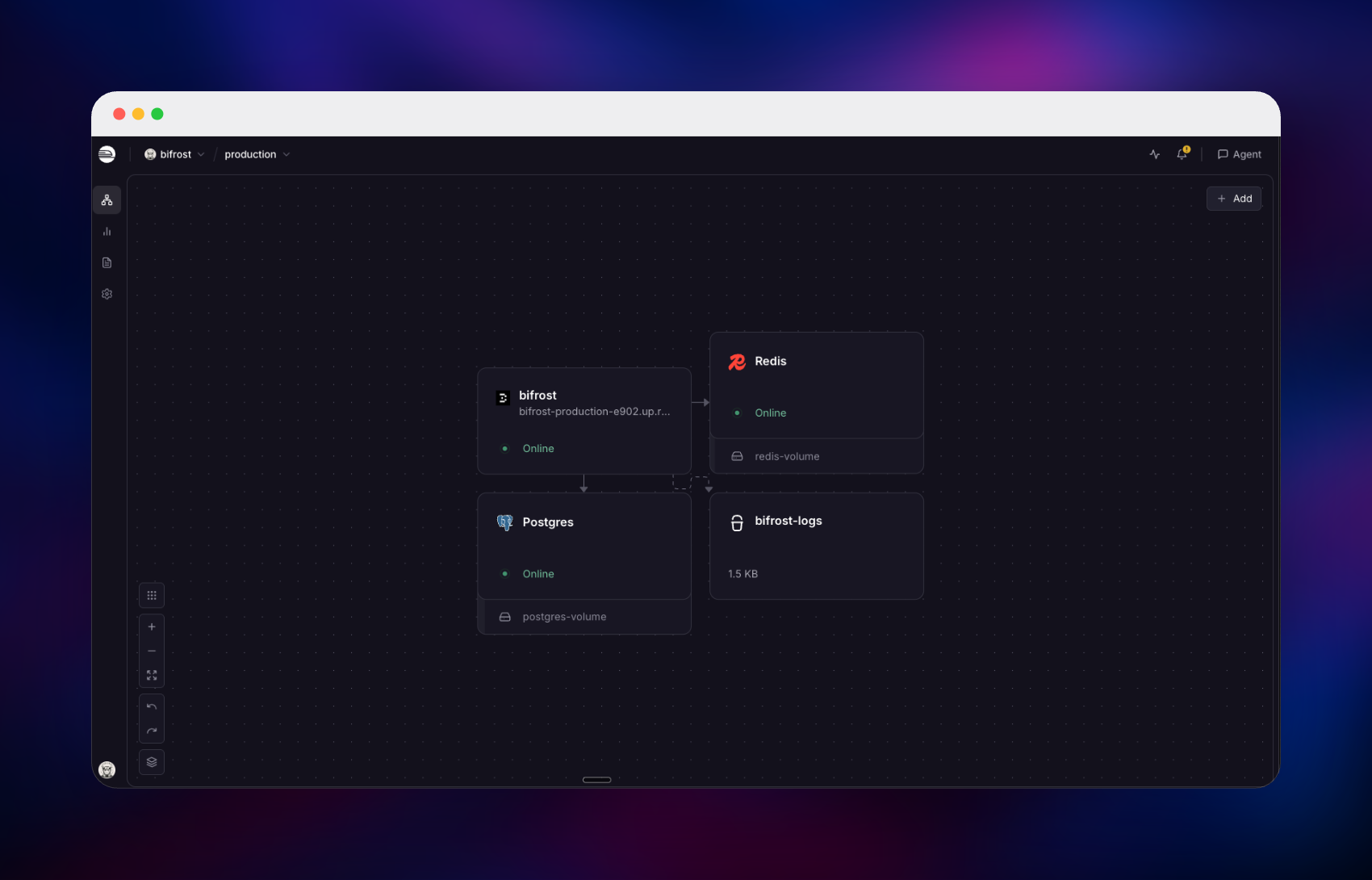
bifrost
Just deployed

Just deployed
/var/lib/postgresql/data

Redis
Just deployed
/data
bifrost-logs
Bucket
Just deployed
Deploy and Host Bifrost on Railway
Bifrost is an open-source AI gateway written in Go that puts more than twenty model providers — OpenAI, Anthropic, AWS Bedrock, Google Vertex, Groq, Mistral, Ollama and others — behind a single OpenAI-compatible API. Teams reach for it when calling models directly stops scaling: every application grows its own copy of key handling, retries and cost tracking, and nobody can say which team spent what. Bifrost centralises all of it — virtual keys with budgets and rate limits, automatic failover, semantic caching, cost logging, and an MCP gateway so models can call real tools. Being a compiled binary rather than a Python proxy, it adds microseconds of overhead, not milliseconds.
Self-host Bifrost on Railway and its production pieces arrive wired together. The bifrost service runs the gateway, dashboard and management API. PostgreSQL holds both of its stores — configuration and request logs — Redis backs the semantic cache, and an object storage bucket takes bulky payloads off the database. Only the gateway gets a public domain, and it is password-protected from the first request.
Getting Started with Bifrost on Railway
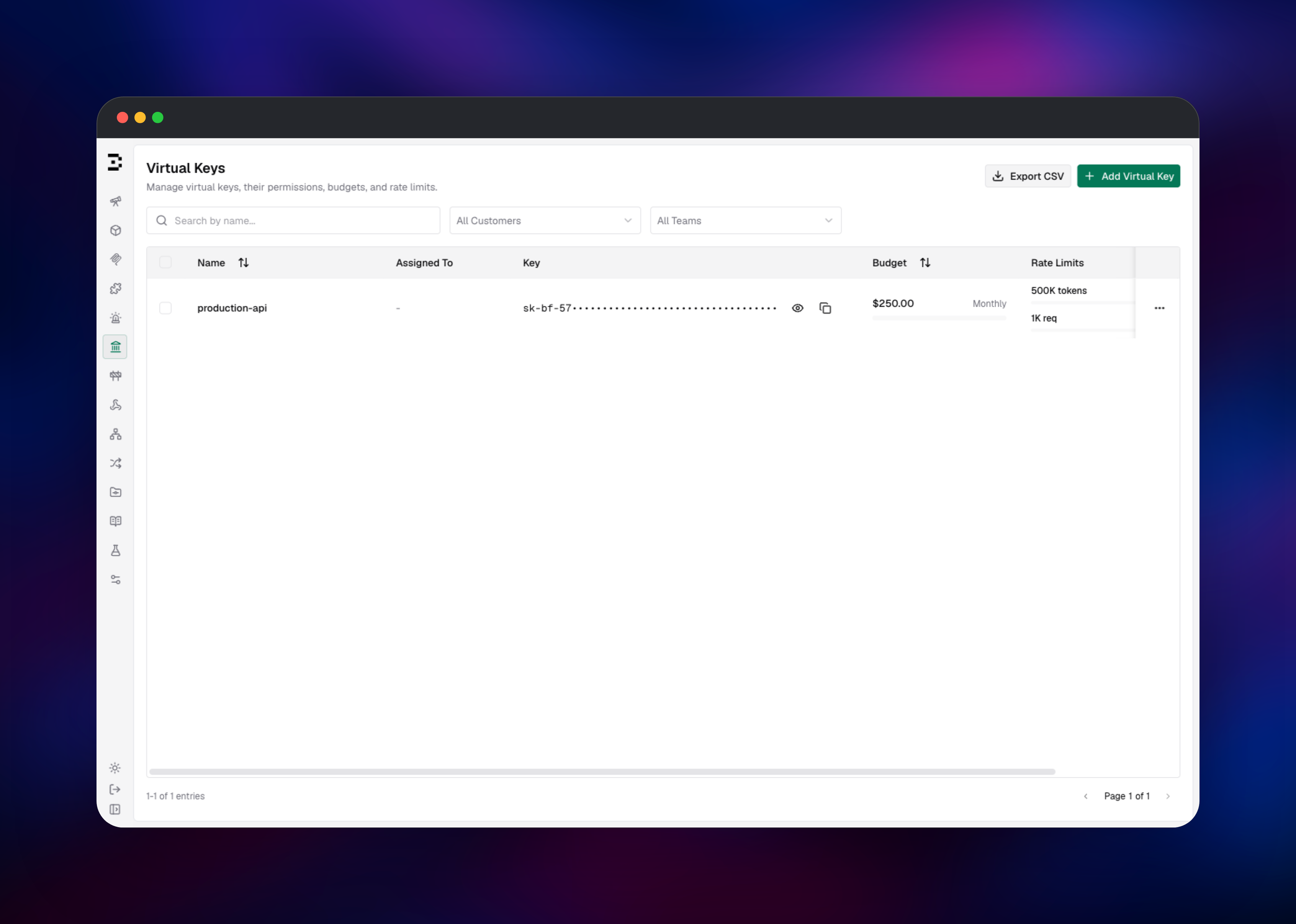
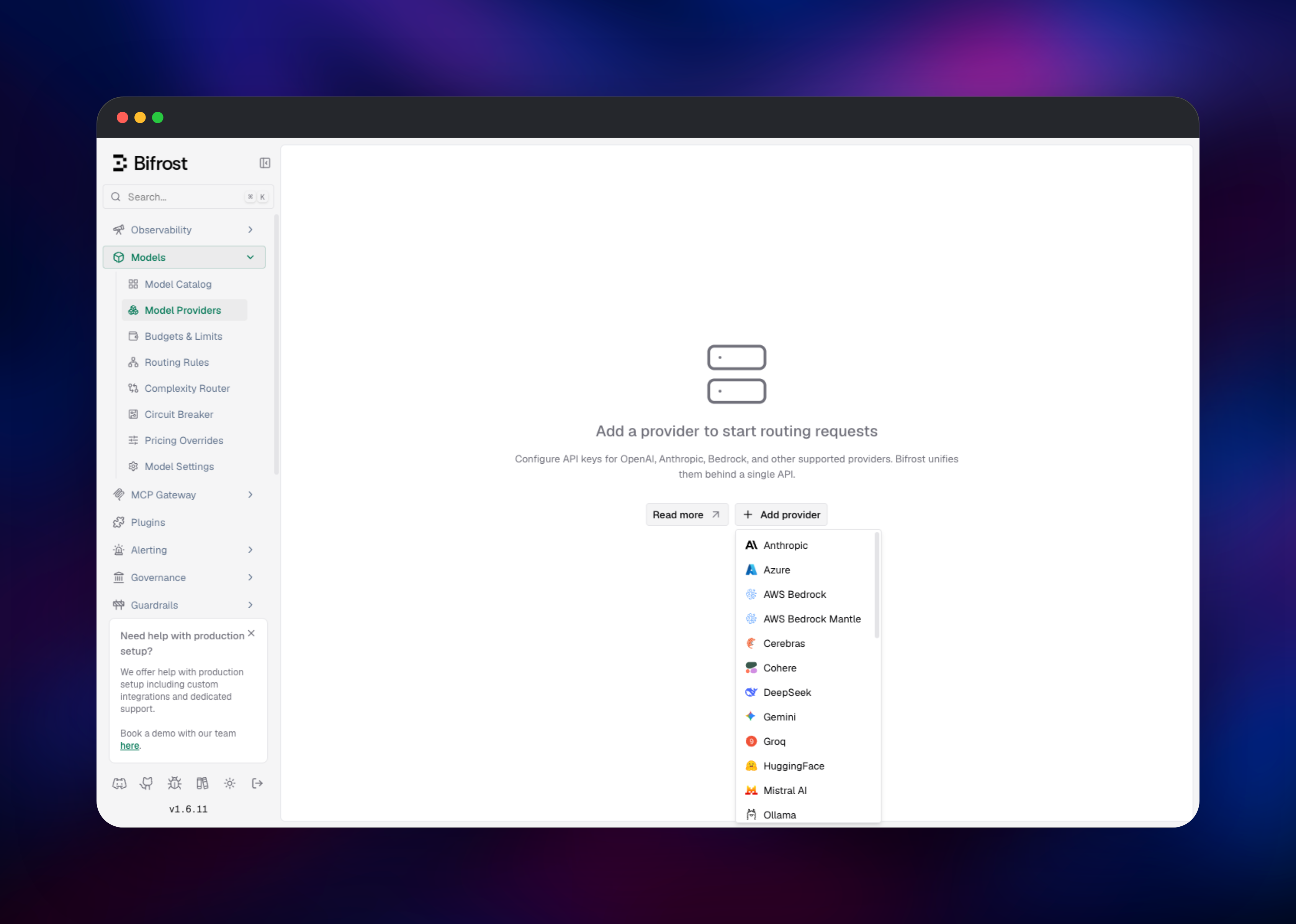
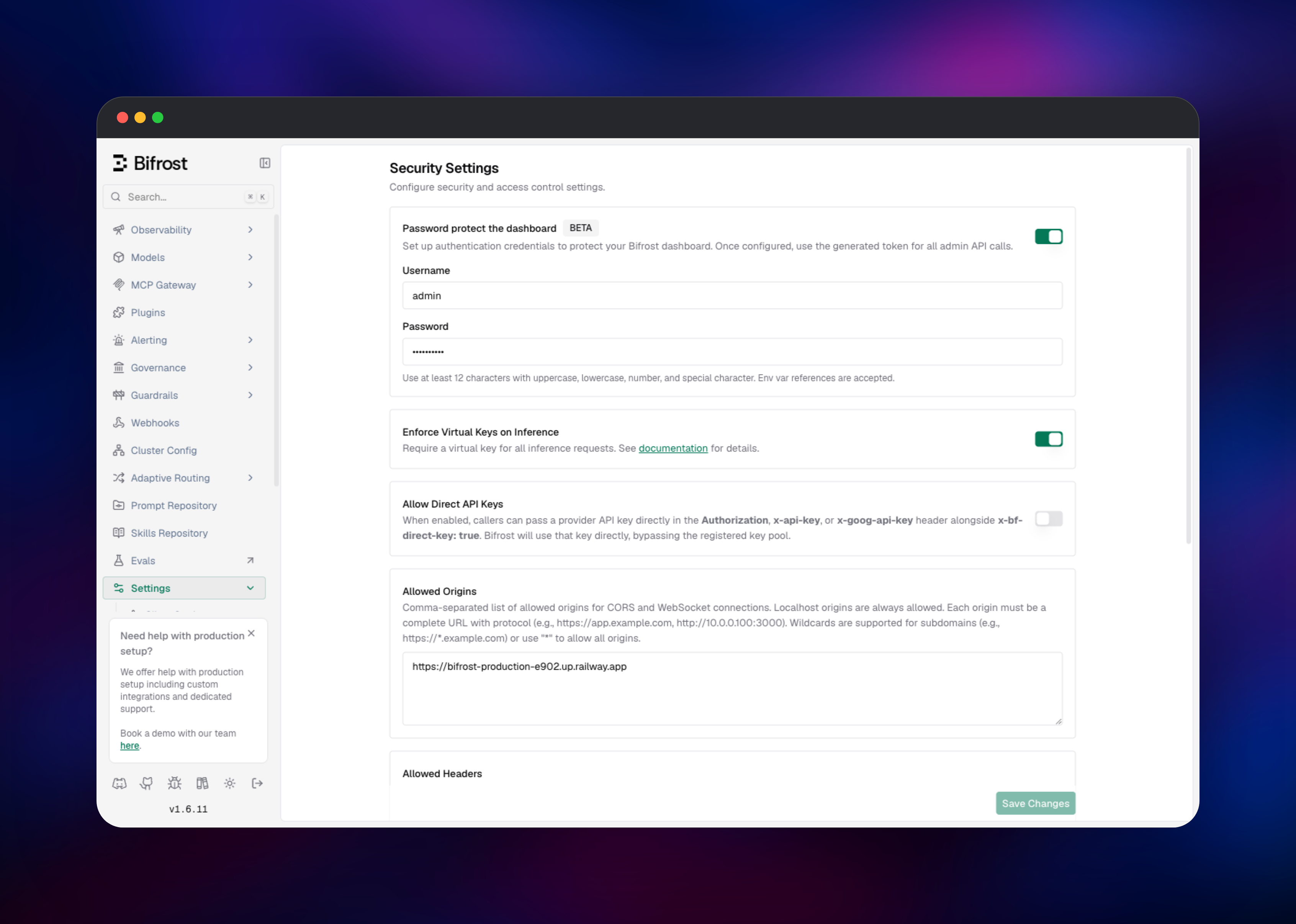
Choose an admin username and password at deploy time; they protect the dashboard from the moment the container starts. Open the public URL and you get a sign-in page — no default credentials to change, since the account is created from what you entered. Once inside, go to Model Providers and add a key for a provider you already use; the picker covers Anthropic, Bedrock, Azure, Cohere, Gemini, Groq, Mistral and Ollama, and each can hold several keys to load-balance across. Then open Governance → Virtual Keys and issue a key with a monthly budget and an hourly ceiling — that is the credential your code sends, not your provider key, which is what makes a leak survivable. Point any OpenAI SDK at https://your-domain/v1, send the virtual key in the x-bf-vk header, and name the model as provider/model, such as openai/gpt-4o-mini. Within seconds the call appears under Observability → LLM Logs with its latency, tokens and cost.
About Hosting Bifrost
A gateway sits on the request path of everything your product does with models, so where it runs matters. Self-hosting keeps prompts, completions and provider keys inside infrastructure you control.
- One API for every provider. OpenAI-compatible requests plus native Anthropic, Bedrock, Gemini and Cohere formats, with failover across keys.
- Governance that binds. Virtual keys scope which providers and models a caller may use, with dollar budgets and request or token limits, attachable to teams.
- Observability built in. Every request logged with latency, tokens and cost; Prometheus metrics on
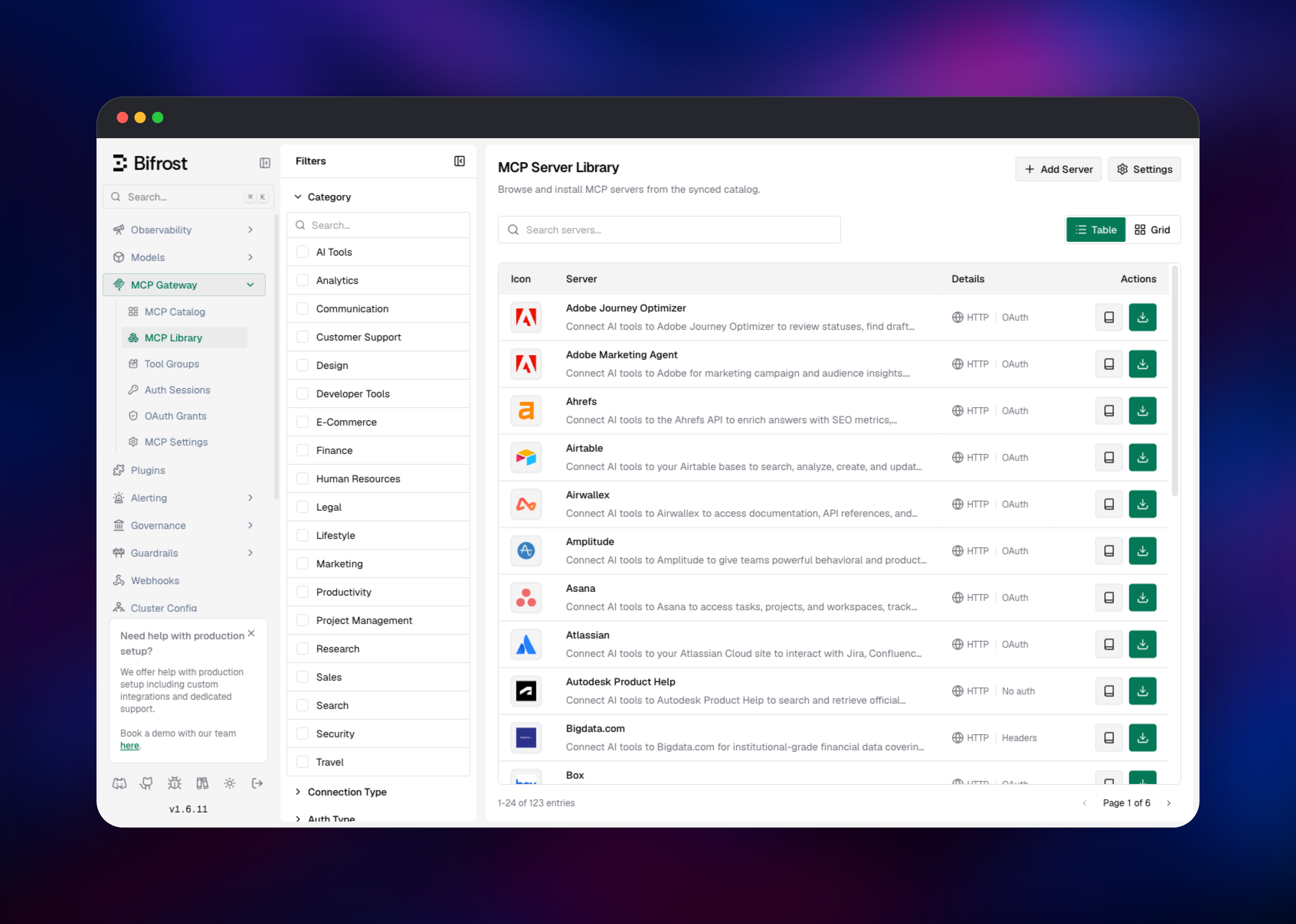
/metrics; connectors for OpenTelemetry, BigQuery and Kafka. - Semantic caching and an MCP gateway. Near-identical prompts return from cache, and MCP servers connect once to serve tools to any model.
The gateway is stateless, which is why PostgreSQL carries both the configuration it reads at boot and the logs it writes continuously. Redis holds cache vectors, not sessions, so a restart costs only cache warmth.
Why Deploy Bifrost on Railway
Railway removes the operational work around the gateway:
- PostgreSQL, Redis and object storage are provisioned and connected for you.
- TLS, a public domain and health checks are configured out of the box.
- The database and cache stay on the private network, unreachable from the internet.
- Pushing to the source repository redeploys automatically.
- Scaling is a slider, and the Go runtime sizes its heap to the container.
Common Use Cases
- A company-wide LLM endpoint where each team gets a virtual key with its own budget, making cost attribution a query rather than an argument.
- Provider failover for production traffic, routing elsewhere when the first provider rate-limits, without a code change.
- A tool-calling backend for AI agents, reaching Jira, GitHub or an internal server through the MCP gateway.
- Cost reduction on repetitive workloads, where caching absorbs many requests.
Dependencies for Bifrost
- Bifrost gateway — the official
maximhq/bifrostimage, serving the API, dashboard and management API on port 8080. - PostgreSQL 16 or later — configuration and request log stores. Bifrost refuses to start against an older major, and its database must be UTF8.
- Redis 8 — vector store for semantic caching; Redis 8 ships the search module Bifrost needs.
- Object storage bucket — S3-compatible storage for log payloads.
Environment Variables Reference
| Variable | Purpose |
|---|---|
BIFROST_ADMIN_USERNAME | Dashboard and management API username |
BIFROST_ADMIN_PASSWORD | Dashboard and management API password |
BIFROST_SETUP_TOKEN | Bootstrap secret for the first admin account |
BIFROST_ENCRYPTION_KEY | Encrypts stored provider keys; keep it stable |
BIFROST_EXTERNAL_URL | Public base URL, used as the MCP OAuth callback |
BIFROST_ALLOWED_ORIGINS | CORS origins; defaults to this deployment's URL |
PG_SSL_MODE | PostgreSQL TLS mode, require by default |
Deployment Dependencies
- Source repository: gridalpha/bifrost-railway
- Upstream project and image: maximhq/bifrost on GitHub and Docker Hub
- Documentation: docs.getbifrost.ai
Hardware Requirements for Self-Hosting Bifrost
| Resource | Minimum | Recommended |
|---|---|---|
| CPU | 1 vCPU | 2–4 vCPU |
| RAM | 512 MB | 2–4 GB |
| Storage | None on the gateway | 10 GB+ on PostgreSQL |
| Runtime | Linux container | Linux container |
Bifrost is a compiled binary and idles well under a gigabyte. What grows is the log store — every request writes a row — so size PostgreSQL for your traffic and cap it with log retention.
Self-Hosting Bifrost with Docker
A local trial takes one command, using the built-in SQLite stores:
docker run -p 8080:8080 -v $(pwd)/data:/app/data maximhq/bifrost
For more than that, move both stores to PostgreSQL and drop the volume. Bifrost reads config.json from its app directory; this one enables authentication and points the configuration store at Postgres:
{
  "client": { "enable_logging": true, "enforce_auth_on_inference": true },
  "governance": { "auth_config": {
    "is_enabled": true,
    "admin_username": "env.BIFROST_ADMIN_USERNAME",
    "admin_password": "env.BIFROST_ADMIN_PASSWORD"
  }},
  "config_store": { "enabled": true, "type": "postgres", "config": {
    "host": "env.PG_HOST", "port": "5432", "db_name": "bifrost",
    "user": "env.PG_USER", "password": "env.PG_PASSWORD", "ssl_mode": "require"
  }}
}
Create that database with UTF8 encoding from template0, owned by the role Bifrost connects as, so migrations run at startup.
How Much Does Bifrost Cost to Self-Host?
Bifrost is open source and free to run — no per-request fee, no seat pricing, no cap on logged requests. Maxim AI sells an enterprise build adding clustering and guardrails, but everything described here is in the open-source edition. Your only cost is infrastructure: the container, a PostgreSQL instance sized to your log retention, a small Redis and payload storage. Provider charges are unchanged, though caching reduces them.
FAQ
What is Bifrost?
An open-source AI gateway from Maxim AI that unifies twenty-plus model providers behind one OpenAI-compatible API, adding virtual keys, budgets, rate limits, semantic caching, request logging and an MCP tool gateway. Written in Go as maximhq/bifrost.
What does this Railway template deploy?
The gateway on a public domain, a PostgreSQL database holding its configuration and request logs, a Redis instance backing the semantic cache, and an object storage bucket for log payloads. Only the gateway is internet-facing.
Why does Bifrost need PostgreSQL and Redis?
The gateway keeps no state of its own. PostgreSQL stores provider configuration, virtual keys, governance rules and every logged request, so the dashboard and cost reporting survive a restart. Redis stores the vectors the semantic cache searches to decide whether a new prompt is close enough to an earlier one to reuse it.
How do I authenticate requests to a self-hosted Bifrost gateway?
Two separate gates. The dashboard and management API use the admin username and password. Inference routes under /v1/ require a virtual key in the x-bf-vk header — admin credentials deliberately do not work there, so an anonymous call returns 401 virtual_key_required.
Where do I add my OpenAI or Anthropic API keys, and can I scale out?
Add them in the dashboard under Model Providers; they are encrypted with the deployment's encryption key before being written to PostgreSQL, so keep that value stable or stored keys become unreadable. Run one replica: the open-source edition has no clustering, so budget counters are per process and a second replica would allow the full budget twice.
Template Content


