
Deploy Blinko
AI note app for quick capture, markdown notes and todos

Just deployed
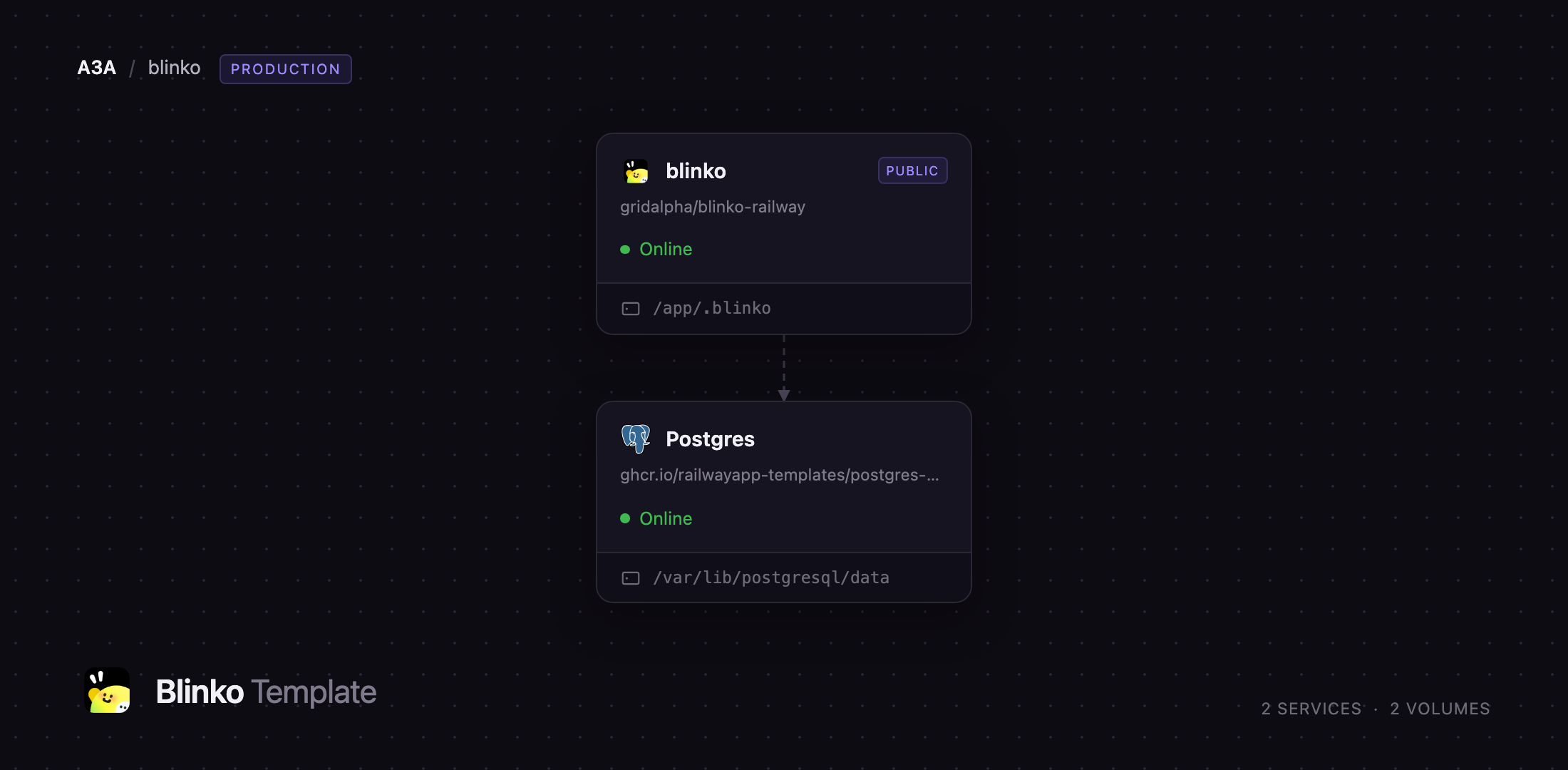
/var/lib/postgresql/data
blinko
Just deployed
/app/.blinko
Deploy and Host Blinko on Railway
Blinko is an open-source, self-hosted note tool built on one idea: capture first, organise later. A thought typed into a single box lands as a timestamped card, and tags, markdown and todo checkboxes turn it into something durable when you are ready. It also indexes everything into a vector store, so a question asked in plain language returns the notes that answer it. People reach for it when Notion feels heavy, Obsidian's folder discipline gets in the way, and a hosted service is not where they want private notes.
Self-host Blinko on Railway and this template wires it together. Two services deploy: blinko, the Node application serving the web UI, the REST API and its background jobs, and Postgres, Railway's managed database holding every note, tag, attachment and scheduled job. A volume at /app/.blinko keeps uploads, the vector index and database dumps across redeploys. The administrator account is created at boot from a variable, so the public URL never sits open waiting for whoever finds it first.
Getting Started with Blinko on Railway
Set BLINKO_ADMIN_PASSWORD before you deploy; BLINKO_ADMIN_USERNAME defaults to admin. When the deployment goes green, open the generated URL. You land on a sign-in page rather than a sign-up form, because the account already exists and Blinko closes registration once one account is present.
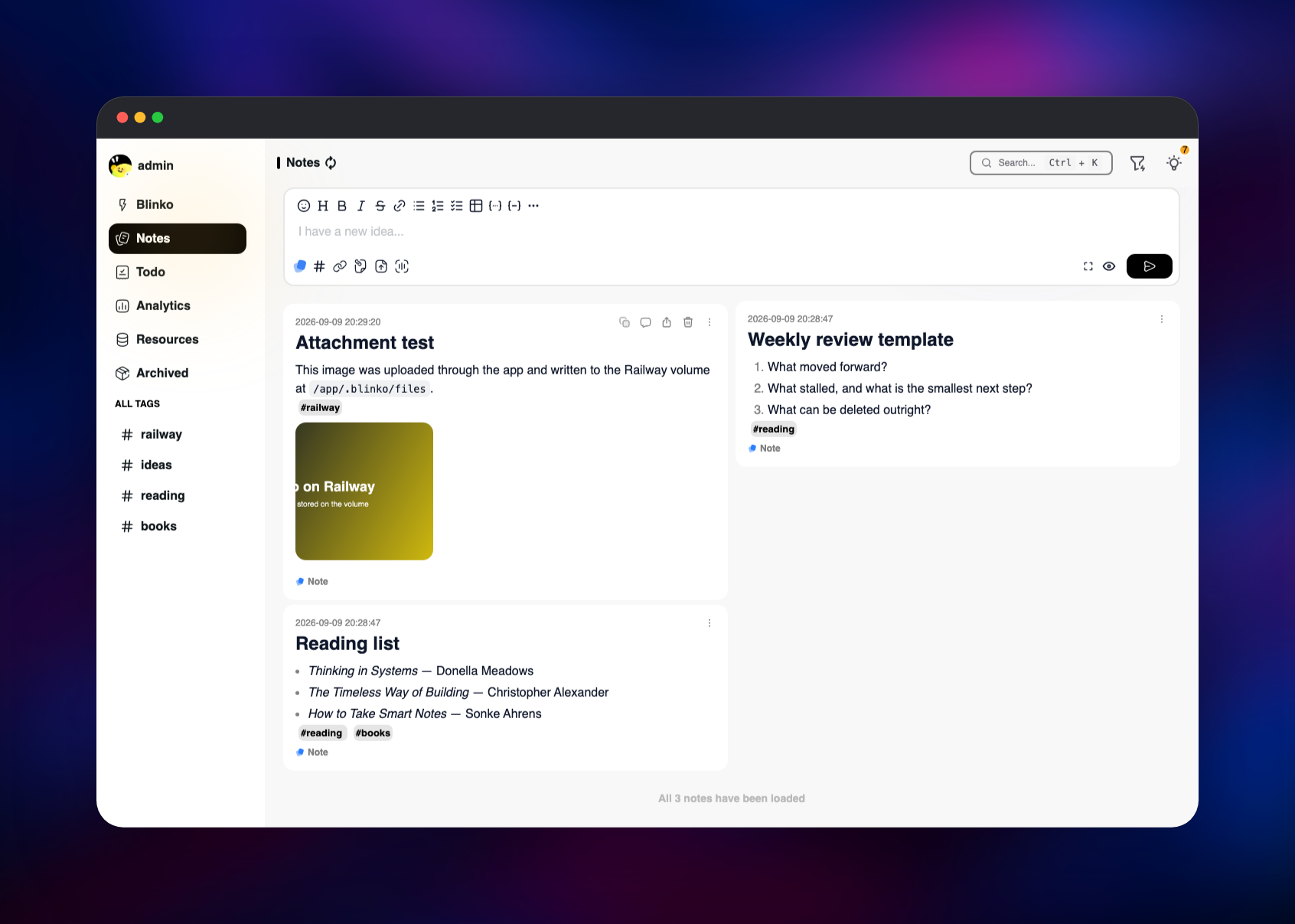
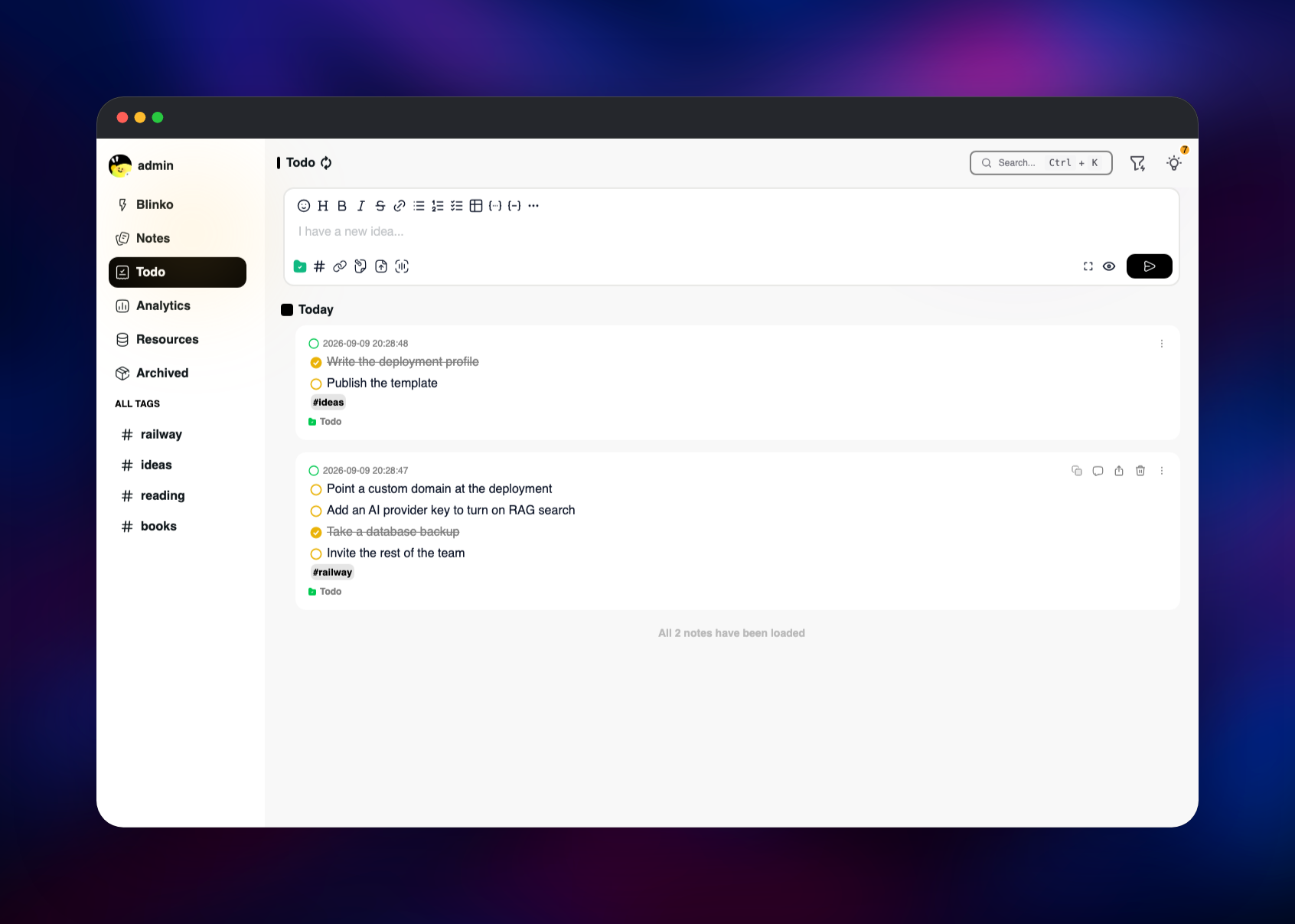
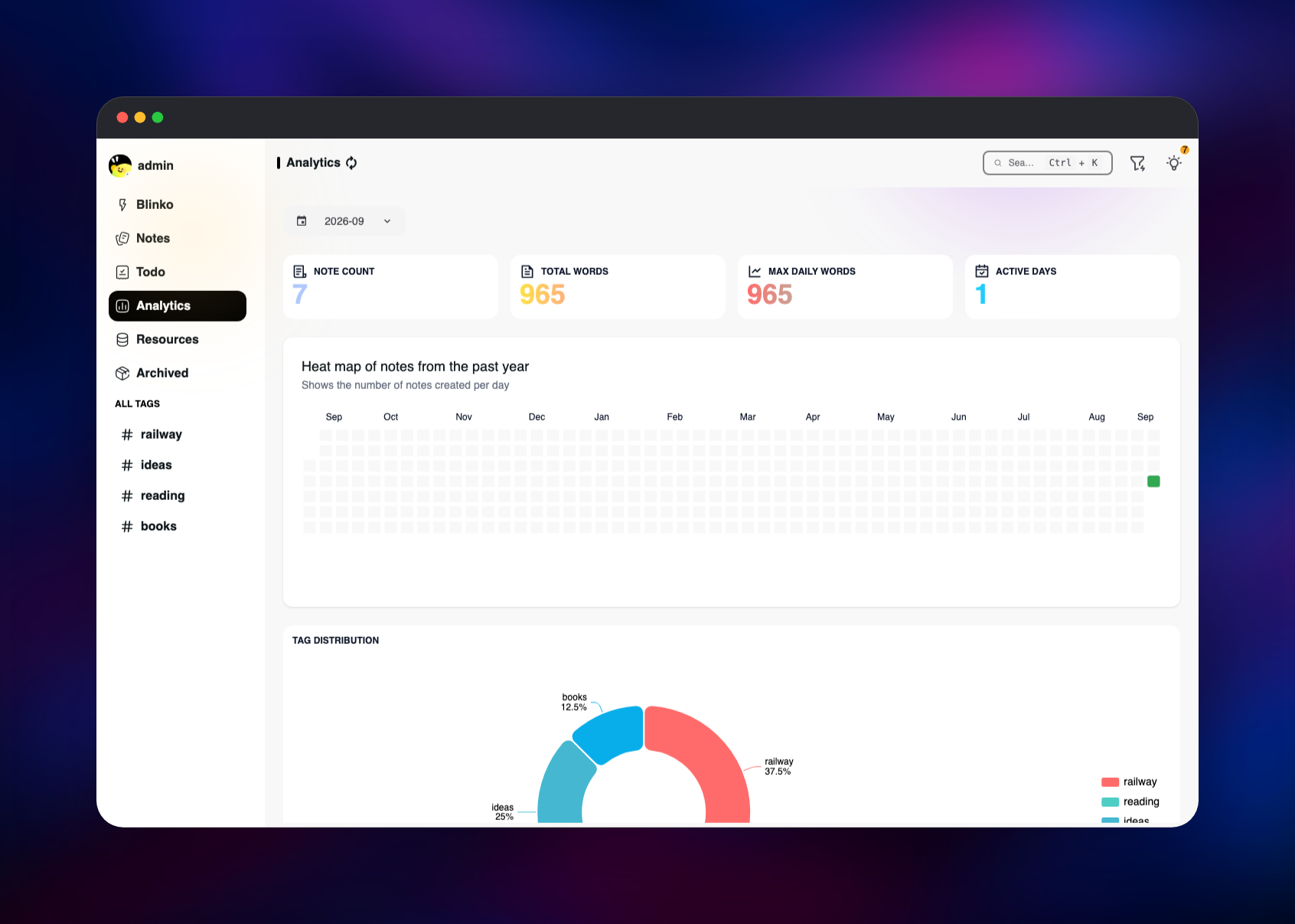
The first screen is the Blinko view, a capture box above a timeline. Type a sentence, add a #tag inline, press send. Notes holds longer markdown documents; Todo holds tickable checklists. Drag a file onto the editor to attach it — that upload goes to the volume, which is how you confirm persistence works. Analytics shows note counts, a year heat map and tag distribution.
To turn on AI search, add a provider and key under Settings → AI. Blinko then embeds your notes and the search box answers questions rather than matching strings. Everything else works without it.
About Hosting Blinko
Blinko splits writing into three shapes so one tool covers the range: a Blinko is a fleeting thought, a Note a considered markdown document, a Todo a checklist. They share one timeline, one tag namespace and one search index, so a scratch idea is promoted without moving anywhere.
Key features:
- Markdown editor with tables, code blocks, checklists and inline tag autocomplete
- Retrieval-augmented search over your notes, using any OpenAI-compatible provider
- Attachments on disk or in S3-compatible object storage
- Tag hierarchy, archive, recycle bin, daily review and note-to-note references
- REST API with an OpenAPI document, and an MCP endpoint for AI clients
- Share links, plugins, and desktop and mobile builds that sync to your server
The Railway architecture is deliberately small. The blinko service is one Node process serving the compiled front end, the API and its own scheduler. That scheduler is pg-boss, whose queue lives in the same Postgres database, so archiving, backups and embedding rebuilds need no separate worker and no Redis. The volume holds what Postgres does not: uploads, the libSQL vector index, database dumps and plugins.
Why Deploy Blinko on Railway
Railway removes the parts of self-hosting that are not the app:
- Managed Postgres provisioned and connected, with backups and a data browser
- Persistent volume attached, so uploads and the vector index survive redeploys
- HTTPS domain issued automatically, custom domains a DNS record away
- An admin account seeded at boot instead of a race to register first
- Usage-based pricing, so an idle notes server costs very little
Common Use Cases for Self-Hosted Blinko
- A personal knowledge base you write in. Quick capture on mobile, promoted into structured notes when you sit down.
- A private research log. Clip findings, tag by project, then ask AI search what you concluded months ago.
- A programmable notes backend. The REST API and MCP endpoint let scripts and AI assistants file notes for you, and share links publish single notes outside the team.
Dependencies for Blinko
- Blinko — gridalpha/blinko-railway, a thin layer over the official
blinkospace/blinko:latestimage that seeds the administrator and retries the migration while Postgres is still starting. - PostgreSQL 18 — Railway's managed
postgres-sslimage, holding notes, tags, attachments, accounts, settings and the pg-boss queue.
Environment Variables Reference
| Variable | Required | Description |
|---|---|---|
DATABASE_URL | Yes | Managed Postgres connection string, with a connection limit so Prisma does not exhaust the pool. |
BLINKO_ADMIN_PASSWORD | Yes | Password for the administrator account, read only while no account exists. |
BLINKO_ADMIN_USERNAME | No | Username for that account, default admin. |
PORT | No | Blinko always listens on 1111; this only selects the health-checked port. |
JWT_SECRET | No | Leave unset; Blinko generates a signing key and keeps it in its settings table. |
Deployment Dependencies
- Source: blinko-space/blinko
- Image:
blinkospace/blinko - Docs: blinko-space.github.io/blinko-doc
- Runtime: Node.js 20 on Alpine, with Prisma and pg-boss
Hardware Requirements for Self-Hosting Blinko
| Resource | Minimum | Recommended |
|---|---|---|
| CPU | 1 vCPU | 2 vCPU |
| RAM | 1 GB | 2 GB |
| Storage | 1 GB volume | 5 GB volume |
| Database | PostgreSQL 14+ | PostgreSQL 16+ |
The Node process is modest at rest. Memory rises while the vector index rebuilds or a large attachment is processed, so 2 GB suits a server several people write to. Storage is driven almost entirely by attachments, so size the volume from those.
Self-Hosting Blinko
The published image needs PostgreSQL and a writable data directory. A minimal Compose file:
services:
  blinko:
    image: blinkospace/blinko:latest
    ports: ["1111:1111"]
    environment:
      DATABASE_URL: postgresql://postgres:changeme@postgres:5432/postgres
    volumes: ["blinko-data:/app/.blinko"]
    depends_on: [postgres]
  postgres:
    image: postgres:16
    environment: { POSTGRES_PASSWORD: changeme }
    volumes: ["blinko-db:/var/lib/postgresql/data"]
volumes: { blinko-data: , blinko-db: }
To build from source instead, clone the repository and use Bun:
git clone https://github.com/blinko-space/blinko.git
cd blinko && bun install
cp .env.tmpl .env    # point DATABASE_URL at your database
bunx prisma migrate deploy && bun run build:web
node dist/index.js
Either way, the first person to open the site becomes the administrator and registration then closes, so never leave a fresh instance reachable before you have signed in. This template removes that step by creating the account at startup.
How Much Does Blinko Cost to Self-Host?
Blinko is free and open source under GPL-3.0, with no paid tier, seat limits or feature gates; every capability including AI search is in the public repository. On Railway you pay only for the compute, database and volume used, a few dollars a month for a personal instance. The one cost outside Railway is optional: AI search bills to whichever model provider you configure.
FAQ
What is Blinko? An open-source, self-hosted note-taking application combining quick capture, markdown notes and todo lists in one timeline, with AI-powered search across everything you have written.
What does this Railway template deploy? Two services: the Blinko application with a persistent volume for uploads and its vector index, and a managed PostgreSQL database. They are connected, an HTTPS domain is issued, and an administrator account is created during the first boot.
Why does the template include a PostgreSQL database? Blinko stores every note, tag, account and setting in Postgres, and runs its scheduled jobs there through pg-boss. Without it the application has nowhere to write and will not start.
Do I need an OpenAI API key to use self-hosted Blinko? No. Writing, tagging, keyword search, attachments and todos all work without one. Adding a provider in Settings enables retrieval-augmented search and AI tagging; any OpenAI-compatible endpoint, a local model server included, will do.
How do I log in the first time, and can other people sign up?
Sign in with the values you set in BLINKO_ADMIN_USERNAME and BLINKO_ADMIN_PASSWORD. Public registration is closed once an account exists; to let others in, enable registration in Settings or create their accounts from the admin user list.
Where are uploaded files stored, and do they survive a redeploy?
On the volume at /app/.blinko, which persists across deployments and restarts. To use object storage instead, switch on Blinko's S3-compatible mode in Settings.
How do I call the Blinko API from a script? Copy your account's API token from Settings and send it as a bearer token. The deployment serves its own OpenAPI document, and the same token authenticates the MCP endpoint.
Template Content


