
Deploy Bookmark Manager
Self-hosted bookmarking, reading, and web archiving platform
Linkwarden
Just deployed

Just deployed
/var/lib/postgresql/data
Meilisearch
Just deployed
/meili_data
Deploy and Host Bookmark Manager on Railway
Bookmark Manager is a self-hosted application for saving, organizing, and preserving web content in one place. It helps individuals and teams build searchable collections of bookmarks while archiving webpages with screenshots, PDFs, and readable text. With collaboration features, tagging, and powerful search, it provides a reliable knowledge base that remains accessible even when original webpages change or disappear.
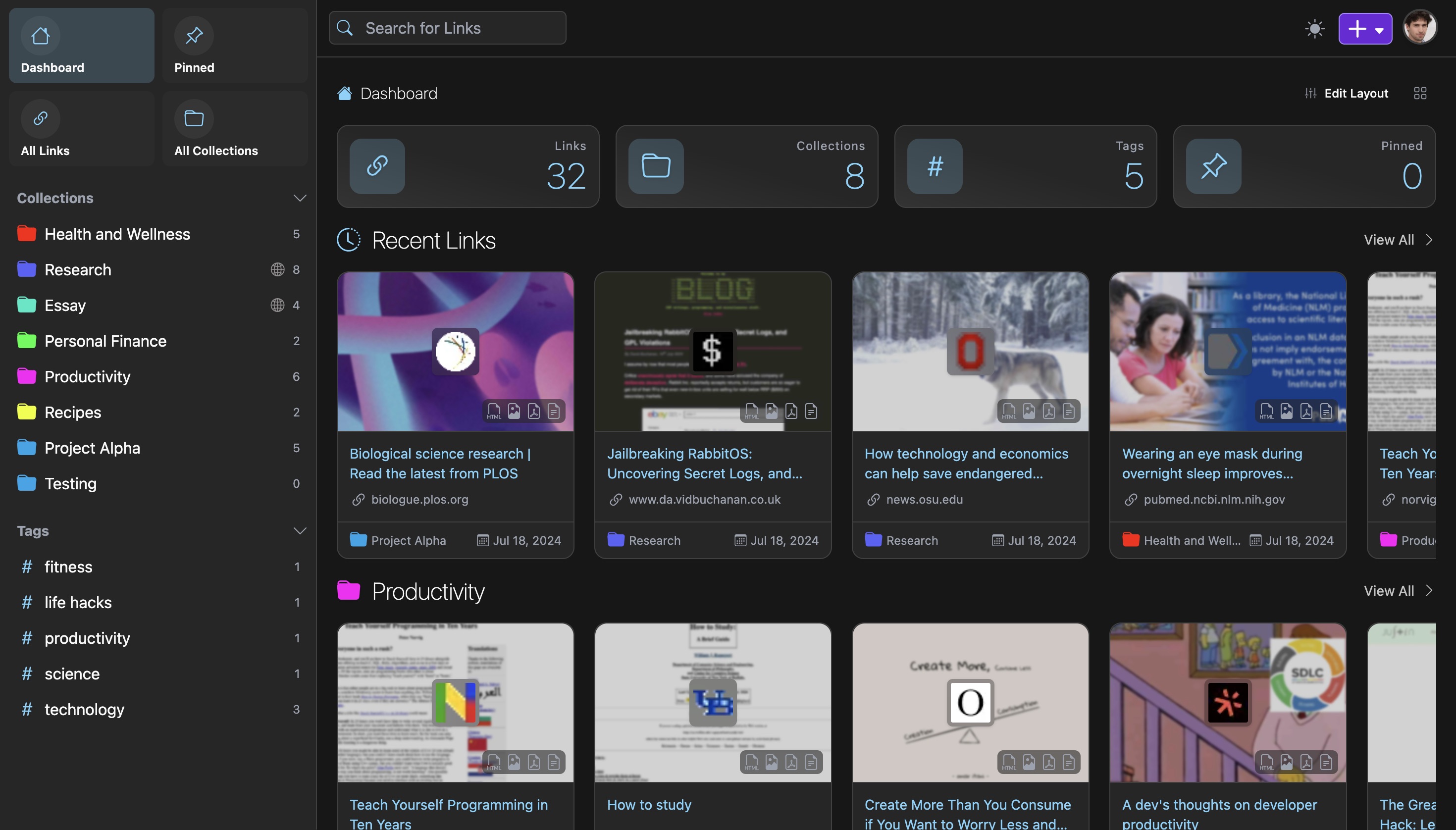
About Hosting Bookmark Manager
Hosting Bookmark Manager on Railway provides a fully managed environment for running the application alongside its required services. Railway deploys the application, provisions networking, and automatically provides HTTPS for secure access. This template includes a PostgreSQL database for persistent application data and Meilisearch for fast full-text search across archived content. Archived webpages, screenshots, and PDFs require persistent storage, which Railway Volumes provide. Internal service networking securely connects the application to PostgreSQL and Meilisearch without additional configuration. As your bookmark library grows, Railway makes it easy to scale compute resources and storage while reducing operational overhead.
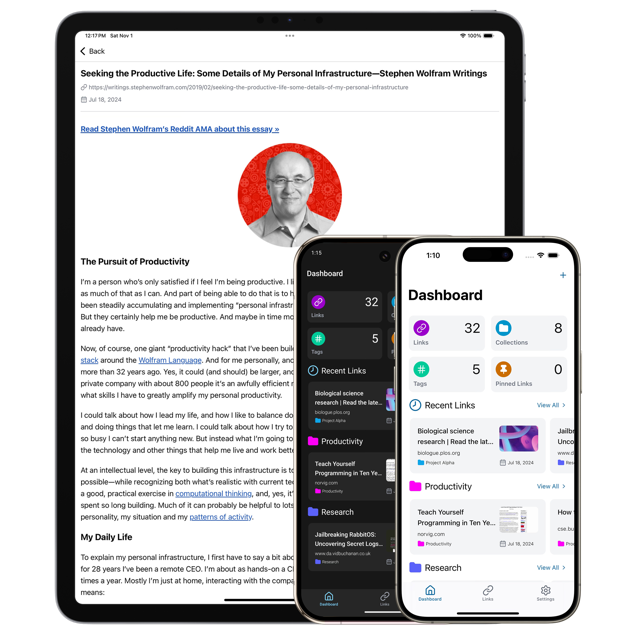
Common Use Cases
- Personal web archiving for preserving articles, tutorials, and online resources.
- Team knowledge bases with shared collections for documentation, research, and project references.
- Research and content curation with searchable archives, annotations, and organized bookmark collections.
Dependencies for Bookmark Manager Hosting
| Dependency | Purpose |
|---|---|
| PostgreSQL | Stores users, collections, bookmarks, and application data. |
| Meilisearch | Provides fast full-text search across archived content. |
| Railway Volume | Stores archived webpages, screenshots, and PDF captures persistently. |
Deployment Dependencies
| Resource | Link |
|---|---|
| Official Documentation | https://docs.linkwarden.app |
| GitHub Repository | https://github.com/linkwarden/linkwarden |
| Container Image | https://github.com/linkwarden/linkwarden/pkgs/container/linkwarden |
Implementation Details
Docker
The application uses the official container image:
ghcr.io/linkwarden/linkwarden:latest
No custom Docker configuration is required when deploying this Railway template.
Public Networking
| Setting | Value |
|---|---|
| Proxy Type | HTTP Proxy |
| Target Port | 3000 |
Generate a Railway domain from Settings → Networking → Generate Domain to expose the application publicly.
Environment Variables
| Variable | Required | Description |
|---|---|---|
NEXTAUTH_SECRET | Yes | Secret used to sign NextAuth.js sessions. |
NEXTAUTH_URL | Yes | Public URL of your Railway deployment. |
DATABASE_URL | Yes | PostgreSQL connection string. Use the Railway PostgreSQL reference variable. |
MEILI_HOST | Yes | Internal URL of the Meilisearch service. |
MEILI_MASTER_KEY | Yes | Authentication key shared with Meilisearch. |
STORAGE_FOLDER | Yes | Directory used to store archived files. |
NEXT_PUBLIC_DISABLE_REGISTRATION | No | Set to true after initial setup to disable new account registration. |
Example:
NEXTAUTH_SECRET=your-secret
NEXTAUTH_URL=https://your-app.up.railway.app
DATABASE_URL=${{Postgres.DATABASE_URL}}
MEILI_HOST=http://meilisearch:7700
MEILI_MASTER_KEY=your-meili-key
STORAGE_FOLDER=/data/data
NEXT_PUBLIC_DISABLE_REGISTRATION=true
Generate a strong value for NEXTAUTH_SECRET. Configure NEXTAUTH_URL using your Railway-generated public domain after deployment.
Persistent Storage
Bookmark Manager requires persistent storage for archived webpages, screenshots, and PDF files.
Add a Railway Volume:
- Open the Bookmark Manager service.
- Navigate to Settings → Volumes.
- Select Add Volume.
- Mount the volume at:
/data/data
This ensures archived content persists across deployments and restarts.
Meilisearch should also use a persistent volume for its search indexes if included in the template.
Database
This template requires PostgreSQL.
- Add a Railway PostgreSQL service.
- Use the Railway reference variable for
DATABASE_URL. - The application automatically connects using the provided connection string.
Meilisearch should be deployed as a separate Railway service and configured using MEILI_HOST and MEILI_MASTER_KEY.
Build & Start
The application runs from the official Docker image.
No custom build or start commands are required.
Accessing the Application
After deployment:
- Generate a Railway public domain.
- Open the generated URL.
- Register the first user account.
- The first registered user becomes the server administrator.
- Create collections and begin saving bookmarks.
For production deployments, set:
NEXT_PUBLIC_DISABLE_REGISTRATION=true
after creating the administrator account to prevent additional public registrations.
Why Deploy Bookmark Manager on Railway?
Railway is a singular platform to deploy your infrastructure stack. Railway will host your infrastructure so you don't have to deal with configuration, while allowing you to vertically and horizontally scale it.
By deploying Bookmark Manager on Railway, you are one step closer to supporting a complete full-stack application with minimal burden. Host your servers, databases, AI agents, and more on Railway.
Template Content
Linkwarden
ghcr.io/linkwarden/linkwarden:latestMeilisearch
getmeili/meilisearch:latest
