
Deploy Bookorbit
A private library for your ebooks, audiobooks, comics and PDFs
bookorbit
Just deployed
/data

Just deployed
/var/lib/postgresql/data
Deploy and Host BookOrbit on Railway
BookOrbit is a self-hosted home for your ebooks, audiobooks, comics and PDFs. It scans folders of book files, enriches them with metadata from 14 online providers, and serves the results through a browser reader, an OPDS catalogue and two-way progress sync with Kobo e-readers and KOReader. It suits anyone with a collection spread across EPUB, MOBI, AZW3, PDF, CBZ and M4B files who wants one private place to read from any device. Deploy BookOrbit on Railway and it is live on an HTTPS URL in minutes, with the files on a volume you control.
Self-host BookOrbit here as two services. bookorbit runs the official ghcr.io/bookorbit/bookorbit image, built from the source repository gridalpha/bookorbit-railway, listens on port 3000, and serves the NestJS API and the Vue frontend from one origin — no separate web container, no CORS to configure. A Railway-managed Postgres service holds users, libraries, metadata, progress and annotations, on the private network only. One volume at /data holds the book files plus covers, the Book Dock and the conversion bucket. Only the app is reachable, over HTTPS at Railway's edge.
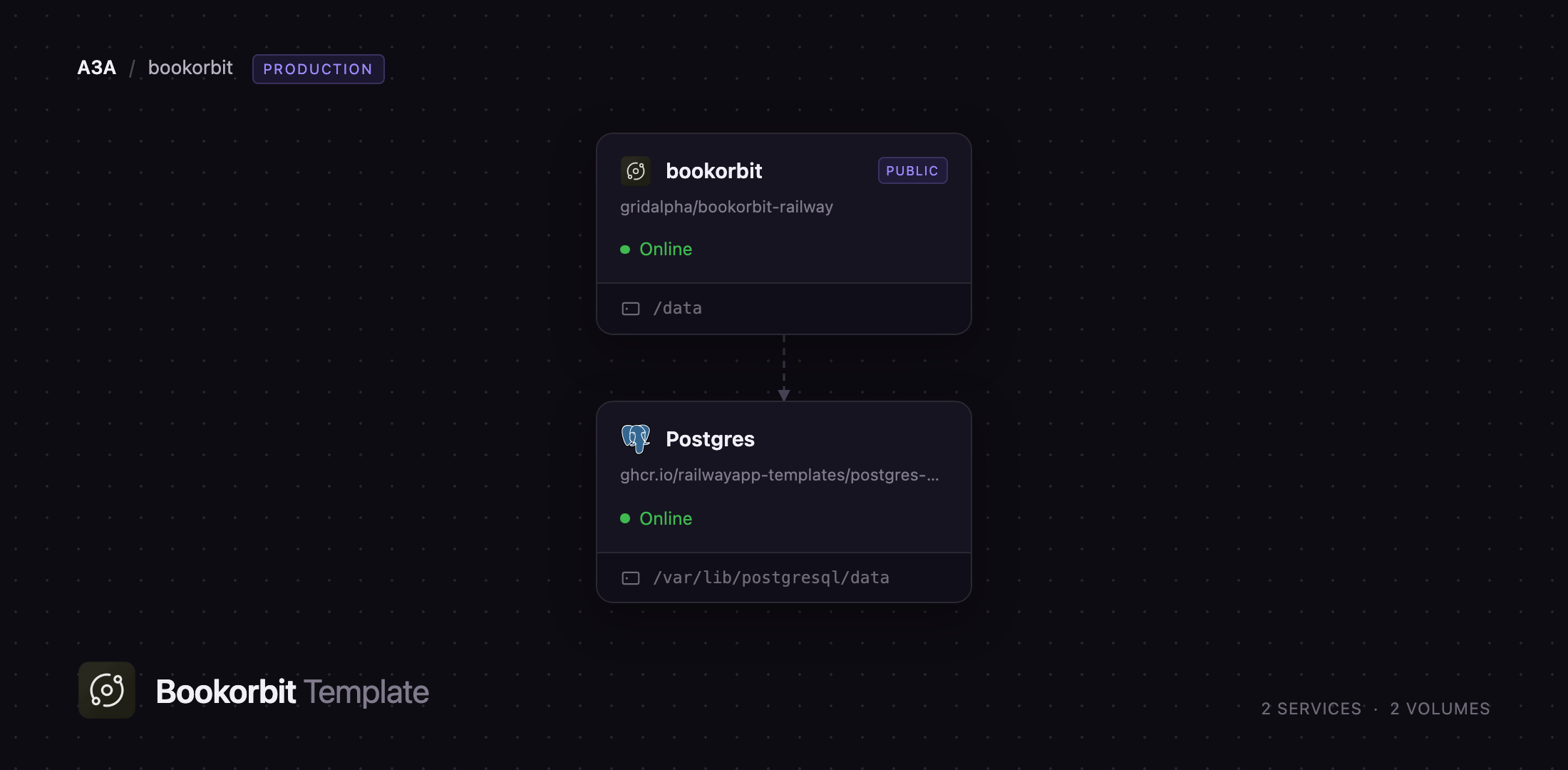
Getting Started with BookOrbit on Railway
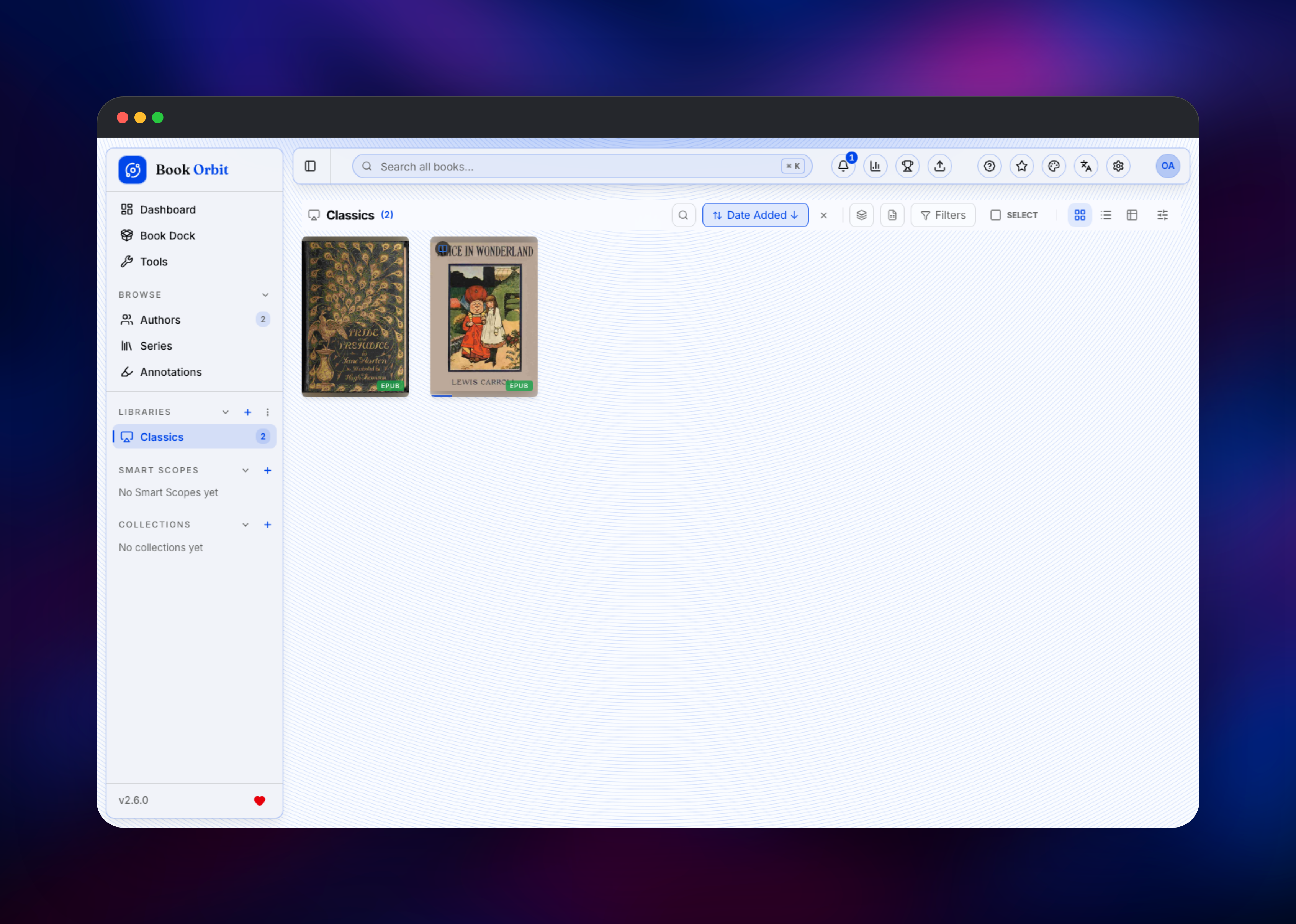
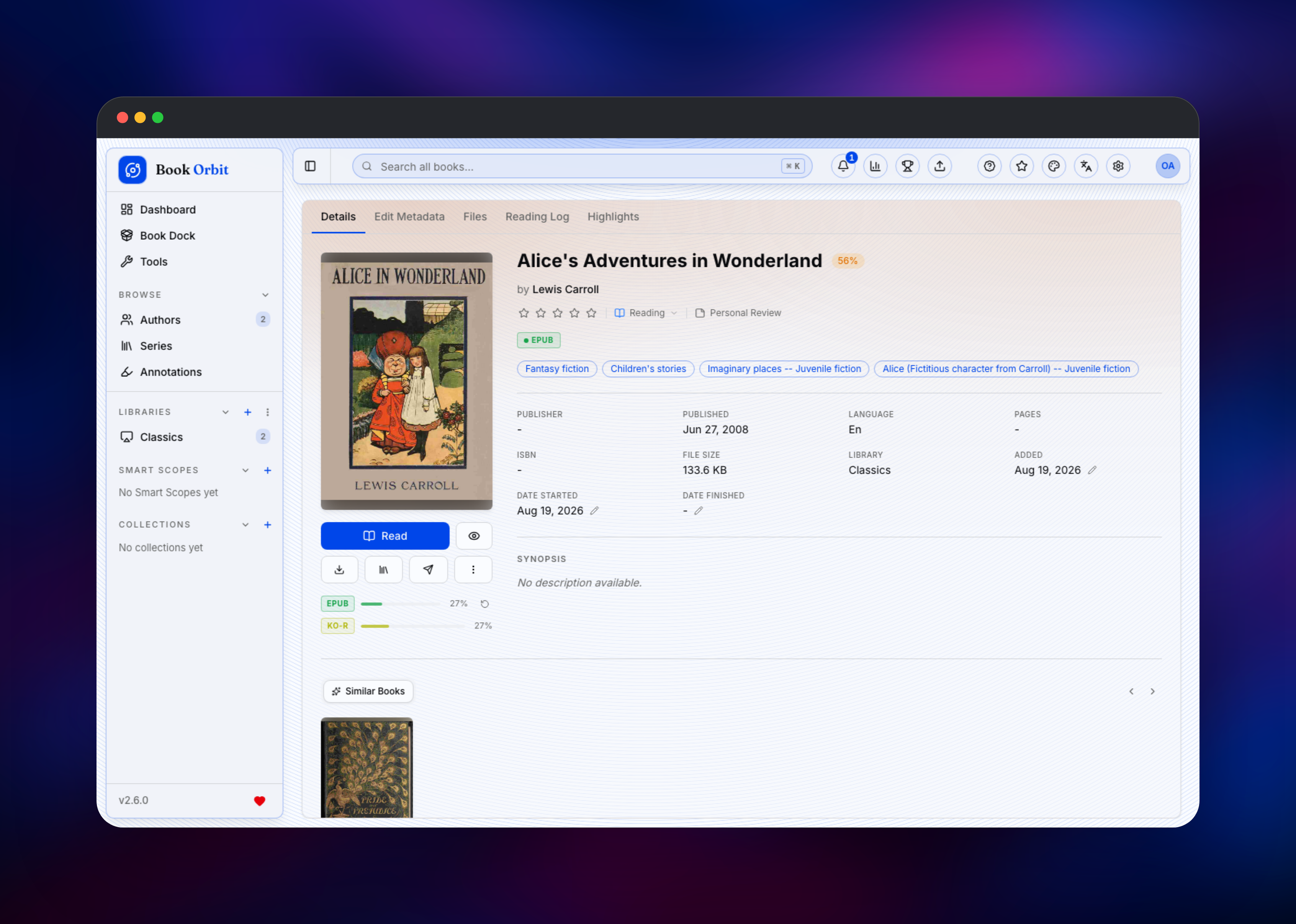
There are no default credentials, and public registration ships disabled, so nothing is exposed while you set up. Open the deployed URL and BookOrbit shows a setup screen asking for a bootstrap token: copy SETUP_BOOTSTRAP_TOKEN from the bookorbit service's Variables tab, paste it in, then choose the username, email and password for the first administrator. That call cannot be replayed once an owner exists. Sign in and create your first library — the folder picker is rooted at /data, the mounted volume, so make something like /data/books and nothing outside it, since a folder on the container filesystem vanishes on the next deploy. Drag EPUB or CBZ files into the uploader, or drop them into the Book Dock to review metadata first. Each book appears within seconds with title, author, cover and language read from the file, and a provider match pulls in better covers and ratings. Open one in the reader to check that your position survives a reload. GET /api/v1/health reports app and database status, and is what Railway's health check watches.
About Hosting BookOrbit
A personal ebook collection ends up scattered: files on a laptop, some sideloaded onto a Kobo, audiobooks elsewhere, no record of where you stopped. BookOrbit unifies that, keeping the collection off a vendor account while still following you between devices.
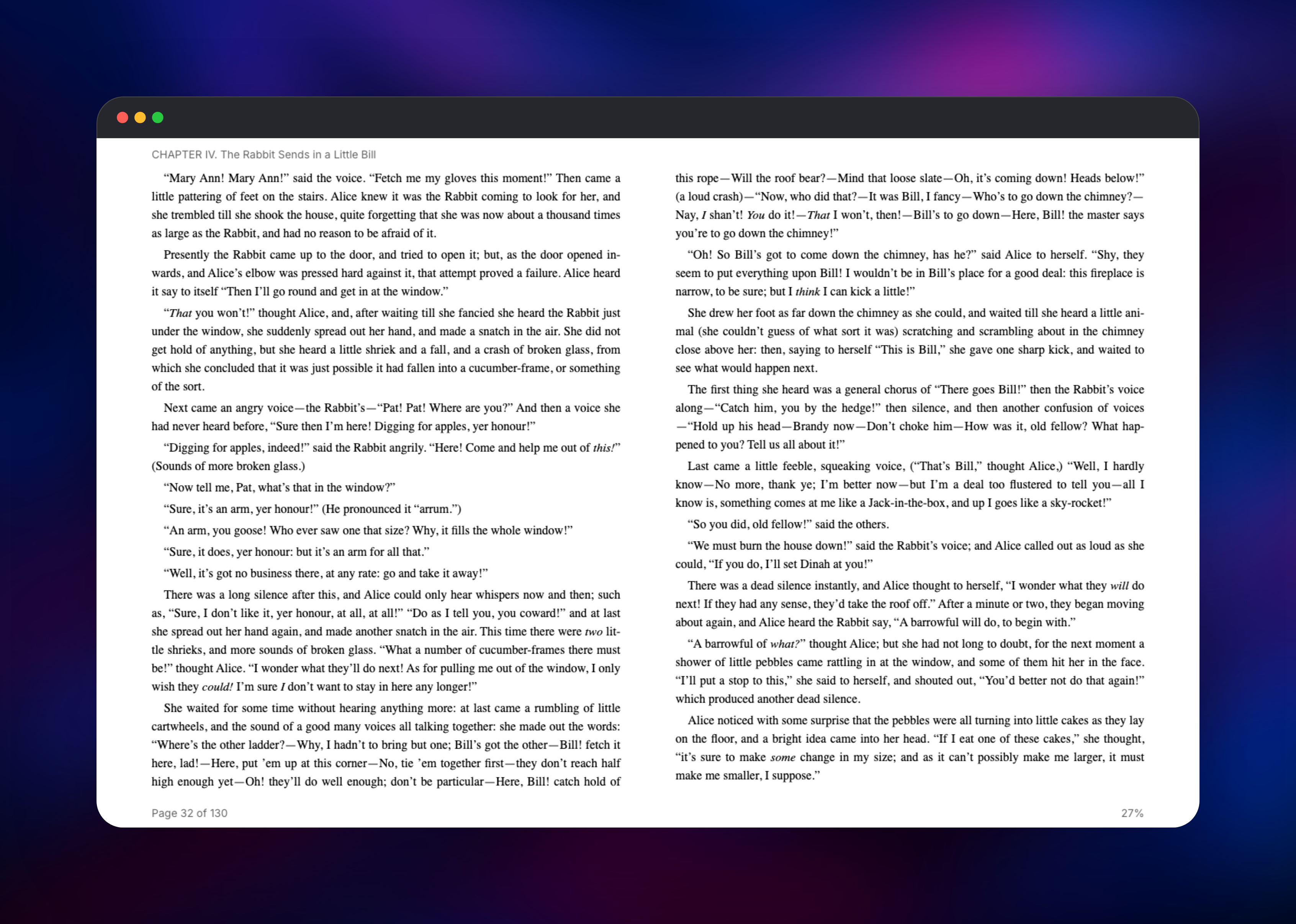
- Built-in readers for ebooks, PDFs, comics and audiobooks, with searchable highlights
- Two-way progress and highlight sync with Kobo and KOReader, with automatic KEPUB generation
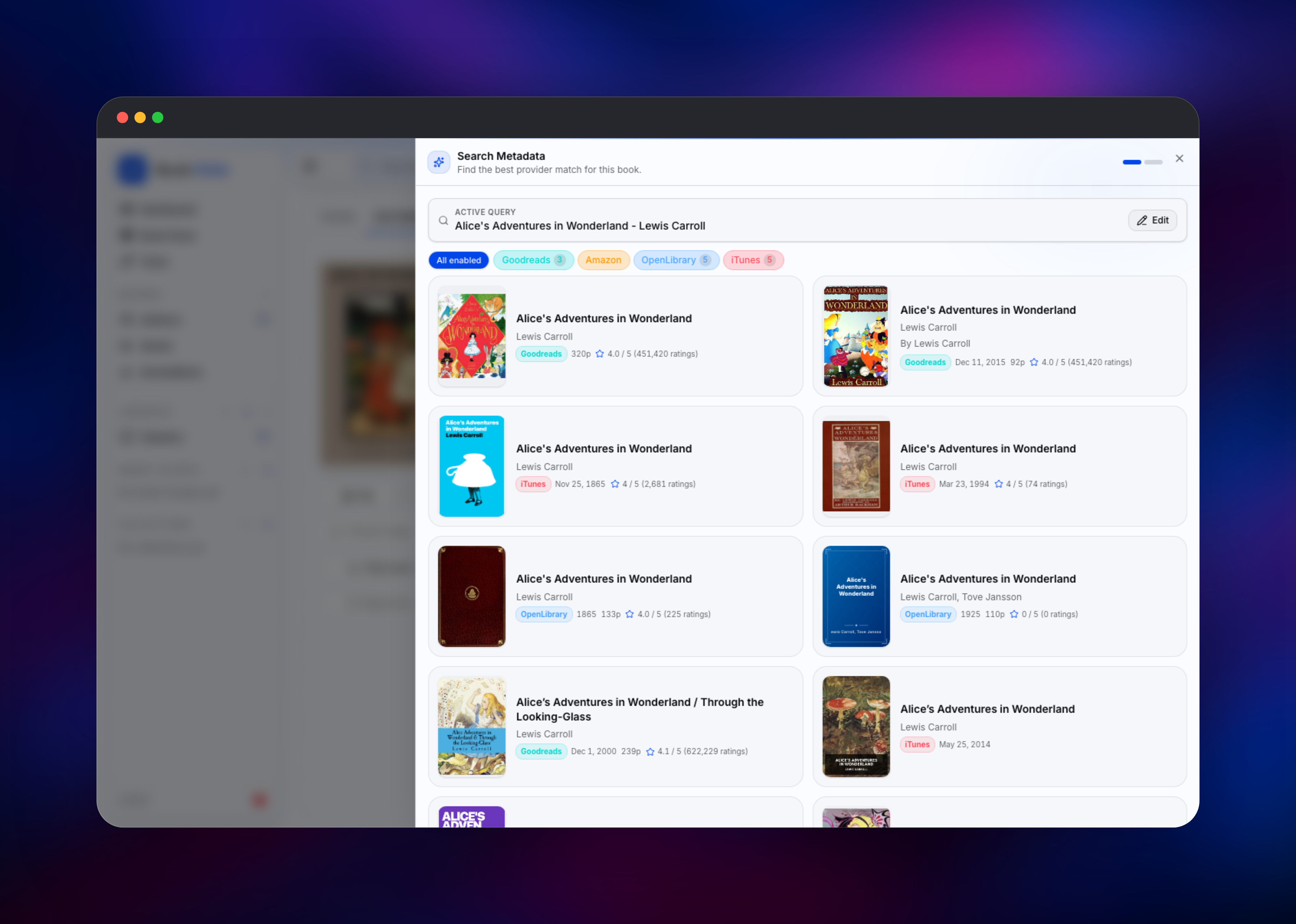
- Metadata from 14 providers — Google Books, Open Library, Goodreads, Amazon, Kobo, Audible, ComicVine and more — with bulk editing and write-back into the files
- OPDS catalogue, Send-to-Kindle, drag-and-drop uploads and a Book Dock for staging files
- Multi-user libraries with OIDC/SSO login, reading stats, and sync out to Hardcover, Readwise and StoryGraph
The Railway architecture is small because the application is. bookorbit is one Node process running the API, the SPA, the WebSocket channel and its scheduled jobs together, so there is no worker tier. Postgres is the system of record for everything but the book files, and its migrations run on startup. The /data volume is the durable half — lose it and you lose the books.
Why Deploy BookOrbit on Railway
Railway removes the admin work self-hosting normally involves.
- Postgres provisioned, connected and backed by its own volume
- Persistent
/datavolume for books, covers and the Book Dock - HTTPS domain with certificates handled for you
- Secrets generated at deploy time, so no
.envfile to write - Health checks, restarts and vertical scaling already configured
Common Use Cases for Self-Hosted BookOrbit
- A household reading server — a shelf per person, progress synced between the web reader and each person's Kobo or KOReader.
- Replacing a Calibre desktop workflow — the same folder of EPUBs, read from a phone, with metadata fixed in bulk from the browser.
- A mixed ebook, comic and audiobook library — one server for CBZ manga, PDF technical books and M4B audiobooks instead of three tools, plus an OPDS catalogue that KOReader, Moon+ Reader or Panels can pull from.
Dependencies for BookOrbit
bookorbit—ghcr.io/bookorbit/bookorbit:latest, the official image, built through the source repositorygridalpha/bookorbit-railway. Runs the API, frontend, readers and scheduled scan and sync jobs; bundles kepubify, ffmpeg and poppler.Postgres— Railway-managed PostgreSQL 18. Stores accounts, libraries, book records, progress, annotations and stats, and supplies thevectorextension. Private network only.
Environment Variables Reference
| Variable | Purpose |
|---|---|
DATABASE_URL | Connection string for the managed database |
JWT_SECRET | Signs login tokens; seeds the encryption keys |
SETUP_BOOTSTRAP_TOKEN | One-time token for the first administrator |
APP_URL | Public URL used in links and device sync |
PORT | HTTP listening port (3000) |
APP_DATA_PATH | Data root; defaults to the /data volume |
EMAIL_ENCRYPTION_KEY, MIGRATION_ENCRYPTION_KEY | Optional 64-hex overrides, else derived from JWT_SECRET |
Deployment Dependencies
- Runtime: Node.js (NestJS/Fastify, Vue), PostgreSQL 18
- Source: github.com/bookorbit/bookorbit (AGPL-3.0)
- Image:
ghcr.io/bookorbit/bookorbit
Hardware Requirements for Self-Hosting BookOrbit
| Resource | Minimum | Recommended |
|---|---|---|
| CPU | 1 vCPU | 2+ vCPU |
| RAM | 512 MB | 1–2 GB |
| Storage | ~50 MB plus library size | Library size plus 25% for covers and conversions |
| Runtime | Node.js 20+, PostgreSQL 16+ | Node.js 22, PostgreSQL 18 |
Self-Hosting BookOrbit with Docker
BookOrbit ships as one container image, run with Compose alongside PostgreSQL. Generate the two secrets it needs — one signs session tokens, the other unlocks setup:
openssl rand -hex 32   # JWT_SECRET
openssl rand -hex 16   # SETUP_BOOTSTRAP_TOKEN
A minimal docker-compose.yml for a local install:
services:
  bookorbit:
    image: ghcr.io/bookorbit/bookorbit:latest
    ports: ["3000:3000"]
    environment:
      APP_URL: http://localhost:3000
      DATABASE_URL: postgresql://bookorbit:changeme@db:5432/bookorbit
      JWT_SECRET: your-generated-jwt-secret
      SETUP_BOOTSTRAP_TOKEN: your-generated-setup-token
    volumes: ["./data:/data", "./books:/data/books"]
    depends_on: [db]
  db:
    image: pgvector/pgvector:pg18
    environment: { POSTGRES_USER: bookorbit, POSTGRES_PASSWORD: changeme }
    volumes: ["./postgres:/var/lib/postgresql/data"]
Run docker compose up -d, open http://localhost:3000 and complete the setup screen with the token. On Railway the same stack is provisioned for you, volume and secrets already wired.
Is BookOrbit Free? What It Costs to Self-Host
BookOrbit is open source under AGPL-3.0 and free to run: no paid tier, seat limits or feature gates, and every provider, reader and sync integration is in the one build. There is no cloud version to subscribe to. On Railway you pay only for infrastructure — compute for the app, the managed Postgres instance, and volume storage sized to your library.
FAQ
What is BookOrbit? BookOrbit is an open-source, self-hosted library server for ebooks, audiobooks, comics and PDFs. It organises your files, fetches metadata for them, and provides web readers plus progress sync with Kobo and KOReader.
What does this Railway template deploy?
Two services: bookorbit, serving the API and web interface on port 3000 with a persistent /data volume, and Postgres, a managed PostgreSQL 18 database on the private network. Database URL, public URL and secrets are wired for you.
Why does BookOrbit need a PostgreSQL database?
Postgres holds everything that is not a book file: accounts, libraries, metadata, reading positions, highlights and statistics. It also uses the pg_trgm, unaccent and vector extensions for fuzzy search and similarity, so SQLite is not an option.
How do I log in the first time when there are no default credentials?
Open the deployed URL and the setup screen appears. Paste the SETUP_BOOTSTRAP_TOKEN value from the service's Variables tab and create the first administrator. Public sign-up is off by default; invite other users from the admin area.
Where are my book files stored, and can I sync them to a Kobo?
Books, covers and the Book Dock live on the volume at /data, which persists across deployments and restarts. Always create libraries inside /data, since anything written elsewhere is discarded on the next deploy. Kobo and KOReader both get two-way progress and highlight sync, with EPUBs converted to KEPUB automatically.
Template Content


