
Deploy Bytebase
Database DevOps: schema change review, versioning and access governance
bytebase
Just deployed
/var/opt/bytebase

Just deployed
/var/lib/postgresql/data
Deploy and Host Bytebase on Railway
Bytebase is an open-source database governance platform that sits between your team and your databases. Instead of engineers running ad-hoc SQL against production, every schema migration and data fix goes through a recorded workflow: written, checked against 200+ SQL review rules, signed off by a reviewer, then rolled out environment by environment with a full changelog. It also ships a web SQL Editor with per-column access rules, so read access stops meaning a shared superuser password. Platform teams, DBAs and security engineers self-host Bytebase across PostgreSQL, MySQL, SQL Server, Oracle, MongoDB, ClickHouse and around twenty more engines.
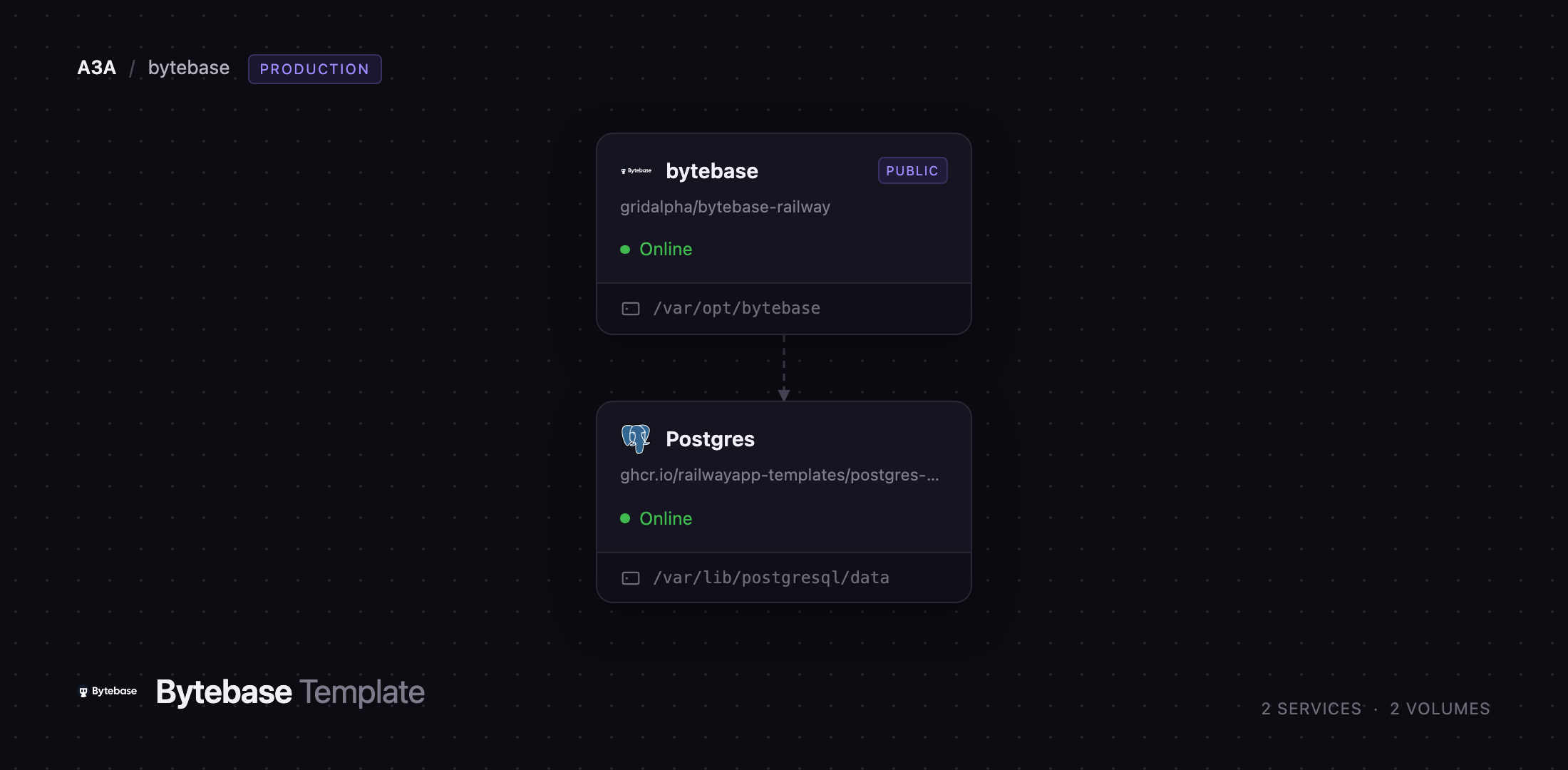
This template runs Bytebase as one web service backed by a Railway PostgreSQL database holding its metadata — workspaces, projects, users, change history and audit records. The service is built from gridalpha/bytebase-railway, a thin layer on the official bytebase/bytebase image that wires the container to Railway's injected port and public domain, creates the first workspace administrator at boot so the account is never up for grabs, and closes the self-service sign-up endpoint the Community edition cannot switch off in the app. A volume holds the data directory; the databases you govern stay where they are.
Getting Started with Bytebase on Railway
Deploy the template, then open the generated Railway URL. The sign-in page is the first screen: there is no setup wizard and no default password to rotate, because the container has already created the first workspace administrator from BYTEBASE_ADMIN_EMAIL and BYTEBASE_ADMIN_PASSWORD. Both appear in the Bytebase service's Variables tab, so read the generated password there and sign in, then change it under your profile. Invite the team from IAM & Admin → Users & Groups; public sign-up is deliberately closed.
The first useful action is connecting a database. Go to Instances → Connect instance, pick the engine, and enter the host, port and credentials of a database you want to govern; for another service in the same project use its private hostname, such as postgres.railway.internal on port 5432. Press Test Connection before saving — a green result confirms the credentials and the private network path. Give Bytebase a least-privilege user, not the superuser.
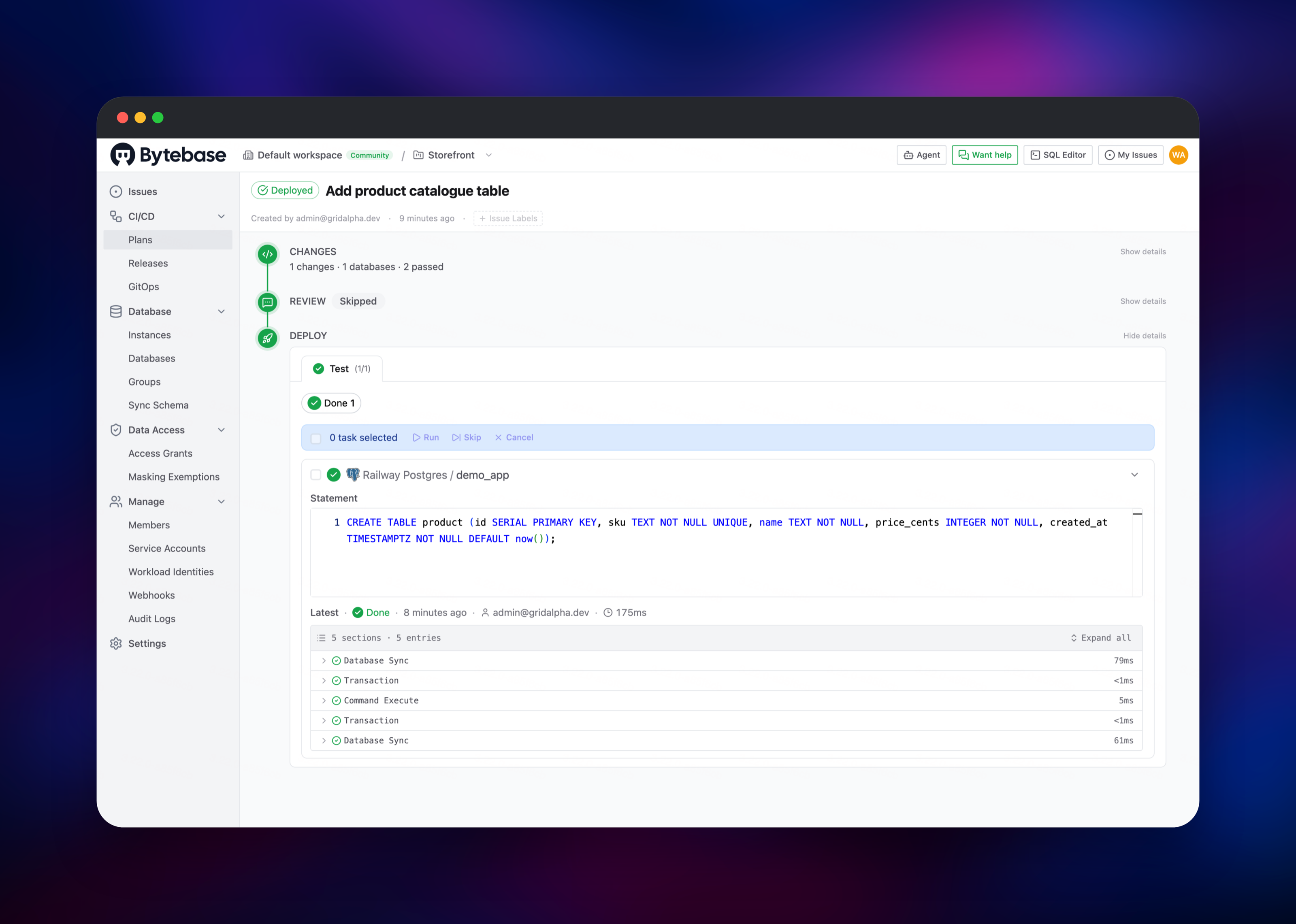
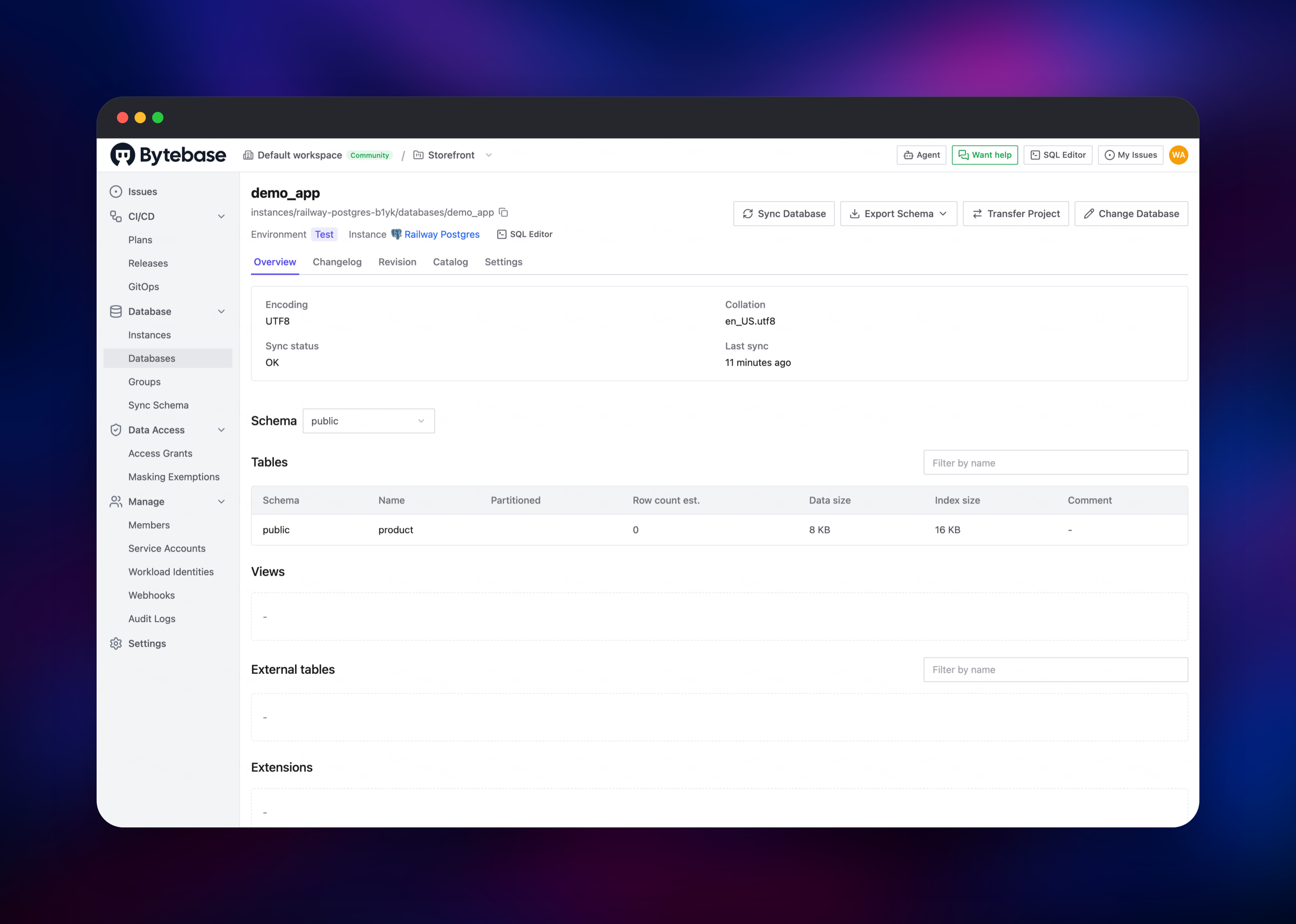
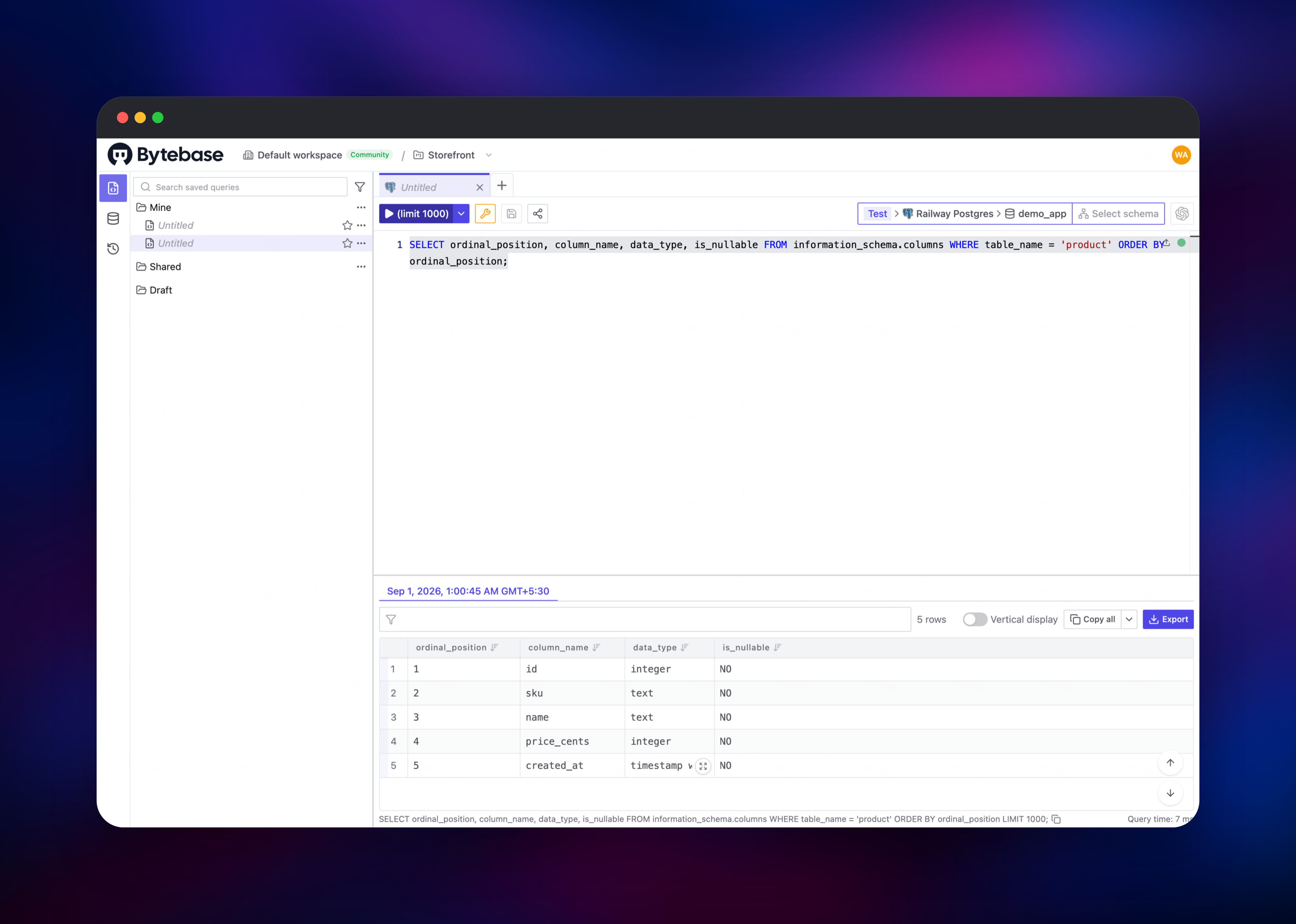
Bytebase then synchronises the schemas it can see. Create a project, move a database into it, select it and choose Change Database. Paste your DDL, run the checks and roll it out; the task log records every step. Open the SQL Editor to query the same database and confirm the change landed — if both work, the deployment is healthy end to end.
About Hosting Bytebase
Bytebase is a single Go binary serving its API and bundled web UI on one port, with all state in an external PostgreSQL database — which is what makes it comfortable on a platform that recreates containers every deploy. Self-host it when database credentials, query results and audit records must not leave your infrastructure.
- Change management — versioned migrations, declarative schema, batch changes, progressive rollout by environment, one-click rollback.
- SQL review — 200+ lint rules enforced before a change may run, catching naming, index and unsafe-statement problems by policy.
- Access control — workspace and project roles, time-boxed just-in-time grants, column-level masking at query time.
- Compliance — audit trail, data classification, and policy as code via the Terraform provider and API.
- AI — an MCP server so coding assistants change databases through the same governed path a human uses.
The Railway architecture is two services. bytebase is the web application and the only one with a public domain; it is the sole writer of the metadata database and runs one replica. Postgres is Railway's managed PostgreSQL, private-network only.
Why Deploy Bytebase on Railway
Railway removes the infrastructure work around a tool that is otherwise fiddly to run.
- Managed PostgreSQL for the metadata store, provisioned by the template.
- HTTPS and a public domain issued automatically, no reverse proxy needed.
- Private networking, so governed databases stay off the public internet.
- A persistent volume attached and mounted.
- Deploys from a public GitHub repo you can fork.
Common Use Cases for Self-Hosted Bytebase
- Replacing hand-run migration scripts with reviewed, recorded schema changes across staging and production.
- Giving developers read access to production data through a masked SQL Editor instead of shared credentials.
- Producing an audit trail of who changed or queried what, for SOC 2 reviews.
- Letting AI coding assistants reach databases under the same rules as people.
Dependencies for Bytebase
- Bytebase — built from gridalpha/bytebase-railway on the official
bytebase/bytebaseimage. Serves the UI and API, runs the rollout schedulers, and connects out to each database you register. - PostgreSQL —
ghcr.io/railwayapp-templates/postgres-ssl:18, the metadata store.
Environment Variables Reference
| Variable | Purpose |
|---|---|
PG_URL | Metadata database connection string. |
PORT | Public listening port. |
BYTEBASE_ADMIN_EMAIL | First workspace administrator. |
BYTEBASE_ADMIN_PASSWORD | Its password, minimum 8 characters. |
EXTERNAL_URL | Public URL used in links; set for a custom domain. |
ALLOW_SIGNUP | true reopens public self-service sign-up. |
BYTEBASE_DATA_DIR | Data directory and volume mount path. |
Deployment Dependencies
- Source: github.com/bytebase/bytebase
- Image: hub.docker.com/r/bytebase/bytebase
- Docs: docs.bytebase.com
- Runtime: Go, single binary, Alpine base
Hardware Requirements for Self-Hosting Bytebase
| Resource | Minimum | Recommended |
|---|---|---|
| CPU | 1 vCPU | 2 vCPU |
| RAM | 1 GB | 2–4 GB |
| Storage | 1 GB volume | 5 GB volume plus the metadata database |
Load comes from schema synchronisation across registered instances and from large SQL Editor result sets, so size upward with the number of databases you govern, not the number of users.
Self-Hosting Bytebase with Docker
The quickest local run uses the official image with a bind-mounted data directory, which starts an embedded PostgreSQL inside it:
docker run --init --name bytebase \
  --publish 8080:8080 \
  --volume ~/.bytebase/data:/var/opt/bytebase \
  bytebase/bytebase:latest
For production, point it at an external PostgreSQL with PG_URL and give it the URL your users will visit:
docker run --init --name bytebase \
  --publish 8080:8080 \
  --env PG_URL="postgresql://user:password@db-host:5432/bytebase" \
  --volume ~/.bytebase/data:/var/opt/bytebase \
  bytebase/bytebase:latest \
  --port 8080 --data /var/opt/bytebase \
  --external-url https://bytebase.example.com
How Much Does Bytebase Cost to Self-Host?
Bytebase Community is free forever and covers up to 20 users and 10 database instances, including change management, SQL review, the web SQL Editor and the Terraform provider. Paid tiers start at $20 per user per month for SSO and groups, with an Enterprise plan for custom roles, dynamic masking and SCIM. The source is MIT-Expat except for files under enterprise directories, and on Railway you pay only for what the two services use.
FAQ
What is Bytebase?
Bytebase is an open-source database governance platform for schema change management, versioned migrations, SQL review and fine-grained access control, covering PostgreSQL, MySQL, SQL Server, Oracle, MongoDB, ClickHouse and many other engines.
What does this Railway template deploy?
Two services: the Bytebase web application on a public domain with a persistent volume, and a private managed PostgreSQL database holding Bytebase's own metadata.
Why does the template include a PostgreSQL database?
Bytebase keeps all of its state there. Without an external database it starts an embedded PostgreSQL in its data directory, which upstream marks as not recommended for production.
Do I have to keep my application databases in the same Railway project?
No. Bytebase connects out to any database it can reach. Same-project databases are simplest because they sit on the private network, but anything reachable over TLS or an SSH tunnel works.
How do I add teammates when public sign-up is closed?
Sign in as the administrator and create accounts under IAM & Admin, or configure an identity provider. Set ALLOW_SIGNUP to true to let anyone with the URL register themselves instead.
Can I run more than one Bytebase replica on Railway?
Not on the Community edition. Bytebase stops scheduling rollout tasks as soon as a second replica reports in without a high-availability licence, so this template runs one replica, like the upstream Helm chart.
Template Content


