
Deploy Canvas LMS
Open-source learning management system for courses and grading
canvas-jobs
Just deployed
Just deployed

Redis
Just deployed
/data

Just deployed
/var/lib/postgresql/data
canvas-files
Bucket
Just deployed
Deploy and Host Canvas LMS on Railway
Canvas LMS is the learning management system Instructure built for universities, school districts and training teams — the same AGPL-licensed codebase that serves millions of students. Courses hold modules, assignments, quizzes, discussions and a gradebook; SpeedGrader marks a whole submission queue without leaving the page; REST and GraphQL APIs plus LTI 1.3 sit behind every screen. Self-host Canvas LMS to get that under your own domain, with your own data retention and no per-student bill.
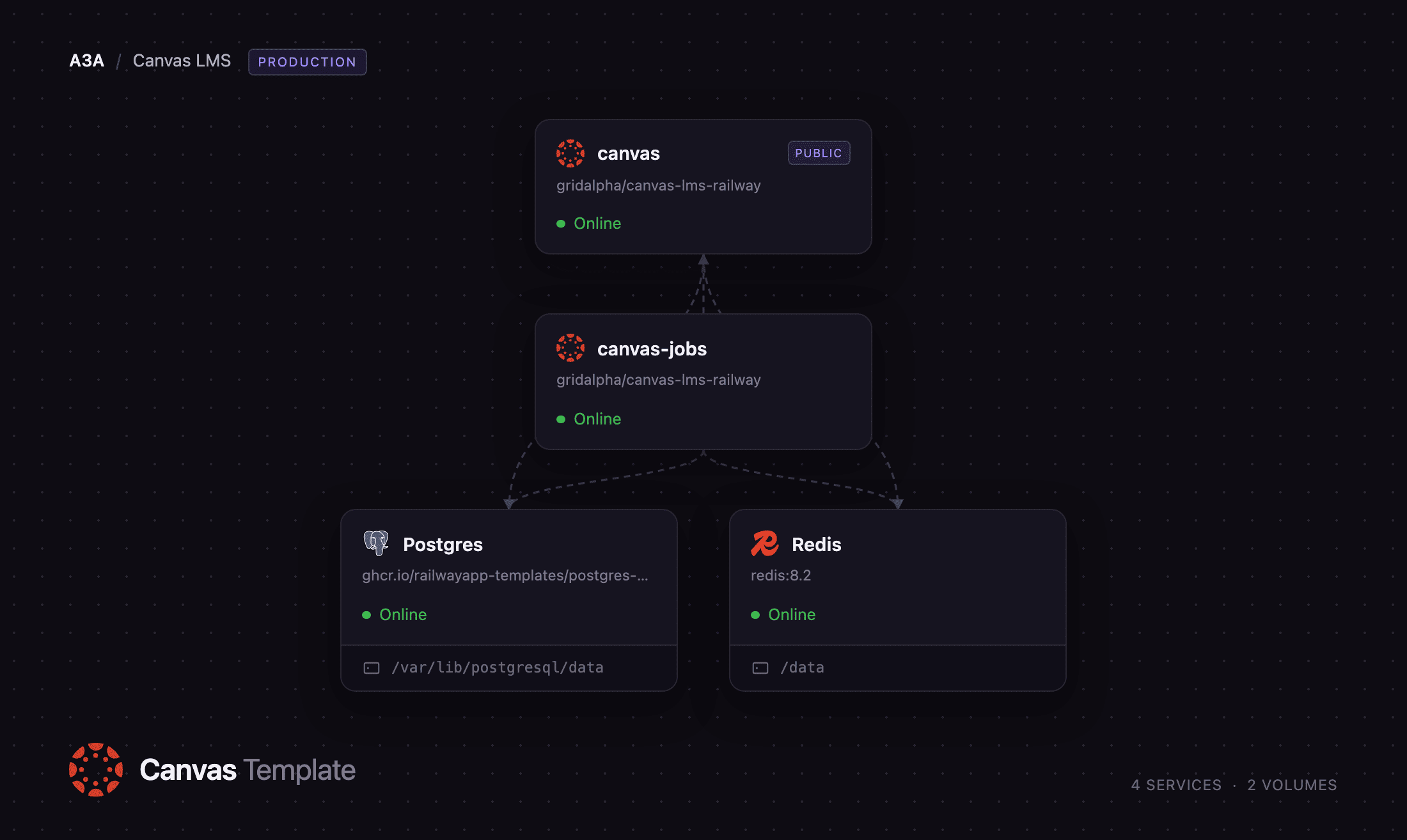
This template runs Canvas the way its own docker-compose.yml does — a web tier and a separate job tier — across five Railway services. canvas serves the application over Puma and is the only one with a public URL. canvas-jobs runs Canvas' delayed_job pool: notifications, course exports and every scheduled task. Postgres holds all course and user data, Redis backs the cache and Canvas' short-lived state, and the canvas-files bucket holds uploads, so both tiers share the same attachments. On its first boot the web service runs Canvas' migrations and creates your site admin before accepting a request.
Getting Started with Canvas LMS on Railway
Deploy the template, then wait for canvas to finish its first boot — it runs the full Canvas migration set, which takes several minutes on a fresh database, and only answers once that is done. Open the public URL and you land on the login page. Sign in with the admin email and password you supplied at deploy time; there is no installer and no default password.
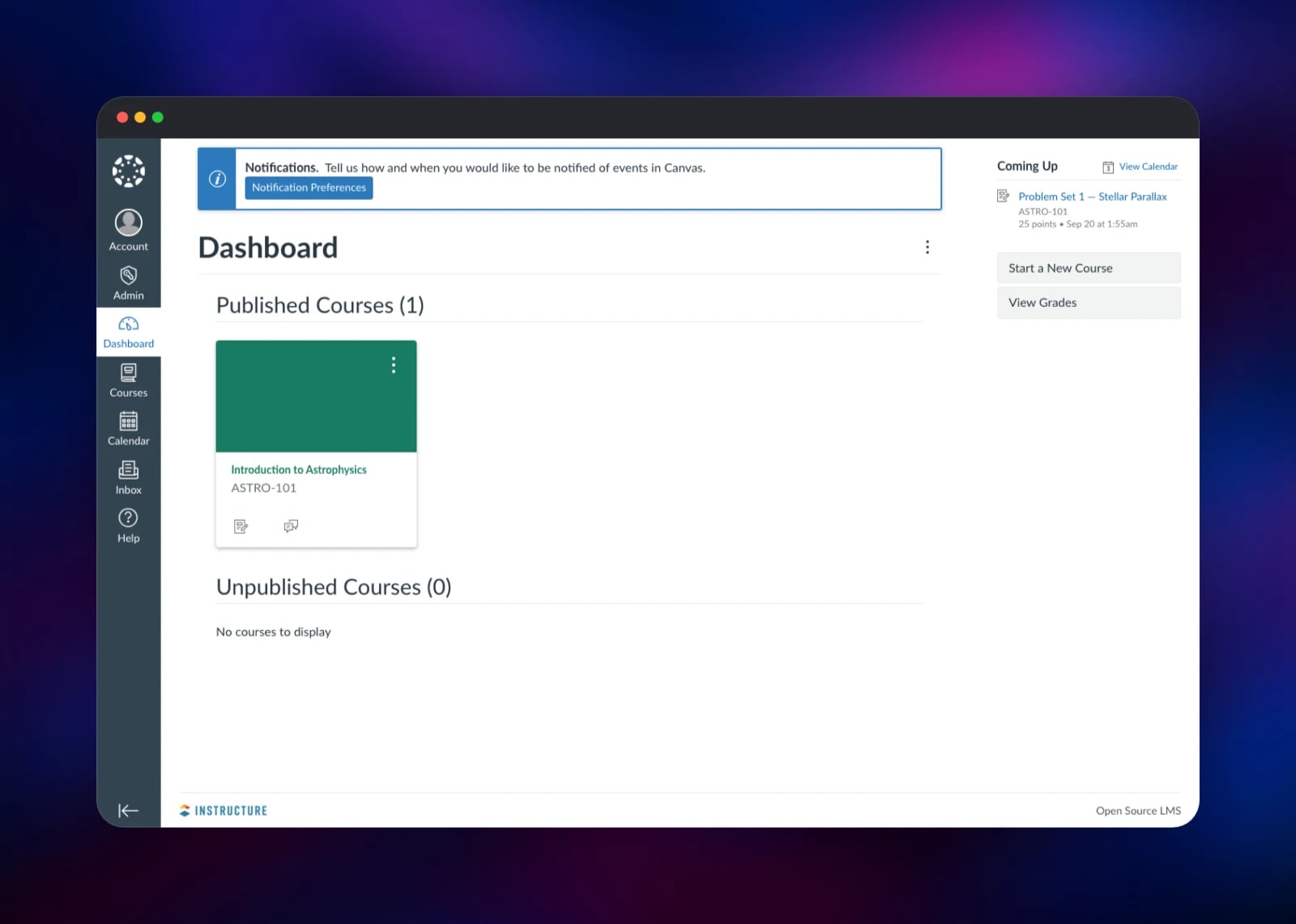
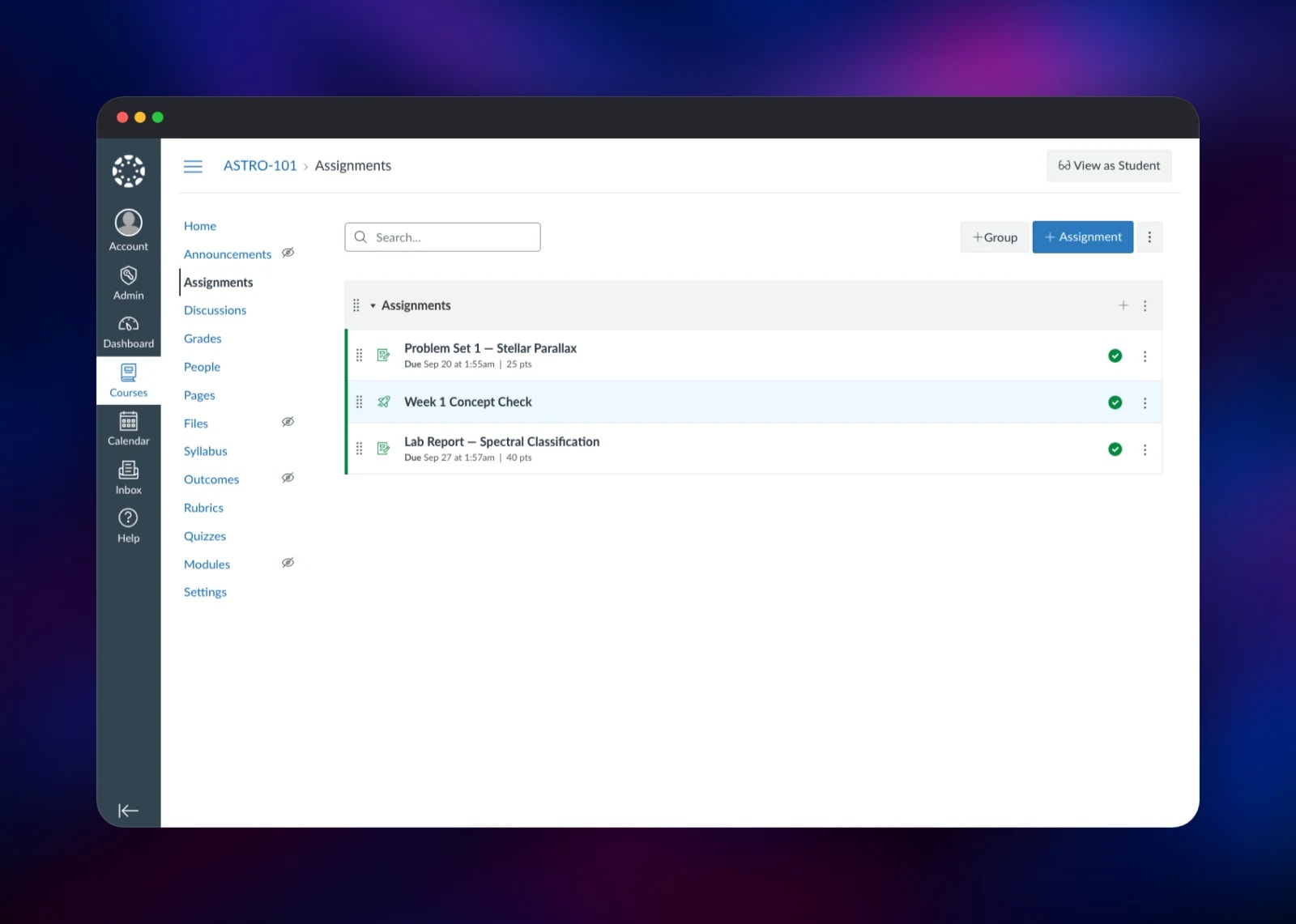
Your first stop is Admin → Settings, to rename the root account, set the timezone and add administrators. Then open Courses → + Course, use + Module to add content and + Assignment to create something students can submit; Publish makes a course visible to enrolled users. To confirm the background tier is healthy, give an assignment a due date and check it reaches the course calendar and dashboard. Self-registration is off by default, which is right for a public site; turn it on under Admin → Settings for open sign-ups.
About Hosting Canvas LMS
Canvas LMS is a full learning platform, not a course-file repository. It models enrollments, sections, terms, grading periods and outcomes, so it suits an institution that must answer who was enrolled in what and what grade they earned. Teams self-host it to keep student records in their own database, to integrate an existing SIS, or to avoid a per-seat bill.
Key features:
- Courses with modules, prerequisites, pages, files and a syllabus
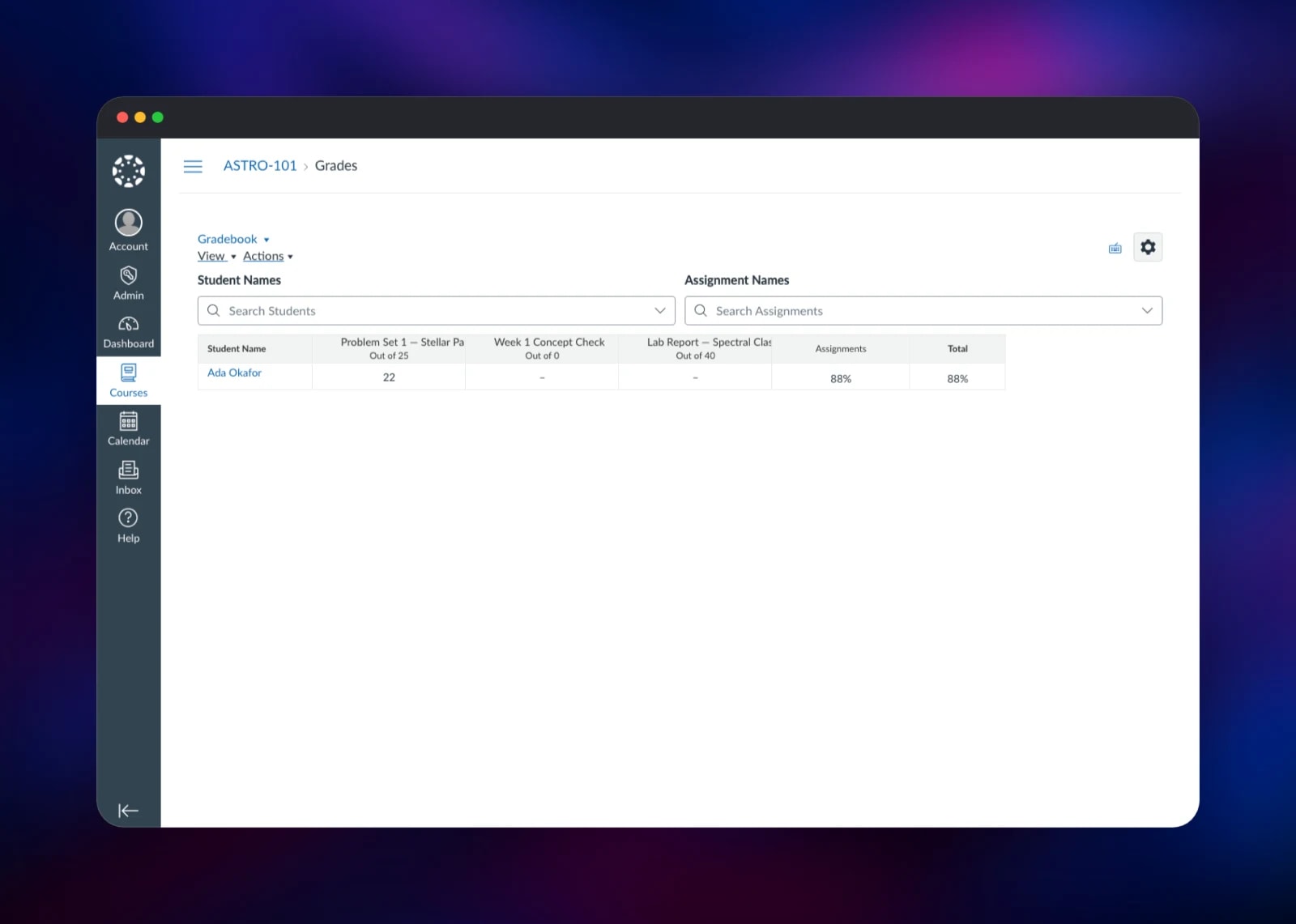
- Assignments, peer review, group work and a rubric-driven gradebook, with SpeedGrader for marking
- Quizzes, discussions, announcements and a course calendar
- LTI 1.3 tools, REST and GraphQL APIs, and the official mobile apps
The Railway architecture splits Canvas along the seam upstream does. canvas is the Rails application: pages, compiled assets and API traffic. canvas-jobs is the same image started as the delayed_job pool — notification delivery, gradebook exports, SIS imports and course copies go onto that queue, and without a worker those features silently never run. Both tiers share Postgres, Redis and the canvas-files bucket, which is what lets them be separate services at all.
Why Deploy Canvas LMS on Railway
Canvas is a large Rails app with a worker tier and three backing services.
- Web tier, job tier, Postgres, Redis and object storage provisioned together
- Private networking; only the app gets a public URL
- Database credentials and storage keys injected as references, never copied
- The admin account is created during first boot, before anything is reachable
- Scale the job and web tiers independently
Common Use Cases
- A university or school district running Canvas under its own domain, with student records in a database it controls
- A training company delivering certification courses, using Canvas' enrollment and completion tracking rather than a bespoke portal
- A department that wants SpeedGrader and the gradebook without an institutional licence
Dependencies for Canvas LMS
- canvas and canvas-jobs — built from
gridalpha/canvas-lms-railway, which compiles Canvas frominstructure/canvas-lmsoninstructure/ruby-passenger:3.4-jammy. Instructure publishes no current application image, so this builds one. - Postgres —
ghcr.io/railwayapp-templates/postgres-ssl:18. Every course, user, enrollment, submission and grade, plus the job queue table. - Redis —
redis:8.2. Canvas' Rails cache plus page views and rate limiting. - canvas-files — a Railway bucket on Canvas' upstream
s3file store, so both tiers share uploads.
Environment Variables Reference
| Variable | Service | Purpose |
|---|---|---|
CANVAS_LMS_ADMIN_EMAIL | canvas | Login for the admin created on first boot |
CANVAS_LMS_ADMIN_PASSWORD | canvas | Password for that admin |
CANVAS_ENCRYPTION_KEY | canvas | Encrypts data at rest; never change after first boot |
CANVAS_DOMAIN | both | Public hostname Canvas builds links from |
WEB_CONCURRENCY | canvas | Puma worker processes, ~700 MB each |
CANVAS_JOB_WORKERS | canvas-jobs | Size of the delayed_job pool |
Deployment Dependencies
- Canvas LMS, AGPL-3.0: https://github.com/instructure/canvas-lms
- Build repository: https://github.com/gridalpha/canvas-lms-railway
- API docs: https://canvas.instructure.com/doc/api/
Hardware Requirements for Self-Hosting Canvas LMS
| Resource | Minimum | Recommended |
|---|---|---|
| CPU | 2 vCPU across both tiers | 4+ vCPU |
| RAM | 4 GB (one Puma and one job worker) | 8 GB or more |
| Storage | Postgres volume plus object storage | Grows with use |
| Runtime | Ruby 3.4, PostgreSQL 14+, Redis 6+ | — |
Canvas is memory-hungry rather than CPU-hungry: every Puma and job worker boots the whole Rails application, so plan on ~700 MB per process.
Self-Hosting Canvas LMS
Instructure's Docker Hub tags are years out of date, so self-hosted Canvas is built from source. The upstream development path uses their compose file:
git clone --depth 1 https://github.com/instructure/canvas-lms.git
cd canvas-lms
docker compose up -d
docker compose run --rm web bundle exec rake db:initial_setup
For production upstream ships Dockerfile.production, which installs the gems and JavaScript dependencies and compiles the assets. Build it, then create the first admin non-interactively:
docker build -f Dockerfile.production -t canvas .
docker run --rm \
  -e RAILS_ENV=production \
  -e CANVAS_LMS_ADMIN_EMAIL=you@example.com \
  -e CANVAS_LMS_ADMIN_PASSWORD='a-strong-password' \
  canvas bundle exec rake db:initial_setup
Canvas reads configuration from YAML files in config/, not environment variables, so an install needs database.yml, redis.yml, security.yml and domain.yml written before first boot. Most are ERB, which is how this template drives them from the container environment.
Is Canvas LMS Free to Self-Host?
Canvas LMS is open source under AGPL-3.0, so there is no licence fee and no per-student charge for running it yourself. Instructure sells a hosted Canvas with support, and a free account for teachers, but the self-hosted codebase is the same product. On Railway you pay only for the compute, database and storage it uses. AGPL-3.0 requires you to publish modifications if you offer the modified version as a service.
FAQ
What is Canvas LMS?
Canvas LMS is Instructure's open-source learning management system, handling courses, enrollments, assignments, quizzes, discussions and grading for schools, universities and training organisations.
What does this Railway template deploy?
Five services: the Canvas web application, a delayed_job worker tier, PostgreSQL, Redis, and an object storage bucket for uploads. Only the web service is reachable from the internet.
Why does the template include Redis and an object storage bucket?
Canvas uses Redis for its cache and short-lived state such as page views and rate limiting, and degrades without it. The bucket holds uploads: both tiers write attachments, and separate services cannot share a filesystem.
Do I need the background job service, or can I run Canvas web on its own?
You need it. Notification emails, course exports and imports, SIS imports, course copies and every scheduled task go onto the delayed_job queue. Without a worker consuming it, those jobs pile up and the features look broken.
How do I use the Canvas API or install an LTI tool on this deployment?
Generate a token under Account → Settings → Approved Integrations and call https://your-domain/api/v1/ or /api/graphql. LTI 1.3 tools are registered under Admin → Developer Keys → + LTI Key; the public URL is the issuer, so keep the domain stable once tools exist.
Can self-hosted Canvas send email?
Point CANVAS_SMTP_ADDRESS and its companions at a relay you control. Until you do, Canvas accepts outgoing mail and discards it, so notifications and password resets are not delivered.
Template Content


