
Deploy Centrifugo
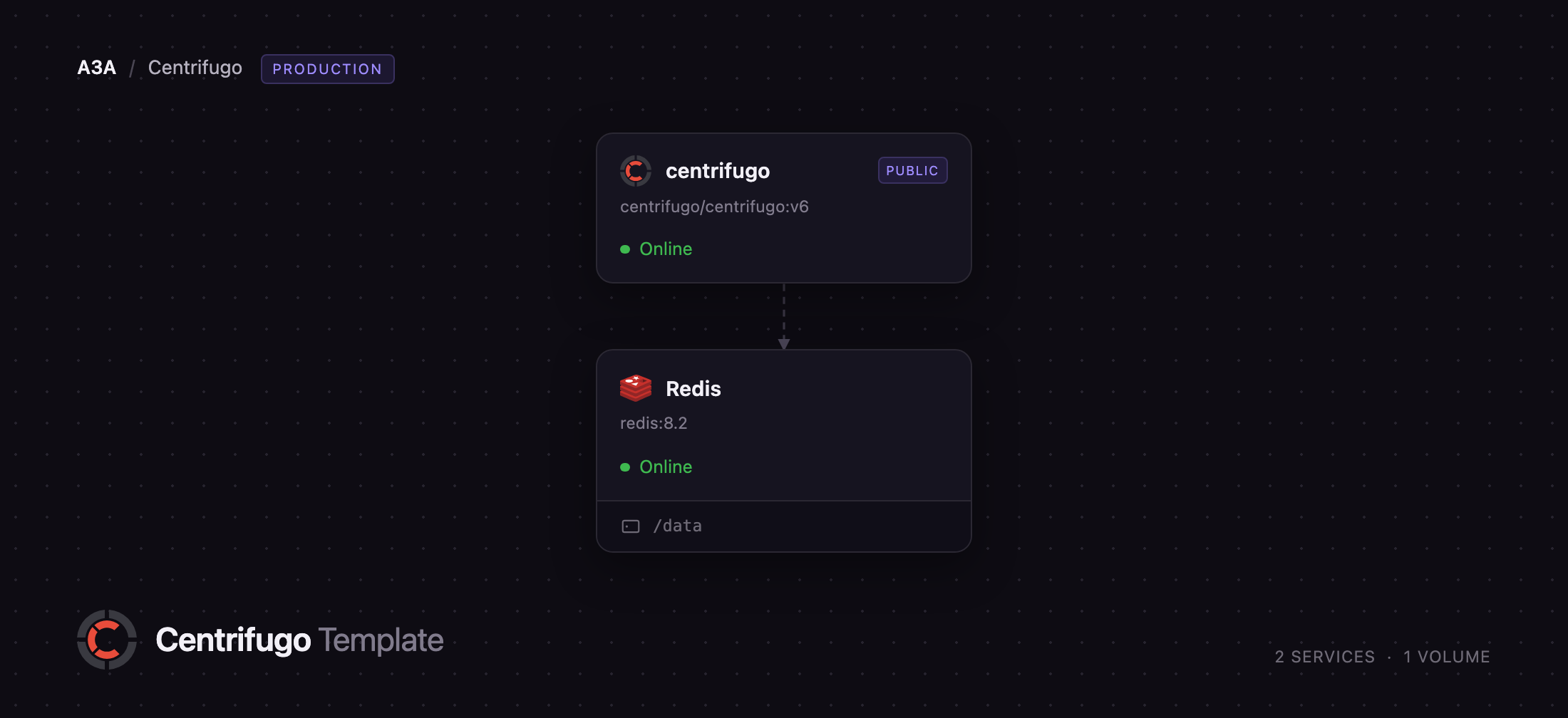
Real-time messaging server that pushes messages to connected users
centrifugo
Just deployed

Redis
Just deployed
/data
Deploy and Host Centrifugo on Railway
Centrifugo is an open-source real-time messaging server that holds a persistent connection open to every online user and pushes messages the instant your backend has something to say. It sits beside your application: your API stays a plain request/response service and calls Centrifugo over HTTP or gRPC to publish into a channel, while browsers and mobile apps subscribe over WebSocket, Server-Sent Events, HTTP-streaming, WebTransport or gRPC. Teams building chat, live comments, collaborative editors, dashboards, games and streaming AI responses use it to avoid writing a socket tier in every language they ship.
Self-host Centrifugo on Railway and this template gives you the production shape, not a throwaway node. It deploys two services: centrifugo, the messaging server, on a Railway domain, and Redis, a managed instance acting as Centrifugo's engine. Redis is what makes the node tier horizontal — it carries channel PUB/SUB, the control channel nodes use to find each other, and presence — so once you raise the replica count in the dashboard, a client on one node still receives a message published through another. Every secret is generated at deploy time, so nothing needs filling in.
Getting Started with Centrifugo on Railway
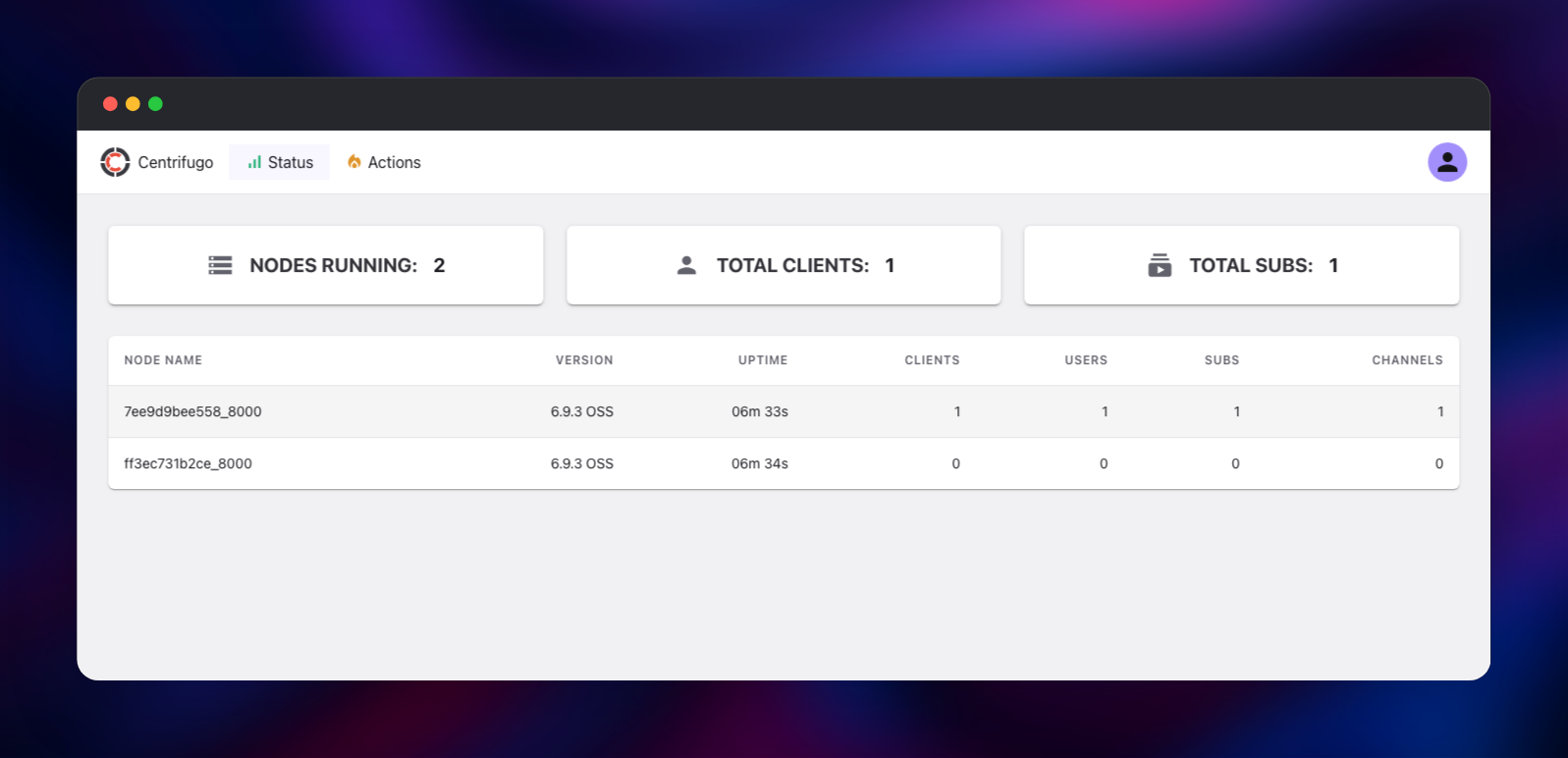
Open the deployed URL and you land on Centrifugo's admin web UI. There are no default credentials to change: the template generates an admin password, and you sign in with the centrifugo service's CENTRIFUGO_ADMIN_PASSWORD value from the Railway dashboard. The Status tab is the fastest health check — it lists every running node, and raising the service's replica count is how you add more.
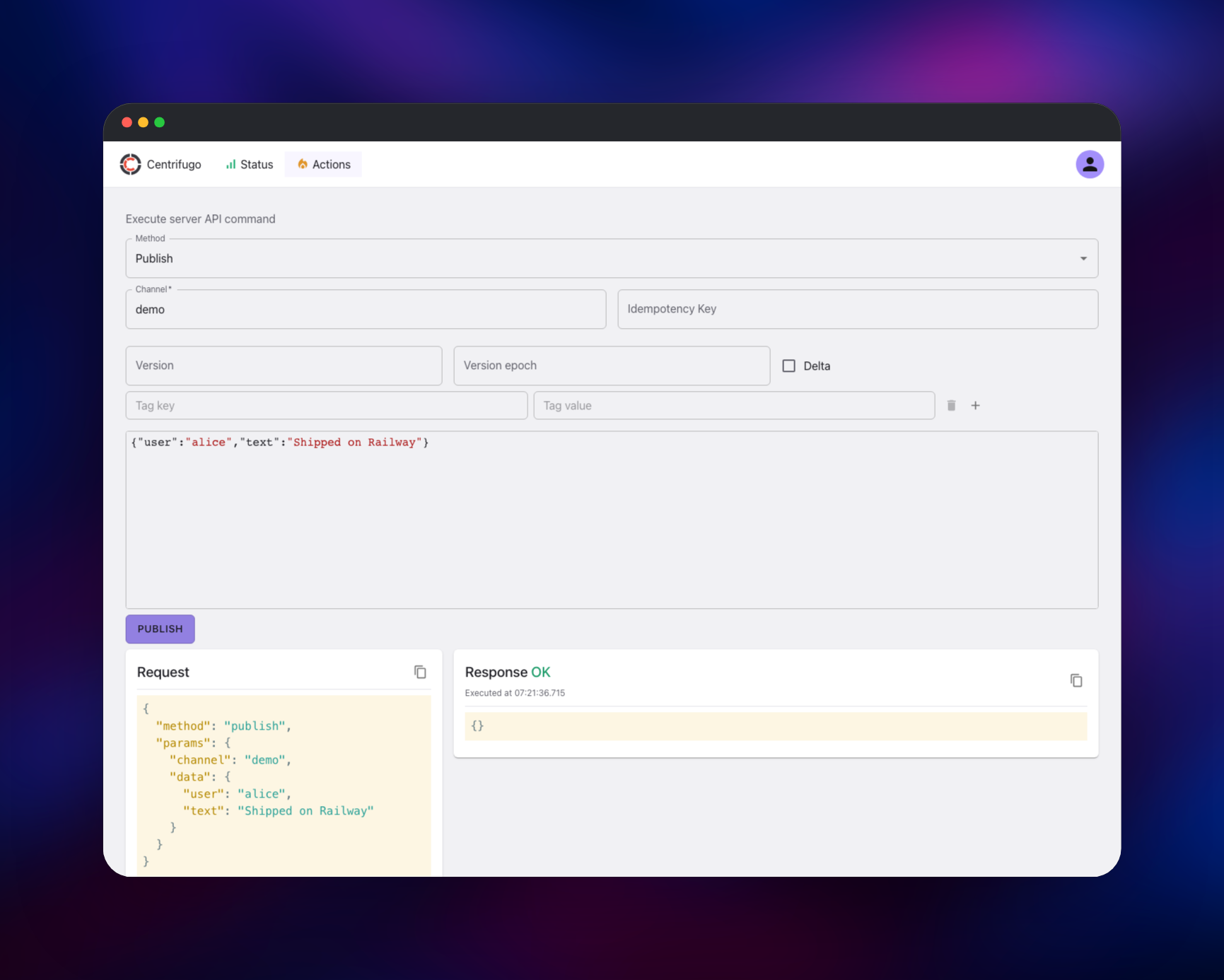
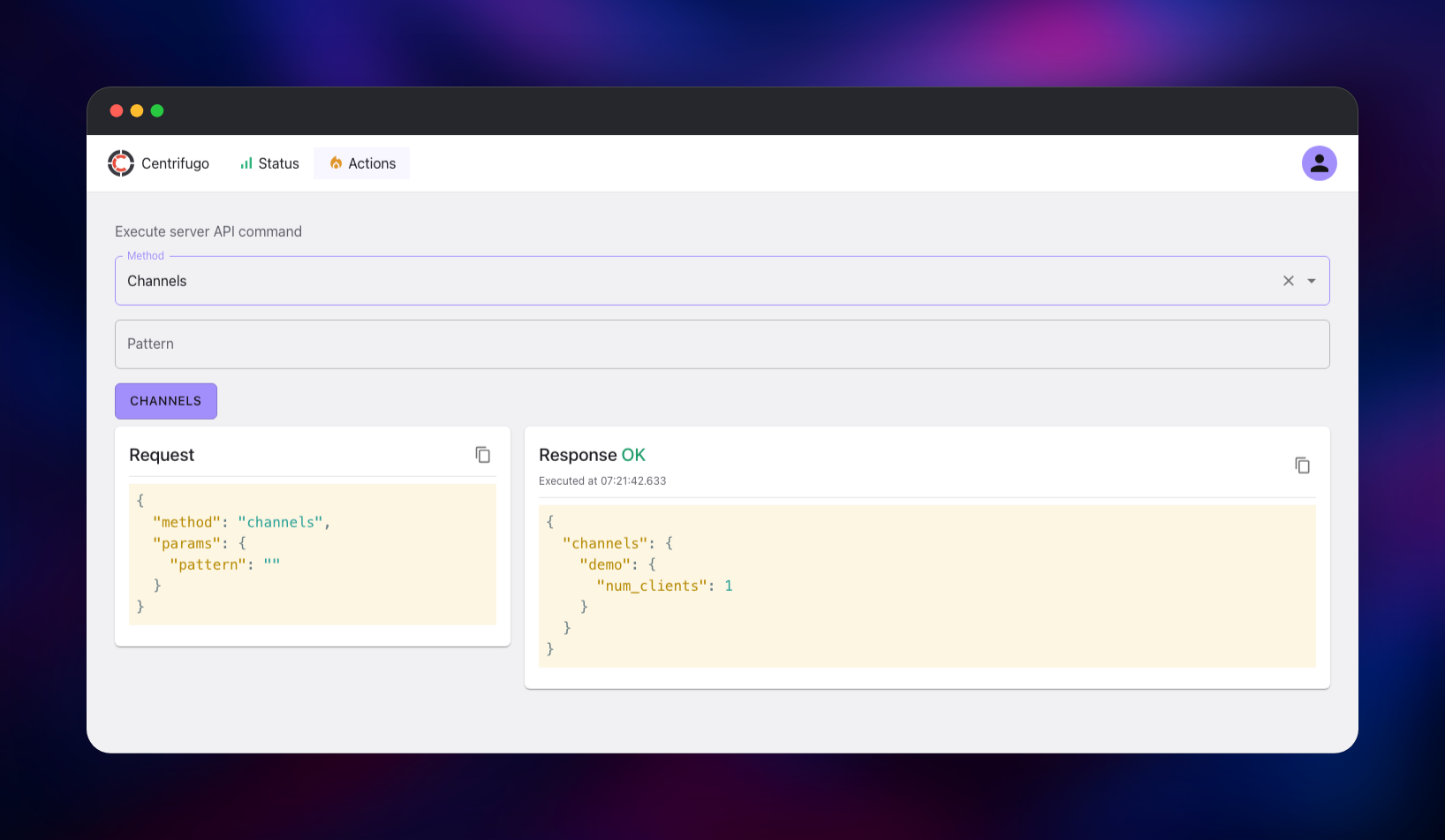
Next, prove the message path. Switch to Actions, choose publish, enter demo as the channel and a JSON object such as {"user":"alice","text":"hello"} as the data, and submit; a green Response OK means the publish path works. The same call from your code is a POST to /api/publish with the generated key in an X-API-Key header. To connect a client, sign an HS256 JWT with CENTRIFUGO_CLIENT_TOKEN_HMAC_SECRET_KEY — a connection token carrying sub and exp, plus a subscription token that also carries channel, since clients cannot subscribe to arbitrary channels by default. Point an SDK at wss://your-domain/connection/websocket and add your frontend's origin to CENTRIFUGO_CLIENT_ALLOWED_ORIGINS, a space-separated list.
About Hosting Centrifugo
Long-lived connections need their own scaling model, auth story and fan-out layer, none of which belongs in a request-scoped web framework. Centrifugo lifts that layer out of your codebase: your backend publishes into named channels, Centrifugo owns the sockets. Clients authenticate with a JWT you mint, so the messaging tier never touches your session store.
Key capabilities:
- Many transports, one API — WebSocket, SSE, HTTP-streaming, WebTransport and gRPC
- JWT-based auth — connection and subscription tokens signed with an HMAC secret, or RSA/ECDSA/JWKS
- Channel namespaces — per-prefix rules for who may subscribe, publish or read history
- History and recovery — a bounded per-channel buffer so a reconnecting client catches up
- Presence — who is subscribed to a channel, plus join and leave events
- Server API — publish, broadcast, presence, history, subscribe, disconnect
- Official SDKs for JavaScript, Dart/Flutter, Swift, Java, Python, Go and .NET
Architecture here: centrifugo is stateless and takes no volume, so all shared state lives in Redis. The replica count is the only scaling knob and is safe to raise, and a redeploy loses nothing but the open sockets, which the SDKs reconnect.
Why Deploy Centrifugo on Railway
Railway removes the operational work around a socket tier.
- WebSocket and SSE traffic is handled by the edge with no extra configuration
- Managed Redis is provisioned, secured and reached over private networking
- Replicas scale from the dashboard, with no cluster wiring to write
- HTTPS and a public domain are issued automatically
- Every secret is generated at deploy time
Common Use Cases
- In-app chat, comments and notifications — publish from your API into per-user or per-room channels
- Live dashboards and trading views — stream price and metric updates to thousands of browsers at once
- Collaborative and multiplayer apps — cursors, presence and shared state, with join/leave events built in
- Streaming AI responses — push tokens from a long-running job without holding an HTTP request open
Dependencies for Centrifugo
- centrifugo —
centrifugo/centrifugo:v6from Docker Hub, serving client transports, the server API, the admin UI and/healthon one port - Redis — managed
redis:8.2, Centrifugo's engine for PUB/SUB, node discovery and presence
Environment Variables Reference
| Variable | Purpose |
|---|---|
CENTRIFUGO_ADMIN_PASSWORD | Sign-in password for the admin web UI |
CENTRIFUGO_HTTP_API_KEY | Key your backend sends to /api/* as X-API-Key |
CENTRIFUGO_CLIENT_TOKEN_HMAC_SECRET_KEY | HS256 key you sign client JWTs with |
CENTRIFUGO_CLIENT_ALLOWED_ORIGINS | Space-separated origins allowed to connect |
CENTRIFUGO_ENGINE_REDIS_ADDRESS | Private Redis connection string |
CENTRIFUGO_CHANNEL_WITHOUT_NAMESPACE_HISTORY_SIZE | Messages kept per channel; 0 disables history |
Deployment Dependencies
- Source: https://github.com/centrifugal/centrifugo
- Image: https://hub.docker.com/r/centrifugo/centrifugo
- Docs: https://centrifugal.dev
- SDKs: https://centrifugal.dev/docs/transports/client_sdk
Hardware Requirements for Self-Hosting Centrifugo
Centrifugo is one Go binary; connection count, not request rate, drives memory.
| Resource | Minimum | Recommended |
|---|---|---|
| CPU | 0.5 vCPU per node | 1–2 vCPU per node |
| RAM | 256 MB per node | 1 GB per node |
| Storage | none on the app tier | Redis volume sized to history |
| Runtime | bundled in the image | same |
One node holds tens of thousands of concurrent connections; add replicas rather than a larger node past that.
Self-Hosting Centrifugo
The quickest local trial uses Docker with the insecure flags, which disable authentication — local use only:
docker run -it --rm -p 8000:8000 centrifugo/centrifugo:v6 centrifugo \
  --client.insecure --admin.enabled --admin.insecure
A production run mirrors this template — Redis as the engine, every secret supplied explicitly:
docker run -d -p 8000:8000 \
  -e CENTRIFUGO_ENGINE_TYPE=redis \
  -e CENTRIFUGO_ENGINE_REDIS_ADDRESS=redis://:password@redis:6379 \
  -e CENTRIFUGO_ADMIN_ENABLED=true \
  -e CENTRIFUGO_ADMIN_PASSWORD=change-me \
  -e CENTRIFUGO_ADMIN_SECRET=change-me-too \
  -e CENTRIFUGO_HTTP_API_KEY=your-api-key \
  -e CENTRIFUGO_CLIENT_TOKEN_HMAC_SECRET_KEY=your-hmac \
  centrifugo/centrifugo:v6
Every documented option maps to an environment variable: uppercase the config path, join with underscores, prefix CENTRIFUGO_. List values are space-separated, not comma-separated.
Is Centrifugo Free to Self-Host?
Centrifugo is open source under Apache 2.0, and this template deploys the full OSS build — no seat limits, no connection caps, no licence key. The vendor sells Centrifugo PRO, adding tracing, analytics and push notifications, but nothing here depends on it. On Railway you pay only for the compute the two services use, a few dollars a month for a small workload.
FAQ
What is Centrifugo? An open-source, language-agnostic real-time messaging server. It holds persistent connections to your users and delivers messages your backend publishes into channels, over WebSocket and several fallback transports.
What does this Railway template deploy? Two services: the Centrifugo server on a public domain, and a managed Redis instance on the private network. Admin password, API key and JWT signing key are all generated at deploy time.
Why does the template include Redis? Redis is Centrifugo's engine: it carries channel PUB/SUB between nodes, the control channel they use to see each other, and presence. Without it each replica is an island, and a message published through one never reaches a client on another.
How do I connect a client to self-hosted Centrifugo?
Your backend signs an HS256 JWT with CENTRIFUGO_CLIENT_TOKEN_HMAC_SECRET_KEY and hands it to the client, which passes it to an SDK pointed at wss://your-domain/connection/websocket. Because client-side subscription is off by default, issue a second token per channel carrying a channel claim.
Why is my browser connection rejected with a 403?
Centrifugo checks Origin against CENTRIFUGO_CLIENT_ALLOWED_ORIGINS; an empty list rejects every browser request. Add your frontend's origin there — multiple origins are space-separated.
How do I turn on message history and recovery?
Set CENTRIFUGO_CHANNEL_WITHOUT_NAMESPACE_HISTORY_SIZE and ..._HISTORY_TTL, or define a namespace with its own history settings. History lives in Redis, so it survives a redeploy and is shared across replicas.
Template Content
centrifugo
centrifugo/centrifugo:v6Redis
redis:8.2

