
Deploy Changedetection-io
Self-hosted website change monitoring with a Chrome fetcher for JS pages
changedetection
Just deployed
/datastore

Just deployed

Deploy and Host Changedetection.io on Railway
Changedetection.io is an open-source website change monitor. You give it a URL, it fetches that page on a schedule, and when the text differs it shows a highlighted diff and fires a notification — email, Slack, Discord, ntfy, a webhook, or any of the 90-plus targets Apprise supports. Developers watch competitor pricing, changelogs and status pages; legal teams track terms-of-service revisions; restock mode watches a product page for stock and price drops. It is the self-hosted answer to Visualping and Distill.io, with no per-check quota and no third party holding your watch list.
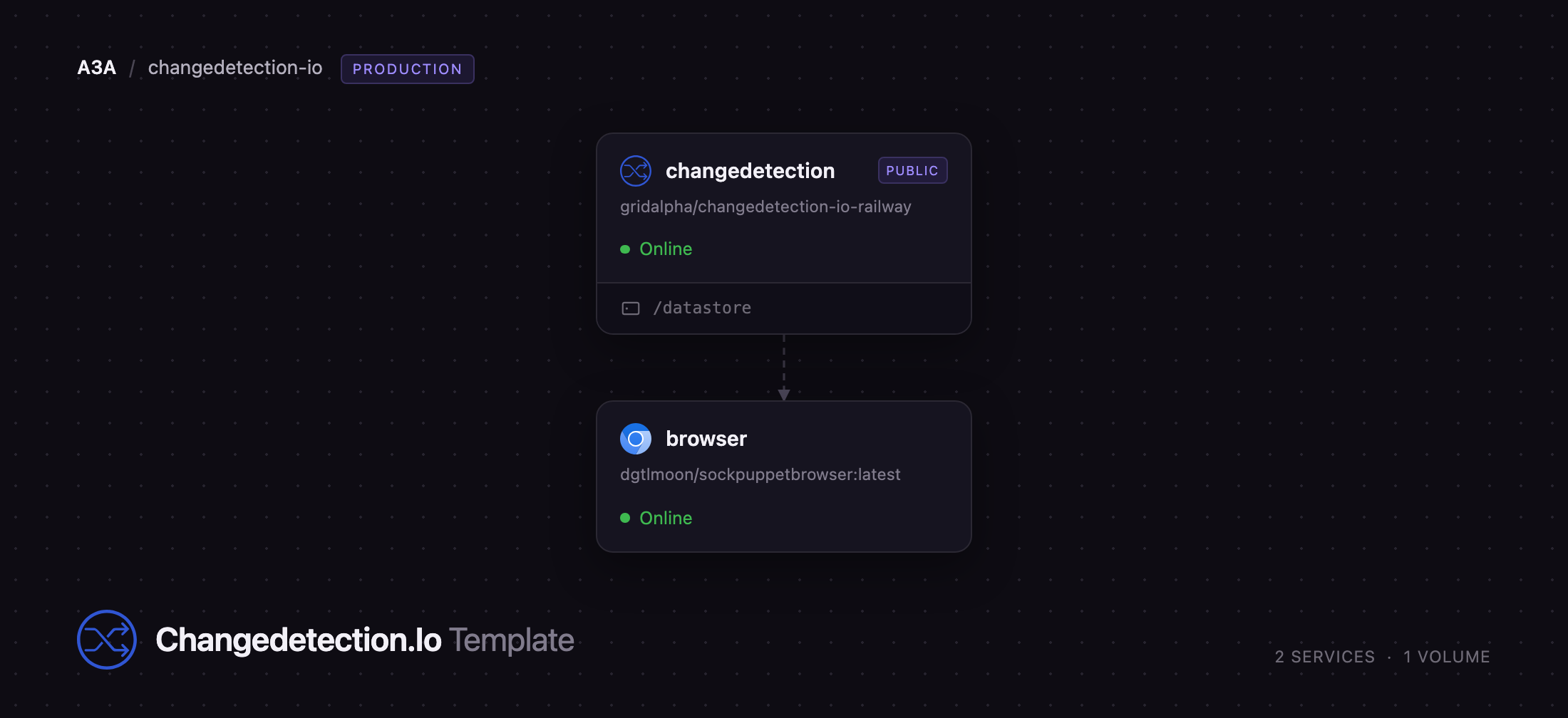
Deploy Changedetection.io on Railway and you get two services wired together. The changedetection service runs the application, its fetch workers and the scheduler, with a volume at /datastore holding your watches, every snapshot and the app's signing key. The browser service runs sockpuppetbrowser, a Chrome proxy that starts an isolated Chrome per request — that is what lets you monitor JavaScript-rendered pages, capture full-page screenshots and use the Visual Filter Selector. Only the app gets a public URL; the browser stays on Railway's private network, and a password is generated at deploy time so nothing is exposed unauthenticated.
Getting Started with Changedetection.io on Railway
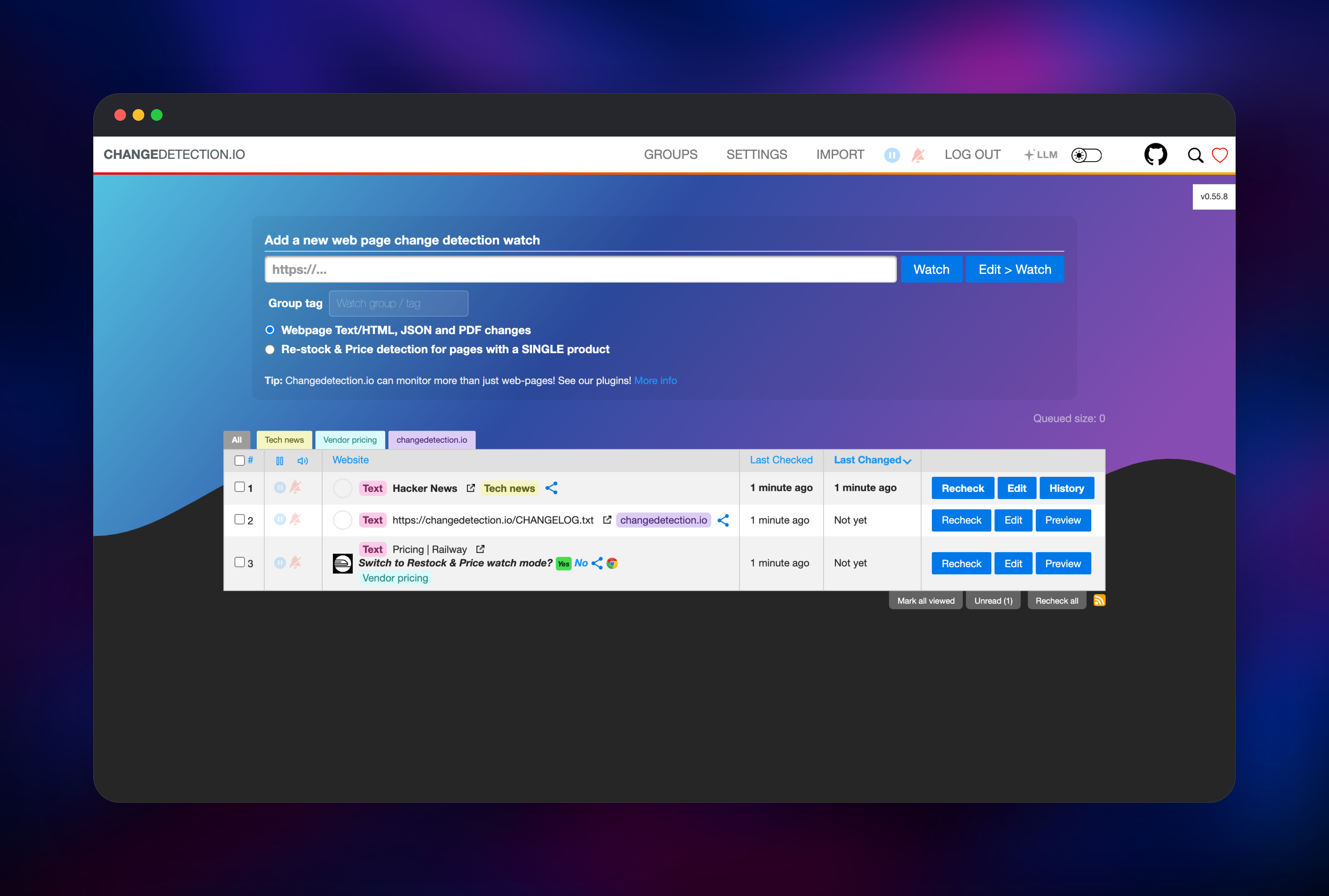
Open the deployed URL and you land on a login screen asking for a password — there is no username field. The password is the CHANGEDETECTION_PASSWORD variable on the changedetection service; copy it from the Railway dashboard and sign in. Change it by editing that variable rather than the Settings screen: while it is set, the variable takes precedence over anything saved in the UI.
Two demo watches are already present, so there is something to look at at once. Add your own with the box at the top: paste a URL, optionally tag it, and press Watch. The first check runs straight away; the default interval is three hours, adjustable per watch or globally.
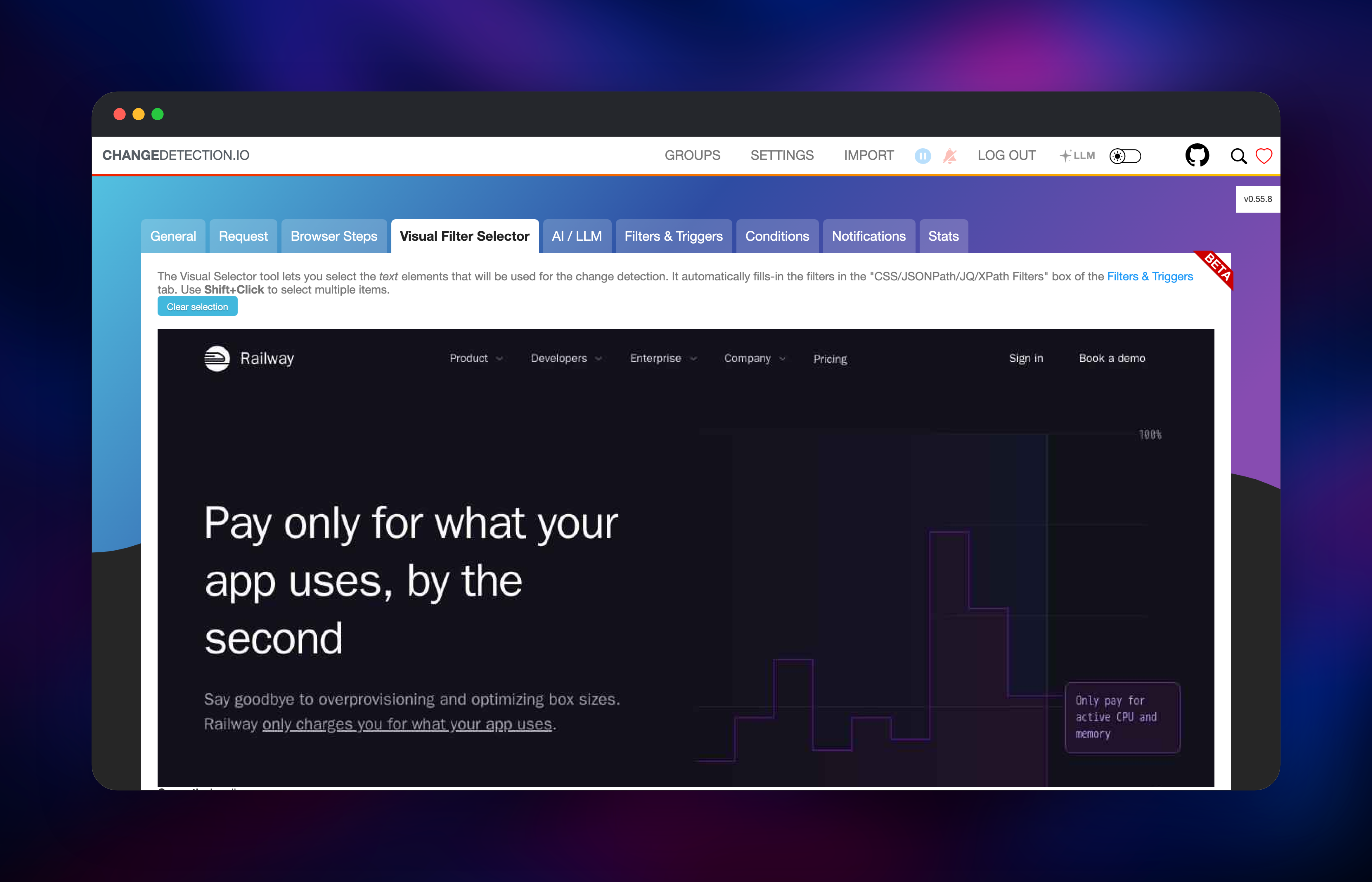
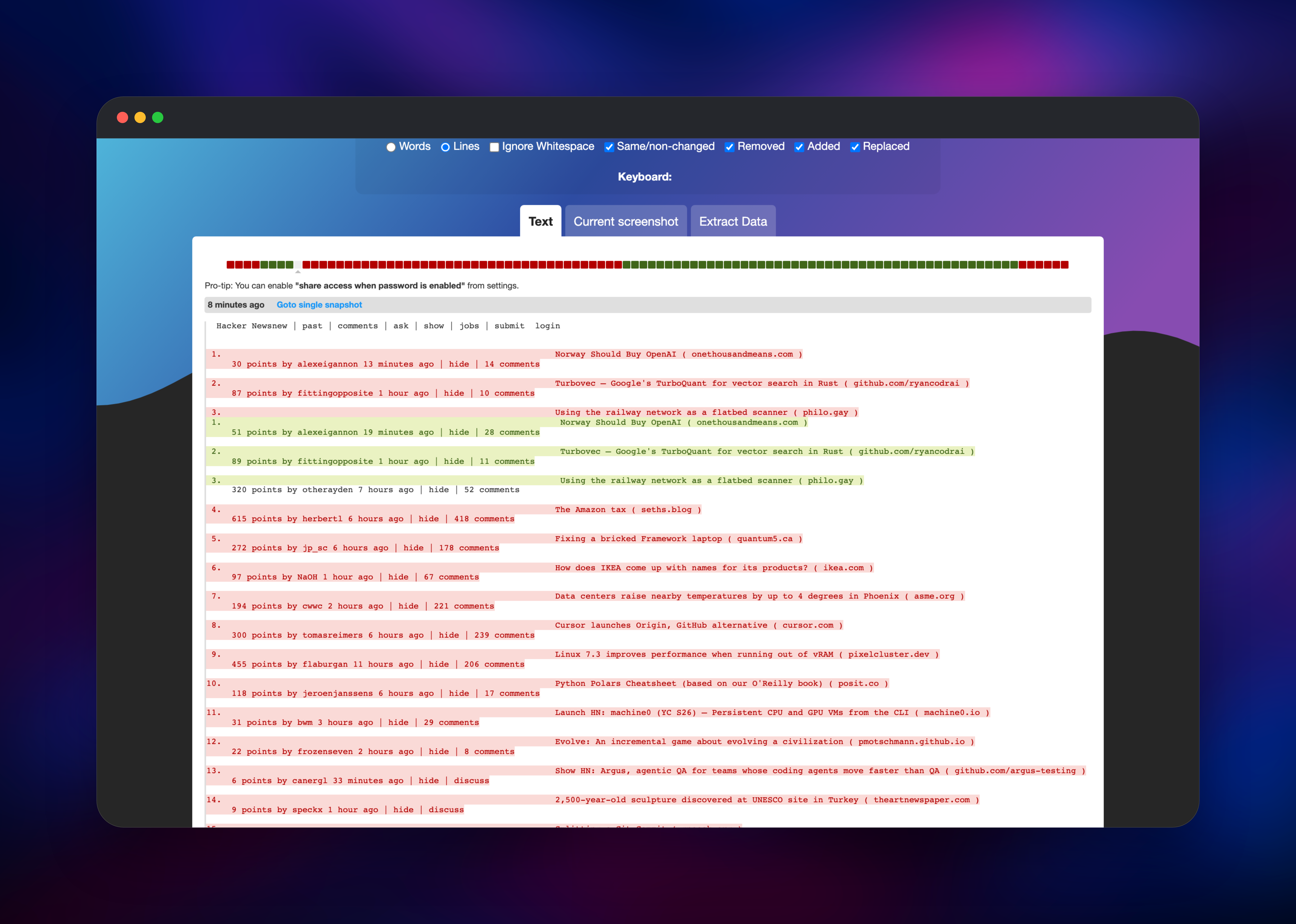
For a page that needs JavaScript, open the watch's Edit screen, go to the Request tab and pick the "Playwright Chromium/Javascript" fetch method — it points at the browser service automatically. Save, then Recheck. That watch now has a browser-rendered snapshot, so the Visual Filter Selector tab shows the page and lets you click the element to track. To confirm the deployment end to end, Recheck the Hacker News watch and open History: a green and red diff means fetching, storage and comparison are healthy. Then set up delivery under Settings → Notifications.
About Hosting Changedetection.io
Most change-monitoring services are SaaS with a per-check meter and a polling cap. Self-hosting removes both, and keeps your watch list — itself sensitive in a competitive-intelligence context — on infrastructure you control.
Key features:
- Text, HTML, JSON and PDF diffing, with CSS selector, XPath and jq filters
- Visual Filter Selector for picking the tracked element by click
- Restock and price detection for single-product pages
- Trigger and ignore rules so only real changes notify you
- Apprise notifications: email, Slack, Discord, ntfy, webhooks and more
- REST API plus per-watch and global RSS feeds
- Full change history with side-by-side and inline diffs
The architecture is deliberately small: everything lives in files under /datastore, so there is no database to run, back up or upgrade. Fetch workers pull watches off a queue — simple pages go through a plain HTTP client, while a Chrome-backed watch opens a WebSocket to the browser service, which renders the page and returns the text plus a full-page screenshot. Chrome concurrency is capped so a burst cannot exhaust container memory.
Why Deploy Changedetection.io on Railway
Railway removes the setup work a browser-backed monitor normally involves:
- Chrome runs in its own service, configured, with no sandbox flags to debug
- The volume keeps watches, history and the signing key across every redeploy
- The browser stays private and is never publicly reachable
- A password is generated at deploy time, so nothing is exposed unauthenticated
- HTTPS, a public domain and health checks are preconfigured
Common Use Cases
- Competitor price tracking — watch a pricing page, filter to the plan table, hear about a tier change at once
- Release monitoring — follow upstream changelogs, advisories and status pages without polling by hand
- Compliance watch — keep a timestamped diff history of every terms-of-service revision
- Stock alerts — restock mode catches a return to stock or a price drop
Dependencies for Changedetection.io
- changedetection —
ghcr.io/dgtlmoon/changedetection.io, built from the source repository. Serves the UI and API on port 5000 and runs the fetch and notification workers. Needs the/datastorevolume. - browser —
dgtlmoon/sockpuppetbrowser:latest, the project's Chrome proxy. CDP on port 3000, stats on 8080. Private, no volume — each Chrome is disposable.
Environment Variables Reference
| Variable | Service | Purpose |
|---|---|---|
CHANGEDETECTION_PASSWORD | changedetection | Login password; its salted digest is derived at boot |
PORT | changedetection | HTTP listening port (5000) |
BASE_URL | changedetection | Public URL used in notification links |
PLAYWRIGHT_DRIVER_URL | changedetection | WebSocket address of the browser |
FETCH_WORKERS | changedetection | Concurrent page fetchers |
HIDE_REFERER | changedetection | Hides your host from monitored sites |
MAX_CONCURRENT_CHROME_PROCESSES | browser | Maximum simultaneous Chrome instances |
Deployment Dependencies
Hardware Requirements for Self-Hosting Changedetection.io
| Resource | Minimum | Recommended |
|---|---|---|
| CPU | 1 vCPU | 2 vCPU |
| RAM | 1 GB | 2–4 GB (Chrome is the consumer) |
| Storage | 1 GB volume | 5 GB+ for long history |
| Runtime | Python 3.11 container | Plus a Chrome container |
Text-only watches are cheap — a few hundred fit in the minimum. Each concurrent Chrome adds 300–500 MB, which is why concurrency is capped at three; raise MAX_CONCURRENT_CHROME_PROCESSES only with more RAM.
Self-Hosting Changedetection.io with Docker
The quickest local run needs one container and one volume:
docker run -d -p 5000:5000 -v changedetection-data:/datastore ghcr.io/dgtlmoon/changedetection.io:latest
For JavaScript-rendered pages, add the Chrome proxy and point the app at it. The following is a minimal docker-compose.yml:
services:
  changedetection:
    image: ghcr.io/dgtlmoon/changedetection.io:latest
    ports: ["5000:5000"]
    volumes: [changedetection-data:/datastore]
    environment:
      - PLAYWRIGHT_DRIVER_URL=ws://browser:3000
  browser:
    image: dgtlmoon/sockpuppetbrowser:latest
volumes:
  changedetection-data:
Set a password under Settings → General straight after first boot — a fresh container has no login until you do. The Railway template does that for you.
How Much Does Changedetection.io Cost to Self-Host?
Changedetection.io is free and open source under the Apache-2.0 licence, with no paid tier, seat limit or check quota in the self-hosted build. The maintainers fund development through a hosted plan, but the software here is the complete product. On Railway you pay only for the two containers and the volume, and cost scales with Chrome usage — against roughly $10–$50 a month for comparable hosted plans.
FAQ
What is Changedetection.io? An open-source, self-hosted website change detection tool. It fetches pages you nominate on a schedule, diffs them against the previous snapshot and notifies you when something changes.
What does this Railway template deploy? Two services: the Changedetection.io web app with a volume for watches and history, and a sockpuppetbrowser Chrome service on the private network for JavaScript-rendered pages and screenshots.
Why does the template include a separate browser service? Many pages render their content with JavaScript, so a plain HTTP fetch returns an empty shell. The browser service runs real Chrome so those pages can be monitored, and it powers full-page screenshots and the Visual Filter Selector.
Do I need a database to self-host Changedetection.io?
No. Everything lives in files under /datastore, which is why the template ships a volume instead of Postgres. Keep that volume and your watches, history and sessions survive every redeploy.
How do I monitor only part of a page instead of the whole thing? Set the watch to the Chrome fetch method, open the Visual Filter Selector tab and click the element you want — it writes a CSS or XPath filter into Filters & Triggers for you. Ignore rules handle timestamps and counters that change on every load.
Template Content
changedetection
gridalpha/changedetection-io-railway