
Deploy ChartDB
Database diagram editor that builds an ERD from your schema
chartdb
Just deployed
Deploy and Host ChartDB on Railway
ChartDB is an open-source database diagram editor that turns a live schema into an editable entity-relationship diagram in about a minute. Run one read-only "Smart Query" against PostgreSQL, MySQL, MariaDB, SQL Server, SQLite, CockroachDB or ClickHouse, paste the JSON it returns, and every table, column, key and foreign key is drawn for you — no database password, no driver, nothing installed near production. Engineers use it to document a schema nobody has drawn since the first migration, and data teams to plan a change before writing it.
Self-host ChartDB on Railway and you get one service: nginx serving the compiled application on a Railway domain, behind an HTTP username and password you choose at deploy time. Upstream ships no authentication at all, so this template adds it in front of everything; the only open surface is the health route Railway probes. There is no database or volume to pay for, because ChartDB is client-side — every diagram lives in the browser of the person editing it, which is also why nothing you paste in reaches a server you do not control.
Getting Started with ChartDB on Railway
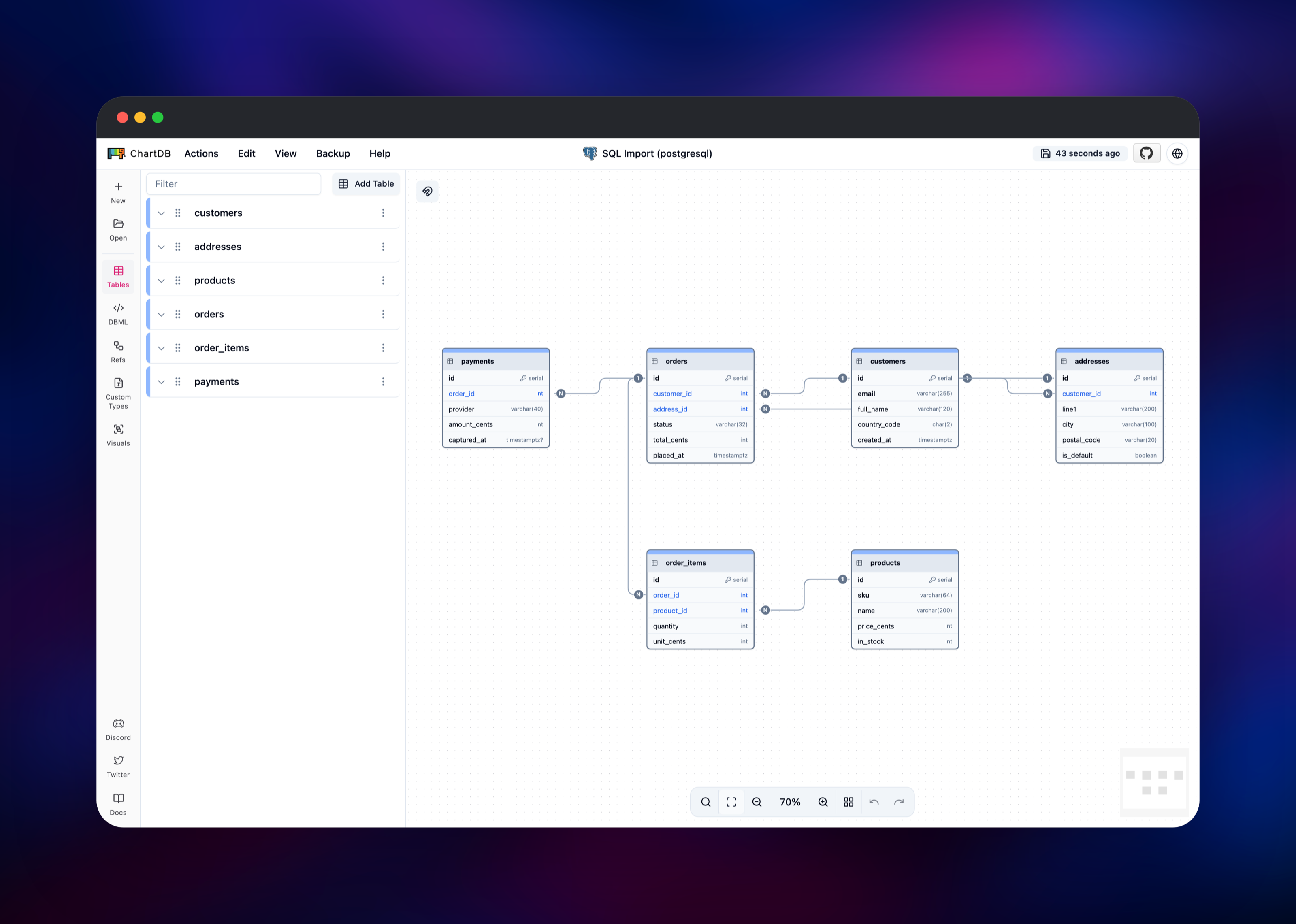
Set a password when you deploy — the template pre-fills a strong random one, and the username defaults to admin. Open the Railway URL and the browser prompts for those credentials before anything loads. ChartDB then asks "What is your Database?": pick your engine and you land on the import screen. Smart Query is the fast path — copy the read-only query it shows, run it in any SQL client against the database you want to document, and paste the JSON back. SQL Script takes a pg_dump --schema-only file or any CREATE TABLE script; DBML takes a DBML definition. Click Import and the canvas fills in.
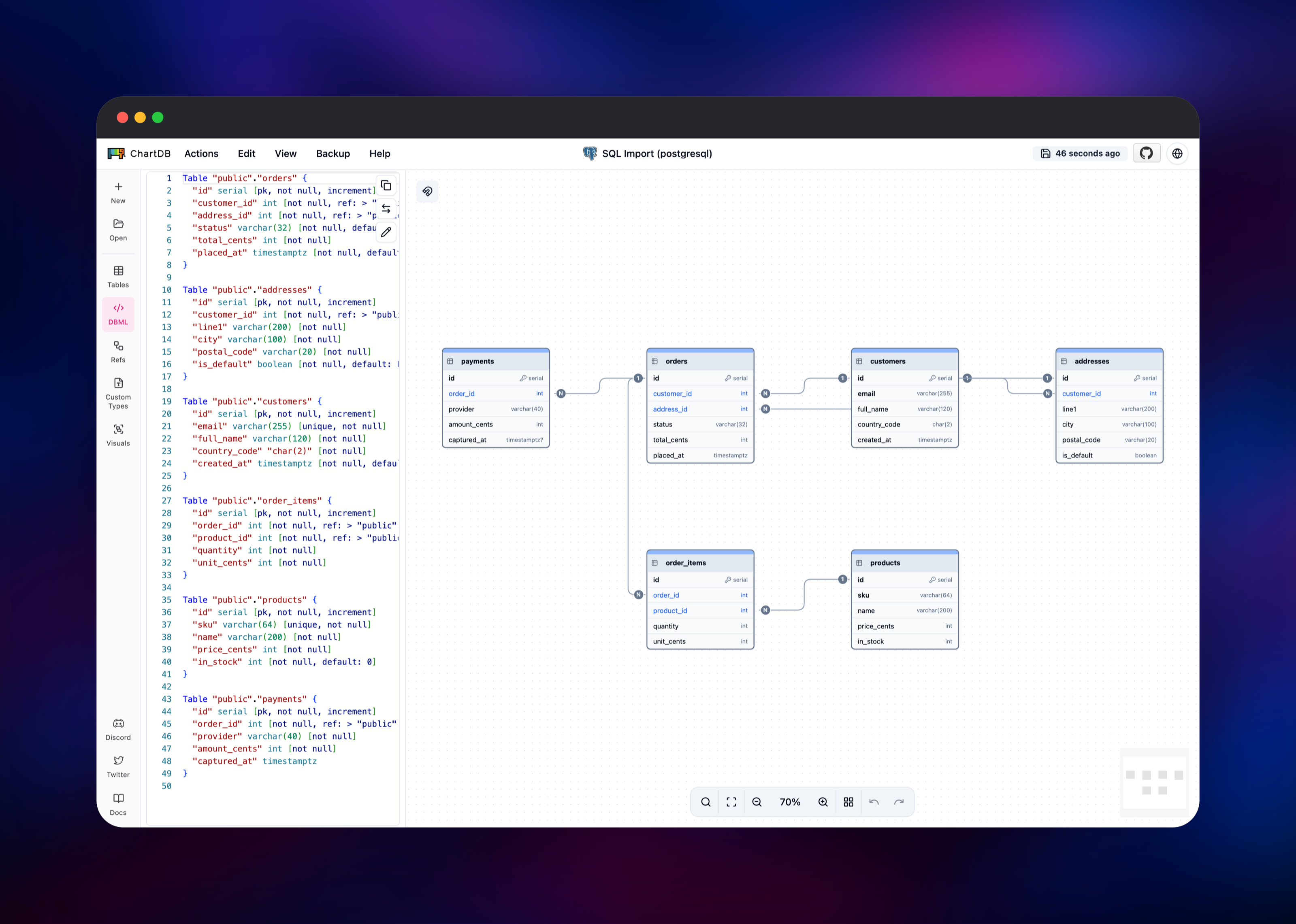
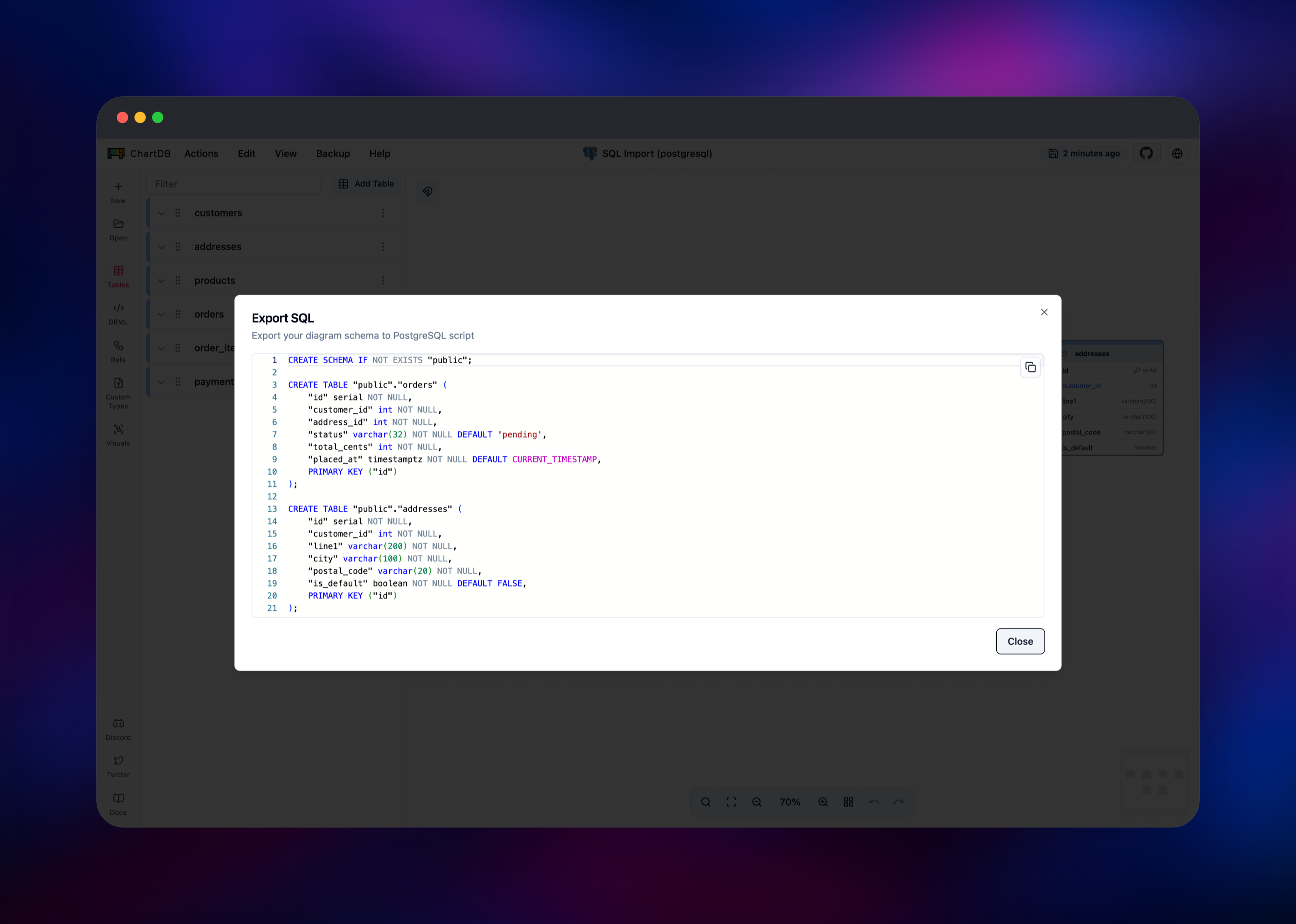
From there everything is direct manipulation: drag tables to lay the diagram out, click one in the sidebar to add or retype a column, and use the Refs panel to draw a relationship the parser missed. Actions → Export SQL regenerates DDL for your engine or converts it to another; Actions → Export as writes a JSON file you can commit next to your migrations. To confirm the deployment works, import a schema and reload — the diagram comes back out of browser storage.
About Hosting ChartDB
ChartDB solves a specific problem: schema documentation goes stale the moment someone ships a migration, and general-purpose diagramming tools make redrawing expensive enough that nobody bothers. Because ChartDB reads the schema out of the database itself, regenerating the diagram is a paste rather than an afternoon. Teams self-host it mainly for data handling — a hosted diagram tool puts your table and column names on somebody else's servers, a conversation nobody wants to have about a production schema.
Key capabilities:
- One-query schema import for PostgreSQL, MySQL, MariaDB, SQL Server, SQLite, CockroachDB and ClickHouse, plus Supabase, Timescale and Cloudflare D1
- Import from a
pg_dumpscript or DBML instead, for schemas you would rather not query live - A live DBML editor beside the canvas, keeping diagram and text definition in sync
- DDL export in your engine's dialect, plus deterministic conversion between dialects
- Diagram export as JSON, plus image export for docs and slides
- Custom types, indexes, check constraints and per-table comments
The Railway architecture is deliberately small. The single chartdb service runs nginx, serving the compiled bundle, applying the HTTP password to every route, and exposing one unauthenticated health path so Railway can tell a live container from a broken one.
Why Deploy ChartDB on Railway
Railway removes the parts of self-hosting unrelated to the tool itself.
- A public HTTPS domain and certificate, with no DNS or renewal work
- The password is generated at deploy time, so no default credentials exist
- Deploys come from a public GitHub repository you can fork and change
- Health checks and automatic restarts already configured
- No database or volume to provision, back up or resize
- Scale the container from the dashboard when your team grows
Common Use Cases
- Onboarding engineers to an unfamiliar schema — regenerate the diagram from the real structure instead of trusting a wiki page written two years ago.
- Planning a migration — sketch the new tables on the canvas, then export DDL as the starting point for the migration file.
- Schema review — share an exported diagram so reviewers see relationships, not a diff of
CREATE TABLEstatements. - Documenting a legacy database — read-only import means you never need write access on it.
Dependencies for ChartDB
ghcr.io/chartdb/chartdb:latest— the upstream image, built from chartdb/chartdb: nginx plus the compiled front end- A thin wrapper image, gridalpha/chartdb-railway, adding the Railway port binding, the HTTP password, the health route and the optional AI proxy
No other dependencies: no database, cache, object storage or volume.
Environment Variables Reference
| Variable | Default | What it does |
|---|---|---|
CHARTDB_USERNAME | admin | Username for the HTTP password prompt |
CHARTDB_PASSWORD | generated | Password for that prompt; the container will not start without one |
CHARTDB_AUTH_ENABLED | true | Set false only to publish an intentionally open instance |
HIDE_CHARTDB_CLOUD | true | Hides prompts for the hosted product |
DISABLE_ANALYTICS | true | Turns off upstream's analytics script |
OPENAI_API_KEY | unset | Optional. Enables AI dialect conversion; the key stays server-side |
LLM_API_BASE_URL | https://api.openai.com/v1 | Optional. Any OpenAI-compatible endpoint |
LLM_MODEL_NAME | gpt-4o-mini-2024-07-18 | Optional. Model used for that conversion |
Deployment Dependencies
- Source repository: github.com/chartdb/chartdb (AGPL-3.0)
- Container image:
ghcr.io/chartdb/chartdb - Documentation: docs.chartdb.io
Hardware Requirements for Self-Hosting ChartDB
Serving static files is cheap, and the browser renders the diagram, so container size barely changes with schema size.
| Resource | Minimum | Recommended |
|---|---|---|
| CPU | 0.25 vCPU | 0.5 vCPU |
| RAM | 128 MB | 256 MB |
| Storage | none | none |
| Runtime | nginx on Alpine | nginx on Alpine |
Self-Hosting ChartDB with Docker
The published image runs unmodified. This starts it on port 8080:
docker run -d --name chartdb -p 8080:80 ghcr.io/chartdb/chartdb:latest
That container has no password on it. To build the version this template deploys — port binding, HTTP password, health route — clone the wrapper repository:
git clone https://github.com/gridalpha/chartdb-railway.git
cd chartdb-railway
docker build -t chartdb-railway .
docker run -d -p 8080:8080 \
  -e PORT=8080 \
  -e CHARTDB_USERNAME=admin \
  -e CHARTDB_PASSWORD=choose-something-long \
  chartdb-railway
How Much Does ChartDB Cost to Self-Host?
ChartDB is free and open source under AGPL-3.0, with no licence key, seat count or feature gate in the self-hosted build. The vendor also runs a hosted version with paid tiers; none of it is required here. On Railway you pay only for the container, which for a static site sits at the bottom of the usage range, with no database or volume on top.
FAQ
What is ChartDB? An open-source, browser-based database diagram editor. It imports a schema from a single read-only query, a SQL dump or a DBML file, draws the entity-relationship diagram, and exports DDL or a shareable diagram file.
What does this Railway template deploy? One service running nginx and the compiled ChartDB front end on a public Railway domain, behind an HTTP username and password generated at deploy time. No database, cache or volume is created.
Where are my diagrams stored if there is no database?
In your own browser. ChartDB is entirely client-side, so diagrams persist per browser and are not shared between people or devices. Use Actions → Export as to move one elsewhere, and treat clearing site data as deleting it.
Do I have to give ChartDB my database password?
No. The Smart Query import is a read-only SELECT you run yourself in whatever SQL client you already use, and paste the result back. The deployment never connects to your database.
Do I need an OpenAI API key? No. Import, editing and DDL export in your own dialect need no key, and several cross-dialect conversions use a built-in converter. A key only helps for pairs that converter does not cover, and when set it is used server-side rather than handed to the browser.
Can I let my whole team use one instance? Yes — share the URL and credentials. Everyone gets the same application but their own diagrams, since storage is per browser; to share one, export it and send the file.
How do I turn off the password prompt?
Set CHARTDB_AUTH_ENABLED to false and redeploy — only if you intend the instance to be reachable by anyone with the URL.
Template Content
chartdb
gridalpha/chartdb-railway

