
Deploy Chatwoot
Intercom, Zendesk Alternative: Modern customer support platform

Redis
Just deployed
/data
chatwoot-web
Just deployed
chatwoot-worker
Just deployed

Just deployed
/var/lib/postgresql/data
chatwoot-storage
Bucket
Just deployed
Deploy and Host Chatwoot on Railway
Chatwoot is an open-source customer engagement platform: live chat, email, WhatsApp, Instagram, Facebook, Telegram and SMS collapsed into one shared inbox your support agents work from. Built on Rails and Vue, it is the self-hosted alternative to Intercom, Zendesk and Freshdesk — no per-seat fee, and every conversation stays on infrastructure you control.
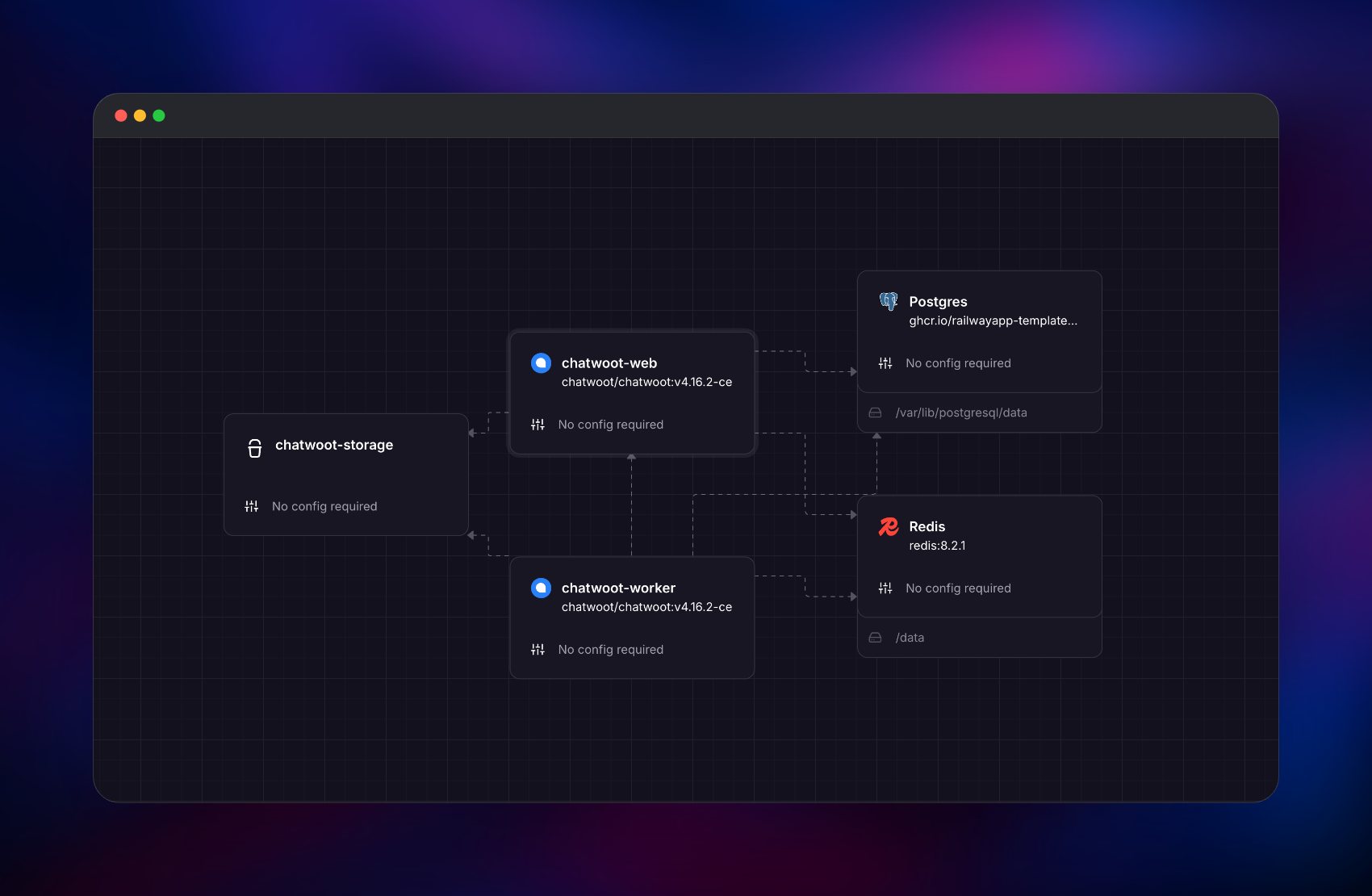
Self-host Chatwoot on Railway from the official chatwoot/chatwoot:v4.16.2-ce image. chatwoot-web runs Puma on port 3000 behind the public domain, health-checked at /health; a private chatwoot-worker runs Sidekiq, so job throughput is never tied to web memory. Managed Postgres, Redis and a Railway object storage bucket hold records, queues and attachments — no volume needed.
Getting Started with Chatwoot on Railway
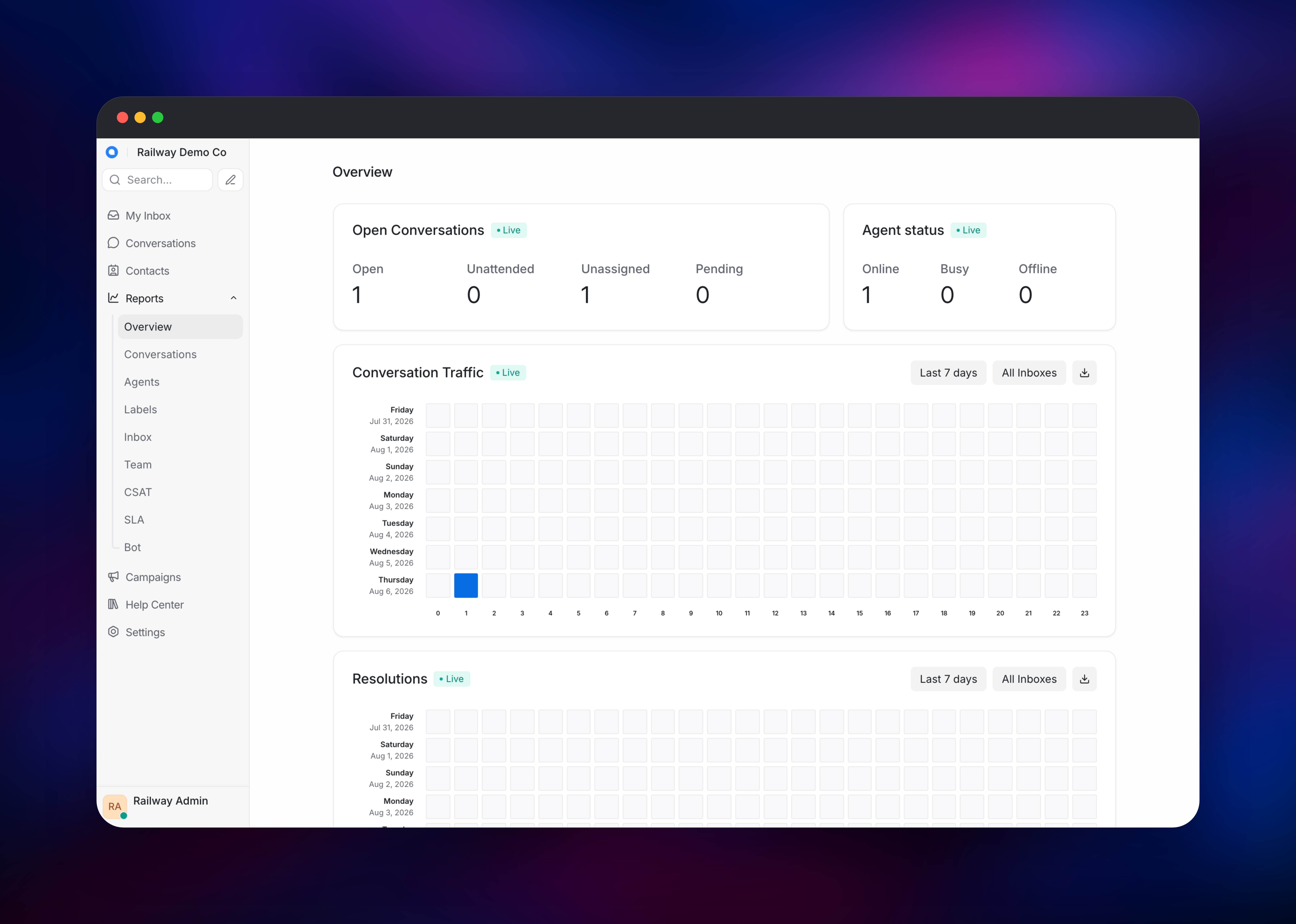
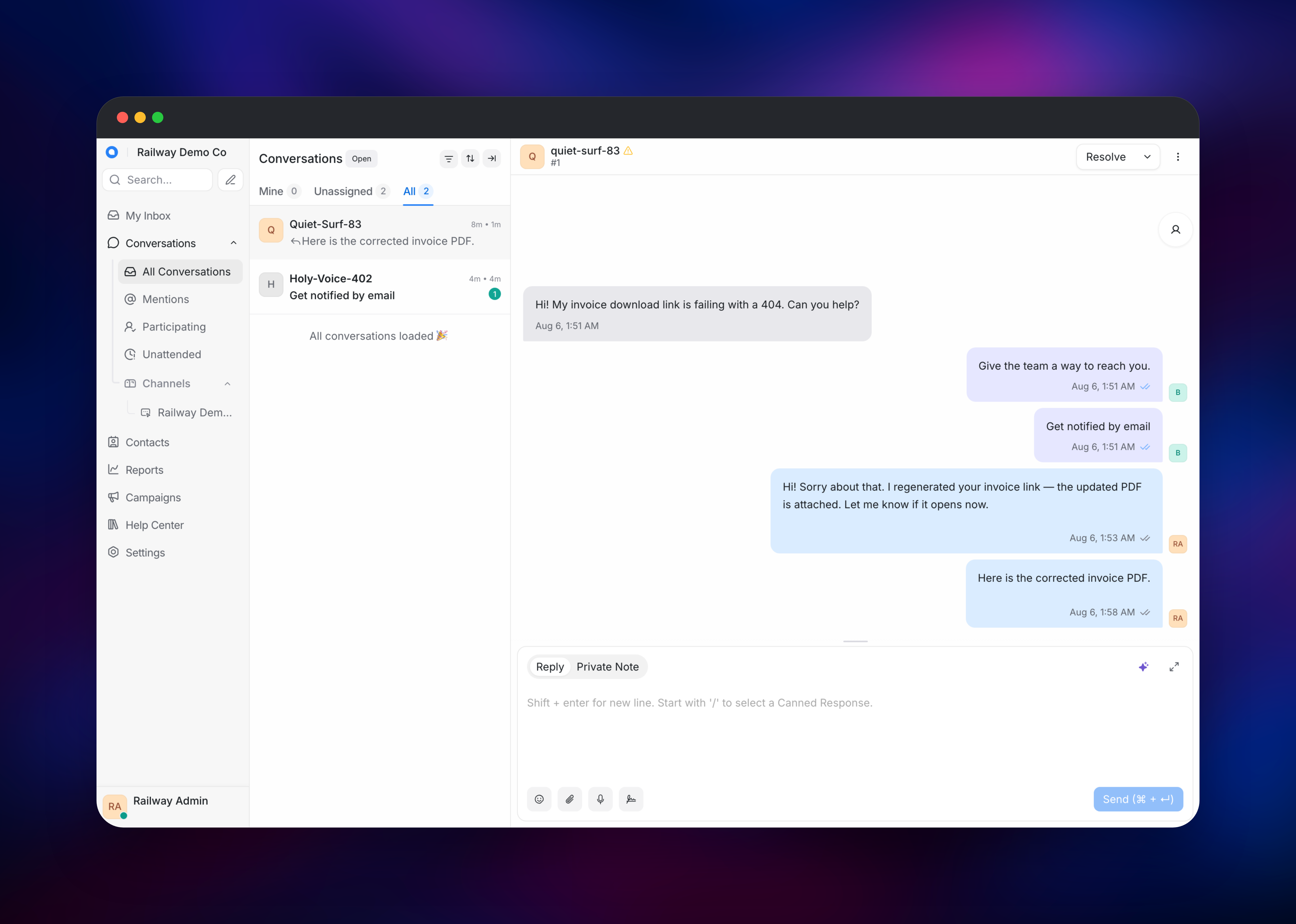
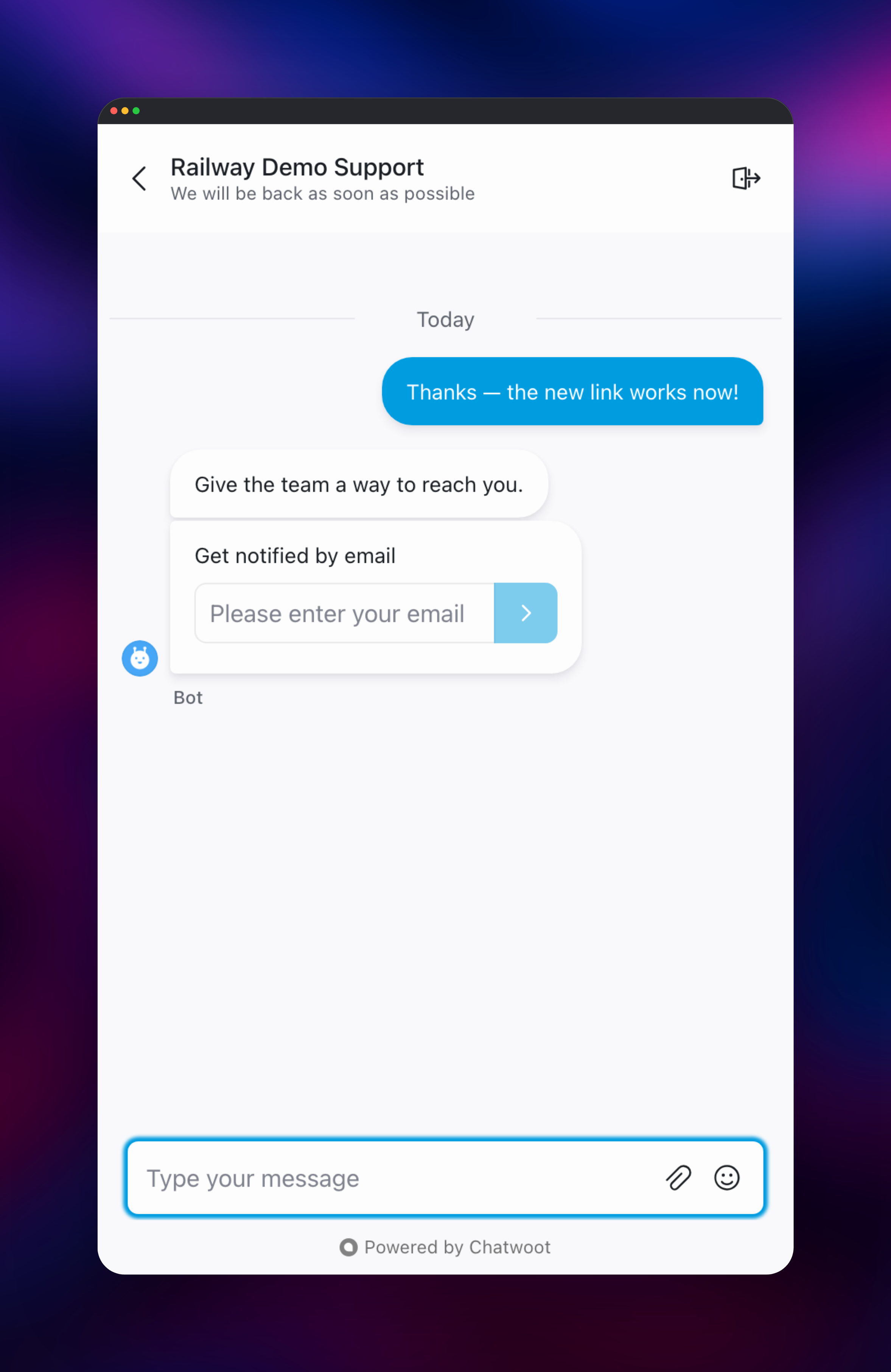
Open the Railway domain once both services are green. Chatwoot ships no default credentials: the first request redirects to /installation/onboarding, a one-time form creating the super-admin. It appears even with ENABLE_ACCOUNT_SIGNUP=false and closes for good once submitted, so claim it immediately. Then open Settings → Inboxes → Add Inbox → Website for a script tag to paste into your site. To verify end to end, load the widget in a private window, message yourself as a visitor and reply from the dashboard: a live conversation proves Postgres, Redis and ActionCable are wired, the bot follow-ups prove Sidekiq is draining, and an attachment confirms the bucket. Set SMTP before inviting teammates; unset, the mailer falls back to sendmail, which the image lacks.
About Hosting Chatwoot
Self-host Chatwoot when transcripts are regulated data, when per-agent pricing stops scaling, or when the widget must come from your domain.
- Shared omnichannel inbox — website chat, email, WhatsApp, Instagram, Facebook, Telegram, SMS and an API channel in one queue.
- Embeddable live chat widget — colours, greetings, pre-chat forms and business hours per inbox.
- Automations, canned responses and a Help Center — routing rules plus a knowledge base inside the widget.
- Reports, CSAT and CSV export, a REST API, signed webhooks and agent bots.
Why Deploy Chatwoot on Railway
Railway runs the web tier, worker tier and all three data stores as one project:
- Pinned
v4.16.2-ceimage on both services — nolatestdrift. - Explicit start commands, so neither container falls back to the image's IRB default.
- Migrations run as a pre-deploy step, not on every boot.
- Managed Postgres already carrying pgvector, plus Redis and a bucket.
- HTTPS domain,
/healthcheck and the SSL setting Rails needs behind a proxy.
Common Use Cases
- Omnichannel support desk — one queue for chat, email and social; no tab-hopping.
- WhatsApp-first support — work a WhatsApp Business number beside every other channel.
- In-product support — embed the widget, identify logged-in users, route by plan.
Dependencies for Chatwoot
chatwoot-web—chatwoot/chatwoot:v4.16.2-ce, port3000, health check/health. Puma serves the dashboard, widget and API. The image setsCMD ["irb"]and noENTRYPOINT, so a start command is required.chatwoot-worker— same image runningsidekiq -C config/sidekiq.yml, private: mail, webhooks, bot replies, report rollups. Match its tag to web; stay at one replica, as scheduled jobs assume one leader.Postgres— Chatwoot's schema declares thevectorextension, so plain Postgres refuses the schema load;pg_trgm,pgcryptoandpg_stat_statementsare needed too. Managed Postgres 18 has all four.Redis— Sidekiq queues, ActionCable pub/sub for live delivery, cached config.chatwoot-storage— S3-compatible bucket for attachments, avatars and article images.
Chatwoot Environment Variables Reference
| Variable | What it does |
|---|---|
FRONTEND_URL | Public base URL for links, emails and widgets |
SECRET_KEY_BASE | Signs sessions; identical on web and worker |
ACTIVE_RECORD_ENCRYPTION_* | Three keys for MFA secrets; losing them locks users out |
FORCE_SSL | HSTS and secure cookies; needs assume_ssl behind a proxy |
SMTP_ADDRESS | Unset falls back to sendmail, which is absent |
Deployment Dependencies
chatwoot/chatwoot · Docker Hub · docs. The pinned -ce (Community Edition) build is MIT throughout; the plain v4.16.2 tag bundles an enterprise/ tree licensed for production only with a paid subscription, so Captain AI, SLAs and SAML are absent.
Hardware Requirements for Self-Hosting Chatwoot
| Resource | Minimum | Recommended |
|---|---|---|
| CPU | 2 vCPU across both services | 4 vCPU (~10k conversations/day) |
| RAM | 2 GB total | 4–8 GB (8 GB ≈ 20k/day) |
| Storage | No volume | 5–10 GB Postgres |
| Runtime | PostgreSQL 14+ with pgvector, Redis 7+ | PostgreSQL 18, Redis 8 |
At rest it draws ~1.0 GB for web, ~0.56 GB for the worker and ~0.15 GB for the data stores; WEB_CONCURRENCY=1 roughly halves the web figure.
Self-Hosting Chatwoot with Docker
Upstream ships a production Compose file covering both roles plus Postgres and Redis:
git clone https://github.com/chatwoot/chatwoot.git
cd chatwoot && cp .env.example .env
docker compose -f docker-compose.production.yaml run --rm rails rails db:chatwoot_prepare
docker compose -f docker-compose.production.yaml up -d
Or run the web container alone, passing the start command:
docker run -d --name chatwoot-web -p 3000:3000 \
  -e SECRET_KEY_BASE="$(openssl rand -hex 64)" \
  -e DATABASE_URL="postgresql://user:pass@postgres:5432/chatwoot_production" \
  -e REDIS_URL="redis://:pass@redis:6379" \
  -e FRONTEND_URL="https://support.example.com" \
  chatwoot/chatwoot:v4.16.2-ce \
  bundle exec rails s -p 3000 -b 0.0.0.0
The worker runs the same image with bundle exec sidekiq -C config/sidekiq.yml; migrations belong in a release step.
Chatwoot vs Intercom and Zendesk
| Chatwoot CE | Intercom | Zendesk | |
|---|---|---|---|
| Self-host | Yes, MIT | No | No |
| Cost | Infrastructure only | from ~$29/seat | from ~$25/agent |
| Channels | Chat, email, WhatsApp, social | Chat, email, social | Adds voice |
Only Chatwoot runs end to end on hardware you own.
How Much Does Chatwoot Cost to Self-Host?
Chatwoot Community Edition is free and MIT-licensed with no agent cap, conversation cap or per-message fee, so self-hosting on Railway costs infrastructure only. Chatwoot Cloud runs from a free 2-agent tier through $19, $39 and $99 per agent per month, and paid self-hosted plans ($19 for Captain AI, $99 for SSO/SAML and SLAs) unlock the enterprise build.
Troubleshooting Self-Hosted Chatwoot
Health checks time out with no request logs → FORCE_SSL=true redirects plain-HTTP requests, and the probe arrives internally without X-Forwarded-Proto. Chatwoot sets force_ssl but not assume_ssl, and the SSL middleware sits above the Rails logger, so redirected probes log nothing and the app looks idle rather than broken. The start command sets assume_ssl in an initializer, keeping HSTS and secure cookies.
Schema load aborts on extension "vector" is not available → vector and pg_stat_statements are untrusted extensions a non-superuser cannot create. Create them as a superuser before first boot; Railway's managed Postgres already has them.
FAQ
What is Chatwoot?
A shared omnichannel inbox for live chat, email, WhatsApp, social and SMS, plus a knowledge base, automations and reports — open source and self-hostable.
What does this Railway template deploy?
chatwoot-web (chatwoot/chatwoot:v4.16.2-ce, port 3000, health check /health), a private chatwoot-worker running Sidekiq on the same image, managed Postgres, Redis and a bucket. No volume.
Why does self-hosted Chatwoot need Postgres, Redis and object storage?
Postgres holds accounts, contacts and messages; Redis backs the Sidekiq queues and the ActionCable channel behind live delivery; the bucket holds attachments, so both containers stay stateless.
What are the default login credentials for self-hosted Chatwoot?
None. The first visit redirects to /installation/onboarding, which creates the super-admin once, then closes.
How do I send and receive Chatwoot messages programmatically?
Create an access token under Profile Settings → Access Token and call /api/v1/accounts/{id}/... with an api_access_token header; webhooks under Settings → Integrations push signed events out.
Template Content
Redis
redis:8.2.1chatwoot-web
chatwoot/chatwoot:v4.16.2-cechatwoot-worker
chatwoot/chatwoot:v4.16.2-cechatwoot-storage
Bucket

