
Deploy CloudBeaver
Browser-based database manager with a SQL editor and data grid

Just deployed
/var/lib/postgresql/data
cloudbeaver
Just deployed
/opt/cloudbeaver/workspace
Deploy and Host CloudBeaver on Railway
CloudBeaver is the browser-based database manager built by the team behind DBeaver. It gives you a full SQL workbench in a tab: a schema navigator, a SQL editor with autocomplete and execution plans, an editable results grid, ER diagrams, CSV and JSON import and export, and an admin panel for users and shared connections. It speaks PostgreSQL, MySQL, SQLite, ClickHouse, SQL Server, Oracle, MongoDB and roughly ninety other engines through JDBC, so one deployment covers every database your team touches.
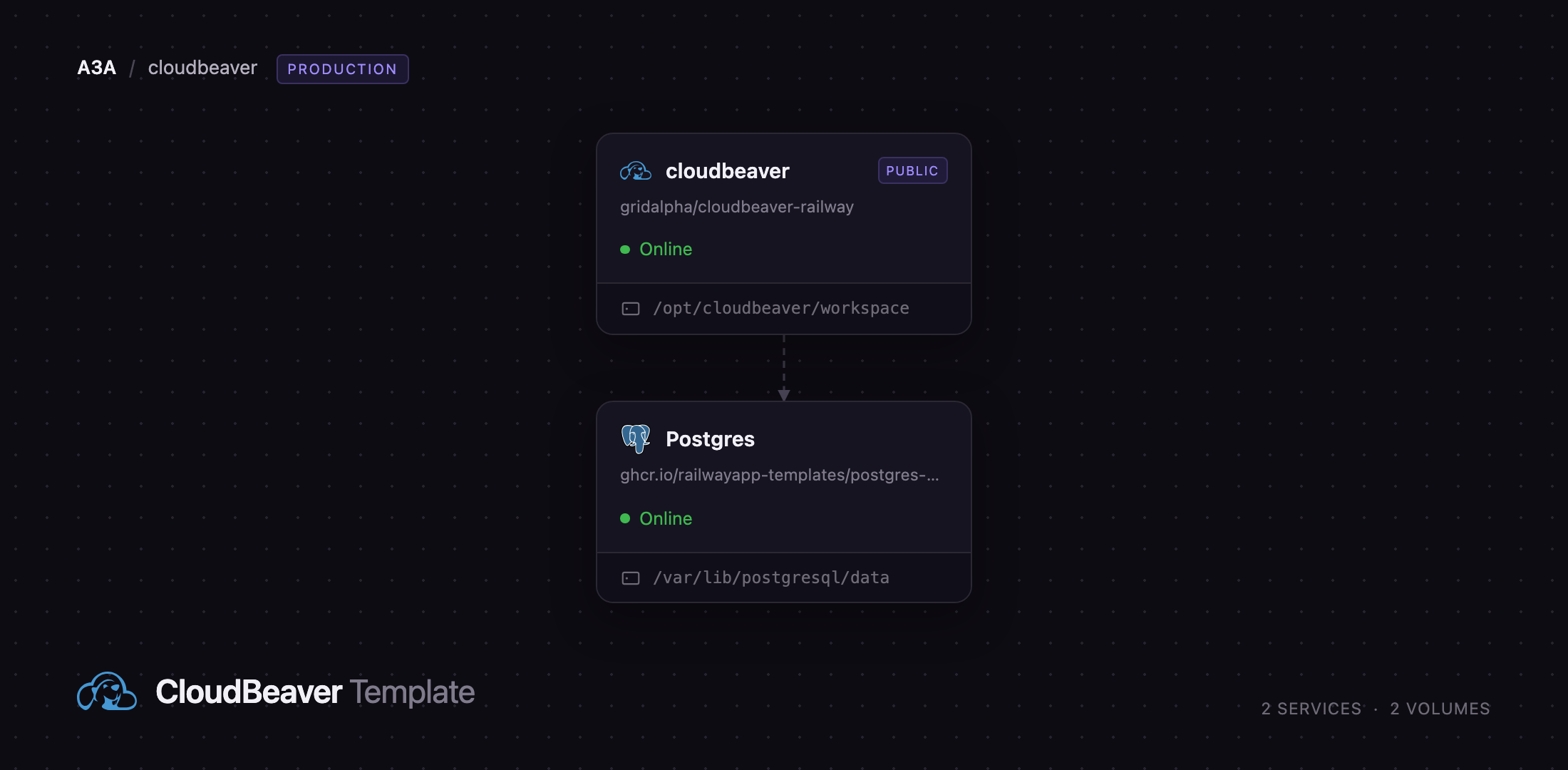
Deploy CloudBeaver on Railway and you get two services wired together. cloudbeaver runs the Community Edition behind a public HTTPS domain and keeps its workspace — saved scripts, connections, users and teams — on a persistent volume. Postgres is a managed PostgreSQL instance on the private network, already registered inside CloudBeaver as a connection named Railway Postgres, credentials included. You self-host CloudBeaver without touching a config file: the administrator is created from environment variables on first boot, so no setup wizard sits open on a public URL.
Getting Started with CloudBeaver on Railway
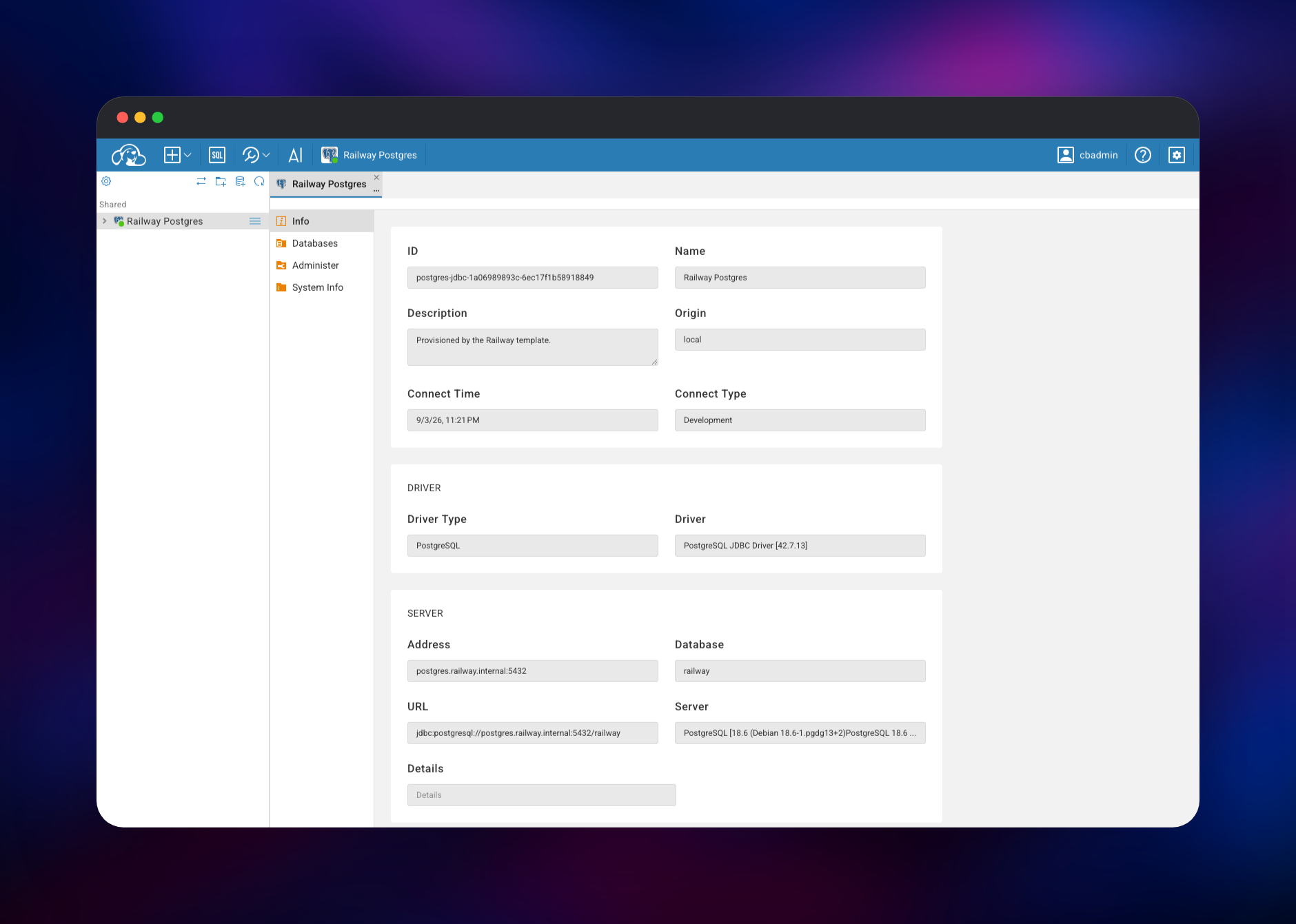
Open the public URL of the cloudbeaver service and you land on a login prompt — anonymous access is off, so nothing is readable before signing in. Log in with the CB_ADMIN_NAME and CB_ADMIN_PASSWORD values you set at deploy time; the defaults are cbadmin and a generated password. The left navigator already lists a Shared folder holding the Railway Postgres connection. Double-click it, and the Info tab shows the server version and private address — the quickest confirmation the deployment works end to end.
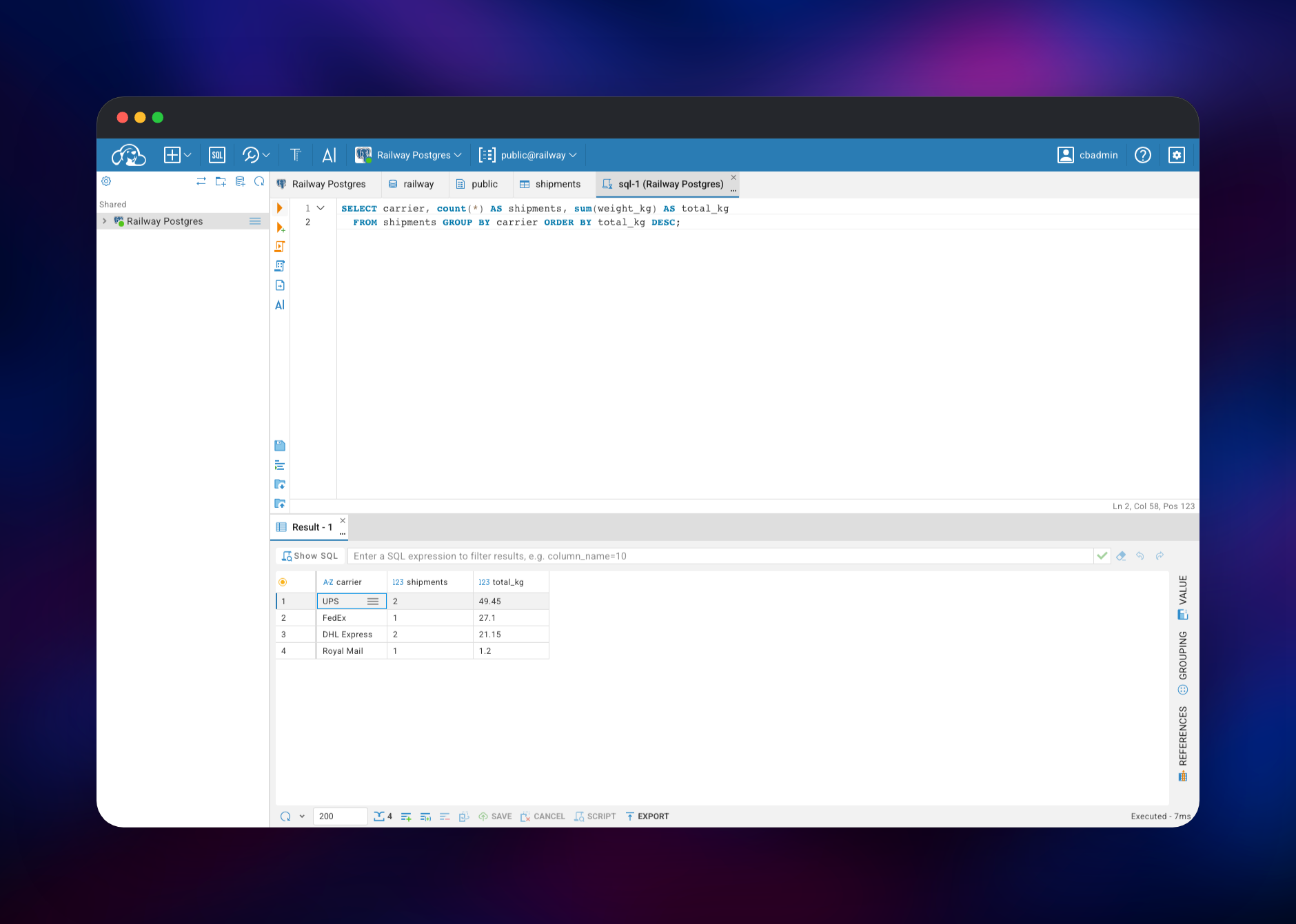
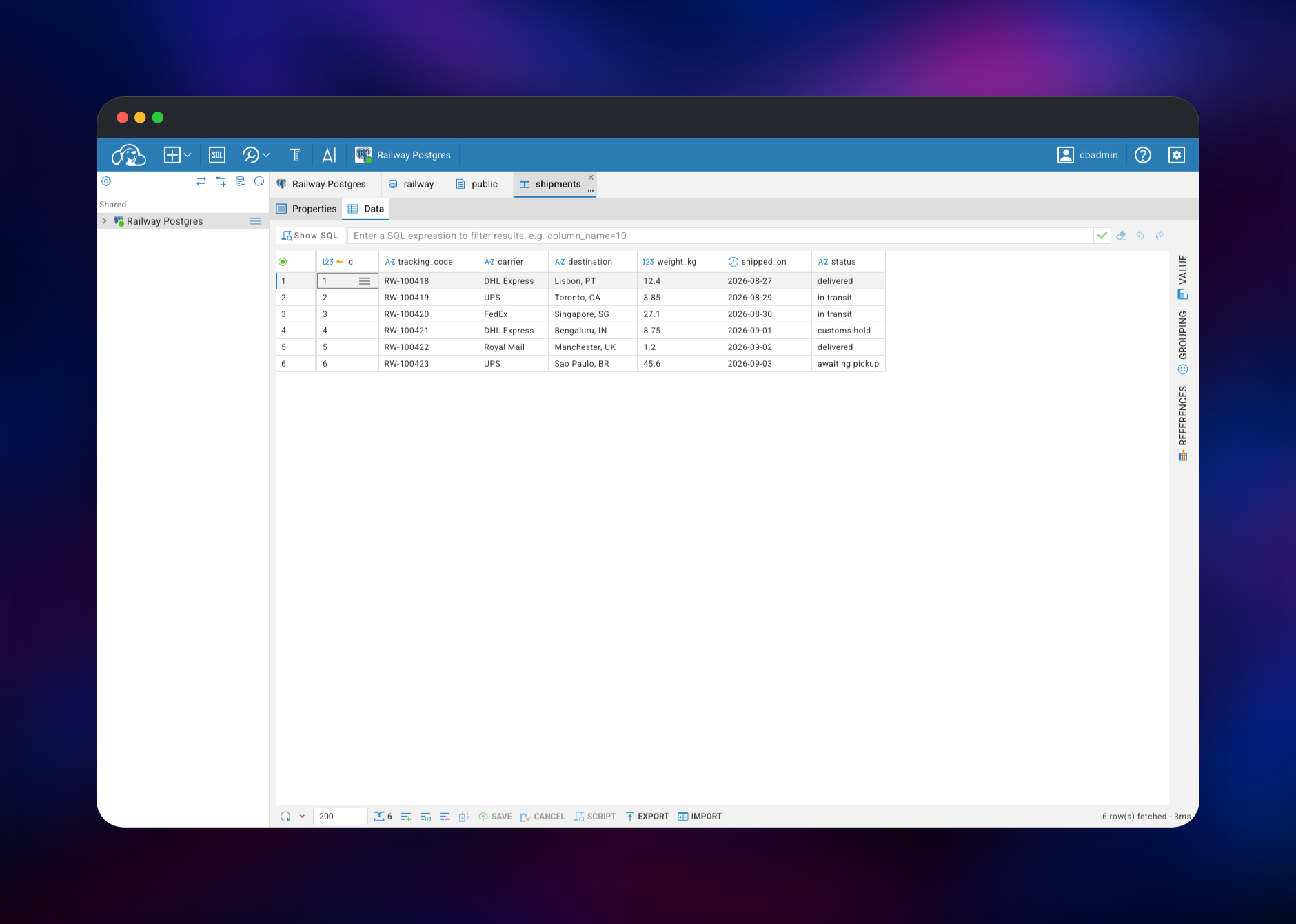
From there, expand the connection down to railway → Schemas → public → Tables to browse objects, or hit the SQL icon in the top bar for an editor already bound to it. Run a statement with the execute button or Ctrl/Cmd+Enter; results arrive in a grid you can edit in place and save. To add your own databases, use New Connection and point it at another Railway service's private hostname, such as mysql.railway.internal. Change the administrator password from the profile menu, and add users from the admin panel.
About Hosting CloudBeaver
CloudBeaver solves a problem every team with a shared database hits: everyone needs SQL access, nobody wants to hand out production credentials, and desktop clients scatter them across laptops. Self-hosting puts them in one place, behind one login, on infrastructure you control.
Key capabilities:
- SQL editor with autocomplete, execution plans and saved scripts
- Editable data grid with filtering, sorting and value/grouping panels
- Schema navigator for tables, views, indexes and functions
- ER diagrams generated from live foreign keys
- Import from CSV; export results to CSV, JSON, XML or SQL inserts
- Users, teams and permissions, plus shared connections defined once by an admin
- Roughly ninety JDBC drivers bundled, so most engines need no extra setup
The architecture is deliberately small. cloudbeaver is a Java application on Jetty; its state is the workspace directory on the volume, holding an embedded H2 database for users, teams and connection credentials plus saved scripts. Postgres makes the deployment useful the moment it finishes and doubles as a real database you can build on.
Why Deploy CloudBeaver on Railway
Running a JVM application with a persistent workspace is what Railway takes off your hands.
- Public HTTPS domain and certificates issued automatically
- Persistent volume, so users, connections and scripts survive deploys
- A managed PostgreSQL instance included and already connected
- Private networking keeps the database off the public internet
- Scaling and metrics with no infrastructure work
Common Use Cases
- Giving a team access to a production database through one login instead of distributing credentials
- Running ad-hoc SQL and fixing bad rows from a browser during an incident, including from a phone
- Onboarding analysts who need query access without a desktop client
- Acting as the SQL console for other Railway services in the same project
Dependencies for CloudBeaver
- cloudbeaver — built from
gridalpha/cloudbeaver-railway, one layer over the officialdbeaver/cloudbeaverimage. It prepares the volume, serves a health endpoint and registers the bundled database as a connection on first boot. - Postgres — Railway's managed PostgreSQL. It stores nothing for CloudBeaver itself; it is the database CloudBeaver connects to, and where your schemas go.
Environment Variables Reference
| Variable | Purpose |
|---|---|
CB_SERVER_NAME | Any non-empty value; setting it skips the first-run setup wizard |
CB_ADMIN_NAME | Administrator username created on first boot |
CB_ADMIN_PASSWORD | Administrator password created on first boot |
CLOUDBEAVER_APP_ANONYMOUS_ACCESS_ENABLED | false requires a login; upstream defaults to true |
CLOUDBEAVER_APP_SUPPORTS_CUSTOM_CONNECTIONS | true lets signed-in users add their own connections |
CLOUDBEAVER_FORCE_HTTPS | true marks the session cookie Secure |
CB_SEED_CONNECTION_* | The connection registered at first boot |
Deployment Dependencies
- Source repository:
- Upstream:
- Docs:
- Image:
Hardware Requirements for Self-Hosting CloudBeaver
CloudBeaver is a JVM application, so memory matters more than CPU. Result sets are capped by a row quota; exports and imports push memory hardest.
| Resource | Minimum | Recommended |
|---|---|---|
| CPU | 1 vCPU | 2 vCPU |
| RAM | 1 GB | 2 GB |
| Storage | 1 GB volume | 5 GB volume |
| Runtime | Java 25 (bundled) | Java 25 (bundled) |
Self-Hosting CloudBeaver
The upstream image needs one port and one directory. The following runs CloudBeaver locally with Docker, keeping the workspace in a named volume:
docker run -d --name cloudbeaver \
  -p 8978:8978 \
  -v cloudbeaver-workspace:/opt/cloudbeaver/workspace \
  -e CB_SERVER_NAME="CloudBeaver" \
  -e CB_ADMIN_NAME="cbadmin" \
  -e CB_ADMIN_PASSWORD="change-me-8-chars" \
  -e CLOUDBEAVER_APP_ANONYMOUS_ACCESS_ENABLED="false" \
  dbeaver/cloudbeaver:latest
Every setting in the generated conf/cloudbeaver.conf has a matching environment variable. To build from source, this clones the repository and runs the bundled scripts:
git clone https://github.com/dbeaver/cloudbeaver.git
cd cloudbeaver/deploy
./build.sh
docker build -t cloudbeaver-local ./docker/cloudbeaver-ce
The password must satisfy the built-in policy — eight characters, mixed case, one digit — or the first login fails. Ten failures block that user for five minutes.
Is CloudBeaver Free to Self-Host?
CloudBeaver Community Edition is free and open source under Apache 2.0, with no seat limits and no feature keys. DBeaver Corp sells Enterprise and Team editions adding SSO, secret managers and commercial drivers; none of that is needed here. On Railway you pay only for what the two services use.
FAQ
What is CloudBeaver? CloudBeaver is an open-source, browser-based database manager from the DBeaver project. It provides a SQL editor, schema browser, editable data grid and user administration for around ninety database engines, through a web UI instead of a desktop install.
What does this Railway template deploy?
Two services: cloudbeaver, the web app with a public HTTPS domain and a persistent volume for its workspace, and Postgres, a managed PostgreSQL database on the private network, pre-registered inside CloudBeaver as a ready-to-use connection.
Why does the template include a PostgreSQL database? CloudBeaver can only reach databases on its own project's private network, so a deployment with no database has nothing to connect to. The included instance makes the template useful immediately; CloudBeaver's own metadata lives on its volume, not in that database.
How do I connect self-hosted CloudBeaver to my existing database?
Use New Connection in the navigator toolbar, pick the driver and enter the host. For another Railway service in the same project and environment, use its private hostname — mysql.railway.internal — and internal port. For an external database, use its public host.
Do connections and saved SQL scripts survive a redeploy? Yes. Users, teams, connections, saved credentials and scripts live in the workspace directory on the attached volume, which persists across deploys and restarts. Only browser sessions end, so you sign in again after a new version rolls out.
How do I change the administrator password after deploying CloudBeaver?
Sign in, open the profile menu in the top-right corner and change it there. CB_ADMIN_PASSWORD is read only while the workspace is empty, on the first boot, so a later change is never overwritten by a redeploy.
Template Content
cloudbeaver
gridalpha/cloudbeaver-railway

