
Deploy Colanode
Collaboration workspace with team chat, pages and databases
colanode-web
Just deployed
colanode-server
Just deployed

Just deployed
/var/lib/postgresql/data

Redis
Just deployed
/data
colanode-files
Bucket
Just deployed
Deploy and Host Colanode on Railway
Colanode is an open-source, local-first collaboration workspace putting team chat, Notion-style pages, customisable databases and file storage behind one server you own. Every client keeps a full SQLite copy of whatever you may read, so the app works offline and edits merge through CRDTs once the connection returns. Teams reach for it when Slack and Notion have split their conversations from their documents, and when the data is too sensitive for a vendor's cloud.
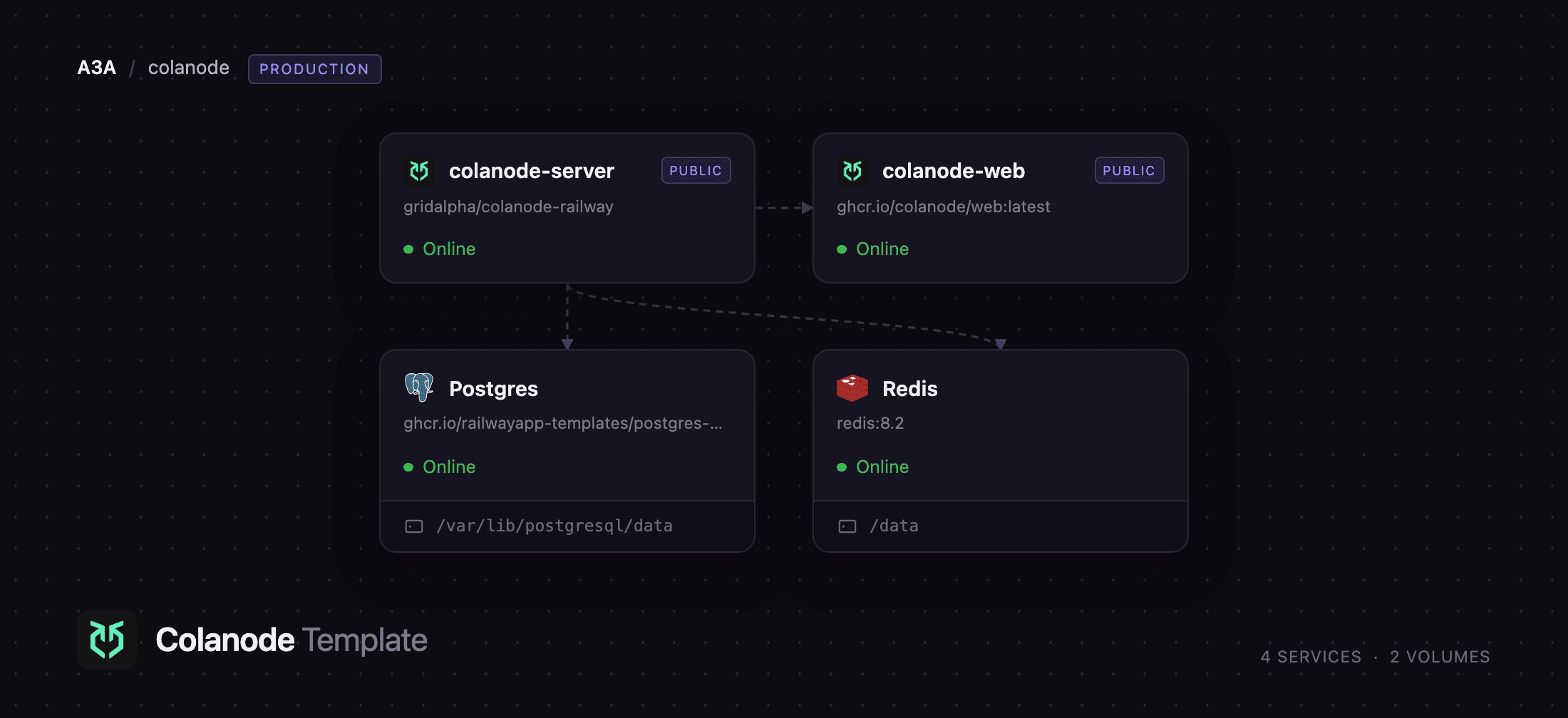
Self-host Colanode on Railway and this template wires the whole stack. colanode-server runs the sync API, the file endpoint and the job worker; colanode-web serves the browser client; Postgres stores accounts, workspaces, nodes and CRDT updates with the vector extension enabled; Redis carries the job queue and upload locks; and a managed colanode-files bucket holds every uploaded file. Nothing writes to a container filesystem, so the deployment survives redeploys without a volume.
Getting Started with Colanode on Railway
The deploy gives you two URLs: the colanode-web domain, which is the app, and the colanode-server domain, the sync API. Open the web one. A self-hosted build pre-registers no servers, so the first screen asks you to add one: click Add a new server and paste your server domain with /config on the end. That path returns the server's JSON descriptor; the bare domain returns an HTML page and is rejected.
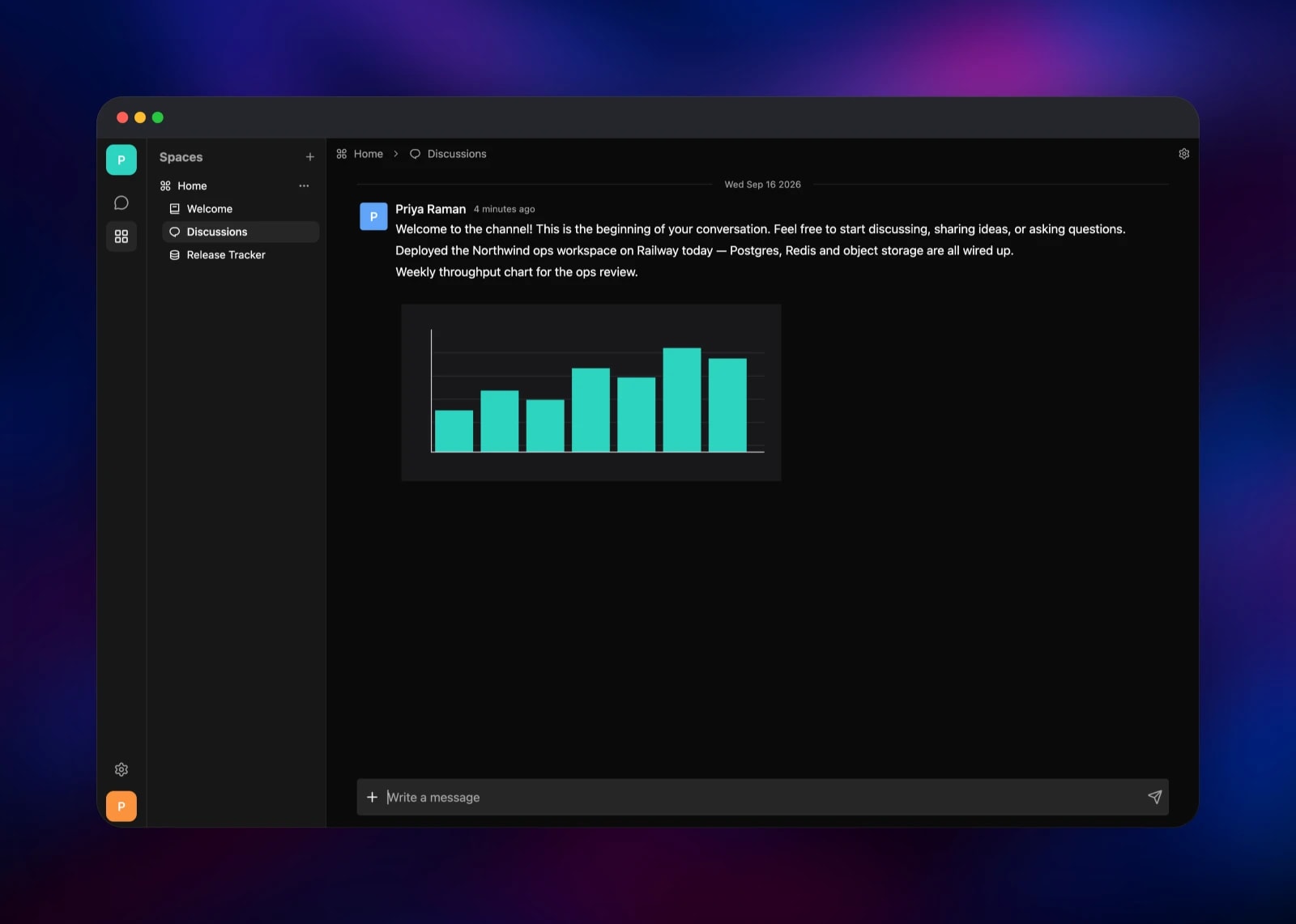
Pick the server, choose No account yet? Register, and create your account. There are no default credentials and no setup wizard: the first person to register gets an account plus a starter workspace with a Home space, a Welcome page and a Discussions channel. Post a message there and attach a file — that exercises Postgres, Redis and the bucket at once, the quickest way to confirm the deployment is healthy. Invite colleagues from workspace settings; membership is by invitation, so other accounts cannot see your content.
About Hosting Colanode
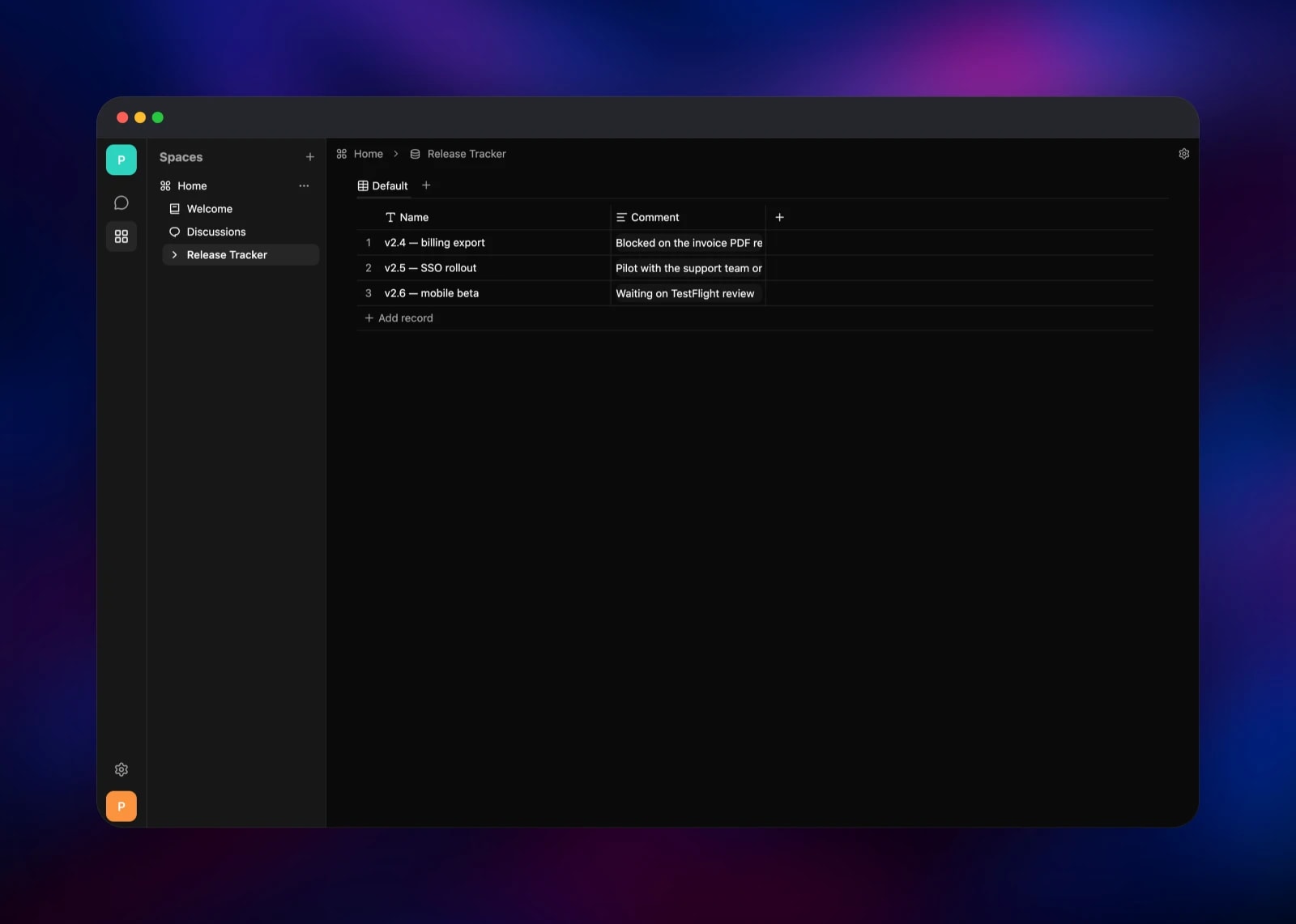
Colanode collapses three tools into one workspace. Channels handle conversation, pages handle documentation, databases handle structured records — and because a database row is a page, a task in a tracker carries the write-up nobody wanted to link out to. Self-hosting matters because that content is a company's internal memory.
Key features:
- Real-time chat in channels and direct messages, with reactions and threads
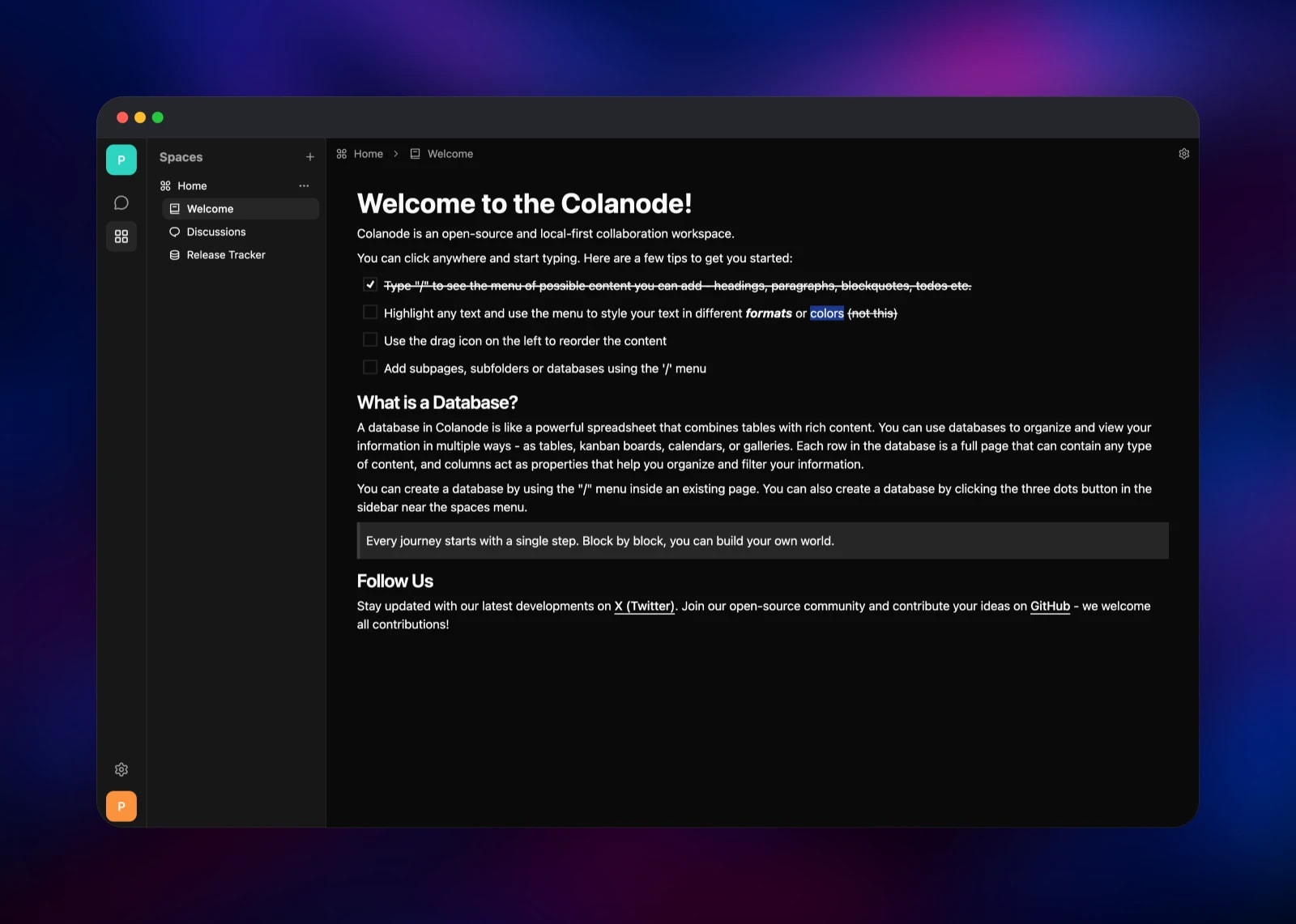
- Rich text pages with headings, checklists, quotes, tables and embedded files
- Databases with typed fields and table, kanban, calendar and gallery views
- Resumable file uploads kept in object storage
- Multiple workspaces per server, each with its own members
- Desktop apps for macOS, Windows and Linux beside the browser client
The Railway shape follows upstream's own compose file. colanode-server is the only service that touches data: it migrates at boot, serves the sync API over HTTP and WebSocket, streams downloads from the bucket, and runs the job worker in-process. colanode-web is a static nginx build holding no state; it calls the server across origins, which is why the server takes the web domain as its CORS origin.
Why Deploy Colanode on Railway
Railway removes the parts of self-hosting that are not the app:
- Postgres with
pgvector, Redis and S3-compatible storage wired up - Both public domains issued with TLS, no reverse proxy to configure
- Private networking between the server and its data stores
- Health checks, restart policies and rolling deploys out of the box
- Scaling by raising replicas once
SERVER_MODEiscluster
Common Use Cases
- An internal wiki plus team chat, in one searchable place
- A client-facing workspace per engagement, isolated from the others
- A research or legal team whose documents must stay on their own hardware
- Field teams on poor connections, where local-first sync keeps the app usable
Dependencies for Colanode
- colanode-server — gridalpha/colanode-railway, a thin layer over
ghcr.io/colanode/server:latestthat renders the server's JSON config from environment variables at boot and waits for Postgres and Redis - colanode-web —
ghcr.io/colanode/web:latest, the browser client on nginx - Postgres — accounts, workspaces, nodes, documents and CRDT update logs; the
vectorextension is created by the server's migrations - Redis — BullMQ job queue plus the locks that make uploads resumable
- colanode-files — S3-compatible bucket for uploaded files and avatars
Environment Variables Reference
| Variable | Purpose |
|---|---|
POSTGRES_URL | Postgres connection string |
REDIS_URL | Redis connection string |
S3_ENDPOINT, S3_BUCKET, S3_ACCESS_KEY, S3_SECRET_KEY | Object storage for uploads |
CORS_ORIGIN | Origin the browser client is served from |
WEB_DOMAIN | Host used in workspace invitation links |
SERVER_NAME | Name shown in the client's server list |
SERVER_MODE | standalone, or cluster for several replicas |
ACCOUNT_VERIFICATION_TYPE | automatic, email or manual registration |
MAX_FILE_SIZE | Upload ceiling in bytes, default 500 MB |
EMAIL_ENABLED, EMAIL_SMTP_* | Outbound mail for invites |
AI_ENABLED, AI_OPENAI_API_KEY | Assistant and semantic search |
Deployment Dependencies
- Source: colanode/colanode, Apache-2.0
- Docs: colanode.com/docs
- Images:
ghcr.io/colanode/server,ghcr.io/colanode/web - Runtime: Node.js 22 on Alpine; Postgres 18 with pgvector; Redis 8
Hardware Requirements for Self-Hosting Colanode
| Resource | Minimum | Recommended |
|---|---|---|
| CPU | 1 vCPU | 2 vCPU |
| RAM | 1 GB | 2 GB |
| Storage | Managed Postgres + bucket | Same |
| Runtime | Node.js 22 | Node.js 22 |
The server is light because clients do the reading: queries run against each device's local SQLite copy while the server ships update streams. Pressure comes from concurrent WebSocket connections and file throughput.
Self-Hosting Colanode with Docker
Upstream ships a compose file bringing up Postgres with pgvector, Valkey, the server and the web client:
git clone https://github.com/colanode/colanode.git
cd colanode
docker compose -f hosting/docker/docker-compose.yaml up -d
The web client is then on http://localhost:4000, the server on http://localhost:3000. Only POSTGRES_URL and REDIS_URL are required; everything else lives in a JSON file read from the path in CONFIG. To change CORS, storage or registration, copy apps/server/config.example.json, edit it and mount it:
docker run -d -p 3000:3000 \
  -e POSTGRES_URL="postgres://user:pass@postgres:5432/colanode" \
  -e REDIS_URL="redis://:pass@valkey:6379/0" \
  -e CONFIG=/config.json \
  -v "$PWD/config.json:/config.json:ro" \
  ghcr.io/colanode/server:latest
Plain environment variables do not override values in that file — only a value written as the literal env://NAME is read from the environment, which keeps secrets out of it.
Is Colanode Free to Self-Host?
Colanode is Apache-2.0 licensed and free to self-host: no seat limits, no feature gating, no licence key. Colanode Cloud is a separate paid product built on the same code. On Railway you pay only for the compute, database and storage used — for a small team, a few dollars a month.
FAQ
What is Colanode? An open-source collaboration workspace combining team chat, rich text pages and customisable databases. It is local-first: each client keeps its own SQLite database and syncs through CRDTs, so it works offline.
What does this Railway template deploy?
Five pieces: colanode-server (sync API and job worker), colanode-web (browser client), managed Postgres and Redis, and a colanode-files bucket. Both public domains are issued automatically.
Why does Colanode need Postgres, Redis and a storage bucket?
Postgres is the source of truth for accounts, workspaces and the CRDT update log, and needs the vector extension for search. Redis runs the job queue and the upload locks. The bucket holds the files, keeping the server stateless and safe to redeploy.
How do I connect the Colanode desktop app to my self-hosted server?
Install it, open the server list, add a server, and enter your colanode-server domain with /config appended. Desktop and web can both be signed in at once.
How do I stop strangers registering on my self-hosted Colanode server?
Registration is open by default, which is what makes the first sign-up work with no setup step. An account is not access to your data — workspaces are invitation-only — but to close it, set ACCOUNT_VERIFICATION_TYPE to email and configure SMTP so new accounts must confirm a mailed code.
Can I run more than one replica of the Colanode server?
Yes, but set SERVER_MODE to cluster first: that moves the live-update event bus onto Redis so every replica sees the same stream. On standalone, clients on different instances stop seeing each other's changes in real time.
Template Content
colanode-web
ghcr.io/colanode/web:latestcolanode-server
gridalpha/colanode-railwayRedis
redis:8.2colanode-files
Bucket


