
Deploy ComposeYogi - Music Composer
The open-source Ableton-style music composer for the web.
ComposeYogi
Just deployed
Deploy and Host ComposeYogi on Railway
ComposeYogi is a free, open-source, browser-based digital audio workstation (DAW) inspired by Ableton Live. Built with Next.js, TypeScript, and Tone.js, it enables users to create beats, edit MIDI, record audio, and arrange multi-track compositions directly in the browser with local-first storage and offline support.
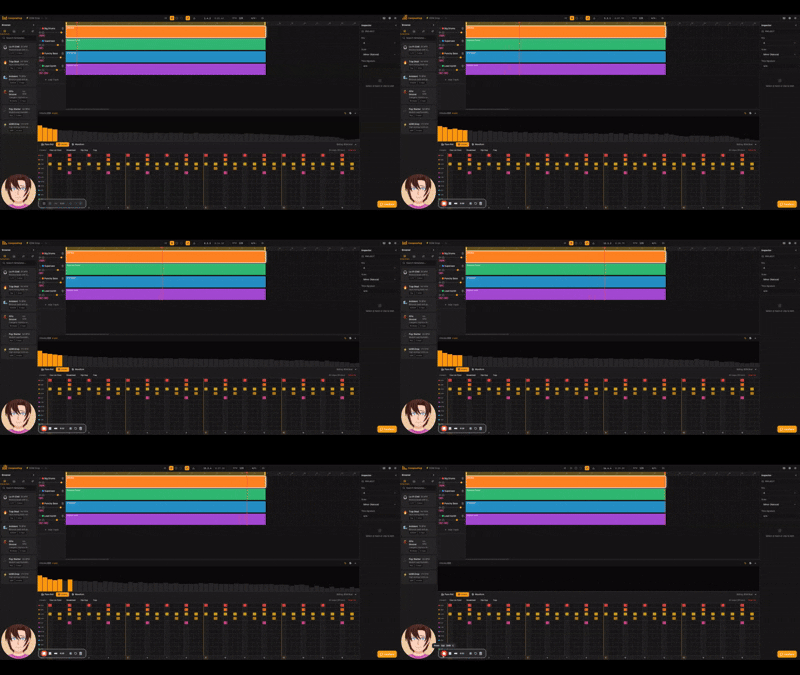
About Hosting ComposeYogi
Hosting ComposeYogi on Railway provides a production-ready environment for serving the web application over HTTPS without managing infrastructure manually. Railway automatically builds the application from its Dockerfile or repository, provisions networking, and deploys updates directly from your Git repository.
ComposeYogi is a client-first application that stores projects locally using IndexedDB, so no database or persistent server storage is required for its current feature set. Railway automatically provides secure HTTPS, public networking, deployment logs, and scaling capabilities while allowing you to add custom domains and environment variables if needed. Since application data remains in each user's browser, the deployment is stateless and simple to maintain.
Common Use Cases
- Browser-based music production and beat making
- MIDI composition and audio recording
- Educational music creation and audio experimentation
Dependencies for ComposeYogi Hosting
| Dependency | Required | Purpose |
|---|---|---|
| Dockerfile or Docker image | Yes | Builds and runs the application on Railway |
| Persistent database | No | Projects are stored locally in the browser using IndexedDB |
Deployment Dependencies
| Resource | Link |
|---|---|
| Official Repository | https://github.com/AppsYogi-com/ComposeYogi |
| Docker Hub | https://hub.docker.com/r/appsyogi/composeyogi |
| Tone.js Documentation | https://tonejs.github.io/ |
Implementation Details
Docker
ComposeYogi includes a Dockerfile, so Railway automatically builds and deploys the application without requiring custom build configuration.
Alternatively, the published Docker image is:
appsyogi/composeyogi:latest
Public Networking
| Setting | Value |
|---|---|
| Proxy Type | HTTP Proxy |
| Target Port | 3000 |
Railway automatically generates a public domain from Settings → Networking → Generate Domain.
Environment Variables
ComposeYogi does not require any application-specific environment variables for normal operation.
Optional variables:
| Variable | Required | Description |
|---|---|---|
NEXT_TELEMETRY_DISABLED | No | Disables Next.js telemetry during builds. |
PORT | No | Railway automatically provides this value at runtime. |
Example:
NEXT_TELEMETRY_DISABLED=1
Persistent Storage
Persistent storage is not required.
ComposeYogi stores compositions locally in each user's browser using IndexedDB, so no Railway Volume is needed for standard deployments.
Database
No database service is required.
Current releases operate entirely as a local-first application without PostgreSQL, MySQL, Redis, MongoDB, or other backend services.
Build & Start
Railway automatically builds the application from the included Dockerfile.
No custom build or start commands are required.
Accessing the Application
After deployment:
- Open your Railway service.
- Navigate to Settings → Networking.
- Generate a Railway domain.
- Open the generated HTTPS URL in your browser.
ComposeYogi does not require an initial administrator account or default login credentials.
Why Deploy ComposeYogi on Railway?
Railway is a singular platform to deploy your infrastructure stack. Railway will host your infrastructure so you don't have to deal with configuration, while allowing you to vertically and horizontally scale it.
By deploying ComposeYogi on Railway, you are one step closer to supporting a complete full-stack application with minimal burden. Host your servers, databases, AI agents, and more on Railway.
Template Content
ComposeYogi
bilalnawaz072/ComposeYogi

