
Deploy Convertx
CloudConvert Alternative. Convert 1000+ File Formats on Railway
convertx
Just deployed
/app/data
Deploy and Host ConvertX on Railway
ConvertX is a self-hosted file converter that turns one format into another on your own server: a PNG into a WebP, Markdown into a typeset PDF, a HEIC photo into a JPEG, a video into an MP3. Over a thousand format pairs are covered, because ConvertX is a clean web interface over the tools people already trust — FFmpeg, ImageMagick, libvips, LibreOffice, Calibre, Pandoc, Inkscape and more. Teams reach for it when a third-party converter is not acceptable: legal documents, medical scans, unreleased product art. Self-host ConvertX and nothing leaves infrastructure you control.
Deploy ConvertX on Railway and you get one service built from the gridalpha/convertx-railway source repository, which layers a first-boot account seeder on the official ghcr.io/c4illin/convertx image. A volume at /app/data holds the SQLite database, your uploads and every result, so history survives redeploys. Traffic arrives at Railway's edge over HTTPS and reaches the container on port 3000; conversions run as child processes there and write straight to the volume. There is no separate database, queue or worker — ConvertX keeps its own state, which is why the template is one service and one volume.
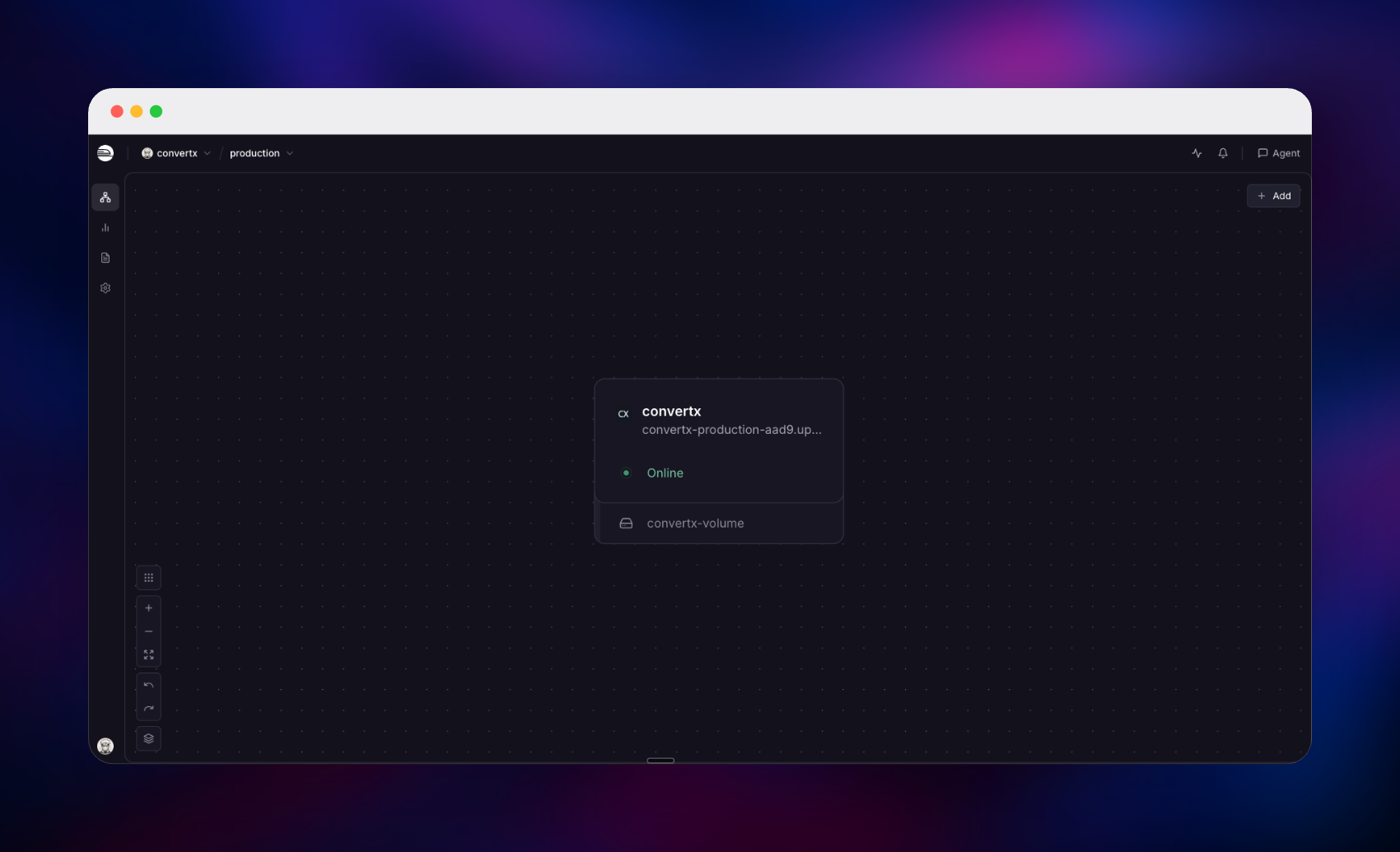
Getting Started with ConvertX on Railway
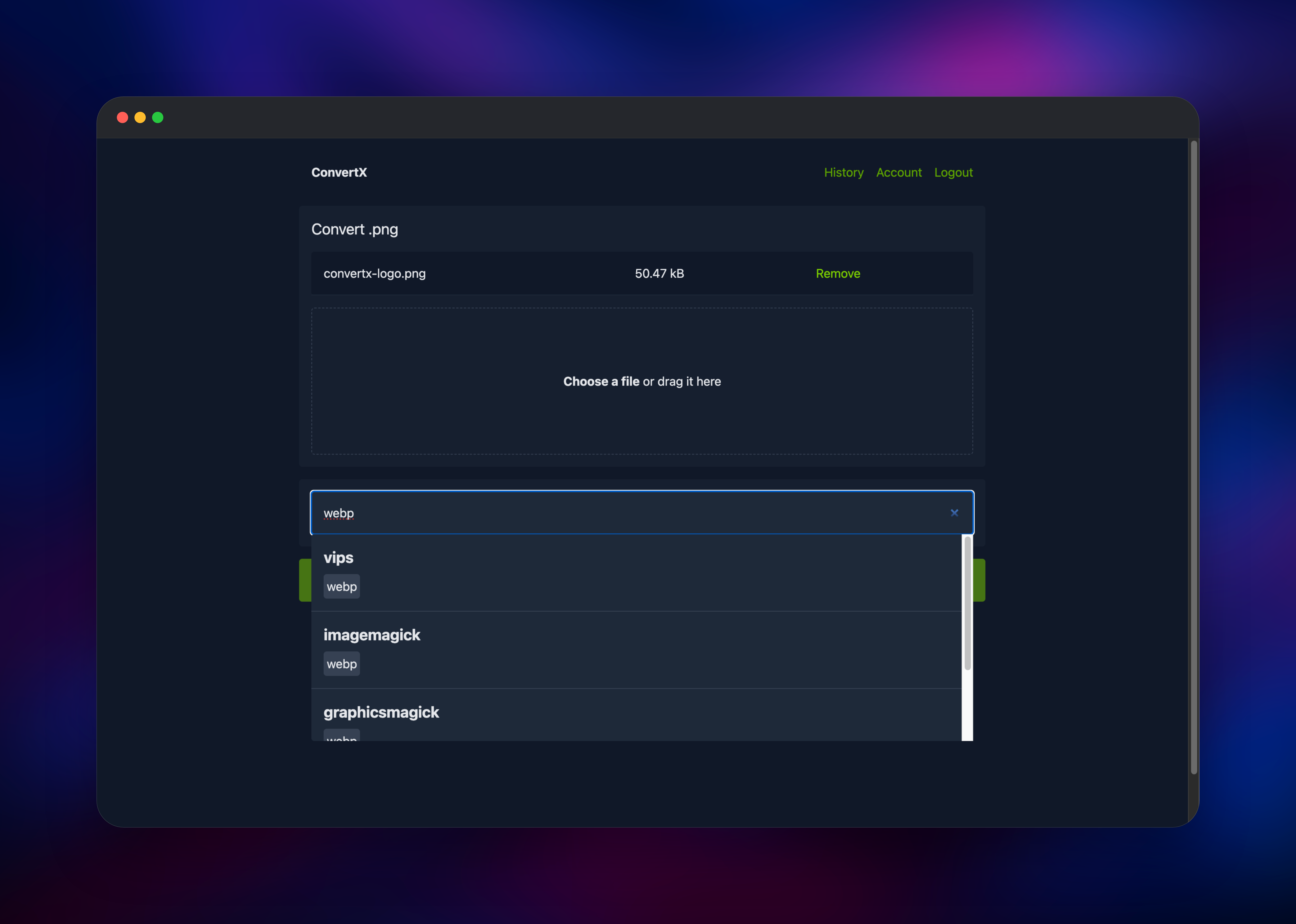
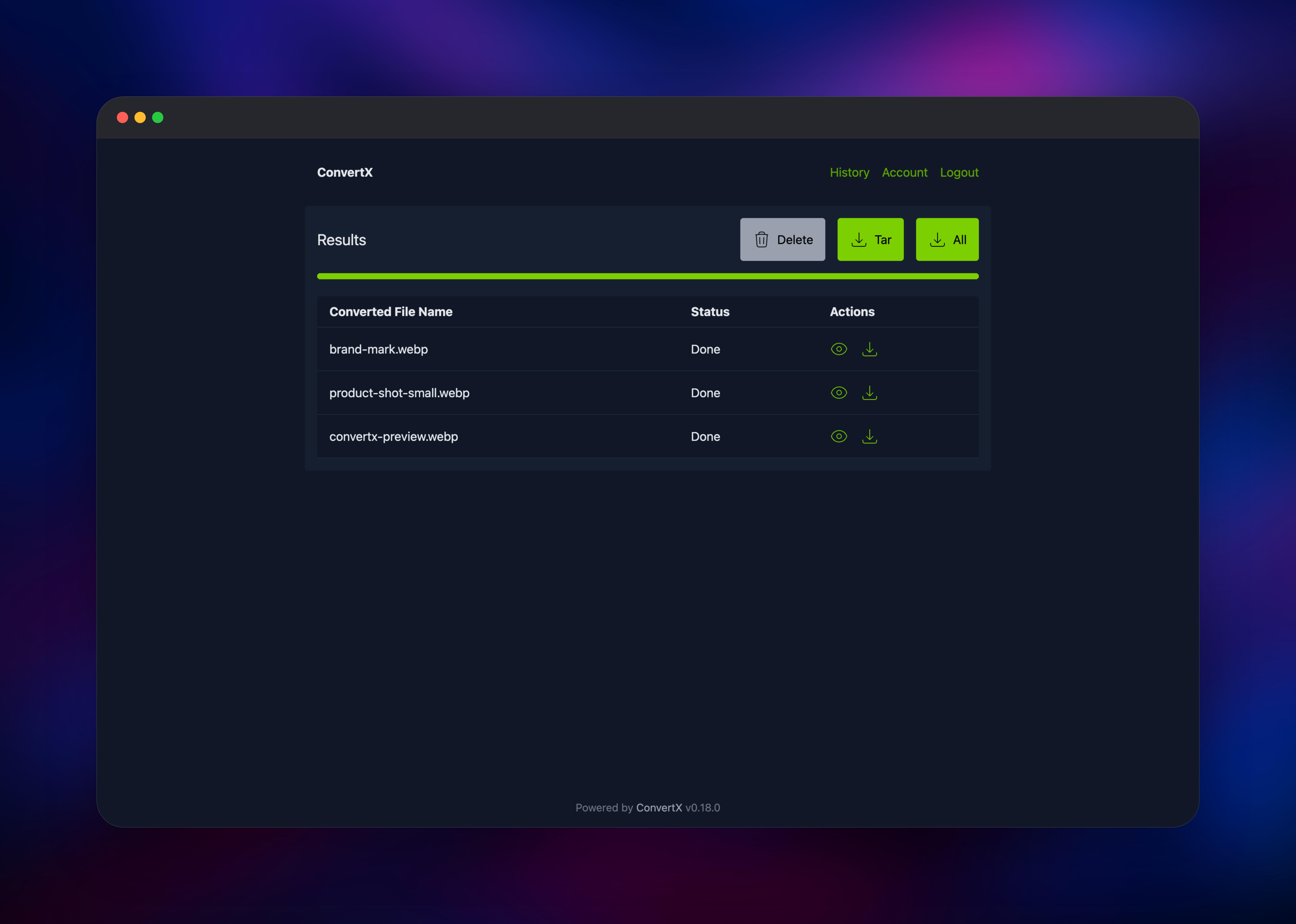
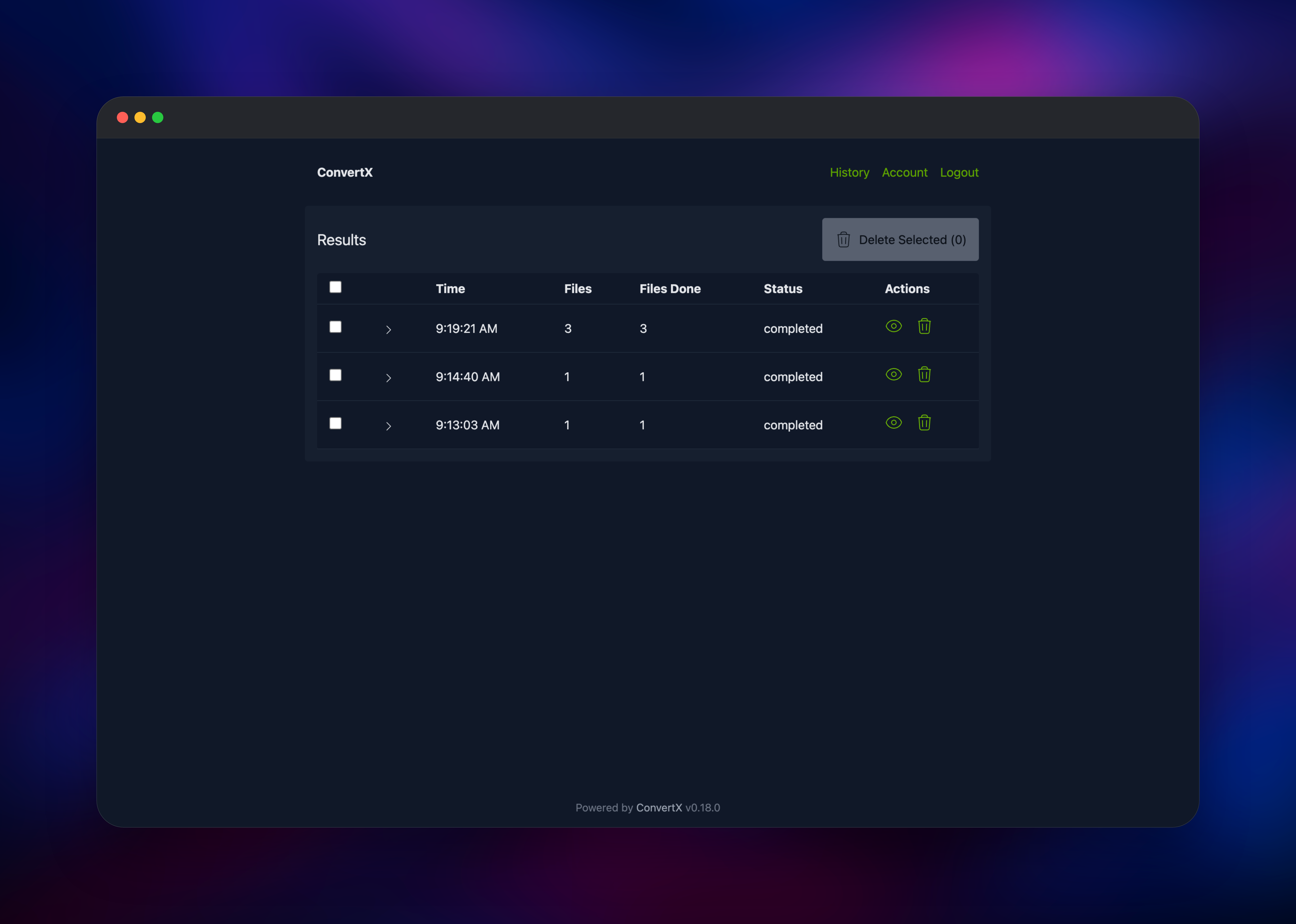
Set CONVERTX_ADMIN_EMAIL and CONVERTX_ADMIN_PASSWORD in the deploy form and that account exists before the app answers its first request, so you land on a sign-in page rather than an open setup wizard a stranger could claim. Sign in and you arrive on the Convert screen: drag a file onto the drop zone or use Choose files, and the heading updates with the extension ConvertX detected. Type a target extension in the search box — webp, pdf, mp3, svg — and results group by the tool that would do the work, so you can pick ImageMagick over libvips for the same format. Press Convert and the results page updates as each file finishes; the eye icon previews, the arrow downloads, and Tar or All takes everything at once. To confirm the deployment works end to end, convert a small PNG to WebP and download it — a real file coming back proves upload, conversion and storage together. The History tab lists past jobs and deletes them.
About Hosting ConvertX
Online converters are convenient and quietly expensive: you upload a contract or an unreleased design to a stranger's server, accept a retention policy buried in their terms, and hit a paywall as soon as the work gets real. ConvertX removes the third party — a Bun and Elysia application that drives the standard open-source conversion toolchain behind a login.
- Over a thousand format pairs across documents, images, raw photos, e-books, audio, video and 3D
- Batch conversion — drop many files into one job and convert them together
- Choice of engine — when several tools produce a format, ConvertX shows each so you pick the encoder
- Accounts and private history — every job belongs to the user who created it
- Automatic cleanup — results older than a configurable age are deleted on a timer
- Previews and archive downloads — inspect a result or pull a whole job as a tar
The architecture is deliberately simple: one container runs the web app and every converter binary, and one volume at /app/data holds the SQLite database plus uploads/ and output/. That is also why it runs a single replica — a Railway volume attaches to exactly one service.
Why Deploy ConvertX on Railway
Railway removes the infrastructure work around a converter that is easy to run badly.
- One-click deploy of a large, tool-heavy image
- A persistent volume mounted and wired up
- HTTPS and a public domain issued automatically
- Vertical scaling when big conversions need more CPU
- Health check and restart policy set in the source repository
Common Use Cases
- Privacy-sensitive document conversion — contracts and scans into PDF or Word, with no third party
- Media pipelines for a small team — normalise video and audio to web-friendly codecs before publishing
- Photo library cleanup — HEIC, RAW and JPEG XL images into formats older software opens
- E-book and publishing work — manuscripts between EPUB, MOBI, DOCX, LaTeX and PDF
Dependencies for ConvertX
- ConvertX — source repository
github.com/gridalpha/convertx-railway, built onghcr.io/c4illin/convertx:latest - Persistent volume at
/app/data— SQLite database, uploads and output - Bundled converters — FFmpeg, ImageMagick, GraphicsMagick, libvips, LibreOffice, Calibre, Pandoc, Inkscape, Ghostscript, libheif, libjxl, resvg, Potrace, VTracer, Assimp and XeLaTeX, all inside the image
The volume is the only stateful piece; everything else ships in the image, which is why first deploys take a few minutes.
Environment Variables Reference
| Variable | Default | What it does |
|---|---|---|
CONVERTX_ADMIN_EMAIL | — | Email for the account created before the app accepts requests |
CONVERTX_ADMIN_PASSWORD | — | Its password. Both must be set for seeding |
JWT_SECRET | random per boot | Signs session cookies. Set it, or a redeploy signs everyone out |
ACCOUNT_REGISTRATION | false | Whether visitors may create their own accounts |
HTTP_ALLOWED | false | Keep false: it marks the session cookie Secure |
AUTO_DELETE_EVERY_N_HOURS | 24 | Age at which uploads and results are purged. 0 disables |
MAX_CONVERT_PROCESS | CPU quota | Files converted at once within one job |
Deployment Dependencies
- Upstream: https://github.com/C4illin/ConvertX, image
ghcr.io/c4illin/convertx - Runtime: Bun with the Elysia framework, SQLite via
bun:sqlite
Hardware Requirements for Self-Hosting ConvertX
| Resource | Minimum | Recommended |
|---|---|---|
| CPU | 1 vCPU | 4–8 vCPU for video and LibreOffice work |
| RAM | 1 GB | 4 GB or more for large media and batches |
| Storage | 10 GB volume | 25 GB or more if cleanup is disabled |
| Runtime | Linux container, ~6 GB image | Same |
The image is large because it carries LaTeX, LibreOffice and Calibre. Storage follows retention: at the default 24 hours the volume stays small.
Self-Hosting ConvertX
Outside Railway the published image is the fastest route. This is a single Docker command:
docker run -d --name convertx -p 3000:3000 -v ./data:/app/data \
  -e JWT_SECRET=change-me-to-a-long-random-string \
  ghcr.io/c4illin/convertx
The equivalent Docker Compose service:
services:
  convertx:
    image: ghcr.io/c4illin/convertx
    restart: unless-stopped
    ports:
      - "3000:3000"
    environment:
      - JWT_SECRET=change-me-to-a-long-random-string
      - ACCOUNT_REGISTRATION=false
    volumes:
      - ./data:/app/data
Open http://localhost:3000 and create the first account immediately — outside this template nothing seeds it, and whoever reaches the URL first can claim it. Behind a reverse proxy, terminate TLS and leave HTTP_ALLOWED at false: over plain HTTP the browser refuses the Secure cookie and login appears to fail silently.
Is ConvertX Free to Self-Host?
ConvertX is open source under AGPL-3.0 and free, with no paid tier, seat limits, file-size caps or per-conversion charges. Every converter it drives is open source too. On Railway you pay only for the CPU, memory and volume storage it consumes, and conversions are bursty — an idle deployment draws almost nothing.
FAQ
What is ConvertX?
ConvertX is a self-hosted web application that converts files between formats, giving a browser interface over FFmpeg, ImageMagick, LibreOffice, Calibre, Pandoc and a dozen other tools — over a thousand format combinations, on your own server.
What does this Railway template deploy?
One ConvertX service with a volume at /app/data, a public HTTPS domain, a health check on /healthcheck, and an account created from the email and password you supply at deploy time, so the instance is never open to anonymous signup.
Why does ConvertX need a volume instead of a database service?
ConvertX stores everything in SQLite inside its own data directory, alongside the files you upload and produce. A volume keeps all three across redeploys. Postgres would not help: converted files still have to live on disk next to the process that made them.
How do I let other people create accounts on my ConvertX instance?
Set ACCOUNT_REGISTRATION to true and a Register link appears; each account gets its own private history. Leave it false if the instance is only for you — the URL is public, and this switch is what keeps strangers out.
Which converter should I choose when several offer the same output format?
Results group by tool so you can compare. libvips is fastest for common web images, ImageMagick has the widest coverage and handles AVIF where the bundled libvips cannot, FFmpeg is right for anything with a time axis, and Pandoc with LaTeX typesets PDFs. If one engine reports a failure, try another — the results page marks each file individually and the log carries the tool's own stderr.
Template Content
convertx
gridalpha/convertx-railway

