Deploy craft-suite
Six open-source creative apps — Rust/WASM, in your browser, one deploy.
craft-suite
Just deployed
craft-relay
Just deployed
Deploy and Host Craft Suite — 6 Open-Source Creative Apps (Rust + WASM)
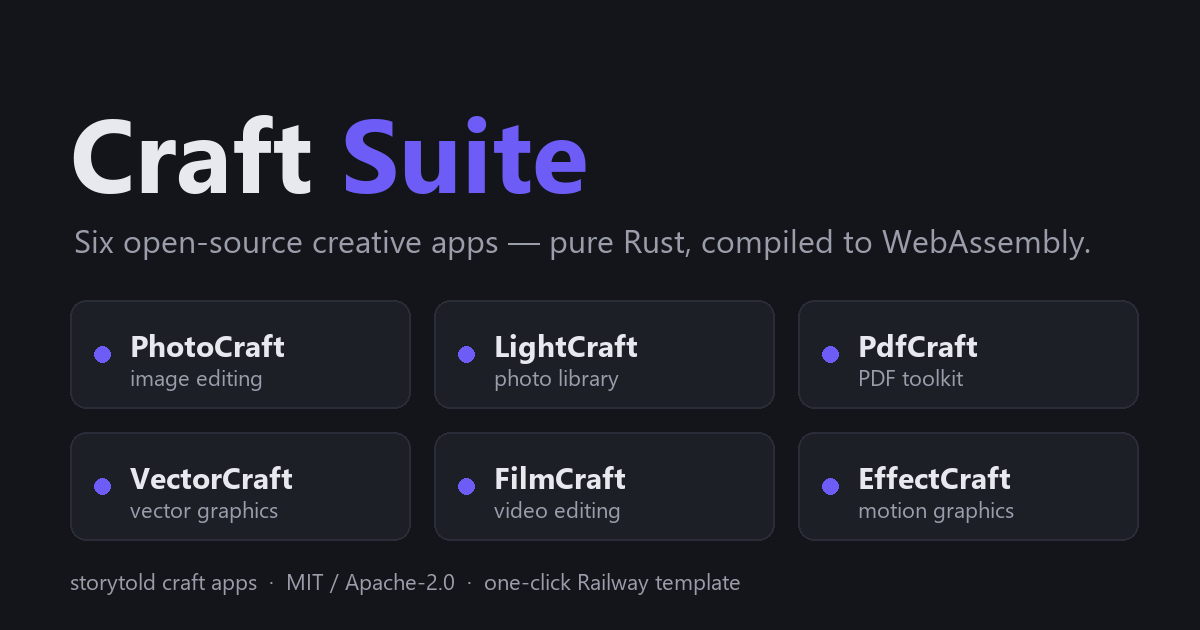
Deploy an entire open-source creative suite in one click. Six desktop-grade apps, rewritten from scratch in pure Rust and compiled to WebAssembly, running entirely in your browser:
| Path | App | An open alternative to |
|---|---|---|
/photocraft/ | PhotoCraft | Photoshop — layers, masks, PSD import, GPU compositing |
/lightcraft/ | LightCraft | Lightroom — photo library, RAW developer, batch edits |
/pdfcraft/ | PdfCraft | Acrobat — view, merge, split, annotate, fill, encrypt PDFs |
/vectorcraft/ | VectorCraft | Illustrator — vector graphics, typography, SVG/PDF export |
/filmcraft/ | FilmCraft | Premiere Pro — timeline video editing, grading, codecs |
/effectcraft/ | EffectCraft | After Effects — motion graphics, keyframes, render queue |
The root URL serves a portal page linking to all six apps.
About Hosting
Every app is 100% client-side — the service is just nginx handing over static WASM files. There is no server-side code, no database, no storage service, and no accounts. WASM payloads (the largest is ~65 MB raw) are precompressed with gzip at build time and served with immutable caching for hashed assets, so repeat loads are fast.
Your data stays in your browser. Documents and projects persist to browser storage (OPFS/IndexedDB) — nothing is sent to or stored on the server. Browser storage is tied to the exact domain: configure your custom domain before importing important work, and export anything you can't afford to lose. Chrome or Edge recommended (WebGPU); other browsers fall back to WebGL2/CPU paths.
A /healthz endpoint is available for healthchecks.
Why Deploy
- One URL, six tools — a full creative suite on your own domain, behind no third-party service.
- Private by architecture — no accounts, no telemetry, no server-side document storage; files never leave the user's machine.
- Nearly free to run — static serving only; idle resource usage is close to zero and fits comfortably in the Hobby plan.
- Try before you install — these are the browser builds of popular open-source desktop apps (PhotoCraft alone has 27k+ stars), no install required.
Common Use Cases
- A personal creative toolbox available from any machine with a browser.
- Letting a team or class try Photoshop-/Illustrator-/Premiere-style open-source tools without installing desktop builds.
- A sandbox for evaluating the craft apps before adopting the desktop versions.
- A quick demo of what Rust + WebAssembly can do in production.
Dependencies for this template
Deployment Dependencies
None beyond the template itself: no databases, no volumes, no external services. The project has two services: craft-suite (nginx static serving, builds from the root Dockerfile) and craft-relay (a small Node service in server/ — an MCP relay that lets Claude Desktop drive the apps in your browser, see below). The suite builds from pinned release artifacts of the six upstream apps at build time. Versions are pinned as Dockerfile build-arg defaults (PHOTOCRAFT_VERSION etc. — bump one and redeploy to upgrade that app). The build fails fast if a pinned artifact is missing.
Optional: drive the apps from Claude Desktop (Craft Relay)
The template includes an MCP relay service, pre-wired: nginx proxies /relay/ to it over Railway's private network, so the in-page bridge talks to it same-origin — nothing to configure beyond the two tokens, which are pre-filled with Railway's ${{secret(...)}} generator (every deployment gets fresh random values; find them in the craft-relay service's Variables tab).
To use it: add the relay's /mcp URL as a Claude Desktop custom connector with an Authorization: Bearer header, then open any app, click the ⦿ agent button, paste the BRIDGE_TOKEN, and Connect. Nothing connects until you click Connect in the page; a Disconnect button is always visible. Optionally set ALLOWED_ORIGINS (comma-separated suite origins) on craft-relay to restrict which sites may open bridge sockets — the bridge token already gates access. Tools: list_sessions, list_commands, run_command, run_batch, inspect, get_image, list_files, get_file, send_file, put_file. See the repo README for the full walkthrough.
Credits
All six apps are built by the storytold org (MIT / Apache-2.0); this template redistributes their unmodified release artifacts behind an nginx portal. Not affiliated with Adobe or ArtCraft.
Template Content
craft-suite
derekcheungsa/craft-suite-railwaycraft-relay
derekcheungsa/craft-suite-railway

