
Deploy Crawlab
Open Source Scrapy Cloud Alternative
crawlab-worker
Just deployed
/data
crawlab-master
Just deployed
/data

Just deployed
/data/mongo
Deploy and Host Crawlab on Railway
Crawlab is a distributed web crawler management platform written in Go. You upload spiders written in any language — Python, Node.js, Go, Java, PHP — built on any framework, from Scrapy and Puppeteer to a bare requests script, then schedule them, dispatch them across a pool of worker nodes, and watch every run's logs and results from one web console. It solves the problem every team hits past its third scraper: knowing which ones ran, which failed, what they produced, and where each one's code lives. Over 12,000 GitHub stars and a BSD-3 licence make it the most widely used open-source alternative to hosted crawler platforms.
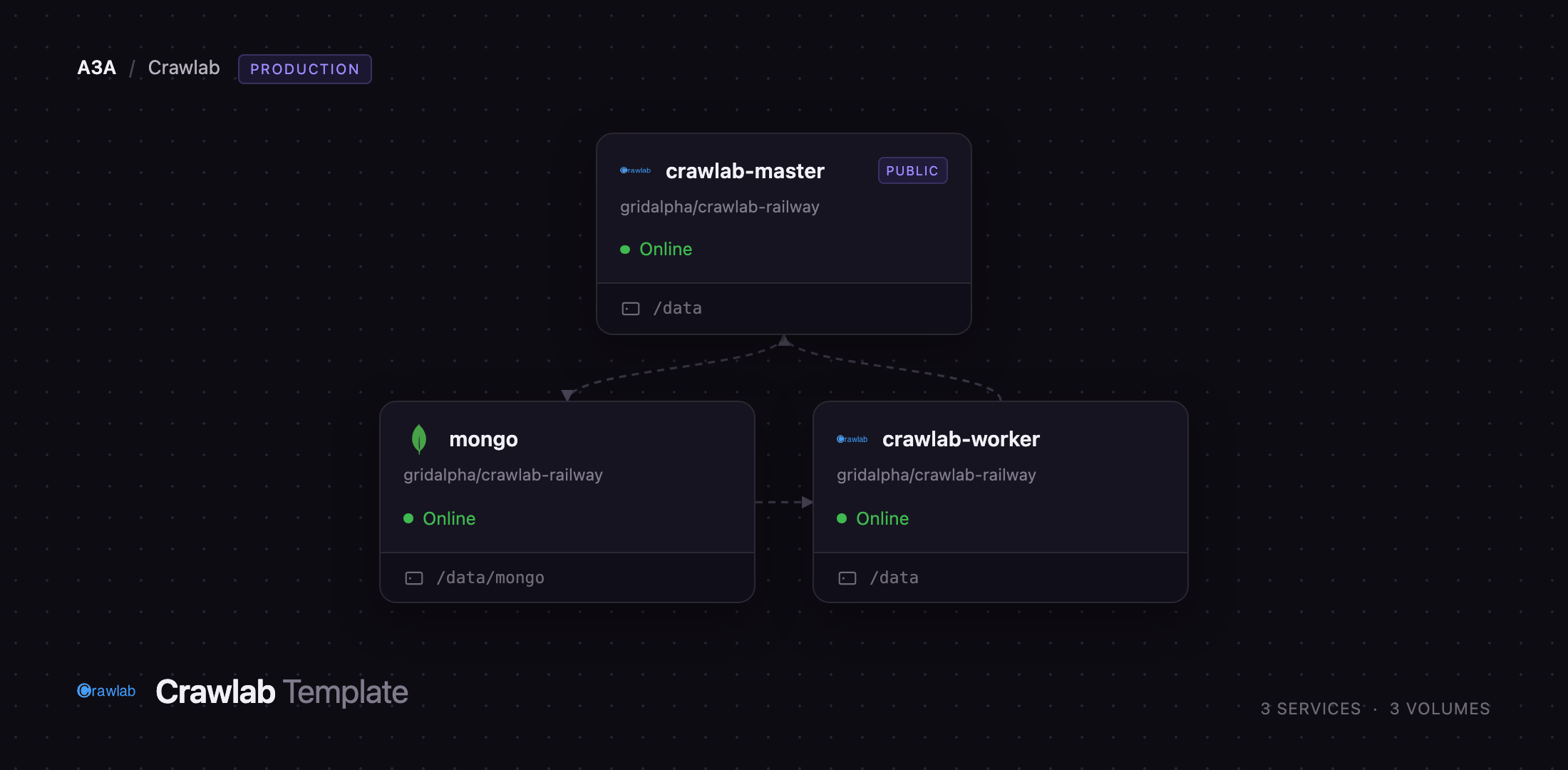
Self-host Crawlab on Railway and the three services that make up a real cluster come up together and already wired to each other. crawlab-master serves the web console and API, runs the gRPC hub that worker nodes register with, and stores spider source in an embedded file server. crawlab-worker pulls spider code from the master and executes tasks, keeping crawls off the machine serving your UI. mongo holds spiders, schedules, tasks, logs and results. Only the master gets a public URL. The administrator password is applied before anything is reachable, so the deployment never serves the upstream admin/admin default.
Getting Started with Crawlab on Railway
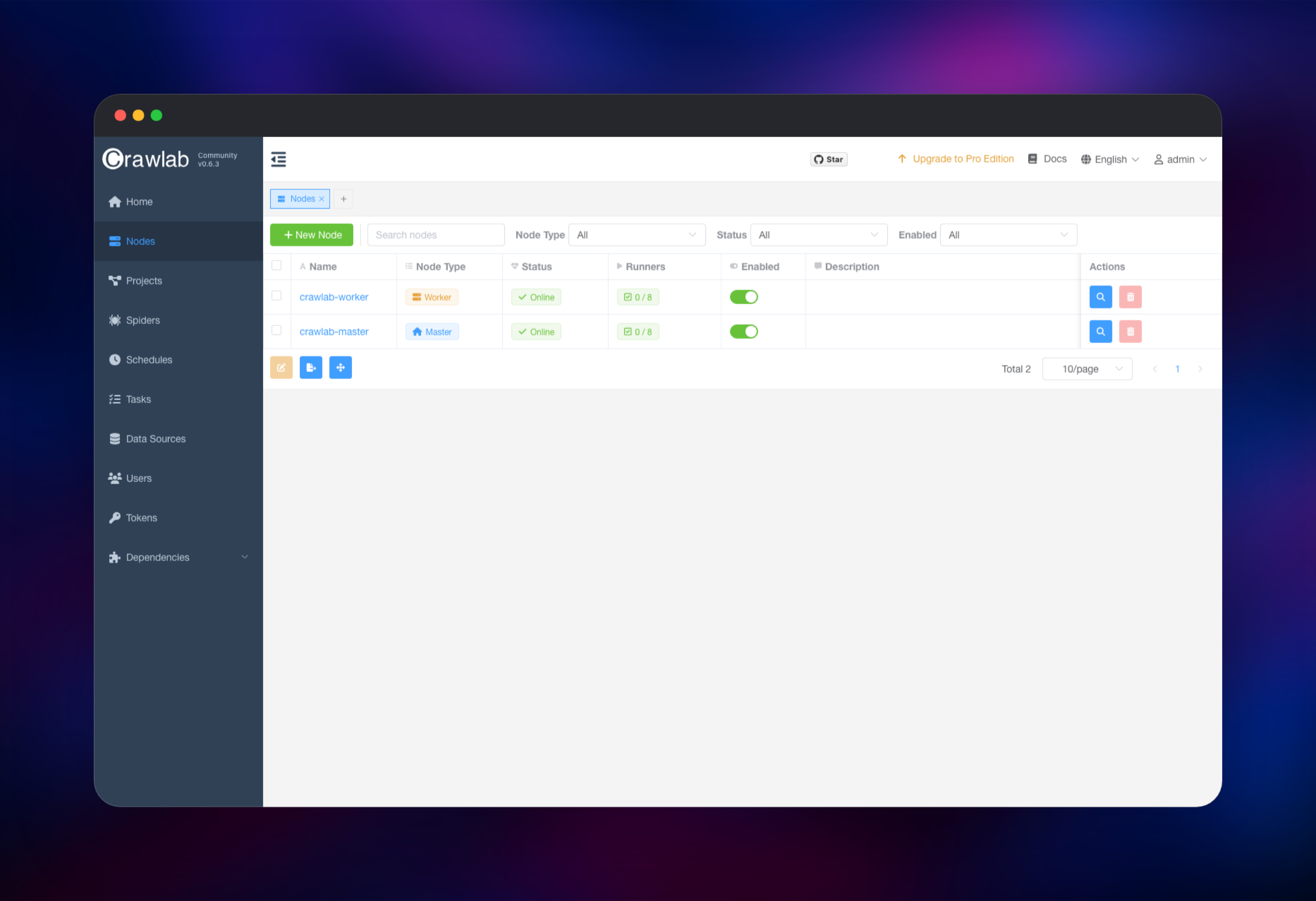
Set CRAWLAB_ADMIN_PASSWORD on crawlab-master and MONGO_ROOT_PASSWORD on mongo when you deploy; everything else has a working default. Open the master's public URL and sign in as admin with the password you chose. The Nodes page is the first thing to check: both crawlab-master and crawlab-worker should read Online, each with 0/8 runners free. If the worker is missing, give it a minute — it registers with the master over gRPC on its own schedule and restarts until it succeeds.
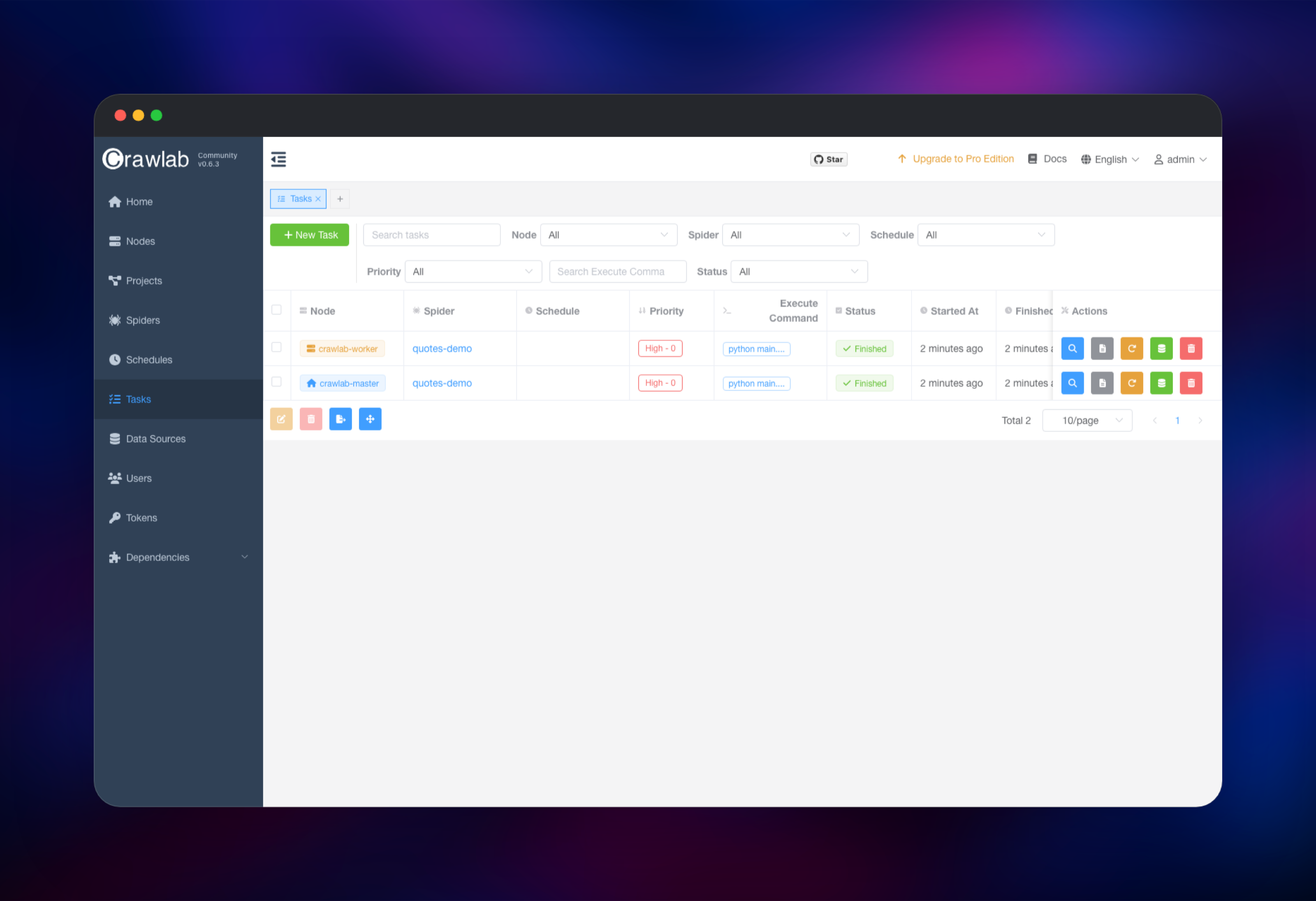
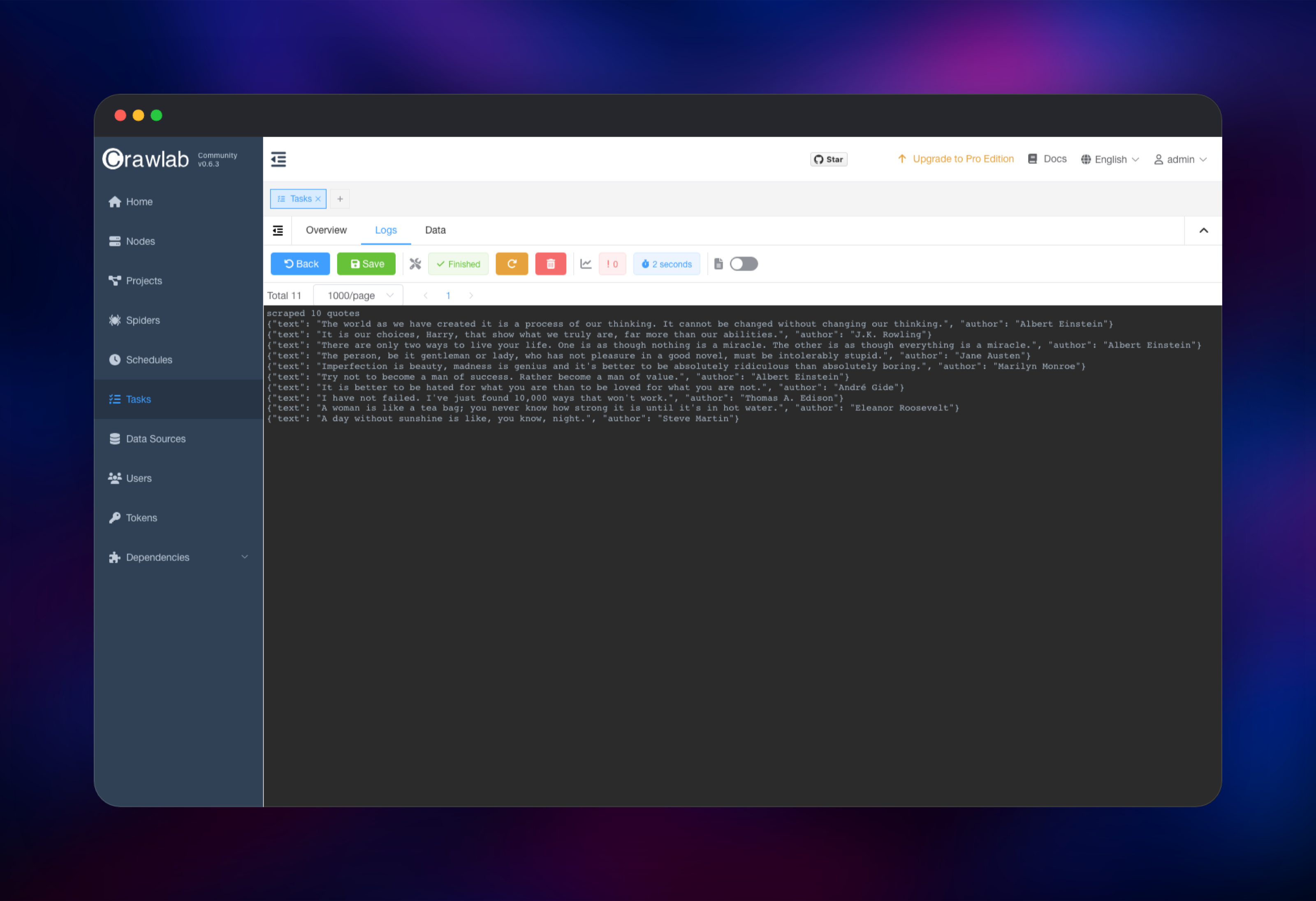
Create your first spider from the Spiders page. Give it a name, set Execute Command to something like python main.py, then open the Files tab and add your script — the editor writes into the shared file store, so both nodes see the same code. Click Run, choose All Nodes or Random, and the task appears on the Tasks page within seconds. Open a finished task and switch to the Logs tab to read its stdout. To store structured results rather than log lines, install the crawlab SDK for your language and call its save_item helper; the rows appear under the task's Data tab.
About Hosting Crawlab
Crawlab is framework-agnostic by design. It does not ask you to rewrite scrapers against its own API — it runs whatever shell command you give it, in a container that already has Python, Node.js, Go and a Chrome driver, and captures the output. That makes it a control plane rather than a crawling library, which is why teams reach for it when their scrapers are written by different people in different tools.
Key features:
- Spider management with a browser-based file editor and Git integration
- Cron scheduling, per-task priorities and configurable concurrency per node
- Distributed execution across master and worker nodes, dispatched over gRPC
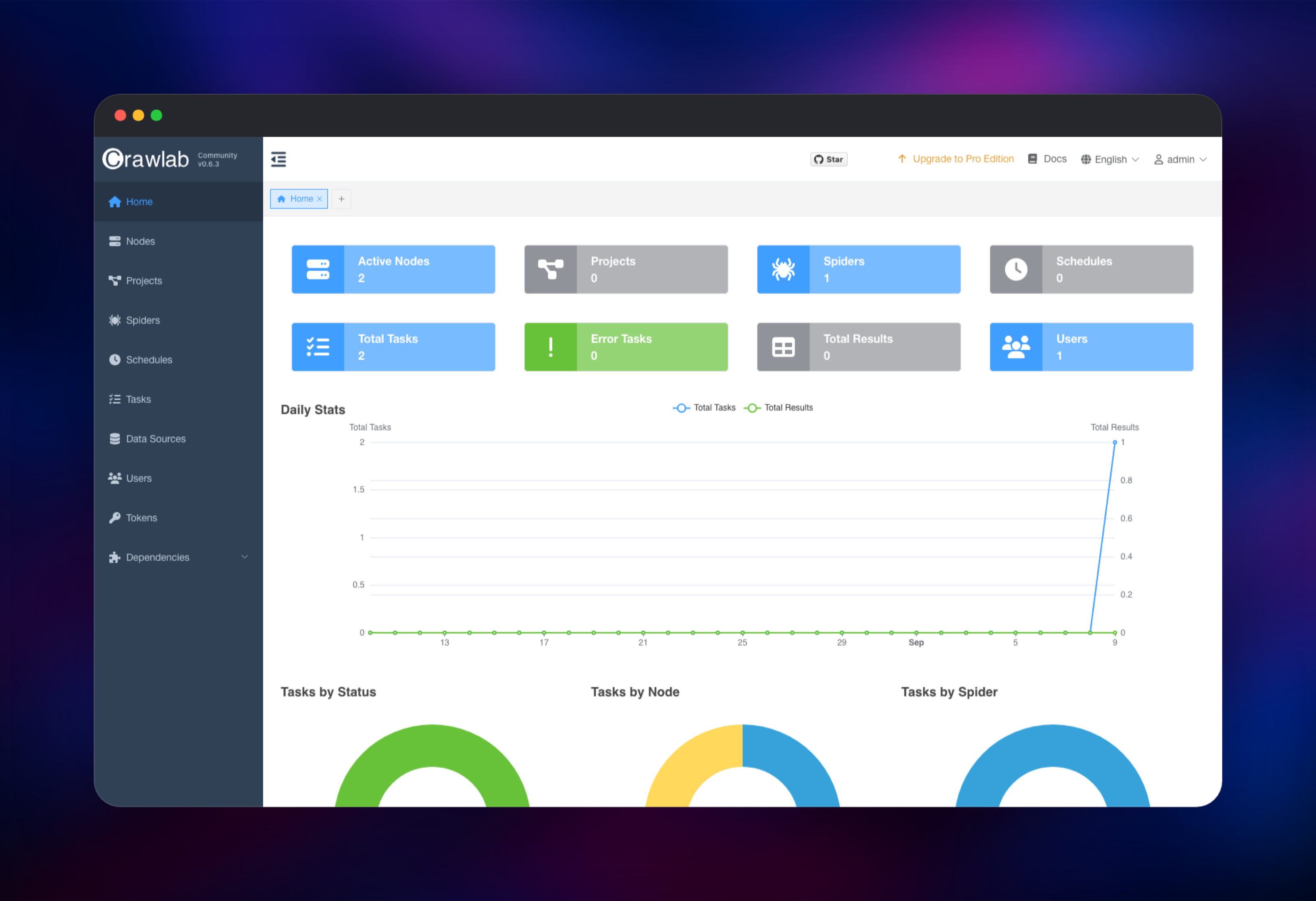
- Live task logs, per-spider statistics and a results browser
- Dependency management for Python and Node packages, per node
- Role-based users, API tokens and a full REST API
The master is the only service that needs a public address. It runs nginx in front of the API, the gRPC hub that workers dial, and an embedded SeaweedFS file store that holds spider source; worker nodes fetch code from it before every run. MongoDB is not optional — Crawlab wraps user, spider and task writes in transactions, so it runs as a single-node replica set rather than a standalone server.
Why Deploy Crawlab on Railway
Railway removes the setup a multi-node crawler normally involves.
- Master, worker and MongoDB deploy together, already connected
- Private networking keeps the worker and database off the internet
- Persistent volumes hold spider source, the file store and the database
- Health checks watch the API and the database, not just the containers
- Scale the worker tier by adding replicas or a second worker service
Common Use Cases
- A portfolio of scrapers in different frameworks, with one place to see what ran and what broke
- Scheduled price or catalogue monitoring that outlives whoever wrote it
- Parallelising a long crawl across worker nodes instead of one long-running script
- Letting analysts trigger and inspect crawls without shell access to a server
Dependencies for Crawlab
crawlabteam/crawlab:latest— the master and worker application image, from crawlab-team/crawlabmongo:7— the metadata and results database, running as a one-member replica set- Source repository for the Railway build: gridalpha/crawlab-railway
Environment Variables Reference
| Variable | Service | Purpose |
|---|---|---|
CRAWLAB_ADMIN_PASSWORD | crawlab-master | Password for the admin account |
CRAWLAB_NODE_MASTER | both | Y on the master, N on a worker |
CRAWLAB_MONGO_URI | both | MongoDB connection string |
CRAWLAB_MAX_RUNNERS | both | Concurrent tasks per node, default 8 |
CRAWLAB_GRPC_ADDRESS | crawlab-worker | Master's gRPC hub |
CRAWLAB_FS_FILER_URL | crawlab-worker | Where the worker fetches spider source |
MONGO_ROOT_PASSWORD | mongo | Database superuser password |
Deployment Dependencies
Hardware Requirements for Self-Hosting Crawlab
| Resource | Minimum | Recommended |
|---|---|---|
| CPU | 1 vCPU per node | 2 vCPU per node |
| RAM | 1 GB master, 1 GB worker | 2 GB each |
| Storage | 5 GB per node, 5 GB database | 10 GB+ if you keep long log history |
| Runtime | Docker, MongoDB 4.4+ as a replica set | MongoDB 7 |
Headless-browser spiders are the memory-hungry case: budget 512 MB per concurrent Chromium task and lower CRAWLAB_MAX_RUNNERS on those nodes.
Self-Hosting Crawlab with Docker
Upstream ships a Docker Compose file. The following starts a single-node install with a standalone MongoDB, which is enough to try it locally:
version: '3.3'
services:
  master:
    image: crawlabteam/crawlab:latest
    environment:
      CRAWLAB_NODE_MASTER: "Y"
      CRAWLAB_MONGO_HOST: "mongo"
    ports:
      - "8080:8080"
    depends_on:
      - mongo
  mongo:
    image: mongo:7
Adding a worker means a second container of the same image pointed at the master's gRPC hub and file store:
worker01:
  image: crawlabteam/crawlab:latest
  environment:
    CRAWLAB_NODE_MASTER: "N"
    CRAWLAB_MONGO_HOST: "mongo"
    CRAWLAB_GRPC_ADDRESS: "master:9666"
    CRAWLAB_FS_FILER_URL: "http://master:8000/filer"
  depends_on:
    - master
Is Crawlab Free to Self-Host?
Crawlab's Community Edition is free and open source under the BSD-3-Clause licence, with no node limit, no task cap and no feature gate on scheduling or distributed execution. A commercial Pro edition adds team permissions, alerting and performance tuning. Self-hosting on Railway costs only the compute, memory and volume storage the three services use — there is no Crawlab licence fee, and a small cluster idles cheaply between crawls.
FAQ
What is Crawlab? Crawlab is an open-source, distributed web crawler management platform. It gives spiders written in any language a shared home: a web console for editing and scheduling them, worker nodes to run them on, and one place to read logs and results.
What does this Railway template deploy?
Three services: crawlab-master (web console, API and gRPC hub, with a public URL), crawlab-worker (a private node that executes tasks), and mongo (a single-node MongoDB replica set). Each has its own persistent volume.
Why does the template include MongoDB instead of using a managed database?
Crawlab wraps user creation, spider writes and task dispatch in MongoDB transactions, and transactions require a replica set. A standalone mongod rejects them, which would break sign-in and spider creation, so the template runs MongoDB with a one-member replica set of its own.
How do I add more worker nodes to self-hosted Crawlab?
Duplicate the crawlab-worker service, keep CRAWLAB_NODE_MASTER=N and the same gRPC address, file store URL and node secret, and give it its own volume. It registers itself with the master on first boot and appears on the Nodes page.
What are the default Crawlab login credentials?
Upstream ships admin / admin. This template does not: the password you set in CRAWLAB_ADMIN_PASSWORD is applied before the app is reachable, so the published default is never live. Change it again from the user menu after your first sign-in if you like.
Can Crawlab run Scrapy or Puppeteer spiders?
Yes. The image ships Python, Node.js, Go and a Chrome driver, and a spider is just a command such as scrapy crawl quotes or node index.js. Install extra packages per node from the Dependencies page.
Template Content
crawlab-worker
gridalpha/crawlab-railwaycrawlab-master
gridalpha/crawlab-railway