
Deploy Crewtavo
Free, open-source field service software: quotes, crews, invoices

Just deployed
Just deployed
storage
Just deployed
/var/lib/storage

Just deployed
/var/lib/postgresql/data

crewtavo
Just deployed
Deploy and Host Crewtavo on Railway
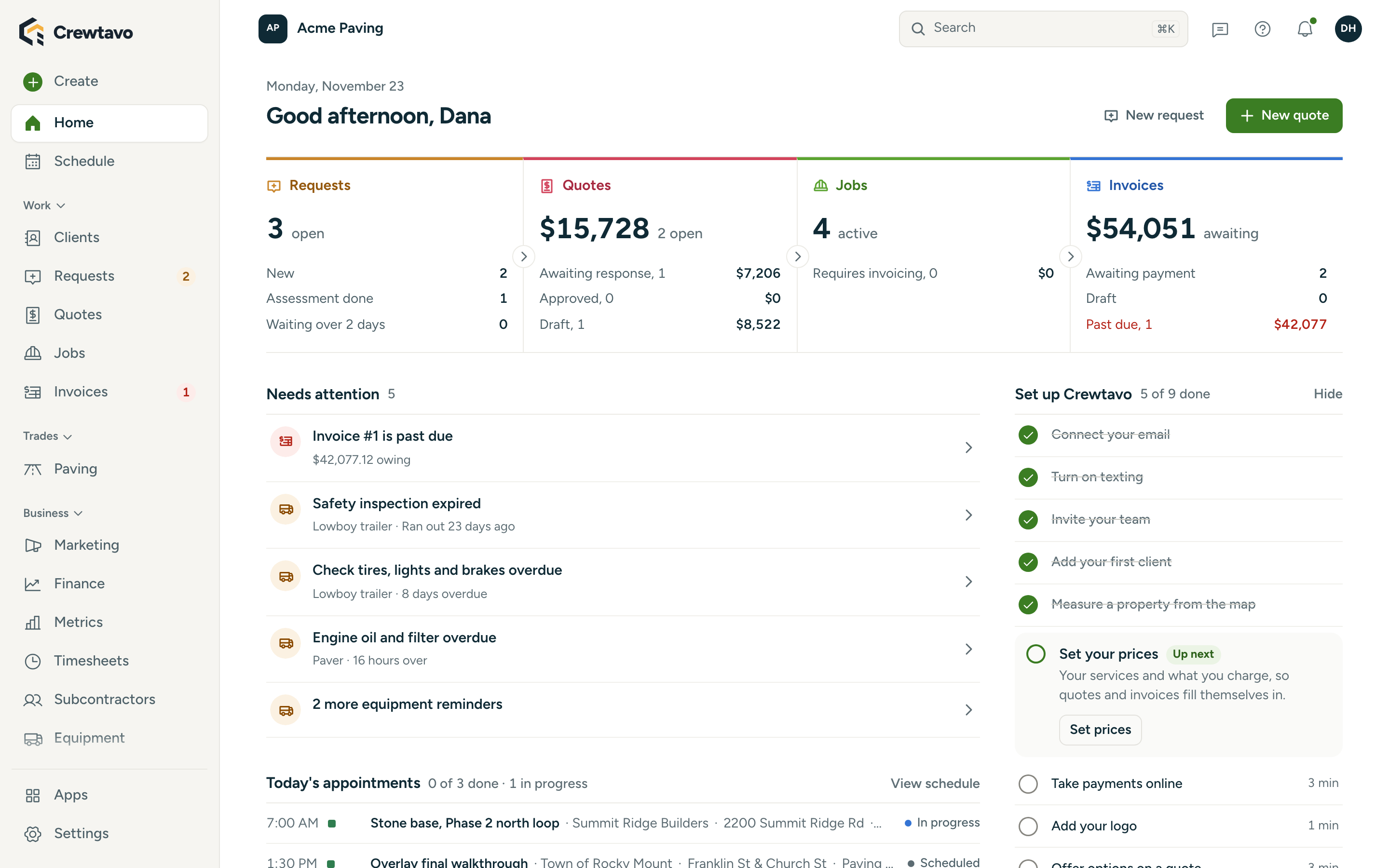
Crewtavo is free, open-source field service software for lawn care, paving, roofing, cleaning, HVAC and any trade that quotes work, schedules crews, works at a property and gets paid. It does what Jobber does, plus an SOP knowledge base, equipment maintenance, satellite map measuring, plan sets on jobs, and connections to QuickBooks, Zoho, Claude and ChatGPT.
Every business runs its own copy: the app, its own database and its own files, in a Railway account the business owns. Nobody else holds its data, and there's no per-seat subscription.
Website · Docs · Crewtavo vs. Jobber · Source on GitHub
About Hosting Crewtavo
This template creates one complete Crewtavo in your Railway project: the Crewtavo app (web app, API and background tasks), a Postgres database, and the services behind sign-in, data and file storage. Only the app is public; it reaches the rest over Railway's private network. Every password and key is generated for you, so there's nothing to fill in, and database migrations run on every start.
- Press Deploy. Railway's free trial is enough to try Crewtavo.
- After a few minutes, open the address shown on the crewtavo service and create the owner account.
- Setup walks you through the rest: a key file that gets you back in if you lose your password, your business's name, trade and terms, connecting to Railway (so Crewtavo can show what Railway charges and warn you before the trial runs out), and your own web address. Then invite your team from Settings → People.
If something isn't ready yet, that address shows a Finish setting up page saying what to do, instead of an error.
Common Use Cases
- Lawn care and landscaping companies running weekly routes, seasonal work and snow removal
- Paving, roofing and exterior contractors quoting from satellite measurements and price formulas
- Cleaning, HVAC and other service businesses scheduling crews, invoicing per visit and getting paid online
What's Inside
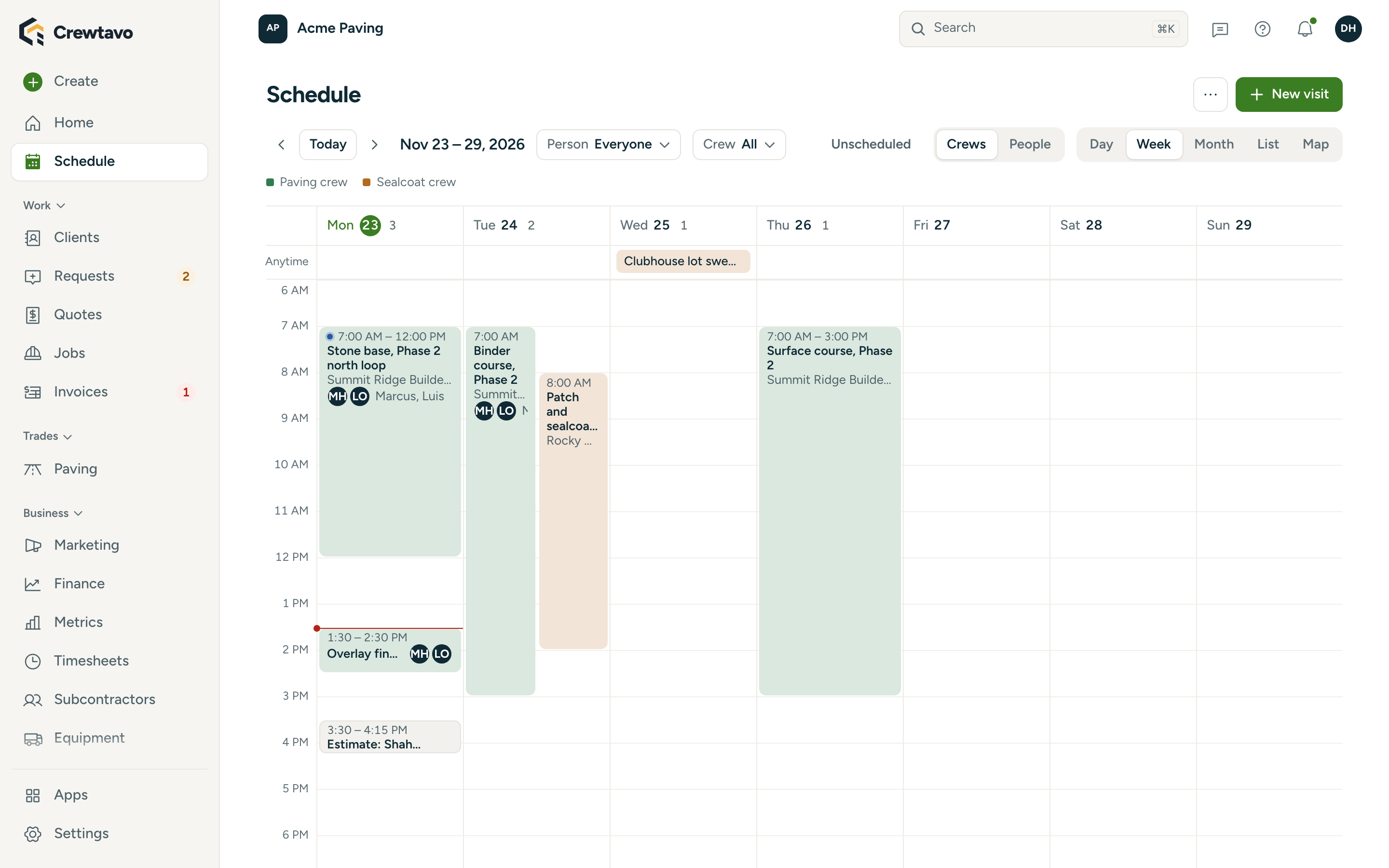
Schedule. Day and week grids with a lane per crew, a month view, drag to move or resize, double-booking warnings, rain-day shifts and route order. Everyone can add their schedule to Google, Apple or Outlook Calendar.
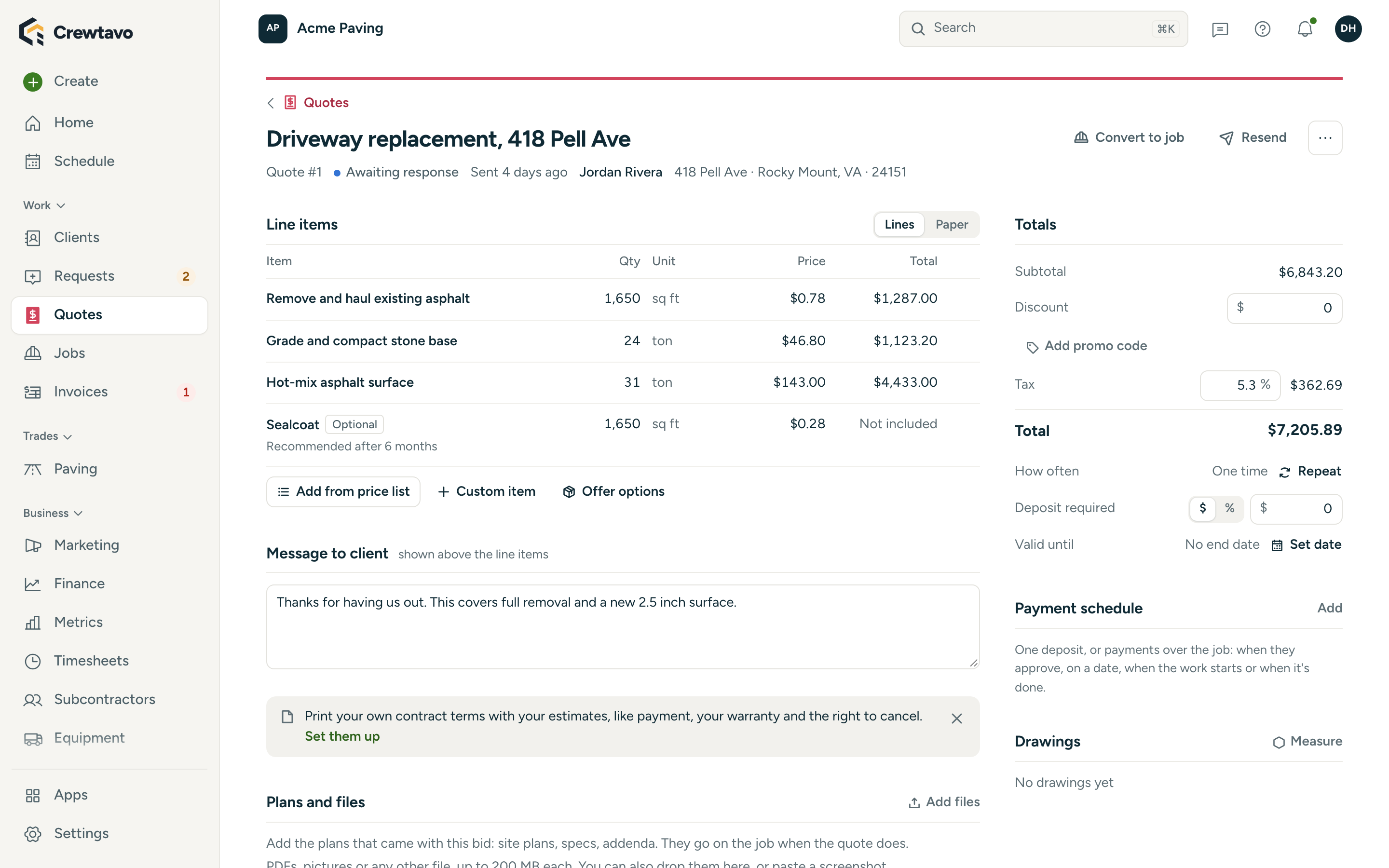
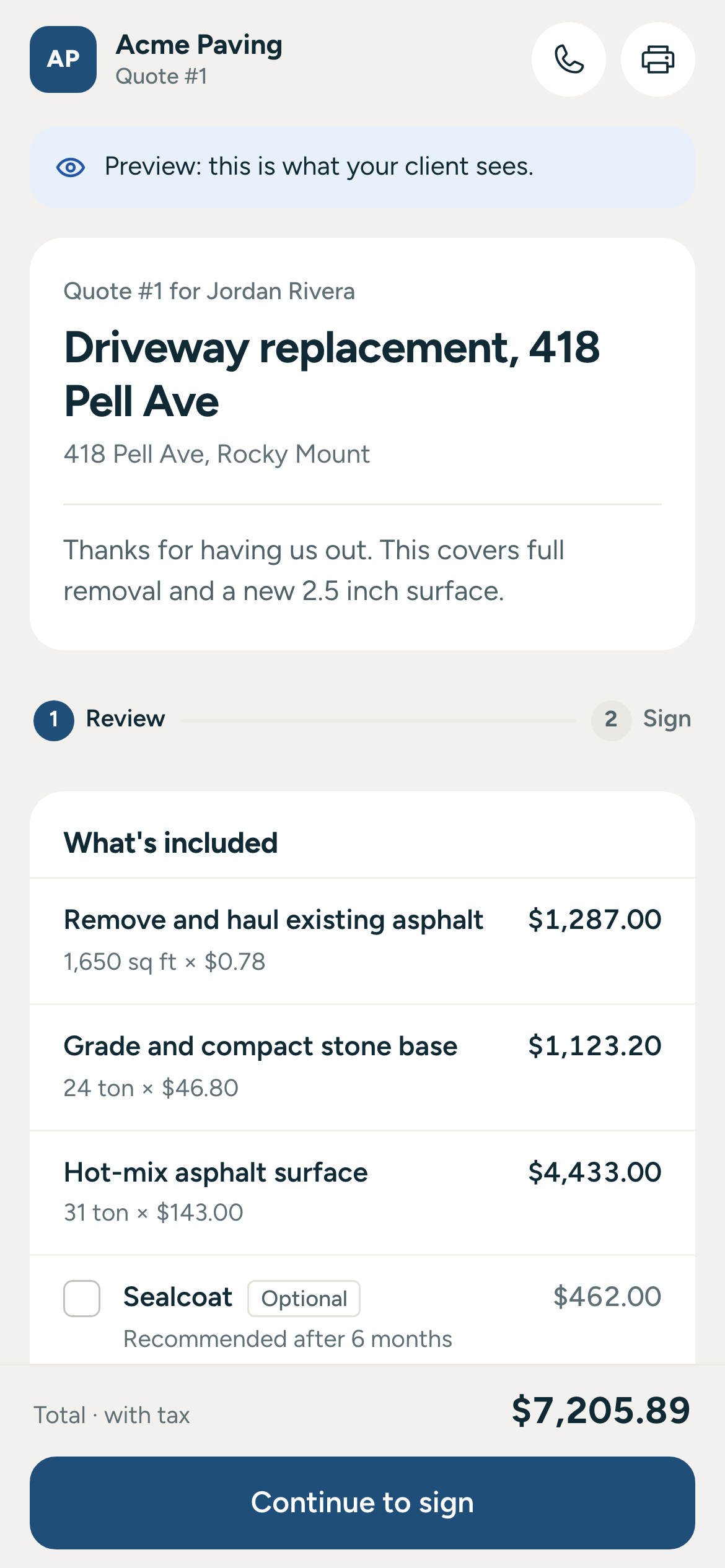
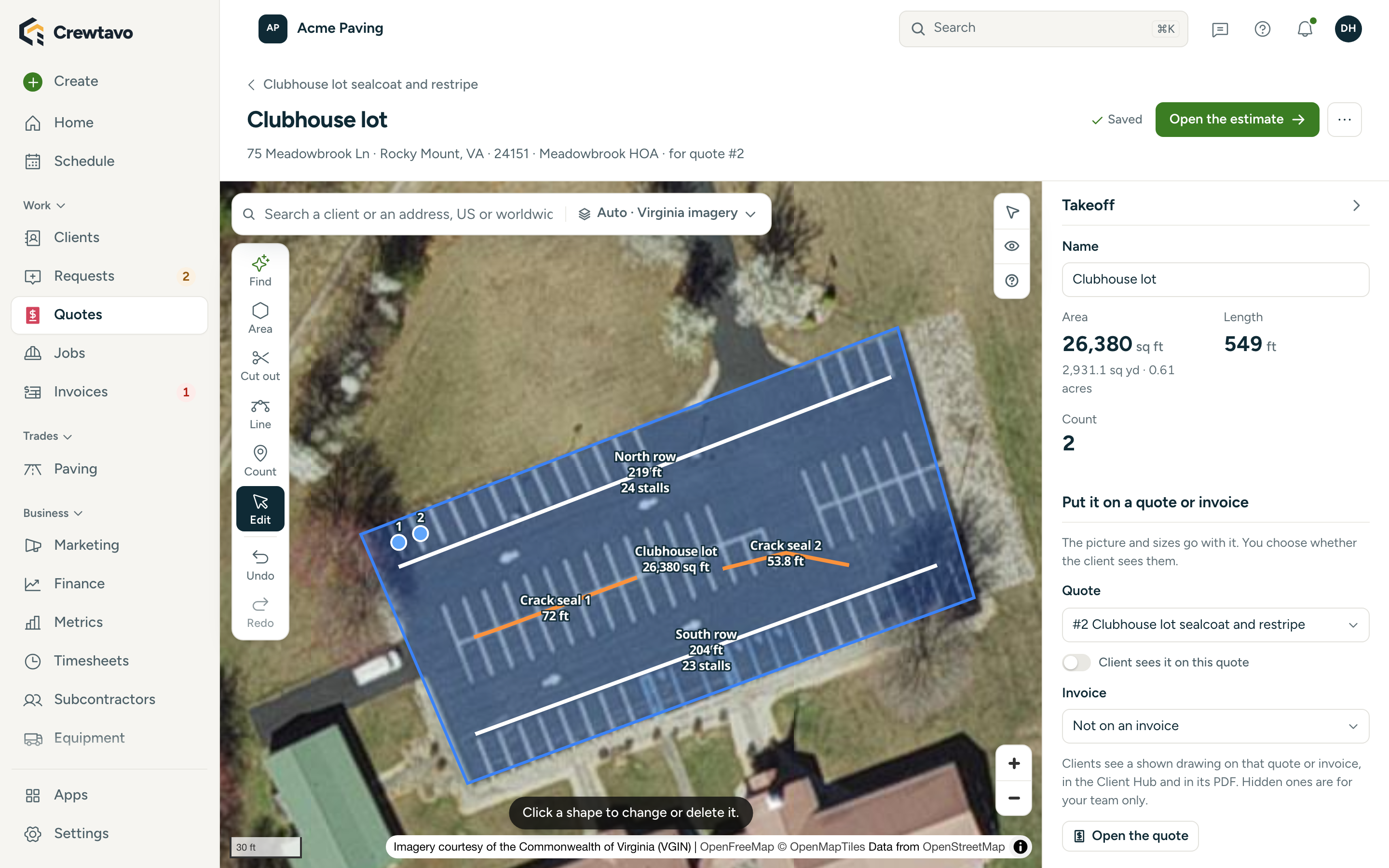
Quotes. Line items from your price list, formulas and satellite map measurements, optional add-ons, deposits and payment schedules. Clients approve and sign online.
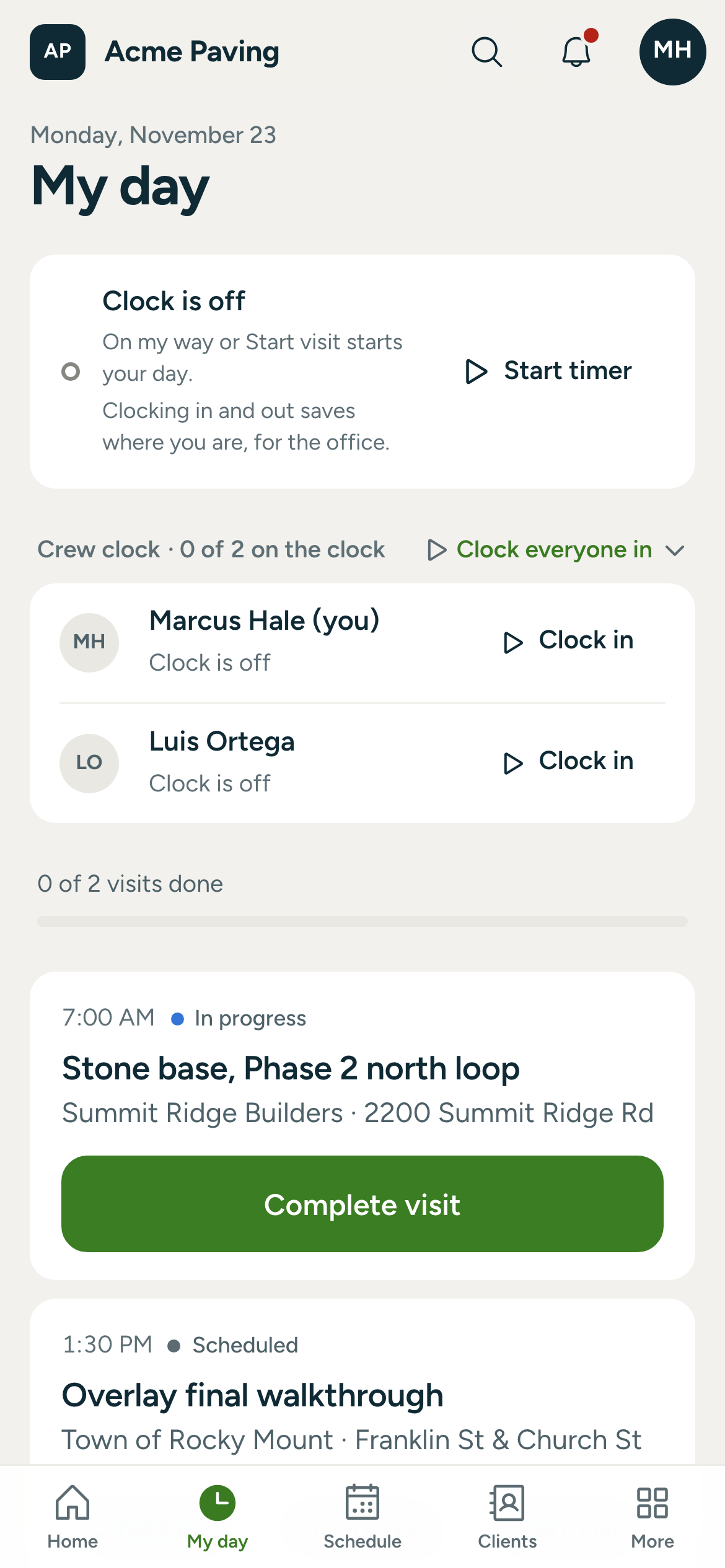
In the field. My day on any phone: on my way, start and finish, gate codes, checklists with signatures, photos, materials used and a crew clock. It installs like an app on Android and iPhone, keeps working with no signal and catches up when the connection is back.
For your clients. The Client Hub, in your business's color and with no account to create: approve quotes, pay invoices, follow the next visit, see photos from finished visits, request work and message the office.
| My day, for the crew | The Client Hub, for clients |
|---|---|
 |  |
Measure. Outline an area on the satellite view and price the quote from its measurements.
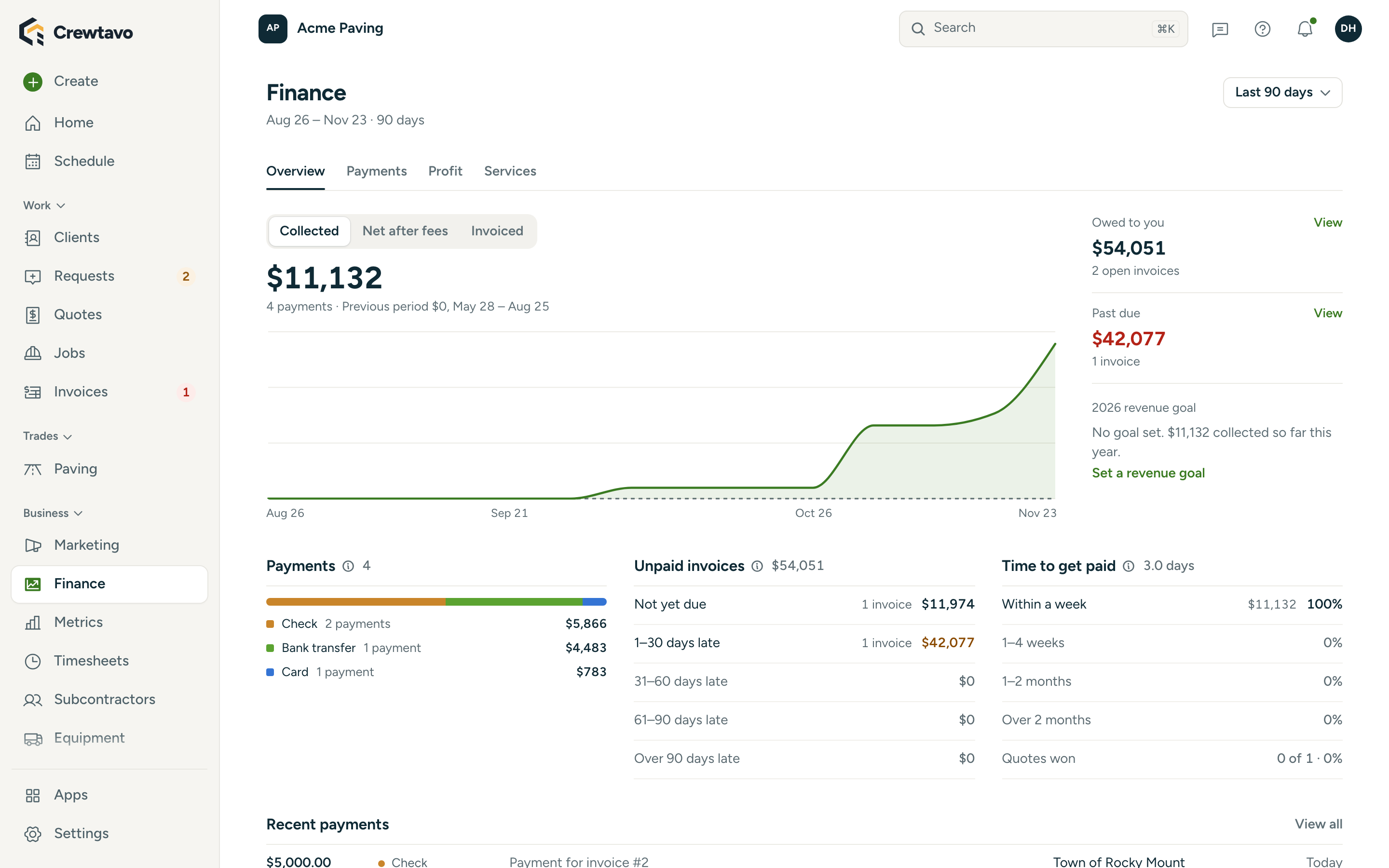
Finance. Collected, net and invoiced against the previous period, every payment, unpaid invoices by age, top clients and a yearly revenue goal, plus sales, work, team and client reports. Everything exports to CSV.
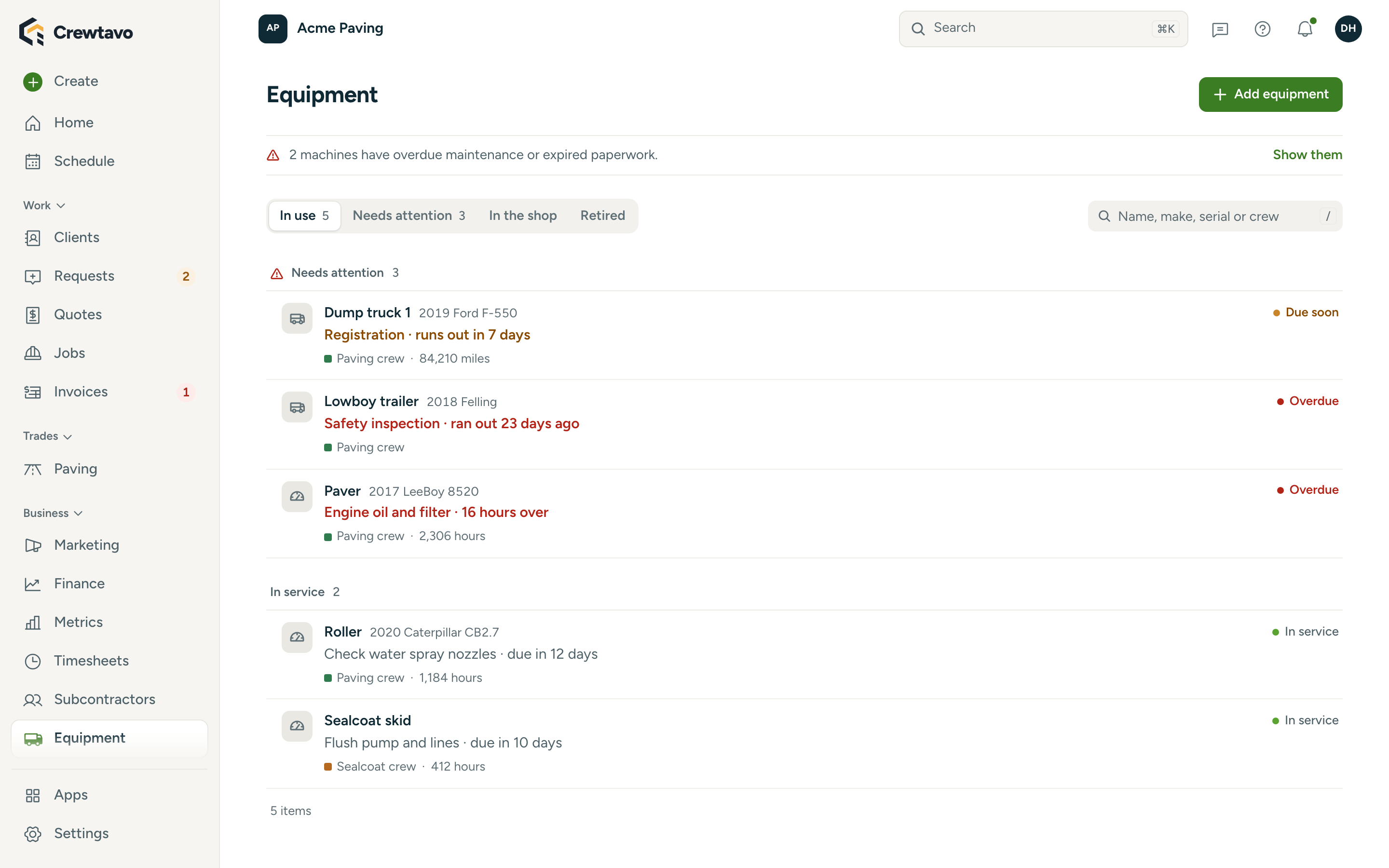
Equipment. Trucks, trailers and machines with hour meters and odometers, maintenance schedules by date, hours or miles, service history and costs.
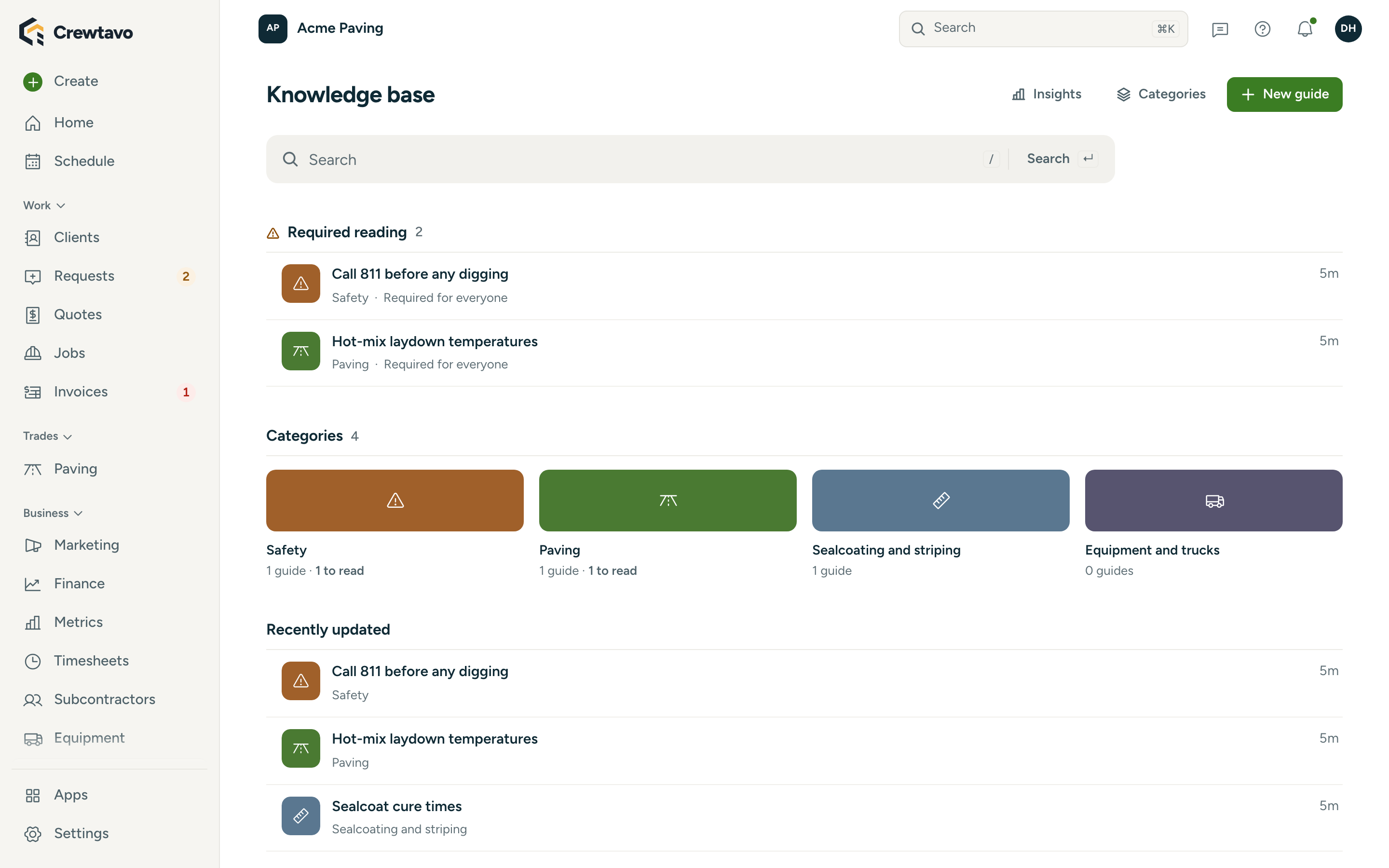
Knowledge base. Your SOPs, with an editor, revision history and required reading for the crew.
Dependencies for Crewtavo Hosting
- Postgres, with a volume for your data (included)
- Supabase Auth, PostgREST and Supabase Storage, on Railway's private network (included)
Deployment Dependencies
- Crewtavo docs: setup, every feature, and what to do if something goes wrong
- Source code and self-hosting (AGPL-3.0)
- Resend, for email on Railway's trial and Hobby plans (a free account is enough)
- Railway pricing
Implementation Details
- Cost: the business pays Railway directly. A new instance at rest uses about 0.36 GB of memory across its five services, roughly $3.60 a month of Railway usage. That fits Railway's free trial (30 days, $5 of credit) and its Hobby plan ($5 a month, including $5 of usage). Busy instances use more.
- Email: Railway blocks outgoing mail servers (SMTP) on its trial and Hobby plans, so paste a free Resend API key under Settings → Email. On Railway's Pro plan you can connect the business's own mailbox there instead (Gmail, Google Workspace, Microsoft 365, Zoho and others).
- Backups: Crewtavo backs up its database every night and keeps the last week's and month's. Download one from Settings → Your data now and then and keep it somewhere else. Photos and files aren't in a backup.
- Keep your secrets: save
JWT_SECRET(andENCRYPTION_KEY, if you set one) from the crewtavo service andPOSTGRES_PASSWORDfrom db somewhere outside Railway, such as a password manager. A restored Crewtavo needs them.
Why Deploy Crewtavo on Railway?
Railway is a singular platform to deploy your infrastructure stack. Railway will host your infrastructure so you don't have to deal with configuration, while allowing you to vertically and horizontally scale it.
By deploying Crewtavo on Railway, you are one step closer to supporting a complete full-stack application with minimal burden. Host your servers, databases, AI agents, and more on Railway.
Template Content


