
Deploy Cursor Agent Machine
Cursor Agent Machine hosted on railway
Cursor Agent Machine
Just deployed
/workspace
Deploy and Host Cursor Agent Machine on Railway
Self-Hosted Worker Machine for Cursor Cloud Agents (My Machines)
It wraps the public Cursor agent CLI so you can run a My Machines worker on Railway.
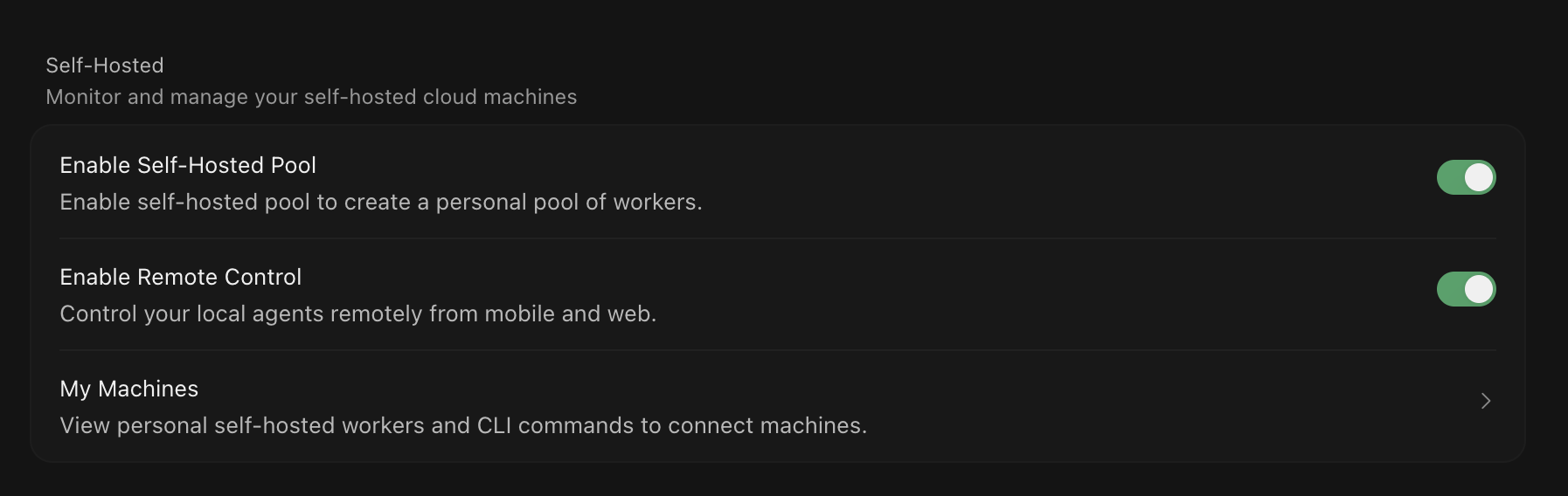
"One-click deploy" an always-on background worker on Railway. The worker opens connection to Cursor's cloud, clones one git repo, and shows up under My Machines so Cloud Agent tool calls (shell, edits, git) run inside your Railway environment.
About Hosting Cursor Agent Machine
Required variables
| Variable | Required | Description |
|---|---|---|
CURSOR_API_KEY | Yes (secret) | Personal user API key from Cursor Dashboard → API Keys |
REPO_URL | Yes | HTTPS git URL, e.g. https://github.com/you/your-repo.git |
GIT_TOKEN | No (secret) | HTTPS token for private repos |
GIT_USERNAME | No | Defaults to x-access-token (GitHub-friendly). |
BASE_IMAGE | No (build-time) | Dev container image to build on (see below). Default: Node 22 |
EXTRA_APT_PACKAGES | No (build-time) | Extra apt packages on top of the base image |
Important: resource sizing & idle costs
This worker runs as an always-on Railway service: it stays connected to Cursor Cloud so agent tool calls can execute, which means it consumes Railway compute (and billing) continuously, not just while an agent task is active.
- Size resources deliberately. Set CPU/RAM on the Railway service to match what your repo's toolchain and agent tasks actually need (e.g. Docker builds, test suites, language servers). Over-provisioning burns quota for no benefit; under-provisioning can cause slow or failing tool calls.
- This worker has no inbound traffic, so Railway's request-based sleep/scale-to-zero does not apply here: it will keep running (and billing) until you stop it, regardless of agent activity.
- Recommended: only run it during working hours. Since Cloud Agents are typically used interactively during the day, avoid paying for idle overnight/weekend uptime by turning the service off when you're not using it:
- Manually pause/resume the service from the Railway dashboard at the start/end of your day, or
- Automate it with a scheduled job (e.g. GitHub Actions cron, or Railway's own cron/scheduled tasks) that calls the Railway public API to scale the service to 0 replicas after hours and back to 1 in the morning.
- Check the Railway pricing page and your plan's usage dashboard periodically to confirm the worker's actual consumption matches expectations.
Dependencies for Cursor Railway Agent
- Cursor agent CLI: installed at build time; provides the
agent worker startprocess that connects to Cursor Cloud and executes tool calls. - A Microsoft Dev Container base image: supplies the language runtime/toolchain (Node.js by default, or Python, Go, Java, Rust, etc. via
BASE_IMAGE). - Git: required to clone/fetch the target repository;
openssh-clientand HTTPS token auth are supported for private repos. - A Railway volume mounted at
/workspace: persists the git checkout across restarts and redeploys (enforced viarequiredMountPathinrailway.json). - Outbound HTTPS access: to
api2.cursor.sh/api2direct.cursor.sh(agent session), the Cloud Agent artifact storage bucket, your git host, and any staging APIs the agent needs to reach. No inbound ports or public domain are required.
Deployment Dependencies
- Cursor Pro and above plan
- Github or similar services accessible over HTTP(s)
- Railway Projects
Common Use Cases
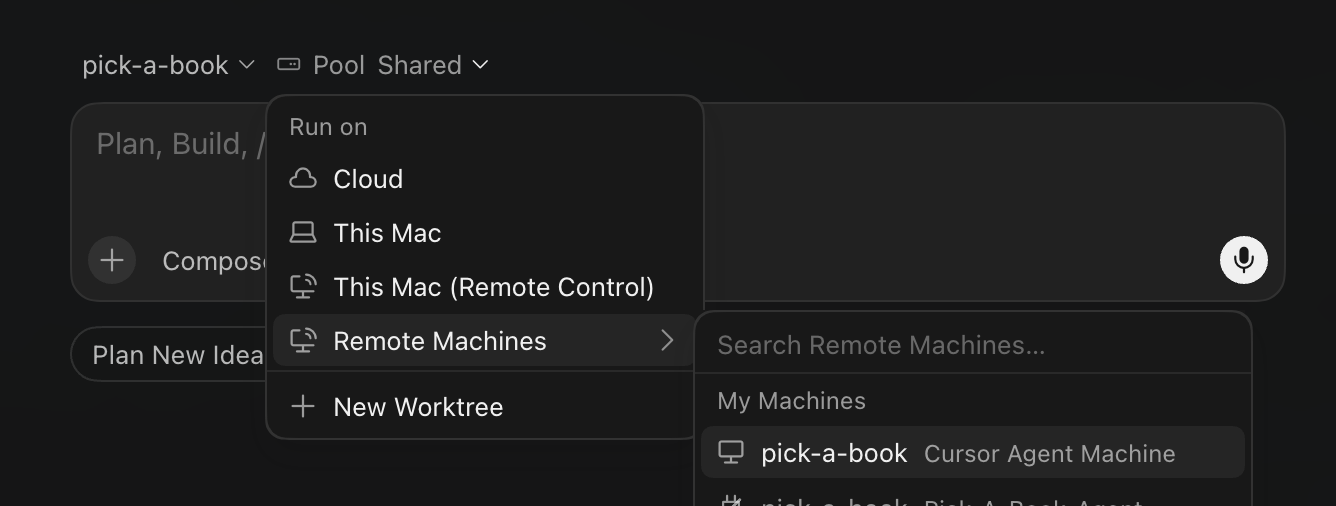
- Offload tasks to a Cursor background agent running on your own self-hosted machine.
- Microservices with live staging data: one worker per repo, wired to staging/dev via Railway reference variables.
- Realistic end-to-end verification: the agent runs inside your staging network, so it can hit real APIs/DBs like a developer would, not just run unit tests.
- Parallel, isolated agents: one worker per repository lets multiple Cloud Agents work on different microservices at once without stepping on each other.
Why Deploy Cursor Agent Machine on Railway?
Railway is a singular platform to deploy your infrastructure stack. Railway will host your infrastructure so you don't have to deal with configuration, while allowing you to vertically and horizontally scale it.
By deploying Cursor Agent Machine on Railway, you are one step closer to supporting a complete full-stack application with minimal burden. Host your servers, databases, AI agents, and more on Railway.
This worker specifically benefits from Railway's platform in a few ways:
- Always-on by default, no ops overhead: Railway keeps the worker connected to Cursor Cloud 24/7 without you managing servers, orchestration, or uptime yourself.
- Persistent volumes: mount storage at
/workspaceso the git checkout survives restarts and redeploys instead of re-cloning every time. - Reference variables: wire this worker directly to your staging database, APIs, or other services already running in the same Railway project, without copy-pasting secrets.
- One-click, per-repo isolation: spin up a dedicated worker per microservice/repo in minutes, each with its own toolchain (
BASE_IMAGE) and staging connection. - Usage-based billing: pay only for the compute you use, so you can scale workers up during working hours and down when idle.
Template Content
Cursor Agent Machine
roadmap-ai/railway-cursor-agent-workerREPO_URL
Git clone URL for the single repo this worker serves. Example: https://github.com/you/your-repo.git
GIT_TOKEN
Personal access token / deploy token with read
CURSOR_API_KEY
Personal user API key from https://cursor.com/dashboard/api


