
Deploy Dashy — Open Source Homer & Homarr Alternative on Railway
Self Host Dashy. Open Source Start Page with Widgets & Themes
Dashy
Just deployed
/app/user-data
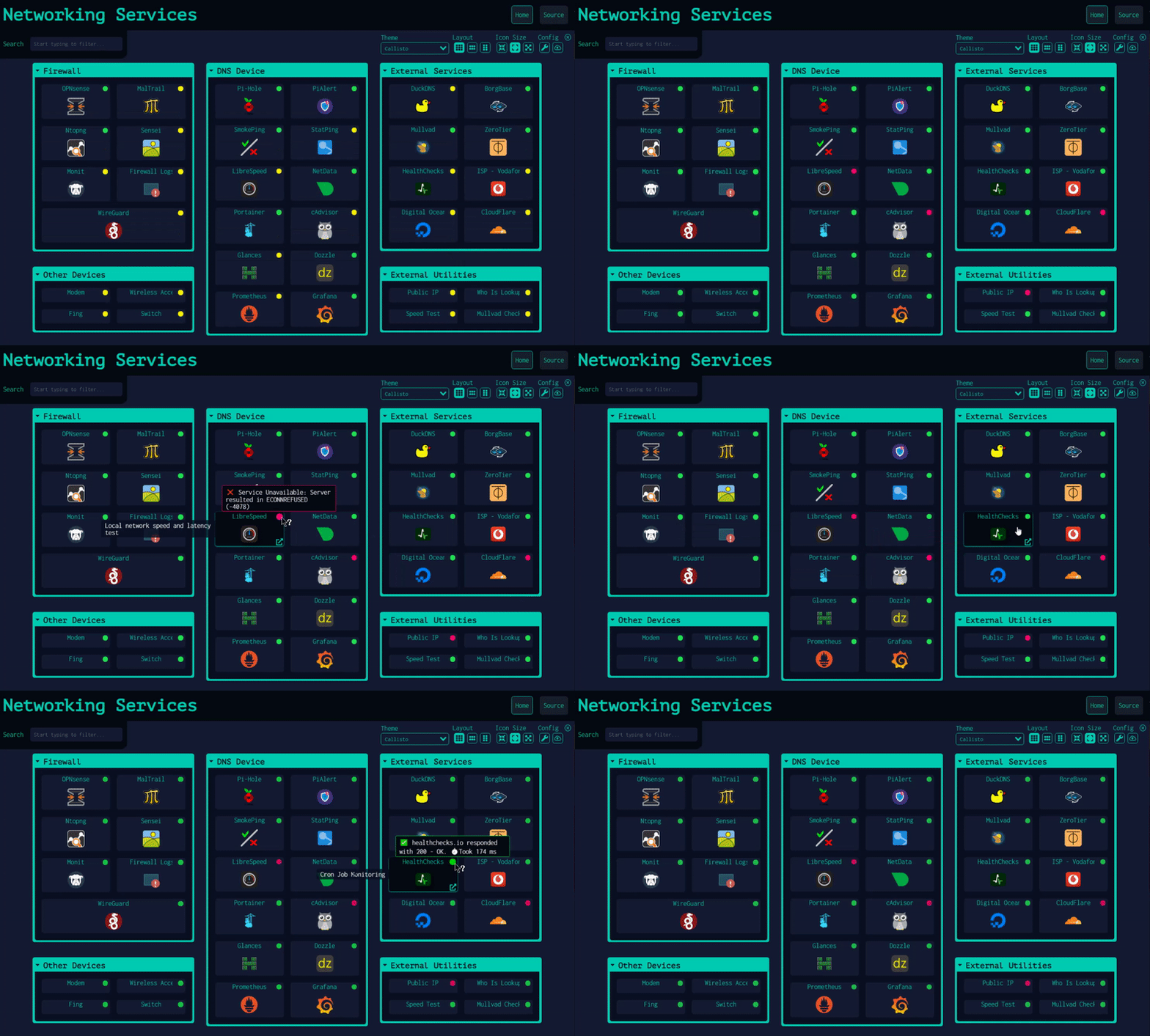
Deploy and Host Dashy
Dashy is an open-source, self-hosted dashboard for your homelab — a single, beautiful interface for organizing all your services, links, and widgets. It replaces scattered browser bookmarks with a fully customizable start page complete with service status checks, 50+ pre-built widgets, multiple themes, and a built-in UI editor, all configured from a single YAML file.
Self-hosting Dashy on Railway takes seconds: this one-click template deploys the lissy93/dashy image with a persistent volume at /app/user-data pre-wired, so your conf.yml and custom icons survive every redeploy. A starter config is automatically written on first boot — open the dashboard and start customizing immediately.
Getting Started with Dashy on Railway
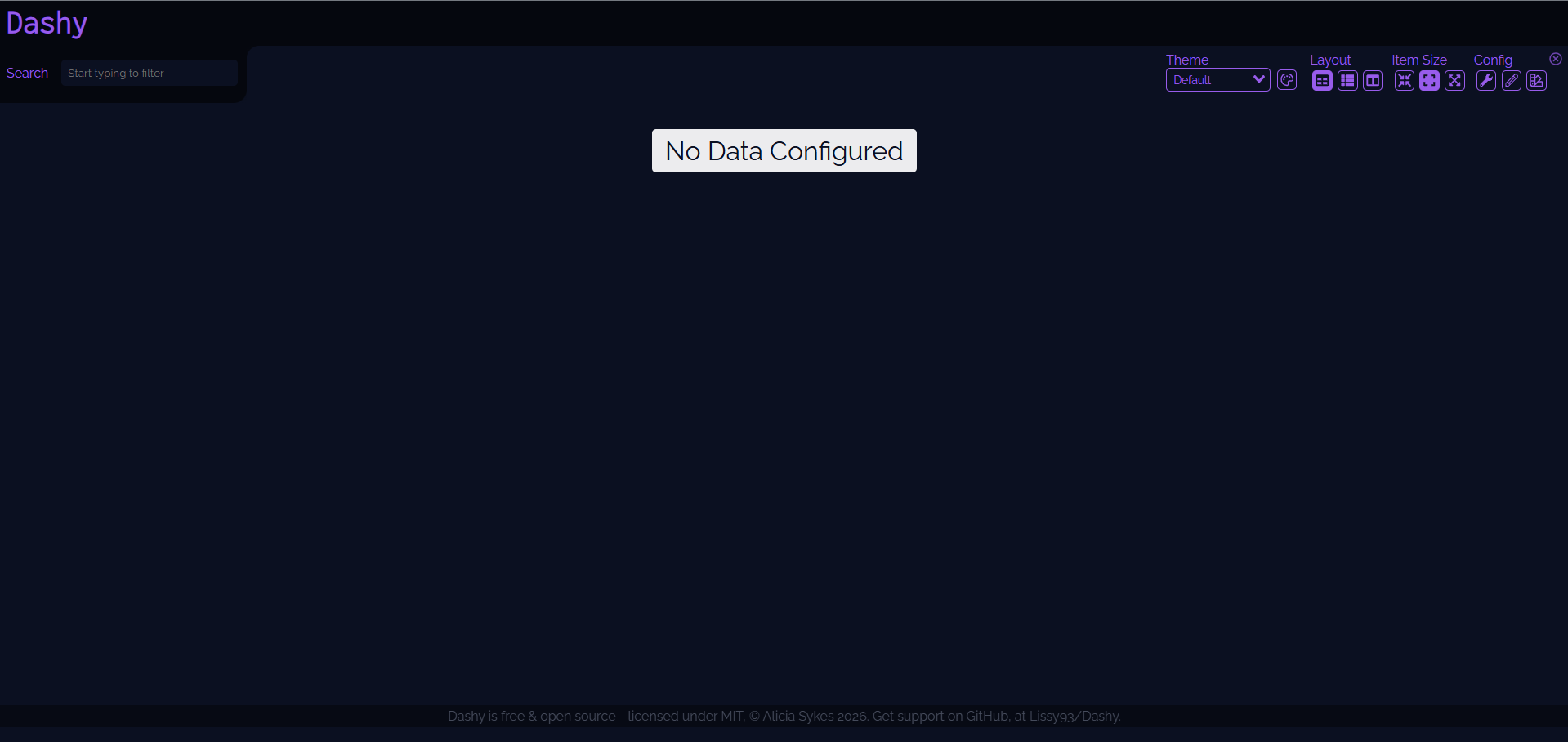
Once the deploy finishes, click the public Railway URL to open your Dashy instance. You'll land on a minimal starter dashboard generated automatically from the built-in base config. To begin customizing, click the settings cog in the top-right corner and select Config Editor to edit your conf.yml directly in the browser, or choose UI Config for the visual drag-and-drop editor. Add sections and items for each service you want to link. Your configuration is saved to /app/user-data/conf.yml on the attached volume, so changes persist across restarts. To add user authentication, set appConfig.auth in your YAML with a SHA-256-hashed password.
About Hosting Dashy
Dashy is a privacy-respecting, fully open-source homelab dashboard built by Alicia Sykes (@Lissy93) and licensed under MIT. It solves the problem of scattered bookmarks across dozens of self-hosted services by centralizing access in one place.
Key features:
- 50+ built-in widgets — Docker stats, GitHub activity, weather, uptime, RSS feeds, and more
- Service status indicators — per-item health checks with response time on hover
- Visual UI editor — configure and preview changes without touching YAML
- Theming engine — dozens of built-in themes plus full custom CSS and CSS variable support
- Multiple views — default grid, minimal browser startpage, and workspace (multi-app iframe) modes
- Auth & multi-user — built-in basic auth, Keycloak, and other SSO provider support
- PWA support — installable as a progressive web app with basic offline access
- Web search — query DuckDuckGo, Google, or any custom engine directly from the dashboard
Why Deploy Dashy on Railway
Railway removes all the operational overhead so you can focus on building your perfect dashboard:
- Persistent volume keeps your
conf.ymland custom icons safe across deployments - Auto-generated starter config means zero manual setup on first boot
- Public HTTPS URL out of the box — no reverse proxy needed
- One-click redeploys when you update your config or the image
- No Docker volume or port mapping to manage yourself
Common Use Cases
- Homelab launchpad — centralize access to Nextcloud, Grafana, Portainer, Pi-hole, and other self-hosted services from one tab
- Team internal portal — shared dashboard for a small team's internal tools, docs, and monitoring links
- Browser start page — use Dashy's minimal view as a fast-loading new-tab replacement with web search
- Service health monitor — use status indicators and widgets to keep an eye on uptime across your entire stack without opening each service individually
Dashy vs Homer vs Homarr
| Feature | Dashy | Homer | Homarr |
|---|---|---|---|
| Open source | ✅ MIT | ✅ Apache 2.0 | ✅ MIT |
| UI editor | ✅ Full visual editor | ❌ YAML only | ✅ Drag-and-drop GUI |
| Widgets | ✅ 50+ built-in | ⚠️ Limited | ✅ ~20 integrations |
| Status checks | ✅ Per-item | ❌ | ✅ |
| Auth / multi-user | ✅ + SSO/Keycloak | ❌ | ✅ |
| Resource usage | Medium | Very low | Medium |
| Self-hostable | ✅ | ✅ | ✅ |
Dashy is the right pick when you want deep theming, a rich widget ecosystem, and a visual editor. Homer wins on raw simplicity; Homarr wins on GUI-first setup with zero YAML.
Dependencies for Dashy
- Dashy —
lissy93/dashy:latest(GitHub · Docker Hub) - Volume —
/app/user-datafor persistentconf.yml, custom icons, and user assets
Environment Variables Reference
| Variable | Description | Required |
|---|---|---|
NODE_ENV | Set to production to run the optimised build | Yes |
No database or secrets are needed. All configuration lives in
conf.ymlon the mounted volume.
Deployment Dependencies
- Runtime: Node.js 18+ (LTS 20.x recommended for bare-metal; handled by the Docker image on Railway)
- GitHub: https://github.com/Lissy93/dashy
- Docker Hub: https://hub.docker.com/r/lissy93/dashy
- Docs: https://dashy.to/docs
Minimum Hardware Requirements for Dashy
| Resource | Minimum | Recommended |
|---|---|---|
| CPU | 1 vCPU | 1 vCPU |
| RAM | 512 MB | 1 GB |
| Disk | 512 MB | 1 GB |
| Node.js | 18.x | 20.x LTS |
Dashy runs comfortably on low-powered hardware including Raspberry Pi 3+. On Railway, the default Starter plan is sufficient for personal and small-team use.
Self-Hosting Dashy
Docker (quickest):
docker run -d \
  -p 4000:8080 \
  -v $(pwd)/user-data:/app/user-data \
  --name dashy \
  --restart=always \
  lissy93/dashy:latest
Your dashboard is then available at http://localhost:4000. Place your conf.yml in ./user-data/ before starting, or let Dashy generate a starter config on first run.
Bare metal:
git clone https://github.com/Lissy93/dashy.git && cd dashy
yarn install
yarn build
yarn start
Requires Node.js 18+. The app listens on port 8080 by default.
Is Dashy Free?
Dashy is 100% free and open source under the MIT license — there are no paid tiers, no SaaS subscription, and no feature paywalling. On Railway, the only cost is your infrastructure: the Hobby plan starts at $5/month and is more than enough to run Dashy comfortably. There is no official cloud-hosted version; self-hosting is the only way to use it.
FAQ
What is Dashy? Dashy is an open-source, self-hosted homepage and dashboard for homelabs. It lets you organize all your services, links, and monitoring widgets in a single customizable interface, replacing browser bookmarks with a purpose-built start page.
What does this Railway template deploy?
It deploys a single Dashy container (lissy93/dashy:latest) with a persistent volume mounted at /app/user-data. A starter conf.yml is written automatically on first boot if one doesn't exist, so the dashboard is usable immediately with no manual setup.
Why is a volume attached at /app/user-data?
Dashy stores its configuration (conf.yml), custom icons, and other user assets in /app/user-data. Without a persistent volume, all customizations would be lost every time the container restarts or redeploys. The volume ensures your dashboard survives deploys.
Can I edit my dashboard config without restarting the container?
Yes. Dashy's built-in UI Config Editor and Config Editor (YAML) allow live edits that are saved directly to conf.yml on the volume. Changes take effect on page refresh without any container restart.
Does Dashy support user login / authentication?
Yes. Dashy has built-in basic auth with SHA-256 password hashing, multi-user support with granular permissions, and SSO integration via Keycloak and other providers. Configure it under the appConfig.auth key in your conf.yml.
Can I run multiple pages or sub-dashboards?
Yes. You can define additional pages in conf.yml under the pages key, each pointing to a separate local or remote YAML config file. This is useful for separating work, homelab, and personal services.
Template Content
Dashy
lissy93/dashy:latest