
Deploy Datasette
Publishes SQLite databases as a browsable website and JSON API
datasette
Just deployed
/data
datasette-snapshots
Bucket
Just deployed
Deploy and Host Datasette on Railway
Datasette turns a SQLite file into a website. Point it at one or more databases and you get browsable tables, faceted filters, full-text search, a SQL console, and a JSON and CSV API for every query — no schema modelling, no dashboards to build, no front-end code. It came out of data journalism and is used by newsrooms, archivists and engineers who need to hand someone a dataset that can be explored rather than a spreadsheet attachment.
Self-host Datasette here and the deploy gives you one datasette service, a persistent volume at /data holding every SQLite database, and an object-storage bucket that receives compressed snapshots on a schedule. Railway's edge terminates TLS and forwards to the container, which serves the UI and the JSON API from one origin. Sign-in is on out of the box and the instance is private until you say otherwise, so nothing is exposed while you load data.
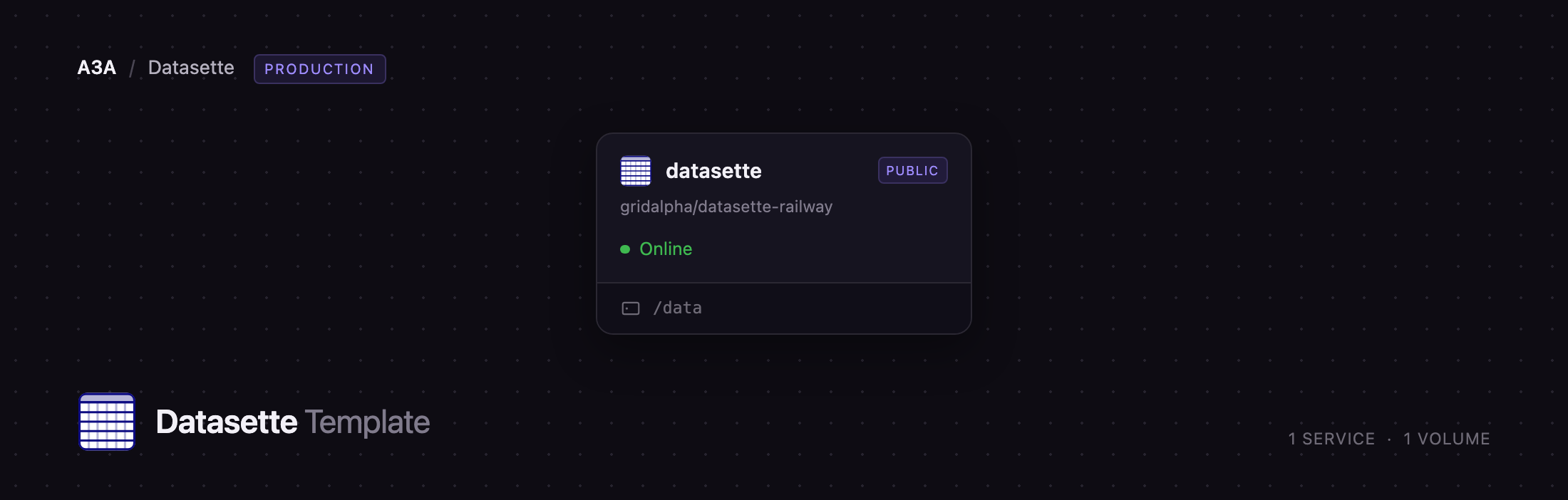
Getting Started with Datasette on Railway
Once the deploy is green, open the public URL. Anonymous visitors get a 403 — the default lock working — so go to /-/login and sign in with the username in ADMIN_USERNAME (root unless you changed it) and the password in ADMIN_PASSWORD, both in the Variables tab. There is no setup wizard and no shipped default credential: the hash is derived from that variable each boot, so changing it changes the login.
The first boot seeds a small sample database called demo so the instance is not an empty screen. Open it, click into books, and try the genre facet, the search box and the "View and edit SQL" link — that round trip is the quickest confirmation the deployment is healthy. For your own data, use Upload CSV to load a CSV into the writable data database, or Upload database to push a whole .db file; both appear immediately, with no restart. Delete demo.db, or set SEED_DEMO_DATA=0 before the first deploy, when the sample has served its purpose. To publish openly, set DATASETTE_PUBLIC=1: browsing becomes anonymous while uploads and schema editing stay behind the login.
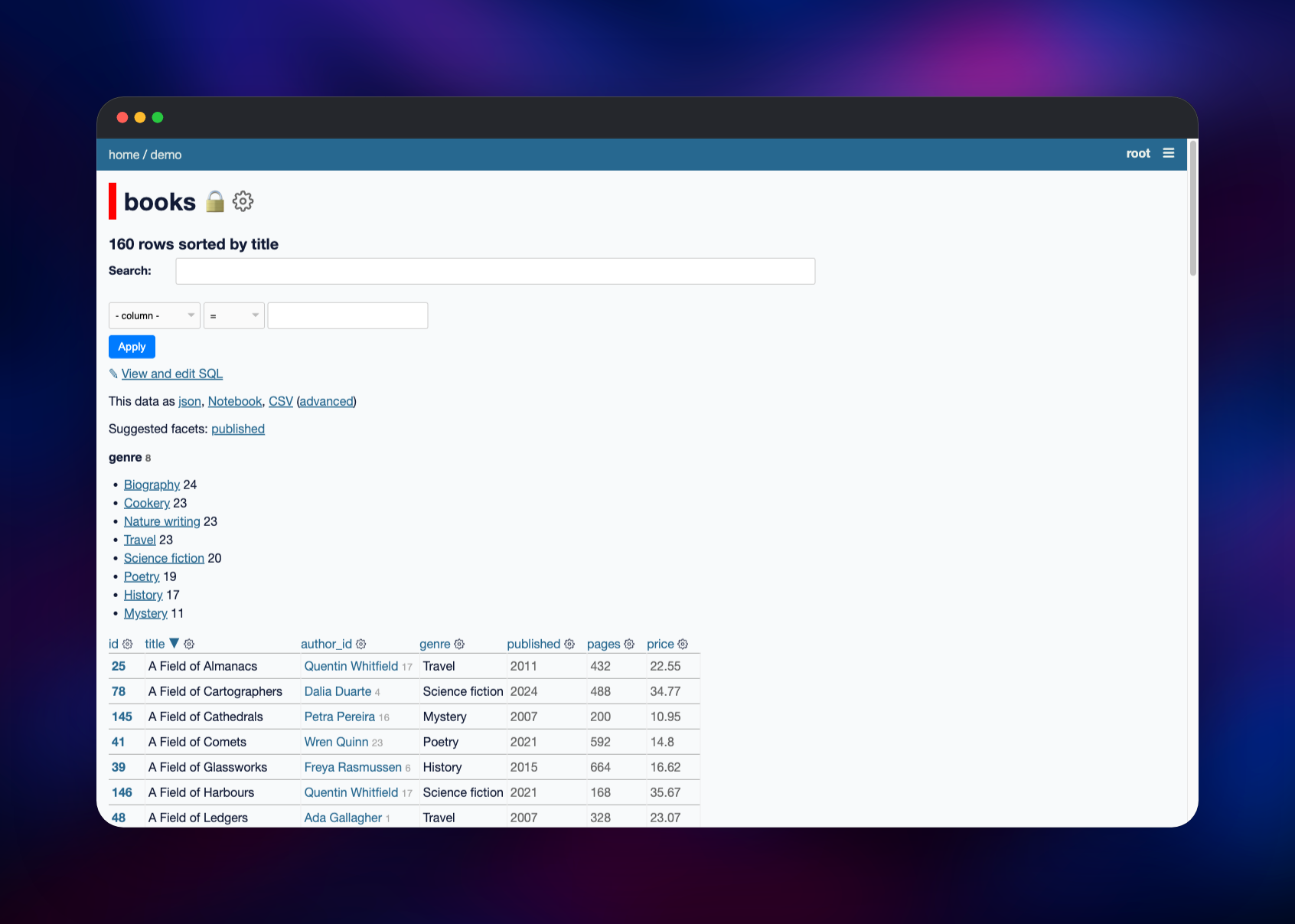
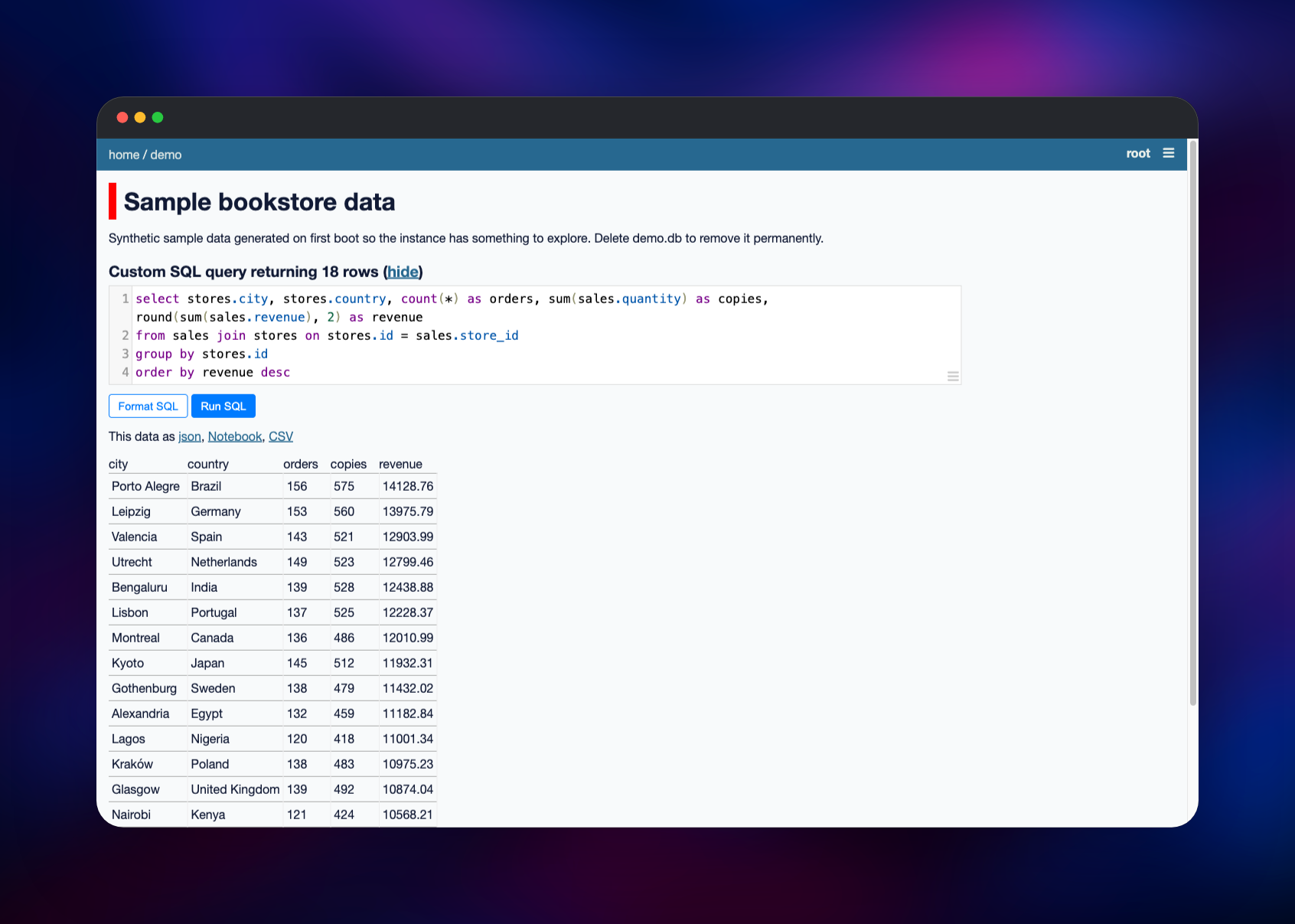
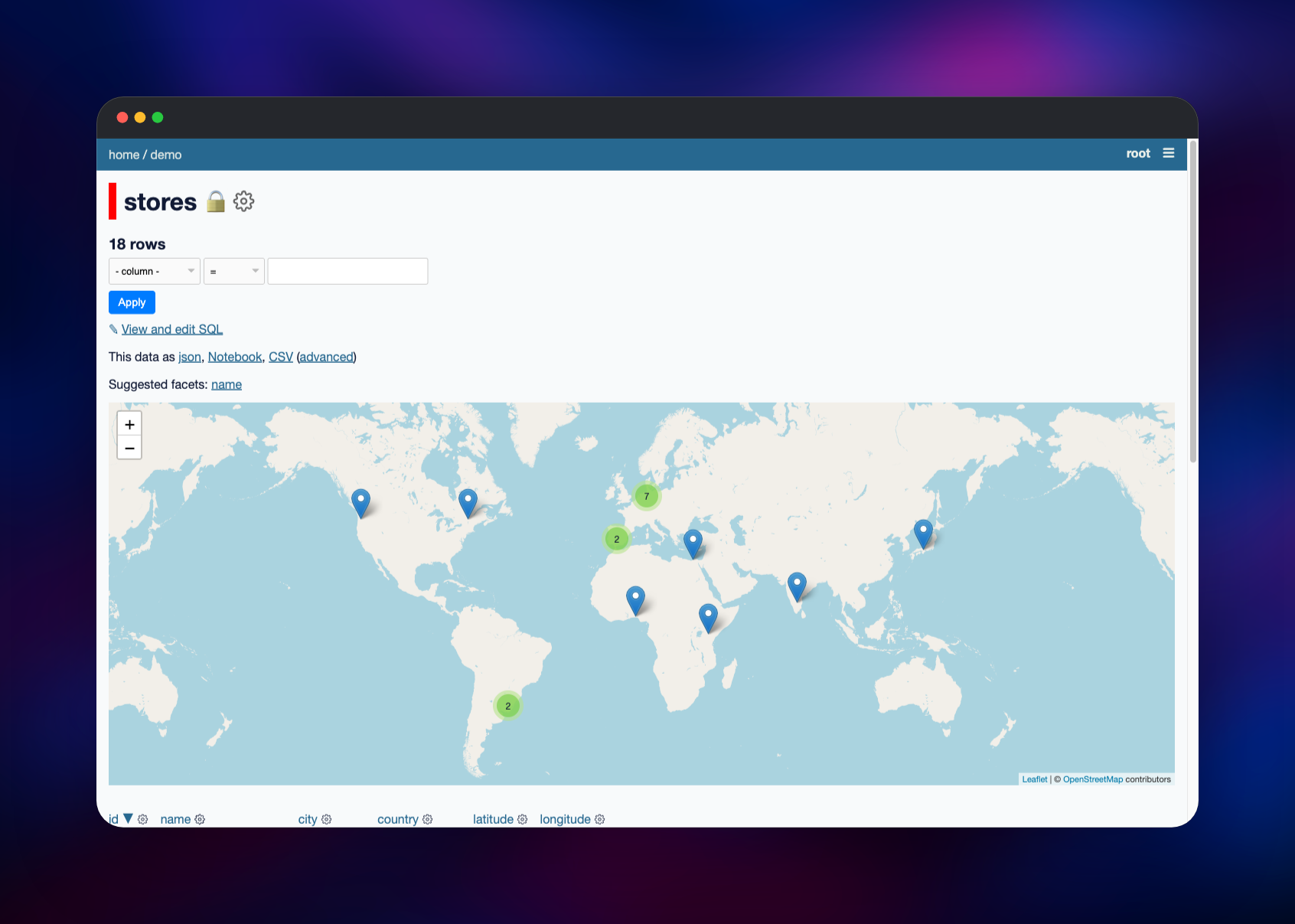
About Hosting Datasette
Datasette generates its interface from whatever the schema contains — tables, columns, foreign keys, indexes and full-text search — so there is no modelling step between "I have a database" and "other people can query it". It suits teams sharing a dataset for exploration rather than maintaining a dashboard, and any dataset that fits on one disk.
- Every table, row and custom query is also JSON and CSV at the same URL
- Faceted browsing, filters, sorting and SQLite full-text search, unconfigured
- A guarded SQL console —
SELECTs with a time limit and row cap - Canned queries saved as named, linkable endpoints
- Permissions per instance, per database and per table
- Over 150 plugins for charts, maps, auth, exports and schema editing
This deployment bundles the plugins that turn a read-only viewer into something you can operate: password sign-in, CSV and database upload, schema editing, write queries, a Leaflet cluster map for any table with latitude and longitude, and Jupyter/Pandas export links.
Why Deploy Datasette on Railway
Railway removes the parts of self-hosting Datasette that are not about data:
- A persistent volume for your SQLite files, mounted on first boot
- Scheduled snapshots to object storage, restored on an empty volume
- HTTPS, a public hostname and certificates at the edge
- A health check that queries every attached database
- Sign-in and HSTS set before the URL is reachable
- Redeploy on push, with your databases untouched
Common Use Cases
- Publishing an open dataset — a records extract, an election result, a research corpus — as a queryable site rather than a zip file
- Giving colleagues a self-service window onto a periodic export, with no access to the production database
- Shipping a JSON API for a static dataset in minutes
- Exploring a large CSV or log export with facets and SQL before deciding what to build
Dependencies for Datasette
datasetteservice — built from gridalpha/datasette-railway onpython:3.12-slim, installing Datasette from PyPI on the 0.65 stable line. Serves the UI, the JSON API and the admin routes.- Volume at
/data— every*.dbfile here is attached at startup, and uploads land here. - Object-storage bucket — takes a gzipped
VACUUM INTOsnapshot of each database on an interval and hands them back on a boot that finds an empty volume.
No Postgres, Redis or worker is involved: the SQLite files on the volume are the storage layer.
Environment Variables Reference
| Variable | Default | What it does |
|---|---|---|
ADMIN_USERNAME | root | Sign-in username; maps to the admin actor |
ADMIN_PASSWORD | generated | Sign-in password; hashed at boot |
DATASETTE_SECRET | generated | Signs session cookies — keep it stable |
DATASETTE_PUBLIC | 0 | 1 lets anonymous visitors browse; admin stays locked |
DATASETTE_CORS | 0 | 1 enables cross-origin reads of the JSON API |
SEED_DEMO_DATA | 1 | Seeds the sample database on the first boot only |
DEFAULT_ALLOW_SQL | on | off removes the arbitrary-SQL console |
BACKUP_INTERVAL_SECONDS | 3600 | Seconds between snapshots |
Deployment Dependencies
- Source:
- Upstream:
- Docs: · Plugins:
Hardware Requirements for Self-Hosting Datasette
| Resource | Minimum | Recommended |
|---|---|---|
| CPU | 0.5 vCPU | 1–2 vCPU |
| RAM | 512 MB | 1 GB |
| Storage | 1 GB volume | Your databases plus headroom for uploads |
| Runtime | Python 3.9+ | Python 3.12 |
Memory use follows SQLite's page cache and how many rows a query returns, not file size — a multi-gigabyte database browses comfortably in 1 GB of RAM. Storage is the axis that matters, since a snapshot briefly makes a second copy of a database.
Self-Hosting Datasette
Locally, Datasette is a pip install and a file path. This installs it with some of the plugins the template ships and serves a database:
pip install datasette datasette-auth-passwords datasette-upload-csvs datasette-cluster-map
datasette mydata.db --host 0.0.0.0 --port 8001
To get a CSV into SQLite first, use sqlite-utils, the companion CLI from the same author:
pip install sqlite-utils
sqlite-utils insert mydata.db visits visits.csv --csv
sqlite-utils enable-fts mydata.db visits branch city
datasette mydata.db
The template's repository builds on python:3.12-slim, adds the plugin set, derives the password hash at boot, renders metadata.json and registers a /healthz route. The image datasetteproject/datasette exists too, though it usually trails the PyPI release.
Is Datasette Free? What Does It Cost to Self-Host?
Datasette is open source under the Apache 2.0 licence — no paid tier, seat limit or feature gate — and the 150+ community plugins are free too. Its author also runs a managed Datasette Cloud, but nothing here depends on it. On Railway you pay only for the compute, volume and storage used.
FAQ
What is Datasette? An open-source tool that publishes SQLite databases as a browsable website with a built-in JSON and CSV API. You give it a database file; it generates the interface, filters, search and API from the schema.
What does this Railway template deploy?
One datasette service built from a public GitHub repository, a volume at /data for your SQLite databases, and an object-storage bucket for scheduled snapshots. Password sign-in, an instance-wide permission lock, CSV and database upload, schema editing and a cluster map are configured before first boot.
Why does the template include object storage if Datasette only needs a volume?
A volume is a single copy. The bucket takes a consistent, compressed snapshot of each database on an interval and keeps the newest BACKUP_KEEP, so a replaced volume is recoverable — a boot that finds no databases pulls the latest snapshot of each back.
How do I make my self-hosted Datasette instance public?
Set DATASETTE_PUBLIC=1 and redeploy. The instance-wide allow block is dropped so anyone can browse and query, while upload, schema editing and write queries stay behind the login.
How do I upload my own data to Datasette on Railway?
Sign in, then use Upload CSV to create a table in the writable data database, or Upload database to push a whole SQLite file. For bulk work, build the file locally with sqlite-utils and upload it.
Can I run write queries or edit the schema in self-hosted Datasette?
Yes — the write-query and schema-editing plugins are included and restricted to the signed-in admin, so you can add and drop columns, rename tables, set primary keys and indexes, and run INSERT/UPDATE/DELETE from the browser. Sessions survive a redeploy, since the cookie is signed with the persistent DATASETTE_SECRET and the databases live on the volume.
Template Content
datasette
gridalpha/datasette-railwaydatasette-snapshots
Bucket


