
Deploy Debian 13 - Web Terminal
[Jul'26] Deploy Debian 13 and access it through the browser! 🚀🌐✨
Just deployed
/root/workspace
Deploy and Host Debian 13 On Browser on Railway
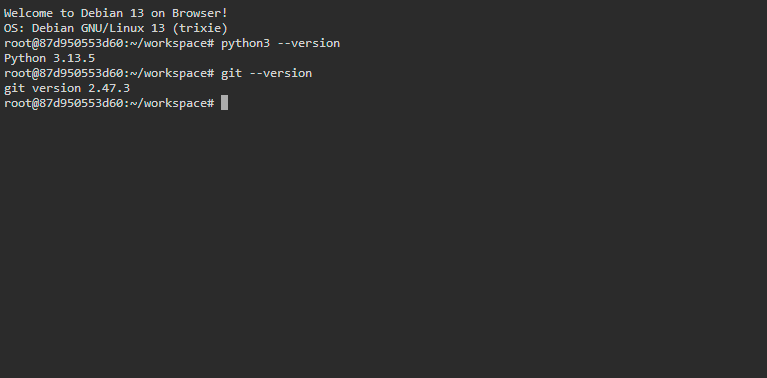
Debian 13 On Browser is a lightweight, browser-accessible Debian terminal environment packaged for Railway. It runs the official Debian 13 container image, installs common CLI tools, and exposes an authenticated shell through ttyd, making it useful for learning Linux, testing scripts, and keeping a portable cloud terminal ready from any modern browser.
About Hosting Debian 13 On Browser
Hosting Debian 13 On Browser on Railway involves deploying a containerized Debian 13 environment with a web terminal exposed over HTTP. The template uses Docker for the base operating system and ttyd to turn the Bash shell into an interactive browser session protected by Basic Authentication. Railway handles the service runtime, public networking, HTTPS, environment variables, and scaling options. By default, the container is ephemeral, but you can mount a Railway Volume to /root/workspace when you need files to persist across redeploys.
Common Use Cases
- Linux Learning Sandbox: Practice Debian commands, package management, shell scripting, and filesystem navigation in an isolated browser-based terminal.
- Remote Development Utility: Run lightweight Python scripts, Git commands, automation tasks, and dependency checks without setting up a local VM.
- Portable Cloud Terminal: Keep a secure terminal available from any device for quick diagnostics, experiments, or temporary administrative workflows.
Dependencies for Debian 13 On Browser Hosting
- Railway Account: Required to deploy the template, configure variables, and optionally attach persistent storage.
- Modern Web Browser: Required to access the
ttydterminal session. - Debian 13 Docker Image: Provides the base Linux environment.
- ttyd: Serves the Bash terminal through a browser-accessible web interface.
Deployment Dependencies
- Railway - Hosts the container, networking, environment variables, and optional volumes.
- Debian Official Docker Image - Base operating system image used by this template.
- ttyd - Web terminal engine used to expose the shell over HTTP.
Implementation Details
The container starts ttyd with Railway's assigned port and Basic Authentication credentials from environment variables:
/bin/ttyd -p ${PORT:-8080} -c ${USERNAME:-admin}:${PASSWORD:-admin} /bin/bash
Set a custom USERNAME and PASSWORD before deploying. To persist files across deployments, attach a Railway Volume and mount it at:
/root/workspace
Why Deploy Debian 13 On Browser on Railway?
Railway is a singular platform to deploy your infrastructure stack. Railway will host your infrastructure so you don't have to deal with configuration, while allowing you to vertically and horizontally scale it.
By deploying Debian 13 On Browser on Railway, you are one step closer to supporting a complete full-stack application with minimal burden. Host your servers, databases, AI agents, and more on Railway.
Template Content
PASSWORD
USERNAME


