
Deploy Discourse
Open source discussion forum for online communities

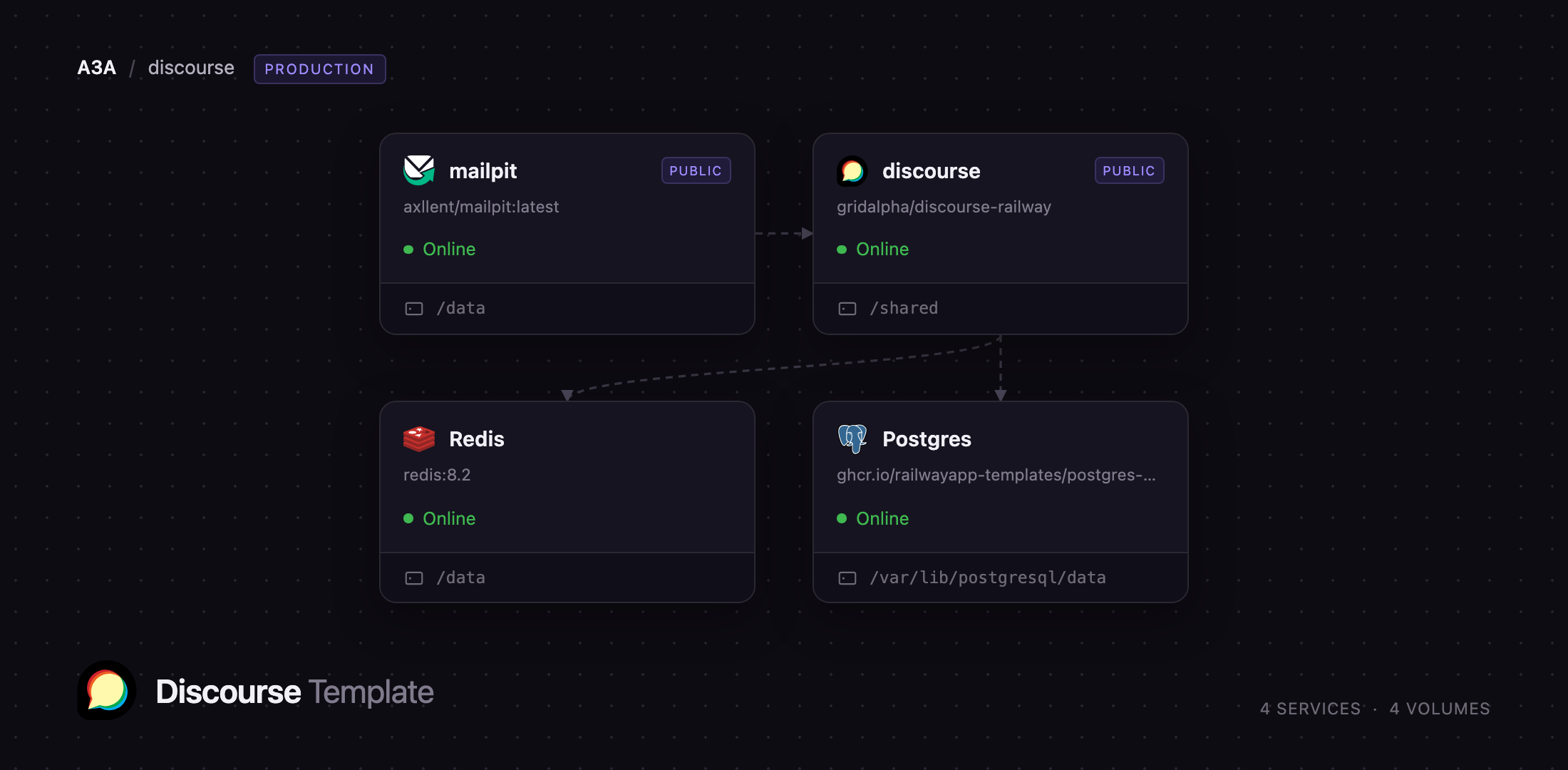
mailpit
Just deployed
/data

Redis
Just deployed
/data

Just deployed
/var/lib/postgresql/data
discourse
Just deployed
/shared
Deploy and Host Discourse on Railway
Discourse is the open-source discussion platform behind thousands of product forums and developer communities, including the official ones for Rust, Docker and Ubuntu. It is built for long-form conversation: infinite-scroll topics, trust levels that hand moderation powers to reliable members, a staff flag queue, full-text search, real-time chat, and email replies that post back into a thread. Self-host Discourse when you want a community you own outright.
Deploying Discourse normally means a Rails stack behind nginx with a background job runner, PostgreSQL and Redis. This template wires that up. The discourse service runs nginx in front of unicorn workers with Sidekiq inside the unicorn master, so web requests and background jobs share one container and one uploads volume. Postgres stores every topic, post and user. Redis backs the cache, the Sidekiq queues and the MessageBus channel that makes replies appear without a refresh. Mailpit captures outgoing mail privately, so signups and resets work immediately.
Getting Started with Discourse on Railway
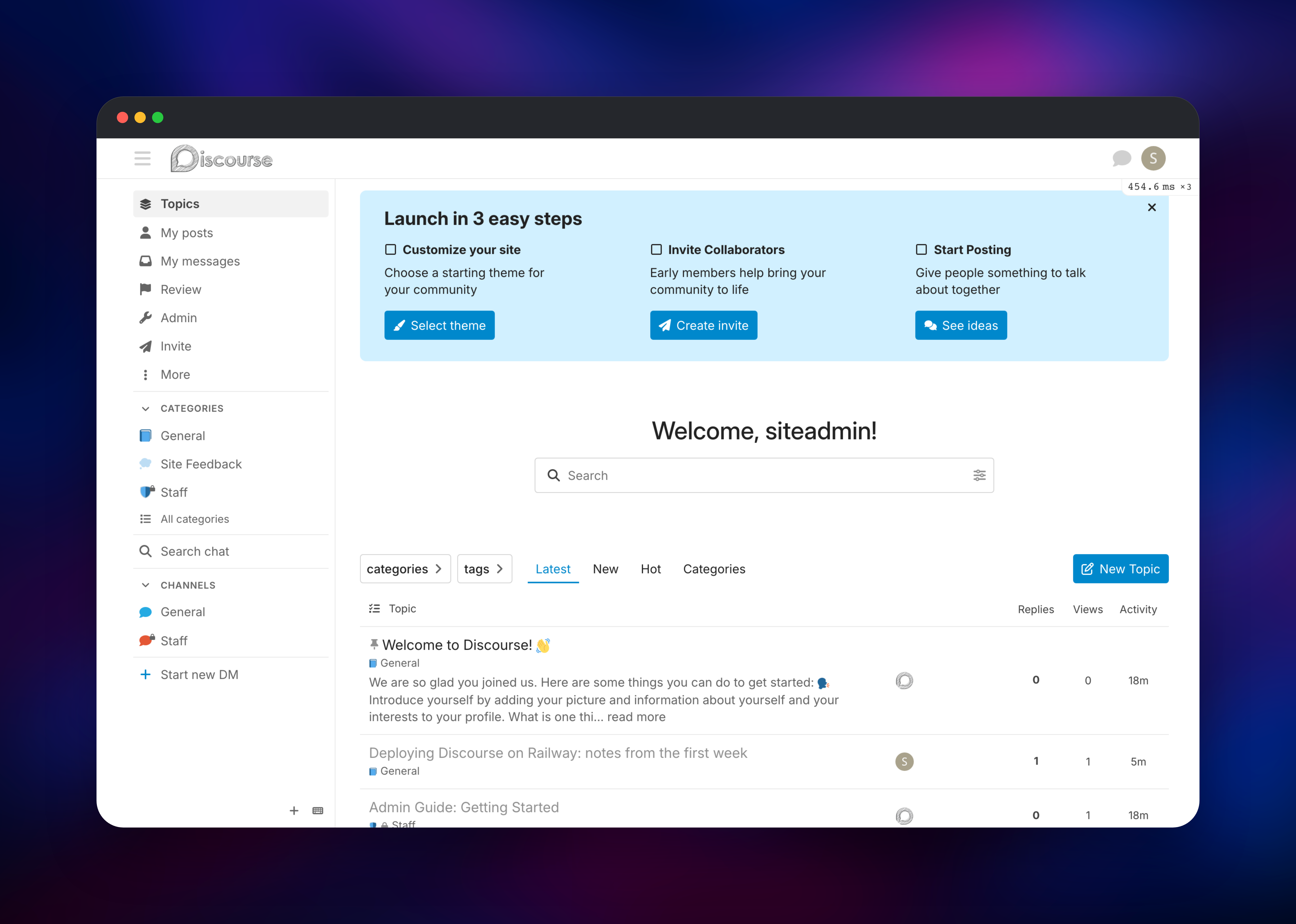
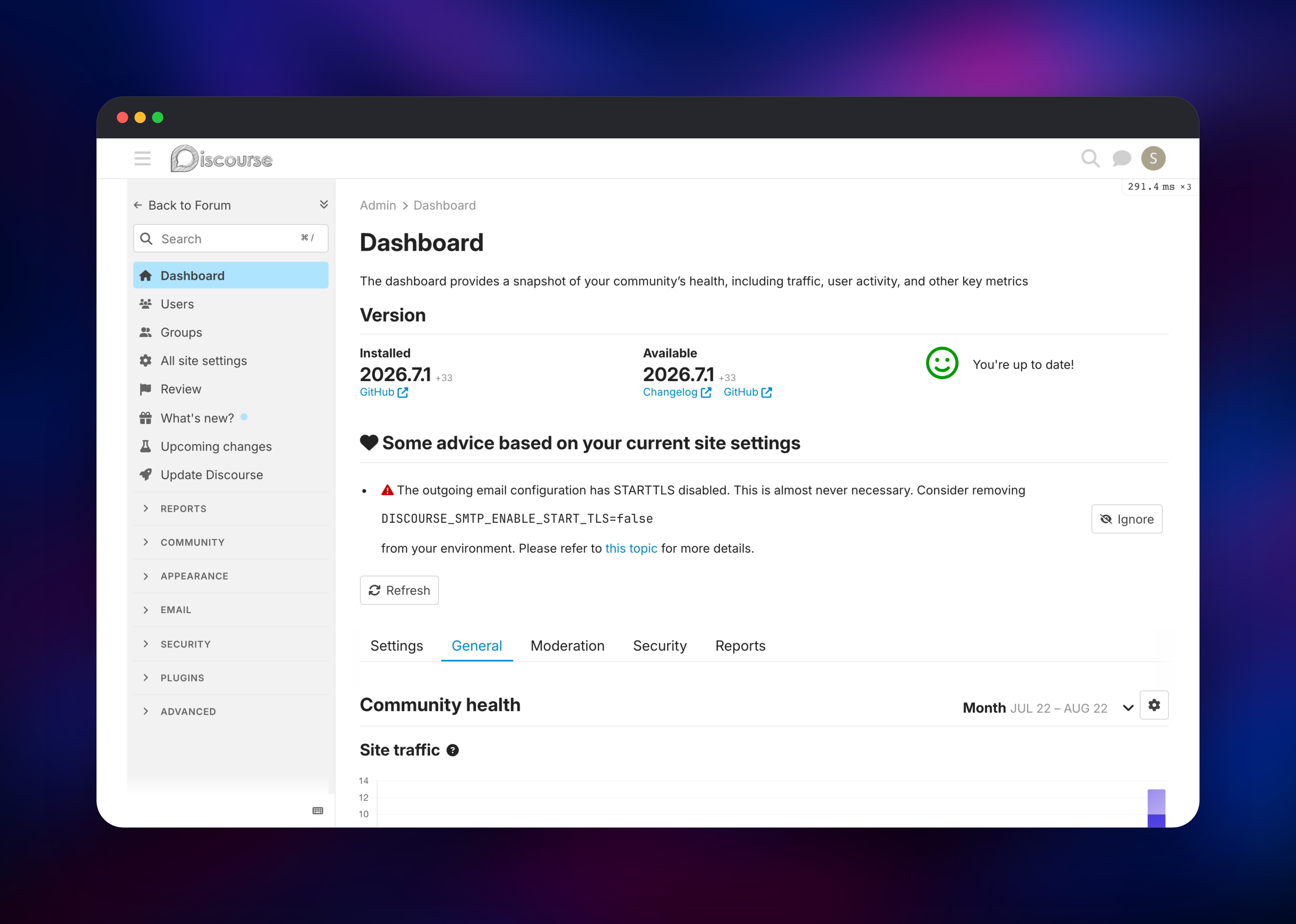
The first boot runs migrations and precompiles assets before the site answers, so give it a few minutes. An administrator account is created from ADMIN_EMAIL, ADMIN_USERNAME and ADMIN_PASSWORD — set those before deploying, or read the generated password back from the service variables. Open the public URL, click Log In and sign in; there is no email confirmation to clear. Discourse greets a new administrator with a launch checklist. Click New Topic, pick General and post something — that proves the database, Redis and the uploads volume all work. Then open Admin → Email settings → Server settings and send a test email: it lands in the Mailpit inbox published alongside the forum, behind the credentials in MP_UI_AUTH. For real mail, point DISCOURSE_SMTP_* at Postmark, Resend or SES instead.
About Hosting Discourse
Discourse is a Rails application that expects PostgreSQL, Redis and an SMTP relay, plus storage for uploads and backups. Teams self-host it to keep member data in their own infrastructure and avoid per-seat pricing. Key features:
- Topic-centric discussion with infinite scroll, summaries and bookmarks
- Trust levels that promote reliable members automatically
- A staff review queue fed by user flags, spam heuristics and moderation rules
- Mailing-list mode: reply by email, and every notification threads correctly
- Real-time chat, categories, tags, groups and per-category permissions
- Themes, bundled plugins, a REST API, webhooks and SSO
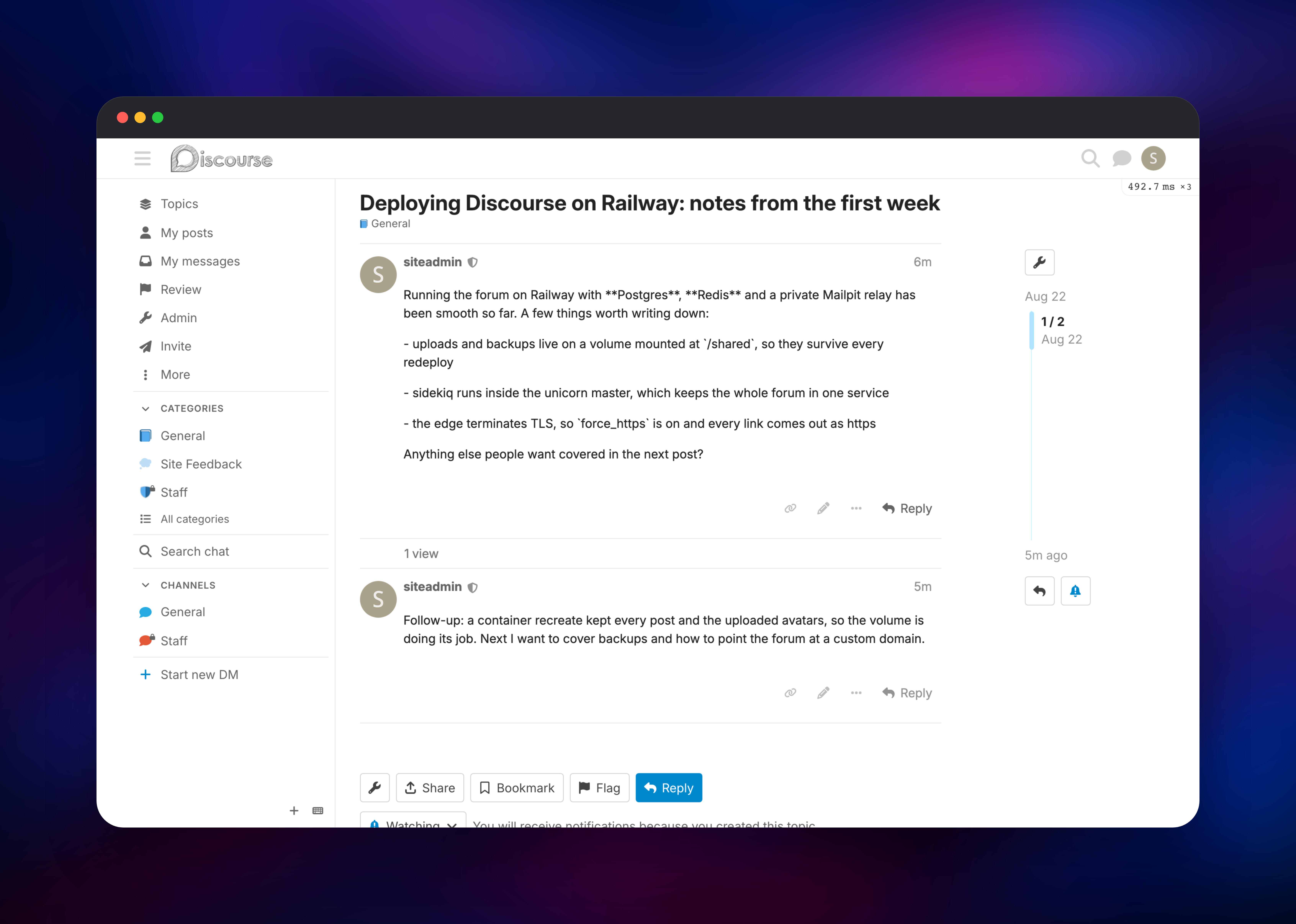
The discourse service is the only one with a public domain: nginx serves assets and uploaded files directly and proxies the rest to unicorn. Sidekiq runs in that same container because Discourse's background jobs — image optimisation, thumbnails, backups — write to the uploads directory the web tier serves, so they share a filesystem. That directory is a volume at /shared, alongside backups and logs, and survives every redeploy. Postgres and Redis stay private; Mailpit publishes only its inbox UI, behind basic auth.
Why Deploy Discourse on Railway
Railway removes the server administration self-hosted Discourse usually demands.
- PostgreSQL and Redis are provisioned and reachable over private networking
- TLS, a public domain and HTTP/2 are handled at the edge — no certificate renewals
- Uploads and backups persist on a managed volume across every deployment
- Working outbound mail is included, so signups and password resets work at once
- Scale CPU and memory from the dashboard
Common Use Cases
- A product support and feature-request forum where customers help each other and staff triage flags in one queue
- A developer community around an open-source project, with a category per subsystem and email replies for maintainers
- A private members' community for a course or paid newsletter, using group permissions and invite-only signup
Dependencies for Discourse
- discourse —
gridalpha/discourse-railwaybuilt ondiscourse/discourse:2026.7.1, upstream's own prebuilt image. nginx, unicorn and Sidekiq under runit. - Postgres — Railway managed PostgreSQL 18. The schema needs the
vector,hstoreandpg_trgmextensions, all available here. - Redis — Railway managed Redis 8. Cache, Sidekiq queues, rate limiting and MessageBus.
- mailpit —
axllent/mailpit:latest. SMTP on private port 1025, inbox UI on 8025.
Environment Variables Reference
| Variable | Purpose |
|---|---|
DISCOURSE_HOSTNAME | Public hostname baked into every generated link |
DISCOURSE_DB_HOST / _NAME / _USERNAME / _PASSWORD | PostgreSQL connection |
DISCOURSE_REDIS_HOST / _PORT / _PASSWORD | Redis connection |
DISCOURSE_SMTP_ADDRESS / _PORT | Outbound mail relay |
DISCOURSE_SECRET_KEY_BASE | Session and token signing key; must stay stable |
DISCOURSE_FORCE_HTTPS | Emit https:// links and secure cookies behind the edge |
ADMIN_EMAIL / ADMIN_USERNAME / ADMIN_PASSWORD | First administrator, created on first boot |
UNICORN_WORKERS / UNICORN_SIDEKIQS | Web worker and background worker counts |
Deployment Dependencies
- Source: github.com/discourse/discourse (GPL-2.0)
- Image: hub.docker.com/r/discourse/discourse
- Docs: meta.discourse.org
Hardware Requirements for Self-Hosting Discourse
| Resource | Minimum | Recommended |
|---|---|---|
| CPU | 1 vCPU | 2–4 vCPU |
| RAM | 2 GB | 4 GB or more |
| Storage | 5 GB volume | 20 GB+ as uploads grow |
| Runtime | Ruby 3.4 / Rails 8 | Ruby 3.4 / Rails 8 |
Discourse's own guidance is 2 GB of RAM for a small community. Each unicorn worker holds its own copy of the application, so UNICORN_WORKERS=3 plus one Sidekiq process suits 4 GB. Raise workers, not replicas.
Self-Hosting Discourse
Discourse's supported installation builds its own image on the host with Docker, which is why this template uses discourse/discourse — upstream's prebuilt image, configured through environment variables. To run it locally, start PostgreSQL with pgvector and Redis:
docker network create discourse
docker run -d --name db --network discourse \
  -e POSTGRES_DB=discourse -e POSTGRES_USER=discourse \
  -e POSTGRES_PASSWORD=changeme pgvector/pgvector:pg18
docker run -d --name redis --network discourse redis:8-alpine
Then start the application itself, mounting a volume for uploads and backups:
docker run -d --name discourse --network discourse -p 8080:80 \
  -e DISCOURSE_HOSTNAME=forum.example.com \
  -e DISCOURSE_DB_HOST=db -e DISCOURSE_DB_NAME=discourse \
  -e DISCOURSE_DB_USERNAME=discourse -e DISCOURSE_DB_PASSWORD=changeme \
  -e DISCOURSE_REDIS_HOST=redis \
  -e DISCOURSE_SMTP_ADDRESS=smtp.example.com \
  -v discourse_shared:/shared discourse/discourse:2026.7.1
Prefer the release tag over latest, which tracks the development branch. Add a custom domain by attaching it in Railway and updating DISCOURSE_HOSTNAME to match.
How Much Does Discourse Cost to Self-Host?
Discourse is free and open source under GPL-2.0, with no seat limits and no feature gating. The company sells managed hosting from a free tier up through roughly $20, $100 and $500 per month for larger communities. Self-hosting on Railway costs only infrastructure: the container, PostgreSQL, Redis, Mailpit and the volume.
FAQ
What is Discourse?
Discourse is an open-source forum and community platform built with Ruby on Rails, providing topics and replies, trust levels, moderation tooling, real-time chat, full-text search and reply-by-email.
What does this Railway template deploy?
Four services: Discourse itself (nginx, unicorn and Sidekiq in one container with a volume at /shared), managed PostgreSQL, managed Redis, and Mailpit for outbound email. Only Discourse and the inbox get public URLs.
Why does the template include PostgreSQL and Redis?
Discourse stores all content in PostgreSQL and cannot run without it. Redis holds the cache, Sidekiq job queues, rate-limit counters and the MessageBus channels that push new posts to open tabs.
How do I create the first admin account on self-hosted Discourse?
The account is created on first boot from ADMIN_EMAIL, ADMIN_USERNAME and ADMIN_PASSWORD, active and ready to sign in. If an administrator already exists the step is skipped, so changing your password later is safe.
Can I use my own SMTP provider instead of Mailpit?
Yes. Point DISCOURSE_SMTP_ADDRESS, DISCOURSE_SMTP_PORT, DISCOURSE_SMTP_USER_NAME and DISCOURSE_SMTP_PASSWORD at your provider and set DISCOURSE_SMTP_ENABLE_START_TLS=true.
How do I install plugins and themes on self-hosted Discourse?
Themes and theme components install from the admin interface with a Git URL and need no rebuild. Ruby plugins are compiled into the image, so add them to the source repository's Dockerfile and redeploy them.
Template Content

