
Deploy Docling
LlamaParse Alternative. Convert PDF, DOCX and scans to Markdown and JSON
docling-worker
Just deployed
docling-serve
Just deployed

Redis
Just deployed
/data
docling-artifacts
Bucket
Just deployed
Deploy and Host Docling Serve on Railway
Docling Serve is the HTTP API in front of Docling, IBM Research's open-source document-conversion toolkit. Give it a PDF, DOCX, PPTX, XLSX, HTML file, image or audio clip and it returns structured Markdown, JSON, HTML or DocTags — produced by real layout-analysis and table-structure models (TableFormer) plus OCR, not a naive text dump. Teams building RAG systems and AI agents self-host it for dependable reading order and table fidelity without sending private documents to a third-party parser.
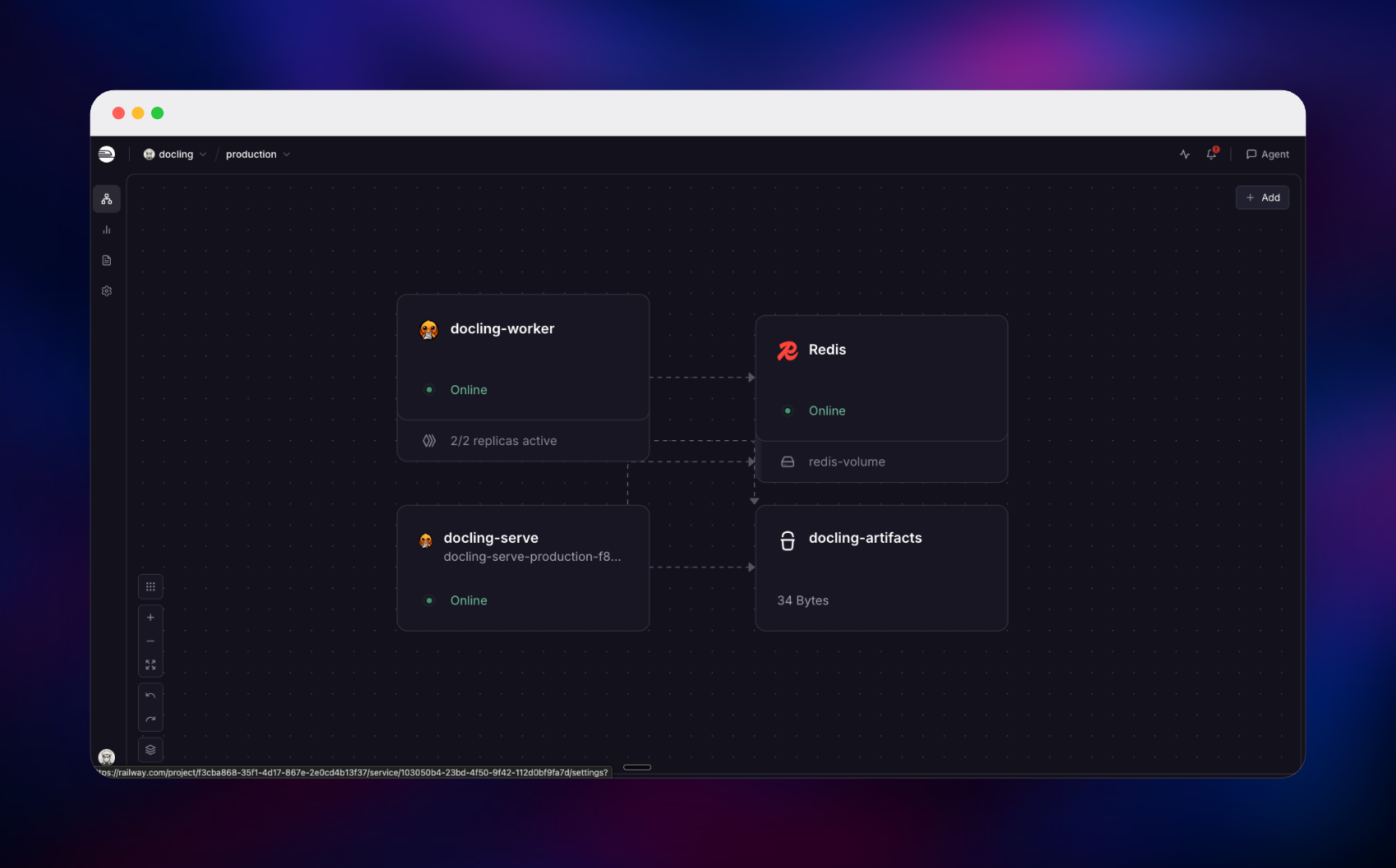
Deploy Docling Serve on Railway in its upstream scaled shape: a public docling-serve API on port 5001 serving the REST routes, /docs and a Gradio playground at /ui; a private docling-worker tier of two replicas that owns the models and runs every conversion; a managed Redis for the queue and results; and a managed bucket, docling-artifacts, for exports. Both application services run ghcr.io/docling-project/docling-serve-cpu:v1.30.0. Requests hit the API, go onto the queue and a worker picks them up, so the API stays responsive while long conversions run.
Getting Started with Docling Serve on Railway
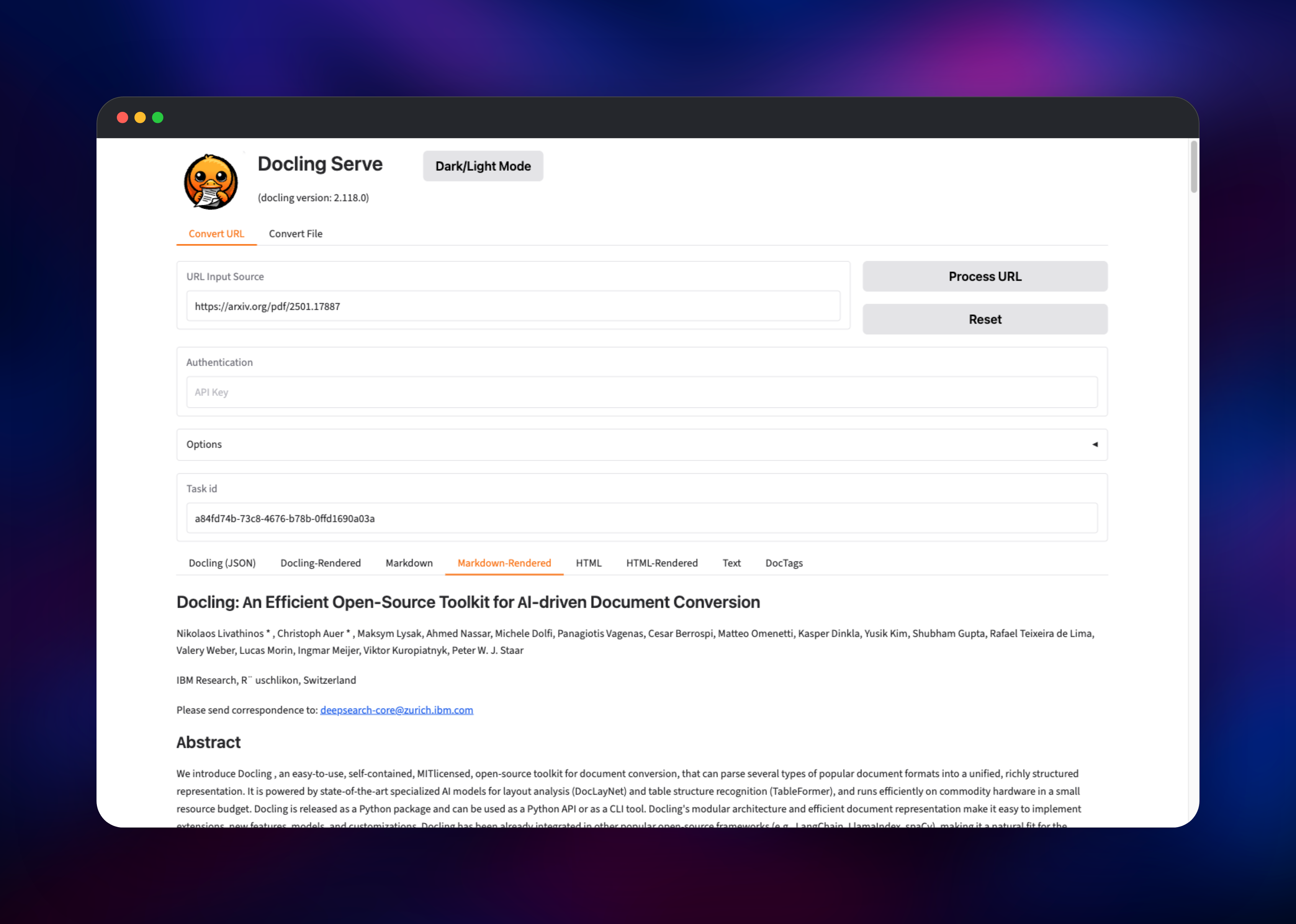
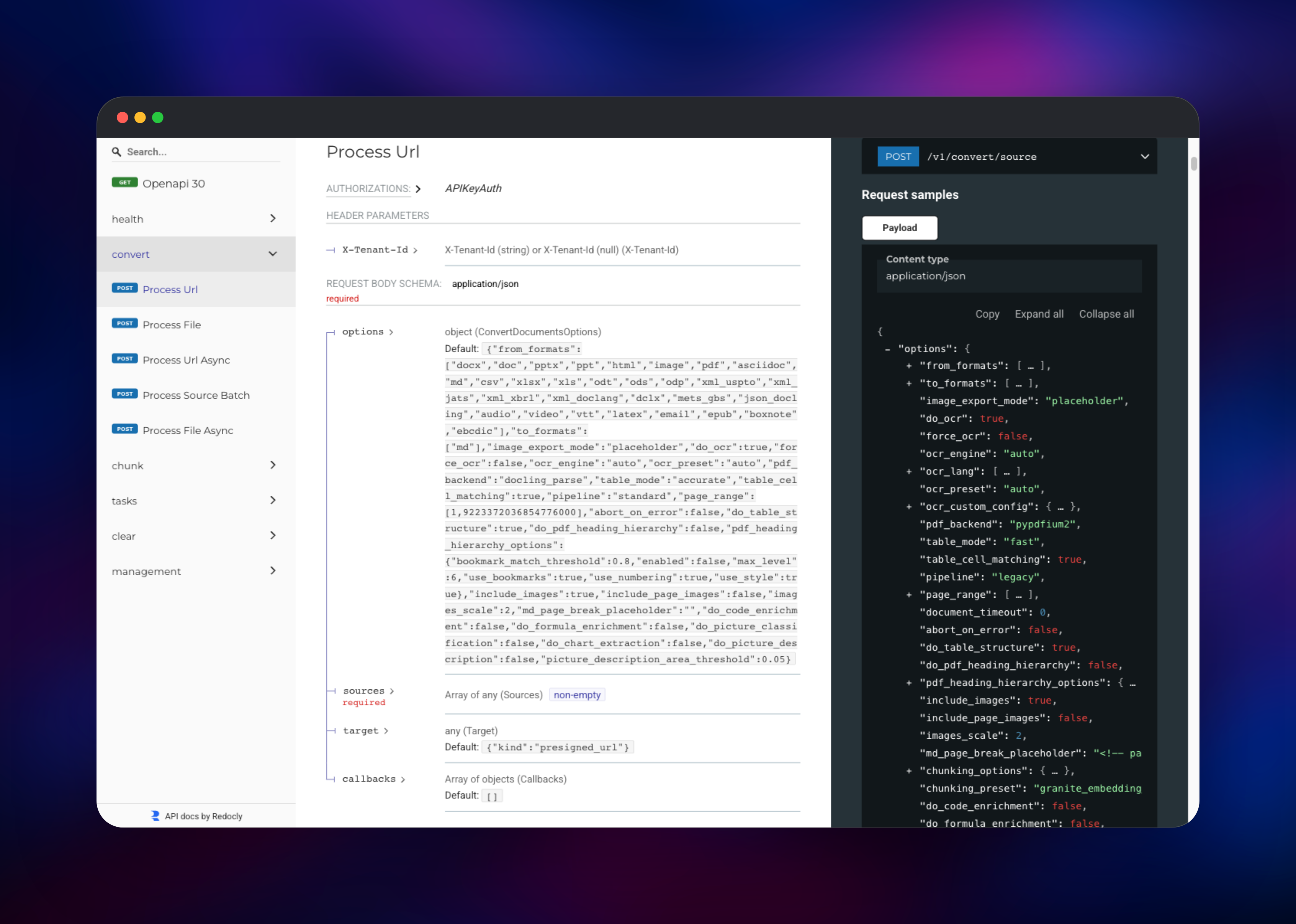
Access is a single API key — no signup, no login screen. Copy DOCLING_SERVE_API_KEY from the docling-serve variables; every /v1/* route wants it in an X-Api-Key header. Open your public URL at /ui, paste the key into the Authentication box, drop in a PDF or document URL and press convert — rendered Markdown and the Docling JSON view confirm the whole chain works. /ready checks Redis, so a green probe means the queue is live; /docs carries the full schema.
The smallest useful call converts a document URL and returns content inline:
URL=https://your-app.up.railway.app
curl -X POST $URL/v1/convert/source -H "X-Api-Key: $KEY" \
  -H "Content-Type: application/json" \
  -d '{"sources":[{"kind":"http","url":"https://arxiv.org/pdf/2501.17887"}],
       "target":{"kind":"inbody"}}'
That target matters: with artifact storage on, a request that omits it returns a presigned bucket URL rather than the content, so ask for {"kind":"inbody"} when you want text. Upload local files with POST /v1/convert/file. Slow jobs should go async, and POST /v1/chunk/hybrid/source converts and chunks in one call.
H="X-Api-Key: $KEY"
BODY='{"sources":[{"kind":"http","url":"https://arxiv.org/pdf/2501.17887"}]}'
TASK=$(curl -s -X POST $URL/v1/convert/source/async -H "$H" \
  -H "Content-Type: application/json" -d "$BODY" | jq -r .task_id)
curl -H "$H" $URL/v1/status/poll/$TASK
curl -H "$H" $URL/v1/result/$TASK
About Hosting Docling Serve
Generative AI is only as good as the text you feed it, and most PDFs resist being read in order. Docling runs a layout model to find columns, headings, captions and figures, TableFormer to rebuild tables cell by cell, and OCR on scans, then emits a lossless DoclingDocument. Self-host it when documents are confidential or volume makes per-page pricing hurt.
- Converts PDF, DOCX, XLSX, PPTX, HTML, Markdown, CSV, images and audio
- Layout analysis, TableFormer tables, formula and code detection, OCR for scans
- Sync, async and file-upload conversion plus hybrid chunking for RAG
- Integrations for LangChain, LlamaIndex, Haystack, CrewAI and Docling MCP
How the services fit together. The API never loads a model — it only enqueues work and reads results, so conversion CPU and RAM sit entirely in the worker tier. Redis holds the queue, finished payloads (four-hour TTL) and the notifications that wake the API.
Why Deploy Docling Serve on Railway
Railway removes the fiddly parts of running a model-backed API.
- Managed Redis and object storage provisioned and wired by reference
- Worker replicas scale with a slider; no queue plumbing to write
- Model weights ship inside the image — no download, no volume
- HTTPS domain, health checks and logs included
Common Use Cases for Self-Hosted Docling Serve
- RAG ingestion — turn a document library into clean Markdown or ready-made chunks, tables intact.
- Private document processing — parse contracts, invoices or patient records in your own infrastructure.
- Bulk archive conversion — queue thousands of legacy PDFs and scans, adding workers to drain them.
- Agent tooling — give an AI agent a document-reading tool over REST or Docling MCP.
Dependencies for Docling Serve on Railway
- docling-serve —
ghcr.io/docling-project/docling-serve-cpu:v1.30.0, public on port 5001, health check/ready. Serves/v1/*,/docs,/ui. - docling-worker — same image, private, two replicas, started with
container-entrypoint docling-serve rq-worker. Holds the models. - Redis — Railway managed. Queue, result store, worker notifications.
- docling-artifacts — Railway managed bucket for presigned-URL exports.
Keep both application services on the same image tag: they exchange serialized job payloads through Redis, so version skew breaks conversions. The CPU build is deliberate: the base image bundles CUDA torch for GPUs unavailable here.
Environment Variables Reference
| Variable | Purpose |
|---|---|
UVICORN_PORT | Port the API binds; set to ${{PORT}} |
DOCLING_SERVE_ENG_KIND | rq selects the Redis queue engine |
DOCLING_SERVE_ENG_RQ_REDIS_URL | Redis connection for queue and results |
DOCLING_SERVE_API_KEY | Value callers send as X-Api-Key |
DOCLING_SERVE_ENABLE_UI | Mounts the Gradio playground at /ui |
DOCLING_SERVE_ARTIFACT_STORAGE_ENABLED | Enables bucket exports and presigned targets |
DOCLING_SERVE_ARTIFACT_STORAGE_ENDPOINT | Storage host, bare with no scheme |
DOCLING_SERVE_ENABLE_REMOTE_SERVICES | Leave false to block external model APIs |
Deployment Dependencies
- Source: https://github.com/docling-project/docling-serve, https://github.com/docling-project/docling
- Docs: https://docling-project.github.io/docling/
Hardware Requirements for Self-Hosting Docling Serve
Sizing follows the workers, not the API — each replica loads its own models, so memory scales with replica count.
| Resource | Minimum | Recommended |
|---|---|---|
| CPU | 2 vCPU per worker | 4 vCPU per worker |
| RAM | 1 GB API, 4 GB per worker | 1 GB API, 8 GB per worker |
| Storage | None — weights baked into the image | None; exports go to the bucket |
| Runtime | Container runtime, Python 3.11+ | Same, plus Redis 6+ |
Do not mount a volume at the model cache path — the weights already live in the image, and a volume over that directory hides them.
Self-Hosting Docling Serve with Docker
The quickest local run pulls the same image with the playground on:
docker run -p 5001:5001 \
  -e DOCLING_SERVE_ENABLE_UI=true \
  -e DOCLING_SERVE_API_KEY=change-me \
  ghcr.io/docling-project/docling-serve-cpu:v1.30.0
For the queue topology, run Redis and start workers from the same image:
docker run -d --name redis redis:7
docker run -d --network host \
  -e DOCLING_SERVE_ENG_KIND=rq \
  -e DOCLING_SERVE_ENG_RQ_REDIS_URL=redis://localhost:6379/0 \
  ghcr.io/docling-project/docling-serve-cpu:v1.30.0 \
  container-entrypoint docling-serve rq-worker
A start command replaces the image entrypoint, which is why the worker restates container-entrypoint — it performs the venv activation the process needs.
How Much Does Docling Serve Cost to Self-Host?
Docling and Docling Serve are MIT licensed and free — no paid tier, no seats, no per-page charge. You pay only for the Railway compute and storage the template uses. Hosted parsers are the contrast: LlamaParse starts near $0.003 per page and climbs steeply in agentic modes, and AWS Textract runs about $1.50 per 1,000 pages for plain OCR.
FAQ
What is Docling Serve? The REST API server for Docling, IBM Research's open-source document-conversion toolkit. It takes PDFs, Office files, HTML, images and audio and returns Markdown, JSON, HTML or DocTags with layout and tables preserved.
What does this Railway template deploy?
The public Docling Serve API, a private worker tier of two replicas on the same docling-serve-cpu:v1.30.0 image, a managed Redis, and a bucket for exports.
Why does the template include Redis and a storage bucket? Redis is the job queue and result store — how the API hands work to workers and reads conversions back, and why the tiers scale independently. The bucket takes presigned-URL exports.
How do I authenticate requests to self-hosted Docling Serve?
Send DOCLING_SERVE_API_KEY as an X-Api-Key header on every /v1/* call; there are no user accounts. The /ui page converts nothing without it.
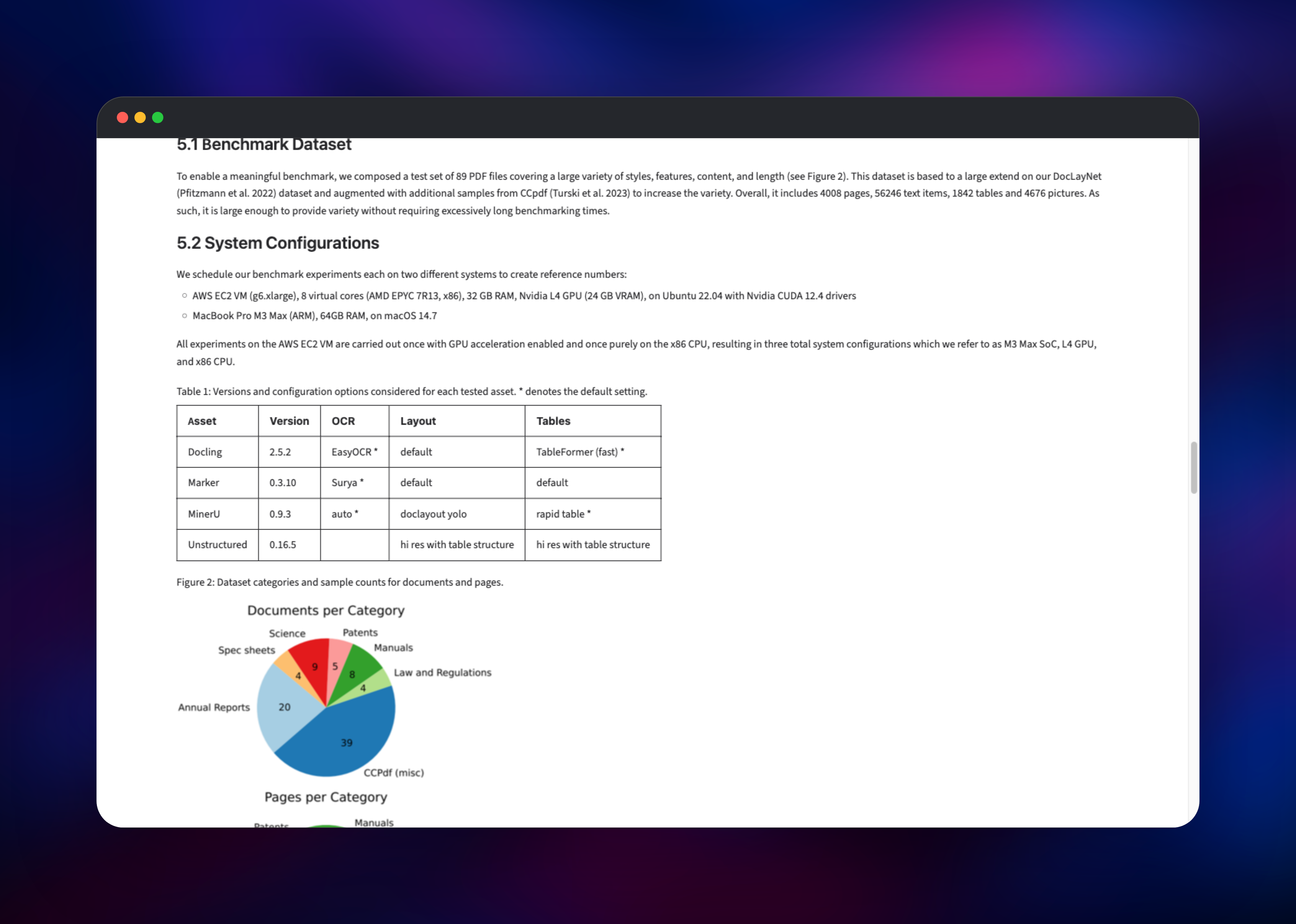
How long does a PDF take to convert on CPU? Small documents are sub-second; a dense 11-page paper takes a few minutes on the default pipeline. Add worker replicas for throughput — scaling the API does not help, since it never runs a model.
Can I use Docling Serve with LangChain or LlamaIndex?
Yes — Docling ships integrations for LangChain, LlamaIndex, Haystack and CrewAI, plus a Docling MCP server, and /v1/chunk/hybrid/source returns RAG-ready chunks.
Template Content
docling-worker
ghcr.io/docling-project/docling-serve-cpu:v1.30.0docling-serve
ghcr.io/docling-project/docling-serve-cpu:v1.30.0Redis
redis:8.2docling-artifacts
Bucket


