
Deploy Docmost | Open Source Confluence, Notion, Obsidian Alternative
Self Host Docmost on Railway. Open-source wiki with real-time collaboration
DBs

Redis
Just deployed
/data

Just deployed
/var/lib/postgresql/data
Docmost
Just deployed
/app/data/storage

Deploy and Host Docmost on Railway
Deploy Docmost on Railway to get an open-source collaborative wiki and documentation platform running in minutes. Self-host Docmost as a powerful alternative to Confluence, Obsidian and Notion with full control over your data.
This Railway template pre-configures Docmost with PostgreSQL 16 for data storage and Redis 7 for caching, giving you a production-ready documentation platform with zero manual setup.
Getting Started with Docmost on Railway
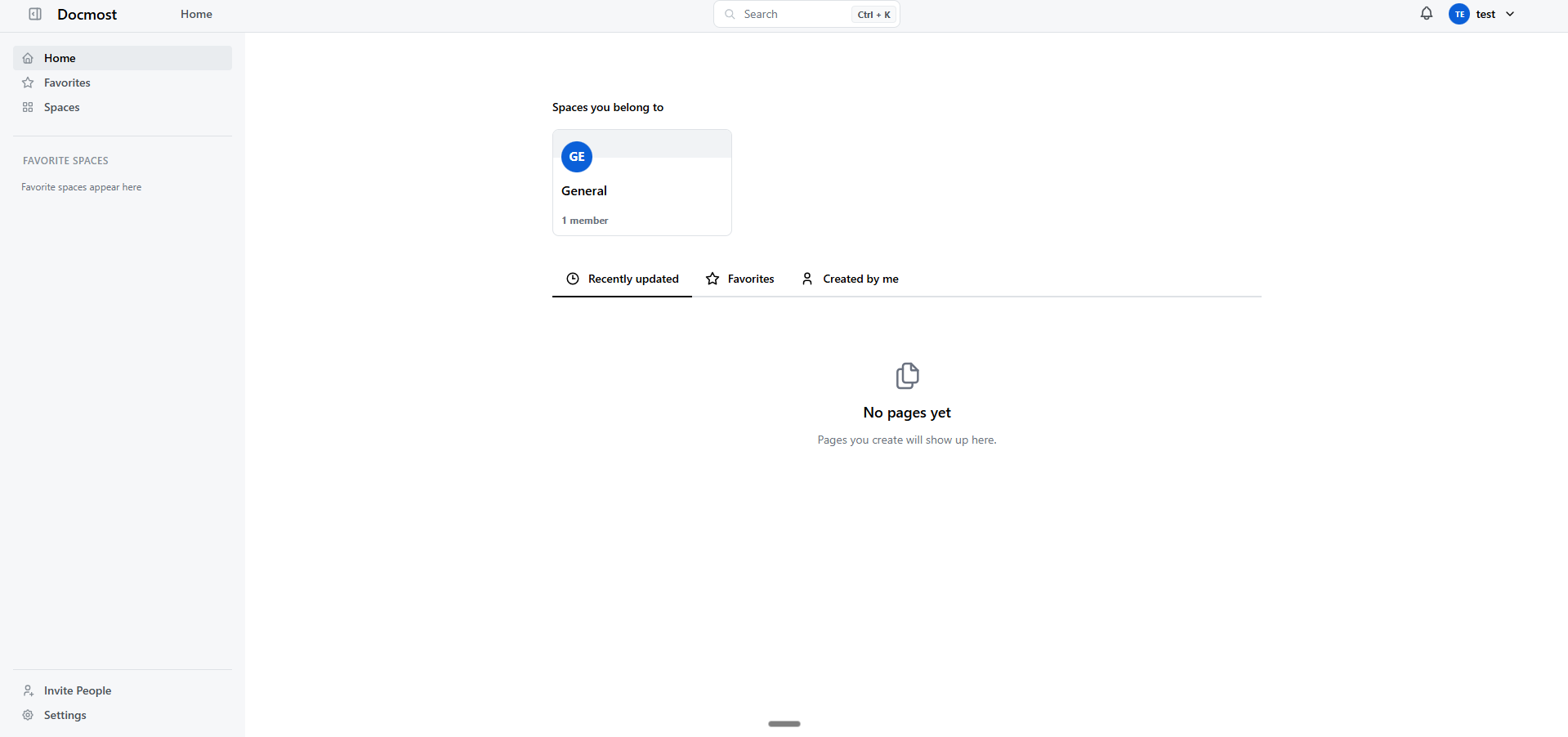
After deployment completes, visit your Docmost URL to create your first workspace. You'll be prompted to set up an admin account with your email and password.
Once registered, create your first Space — a dedicated area for a team, project, or department. Inside a space, create pages using the rich block-based editor with support for tables, code blocks, callouts, diagrams (Mermaid and Draw.io), math equations, and file attachments.
Invite team members by navigating to Settings > Members. Docmost supports real-time collaborative editing — multiple users can work on the same page simultaneously without conflicts, powered by CRDT-based synchronization.
About Hosting Docmost
Docmost is an open-source, enterprise-ready wiki and documentation platform built with Node.js (NestJS) and React. It solves the problem of team knowledge management without vendor lock-in or per-seat pricing.
Key features include:
- Real-time collaboration — CRDT-based concurrent editing with no conflicts
- Rich content editor — tables, code blocks, callouts, diagrams, math (KaTeX), file attachments
- Spaces & permissions — organize by team, project, or department with role-based access
- Full-text search — find content across all pages and spaces instantly
- Page history & versioning — track changes and restore previous versions
- Import support — migrate from Confluence, Notion, Markdown, and HTML
- SSO & LDAP — SAML 2.0, OpenID Connect, LDAP, and MFA (Enterprise)
- API access — JSON-RPC API for custom integrations (Enterprise)
- Nested pages — unlimited hierarchical page structure
The architecture consists of three services: the Docmost application server (docmost/docmost), PostgreSQL for persistent data storage, and Redis for session management and caching.
Why Deploy Docmost on Railway
- One-click deploy with PostgreSQL and Redis pre-configured
- No per-seat licensing — unlimited users on the Community Edition
- Full data sovereignty — your data stays on your infrastructure
- Automatic HTTPS and custom domain support
- Built-in volume persistence for database and file uploads
Common Use Cases for Self-Hosted Docmost
- Company knowledge base — centralize policies, procedures, onboarding docs, and team playbooks with role-based access control
- Engineering documentation — maintain API docs, architecture decision records, runbooks, and postmortems with code block support
- Project wikis — organize project specs, meeting notes, and design docs in dedicated spaces per team or project
- Compliance-ready documentation — self-host in air-gapped environments to meet GDPR, HIPAA, or ITAR requirements
Dependencies for Self-Hosted Docmost
- Docmost —
docmost/docmost:latest— main application server (Node.js/NestJS + React) - PostgreSQL 16 —
postgres:16— primary database for all application data - Redis 7 —
redis:7— caching layer and session management
Environment Variables Reference for Docmost on Railway
| Variable | Description | Example |
|---|---|---|
APP_URL | Public-facing application URL | https://${{RAILWAY_PUBLIC_DOMAIN}} |
APP_SECRET | Session signing key (32+ chars) | Static hex string |
DATABASE_URL | PostgreSQL connection string | postgresql://user:pass@host:5432/docmost |
REDIS_URL | Redis connection string | redis://host:6379 |
PORT | HTTP server listening port | 3000 |
STORAGE_DRIVER | File storage backend | local (or S3-compatible) |
FILE_UPLOAD_SIZE_LIMIT | Maximum upload file size | 50mb |
Deployment Dependencies
- Runtime: Node.js (bundled in Docker image)
- GitHub: github.com/docmost/docmost
- Docker Hub: hub.docker.com/r/docmost/docmost
- Docs: docmost.com/docs
Hardware Requirements for Self-Hosting Docmost
| Resource | Minimum | Recommended |
|---|---|---|
| CPU | 1 vCPU | 2 vCPU |
| RAM | 1 GB | 2 GB |
| Storage | 5 GB | 20 GB+ |
| Runtime | Docker | Docker Compose |
Docmost is lightweight compared to Confluence. On Railway, expect approximately $5–$10/month for a small team, scaling with usage.
Self-Hosting Docmost with Docker Compose
Clone the repository and start with Docker Compose:
git clone https://github.com/docmost/docmost.git
cd docmost
Create a .env file with your configuration:
APP_URL=https://docs.example.com
APP_SECRET=$(openssl rand -hex 32)
DATABASE_URL=postgresql://docmost:yourpassword@db:5432/docmost
REDIS_URL=redis://redis:6379
Start all services:
docker compose up -d
Docmost will be available at http://localhost:3000. The application automatically runs database migrations on first startup.
How Much Does Docmost Cost to Self-Host?
Docmost Community Edition is free and open-source under the AGPL-3.0 license. There are no per-seat fees, no feature gates on core functionality, and no usage limits.
The Enterprise Edition (Business plan) starts at $5/user/month and adds SSO (SAML, OIDC, LDAP), AI-powered answers, granular permissions, attachment search, and priority support.
On Railway, your only cost is infrastructure — typically $5–$10/month for a small team. No subscription fees, no vendor lock-in.
Docmost vs Confluence
| Feature | Docmost | Confluence |
|---|---|---|
| Pricing | Free (open-source) | $6.05/user/month |
| Self-hosting | Full support | Data Center being phased out |
| Real-time editing | CRDT-based | Yes |
| Import/export | Confluence, Notion, MD, HTML | Various |
| SSO/LDAP | Enterprise Edition | Cloud Premium |
| Data sovereignty | Full control | Atlassian Cloud |
| Setup complexity | Docker Compose | Complex infrastructure |
Docmost offers a modern, lightweight alternative to Confluence with comparable features at zero licensing cost. For teams prioritizing data ownership and simplicity, Docmost is the stronger choice.
FAQ
What is Docmost and why should I self-host it? Docmost is an open-source collaborative wiki and documentation platform. Self-hosting gives you full control over your data, eliminates per-seat licensing costs, and allows deployment in air-gapped or compliance-restricted environments.
What does this Railway template deploy for Docmost?
This template deploys three services: the Docmost application server (docmost/docmost:latest), PostgreSQL 16 for data storage, and Redis 7 for caching and session management. All services are pre-configured with volumes for data persistence.
Why does Docmost need PostgreSQL and Redis? PostgreSQL stores all application data — workspaces, pages, users, permissions, and page history. Redis handles session management, caching, and real-time collaboration state. Both are required for Docmost to function.
How do I enable SSO with self-hosted Docmost on Railway? SSO (SAML 2.0, OpenID Connect, LDAP) is available in the Enterprise Edition. Configure it via Settings > Authentication in the Docmost dashboard. Set your identity provider's metadata URL and configure attribute mappings.
Can I migrate from Confluence or Notion to self-hosted Docmost? Yes. Docmost supports importing from Confluence (XML export), Notion (HTML/Markdown export), and standard Markdown or HTML files. Use the import feature in Settings > Import to migrate your existing documentation.
How do I back up my Docmost data on Railway?
Back up the PostgreSQL database using pg_dump via the public database URL. File attachments are stored in the Docmost volume at /app/data/storage. Railway volumes persist across redeploys.
Template Content

