
Deploy Docs
Collaborative document editor for writing and sharing as a team

Just deployed
/var/lib/postgresql/data
keycloak
Just deployed

backend
Just deployed

worker
Just deployed

y-provider
Just deployed
Just deployed

Redis
Just deployed
/data
keycloak-db
Just deployed
/var/lib/postgresql/data
docs-media
Bucket
Just deployed
Deploy and Host Docs on Railway
Docs is an open-source collaborative editor from La Suite numérique, the digital services team inside the French government's DINUM, used daily by civil servants instead of Notion or Google Docs. Several people type in one document at once, see each other's cursors, leave comments, nest subpages, and export to Markdown, .docx, .odt or PDF. It is MIT-licensed and a verified Digital Public Good.
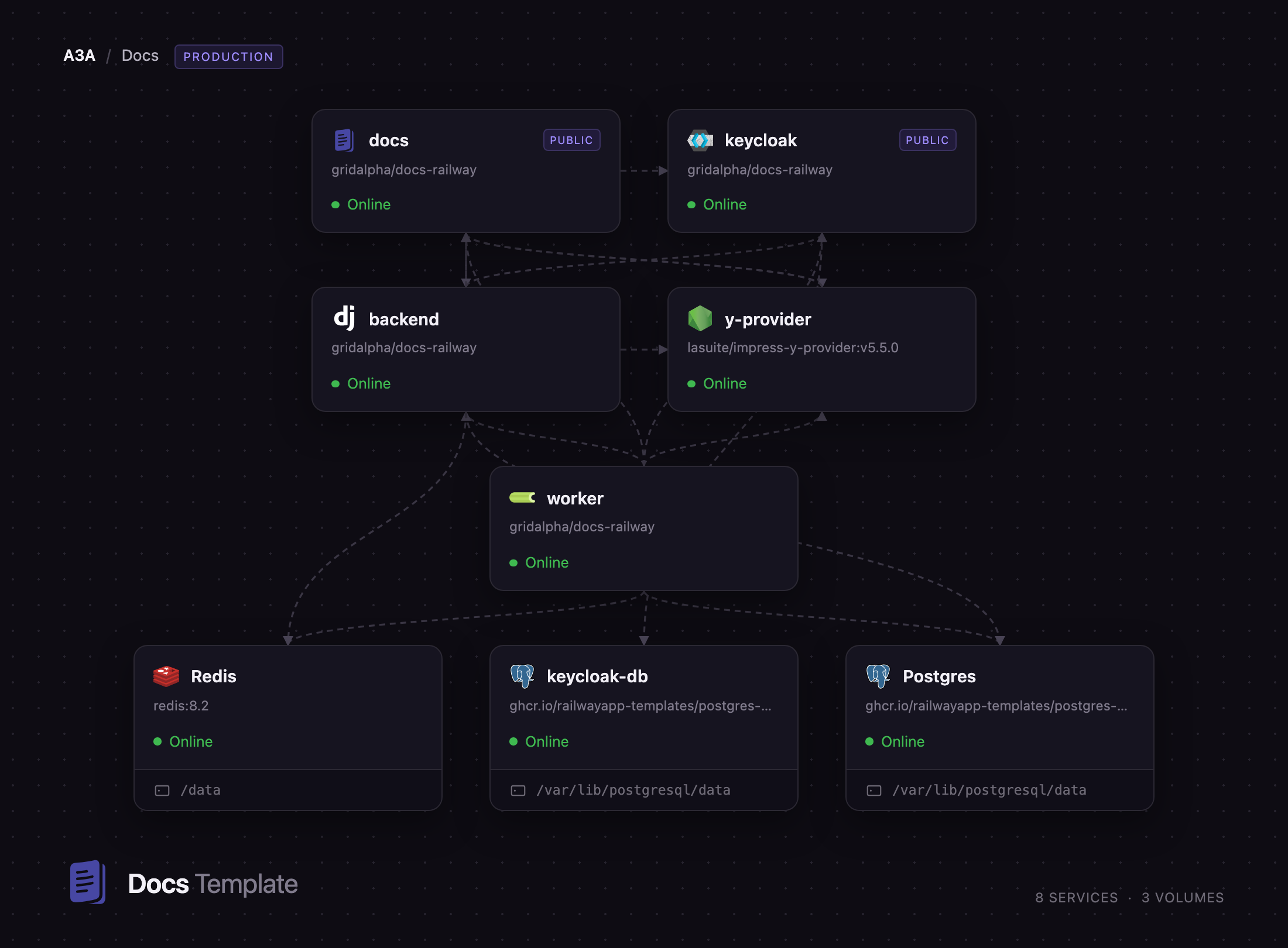
Self-host Docs on Railway and this template brings up the whole production shape, not a single container: an nginx front end serving the editor and routing every API call, the Django backend, a Celery worker, the Yjs collaboration server carrying live keystrokes over WebSockets, Keycloak, two Postgres databases, Redis and an object storage bucket. Browsers talk to one hostname; everything behind it stays on Railway's private network.
Getting Started with Docs on Railway
Supply two values before the first boot: the email and password for the first account. Docs has no local login screen — every sign-in goes through Keycloak — so those become a user in the docs realm plus the matching Django administrator.
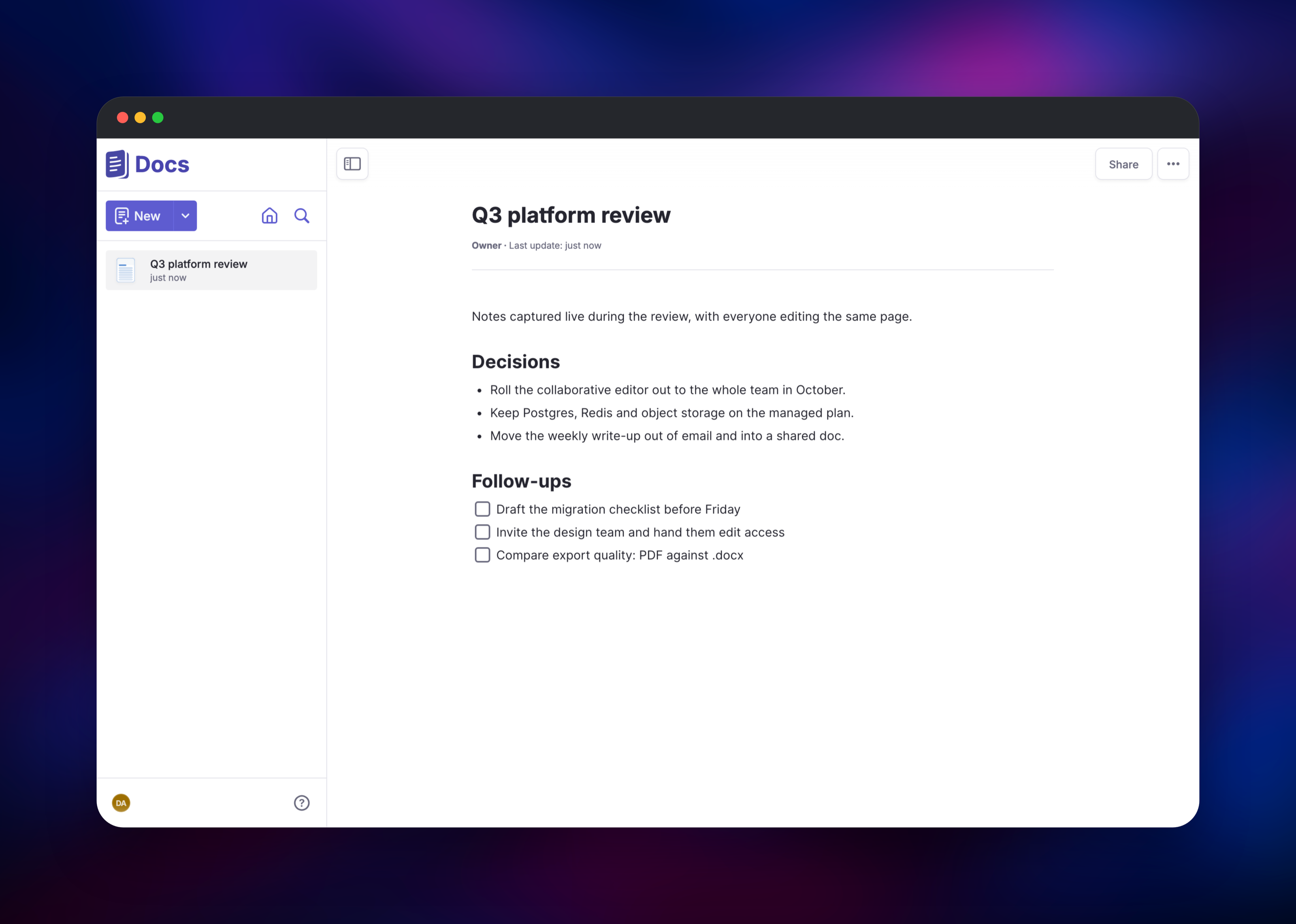
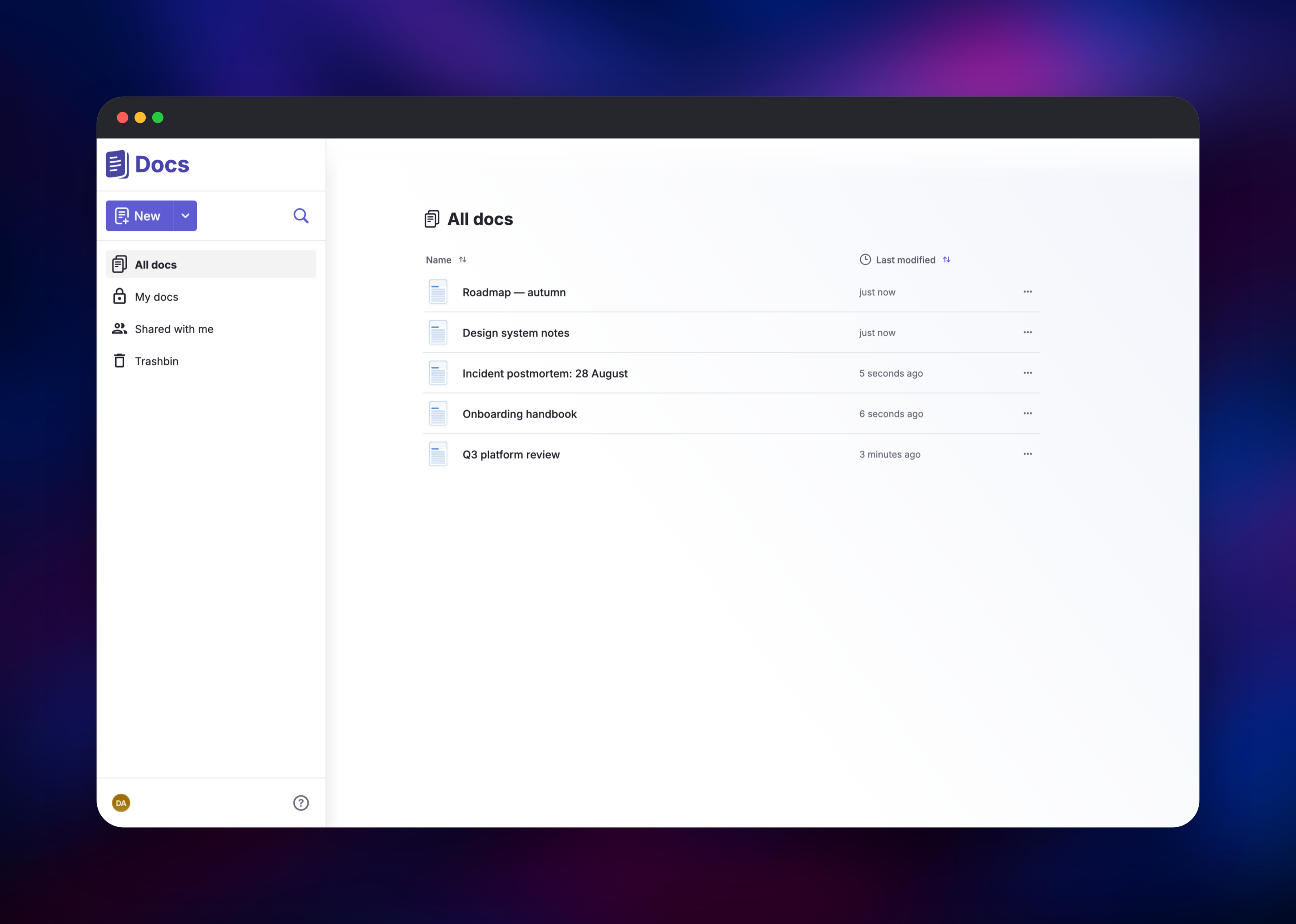
Open the app URL and click Start Writing, then sign in on the Keycloak page. You arrive at All docs. Click New, title the document and start typing: ## makes a heading, - a bullet list, [] a checkbox. Opening the same URL in a second browser shows live cursors — the quickest confirmation that the collaboration server and WebSocket route are healthy.
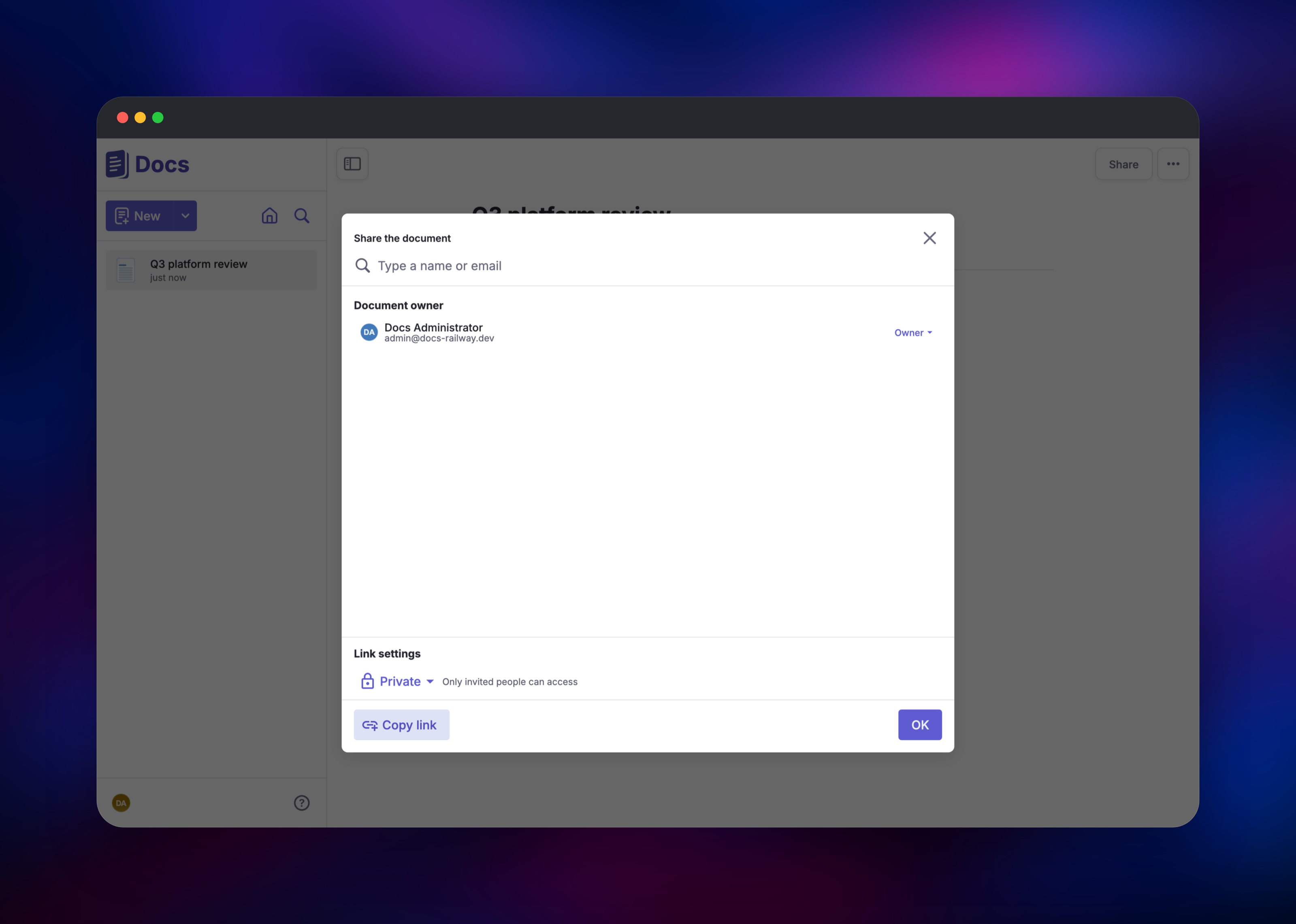
Share invites people or switches a document from private to link-accessible. To add teammates, open the Keycloak console at the second public URL, sign in as the administrator, choose the docs realm and create users. Registration is off by default; enable it under Realm settings → Login for self-signup.
About Hosting Docs
Most collaborative editors live somewhere you do not control. Teams handling internal policy, incident notes or anything under a data-residency rule cannot put that text in a hosted SaaS product, and the usual fallback — a wiki nobody enjoys writing in — loses what people want most: two people editing one paragraph at once.
Key features:
- Real-time co-editing with live cursors and presence, backed by Yjs CRDTs
- Rich text with slash commands, Markdown shortcuts and offline editing
- Comments, reactions and per-document roles: owner, editor, reader
- Subpages, a document tree and full-text search
- Presentation mode, plus PDF,
.docx,.odtand Markdown export - Optional AI actions behind your own model endpoint, and a resource-server API
Each service earns its place. docs is nginx: it serves the compiled editor and proxies /api, /admin, /collaboration and /media so the browser sees one origin. backend is Django on uvicorn — documents, permissions, invitations, media authorisation. worker runs Celery. y-provider is the Yjs server every open editor holds a WebSocket to. keycloak issues identities from its own keycloak-db. Postgres stores documents and permissions, Redis holds sessions, cache and the job queue, and the bucket holds uploads.
Why Deploy Docs on Railway
Railway removes the tedious parts of running this stack yourself.
- Nine services, private networking and TLS from one deploy
- Managed Postgres, Redis and object storage with backups and no tuning
- Keycloak pre-configured — realm, client and first user created at boot
- Health checks on every tier, so a broken component is visible at once
- Vertical and horizontal scaling without touching the configuration
Common Use Cases
- Internal wikis and team handbooks under data-residency requirements
- Live meeting notes and incident write-ups edited by everyone in the room
- Public-sector and research documentation needing an MIT-licensed tool
- Product specs and roadmaps with per-document access instead of a shared drive
Dependencies for Docs
lasuite/impress-frontend:v5.5.0— editor plus the single-origin nginx routerlasuite/impress-backend:v5.5.0— Django API, run twice: web role and Celery workerlasuite/impress-y-provider:v5.5.0— Yjs/Hocuspocus collaboration server, port 4444quay.io/keycloak/keycloak:26.7— OpenID Connect identity provider- Railway Postgres ×2 — one for documents, one for Keycloak
- Railway Redis — cache and sessions on database 0, Celery broker on database 1
- Railway object storage bucket — attachments and images
Environment Variables Reference
| Variable | Purpose |
|---|---|
DOCS_ADMIN_EMAIL | Email of the first account, in Keycloak and Django |
DOCS_ADMIN_PASSWORD | Password for that first account |
KC_BOOTSTRAP_ADMIN_PASSWORD | Password for the Keycloak console administrator |
DJANGO_SECRET_KEY | Signs sessions and tokens; changing it logs everyone out |
DOCS_CLIENT_MAX_BODY_SIZE | Upload size limit at the proxy, default 100m |
AI_FEATURE_ENABLED | With AI_BASE_URL, AI_API_KEY, AI_MODEL, enables AI actions |
DJANGO_EMAIL_HOST | SMTP host; the DJANGO_EMAIL_* family sends invitations |
Deployment Dependencies
- Source: github.com/suitenumerique/docs
- Deployment images: github.com/gridalpha/docs-railway
- Docker Hub: hub.docker.com/u/lasuite
- Docs: suitenumerique.github.io/docs
- Runtime: Python 3.14 / Django, Node.js 24, JVM 21 for Keycloak
Hardware Requirements for Self-Hosting Docs
| Resource | Minimum | Recommended |
|---|---|---|
| CPU | 2 vCPU across all services | 4+ vCPU |
| RAM | 3 GB total (Keycloak wants ~700 MB) | 6–8 GB |
| Storage | 5 GB across both databases | 20 GB plus bucket growth |
| Runtime | Python 3.14, Node 24, JVM 21 | Same |
Document text is small; attachments dominate storage and live in the bucket.
Self-Hosting Docs
Upstream publishes a Compose example close to what this template deploys. Fetch it and the environment files, then edit:
mkdir -p docs/env.d && cd docs
curl -o compose.yaml https://raw.githubusercontent.com/suitenumerique/docs/main/documentation/examples/compose/compose.yaml
curl -o env.d/common https://raw.githubusercontent.com/suitenumerique/docs/main/env.d/production.dist/common
curl -o env.d/backend https://raw.githubusercontent.com/suitenumerique/docs/main/env.d/production.dist/backend
You still supply an OpenID Connect provider, an S3-compatible bucket and a TLS-terminating proxy, then migrate and create the administrator by hand:
docker compose up -d
docker compose run --rm backend python manage.py migrate
docker compose run --rm backend python manage.py createsuperuser --email you@example.com
The maintainers run Docs on Kubernetes and publish a Helm chart; the Compose path is labelled experimental. This template handles the identity provider, storage and boot-time setup for you.
How Much Does Docs Cost to Self-Host?
Docs is free and MIT-licensed, with no paid tier, seat count or feature gate — the build the French government runs is the one you deploy. You pay only for the compute, databases and storage the services use. A small team instance typically sits in the low tens of dollars a month.
FAQ
What is Docs?
Docs is an open-source collaborative text editor from DINUM's La Suite numérique team — a self-hostable alternative to Notion and Google Docs, with real-time co-editing, subpages, comments and export.
What does this Railway template deploy?
Nine services — the nginx front end, the Django backend, a Celery worker, the Yjs collaboration server, Keycloak, two Postgres databases, Redis and an object storage bucket — already wired together.
Why does the template include Keycloak?
Docs authenticates only through OpenID Connect and has no login form of its own. Keycloak supplies one, and the realm, client and first user are created for you. To use an existing provider instead, override the OIDC_OP_* variables.
Why are there two Postgres databases and a Redis?
Postgres stores documents, permissions and comments. Keycloak keeps its users and realm configuration in a separate database so the two can be backed up and upgraded independently. Redis holds sessions, cache and the job queue.
How do I add users to self-hosted Docs?
Open the Keycloak console, sign in as the administrator, switch to the docs realm and add users — or enable self-registration under Realm settings → Login. In Docs you then share documents with them by email.
Where are uploaded images and attachments stored?
In the object storage bucket, and nothing there is publicly readable: every file request is authorised against the document's permissions first, so a file only reaches someone who can already open that document.
Can I use the AI writing features?
Yes, with your own model. Set AI_FEATURE_ENABLED, AI_BASE_URL, AI_API_KEY and AI_MODEL on the backend and worker; any OpenAI-compatible endpoint works. They are off by default, so no external account is required.
Template Content
keycloak
gridalpha/docs-railwaybackend
gridalpha/docs-railwayworker
gridalpha/docs-railwayy-provider
lasuite/impress-y-provider:v5.5.0Redis
redis:8.2keycloak-db
ghcr.io/railwayapp-templates/postgres-ssl:18docs-media
Bucket

