
Deploy Docuseal
DocuSign alternative. PDF forms, e-signatures, audit trails and more

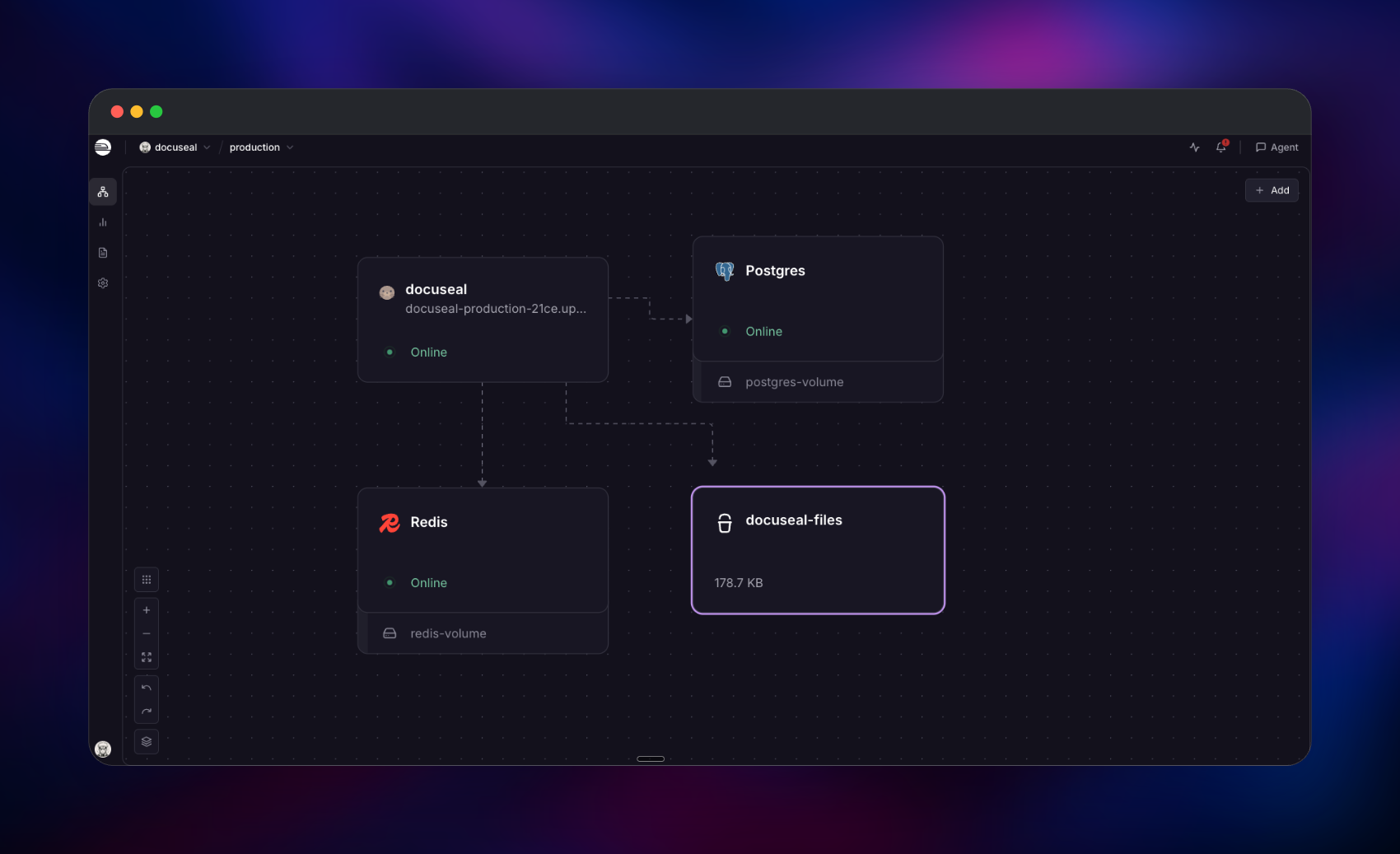
Redis
Just deployed
/data
docuseal
Just deployed

Just deployed
/var/lib/postgresql/data
docuseal-files
Bucket
Just deployed
Deploy and Host DocuSeal on Railway
DocuSeal is open-source document filling and e-signature software, a self-hosted alternative to DocuSign, PandaDoc and Dropbox Sign. Upload a PDF, place fields on it in a WYSIWYG builder, send signers a link, and get back a signed PDF with a real PKCS#7 signature and an audit log. Teams self-host it when contracts cannot sit in a vendor account.
Self-host DocuSeal on Railway from the official docuseal/docuseal:3.1.7 image on port 3000, health-checked at /up. Run DocuSeal on Railway with managed Postgres for records, managed Redis as the Sidekiq broker and an object storage bucket for documents, served as presigned links. The container is stateless — no volume needed.
Getting Started with DocuSeal on Railway
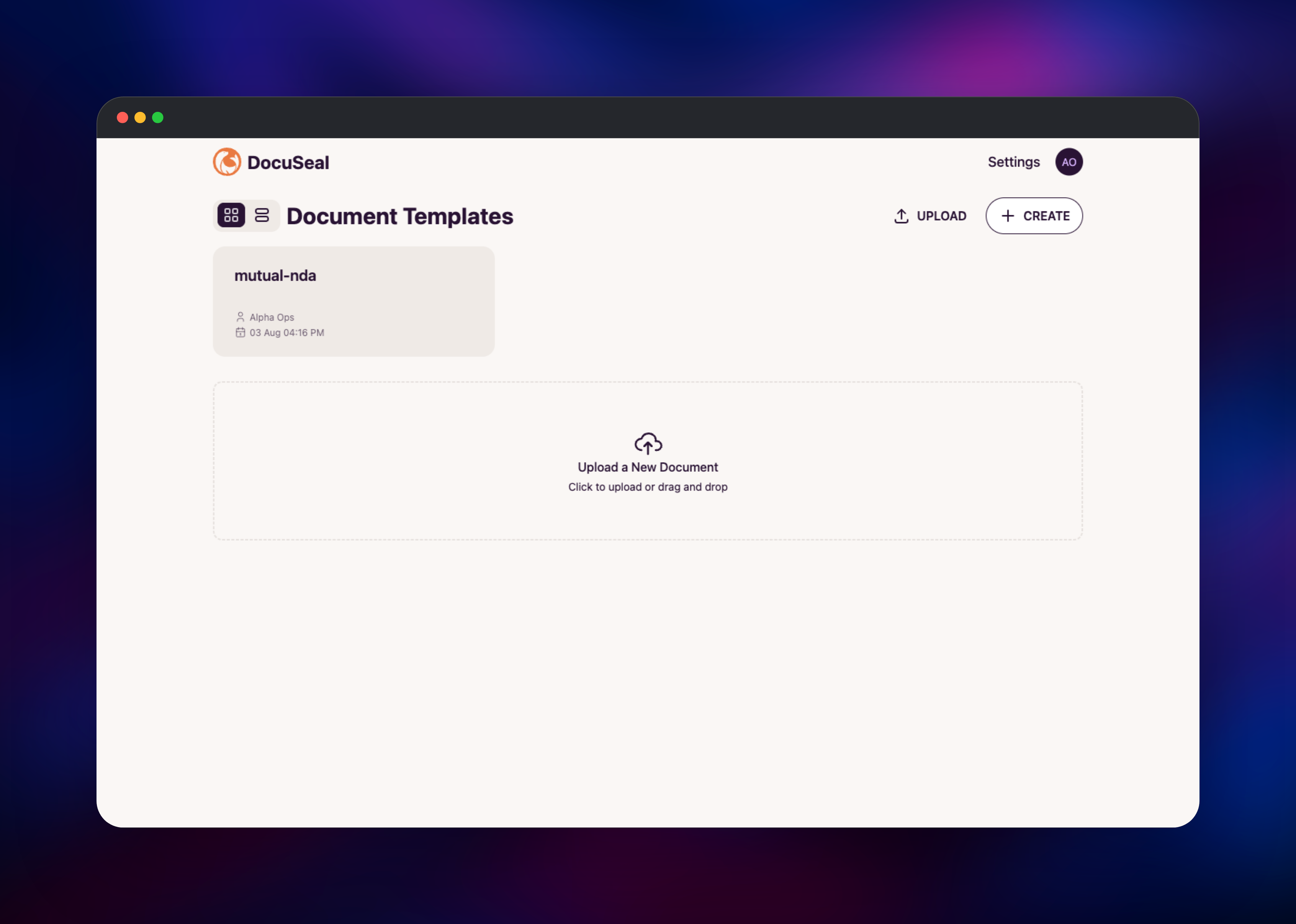
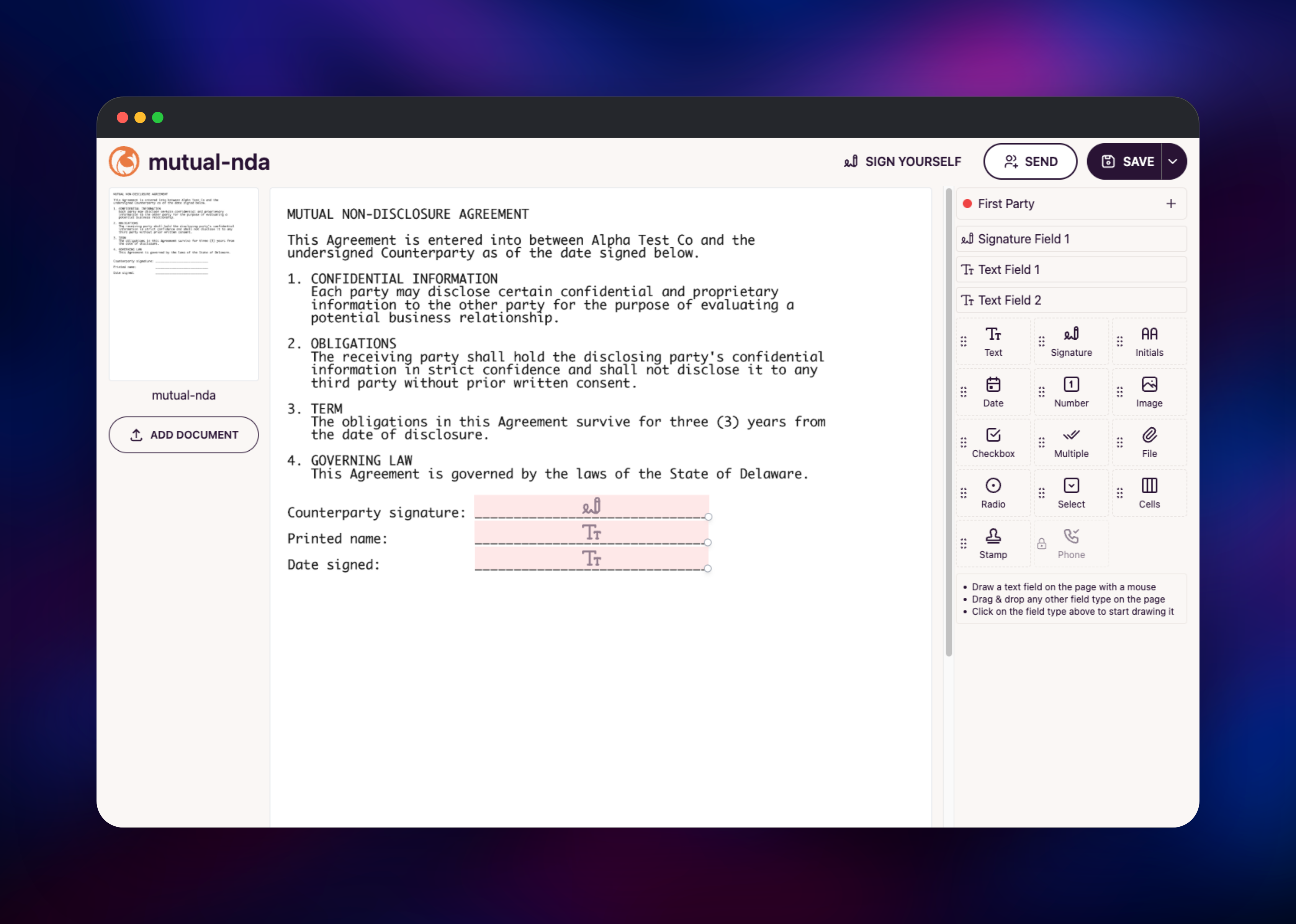
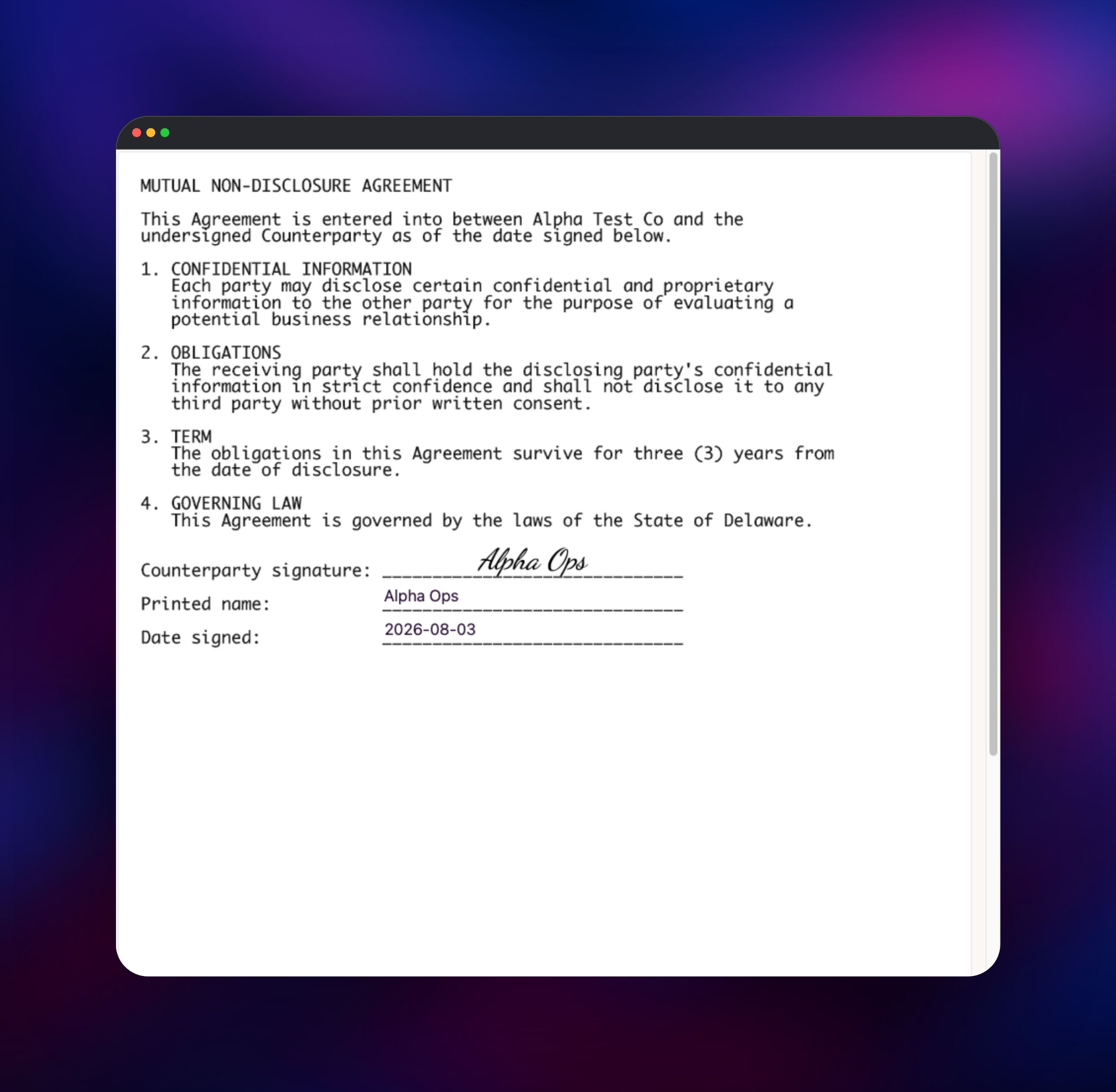
Open your Railway domain once the service is green and you land on /setup — a one-shot bootstrap creating the first owner account, then closing for good; there is no signup route. Enter your name, email, company and password; the timezone is auto-detected and App URL pre-filled from APP_URL. Saving generates this instance's signing CA, encrypted in Postgres, so SECRET_KEY_BASE and ENCRYPTION_SECRET must never change. On the templates dashboard press Upload, pick a PDF, then hit Autodetect Fields: a bundled ONNX model runs in-process and places fields on the lines it finds. Convert one to a Signature field, save, copy a signing link and sign it yourself; a submission reaching Completed with a signed PDF and audit log proves Postgres, Redis and the bucket are wired. Add SMTP under Settings → Email before inviting real signers.
About Hosting DocuSeal
Self-host DocuSeal when documents are regulated, when volume makes per-envelope pricing absurd, or when signing belongs in your product.
- WYSIWYG PDF form builder — 12 field types including signature, initials and date.
- Multiple submitters per document, each with its own role, fields and link.
- Automatic PDF e-signature — detached PKCS#7 signature plus an audit-log PDF.
- REST API, webhooks and an MCP server endpoint for scripted and AI workflows.
- 7 UI languages, signing in 14; storage adapters for disk, S3, GCS, Azure.
Why Deploy DocuSeal on Railway
One project, four resources, nothing to babysit:
- Pinned
3.1.7image, nolatestdrift. - Managed Postgres and Redis attached by reference.
- Object storage preset to path-style addressing.
- HTTPS domain, health check and stable signing secrets.
Common Use Cases
- Contracts — MSAs, SOWs and NDAs sent from a domain you control.
- HR paperwork — offer letters and onboarding packs as reusable templates.
- Embedded signing — create submissions over the REST API, hand users a link.
- Regulated intake — healthcare, finance and KYC forms kept in-house.
Dependencies for DocuSeal
docuseal—docuseal/docuseal:3.1.7, port3000, health check/up. Puma serves the UI and API with Sidekiq embedded in-process, so there is no separate worker.Postgres— accounts, templates, submissions, audit records, encrypted config. WithoutDATABASE_URLit falls back to in-container SQLite, so a volumeless service would lose everything on restart.Redis— the Sidekiq broker for PDF generation, webhooks and mail.REDIS_URLalso stops the image forking its own Redis, which keys offSECRET_KEY_BASEand takes Puma down with it.- Object storage bucket — S3-compatible storage for source PDFs, page images, signatures, signed PDFs and audit logs; it stays private, browsers see only presigned links.
DocuSeal Environment Variables Reference
| Variable | What it does |
|---|---|
SECRET_KEY_BASE | Signs sessions, derives keys; must stay stable |
ENCRYPTION_SECRET | Keys the encrypted config holding your signing CA |
APP_URL / HOST | Public base URL and hostname for generated links |
S3_ATTACHMENTS_BUCKET / S3_ENDPOINT | Switch storage to S3; force path-style addressing |
Leave WEB_CONCURRENCY_AUTO unset: it sizes Puma from the host's core count, not the container's.
Deployment Dependencies
Source: docusealco/docuseal; image docuseal/docuseal. Licensed AGPL-3.0 with Section 7(b) additional terms: the DocuSeal attribution in signing UIs is a licence condition, not decoration to strip.
Hardware Requirements for Self-Hosting DocuSeal
| Resource | Minimum | Recommended |
|---|---|---|
| CPU | 1 vCPU | 2 vCPU |
| RAM | 512 MB | 1–2 GB |
| Storage | No volume on the app | Bucket grows with documents |
| Runtime | Postgres 12+, Redis 6+ | Postgres 18, Redis 8 |
An instance idles near 200 MB of RAM and peaks around 480 MB while signing PDFs, at near-zero CPU.
Self-Hosting DocuSeal with Docker
The smallest run uses bundled SQLite and disk storage, so it needs a data dir:
docker run --name docuseal -p 3000:3000 -v .:/data docuseal/docuseal:3.1.7
Closer to this template — Postgres, Redis, S3 and stable secrets:
docker run -d --name docuseal -p 3000:3000 \
  -e DATABASE_URL="postgresql://user:pass@postgres:5432/docuseal" \
  -e REDIS_URL="redis://redis:6379/0" \
  -e SECRET_KEY_BASE="$(openssl rand -hex 64)" \
  -e ENCRYPTION_SECRET="$(openssl rand -hex 32)" \
  -e HOST="sign.example.com" -e APP_URL="https://sign.example.com" \
  -e FORCE_SSL="true" -e S3_ATTACHMENTS_BUCKET="docuseal" \
  -e S3_ENDPOINT="https://s3.example.com" -e AWS_REGION="us-east-1" \
  -e AWS_ACCESS_KEY_ID="KEY" -e AWS_SECRET_ACCESS_KEY="SECRET" \
  docuseal/docuseal:3.1.7
Requesting Signatures from Self-Hosted DocuSeal via API
Generate a key under Settings → API, then post a template ID and submitters:
curl --location 'https://your-app.up.railway.app/api/submissions' \
  --header 'X-Auth-Token: API_TOKEN' \
  --data-raw '{"template_id": 1,
    "submitters": [{ "role": "First Party", "email": "signer@example.com" }]}'
An MCP server also runs at /mcp — mint a token under Settings → MCP Server.
DocuSeal vs Documenso and DocuSign
| DocuSeal | Documenso | DocuSign | |
|---|---|---|---|
| Licence | AGPL-3.0 + §7(b) | AGPL-3.0 | Proprietary |
| Cost | Free OSS; $20/user/mo Pro | Free OSS; paid cloud | From ~$15/user/mo |
DocuSeal and Documenso both self-host in full; DocuSign does not. DocuSeal is the more batteries-included option — multiple submitters, PDF signing, audit trails, API and webhooks all ship free.
How Much Does DocuSeal Cost to Self-Host?
The core is free and open source under AGPL-3.0 with no user cap, envelope cap or per-signature fee, so self-hosting costs infrastructure only. A paid Pro licence at $20 per user per month adds white-labelling, SSO/SAML, user roles, conditional fields, bulk send, reminders and SMS verification.
Troubleshooting Self-Hosted DocuSeal
Signature-request emails never arrive → no SMTP is configured, and DocuSeal suppresses delivery errors, so the job logs success and sends nothing. Configure SMTP under Settings → Email, which sends a test message on save and reports failures at once. The mailer switches to SMTP whenever SMTP_ADDRESS exists, so an empty value is worse than none.
Sessions and encrypted data suddenly break → SECRET_KEY_BASE or ENCRYPTION_SECRET changed. ENCRYPTION_SECRET splits into a 32-character primary key and a 32-character deterministic key, so give it at least 64 hex characters; with exactly 32 the halves collide.
A PDF reader shows "signature validity unknown" → expected: your instance generates its own signing CA, so signatures are not chained to a public root.
FAQ
What is DocuSeal?
An open-source platform for fillable PDF forms and legally binding e-signatures — a self-hostable DocuSign alternative.
What does this Railway template deploy?
docuseal/docuseal:3.1.7 on port 3000 with a /up health check, plus managed Postgres, Redis and a private storage bucket. No volume.
Why does self-hosted DocuSeal need Postgres, Redis and object storage?
Postgres stores accounts, templates, submissions and audit records; Redis is the Sidekiq broker; the bucket holds every PDF, page image and signature — together keeping the container stateless.
What are the default login credentials for self-hosted DocuSeal?
None, and there is no signup page. Your first visit lands on /setup, which creates the owner account once, then closes for good.
How do I send signature requests from self-hosted DocuSeal programmatically?
Create an API key under Settings → API and POST /api/submissions with an X-Auth-Token header — see the example above.
Template Content


