
Deploy DocuSeal – Open-Source DocuSign, PandaDoc Alternative on Railway
Self-host DocuSeal — Unlimited E-Signature & PDF Signing

Redis
Just deployed
/data
Docuseal
Just deployed

Just deployed
/var/lib/postgresql/data
Deploy and Host DocuSeal on Railway
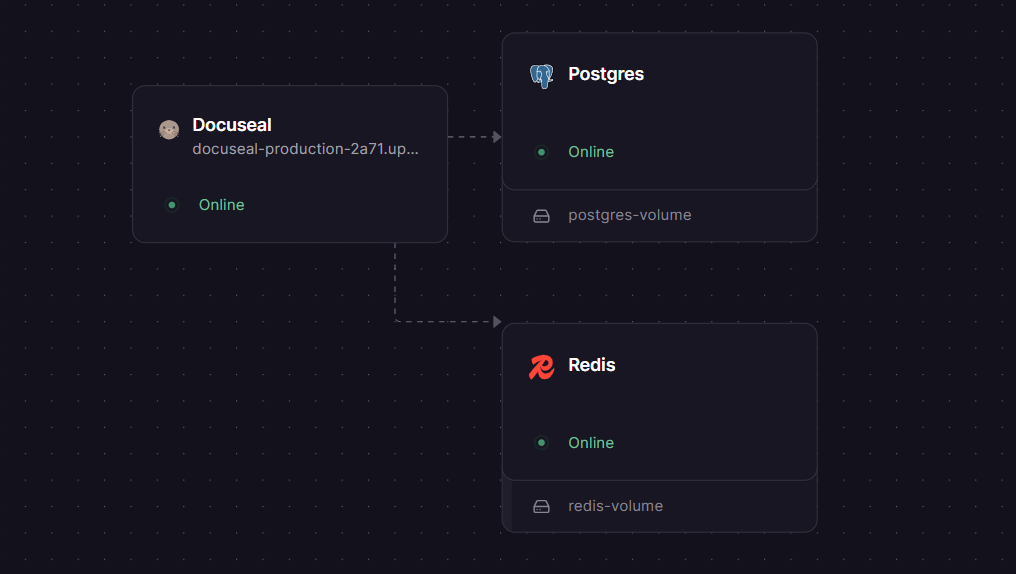
Self-host DocuSeal — the open source DocuSign and PandaDoc alternative — on Railway in one click. This template deploys the full production stack from docusealco/docuseal: a DocuSeal app server, a dedicated PostgreSQL database for persistent document storage, and a Redis instance for background job processing. All three services communicate over Railway's private network with zero additional configuration.
Getting Started with DocuSeal on Railway
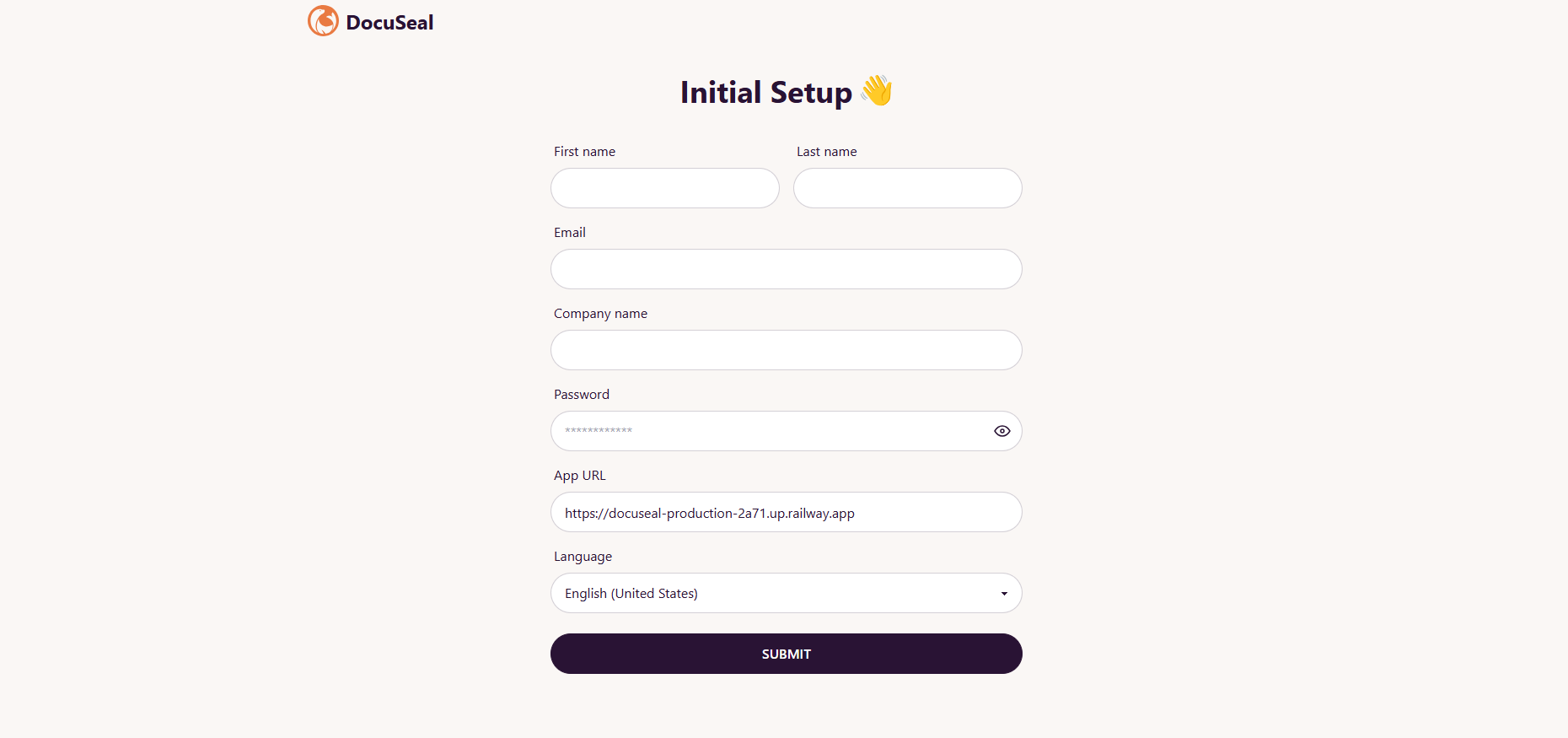
Once the deploy finishes, navigate to your Railway public domain to reach the DocuSeal setup screen. Create your admin account with an email and password — this becomes the super admin seat. From the dashboard, click New Template to upload your first PDF and open the drag-and-drop form builder. Add signature, date, and text fields, then hit Send to dispatch a signing invitation by email. Signers receive a mobile-friendly link and can complete the form on any device without creating an account.
About Hosting DocuSeal
DocuSeal is an open source platform for creating, filling, and signing digital documents. It replaces expensive per-seat or per-envelope SaaS tools with a self-hosted instance your team fully controls. Built with Ruby on Rails and Vue.js, it ships as the Docker image docuseal/docuseal:latest.
Key features:
- WYSIWYG PDF form builder with 10 field types (Signature, Text, Date, Checkbox, Image, Multi-select, Cells, and more)
- Multi-party signing with each submitter receiving their own completed copy
- REST API and embeddable JavaScript widget for integrating signing flows into your own apps
- Automated SMTP email invitations and audit trails for every document
- File storage options: local disk, AWS S3, Google Cloud Storage, or Azure Blob Storage
- eSignature compliance with ESIGN, UETA, and eIDAS regulations
In this Railway template, DocuSeal connects to Postgres over the private Railway network using DATABASE_URL and delegates background jobs (email delivery, PDF processing) to Redis via REDIS_URL. Both dependencies are provisioned automatically as separate Railway services.
Why Deploy DocuSeal on Railway
One-click deploy gets a production-ready, self-hosted document signing platform running without any manual server setup.
- Private networking between DocuSeal, Postgres, and Redis out of the box
- Auto-generated
SECRET_KEY_BASEand database passwords — no secrets to manage manually - Custom domain and managed TLS via Railway's built-in proxy
- One-command redeploys on every image update
- Scale each service (app, DB, Redis) independently as document volume grows
- No Docker Compose files, volume management, or reverse proxy config to maintain
Common Use Cases
- SaaS onboarding contracts — embed DocuSeal's signing widget into your product so customers sign NDAs or service agreements during signup
- HR and legal workflows — send offer letters, contractor agreements, and compliance forms to internal and external parties without a DocuSign subscription
- Real estate and property management — collect signatures on lease agreements with a full audit trail and legally binding PDF output
- API-driven document automation — use the REST API with webhooks to trigger document generation from your CRM, n8n, Zapier, or Make.com workflows
Dependencies for DocuSeal
- DocuSeal —
docuseal/docuseal:latest(Docker Hub, GitHub) - Postgres — Railway-managed PostgreSQL (recommended for all production workloads with 1,000+ documents/year)
- Redis — Railway-managed Redis for Sidekiq background jobs (email delivery, PDF generation queue)
Environment Variables Reference
| Variable | Description | Required |
|---|---|---|
HOST | Public domain of your DocuSeal instance (auto-set to Railway public domain) | Yes |
FORCE_SSL | Set to true to redirect all HTTP traffic to HTTPS | Yes |
DATABASE_URL | PostgreSQL connection string (auto-wired from the Postgres service) | Yes |
REDIS_URL | Redis connection string for background job queue (auto-wired from Redis service) | Yes |
Deployment Dependencies
- Runtime: Ruby on Rails (packaged in the Docker image — no local Ruby install needed)
- Docker image:
docuseal/docuseal:lateston Docker Hub - GitHub: github.com/docusealco/docuseal
- Official docs: docuseal.com/docs
Minimum Hardware Requirements for DocuSeal
These figures are based on DocuSeal's official on-premises documentation, calculated for storing approximately 10,000 signed documents.
| Resource | Minimum | Recommended |
|---|---|---|
| CPU | 1 vCPU | 2 vCPU |
| RAM | 1 GB | 2 GB |
| Storage | 20 GB | 50 GB |
| Database | PostgreSQL (or SQLite for personal use) | PostgreSQL |
DocuSeal vs DocuSign vs PandaDoc
| Feature | DocuSeal (self-hosted) | DocuSign | PandaDoc |
|---|---|---|---|
| Open source | ✅ AGPLv3 | ❌ | ❌ |
| Self-hostable | ✅ | ❌ | ❌ |
| Free tier | ✅ Unlimited (self-hosted) | Limited | Limited |
| Paid cloud plan | $20/user/month (Pro) | From ~$15/user/month | From $19/user/month |
| REST API | ✅ (Pro plan for cloud) | ✅ | ✅ |
| Embeddable widget | ✅ | ✅ | ✅ |
| Audit trail | ✅ | ✅ | ✅ |
| eIDAS / ESIGN compliance | ✅ | ✅ | ✅ |
| Data sovereignty | ✅ Full control | ❌ Vendor-hosted | ❌ Vendor-hosted |
DocuSeal is the only option in this comparison where documents never leave your infrastructure. For teams with HIPAA, GDPR, or internal data residency requirements, the self-hosted deployment model is a meaningful advantage over vendor-hosted alternatives.
Self-Hosting DocuSeal
To run DocuSeal on your own VPS using Docker Compose:
# docker-compose.yml
services:
  app:
    image: docuseal/docuseal:latest
    ports:
      - "3000:3000"
    environment:
      - DATABASE_URL=postgresql://postgres:password@postgres:5432/docuseal
      - REDIS_URL=redis://:redispass@redis:6379
      - SECRET_KEY_BASE=your_64_char_secret
      - FORCE_SSL=true
      - HOST=your-domain.com
    depends_on:
      postgres:
        condition: service_healthy
      redis:
        condition: service_started

  postgres:
    image: postgres:15
    environment:
      POSTGRES_USER: postgres
      POSTGRES_PASSWORD: password
      POSTGRES_DB: docuseal
    volumes:
      - pgdata:/var/lib/postgresql/data
    healthcheck:
      test: ["CMD-SHELL", "pg_isready -U postgres"]
      interval: 5s
      retries: 5

  redis:
    image: redis:7
    command: redis-server --requirepass redispass
    volumes:
      - redisdata:/data

volumes:
  pgdata:
  redisdata:
Start the stack:
sudo HOST=your-domain.com docker compose up -d
Caddy (included in the official docker-compose.yml from the GitHub repo) will automatically provision SSL certificates if your DNS is pointed at the server.
How Much Does DocuSeal Cost?
The core DocuSeal platform is free and open source (AGPLv3). Self-hosting on Railway means you pay only for the Railway infrastructure you consume — compute, storage, and egress.
For teams who want additional features, DocuSeal offers a Pro plan at $20/user/month (or $200/year). Pro unlocks: custom email branding, SAML SSO, SMS identity verification for signers, automated signing reminders, and API/embedding for production use. The free self-hosted tier covers unlimited documents and all core signing features without any Pro license.
FAQ
What is DocuSeal? DocuSeal is an open source digital document signing platform. It lets you upload PDFs, add fillable fields using a drag-and-drop builder, and collect legally binding signatures from one or more parties — all hosted on infrastructure you control.
What does this Railway template deploy?
Three services: the DocuSeal app server (docuseal/docuseal:latest), a PostgreSQL database for storing documents, templates, and submission records, and a Redis instance for Sidekiq background jobs. All three are connected over Railway's private internal network.
Why does this template include Postgres instead of using SQLite? DocuSeal defaults to SQLite for simple single-user setups, but PostgreSQL is the recommended database for any production workload or concurrent API usage. SQLite lacks support for partial indexes and full-text search, which DocuSeal uses internally. The Postgres service in this template is pre-wired and ready for production from day one.
Can I use DocuSeal's API and embedding with the self-hosted version? Yes — the API and embedded signing widget are available on self-hosted DocuSeal. However, API and embedding features for production use require a Pro On-Premises license ($20/user/month), which includes per-document fees for API-signed submissions.
Is DocuSeal legally compliant for binding signatures? Yes. DocuSeal eSignatures are compliant with the ESIGN Act (US), UETA, eIDAS (EU), and other regional e-signature regulations. Every signed document includes an audit trail with timestamps, IP addresses, and identity verification data embedded in the PDF.
Can I connect custom email (SMTP) for signing invitations?
Yes. Add SMTP_ADDRESS, SMTP_PORT, SMTP_USERNAME, SMTP_PASSWORD, and SMTP_DOMAIN environment variables to your DocuSeal Railway service to route all outbound emails through your own mail provider or transactional service (SendGrid, Postmark, etc.).
Template Content
Redis
redis:8.2.1Docuseal
docuseal/docuseal:latest
