Deploy DokuWiki
Wiki that keeps every page as a plain text file, no database

mailpit
Just deployed
/data
dokuwiki
Just deployed
/storage
Deploy and Host DokuWiki on Railway
DokuWiki is an open-source wiki engine that stores every page, revision and upload as a plain file on disk — no database to administer, back up or migrate. Created by Andreas Gohr in 2004 and still actively released, it is what small teams reach for when they want a runbook or knowledge base that stays readable in a text editor and easy to move elsewhere. Access control lists, versioned pages with diffs, full-text search, a media manager and over 1,800 plugins come with the engine.
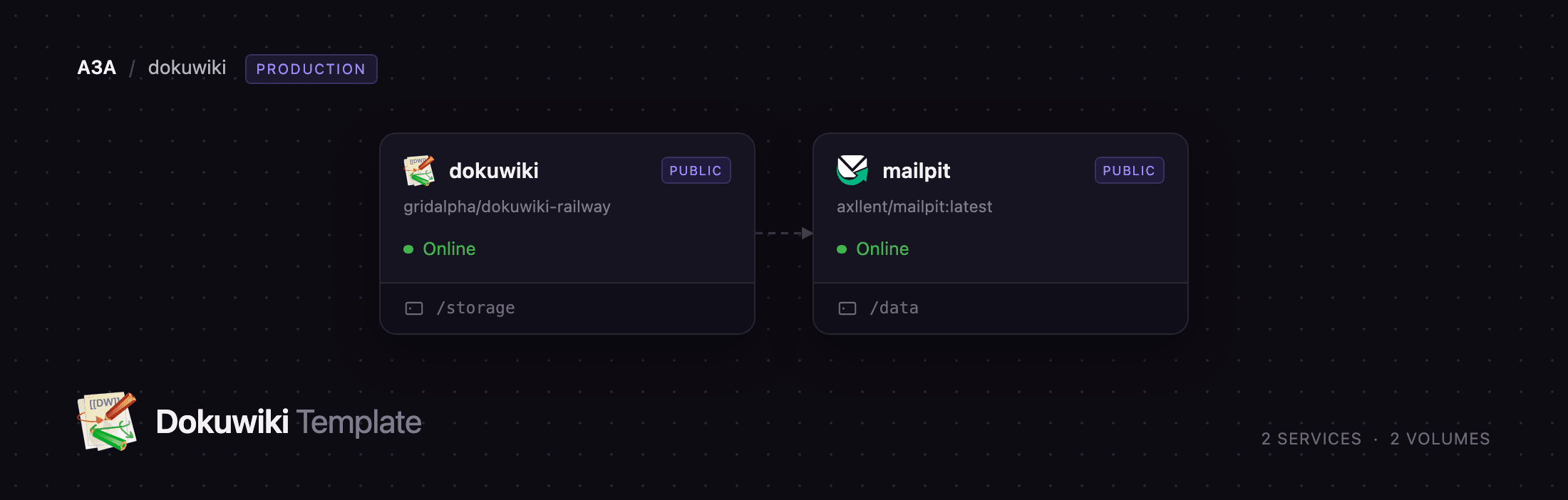
Self-host DokuWiki on Railway and you get two services. dokuwiki runs the official dokuwiki/dokuwiki image with a volume at /storage holding pages, revisions, media, the search index, accounts and configuration. mailpit is a real SMTP server on the private network, so password resets, the Notify user box in the User Manager and page-change subscriptions deliver instead of failing silently — the upstream image ships no mail transport. The wiki is installed, the superuser exists and the installer is closed before the first request arrives, so no stranger can claim your instance.
Getting Started with DokuWiki on Railway
Set an admin password when you deploy, or accept the generated one and read it back from DOKUWIKI_ADMIN_PASSWORD on the dokuwiki service. There is no setup wizard: open the deployment URL, click Log In, and sign in as admin. The default access policy is closed, so anonymous visitors get a permission-denied page and the wiki is private from the first second.
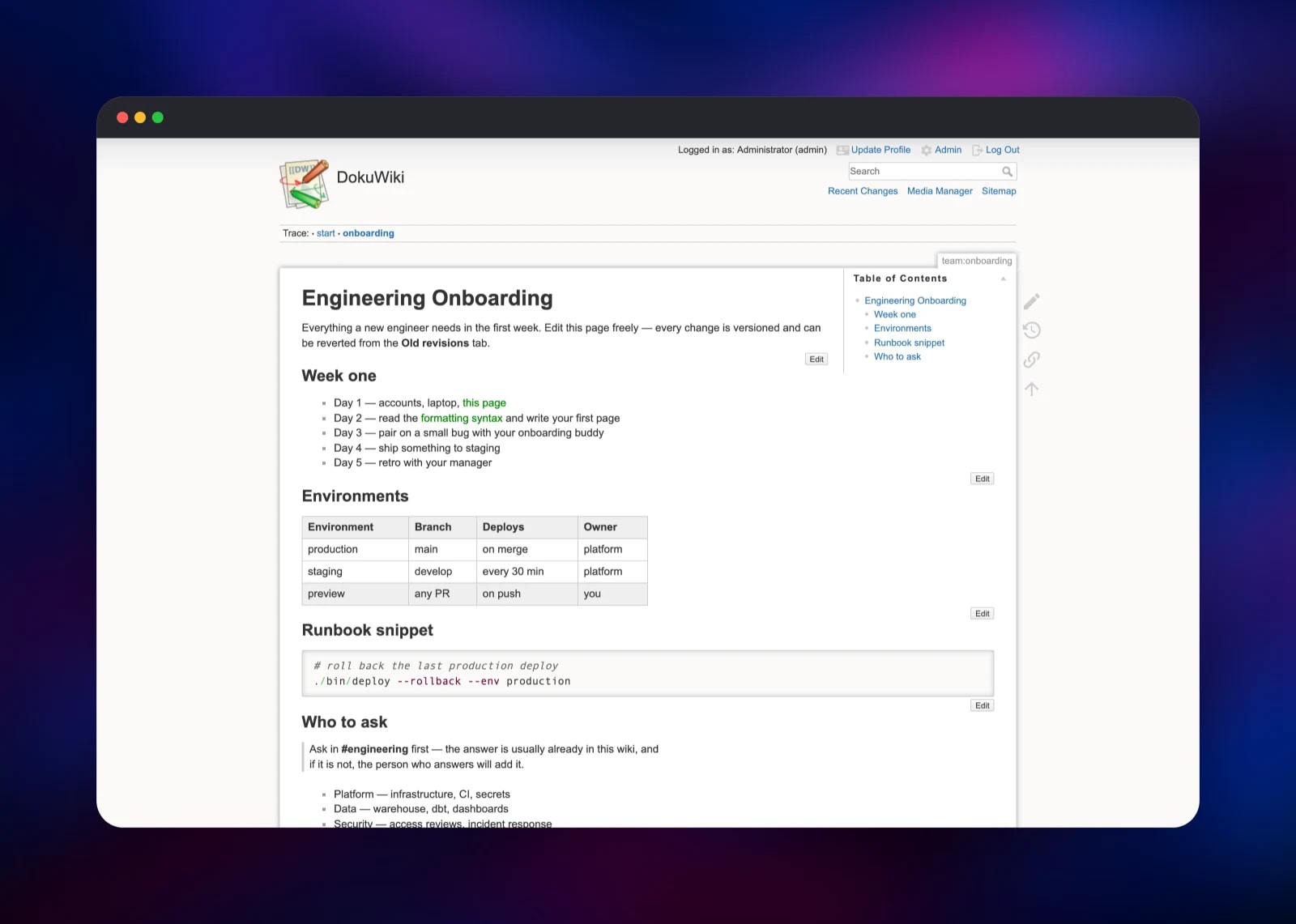
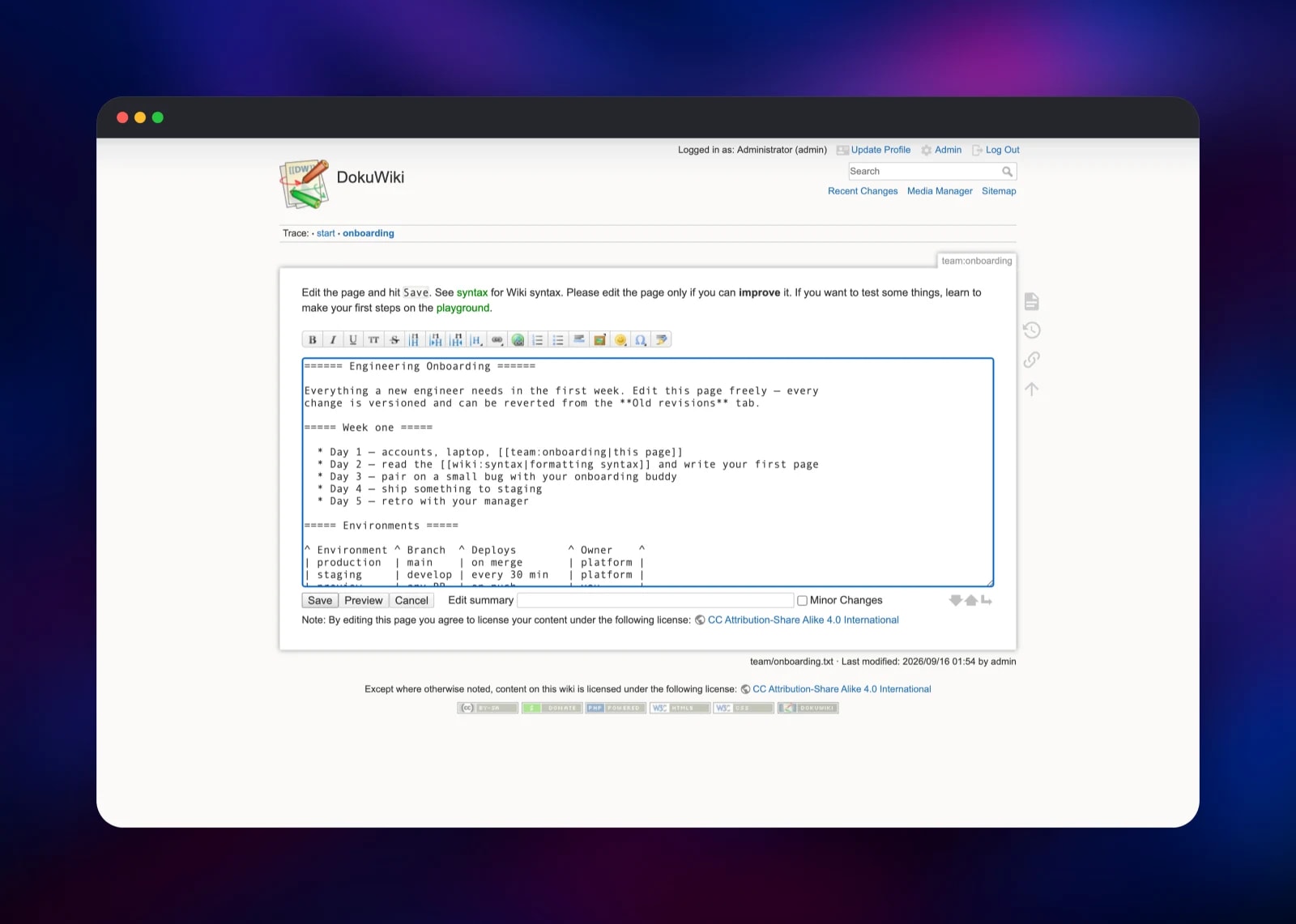
Your first useful action is to create a page. Put a colon-separated name in the URL, such as /team:runbook, and DokuWiki offers to create it; or edit the start page it ships with. The editor is a textarea with a formatting toolbar, and wiki:syntax documents every markup rule. Save, then open Old revisions — the quickest proof the volume is mounted and writable.
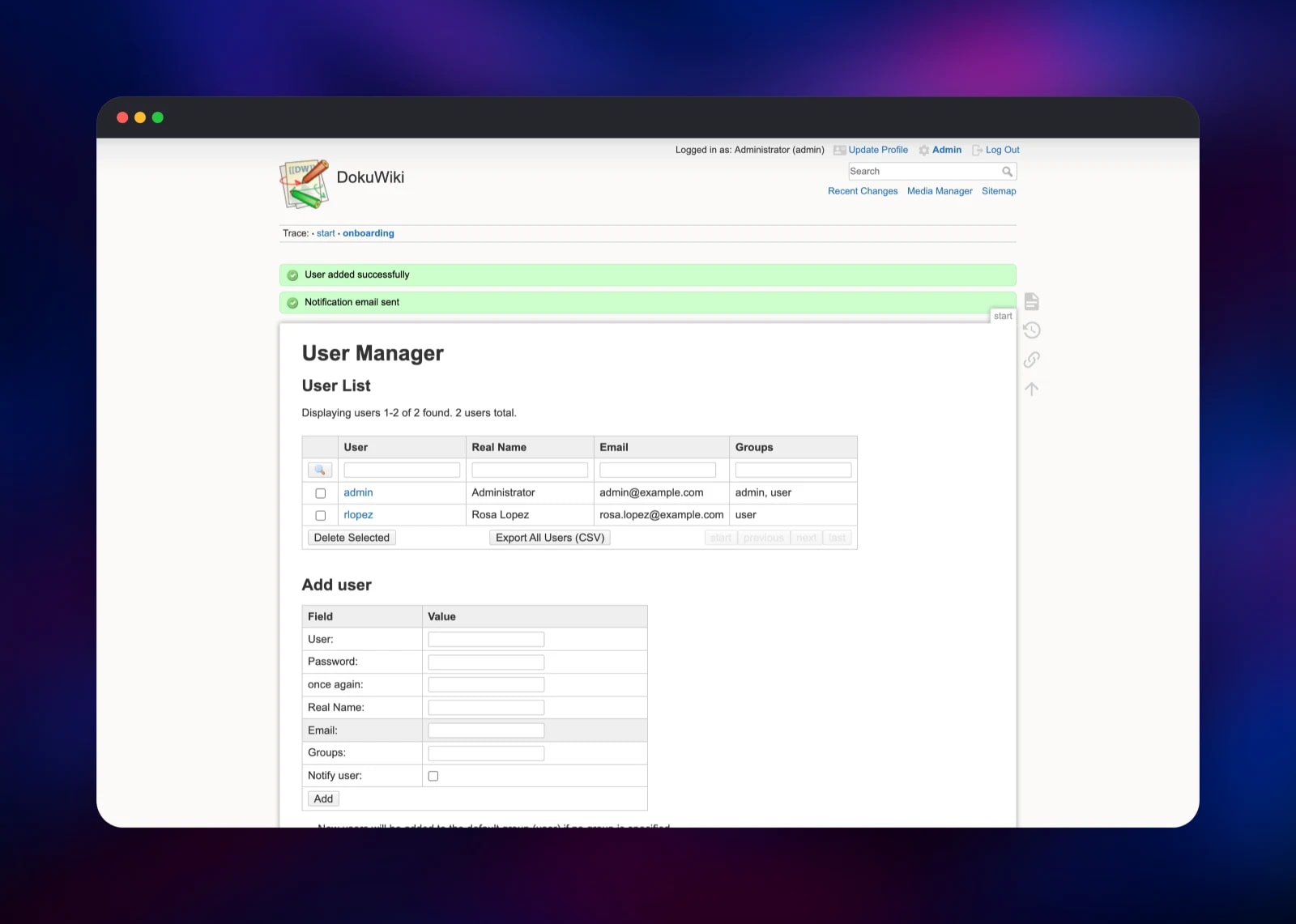
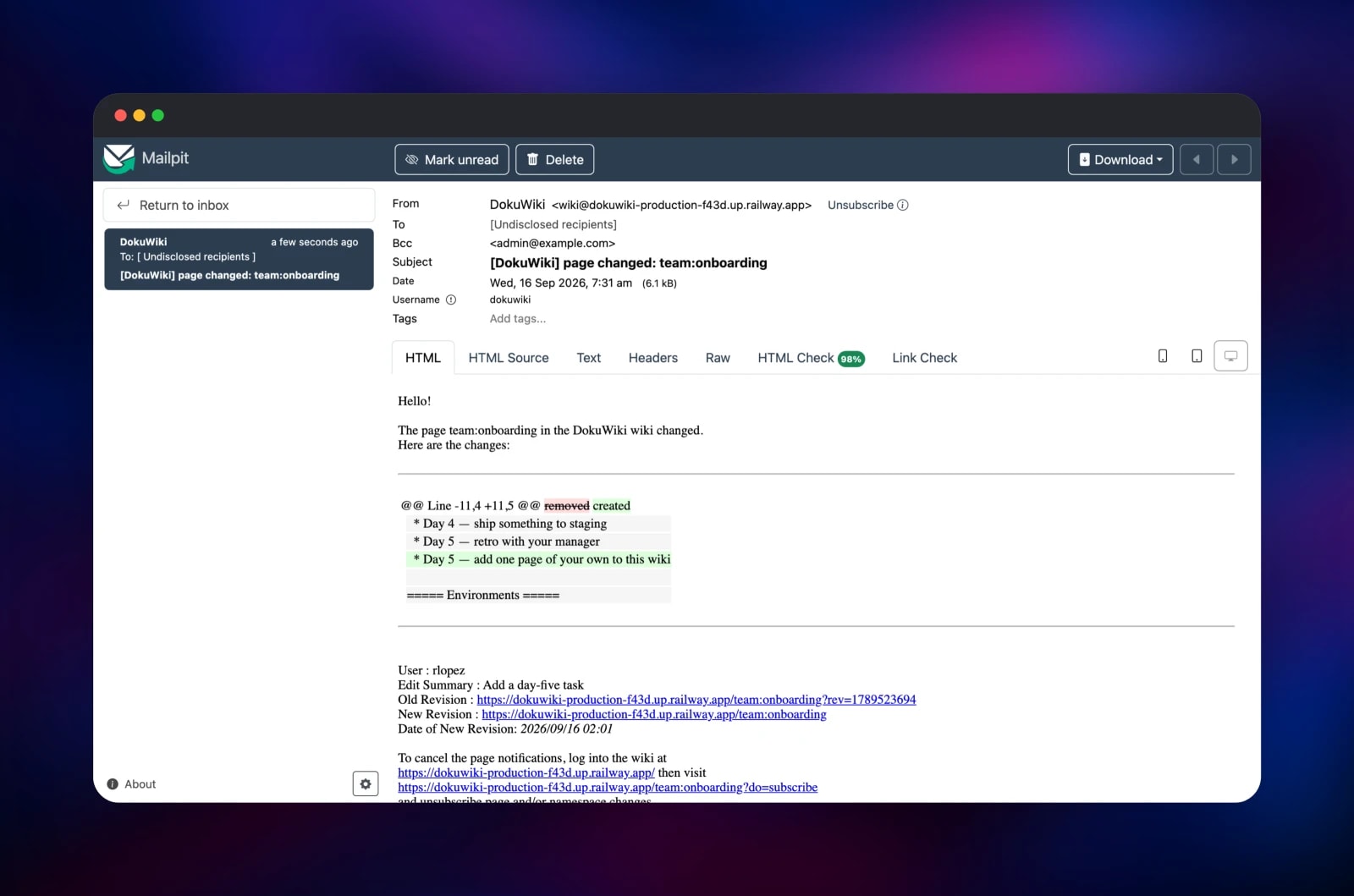
To add colleagues, open Admin → User Manager, fill in Add user and tick Notify user. A welcome message goes out through Mailpit; open the mailpit service's URL, signing in with the credentials in its MP_UI_AUTH variable, to read it. Configuration Settings renames the wiki and adjusts the access policy; Access Control List Management handles per-namespace permissions.
About Hosting DokuWiki
DokuWiki's defining decision is the absence of a database. A page is a .txt file, an old revision a gzipped file beside it, an upload just a file, and accounts live in one users.auth.php. Backing the wiki up is copying a directory; auditing it is git diff. That suits teams who want docs they can still read in ten years, and nobody who needs real-time collaborative editing or a Notion-grade WYSIWYG editor.
Key features:
- Versioned pages with diffs, restore and an "old revisions" browser
- Namespaces, groups and per-namespace access control lists
- Full-text search, and a media manager with ImageMagick thumbnailing
- Pluggable auth: local file, LDAP/Active Directory or SQL via
authpdo - 1,800+ plugins and dozens of templates, installed from the admin panel
- E-mail subscriptions per page or namespace, with digest and list modes
Architecture on Railway is deliberately small. dokuwiki is PHP 8.4 under Apache with mod_php, on port 8080 and health-checked at /healthz; its volume is the entire data store. mailpit captures everything the wiki sends and exposes a web inbox, with its own volume so mail survives a redeploy.
Why Deploy DokuWiki on Railway
Railway removes the tedious parts of self-hosting a PHP wiki:
- Persistent volumes attached before first boot
- TLS, a public hostname and HTTP/2, no certificate work
- A private network, so the mail server never faces the internet
- Redeploy on every push to the source repository
- Health checks that exercise DokuWiki's own bootstrap
Common Use Cases
- Engineering runbooks and on-call docs — versioned, searchable, diffable
- A team handbook with namespaces per department and matching ACLs
- Project documentation beside a codebase, exportable as plain text at any time
- A personal or research wiki where owning the files beats a polished editor
Dependencies for DokuWiki
- dokuwiki — gridalpha/dokuwiki-railway, one layer over the official
dokuwiki/dokuwiki:stableimage, adding the smtp plugin, a health route, a proxy trust list and the first-boot install. - mailpit —
axllent/mailpit:latest: SMTP on 1025 for the wiki, a web inbox on 8025 behind HTTP basic auth.
Environment Variables Reference
| Variable | Service | Purpose |
|---|---|---|
DOKUWIKI_ADMIN_USER | dokuwiki | Superuser login, created on first boot |
DOKUWIKI_ADMIN_PASSWORD | dokuwiki | Superuser password, read on first boot only |
DOKUWIKI_TITLE | dokuwiki | Wiki name shown in the header |
DOKUWIKI_ACL_POLICY | dokuwiki | closed, public or open |
DOKUWIKI_ALLOW_REGISTER | dokuwiki | Whether visitors may register |
DOKUWIKI_SUBSCRIBERS | dokuwiki | Enables page-change subscriptions |
DOKUWIKI_SMTP_HOST | dokuwiki | SMTP server; your own relay in production |
DOKUWIKI_MAIL_FROM | dokuwiki | Sender address on outgoing mail |
MP_UI_AUTH | mailpit | user:password for the web inbox |
Deployment Dependencies
- Source and image: dokuwiki/dokuwiki, dokuwiki/docker
- Docs and plugins: dokuwiki.org; runtime PHP 8.4, Apache 2.4, ImageMagick
Hardware Requirements for Self-Hosting DokuWiki
| Resource | Minimum | Recommended |
|---|---|---|
| CPU | 0.5 vCPU | 1–2 vCPU |
| RAM | 512 MB | 1–2 GB |
| Storage | 1 GB volume | 5 GB+, sized to your media library |
| Runtime | PHP 8.2+ with gd, intl, bz2 | PHP 8.4 with OPcache |
Scaling notes
DokuWiki is unusually light: the cost driver is uploaded media, not page count. Run one instance — every store it has, from pages to the changelog to the search index, is a single-writer file on one volume, so a second replica would contend on it rather than share load. Give the container more CPU and memory instead; APACHE_MAX_WORKERS caps Apache's prefork pool, derived from the memory limit unless you set it.
Self-Hosting DokuWiki
The quickest local run uses the official image, which exposes port 8080 and keeps everything under /storage:
docker run -d --name dokuwiki -p 8080:8080 \
  -v dokuwiki-storage:/storage \
  dokuwiki/dokuwiki:stable
Open http://localhost:8080/install.php and complete the wizard to create the first administrator. From source it needs nothing but a PHP-capable web server:
git clone https://github.com/dokuwiki/dokuwiki.git
cd dokuwiki
php -S localhost:8080
Make conf/ and data/ writable by the web server user and visit /install.php. Upgrading means replacing everything except those two directories.
Is DokuWiki Free?
DokuWiki is free and open source under GPL-2.0 — no paid tier, seat limits or feature gates, and every plugin in the directory is free too. Mailpit is MIT-licensed. Deploying this template costs only the Railway resources the two containers and their volumes consume, which for a normal team's wiki is small.
FAQ
What is DokuWiki? A file-based wiki engine written in PHP. It stores pages, revisions and uploads as ordinary files rather than in a database, which makes backup, version control and migration trivial.
What does this Railway template deploy? Two services: DokuWiki on a persistent volume, and Mailpit as a private SMTP server with a web inbox. The wiki is installed and the superuser created on the first boot, so no setup wizard is left open.
Why is a mail server included?
DokuWiki core sends through PHP's mail() and the official image ships no mail transport, so password resets, new-account notifications and page subscriptions fail silently on a stock install. Mailpit gives them somewhere to go; point the DOKUWIKI_SMTP_* variables at a real relay when you are ready.
Does DokuWiki need a database?
No — that is the point of it. Pages live in data/pages, old revisions in data/attic and accounts in conf/users.auth.php, all on the one volume.
How do I make my DokuWiki public or allow sign-ups?
Set DOKUWIKI_ACL_POLICY to public before the first deploy for a world-readable wiki only members can edit, and DOKUWIKI_ALLOW_REGISTER to true to let visitors register. After the first boot both move to Admin → Configuration Settings and the ACL manager.
How do I install a plugin, or use LDAP for login?
Both start in Admin → Extension Manager: search the plugin directory or paste a download URL. Plugins install onto the volume and survive redeploys; bundled ones refresh from the image on every start. The authad and authldap backends ship with DokuWiki, disabled here — enable one and configure it in Configuration Settings.
Template Content
mailpit
axllent/mailpit:latestdokuwiki
gridalpha/dokuwiki-railway
