
Deploy Dolibarr
Business software for invoices, customers, stock and accounts

MySQL
Just deployed
/var/lib/mysql
Dolibarr
Just deployed
/var/www/documents
Deploy and Host Dolibarr on Railway
Dolibarr is an open-source ERP and CRM suite that small and mid-sized businesses use to run the whole commercial cycle in one place: contacts and leads, quotes, sales and purchase orders, invoices and payments, products and stock, projects and double-entry accounting. Developed by an independent association since 2003 and released under the GPL, it is deliberately modular: you switch on only the modules you need, so a two-person consultancy sees an invoicing tool while a distributor sees a warehouse system. Teams reach for it when spreadsheets and scattered SaaS stop holding together but an Odoo or SAP rollout is far too much.
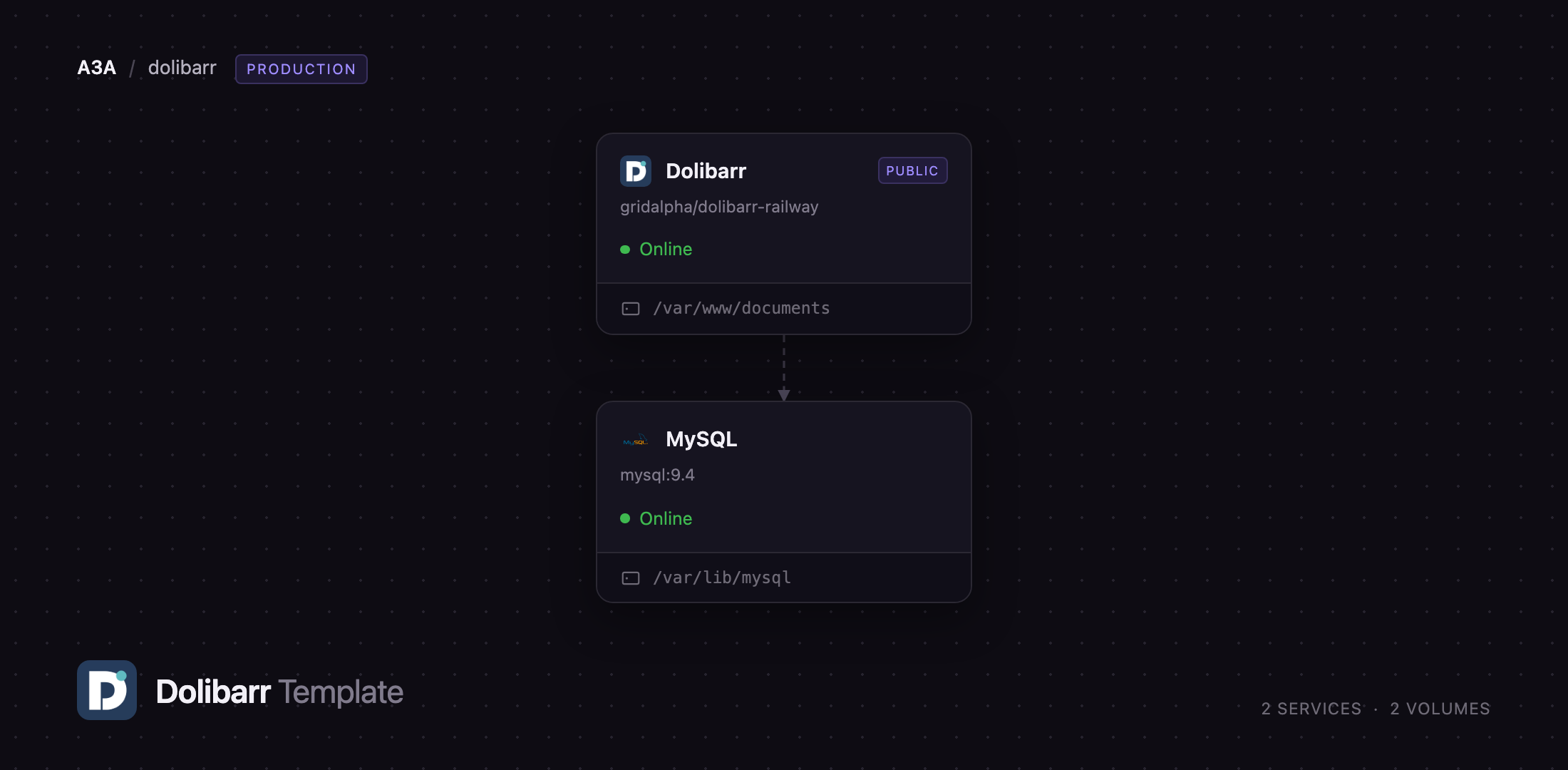
Self-host Dolibarr on Railway with two services and no manual installation step. The Dolibarr service runs Apache and PHP from the official dolibarr/dolibarr image, serves the interface on its public domain, and keeps uploads and generated PDFs on a volume at /var/www/documents. The MySQL service is a Railway-managed database reachable only over the private network. On first boot the app creates its own database and a role scoped to that one schema, imports the Dolibarr tables, and creates the administrator account from the login and password you supply. It also runs Dolibarr's job scheduler in the same container, so recurring invoices, reminders and cleanup jobs work as soon as the deploy goes green.
Getting Started with Dolibarr on Railway
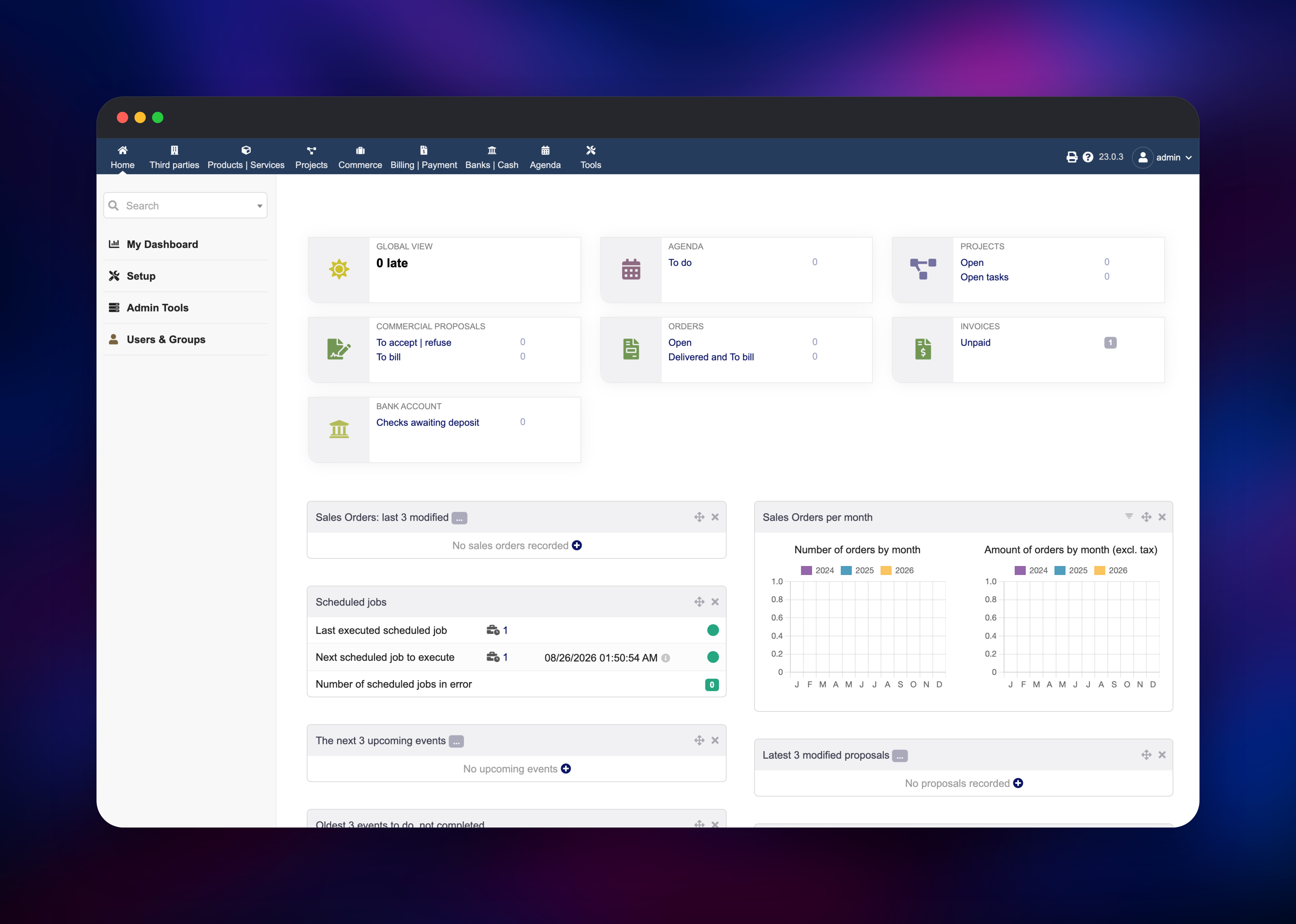
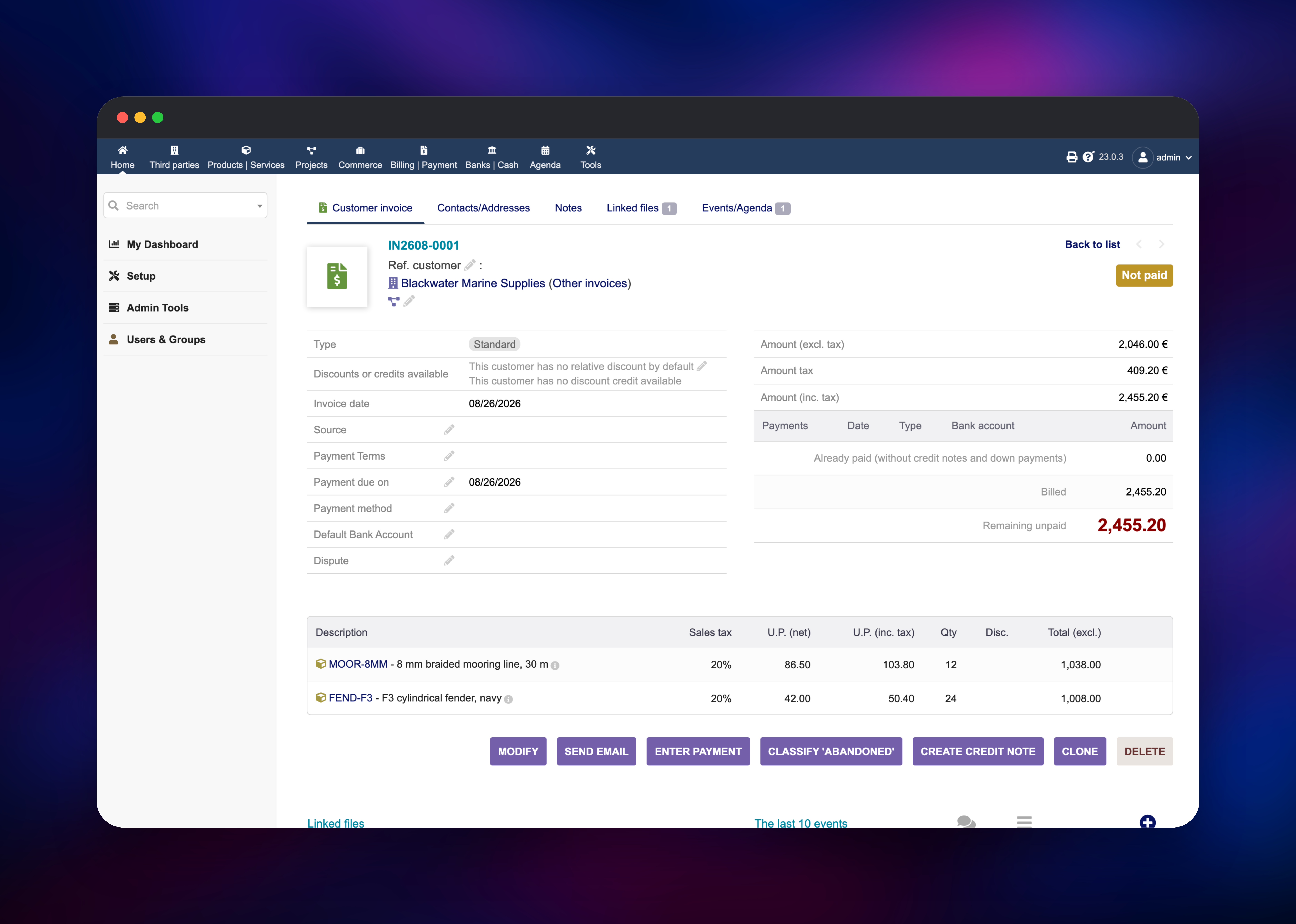
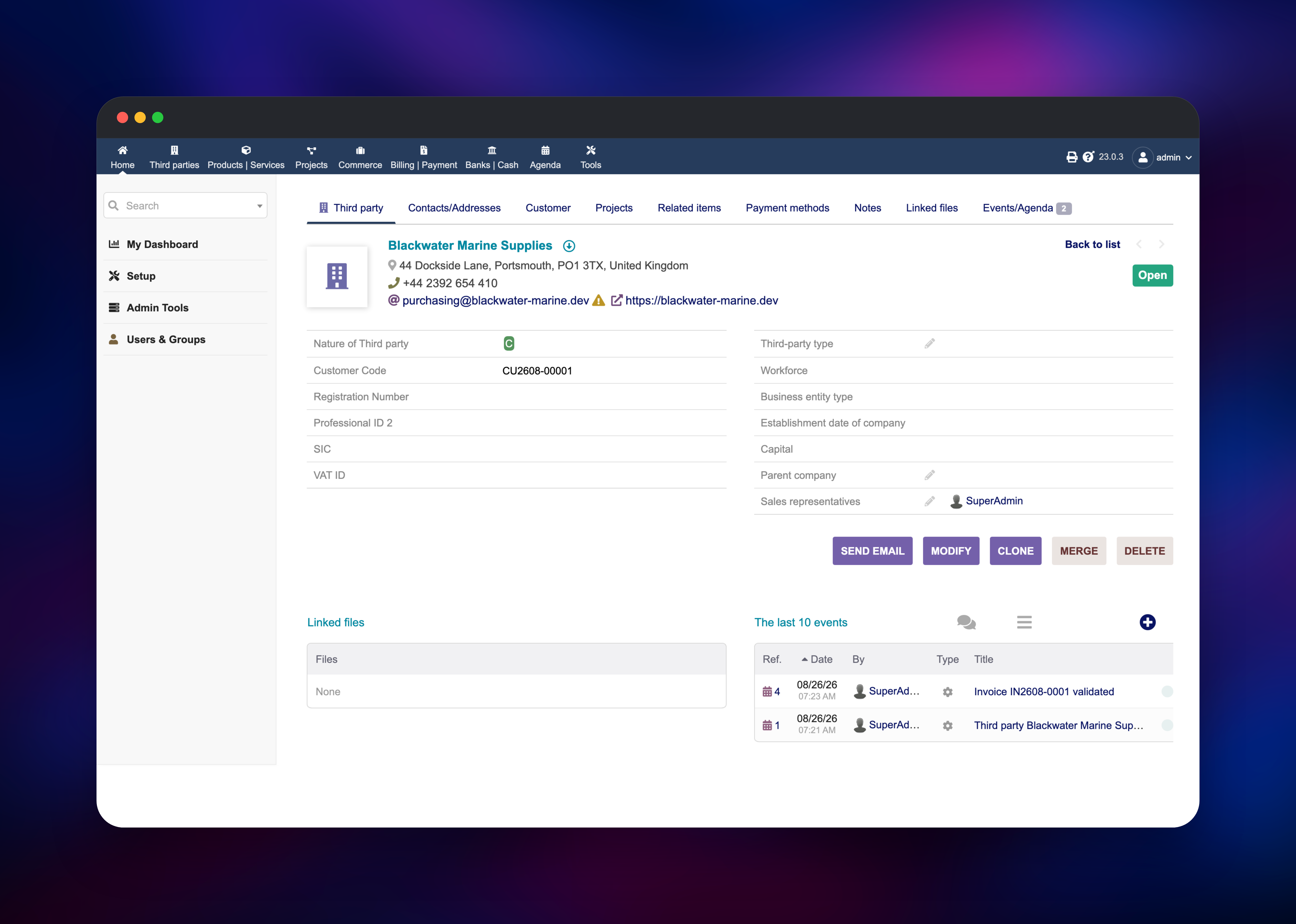
Set DOLI_ADMIN_LOGIN and DOLI_ADMIN_PASSWORD before deploying — they create the first superadmin account and are read only while the user table is empty. The first boot imports several hundred schema files and takes about ninety seconds; then open the public URL and sign in. Dolibarr lands on its setup page, where the two warning icons are the only mandatory steps: fill in Company/Organization with your legal name, country and currency, then open Modules/Applications and enable what you need — Third parties, Products, Invoices and Banks are the usual four. Each module adds its own top-level menu the moment it is enabled. To confirm the deployment end to end, create a customer, add a product, raise an invoice and validate it: validation writes a PDF onto the volume, and that PDF surviving a redeploy proves storage is wired up. Enable the Scheduled Jobs module, and the dashboard reports the last job the scheduler ran.
About Hosting Dolibarr
Dolibarr is a single PHP application backed by one relational database, which is what makes it realistic to self-host. There is no broker, no search cluster and no build step: everything mutable lives in MySQL or in the documents directory on the volume.
Key features:
- Customers, prospects and suppliers with contacts, categories and an activity log
- Quotes, orders, delivery notes, customer and supplier invoices, recurring billing
- Products and services with price lists, multi-warehouse stock, batch tracking
- Projects, tasks, time recording, expense reports, leave requests and a shared agenda
- Bank reconciliation, tax handling and double-entry accounting with ledger exports
- A REST API, LDAP authentication and ~2,000 community add-on modules
Every file — attachments, generated invoice and quote PDFs, ECM documents, add-on modules installed from the admin UI — lives under /var/www/documents on the volume, so both halves of the state survive redeploys. The scheduler runs alongside Apache rather than as a separate worker, because its jobs write into the same document tree the interface serves.
Why Deploy Dolibarr on Railway
An ERP means keeping a database, a PHP runtime and file storage healthy together.
- Managed MySQL with its own volume, backups and private networking
- A persistent volume for documents and PDFs, attached before first boot
- HTTPS and a public domain issued automatically, no reverse proxy to configure
- Vertical scaling and per-service metrics as the record count grows
Common Use Cases
- Replacing spreadsheets and standalone invoicing SaaS in a small trading business
- Running quote-to-cash for a consultancy: proposals, orders, timesheets, then invoices
- Managing stock across warehouses with purchase orders, receptions and batch tracking
Dependencies for Dolibarr
- Dolibarr — built from
gridalpha/dolibarr-railway, a thin wrapper over the officialdolibarr/dolibarr:23image. It serves the interface, runs the unattended installer and schema upgrades, and runs the scheduler. - MySQL — Railway-managed MySQL 9.4 holding every business record. The app connects over the private network as a role scoped to its own schema, never as the superuser.
Environment Variables Reference
| Variable | Purpose |
|---|---|
DOLI_ADMIN_LOGIN | Login for the first superadmin account |
DOLI_ADMIN_PASSWORD | Password for that account, used only on first boot |
DOLI_URL_ROOT | Public base URL Dolibarr builds links and PDFs from |
DOLI_INSTANCE_UNIQUE_ID | Per-instance salt for API keys and tokens; keep it stable |
DOLI_DB_NAME / DOLI_DB_USER / DOLI_DB_PASSWORD | The scoped database and role the app creates and uses |
DOLI_CRON | 1 runs the job scheduler in the app container, 0 disables it |
DOLI_INIT_DEMO | 1 loads the upstream demo dataset instead of an empty one |
PHP_INI_MEMORY_LIMIT | PHP memory ceiling; raise it for large exports |
Deployment Dependencies
- Source repository:
- Upstream application:
- Official image:
- Docs and module store: ,
Hardware Requirements for Self-Hosting Dolibarr
| Resource | Minimum | Recommended |
|---|---|---|
| CPU | 1 vCPU | 2 vCPU |
| RAM | 1 GB across both services | 2–4 GB for accounting exports |
| Storage | 5 GB volume | 10 GB+ as PDFs accumulate |
| Runtime | PHP 8.2, Apache, MySQL 8+ or MariaDB 10.5+ | Bundled PHP 8.2 image, managed MySQL 9.4 |
Self-Hosting Dolibarr with Docker
Dolibarr publishes a first-party image, so a local instance is two containers. A minimal Compose file:
services:
  db:
    image: mariadb:11
    environment: { MARIADB_ROOT_PASSWORD: change-me, MARIADB_DATABASE: dolidb }
    volumes: ["db:/var/lib/mysql"]
  web:
    image: dolibarr/dolibarr:23
    ports: ["8080:80"]
    environment:
      DOLI_DB_HOST: db
      DOLI_DB_NAME: dolidb
      DOLI_DB_USER: root
      DOLI_DB_PASSWORD: change-me
      DOLI_ADMIN_LOGIN: admin
      DOLI_ADMIN_PASSWORD: change-me-too
    volumes: ["docs:/var/www/documents"]
volumes: { db: {}, docs: {} }
To build the wrapper this template uses instead:
git clone https://github.com/gridalpha/dolibarr-railway
cd dolibarr-railway
docker build -t dolibarr-railway .
How Much Does Dolibarr Cost to Self-Host?
Dolibarr is free software under the GPL, with no user limits, no feature gates and no paid edition of the core product. The association behind it funds development through donations and a hosted service, DoliCloud, sold per user per month; most DoliStore add-ons are one-off purchases, but the bundled modules cover the whole ERP cycle. Self-hosting on Railway costs only the compute, memory and volume the two services use.
FAQ
What is Dolibarr? An open-source ERP and CRM web application for small and mid-sized businesses, covering customers, quotes, orders, invoices, stock, projects and accounting.
What does this Railway template deploy? Two services: Dolibarr on Apache and PHP with a persistent volume for documents, and a Railway-managed MySQL database on the private network. The installer, the administrator account and the scheduler are all handled on first boot.
Why does the template include a MySQL database? Dolibarr keeps every business record — third parties, invoices, stock movements, ledger entries — in a relational database, and MySQL or MariaDB is its best-tested backend. Running it as a managed service keeps backups separate from the app container.
How do I enable modules in self-hosted Dolibarr? Sign in as administrator, open Setup → Modules/Applications and toggle what you want. Each module adds its own menu and tables the moment it is enabled, and can be switched off again without losing data.
Where are invoice PDFs and uploaded files stored?
In Dolibarr's data directory, mounted as a Railway volume at /var/www/documents. Files are served through the application, so they need a signed-in session and are not public.
Do scheduled jobs like recurring invoices work on Railway? Yes. The scheduler runs inside the Dolibarr container every five minutes, so recurring invoices, reminders and cleanup jobs run without a separate service. Enable the Scheduled Jobs module to see their status.
How do I upgrade Dolibarr on Railway? Redeploy the service. It compares the version in the database with the version in the image and runs Dolibarr's own upgrade scripts, dumping the database onto the volume first.
Template Content
MySQL
mysql:9.4Dolibarr
gridalpha/dolibarr-railway

