
Deploy draw.io
Diagram editor for flowcharts, UML and cloud architecture

export-server
Just deployed
drawio
Just deployed
Deploy and Host draw.io on Railway
draw.io is the diagram editor behind diagrams.net — the tool engineers and architects use for flowcharts, UML, network and cloud architecture, ER models, BPMN and mind maps. It ships thousands of shapes, including the official AWS, Azure, Google Cloud, Cisco and Kubernetes icon sets, and it reads and writes plain XML, so a diagram is a file you own rather than a row in someone else's database. Self-host draw.io when the diagrams describe systems you would rather not upload: network topologies, data flows, access maps.
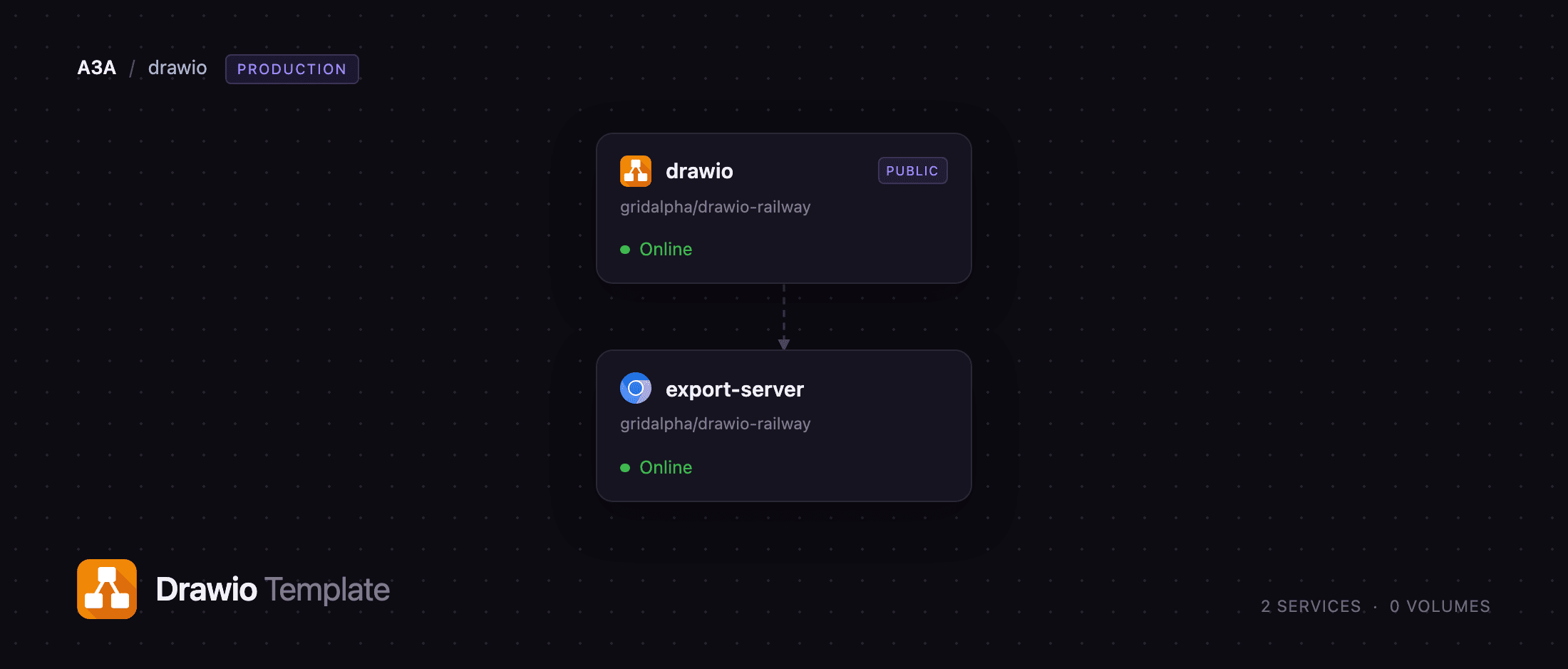
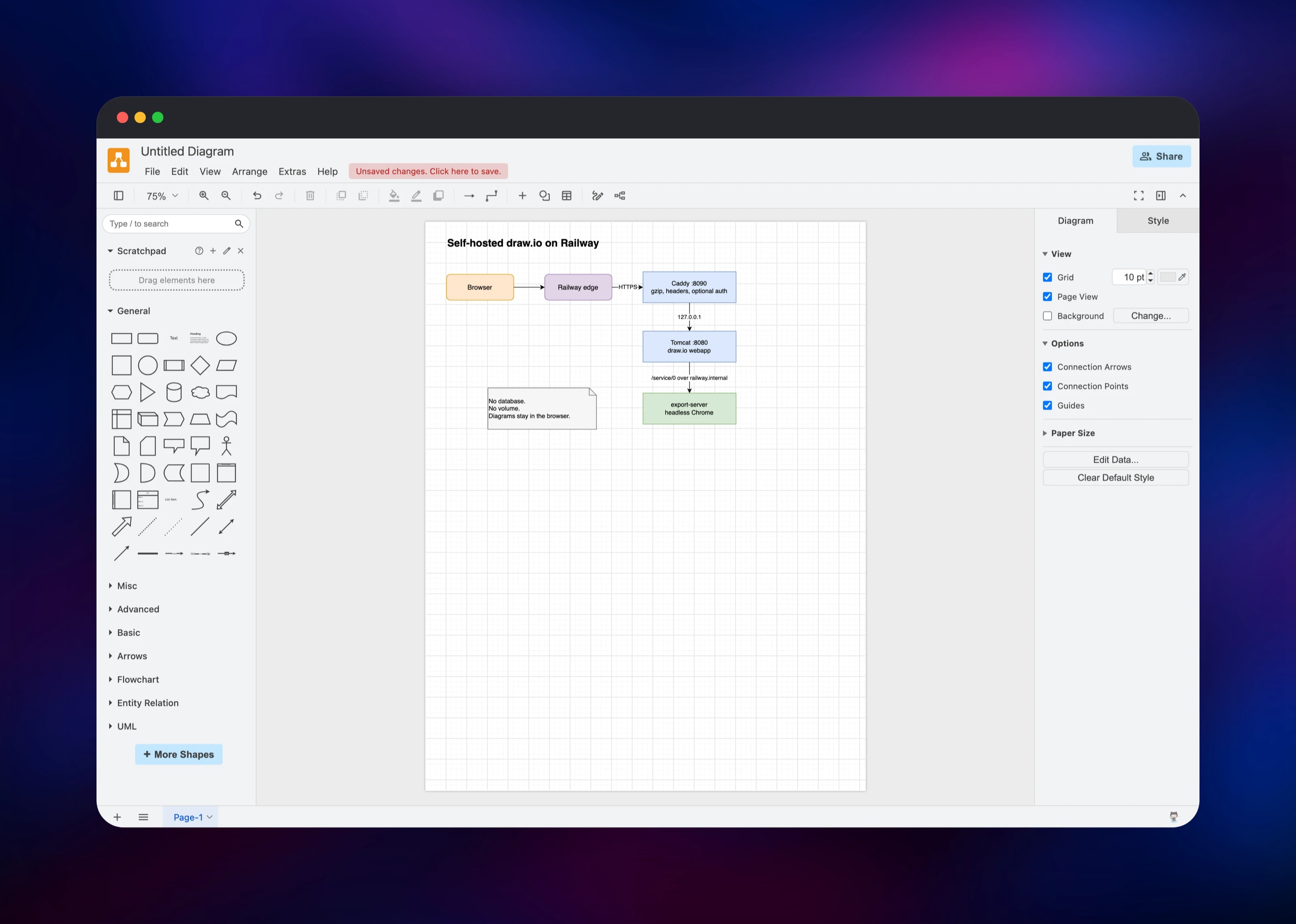
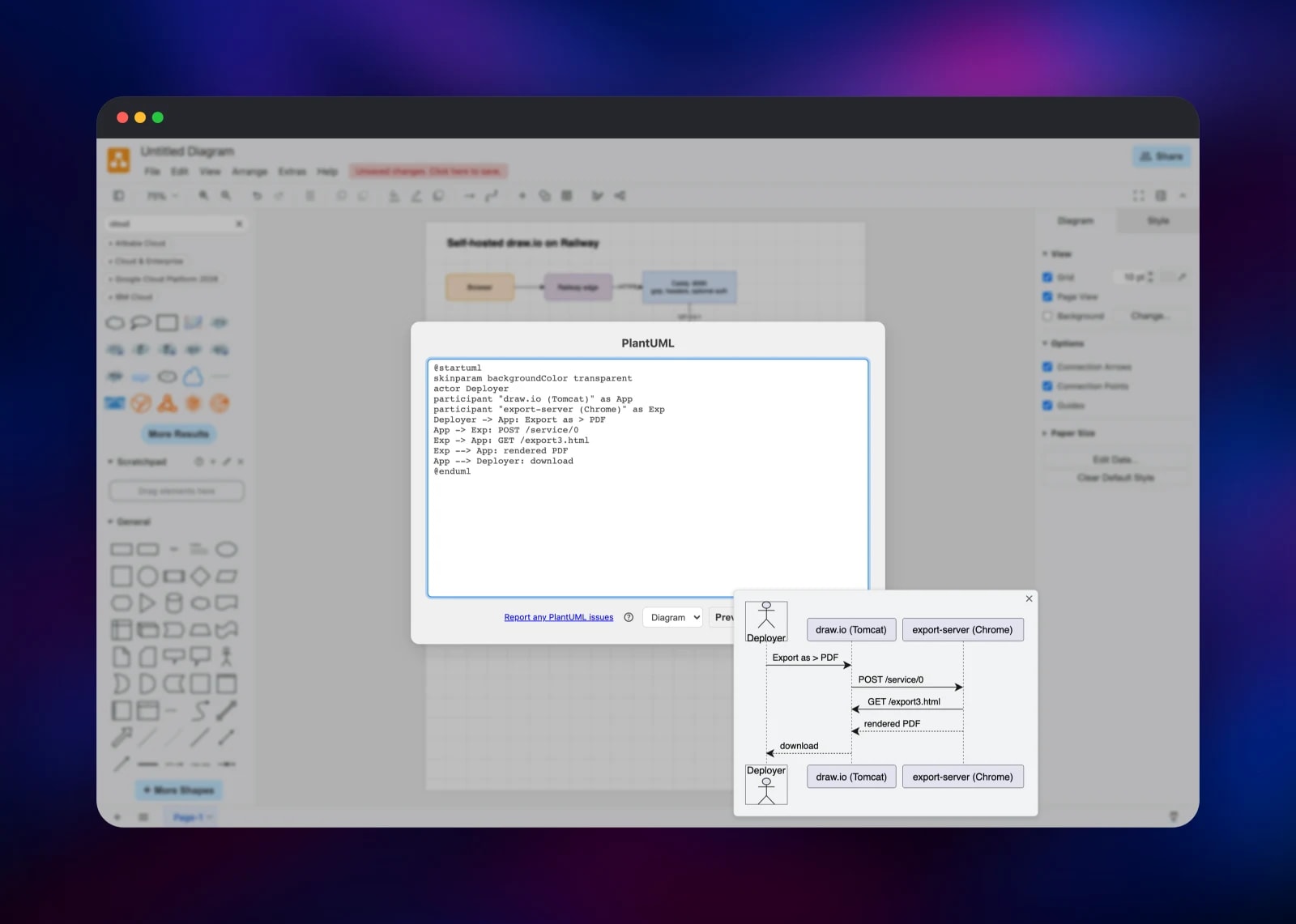
Deploy draw.io on Railway and you get two services. drawio is the editor itself, an Apache Tomcat webapp behind a small reverse proxy that adds compression, security headers and optional password protection. export-server is draw.io's own renderer — Node driving headless Chrome — and it is what turns a diagram into a PDF or a high-resolution PNG. The browser never talks to it directly: the editor posts to /service/0 on its own origin, drawio forwards that over Railway's private network, and export-server returns the file. Nothing reaches draw.io's public conversion endpoint.
Getting Started with draw.io on Railway
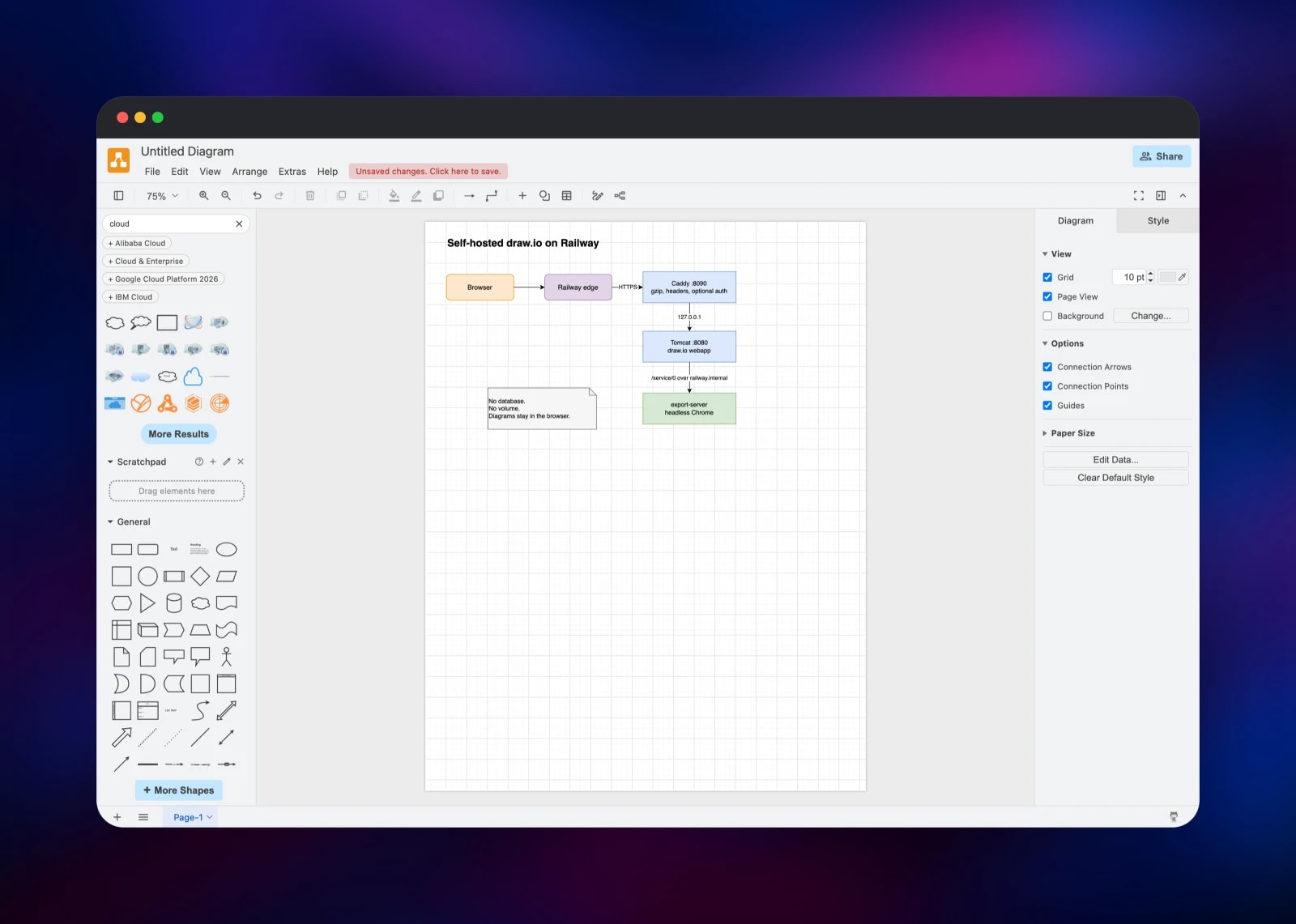
Open the public URL of the drawio service and the editor loads straight into a blank diagram. There is no sign-up and no default password to change, because draw.io stores nothing on the server — your work sits in the browser until you save it, so the first decision is where diagrams should live. Drag shapes from the left palette, or paste draw.io XML through Extras → Edit Diagram…, then File → Save as… to keep a .drawio file. To confirm the renderer is wired up, draw any shape and pick File → Export as → PDF: that file came from export-server, not from the browser's print dialog. Arrange → Insert → Advanced holds the PlantUML and Mermaid entries, both of which render in the page. To make the instance private, set DRAWIO_USERNAME and DRAWIO_PASSWORD on drawio. To sync diagrams rather than keep them local, register an OAuth app with Google, Microsoft or GitLab and fill in its variables.
About Hosting draw.io
draw.io is Apache-2.0 licensed and developed by JGraph. The hosted diagrams.net is free, but its PDF conversion endpoint receives the full XML of anything you export. Self-hosting removes that and gives you a fixed URL you can put behind your own network controls.
What you get:
- Thousands of shapes across flowchart, UML, ER, BPMN, network, mockup and rack libraries, plus the AWS, Azure, GCP, Cisco and Kubernetes icon sets
- Text-to-diagram from Mermaid and PlantUML, both rendered in the browser
- Import from Visio (
.vsdx), Gliffy, Lucidchart and plain.drawioXML - Export to PNG, JPEG, SVG, PDF, HTML and XML, server-rendered for PDF
- Optional Google Drive, OneDrive and GitLab storage over real OAuth
drawio serves the editor and proxies export requests, and is the only service with a public domain. export-server has no public address and is reachable only from inside the project — a service that renders arbitrary markup is not one to expose.
Why Deploy draw.io on Railway
Railway removes the operational work around a two-service deployment:
- Both services build from one repository and deploy together on every push
- The renderer stays private on Railway's internal network
- HTTPS and a public domain are issued automatically
- Health checks watch the editor and verify headless Chrome still renders
- No database, volume or backups to manage
- Scaling out is safe: nothing is stored on the container
Common Use Cases
- Architecture and network diagrams naming real hosts and subnets, on infrastructure you control
- Documentation workflows where diagram XML is committed to Git and rendered to PNG or PDF by the export service
- Embedded diagramming inside an internal wiki, admin panel or docs site
- Migrating off Visio or Lucidchart by importing
.vsdxfiles, keeping the output as open XML
Dependencies for draw.io
jgraph/drawio:latest— the editor, an Apache Tomcat 9 webapp on JRE 11jgraph/export-server:latest— the image and PDF renderer, Node plus headless Chrome- Source repository: https://github.com/gridalpha/drawio-railway
There is no database, cache, queue or volume: draw.io keeps no server-side state, so both services are disposable and a redeploy loses nothing.
Environment Variables Reference
| Variable | Service | Default | Purpose |
|---|---|---|---|
DRAWIO_USERNAME | drawio | empty | Basic-auth username; set with DRAWIO_PASSWORD to make the instance private |
DRAWIO_PASSWORD | drawio | empty | Basic-auth password, hashed at startup. Setting one of the pair without the other stops the boot rather than leaving the site open |
DRAWIO_LANG | drawio | empty | Default UI language, e.g. es. Empty follows the browser |
DRAWIO_CONFIG | drawio | empty | Configuration JSON — fonts, colours, shape libraries |
X_FRAME_OPTIONS | drawio | SAMEORIGIN | off lets another site iframe the editor |
ROBOTS_POLICY | drawio | noindex | allow to be indexed by search engines |
DRAWIO_GOOGLE_CLIENT_ID | drawio | empty | Google Drive storage, with _APP_ID and _CLIENT_SECRET |
DRAWIO_MSGRAPH_CLIENT_ID | drawio | empty | OneDrive, with _CLIENT_SECRET and _TENANT_ID; DRAWIO_GITLAB_ID for GitLab |
WORKER_POOL_SIZE | export-server | derived | Concurrent render workers; from the CPU limit |
Deployment Dependencies
- Editor: https://github.com/jgraph/drawio
- Renderer: https://github.com/jgraph/draw-image-export2
- Config reference: https://www.drawio.com/doc/faq/configure-diagram-editor
Hardware Requirements for Self-Hosting draw.io
| Resource | Minimum | Recommended |
|---|---|---|
| CPU | 1 vCPU across both services | 2–4 vCPU, for concurrent renders |
| RAM | 1 GB total | 2 GB — each render worker starts a Chrome process |
| Storage | None; no volume needed | None |
| Runtime | JRE 11 / Tomcat 9, and Node with headless Chrome | Same |
The editor is near-idle once the page is served; the renderer uses the CPU and memory, one Chrome instance per concurrent export.
Self-Hosting draw.io with Docker
The editor alone runs in one container:
docker run -it --rm --name drawio -p 8080:8080 jgraph/drawio
Open http://localhost:8080/?offline=1 and it works — but Export as → PDF falls back to the print dialog, because the published image ships with server-side export off and no renderer beside it. Adding the renderer is what this template does. The equivalent Docker Compose:
services:
  export-server:
    image: jgraph/export-server:latest
    environment:
      DRAWIO_BASE_URL: http://drawio:8080
  drawio:
    image: jgraph/drawio:latest
    ports: ["8080:8080"]
    environment:
      DRAWIO_BASE_URL: http://localhost:8080
      EXPORT_URL: http://export-server:8000
Either way the editor's PreConfig.js must also set window.EXPORT_URL = '/service/0', which this template writes at startup whenever EXPORT_URL is present.
Is draw.io Free to Self-Host?
Yes. draw.io is open source under Apache-2.0 with no paid tier, seat count or licence key — the full shape library, every export format and the renderer are included. The only cost is the Railway compute the two services use, which for a small team is a fraction of a per-seat diagramming licence. The Atlassian marketplace apps for Confluence and Jira are licensed separately and are not part of this deployment.
FAQ
What is draw.io?
A free, open-source diagramming application for flowcharts, UML, network and cloud architecture, ER diagrams, BPMN and mind maps. It is the software behind diagrams.net and the draw.io apps for Confluence and Jira.
What does this Railway template deploy?
Two services: drawio, the editor on a public HTTPS URL, and export-server, draw.io's own image and PDF renderer, which stays private and is reached through the editor.
Why does the template include a separate export server?
Browsers can produce PNG and SVG themselves, but PDF and high-resolution image export need a real rendering engine. Without one the published draw.io image disables server-side export. A private renderer restores full-quality export without sending diagram XML to a third party.
Where are my diagrams stored in self-hosted draw.io?
In your browser by default — there is no database and nothing to back up. Use File → Save as… for local files, commit the XML to Git, or connect cloud storage.
How do I password-protect a self-hosted draw.io instance?
Set DRAWIO_USERNAME and DRAWIO_PASSWORD on the drawio service. Every route then requires HTTP basic auth, and the password is hashed at startup rather than stored in plain text. Export still works, because the renderer reaches the editor over the private network.
Does Mermaid and PlantUML support need another service?
No. Current draw.io releases parse both in the browser, so no PlantUML server is required — paste the text under Arrange → Insert → Advanced and it renders in the page.
Template Content
export-server
gridalpha/drawio-railwaydrawio
gridalpha/drawio-railway

