
Deploy Drawnix
Whiteboard app for mind maps, flowcharts and freehand drawing
Drawnix
Just deployed
Deploy and Host Drawnix on Railway
Drawnix is an open-source, all-in-one whiteboard combining mind maps, flowcharts, freehand sketching and text on one infinite canvas. Built on the Plait framework and MIT-licensed at plait-board/drawnix, it suits developers, product teams and writers who want an Excalidraw-style scratchpad that also does structured diagrams — turning a Mermaid snippet into editable shapes, or a Markdown outline into a mind map, in one click.
Self-host Drawnix when you would rather not send half-finished architecture sketches to someone else's SaaS. Everything it does runs in the browser: boards are stored in the visitor's own IndexedDB, Mermaid and Markdown are parsed in the page, and PNG, JPG and SVG export happen client-side. Deploy Drawnix on Railway and there is exactly one service, named Drawnix, serving the compiled app over HTTPS with gzip-compressed assets, a strict Content-Security-Policy and an optional password gate — no database, no object storage, no volume and no worker.
Getting Started with Drawnix on Railway
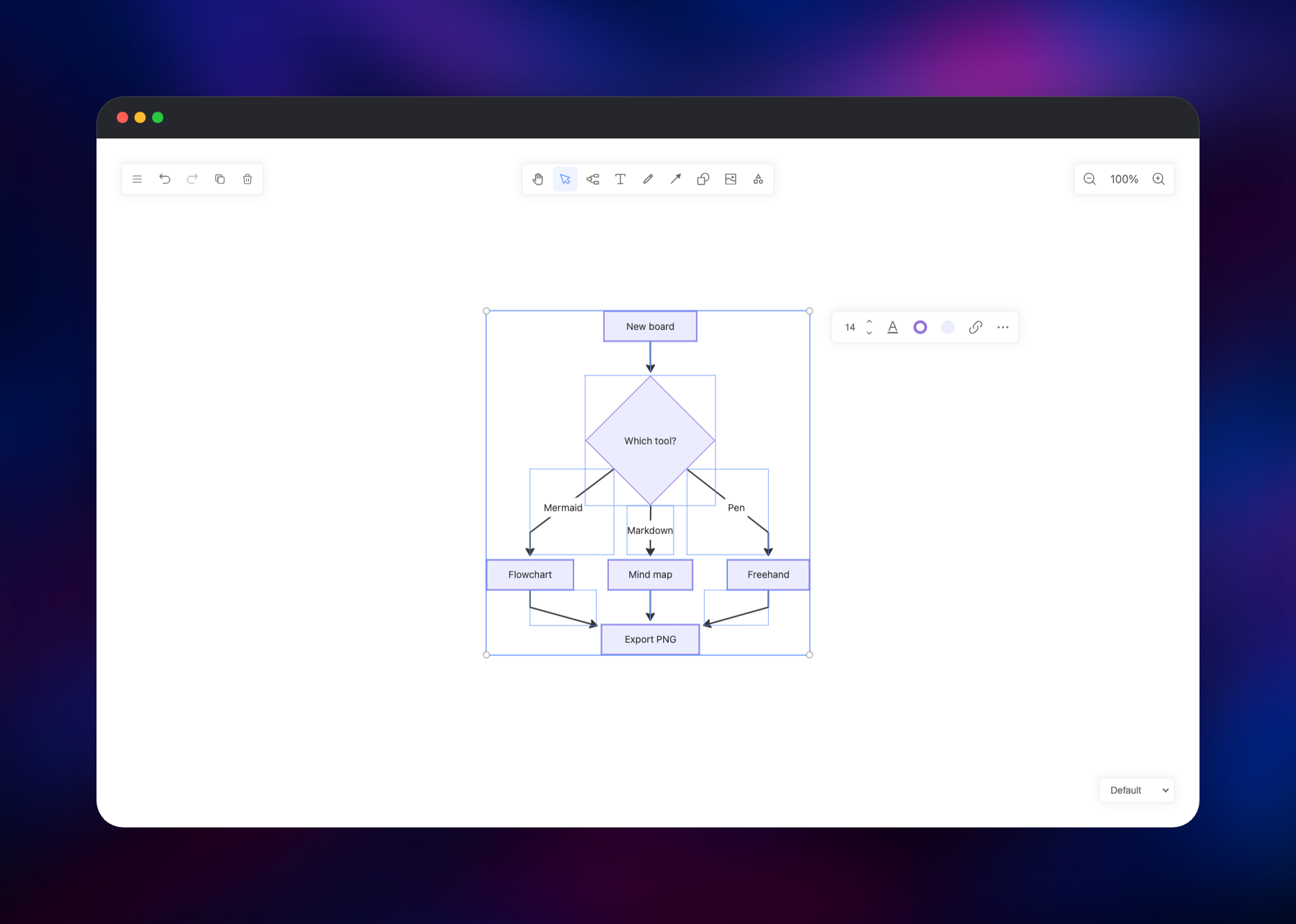
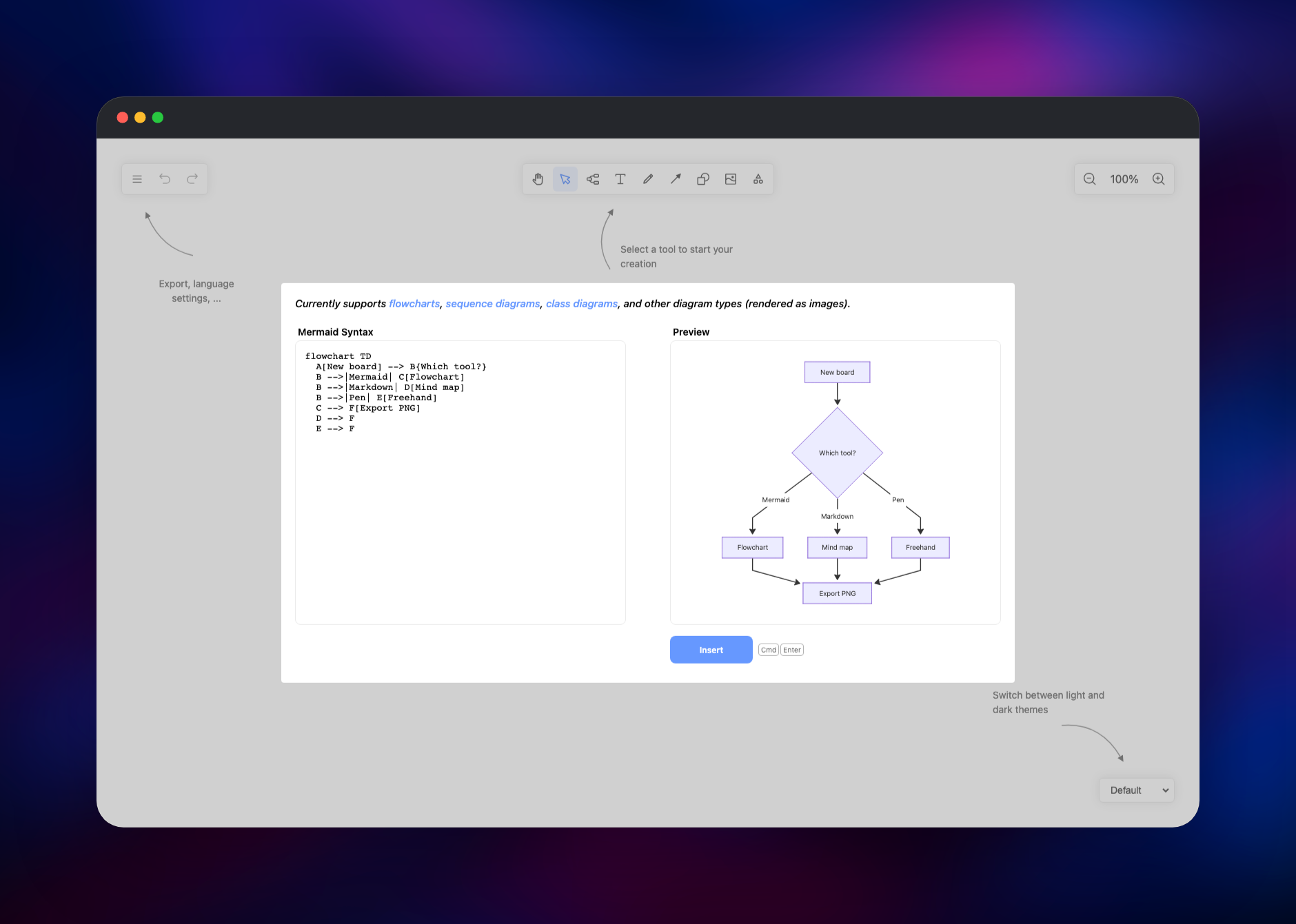
Click Deploy, wait for the build, then open the generated *.up.railway.app URL. There is no installer, no sign-up and no default password: the board is ready the moment the page loads. The interface ships in Chinese — switch it from App Menu → Language, where English, Russian, Arabic and Vietnamese are also available; the choice is remembered in your browser. The toolbar at the top holds the pen, arrow and shape tools, and Extra Tools opens the two importers that make Drawnix worth deploying. Paste a flowchart TD block into Mermaid to Drawnix and the live preview renders beside it; press Insert and every node becomes a real, editable shape rather than a flat image. Markdown to Drawnix does the same for a headed outline, laying it out as a colour-coded mind map. Select any element to get the style bar — font size, stroke colour, fill, links — and use App Menu → Export Image for PNG, JPG or SVG, or Save File for the editable .drawnix JSON. Work is saved automatically as you draw, so reloading brings the board back; that reload is also the quickest way to confirm the deployment is healthy.
About Hosting Drawnix
Drawnix is a compiled single-page application, so hosting it means serving static files well rather than running an application server. nginx does that here: JavaScript and CSS are pre-compressed at build time and served with gzip_static, taking the main bundle from 1.09 MB to roughly 342 KB, content-hashed assets are marked immutable while the HTML revalidates, and /healthz answers a real health check.
Key features:
- Mind maps, flowcharts, arrows, shapes, images and rich text on one infinite canvas
- Mermaid to Drawnix — flowcharts, sequence and class diagrams as editable elements
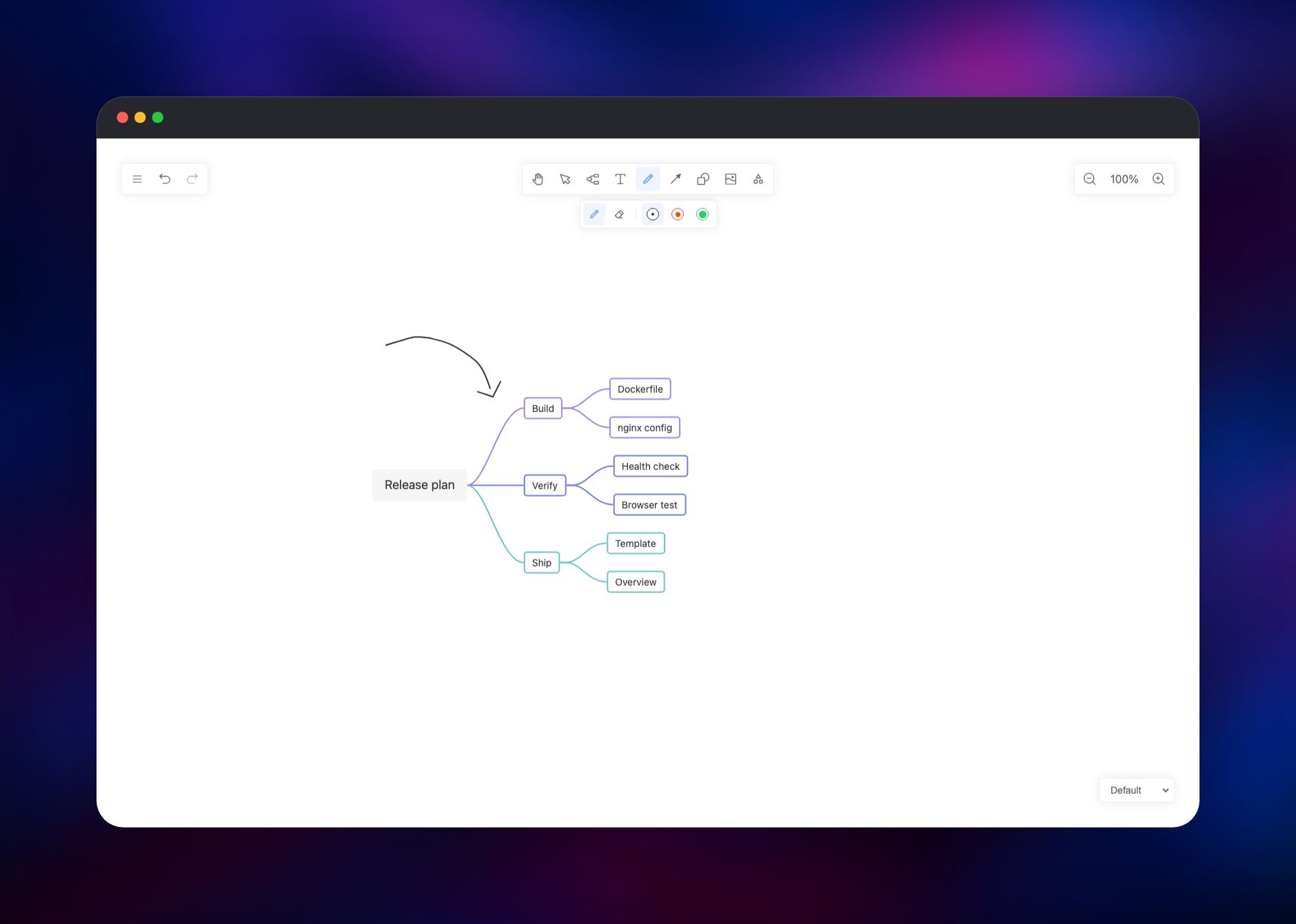
- Markdown to Drawnix — a headed outline becomes a laid-out mind map
- Freehand pen with a laser-pointer mode, plus six canvas themes including dark
- Export to PNG, JPG and SVG; save and reopen boards as
.drawnixJSON - Automatic local save, undo/redo, copy/paste, a mobile layout, five languages
Because the whole product is client-side, the architecture is a single web service: nothing for a database or queue to do, and interchangeable containers, so the replica count can be raised freely.
Why Deploy Drawnix on Railway
Railway removes the fiddly parts of self-hosting a static app:
- One click to a working HTTPS URL, certificates handled
- Automatic rebuilds when the source repository changes
- Assets pre-compressed and cached correctly out of the box
- Security headers, HSTS and a locked-down CSP already configured
- Two variables turn the instance private with HTTP basic auth
- Custom domains, metrics and logs with no extra configuration
Common Use Cases for Self-Hosted Drawnix
- Architecture and incident sketching — draw a system diagram in a design review and export the PNG into the RFC or postmortem
- Turning notes into diagrams — paste a README's Mermaid block and get shapes you can rearrange, or an outline and get a mind map
- Private team whiteboard — put the deployment behind basic auth and keep the scratchpad on your own domain
- Teaching and workshops — the pen and laser-pointer modes work well on a shared screen or tablet
Dependencies for Drawnix
- Drawnix — the only service, built from gridalpha/drawnix-railway, which takes the compiled site out of the official
pubuzhixing/drawniximage and serves it fromnginxinc/nginx-unprivileged:1-alpine.
Drawnix needs no database, cache, object storage or volume, because every board lives in the browser that drew it.
Environment Variables Reference
| Variable | Default | What it does |
|---|---|---|
PORT | 8080 | Port nginx listens on and Railway health-checks |
ROBOTS_POLICY | noindex | Serves Disallow: /; use allow to be indexed |
DRAWNIX_USERNAME | unset | Enables basic auth; set with the password |
DRAWNIX_PASSWORD | unset | Basic-auth password, hashed at container start |
CSP_CONNECT_SRC | 'self' blob: data: | Where the page may connect; the default lets nothing out |
CSP_FRAME_ANCESTORS | 'none' | Which sites may embed the board in an iframe |
CONTENT_SECURITY_POLICY | derived | Replaces the whole policy; off disables it |
Deployment Dependencies
- Source repository: (MIT)
- Upstream image:
- Drawing framework:
- Runtime: nginx 1.x on Alpine, unprivileged as uid 101
Hardware Requirements for Self-Hosting Drawnix
Serving static files is cheap; the drawing happens on the visitor's machine.
| Resource | Minimum | Recommended |
|---|---|---|
| CPU | 0.25 vCPU | 0.5–1 vCPU |
| RAM | 128 MB | 256–512 MB |
| Storage | ~50 MB image, no volume | Same |
| Runtime | nginx (Alpine) | nginx (Alpine) |
Traffic scales with page loads, not board size; a first visit is a few hundred compressed kilobytes.
Self-Hosting Drawnix
The fastest way to run Drawnix outside Railway is the official image, which serves the app on port 80:
docker run -d --name drawnix -p 8080:80 pubuzhixing/drawnix:latest
To build it yourself from source — useful if you want to patch the UI or pin a commit — clone the repository and run the Nx build. The following uses Node 20 and npm:
git clone https://github.com/plait-board/drawnix.git
cd drawnix
npm install
npm run build:web
npx serve dist/apps/web
The dist/apps/web directory is the entire application: hand it to any static web server, CDN or object-storage bucket, and point unknown paths at index.html, since routing is client-side.
How Much Does Drawnix Cost to Self-Host?
Drawnix is free and open source under the MIT licence, with no paid tier, seat limits, feature gating or account required. On Railway you pay only for the compute and bandwidth the container uses, which for a static site of this size is among the smallest workloads you can run — typically a few dollars a month for a team instance, idling at close to nothing between visits.
FAQ
What is Drawnix? Drawnix is an open-source whiteboard for mind maps, flowcharts and freehand drawing, built on the Plait framework and licensed under MIT. It runs entirely in the browser.
What does this Railway template deploy? A single service called Drawnix: the compiled application served by nginx with compression, caching, security headers, a health check and optional password protection.
Why is there no database or storage service in this template? There is nothing to store on the server: Drawnix keeps boards in the browser's IndexedDB, so a database or volume would sit idle. It also means boards are per-browser and per-device — use Save File to move one, and note that clearing site data clears the board.
How do I make my self-hosted Drawnix private?
Set DRAWNIX_USERNAME and DRAWNIX_PASSWORD and redeploy. Every page is then behind HTTP basic auth apart from the health check and robots.txt. Set them together — setting only one stops the container rather than leaving the site open.
Can I collaborate on a board in real time?
Not in this release. Drawnix has no accounts and no sync service, so it is one canvas per browser. Share a board by exporting an image or sending the .drawnix file, which anyone can reopen with App Menu → Open.
How do I change the interface language from Chinese to English? Open App Menu → Language and pick English, Russian, Arabic or Vietnamese. The setting is stored in your browser, so each visitor chooses their own.
Does the self-hosted version send any data to the developers? No. The third-party analytics tag in the upstream build is removed from this image, and the default Content-Security-Policy blocks outbound connections, so a board cannot leave the browser that drew it.
Template Content
Drawnix
gridalpha/drawnix-railway

